
Upgrading your PC’s memory should be a simple spec check, but choosing the right kit of 2 x 16 GB RAM involves more than just matching the capacity. The frequency, latency timings (like CL16 vs CL22), voltage, and physical profile all determine whether your system boots, whether the RAM runs at its advertised speed, and whether the performance gains feel immediate or completely flat.
I’m Min — the co-founder and writer behind Gadgets Feed. My deep research into this category focuses on cross-referencing technical datasheets with real-world user experiences to separate the kits that deliver consistent latency and overclocking headroom from those that barely meet baseline JEDEC specs.
This guide analyzes seven distinct kits to help you identify the actual best 2 x 16 gb ram for your build, whether you need tight timings for competitive gaming, stable 2666 MHz for an iMac, or a low-profile kit for a compact office PC.
How To Choose The Best 2 x 16 GB RAM Kit
Selecting the correct 32 GB dual-channel kit requires matching three key variables to your specific hardware: the memory generation (DDR4 vs DDR5), the form factor (UDIMM for desktop, SO-DIMM for laptops), and the rated speed your motherboard and CPU support. Ignoring any one of these can lead to a kit that either won’t physically fit or will run at a much slower default speed.
Latency Timings and Real-World Responsiveness
The Column Address Strobe (CAS) latency, or CL number, is a measure of how many clock cycles it takes for the memory to deliver data. At the same 3200 MHz frequency, a kit with CL16 is significantly faster than one with CL22. For gaming, CPU-bound applications, and file compression tasks, CL16 delivers lower input lag and snappier multitasking — this is the primary spec that separates premium kits from budget value ones.
XMP Profiles and Rated Speed
Most DDR4 kits default to a JEDEC standard of 2133 MHz or 2400 MHz when first installed. The advertised high speed (like 3200 MHz or 3600 MHz) is an overclocked profile stored in an Intel XMP or AMD EXPO profile. You must enter the BIOS and enable this profile to reach the kit’s full potential. Ensure your motherboard and CPU support the rated XMP speed to avoid instability or boot failures.
Form Factor and Physical Compatibility
Desktop PCs require 288-pin DIMM sticks, while most modern laptops and some mini PCs require 260-pin SO-DIMM modules. Additionally, check the physical height of the heat spreader — low-profile designs, like the Corsair Vengeance LPX at only 34 mm tall, are essential for small-form-factor builds where a large CPU air cooler might overhang the memory slots.
Quick Comparison
On smaller screens, swipe sideways to see the full table.
| Model | Category | Best For | Key Spec | Amazon |
|---|---|---|---|---|
| G.SKILL Ripjaws V | Premium | High-FPS Gaming | 3600 MT/s CL16 | Amazon |
| Corsair Vengeance LPX | Premium | Small Form Factor Builds | 3200 MHz CL16 (34mm height) | Amazon |
| Crucial 32GB Kit | Premium | Bulletproof Stability | 3200 MHz CL22 | Amazon |
| TEAMGROUP Elite | Mid-Range | Office and Home Use | 3200 MHz CL22 | Amazon |
| PUSKILL 32GB Kit | Mid-Range | Value Gaming Upgrade | 3200 MHz CL16 | Amazon |
| KingSpec 32GB | Budget | Basic Workstations | 3200 MHz CL18 | Amazon |
| A-Tech for Apple | Mid-Range | iMac / Mac mini (2018-2020) | 2666 MHz SO-DIMM CL19 | Amazon |
In‑Depth Reviews
1. G.SKILL Ripjaws V Series 32GB (2x16GB) DDR4 3600

The G.SKILL Ripjaws V Series kit operates at a blistering 3600 MT/s with a tight CL16-19-19-39 timing at 1.35V, making it the fastest-rated memory among all the kits reviewed here. This frequency and latency combination directly translates to higher minimum FPS in CPU-bound gaming scenarios and faster data throughput in applications like video rendering and code compilation. The black aluminum heat spreader measures 42 mm tall, which requires adequate clearance under large tower air coolers but fits most standard mid-tower builds without issue.
To reach the advertised 3600 MT/s speed, you must enable the Intel XMP 2.0 profile in the BIOS. Without it, the sticks default to 2133 MHz at CL15. Users report that with a compatible motherboard and CPU — such as a Ryzen 5000 series or Intel 12th Gen with a Z-series chipset — the system boots immediately and remains stable under prolonged stress testing. The kit is rated for 1.35V at its XMP profile, and the voltage regulation is clean enough for daily overclocking without manual intervention.
The Ripjaws V is a top-tier choice for enthusiasts building a high-refresh-rate gaming rig or a content creation workstation where every nanosecond of latency matters. The kit’s limited lifetime warranty from G.SKILL adds further peace of mind. The only real drawback is the modest heat spreader height, which may conflict with the front fan on some massive dual-tower air coolers.
Why it’s great
- Fastest rated speed at 3600 MT/s with CL16 timings.
- Excellent overclocking headroom and stable XMP 2.0 profiles.
- Good compatibility with Intel and AMD platforms when paired with suitable hardware.
Good to know
- 42 mm height may interfere with large CPU air coolers.
- Requires enabling XMP in BIOS to reach rated speed; defaults to 2133 MHz otherwise.
2. Corsair Vengeance LPX 32GB (2x16GB) DDR4 3200

The Corsair Vengeance LPX is the go-to kit for builders who prioritize physical compatibility above all else. Its low-profile design measures just 34 mm tall, which allows it to slide under even the most massive CPU air cooler overhangs, such as the Noctua NH-D15 or be quiet! Dark Rock Pro 4. Despite the compact size, it still packs a solid aluminum heat spreader that effectively dissipates heat from the memory modules, ensuring stable operation during long gaming sessions.
Rated at 3200 MHz with CL16-20-20-38 timings at 1.35V, the LPX kit offers strong price-to-performance value for the vast majority of mainstream builds. It works seamlessly with both Intel and AMD platforms, and Corsair’s hand-sorted chips give the kit some moderate overclocking headroom beyond its rated spec. Users report that enabling XMP on a B450 or B660 motherboard results in instant stability at 3200 MHz with no additional voltage tweaks required.
One user upgrade from 8GB to 32GB completely resolved game stuttering in titles like Overwatch 2 and eliminated system freezes when running Slack alongside Chrome. The kit is also backed by Corsair’s reliable customer support, with one user noting a smooth free replacement process when a stick failed. The only missing feature is RGB lighting, but that’s an advantage for builds that need no-fuss, solid performance in tight spaces.
Why it’s great
- Ultra-low 34 mm profile fits in almost any small-form-factor build.
- Excellent stability at 3200 MHz with XMP on mainstream chipsets.
- Hand-sorted chips provide good overclocking potential.
Good to know
- No RGB lighting for those wanting aesthetic customization.
- The non-vented heat spreader runs slightly warmer under sustained load than taller designs.
3. Crucial 32GB DDR4 RAM Kit (2x16GB) 3200MHz

The Crucial 32GB kit operates at 3200 MHz with a CAS latency of 22 at a standard 1.2V, which is the conservative JEDEC profile rather than a pushed XMP overclock. This makes it one of the most universally compatible kits available — it will run at its full 3200 MHz speed on virtually any motherboard that supports DDR4-3200, without any BIOS tweaking required. For users who prefer a plug-and-play experience, this is the defining advantage.
Backed by Micron’s 42 years of memory manufacturing expertise, each module is rigorously tested at both the component and module level. The kit is available as 1Rx8 or 2Rx8 configuration, which can affect compatibility with certain motherboards. Crucial provides a free System Scanner tool to verify compatibility before purchase, removing guesswork from the process. The kit is also downclockable to 2933 or 2666 MHz, making it a safe choice for older Ryzen or Intel platforms that don’t fully support 3200 MHz.
Users upgrading Adobe photography or video editing PCs report huge performance boosts when combining this kit with a good GPU. The 1.2V operating voltage keeps thermals low, reducing overall system heat and fan noise. The only trade-off is the CL22 timing, which is slower than CL16 kits in latency-sensitive tasks. For pure stability and wide compatibility, this is the best choice among the premium kits.
Why it’s great
- Runs at full 3200 MHz at JEDEC voltage without XMP.
- Backed by Micron’s manufacturing expertise and testing.
- Low 1.2V operation keeps system temperatures down.
Good to know
- CL22 latency is slower than premium CL16 kits for gaming.
- No XMP overclocking headroom for enthusiasts.
4. TEAMGROUP Elite 32GB Kit (2x16GB) DDR4 3200

The TEAMGROUP Elite series is designed for budget-conscious builds that need 32GB of capacity without the premium attached to low-latency or RGB memory. This kit runs at 3200 MHz with a CL22 timing at 1.2V, adhering strictly to JEDEC standards. It is unbuffered and non-ECC, fitting the standard 288-pin DIMM slot on any modern desktop motherboard. The build quality is simple but reliable, with a lightweight green PCB and no heat spreader, keeping costs down.
One user successfully upgraded a Dell Inspiron 3471 from 4GB+8GB to this 2x16GB kit, noting that it matched the OEM specs at a much lower price point and resolved a persistent orange light issue once the RAM was fully seated. The kit is backed by a lifetime warranty and free technical support, which adds significant value for a product at this price tier. It is also fully RoHS compliant, meeting environmental regulations.
While the CL22 timing means it won’t match the responsiveness of CL16 kits in gaming or high-frequency trading applications, it performs admirably in office tasks, spreadsheet work, and light multitasking. Some users have reported that under heavy load, the kit can exhibit mild skipping or hesitation when handling large intermediate data batches. For basic productivity and home use, the Elite kit delivers excellent capacity for the money.
Why it’s great
- Very budget-friendly entry point for a 32GB capacity.
- Lifetime warranty and free technical support included.
- Compatible with standard office and OEM desktop PCs.
Good to know
- CL22 latency is slower than premium kits for gaming.
- Some performance hesitation reported under heavy data loads.
5. PUSKILL 32GB Kit (2x16GB) DDR4 3200MHz
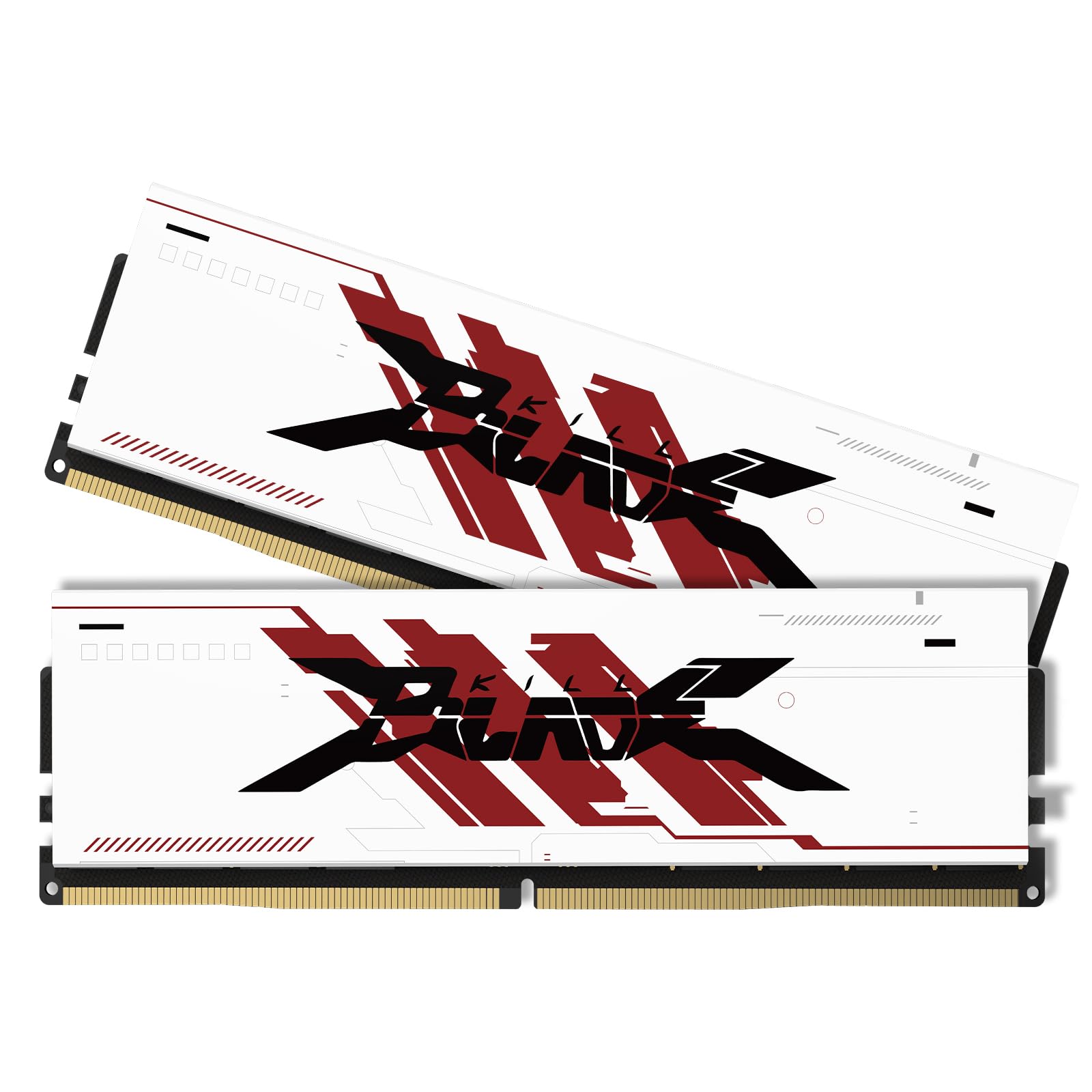
The PUSKILL 32GB kit brings an impressive CL16-18-18-38 timing at 3200 MHz, a latency spec that typically belongs to much more expensive modules. This is the standout feature of the kit — it matches the tight timings of premium memory at a mid-range price point. The kit also includes an aluminum heat spreader, which helps dissipate heat and maintain stability during intense gaming or rendering workloads. It operates at 1.35V and supports both Intel and AMD platforms.
Users consistently report that the kit works perfectly straight out of the box, with instant performance improvements when upgrading from smaller capacities. The dual-rank configuration (2Rx8) provides standard performance for modern desktop applications. The heat spreader design is clean and unobtrusive, fitting comfortably under most CPU coolers without clearance issues. The kit is also available as 3200 MHz PC4-25600, ensuring compatibility with mainstream chipsets like B450, B550, Z490, and B660.
For a brand that isn’t as widely recognized as Corsair or G.SKILL, PUSKILL has delivered a surprisingly strong product. The only caution is that some users have noted that the heat spreader is primarily cosmetic on certain modules, and the kit’s long-term durability is less proven than established brands. For builders who want CL16 performance on a tighter budget, this is an excellent dark horse pick.
Why it’s great
- Full CL16-18-18-38 timing at 3200 MHz for great gaming latency.
- Aluminum heat spreader aids heat dissipation.
- Excellent price-to-performance ratio for budget builds.
Good to know
- Less brand recognition and long-term reliability data than major brands.
- Heat spreader may be more cosmetic than functional on some sticks.
6. KingSpec 32GB (2x16GB) DDR4 3200MHz for Desktop
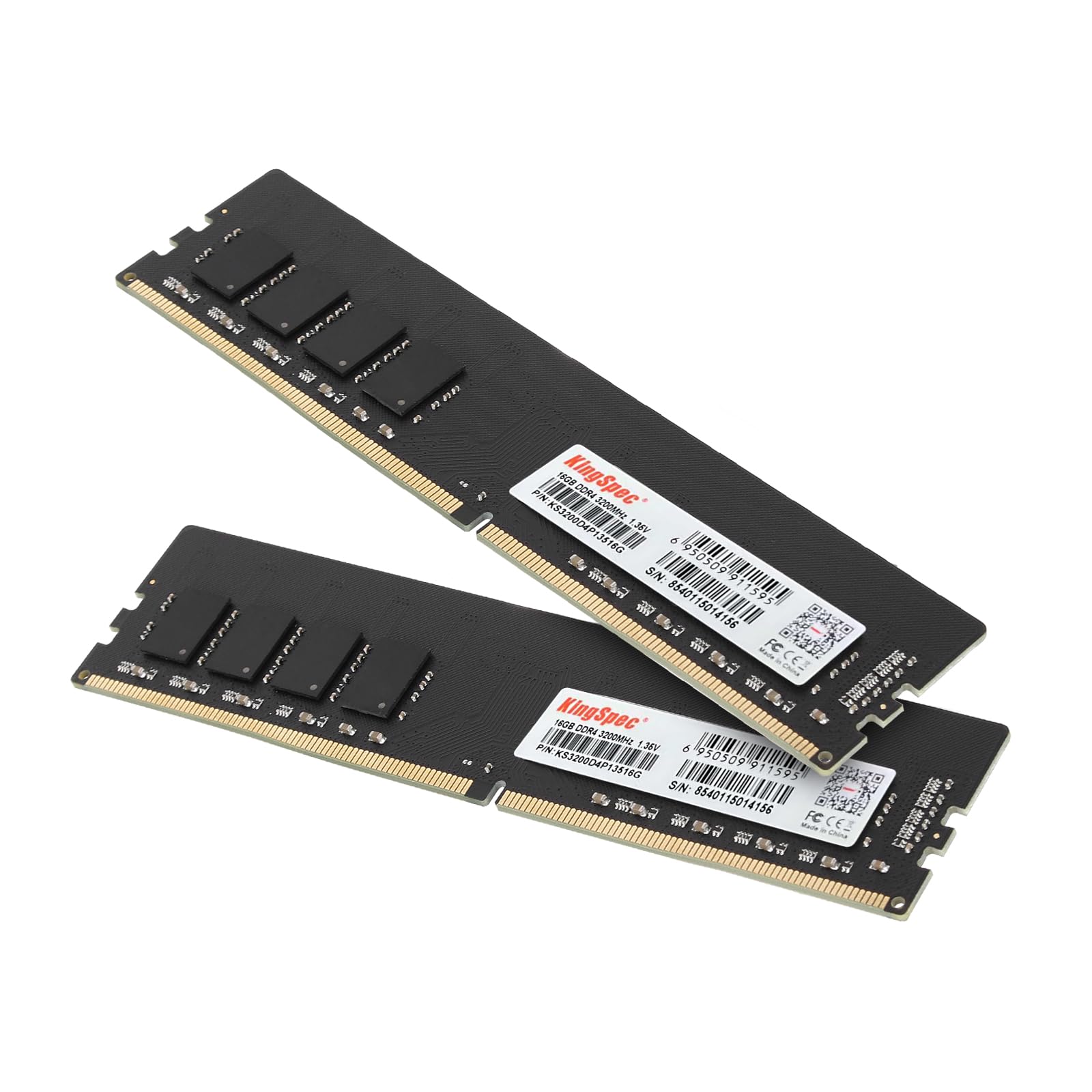
The KingSpec 32GB kit targets business and home office environments where reliability and low power consumption are more critical than extreme FPS numbers. It runs at 3200 MHz with CL18 timings at a low 1.35V, making it cool and efficient for all-day computing. The modules have no RGB lighting or bulky heat spreaders, ensuring they fit into tight office PC cases easily. The plug-and-play design means it works with most 288-pin DIMM slots on Intel and AMD standard desktops.
Users report that the memory is stable at stock settings and runs without issues, making it a solid drop-in upgrade for aging office computers. The kit includes a 3-year worry-free warranty and lifetime technical support, which is above average for the budget segment. The brand specifically markets it for running spreadsheets, video calls, and handling 20+ browser tabs without slowdowns — a realistic description of its capabilities.
The main trade-off is the CL18 timing, which is slower than CL16 kits and may be noticeable in latency-sensitive applications. One user also noted that their first stick failed a memory test, but the replacement process was smooth and quick. For basic productivity tasks and light office workloads, the KingSpec kit provides dependable 32GB capacity at a very accessible price point.
Why it’s great
- Very affordable entry point for 32GB desktop memory.
- Low 1.35V voltage for cool and efficient operation.
- 3-year warranty with lifetime tech support.
Good to know
- CL18 latency is slower than CL16 for gaming and latency-sensitive tasks.
- Single user reported a DOA stick that required replacement.
7. A-Tech 32GB Kit (2x16GB) for Apple iMac & Mac mini

The A-Tech 32GB kit is a specialized SO-DIMM upgrade specifically designed for Intel-based iMac and Mac mini models from 2018 to 2020. It uses the 260-pin DDR4 SODIMM form factor, which is physically different from the 288-pin UDIMM sticks used in standard desktops. The kit runs at 2666 MHz (PC4-21300) with a CL19 timing at 1.2V, matching the exact specifications required by these Apple machines.
Users with a 27-inch iMac or a Mac mini report dramatic performance improvements after installation, with one user noting that the upgrade fixed random shutdowns that Apple’s service center quoted to repair. Installation is straightforward on models with user-accessible RAM slots, and the modules are pre-tested for guaranteed compatibility. A-Tech provides a lifetime warranty with US-based technical support, which is crucial for users who want confidence when modifying their Apple hardware.
This kit is the only SO-DIMM option in the roundup, making it the definitive choice for anyone needing to upgrade an Intel Mac. It does not work with the M1 or M2 Macs, which have unified memory that cannot be upgraded post-purchase. For the compatible Intel Macs, this kit offers a massive performance boost from the base 8GB configuration at a fraction of what Apple charges for RAM upgrades.
Why it’s great
- Specifically designed and tested for iMac and Mac mini 2018-2020.
- Dramatic performance improvement over base 8GB configuration.
- Lifetime warranty with US-based tech support.
Good to know
- Only compatible with Intel-based models, not Apple Silicon.
- 2666 MHz speed is slower than 3200 MHz desktop kits.
FAQ
What is the difference between UDIMM and SO-DIMM RAM?
Does XMP void the warranty on my CPU or motherboard?
Final Thoughts: The Verdict
For most users, the 2 x 16 gb ram winner is the G.SKILL Ripjaws V 3600 because it combines the highest frequency with tight CL16 timings for a superior gaming and productivity experience. If you need a low-profile kit that fits under a massive air cooler, grab the Corsair Vengeance LPX. And for a completely stable, plug-and-play upgrade that works without any BIOS tweaks, nothing beats the Crucial 32GB Kit.