
The jump from a standard 60Hz office display to a high-refresh 24-inch gaming monitor is one of the most dramatic upgrades you can make to your PC. Every mouse flick, every strafe, every frame in a firefight becomes noticeably smoother, reducing input lag and giving you a genuine competitive edge in fast-paced shooters and battle royales. This size strikes the perfect balance between a crisp field of view and a compact footprint that fits comfortably on any desk without overwhelming your peripheral vision.
I’m Min — the co-founder and writer behind Gadgets Feed. I have spent hundreds of hours analyzing the technical specifications, refresh rate performance, panel technologies, and real-world user feedback on the latest compact gaming monitors to separate genuine performance from marketing claims.
Whether you are a competitive esports player chasing the lowest latency or a casual gamer wanting buttery-smooth visuals, this guide cuts through the noise to present the definitive list of the best 24 inch gaming monitor options available right now.
How To Choose The Best 24 Inch Gaming Monitor
Choosing a 24-inch gaming monitor is less about screen real estate and more about raw performance. At this size, 1080p resolution is the sweet spot, allowing graphics cards to push very high frame rates. Your primary decision points will revolve around how fast the panel can refresh, how quickly pixels change color, and whether the monitor can synchronize with your GPU to prevent visual artifacts.
Refresh Rate and Response Time
Refresh rate, measured in Hertz (Hz), defines how many times per second the monitor redraws the image. A 240Hz panel updates the image every 4.2 milliseconds, while a 144Hz panel updates every 6.9 milliseconds. For competitive shooters like Valorant or Counter-Strike 2, the difference in perceived fluidity and input latency is tangible. Response time (GTG or MPRT) measures how fast a pixel can shift from one shade to another. Aim for 1ms MPRT or 1-2ms GTG to avoid ghosting during fast motion. Fast IPS panels achieve these speeds without sacrificing color quality, making them the preferred choice for this class.
Panel Technology: IPS vs VA
IPS (In-Plane Switching) panels offer superior color accuracy and wide 178-degree viewing angles, making them ideal for games that prioritize visual fidelity and for desk setups where you may not be sitting directly centered. VA (Vertical Alignment) panels typically deliver higher native contrast ratios (3000:1 vs 1000:1), creating deeper blacks that benefit atmospheric single-player titles. However, VA panels can suffer from slower dark-level response times, leading to visible black smearing. Most competitive gamers lean toward IPS for its consistency, while VA is a strong choice for those who play a mix of fast and slow-paced games.
Adaptive Sync: FreeSync and G-Sync
Adaptive Sync technologies synchronize the monitor’s refresh rate with the frame output of your graphics card, eliminating screen tearing and stuttering without the input lag penalty of V-Sync. AMD FreeSync Premium adds Low Framerate Compensation (LFC) for smooth gameplay even when frame rates drop below the monitor’s minimum range. NVIDIA G-Sync Compatible certification ensures the monitor works seamlessly with GeForce GPUs over DisplayPort. Most modern 24-inch gaming monitors support both standards, but confirming compatibility with your specific GPU is a smart step before purchasing.
Quick Comparison
On smaller screens, swipe sideways to see the full table.
| Model | Category | Best For | Key Spec | Amazon |
|---|---|---|---|---|
| Acer Nitro KG251Q | Performance | Ultra-high frame rate gaming | 280Hz Refresh Rate, 1ms VRB | Amazon |
| ASUS TUF VG249QM5A | Fast IPS | Competitive esports with ELMB | 240Hz, 0.3ms, ELMB Sync | Amazon |
| Samsung Odyssey G4 | Premium | Color-accurate competitive play | 240Hz, 1ms GTG, 400 cd/m² | Amazon |
| ASUS TUF VG249QML5A | Ergonomic | Full ergonomic adjustment + 240Hz | 240Hz, 0.3ms, Height Adjustable | Amazon |
| Pixio PX249 Wave | Style | Aesthetic builds / casual gaming | 240Hz, Fast IPS, Built-in Speakers | Amazon |
| Z-Edge UG25S | Value | Budget 300Hz performance | 300Hz, 1ms MPRT, IPS | Amazon |
| Pixio PXC248 Wave (White) | Curved IPS | Immersive curved VA gaming | 200Hz, 1500R Curve, 1ms GTG | Amazon |
| KOORUI G2421V | 1440p | Higher resolution in 24-inch | 1440p, 180Hz, Fast IPS | Amazon |
| LG 24G411A-B UltraGear | Entry | PS5 / console 120Hz gaming | 144Hz OC, IPS, HDR10 | Amazon |
In‑Depth Reviews
1. Acer Nitro KG251Q

The Acer Nitro KG251Q sets the pace for the entire category with a blistering 280Hz refresh rate on a 24.5-inch VA panel, supported by AMD FreeSync Premium for tear-free gameplay. The zero-frame design maximizes your viewing area and makes multi-monitor setups nearly seamless, while the 3000:1 native contrast ratio delivers deeper blacks than any IPS panel at this price tier. The 1ms VRB (Visual Response Boost) effectively reduces motion blur during fast-paced action, making this an exceptional choice for competitive titles.
Color accuracy out of the box requires some calibration — many users report the default 80% brightness setting feels washed out, but adjusting to 100% brightness and tweaking through AMD software resolves the issue. The stand is basic, offering only tilt adjustment with no height or swivel capability, which may necessitate an aftermarket arm for ergonomic setups. The included DisplayPort cables have been noted to cause artifacting in some units, so swapping them for higher-quality cables is a recommended first step.
The build is robust where it counts, but the chassis thickness and short cable length are minor trade-offs for the raw refresh rate performance. For gamers playing at 240-280 fps in titles like Rocket League, CS2, or osu!, the KG251Q delivers a tangible fluidity advantage that justifies its position as the top overall pick in this roundup.
Why it’s great
- Top-tier 280Hz refresh rate at a mid-range price point
- VA panel provides excellent 3000:1 contrast for immersive single-player games
- Near-bezelless design ideal for dual or triple monitor arrays
Good to know
- Stand lacks height and swivel adjustment, only tilts
- Default color calibration is poor, requires manual tuning
- Included DP cables may cause artifacts and should be replaced
2. ASUS TUF Gaming VG249QM5A
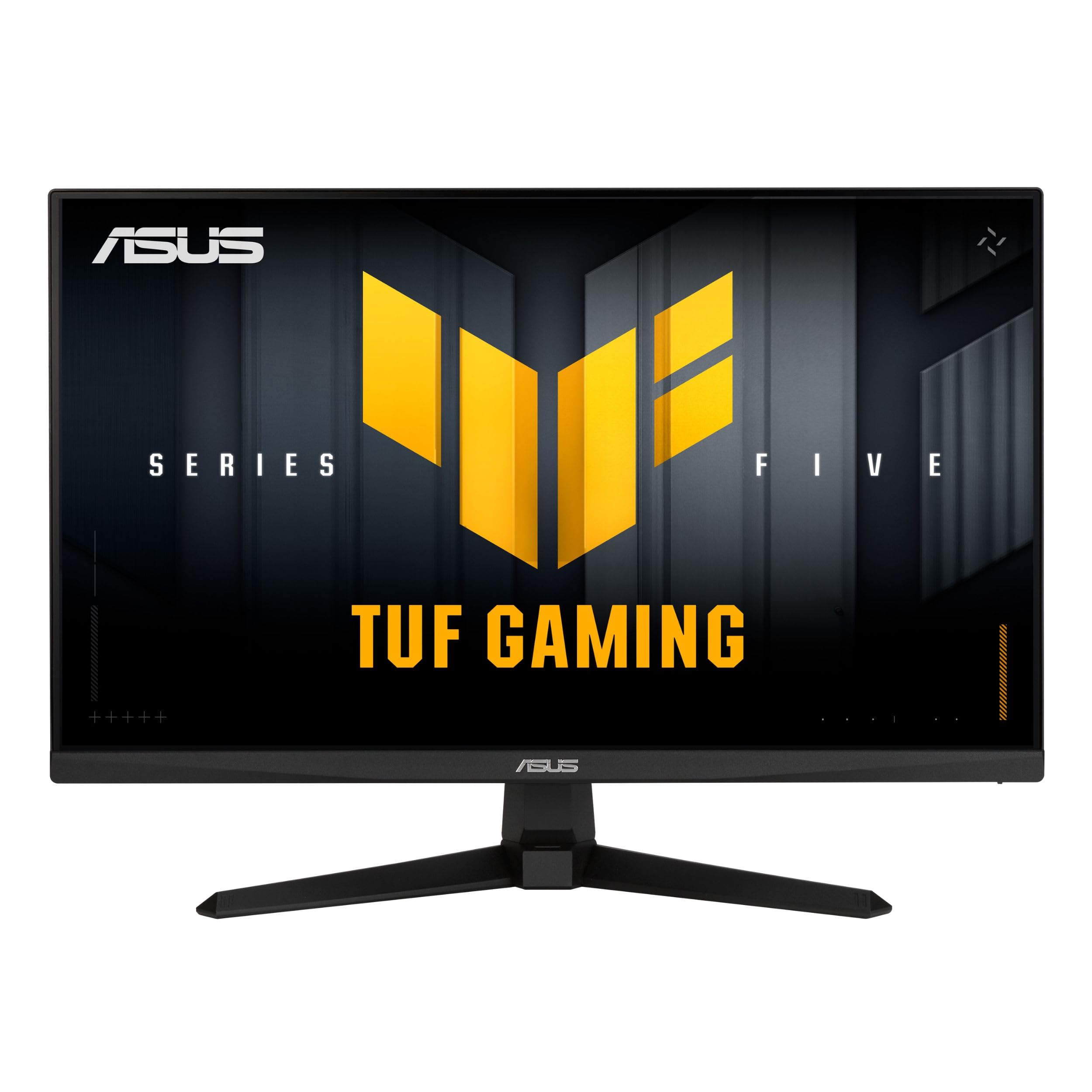
ASUS delivers a 23.8-inch Fast IPS panel that combines a 240Hz refresh rate with an industry-leading 0.3ms (minimum) response time, making the VG249QM5A one of the fastest monitors in its class for pixel transition speed. The inclusion of ASUS Extreme Low Motion Blur Sync (ELMB SYNC) is a standout feature — it allows ELMB to operate simultaneously with variable refresh rate, eliminating both ghosting and tearing without the typical brightness penalty. Gamers who play competitively will appreciate the near-instantaneous pixel response that keeps fast-moving objects razor-sharp.
The 99% sRGB color gamut ensures vibrant, accurate colors right out of the box, though some users report needing minor color adjustments in the OSD to achieve their preferred balance. The built-in speakers are weak, as is common with most gaming monitors, so external audio is recommended. The stand is functional but basic, offering only tilt adjustment, which means you will likely want a VESA mount or arm for optimal positioning.
DisplayWidget Center software lets you adjust monitor settings with a mouse instead of fumbling with OSD buttons, a welcome convenience for frequent profile switching between game genres. Backed by a 3-year warranty, this monitor is a rock-solid investment for any esports-focused setup where every millisecond of latency matters.
Why it’s great
- Ultra-fast 0.3ms response time eliminates ghosting completely
- ELMB Sync works alongside VRR for tear-free blur reduction
- DisplayWidget Center enables easy mouse-driven OSD control
Good to know
- Basic stand with tilt only, no height or swivel adjustment
- Built-in speakers are weak and unsuitable for immersive audio
- Color accuracy is good but may need minor user calibration
3. Samsung Odyssey G4 (LS25BG402ENXGO)

The Samsung Odyssey G4 stands out with a 25-inch IPS panel that pushes brightness to 400 cd/m², significantly higher than the 250-300 cd/m² typical of most competitors. This extra headroom makes HDR10 content pop more convincingly and provides better visibility in brightly lit rooms. The 240Hz refresh rate and 1ms GTG response time deliver the smooth, blur-free motion expected at this level, while the wide 178-degree viewing angles ensure color consistency whether you are sitting center or off-angle.
The fully adjustable stand is a major differentiator — it offers height, swivel, and tilt adjustments, allowing you to find the perfect ergonomic position without spending extra on a monitor arm. The Ultrawide Game View feature lets you simulate a 21:9 aspect ratio for supported games, giving you a wider field of view in titles like racing sims and MOBAs. Auto Source Switch+ intelligently detects and switches active inputs when a new device powers on, a practical convenience for multi-platform setups.
This monitor lacks built-in speakers, so a separate audio solution is required. The 1080p resolution on a 25-inch screen yields a pixel density of ~88 PPI, which is perfectly sharp for gaming text and UI elements. The Odyssey G4 is an excellent long-term investment for gamers who want premium brightness and ergonomic flexibility.
Why it’s great
- High 400 cd/m² brightness for excellent HDR and room-light performance
- Full ergonomic stand with height, swivel, and tilt adjustment
- Ultrawide Game View offers a wider FOV in compatible games
Good to know
- No built-in speakers — external audio is mandatory
- 1080p on 25 inches is sharp but not as dense as smaller 24-inch panels
- HDMI notification can be persistent when connected to a sleeping laptop
4. ASUS TUF Gaming VG249QML5A
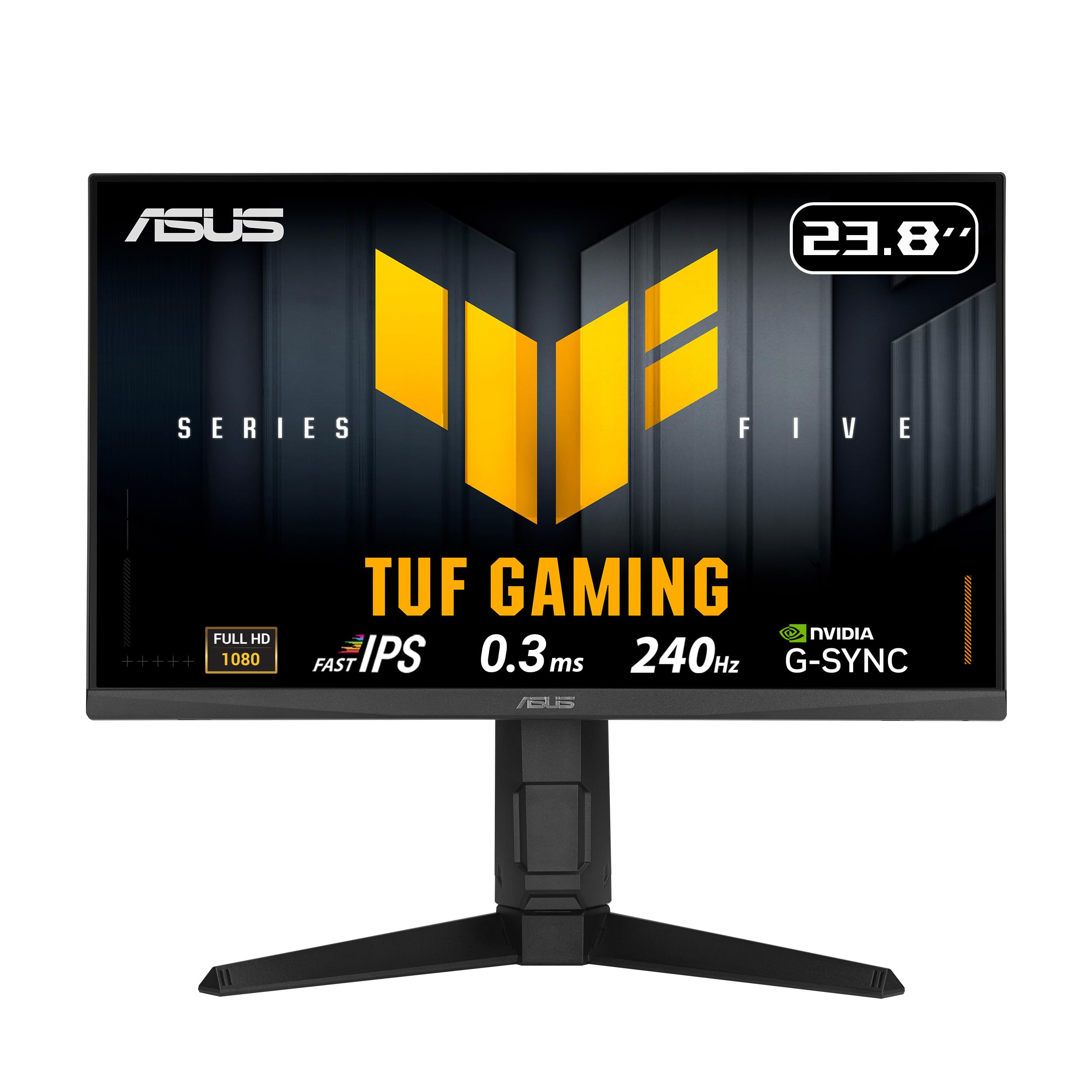
The ASUS TUF Gaming VG249QML5A is the fully-featured sibling of the VG249QM5A, upgrading the stand to offer 120mm of height adjustment, +/- 90-degree pivot, +/- 15-degree swivel, and a tilt range of -5 to +23 degrees. This makes it the most ergonomically complete monitor in this lineup, suitable for shared desks or users who frequently shift between sitting and standing positions. The core specs remain identical to the QM5A: 240Hz Fast IPS panel with 0.3ms response time and ELMB SYNC technology.
The inclusion of a 1/4-inch tripod socket in the stand is a unique bonus for streamers who want to mount a webcam or microphone directly to the monitor without an external arm. The DisplayPort 1.4 connection supports the full 240Hz bandwidth, though some users have reported intermittent signal dropouts with the included DP cable — a known issue that is easily resolved by using a certified replacement. The built-in speakers are present but, as expected, offer thin audio quality.
The 99% sRGB coverage produces punchy, accurate colors that work well for both gaming and light creative tasks like photo editing. The 3-year warranty and inclusion of an L-shaped screwdriver in the box reflect ASUS’s attention to build quality and user experience. For buyers who prioritize ergonomic adjustability without sacrificing performance, this is the definitive choice.
Why it’s great
- Fully adjustable stand with height, pivot, swivel, and tilt
- 1/4-inch tripod socket for clean webcam or mic mounting
- ELMB SYNC combines blur reduction with VRR for smooth visuals
Good to know
- Included DP cable may cause signal dropouts for some users
- Built-in speakers are low quality, external audio recommended
- Gamma control is hidden under shadow settings in the OSD
5. Pixio PX249 Wave
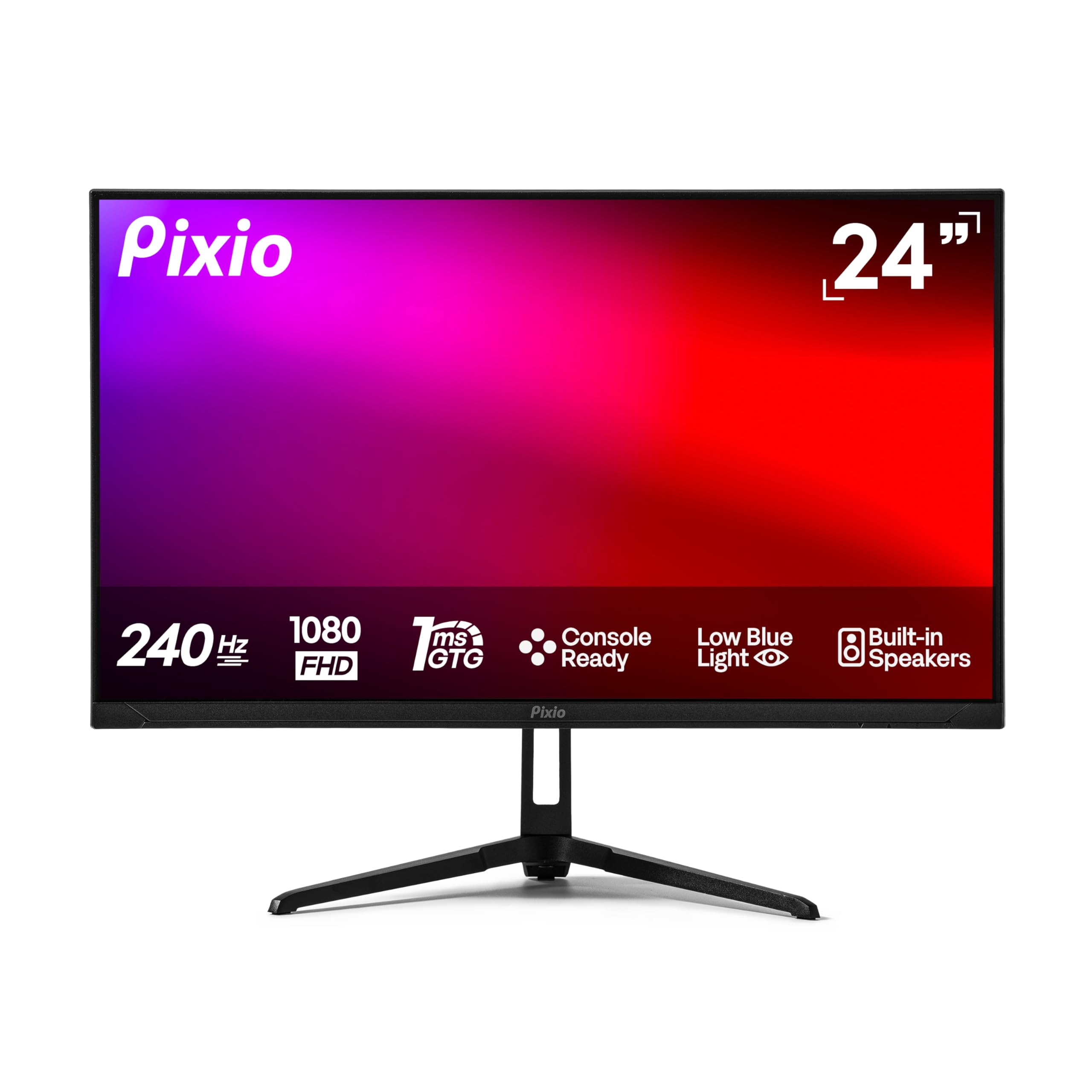
The Pixio PX249 Wave brings 240Hz performance to a Fast IPS panel with a 1ms GTG response time, supported by Adaptive Sync for tear-free gaming. The 300 cd/m² brightness is standard for the class, but the real draw here is the matte-finish IPS panel that delivers consistent colors and wide 178-degree viewing angles. The design is clean and understated, making it a good fit for both gaming-focused and minimalist desk setups.
Connectivity is simple but effective, with one HDMI 2.0 and one DisplayPort 1.4, both supporting the full 240Hz at 1080p. Built-in speakers are included, though their quality is mediocre — fine for system sounds but not recommended for serious gaming audio. The stand offers tilt adjustment only, with no height or swivel, which may be a limitation for ergonomic-focused users.
Assembly is straightforward, and the monitor is lightweight at roughly 6.5 pounds, making it easy to mount on a VESA arm (100x100mm pattern). The PX249 Wave offers solid, reliable performance at a competitive price point, with the Fast IPS panel providing the motion clarity expected from a 240Hz display without the color compromise of older TN panels.
Why it’s great
- Fast IPS panel offers excellent motion clarity and color reproduction
- 240Hz with 1ms response time ensures smooth, blur-free gameplay
- Built-in speakers add convenience for casual use
Good to know
- Stand only supports tilt, lacks height and swivel adjustment
- Speakers are weak and lack bass response
- Only one HDMI and one DisplayPort input limits multi-device setups
6. Z-Edge UG25S
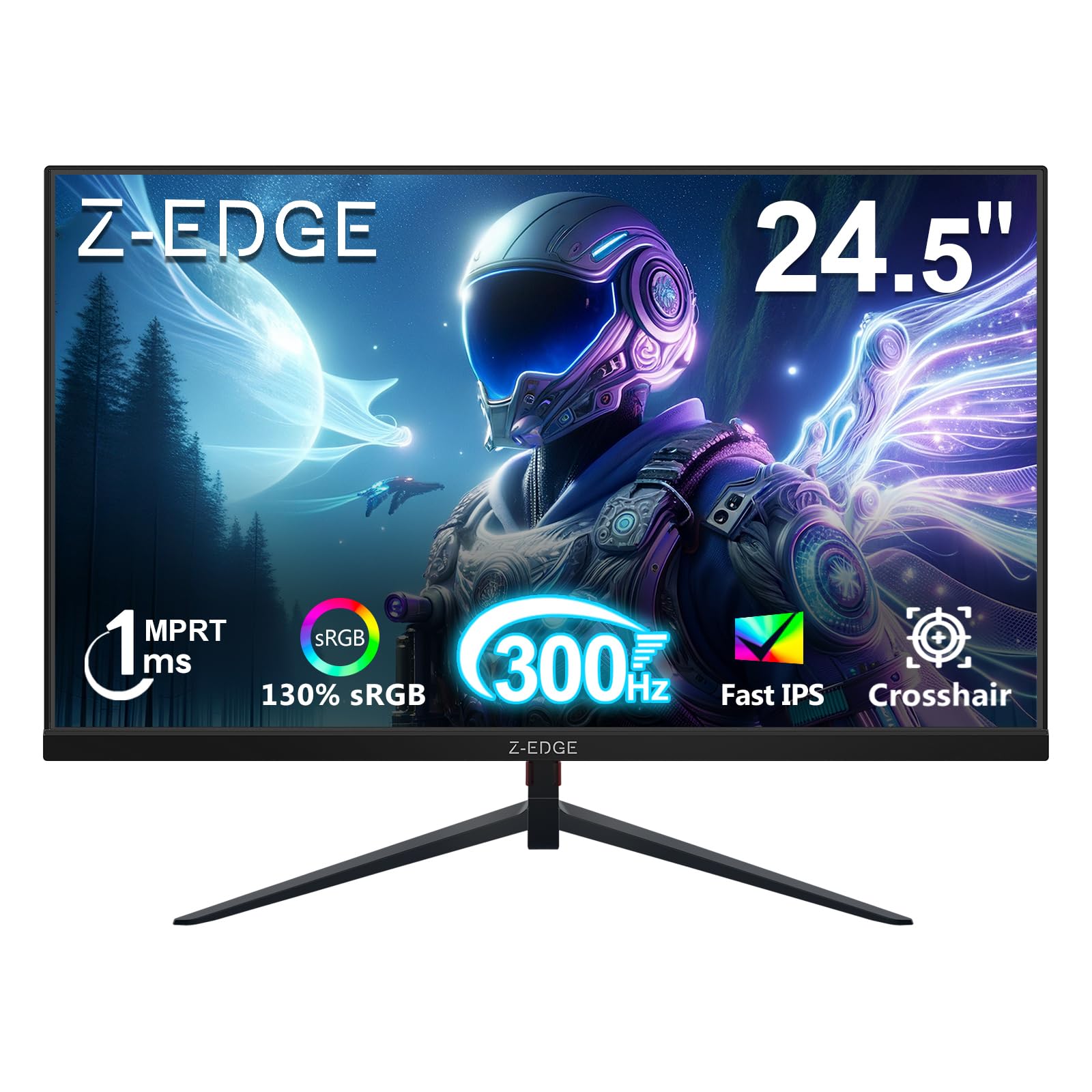
The Z-Edge UG25S pushes the refresh rate ceiling to 300Hz on a 24.5-inch IPS panel, offering the highest frame rate support in this roundup at a price that undercuts many 240Hz competitors. The 1ms MPRT response time effectively reduces motion blur, while the 1000:1 contrast ratio and 300 cd/m² brightness deliver solid, punchy visuals for fast-paced gaming. The three-sided borderless design creates a clean look that works well in multi-monitor configurations.
Connectivity is surprisingly versatile for a budget-focused monitor, with two HDMI 2.0 ports supporting up to 240Hz and two DisplayPort 1.4 inputs capable of the full 300Hz. This makes it easy to switch between a gaming PC and a console without cable swapping. The stand offers tilt adjustment only, and the 75x75mm VESA pattern is less common than the standard 100x100mm, so verify your monitor arm compatibility.
Flicker-Free and Low Blue Light modes are included to reduce eye fatigue during extended sessions. The built-in FPS and RTS game modes provide quick display adjustments for different genres. The UG25S is a fantastic option for competitive gamers on a tighter budget who want the absolute highest refresh rate available in the 24-inch form factor.
Why it’s great
- Blistering 300Hz refresh rate at a budget-friendly price point
- Dual HDMI 2.0 and dual DP 1.4 inputs for flexible connectivity
- Near-bezelless design with Flicker-Free and Low Blue Light modes
Good to know
- Uses 75x75mm VESA pattern, incompatible with many standard arms
- Basic tilt-only stand offers limited ergonomic adjustment
- IPS panel contrast is standard 1000:1, not exceptional for dark rooms
7. Pixio PXC248 Wave (White)

The Pixio PXC248 Wave is a 24-inch curved gaming monitor with a 1500R radius VA panel and a 200Hz refresh rate, available in a striking white finish that stands out from the sea of black monitors. The 1500R curvature wraps around your peripheral vision, creating a more immersive feel in racing games and open-world titles. The VA panel delivers deep blacks with a 1000:1 native contrast ratio and vibrant colors that benefit single-player experiences.
The 1ms GTG response time is competitive, though VA panels can exhibit some dark-level smearing in very fast motion compared to IPS. The Adaptive Sync support ensures tear-free gameplay. Built-in speakers are included but offer tinny sound quality suitable only for basic audio. The monitor includes VESA 100x100mm mounting support and a sturdy stand with tilt adjustment.
This model is available in multiple pastel colors, making it a favorite for aesthetically themed builds, especially white or pink setups. The 200Hz refresh rate is slightly lower than the 240Hz standard found on many competitors, but the immersive curve and unique styling make it a compelling choice for gamers who value visual presence and design as much as raw refresh rate.
Why it’s great
- Unique white/pink color options for custom PC builds
- 1500R curved VA panel provides immersive peripheral wrap
- 200Hz with 1ms GTG offers smooth, responsive gameplay
Good to know
- VA panel may exhibit black smearing in very fast motion scenes
- Built-in speakers are low quality and lack clarity
- 200Hz is lower than the 240Hz+ options available at similar prices
8. KOORUI G2421V
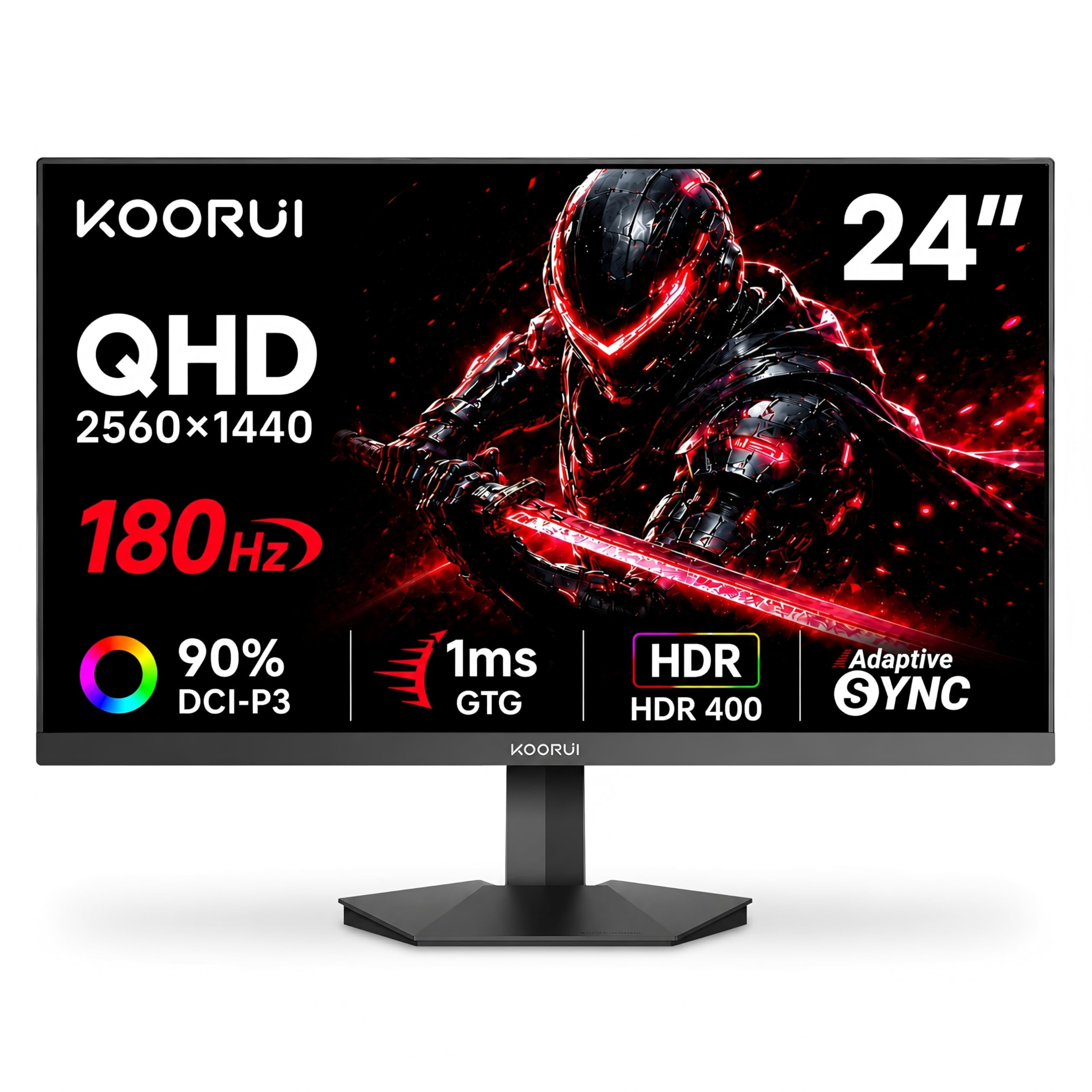
The KOORUI G2421V breaks from the 1080p norm by offering a 1440p (2560×1440) resolution on a 24-inch Fast IPS panel, resulting in a significantly sharper pixel density of ~122 PPI. This makes text and game details appear noticeably crisper than 1080p panels of the same size. The 180Hz refresh rate and HDR400 certification with 350 cd/m² brightness deliver vivid colors and decent highlight detail, supported by a 90% DCI-P3 color gamut for rich saturation.
The panel supports both FreeSync Premium and G-Sync Compatible adaptive sync technologies, and the 5-way joystick makes OSD navigation quick and intuitive. The stand offers tilt adjustment from -5 to 20 degrees, and the 75x75mm VESA mount allows for wall or arm mounting. However, long-term reliability has been a concern for some users — reports of power/control button failure and dead pixels after several months of use suggest that quality control may be inconsistent.
At this price point, the G2421V offers a compelling spec sheet for users who prioritize pixel density and color accuracy over the maximum possible refresh rate. The 180Hz is still very smooth for most gaming scenarios, and the 1440p resolution provides extra desktop real estate for productivity tasks. However, buyers should weigh the potential reliability risks against the feature set.
Why it’s great
- Sharp 1440p resolution on a 24-inch panel for crisp visuals
- 90% DCI-P3 color gamut delivers vibrant, accurate colors
- HDR400 support with 350 cd/m² brightness enhances HDR content
Good to know
- Reports of button failure and dead pixels after a few months of use
- HDR implementation lacks fine-tune controls in the OSD
- 75x75mm VESA pattern is less common than 100x100mm
9. LG 24G411A-B UltraGear

The LG 24G411A-B UltraGear enters as the most accessible entry point, offering a 23.8-inch IPS panel with a native 120Hz refresh rate that overclocks to 144Hz. The 1ms MBR (Motion Blur Reduction) works to keep fast motion clear, while HDR10 support and 99% sRGB coverage deliver vibrant, accurate colors that punch above the price class. The IPS display maintains rich tones and wide 178-degree viewing angles, making it suitable for both gaming and general desktop use.
Key gaming-centric features include Dynamic Action Sync for reduced input lag, Black Stabilizer for improved visibility in dark scenes, and Crosshair overlays for aiming precision. The monitor is G-Sync Compatible and supports AMD FreeSync, ensuring smooth, tear-free gameplay with both major GPU ecosystems. The slim bezel design and matte screen finish reduce reflections and create a clean, modern look.
The stand is the weakest link — multiple users report that it feels flimsy and causes the monitor to wobble easily, making a VESA arm or upgraded stand a worthwhile investment. The monitor requires a DisplayPort cable to achieve the full 144Hz overclock, while the included HDMI cable is limited to 120Hz. For console gamers using a PS5, the 120Hz over HDMI is perfect, making this an excellent budget option for cross-platform players.
Why it’s great
- Exceptional value with 144Hz IPS performance at a low entry price
- 99% sRGB coverage and HDR10 for vibrant, accurate colors
- G-Sync Compatible and FreeSync support for tear-free gaming
Good to know
- Stand is wobbly and lacks stability, upgrade recommended
- Only 120Hz via HDMI, requires DisplayPort for 144Hz overclock
- Brightness is capped at 250 cd/m², may struggle in bright rooms
FAQ
Is 1080p resolution still good enough on a 24-inch gaming monitor?
What does 1ms response time actually mean for gaming?
Can I use a 240Hz 24-inch gaming monitor with a PS5 or Xbox Series X?
Final Thoughts: The Verdict
For most users, the best 24 inch gaming monitor winner is the Acer Nitro KG251Q because it delivers the highest refresh rate (280Hz) in the class with FreeSync Premium and exceptional VA contrast, making it equally viable for competitive and immersive gaming. If you want the fastest pixel response and ELMB Sync technology, grab the ASUS TUF VG249QM5A. And for a premium, fully adjustable ergonomic experience with top-tier brightness, nothing beats the Samsung Odyssey G4.