
The promise of a multi-color print without the post-processing hassle is what pulls most enthusiasts into the world of multi-nozzle 3D printing. But the reality is that not all systems are created equal. Some rely on a single nozzle that purges waste, while others use independent toolheads that switch cleanly. The difference in print quality, material waste, and workflow complexity is night and day.
I’m Min — the co-founder and writer behind Gadgets Feed. I’ve spent countless hours analyzing the latest multi-nozzle architectures, slicing software compatibility, and real-world failure rates across the current market to separate the workhorses from the headaches.
This guide breaks down the top contenders you should consider when shopping for the best 3 nozzle 3d printer — focusing on the systems that actually deliver on the multi-material promise without forcing you to become a full-time repair technician.
How To Choose The Best 3 Nozzle 3D Printer
When looking at multi-nozzle printers, the first decision point is toolhead architecture: a single nozzle with a filament-switching buffer versus truly independent toolheads. The former is cheaper but produces significant waste (the infamous “poop” from purging). The latter is more expensive but material-efficient. Your choice will affect both your running costs and the complexity of your prints.
Toolhead System and Waste Management
Independent toolheads, like the five on the Prusa XL, allow each color or material to have its own hot end. This means no purging between color changes. Single-nozzle systems with a filament switcher, such as the Bambu Lab AMS or Creality’s CFS, must purge the previous filament before loading the next — creating waste and adding time to color transitions. For large, multi-color objects, the independent approach saves both money and frustration.
Build Volume and Material Compatibility
Multi-nozzle printers are often used for complex engineering prototypes. If you intend to print with high-temperature materials like ABS, polycarbonate, or nylon composites, look for an enclosed build chamber and a hot end rated to 300°C or higher. The heated chamber on the QIDI Max4 Combo, for instance, reaches 65°C, making it suitable for warp-prone materials. Large build volumes (over 300mm cube) let you produce full-size parts without splitting the model.
Auto Leveling and Calibration Overhead
With more moving parts — multiple toolheads, switching mechanisms, and filament sensors — calibration becomes critical. A printer with multi-point auto-leveling (49-point or more) and vibration compensation will give you reliable first layers without constant manual tweaking. Some mid-range models offer “one-click” auto-leveling that probes the entire bed in under a minute, which is a major time-saver in day-to-day use.
Quick Comparison
On smaller screens, swipe sideways to see the full table.
| Model | Category | Best For | Key Spec | Amazon |
|---|---|---|---|---|
| Bambu Lab A1 Combo | Mid-Range | Beginner multi-color | 10,000 mm/s² acceleration | Amazon |
| Creality K2 Combo | Premium | 16-color versatility | 600 mm/s, 260mm³ build | Amazon |
| Anycubic Kobra S1 Combo | Premium | Integrated filament dryer | 600 mm/s, ACE PRO drying | Amazon |
| Bambu Lab P1S | Mid-Range | Enclosed workhorse | 20,000 mm/s² acceleration | Amazon |
| QIDI Max4 Combo | Premium | Industrial engineering parts | 390mm³, 800 mm/s | Amazon |
| Flashforge AD5X | Value | Budget 4-color entry | CoreXY, 600 mm/s | Amazon |
| Anycubic Kobra X | Value | Beginner plug-and-play | 49-point LeviQ 3.0 leveling | Amazon |
| Creality SPARKX i7 | Mid-Range | AI photo-to-3D | AI detection, 260mm³ | Amazon |
| Prusa XL 5-Tool | Premium | Zero-waste multi-material | 5 independent toolheads | Amazon |
| Creality K2 Combo (A) | Premium | Engineering-grade materials | 300°C nozzle, 65.9 lbs | Amazon |
| Flashforge AD5X (Alt) | Value | Reliable multi-color starter | IFS, CoreXY, 600 mm/s | Amazon |
In‑Depth Reviews
1. Bambu Lab A1 Combo + LED Lamp Kit

The Bambu Lab A1 Combo hits the sweet spot for anyone wanting a reliable, multi-color printer without the steep learning curve. With the AMS Lite handling up to four colors, the A1 manages color transitions with minimal waste, and the active flow rate compensation keeps surface quality consistent across every swap. The included LED lamp kit is a bonus for creating illuminated models right out of the box.
At 10,000 mm/s² acceleration, the A1 is fast enough for demanding hobbyists, yet the full-auto calibration ensures the first layer is perfect every time. Users report running it non-stop for days with only the usual noise from the AMS unit, and the phone app with camera and time-lapse adds a layer of remote monitoring that’s hard to match at this level.
The main compromise is the lack of an enclosure. Open-frame design means high-temperature materials like ABS or ASA may warp, so this printer is best for PLA, PETG, and TPU. The AMS Lite also struggles slightly with large cardboard spools without printed adapters, but for the price and ease of use, this is the most accessible multi-color printer on the market today.
Why it’s great
- Full-auto calibration for hassle-free first layers
- AMS Lite handles up to four colors with low waste
- Active flow compensation ensures uniform extrusion
Good to know
- Open-frame limits material choices to PLA/PETG/TPU
- Large cardboard spools may require adapters
- Only a few grams of filament included for test prints
2. Bambu Lab P1S

The Bambu Lab P1S is the enclosed evolution of the A1 philosophy, designed for users who need to print ABS, ASA, and other engineering-grade materials right out of the box. The fully enclosed body stabilizes chamber temperature, reducing warping on large ABS parts, while the CoreXY kinematics push 20,000 mm/s² acceleration without losing precision. Add an AMS unit and you’ve got up to 16 colors.
Setup takes about 15–30 minutes, and the auto-leveling probes the bed before every print, eliminating the need for manual Z-offset tweaks. Users stepping up from an Ender 3 report the P1S is significantly quieter and faster, and the Bambu Studio slicer integrates seamlessly for multi-material workflows. The enclosed design also allows for reliable TPU printing, though flexible materials may require adjusting retraction settings.
The biggest consideration is that the AMS is sold separately, pushing the true multi-color cost higher than the A1 Combo. Additionally, the P1S has a smaller build volume (256mm³) compared to some competitors, but for most functional prototyping and production runs, this is more than adequate. The consistent print quality and reliability make it a top pick for serious makers.
Why it’s great
- Fully enclosed for ABS/ASA/PC printing
- 20,000 mm/s² acceleration with minimal vibration
- Reliable auto-leveling before each print
Good to know
- AMS for multi-color sold separately
- 260mm³ build volume, not the largest in its class
- Struggles with TPU if retraction isn’t tuned
3. QIDI Max4 Combo

The QIDI Max4 Combo is the go-to printer for industrial prototyping that requires both large size and multi-material capability. With a 390×390×340mm build volume, it can produce full-size drone frames or complex molds in a single run. The active 65°C heated chamber and Polar Cooler system make it one of the few printers that handles carbon-fiber-reinforced nylon and PPS-CF reliably without warping.
Speed is not sacrificed for size: 800 mm/s maximum speed and 30,000 mm/s² acceleration are impressive for a printer of this scale. Closed-loop stepper motors on the X/Y axes maintain positional accuracy even during aggressive moves, and the 2mm lead screw with anti-backlash nut on the Z-axis eliminates layer shifting on tall prints. The QIDI BOX add-on allows up to 16 colors, with real-time filament level monitoring and automatic pause on runout.
The trade-off is weight and footprint — at 120 pounds, this is a stationary machine. Initial bed-leveling calibration is more involved than smaller printers, and some users report a warped bed out of the box, though QIDI support is responsive with replacements. Pre-print time is also longer due to chamber heating. For engineering firms or serious hobbyists who work with advanced materials, the Max4 is unmatched.
Why it’s great
- Massive 390mm³ build volume for large single prints
- 65°C heated chamber enables engineering-grade materials
- Closed-loop motors for high precision at speed
Good to know
- Very heavy and requires dedicated workspace
- Long pre-print heating time for chamber
- Polar Cooler must be purchased separately
4. Creality K2 Combo

The Creality K2 Combo introduces a modular CFS (Creality Filament System) that supports up to 16 colors when four CFS units are connected. The CoreXY frame reaches 600 mm/s with 20,000 mm/s² acceleration, and the integrated CFS dry box keeps hygroscopic materials like PETG and nylon in optimal condition during long multi-color prints. The aerospace-grade aluminum frame minimizes vibration even at high speeds.
Setup is straightforward — about 95% pre-assembled — and the smart auto-leveling only probes the print area, speeding up the calibration process. The built-in AI camera watches for spaghetti failures, air printing, and filament tangles, pausing the job automatically. Users who upgraded from an Ender 3 report a massive leap in speed, silence (step-servo motors), and print quality, particularly with multicolor models.
The main criticisms revolve around the CFS not accepting all spool sizes without printed adapters, and some early units experienced connectivity issues with 5GHz Wi-Fi. Also, the base K2 Combo only includes one CFS (four colors). Expanding to 16 colors requires three additional CFS units, which adds significant cost. That said, for with one CFS, the value is strong for a printer of this capability.
Why it’s great
- CFS dry box keeps filament dry during multi-color prints
- AI camera detects and pauses on failures automatically
- Step-servo motors for quiet, precise operation
Good to know
- CFS may not fit all spools without printed adapters
- Base Combo only supports 4 colors out of the box
- Early units had occasional 5GHz Wi-Fi issues
5. Creality K2 Combo (A)
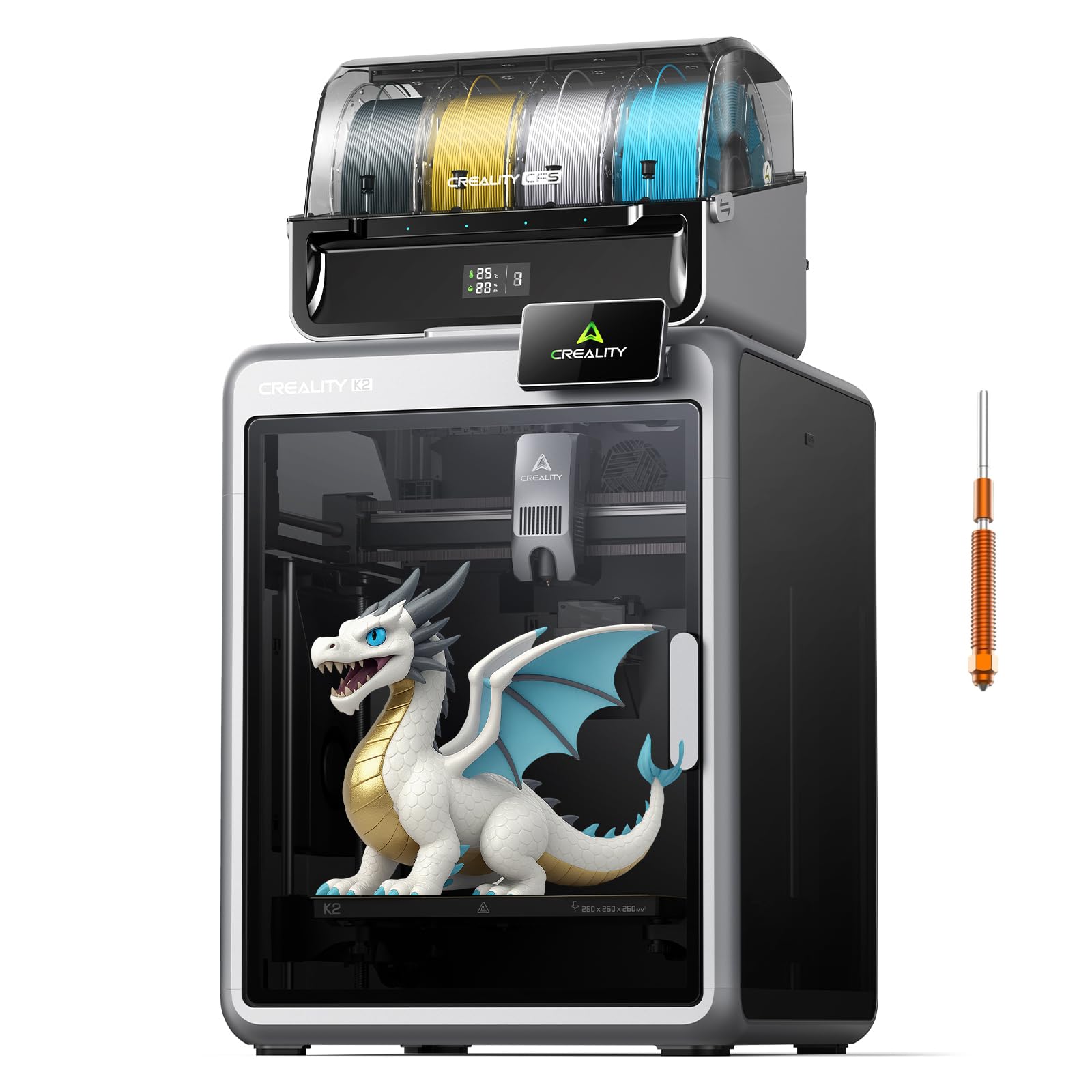
This variant of the Creality K2 Combo shifts focus to high-temperature and engineering-grade filament handling. The 300°C hardened steel nozzle and high-flow hot end (40 mm³/s) allow it to print PC, PA, and even carbon-reinforced polymers with confidence. The dual AI camera setup includes a chamber camera for failure detection and a build plate camera for time-lapse recording, both feeding into the Creality app for remote monitoring.
The CFS system retains the same automatic filament identification via RFID, switching between materials seamlessly. The airtight CFS design with desiccants keeps moisture-sensitive polymers dry, and the 260mm³ build volume is standard for the class. Users report fast setup and excellent multi-color prints, with the step-servo motors keeping noise levels low enough for overnight operation in Silent Mode.
Where this printer stumbles is in long-term reliability for some early batches. Reports of XY errors after only a few prints, and the subsequent mainboard replacement process, indicate potential quality control inconsistencies. The CFS also uses plastic gears that can wear with abrasive filaments. For users willing to deal with occasional maintenance, the high-temp capability and dual-camera system justify the premium.
Why it’s great
- 300°C hotend handles PC, PA, and carbon composites
- Dual AI cameras for failure detection and time-lapse
- RFID filament auto-detection in CFS
Good to know
- Some early units experienced XY errors requiring repairs
- CFS plastic gears may wear with abrasive filaments
- Heavy at 55 pounds, needs stable table
6. Prusa XL 5 Independent Toolhead

The Prusa XL is the gold standard for true multi-material printing. With five independent toolheads, each with its own hot end and extruder, there is zero waste from purging between color changes. This is the only printer on this list that can switch materials without generating any filament waste — every gram of plastic goes into the model. The 360mm³ build volume is generous, and the segmented heated bed uses intelligent heating zones to reduce energy use and warping on large parts.
The CoreXY kinematics maintain speed and precision even during frequent tool changes, and the open-source firmware gives users full control over every parameter. Prusa’s slicer (PrusaSlicer) is among the best in the industry for multi-material workflows, supporting soluble supports and complex color maps. The XL is also backed by Prusa Research’s lifetime technical support and a strong community ecosystem via Printables.com.
However, the XL is not for beginners. Assembly requires half a day even though the major components come pre-packed separately for safe transport. Some users report receiving units with broken plastic parts, requiring replacement prints before the first job. And at with a 5-tool head, this is a serious investment. It is best suited for professionals who need reliable, zero-waste multi-material production for functional prototypes and end-use parts.
Why it’s great
- Five independent toolheads with zero purge waste
- Segmented heated bed reduces energy consumption
- Open-source firmware and lifetime support
Good to know
- Very expensive, aimed at professionals
- Assembly is involved and requires troubleshooting
- Some units arrive with broken plastic parts
7. Flashforge AD5X

The Flashforge AD5X is a compelling entry into multi-color printing for budget-conscious users. It features a CoreXY architecture with 600 mm/s maximum speed and 20,000 mm/s² acceleration, along with a 300°C direct-drive extruder. The IFS (Intelligent Filament System) handles up to four colors automatically, detecting filament runout and switching seamlessly without manual intervention.
Print quality is surprisingly good for the price point. The dual-channel cooling fan and vibration compensation keep overhangs clean, and the 1-click auto-leveling eliminates the most common source of failed prints for beginners. The touchscreen interface is responsive, and the Flash Maker mobile app allows basic remote monitoring and control. Users report excellent results with PLA and Silk PLA, with some even printing miniatures without supports at fine layer heights.
The downsides include a software stack that isn’t as polished as Bambu’s — the Flashforge fork of Orca Slicer can be buggy, and stock Orca lacks profiles for the IFS. The printer is also somewhat noisy, particularly during the purge operation. Some early units had screen adhesion or filament jamming issues at the 4-in-1 connector, though Flashforge has been responsive with replacements. For the price, it’s a solid entry-level multi-color system.
Why it’s great
- 300°C direct-drive extruder for flexible materials
- CoreXY frame for fast, vibration-resistant printing
- Intelligent Filament System handles 4 colors automatically
Good to know
- Slicer software is a fork of Orca with limited profiles
- Can be noisy during color changes
- Occasional jamming at 4-in-1 connector in early units
8. Anycubic Kobra X Multicolor

The Anycubic Kobra X delivers 4-color printing at a very accessible price point, leveraging the ACE 2 Pro system for up to 19 colors with expansion. The LeviQ 3.0 automatic bed leveling uses 49 points for a perfect first layer, and the Kobra OS includes vibration compensation to maintain crisp detail at 600 mm/s. The 260mm³ build volume is generous for the class, making it suitable for larger artistic models.
The printer arrives 95% pre-assembled and can be printing within 15 minutes of unboxing. Users new to 3D printing report an easy learning curve, with the Anycubic slicer providing sensible defaults for PLA and TPU. The integrated 720P camera offers real-time monitoring and AI-based spaghetti detection, which is rare at this price point. Power loss recovery and filament run-out sensors add reliability for long overnight prints.
However, the nozzle system is not tool-less — changing nozzles is more involved than on competing models, and some users report clogs that require disassembly. The ACE 2 Pro system also struggles with cardboard spools, though this is a common issue across multi-color systems. For the money, the Kobra X offers an impressive feature set, but it may require more hands-on maintenance than a Bambu Lab model.
Why it’s great
- 49-point auto-leveling ensures reliable first layers
- AI camera for spaghetti detection and monitoring
- Large 260mm³ build volume for the price
Good to know
- Nozzle changes are not tool-less and can be tricky
- Occasional clogging issues reported
- ACE 2 Pro may need adapters for cardboard spools
9. Creality SPARKX i7 Combo
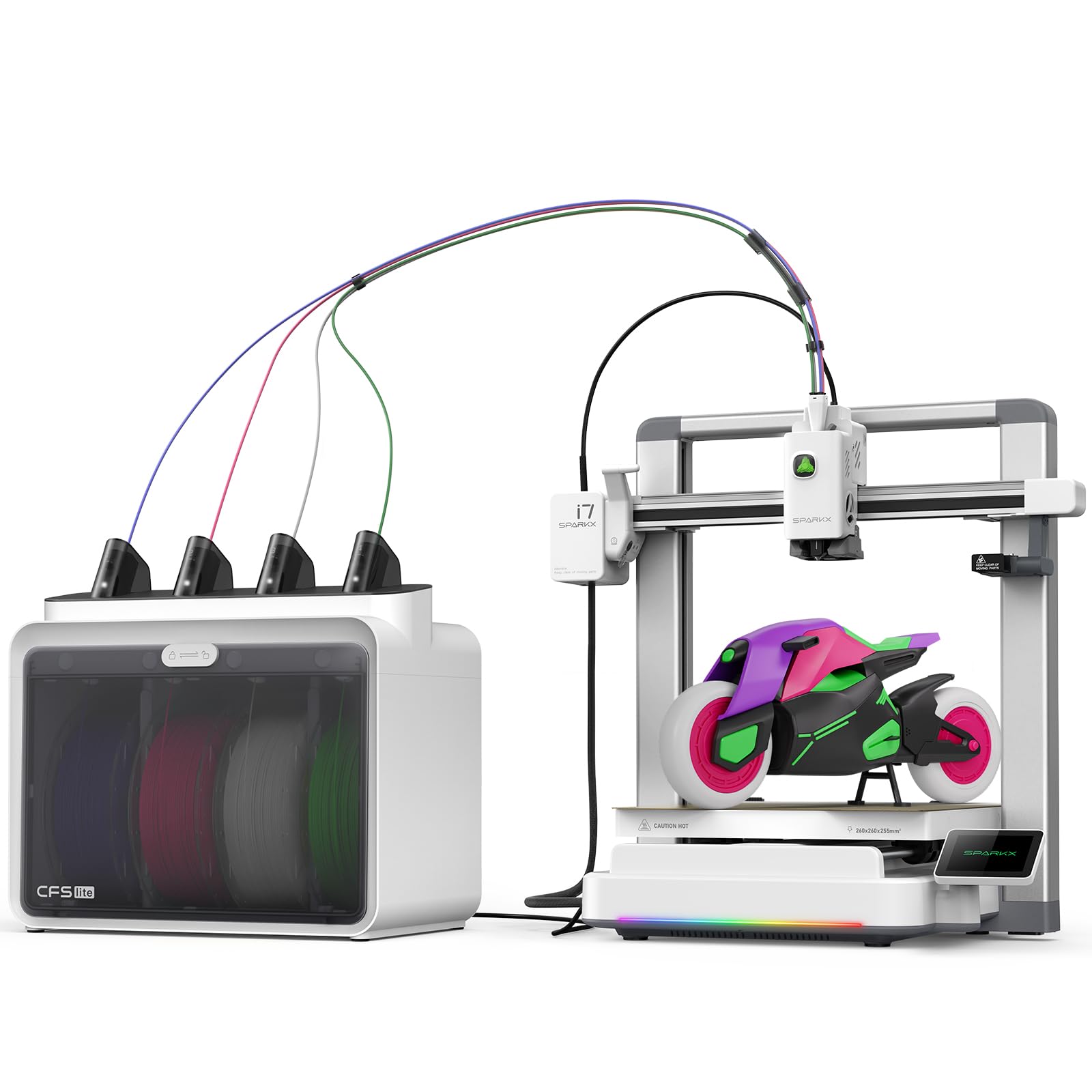
The Creality SPARKX i7 Combo stands out with its integrated AI that turns portrait photos into 3D models using the CubeMe AI tool. This is a unique feature for creating personalized figurines and gifts directly from the printer without third-party modeling software. It also supports 4-color printing via its CFS Lite system, which Creality claims produces 50% less waste than traditional multi-color systems.
The printer is 95% pre-assembled and can be printing within 5 minutes — one of the fastest unboxing-to-print experiences available. The 260mm³ build volume is paired with a quiet Night Mode that disables lights and reduces fan noise for overnight prints. The AI camera watches for spaghetti failures, air printing, and filament tangles, sending alerts to your phone. The custom RGB lighting on the toolhead adds a visual flair for time-lapse videos.
Where the SPARKX falls short is software polish. The Creality slicer and UI still have rough edges, and some users report the need for design/profile tweaks to get consistent print quality. The top panel can cause extruder cable noise at the edges of the build plate, requiring a printed riser as a workaround. It’s a promising concept with solid hardware, but software maturity lags behind the competition.
Why it’s great
- AI photo-to-3D for instant personalized models
- Ultra-fast 5-minute setup from unboxing
- 50% less waste than traditional multi-color systems
Good to know
- Software UI and slicer need improvements
- Top panel can cause cable noise at build edges
- Warranty and support response can be inconsistent
10. Anycubic Kobra S1 Combo

The Anycubic Kobra S1 Combo brings an integrated filament dryer — the ACE PRO — which uses dual PTC heating and 360° hot air circulation to keep materials dry during multi-color prints. This is a significant advantage for users in humid climates who regularly print PETG, TPU, or nylon. The printer reaches 600 mm/s with 20,000 mm/s² acceleration, and the Kobra OS provides flow compensation for consistent surface quality.
Setup takes about 30 minutes, and the 49-point auto-leveling ensures no manual bed adjustments are needed. The printer supports up to 8 colors when two ACE PRO units are connected, though the base configuration is 4 colors. Users report excellent print quality out of the box, with 300+ hours of trouble-free operation in some cases. The dry box alone is a strong selling point for anyone tired of failed prints from moisture-weakened materials.
The main drawback is quality control. Some early units shipped with issues like heater failure, frequent clogs, and extruder problems, though Anycubic support has been responsive with replacements. The ACE PRO unit also doesn’t handle cardboard spools well. For the price, the S1 Combo offers great value, but buyers should be prepared for potential initial troubleshooting.
Why it’s great
- Integrated ACE PRO filament dryer for humid environments
- 600 mm/s speed with flow compensation
- Excellent print quality after initial setup
Good to know
- Quality control issues reported on early units
- ACE PRO struggles with cardboard spools
- Filament changes are slower than some competitors
11. Flashforge AD5X (Alt)
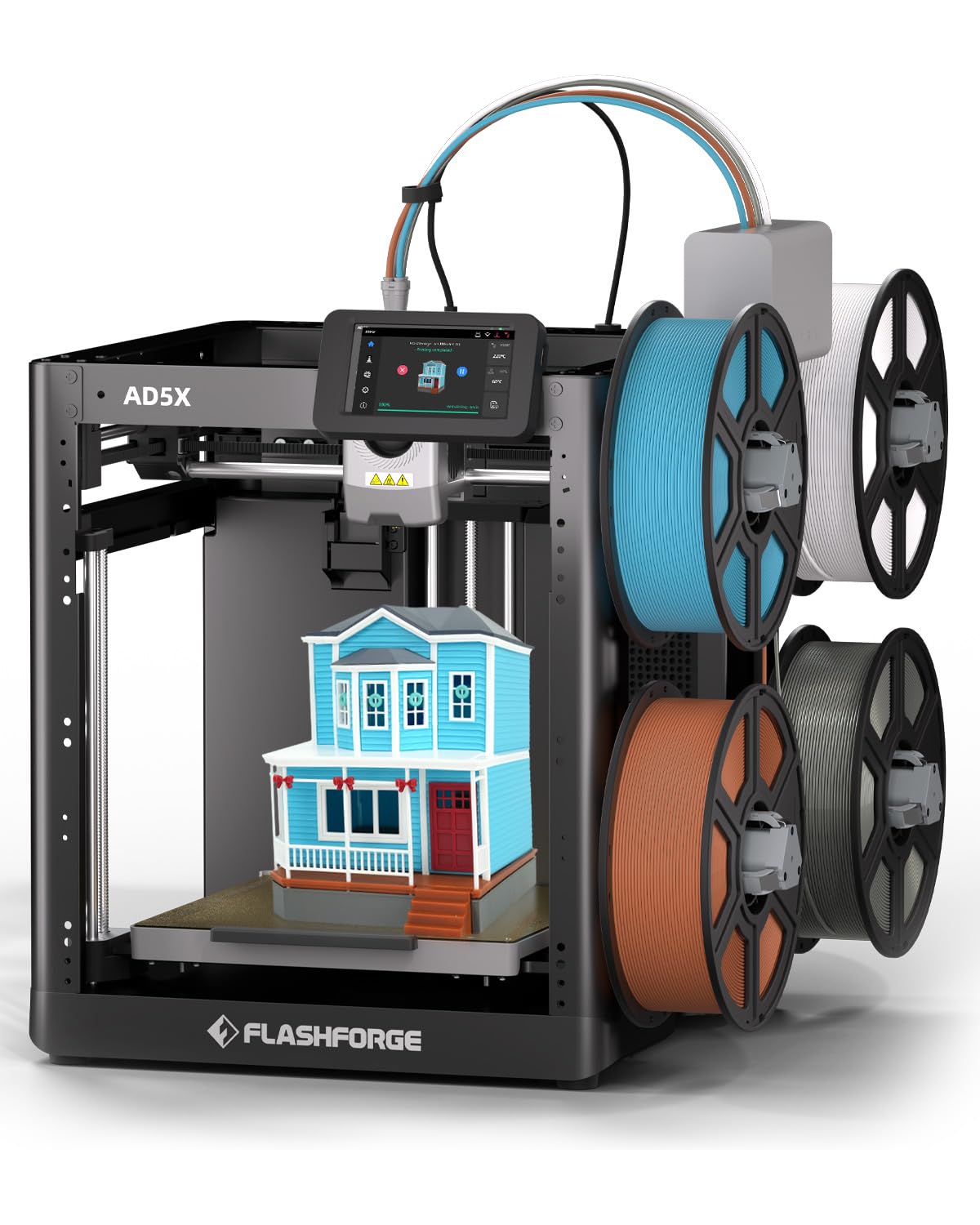
This alternate listing for the Flashforge AD5X emphasizes the Intelligent Filament System (IFS) and the same CoreXY architecture as the first version. It uses automatic filament detection and refill to minimize downtime, and the 300°C direct-drive extruder supports flexible TPU and PLA. The build volume is 220mm³, which is adequate for most hobbyist projects but smaller than the competition.
Setup is fast — most users report being operational within an hour — and the automatic bed leveling works reliably out of the box. The printer supports four nozzle sizes (0.25mm to 0.8mm) for different applications, and the 0.4mm nozzle comes pre-installed. Users who replaced aging bed slingers report dramatic improvements in speed, print quality, and reliability, with some running 12kg of filament without a single mid-print failure.
The software remains the weakest point. The Flashforge fork of Orca Slicer lacks some features of the main branch, and the mobile app is basic. Additionally, the 220mm³ build volume feels cramped compared to the 250–260mm³ competitors at similar prices. For users who prioritize a proven, reliable multi-color system over the largest build volume, this is a safe choice.
Why it’s great
- Reliable IFS for automatic filament switching
- Supports four nozzle sizes for versatile printing
- Proven reliability with long run times
Good to know
- 220mm³ build volume is smaller than most competitors
- Slicer software is a limited fork of Orca
- Mobile app has poor functionality
FAQ
How much filament does a multi-nozzle system waste compared to a single-nozzle switcher?
Can I print soluble supports with a multi-color 3D printer?
Final Thoughts: The Verdict
For most users, the 3 nozzle 3d printer winner is the Bambu Lab A1 Combo because it delivers reliable 4-color printing, full-auto calibration, and active flow compensation at a price that doesn’t break the bank — with the least hands-on maintenance. If you need an enclosed chamber for engineering-grade materials, the Bambu Lab P1S is your workhorse. And for professionals who demand zero waste and maximum material flexibility, nothing beats the Prusa XL 5-Toolhead.