
Our readers keep the lights on and my morning glass full of iced black tea. As an Amazon Associate, I earn from qualifying purchases.
Specs are compiled from manufacturer listings and verified buyer reviews and can change over time — please confirm the key details on the product page before buying.
If you are shopping for a 32-inch monitor that can tilt into portrait mode (vertical orientation), the most critical decision is not just resolution or color quality—it is the stand. A monitor that lacks a built-in pivot feature (the mechanism that allows the screen to rotate 90 degrees from landscape to portrait) will force you to buy a separate VESA mount or arm, adding cost and setup hassle. The nine 32-inch monitors here all include either a pivot-capable stand or VESA mounting holes, but they differ wildly in resolution, brightness, refresh rate, and panel type for your vertical workflow.
I’m Min — the founder and writer behind Gadgets Feed. This guide is built by comparing the manufacturers’ published specifications and the patterns across verified customer reviews, so you get each pick’s real strengths and trade-offs instead of marketing spin.
Whether you are a developer reading code vertically, a photographer reviewing full-height portraits, or a gamer wanting to flip your screen for a cockpit view, the best 32 inch monitor for portrait mode must first have a dependable pivot stand—and then match your use case from there.
Quick Picks
- LG 32GX850A-B UltraGear — Best Overall
- Samsung Odyssey OLED G8 (G80SH) — Premium Pick
- ASUS ProArt Display PA329CV — Color-Accuracy King
- Samsung ViewFinity S8 (S80D) — Office Star
- Dell S32 Series 4K Monitor — Balanced Value
- LG 32UR550K-B UltraFine — Entry 4K Pivot
- AOC U32G4 — Dual-Mode Gamer
- Samsung Odyssey G50D — Mid-Range Gaming
- KTC H32U6 — Budget Champion
How To Choose The Best 32 Inch Monitor For Portrait Mode
A 32-inch monitor in portrait mode feels like a dedicated second workspace, but only if the stand, resolution, and panel technology are right.
1. The Stand: Pivot vs. VESA
The stand is the gatekeeper: a built-in pivot lets you rotate 90 degrees without extra hardware. A monitor with a built-in pivot (rotation mechanism) can flip 90 degrees without any extra hardware. If the stand only tilts, you will need a VESA-compatible monitor arm to get portrait mode, which typically adds another – and some assembly time. Every monitor in this list either pivots natively or has VESA mounting holes, but the ones with a factory pivot save you that extra step.
2. Resolution: 4K vs. QHD
In portrait orientation, you are looking at a tall, narrow strip of screen. At 32 inches, a QHD (2560×1440) resolution gives you decent sharpness but may feel a bit coarse for reading small text. A 4K UHD panel is 3840×2160, while QHD is 2560×1440, making code lines, document previews, and image details noticeably sharper. If you spend hours reading text in portrait mode, 4K is worth the jump.
3. Panel Type: IPS vs. VA vs. OLED
IPS panels (like the AOC and ASUS ProArt) offer wide 178-degree viewing angles, so colors stay consistent even when you tilt your head to read the bottom of a tall portrait screen. VA panels (like the KTC and LG 32UR550K) deliver deeper black levels (3000:1 contrast ratio) but their viewing angles narrow slightly—fine for straight-on viewing but not ideal if people crowd around. OLED panels (like the LG UltraGear GX850A and Samsung Odyssey G8) give perfect blacks and the highest contrast ratio (1,500,000:1), at a premium price.
Quick Comparison
On smaller screens, swipe sideways to see the full table.
| Model | Best For | Resolution | Refresh Rate | Contrast Ratio | Amazon |
|---|---|---|---|---|---|
| LG 32GX850A-B UltraGear | Gamers who want OLED in portrait | 3840×2160 (4K) | 165Hz / 330Hz | 1,500,000:1 | $799.00Amazon |
| Samsung Odyssey OLED G8 (G80SH) | High-end gamers and creatives | 3840×2160 (4K) | 240Hz | 1,500,000:1 | $999.99$1,299.99Limited time dealAmazon |
| ASUS ProArt PA329CV | Color-critical photo & video work | 3840×2160 (4K) | 60Hz | 100,000,000:1 | $599.00Amazon |
| Samsung ViewFinity S8 S80D | Office productivity & coding | 3840×2160 (4K) | 60Hz | 3000:1 | $449.99Amazon |
| Dell S32 Series 4K | Home office balance of quality & price | 3840×2160 (4K) | 120Hz | 1500:1 | $409.00Amazon |
| LG 32UR550K-B UltraFine | Entry-level 4K in portrait | 3840×2160 (4K) | 60Hz | 3000:1 | $341.51Amazon |
| AOC U32G4 | Competitive gaming (dual-mode) | 3840×2160 (4K) | 160Hz / 320Hz | 80,000,000:1 | $319.99Amazon |
| Samsung Odyssey G50D | Mid-range QHD gaming portrait | 2560×1440 (QHD) | 180Hz | 1000:1 | $324.99$429.99Amazon |
| KTC H32U6 | Budget-friendly 4K vertical setup | 3840×2160 (4K) | 60Hz | 3000:1 | $289.99Amazon |
In‑Depth Reviews
1. LG 32GX850A-B UltraGear

OLED blacks make every vertical document pop, and the pivot stand is ready from the start.
You get true black levels (a 1,500,000:1 contrast ratio) and per-pixel lighting, which means scrolling a code editor or a photo in portrait mode produces zero backlight bleed. The 32-inch glossy OLED panel delivers a 98.5% DCI-P3 color gamut and VESA DisplayHDR True Black 400 certification, so shadows remain deep and highlights stay punchy when you flip the screen vertically.
The built-in pivot stand offers height, tilt, swivel, and rotation, so you do not need a separate monitor arm for portrait orientation. At 165Hz native with a dual-mode switch to 330Hz at Full HD, this monitor also handles competitive gaming when you swing it back to landscape. Reviewers report the glossy finish eliminates the haziness of matte screens, though one buyer mentions text clarity can show subtle banding. The 0.03ms response time (GtG) means motion stays razor-sharp even in fast-paced vertical scrolling.
Unlike the Samsung Odyssey G8 (which uses QD-OLED), this LG uses a WOLED panel that avoids the purple-tint issue some buyers see on QD-OLED screens. The trade-off is that at 275 nits typical brightness, it is not as bright as the ASUS ProArt (400 cd/m²) for brightly lit offices.
Why it stands tall
- Perfect OLED black levels for vertical photo and video work.
- Pivot stand with height, tilt, and swivel for easy portrait flip.
- Dual-mode refresh rate (165Hz 4K / 330Hz FHD) for gaming versatility.
- NVIDIA G-Sync Compatible and AMD FreeSync Premium Pro reduce screen tearing.
The honest catch
- 275 nits brightness may feel dim next to a 350–400 cd/m² IPS panel.
- WOLED panel can show text fringing at smaller font sizes in portrait mode.
Perfect fit: The gamer or creative who wants OLED-quality vertical views without buying a separate VESA arm.
Not for you if: You want maximum brightness for a sunlit room where a 400 cd/m² monitor would serve better.
2. Samsung Odyssey OLED G8 (G80SH)
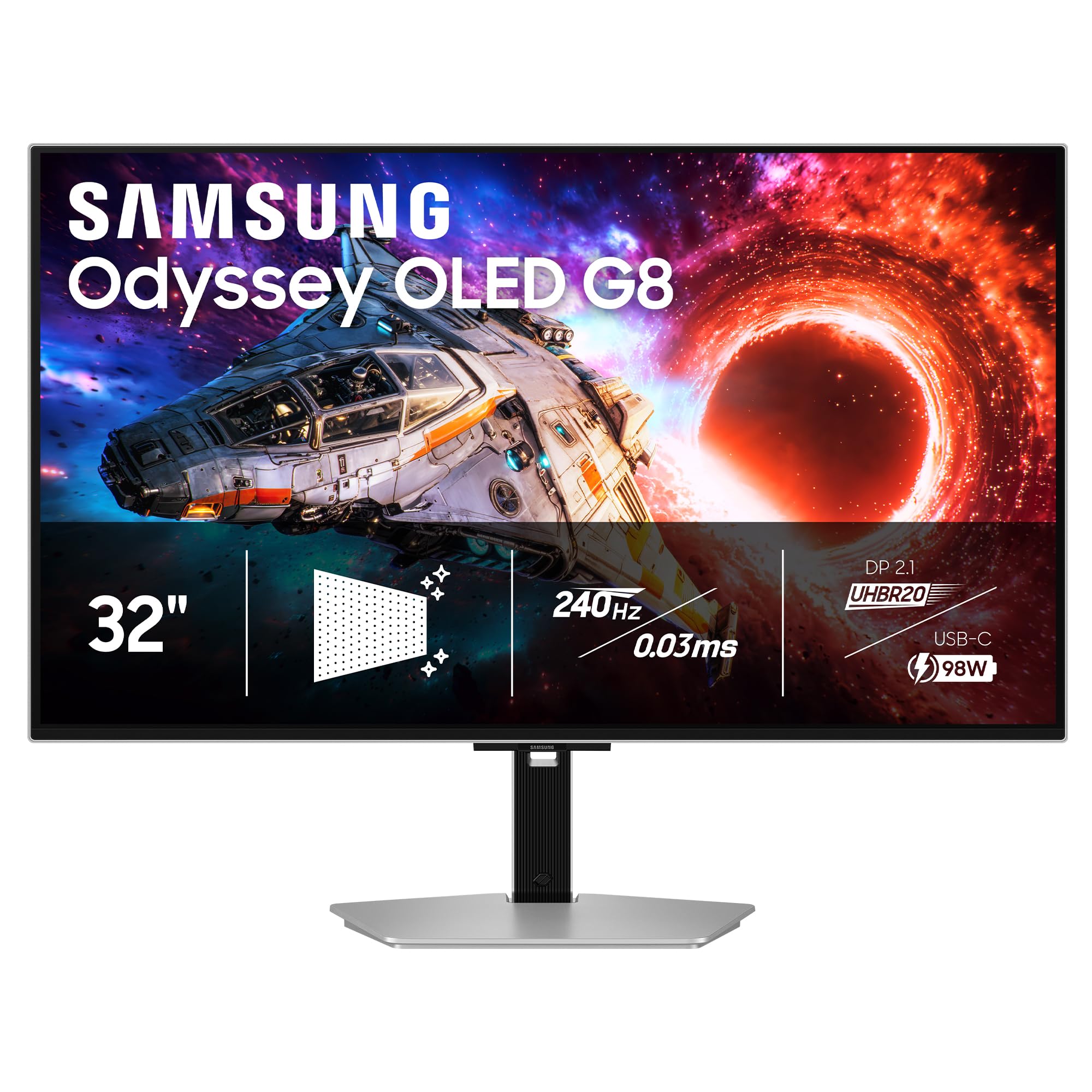
A 4K QD-OLED that spins to portrait and hits 240Hz for buttery-smooth vertical scrolling.
You get a 32-inch QD-OLED display with a pixel density of 140 PPI and a 1,500,000:1 contrast ratio, making text and image details in vertical mode exceptionally crisp. The 240Hz refresh rate and 0.03ms response time (GtG) eliminate motion blur whether you are racing through a game or rapidly scrolling tall spreadsheets. Samsung’s Glare-Free technology cuts reflections, helpful when the monitor is oriented vertically next to a window.
The full ergonomic stand supports height, tilt, swivel, and pivot rotation, so you can flip to portrait instantly without any extra monitor arm. USB-C power delivery (up to 96W) can charge a laptop while driving the display, a convenience for minimal-desk setups. Buyers report that the QD-OLED color accuracy needs manual calibration from the start and that the anti-glare coating adds a very slight graininess—still, the deep blacks and vibrant colors are a clear step above mid-range IPS panels. A 3-year warranty is included, plus Samsung’s OLED Safeguard+ to reduce burn-in risk.
This monitor runs at 240Hz at 4K, while the LG UltraGear runs at 165Hz at 4K, but at a higher price point. Unlike the LG, it uses QD-OLED, which some owners mention can show a faint cyan/magenta fringe on white text in vertical orientation—something to test if you read a lot of small code letters.
What makes it stand out
- QD-OLED panel: 140 PPI and 1,500,000:1 contrast for vertical reading clarity.
- 240Hz refresh rate and G-Sync/FreeSync Premium Pro support for tear-free scrolling.
- USB-C 96W power delivery charges your laptop and drives the display with one cable.
- Full pivot stand with height, tilt, and swivel—no third-party mount needed.
One thing to know
- Out-of-box color calibration is poor; expect 20–30 minutes of manual adjustment.
- QD-OLED text fringing can appear on small fonts in portrait mode.
Best suited for: The enthusiast who wants 4K OLED, 240Hz, and USB-C laptop charging all on a pivoting stand.
skip it if: You need a monitor with accurate color right from the start and don’t want to spend time calibrating.
3. ASUS ProArt Display PA329CV

Factory-calibrated color ensures the same accuracy in portrait as landscape.
This 32-inch 4K IPS monitor is Calman Verified and comes pre-calibrated to Delta E < 2, meaning the colors you see in portrait mode match the standard across the entire screen. The 100% sRGB and 100% Rec. 709 color gamut coverage ensures that photos and video grades remain consistent when you rotate the panel. At 400 cd/m² brightness, it is the brightest IPS monitor in this list, keeping vertical content readable even in a well-lit workspace.
The stand offers height, tilt, swivel, and 90-degree pivot rotation. USB-C power delivery (up to 65W) can charge a laptop while driving the display, similar to the Samsung Odyssey G8 but at a lower wattage. Customers note that the build quality is excellent — one owner called it “solid with a heavy metal base” — and that both units they received were identical in color calibration. The ASUS covers a contrast ratio of 100,000,000:1 (smart dynamic contrast), but keep in mind that its static contrast is typical for IPS. One trade-off: at 60Hz, it is not designed for fast-paced gaming if you also want high-refresh portrait scrolling.
The case for it
- Factory-calibrated Delta E < 2 color accuracy right from the start.
- 100% sRGB/Rec. 709 — perfect for vertical photo and video editing.
- USB-C with 65W power delivery simplifies your desk cable management.
- Full pivot stand included; no extra mount needed for portrait mode.
Room for improvement
- 60Hz refresh rate limits smoothness during rapid vertical scrolling.
- No built-in speakers — you’ll need external ones for audio.
Ideal pick: Photographers, video editors, and designers who need color-accurate vertical viewing without manual calibration.
Look elsewhere if: You want high-refresh gaming or fast motion in portrait mode — 60Hz will feel sluggish in those scenarios.
4. Samsung ViewFinity S8 (S80D)

A 4K productivity monitor that pivots to portrait with a tool-free stand.
You get a 32-inch 4K UHD (3840×2160) LCD panel with a VA-type contrast ratio of 3000:1, producing deep blacks that make code lines and document text stand out when viewed vertically. Samsung’s Easy Setup Stand requires no tools or screws and supports height adjustment, tilt, swivel, and a full 90-degree pivot. The monitor also includes HDR10 for richer contrast in supported content, plus Eye Saver Mode to reduce blue light during long work sessions.
Connectivity covers HDMI, DisplayPort, USB-A, and USB-B ports. Buyers praise the sharpness and the matte anti-glare screen, which keeps reflections low when the monitor is rotated near a window. A caveat: one reviewer found that the bottom of the screen sits 7 inches above the desk surface, which may be too high for some ergonomic setups. The monitor lacks built-in speakers, so you will need external ones or headphones for audio. It also runs at 60Hz, which is fine for office work but not ideal for smooth vertical scrolling in fast-moving content.
Why it works
- Tool-free pivot stand with height, tilt, and swivel for easy portrait switching.
- 3000:1 contrast ratio gives deeper blacks than typical IPS office monitors.
- 4K resolution (3840×2160) for sharp text in vertical code and document views.
- Eye Saver Mode and flicker-free backlight reduce strain during all-day portrait work.
Keep in mind
- Monitor sits high — bottom edge is about 7 inches from the desk.
- No built-in speakers; 60Hz refresh rate limits smooth scrolling.
Great for: Office workers, developers, and anyone who wants 4K vertical readability with a simple, tool-free pivot stand.
Not the one if: You need a low-profile desk height or want higher refresh rates for fluid motion in portrait mode.
5. Dell S32 Series 4K Monitor
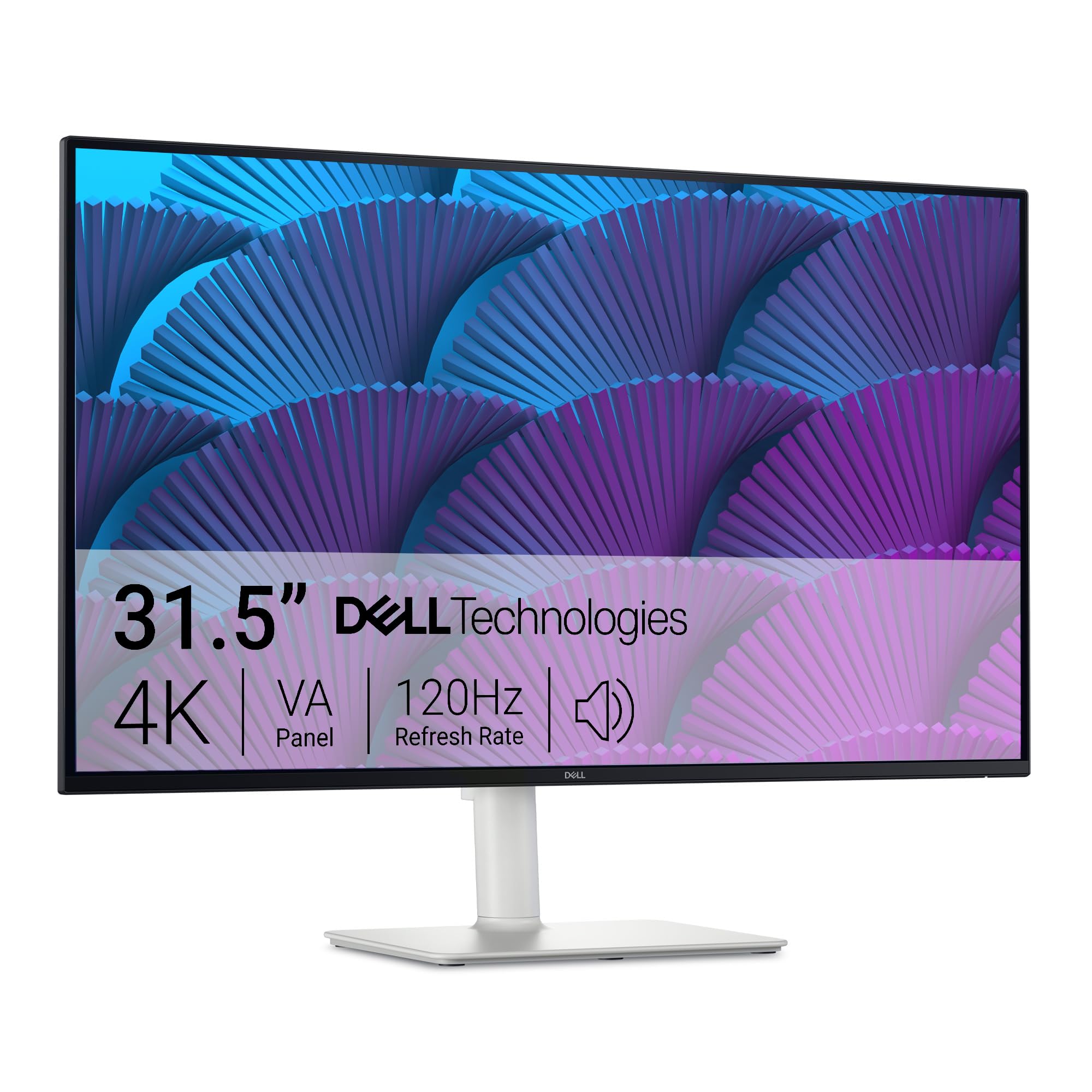
A 4K VA monitor with 120Hz refresh and integrated 2x5W speakers for a balanced vertical setup.
You get a 32-inch 4K UHD (3840×2160) VA LED panel with a 1500:1 contrast ratio and HDR readiness, producing solid depth for vertical media viewing or document work. The 120Hz refresh rate makes scrolling through tall webpages and code editors noticeably smoother than a standard 60Hz monitor. The stand offers height, tilt, swivel, and pivot adjustments, giving you full portrait flexibility without any third-party hardware.
This Dell stands out for including 2x5W integrated speakers, which deliver fuller sound than most monitor speakers—meaning you do not need desktop speakers for video calls or casual listening in portrait mode. The 99% sRGB and 95% DCI-P3 color coverage makes it suitable for light creative work. Some reviewers point out that the tilt adjustment range is limited, but the pivot function works reliably. ComfortView Plus reduces blue light to ≤35% without washing out colors, helping during all-day vertical reading sessions.
The strengths
- 120Hz refresh rate for smoother vertical scrolling than standard 60Hz monitors.
- Integrated 2x5W speakers save desk space and handle video calls in portrait.
- Full ergonomic stand (height, tilt, swivel, pivot) included.
- ≤35% blue light reduction with ComfortView Plus retains color vibrancy.
One shortfall
- Tilt adjustment range is limited; you may need to adjust your desk height.
- No USB-C port on this model, so you cannot charge a laptop through the monitor.
Ideal for: The home-office user who wants smooth scrolling, built-in audio, and a pivot stand in a single 4K package.
Pass on it if: You need USB-C laptop charging or maximum tilt range for your desk setup.
6. LG 32UR550K-B UltraFine

A budget-friendly 4K VA monitor with a pivot stand and built-in speakers for simple vertical use.
You get a 32-inch VA panel with a 3840×2160 resolution and a 3000:1 contrast ratio, which produces deeper black levels than the IPS panels on some pricier models. The stand supports height, tilt, and pivot adjustment, so you can flip the monitor to vertical orientation without buying a separate mount. LG includes built-in speakers, a rare feature at this price level that saves you from needing external audio for video calls or casual media in portrait mode.
The monitor also includes HDR10 support and covers 90% of the DCI-P3 color space, making it better than many entry-level 4K monitors for color-rich vertical photo browsing. At 250 cd/m² brightness, it is dimmer than the 350–400 cd/m² options above—fine for an indoor office but not ideal in a bright room. It runs at 60Hz, which is standard for office work. One reviewer noted the colors were solid from the start and that the setup was very easy.
What it delivers
- 4K VA panel with 3000:1 contrast for deep blacks in vertical viewing.
- Height, tilt, and pivot stand included — no extra mount needed for portrait.
- Built-in speakers for video calls without desktop speakers.
- 90% DCI-P3 color coverage for richer color than typical entry-level 4K monitors.
The trade-off
- 250 cd/m² brightness is low for a bright or window-lit workspace.
- 60Hz refresh rate means no smooth scrolling in fast vertical content.
Good option for: The budget-conscious buyer who wants 4K vertical resolution, built-in speakers, and a pivoting stand in one package.
pass on it if: You need higher brightness for a sunlit room or faster refresh for fluid motion.
7. AOC U32G4
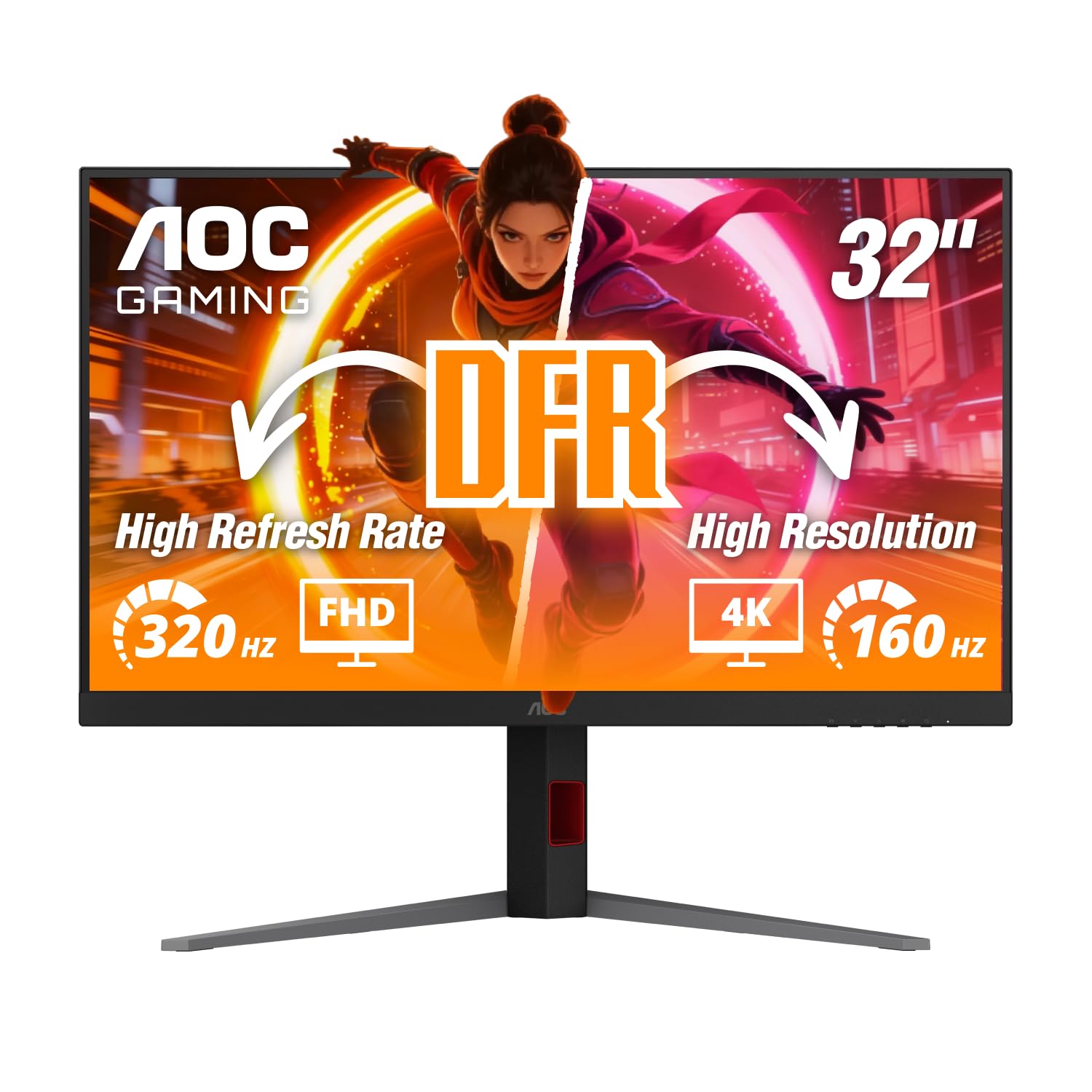
A dual-mode 4K gaming monitor that flips to portrait and hits 320Hz at FHD.
You get a 31.5-inch IPS panel with 3840×2160 resolution and a dual-mode feature: 160Hz at 4K UHD or a blistering 320Hz at Full HD. At 160Hz, vertical scrolling in portrait mode feels extremely fluid, and the 0.5ms MPRT response time minimizes motion blur. The advertised dynamic contrast ratio of 80,000,000:1 is far higher than the 1000:1 on the Samsung Odyssey G50D, though real-world static contrast is typical for IPS.
The ergonomic stand offers 130mm height adjustment, tilt, swivel, and full pivot rotation, so you can switch to portrait without extra hardware. HDMI 2.1 and DisplayPort 1.4 support 4K at high refresh for consoles like the Xbox Series X. Some buyers have noted that the first unit had dead backlights or a non-functional DisplayPort, but exchanges were easy. One reviewer wrote that the “stand wiggles but has good movement,” and that the OSD buttons are clunky. At 350 nits brightness, it is rated at 350 nits, while the KTC H32U6 is rated at 300 cd/m².
Why it grabs attention
- Dual-mode: 160Hz at 4K or 320Hz at FHD for flexible gaming in any orientation.
- Full ergonomic stand with height, tilt, swivel, and pivot—no mount needed.
- HDMI 2.1 for 4K high-refresh input from modern consoles.
- 350 nits brightness keeps vertical content visible in most indoor lighting.
Areas to watch
- Reviewers report quality-control issues: dead backlights, non-functional DisplayPort on first unit.
- Clunky OSD buttons and a stand that can feel slightly wobbly.
Reach for this if: You want a high-refresh 4K gaming monitor that also spins to portrait, with the option to drop to FHD at 320Hz for competitive play.
Look elsewhere if: You need guaranteed reliability from the start and prefer a sturdier stand.
8. Samsung Odyssey G50D

A QHD Fast IPS gaming monitor with 180Hz and a pivot stand for portrait FPS maps.
You get a 32-inch QHD (2560×1440) resolution with a 180Hz refresh rate and 1ms response time (GtG), making fast vertical scrolling and portrait-gaming very smooth. The Fast IPS panel delivers clear colors and 178-degree viewing angles, so the image stays consistent when you tilt your head in portrait orientation. G-Sync compatibility and AMD FreeSync keep the monitor and graphics card synced, preventing screen tearing during intense vertical gameplay.
The stand offers height, tilt, swivel, and pivot adjustments—no separate arm needed for portrait mode. VESA DisplayHDR 400 support provides deeper blacks (1000:1 static contrast) and brighter highlights, helping you spot details in dark scenes when flipped vertically. Eye Saver Mode reduces blue light for extended sessions. A buyer noted the “180Hz refresh rate is super smooth” and that “G-Sync works perfectly with no tearing.” The 350 cd/m² brightness matches the AOC U32G4 at 350 cd/m², while the KTC H32U6 is rated at 300 cd/m². At QHD rather than 4K, the pixel density is lower, so vertical text may appear slightly less sharp than on the 4K monitors in this list.
What makes it solid
- 180Hz refresh rate and 1ms response deliver ultra-smooth vertical scrolling and gaming.
- Full pivot stand included—rotate without buying an extra mount.
- G-Sync Compatible and FreeSync Premium for tear-free portrait gaming.
- VESA DisplayHDR 400 improves contrast and brightness in vertical mode.
One thing to note
- QHD (2560×1440) on a 32-inch screen means lower pixel density than 4K—vertical text may look less crisp.
- Default color calibration is poor; one reviewer spent 2 hours adjusting before the image looked right.
Best for: Mid-range gamers who want high refresh and pivot for portrait gaming without the GPU demands of 4K.
it’s not for you if: You need 4K pixel density for sharp vertical reading or prefer accurate colors from the start.
9. KTC H32U6
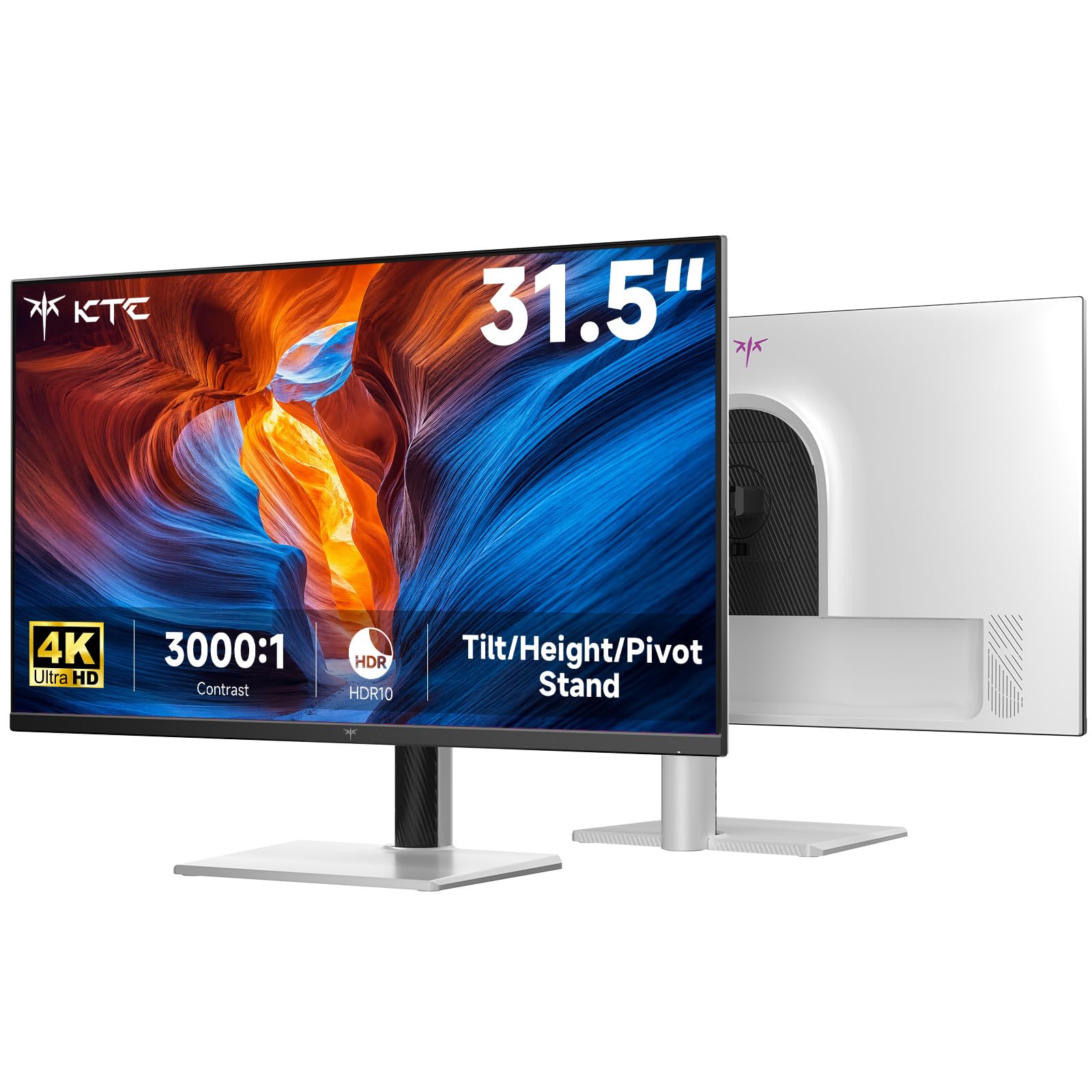
The most affordable 4K monitor here with a full pivot stand and VA contrast in a white chassis.
You get a 32-inch 4K UHD (3840×2160) VA panel with a 3000:1 contrast ratio, delivering deep blacks that make vertical documents and dark-mode code editors look crisp. The stand supports height, tilt, swivel, and pivot rotation, letting you switch to portrait without any extra hardware. HDR10 support and a 99% sRGB color gamut give richer color than typical budget 4K monitors, though it lacks the wide DCI-P3 coverage of pricier models like the ASUS ProArt.
Connectivity includes two HDMI 2.0 ports (4K@60Hz) and one DisplayPort 1.4 (4K@60Hz), enough for a dual-monitor vertical desk setup. Shoppers say a “sharp, clear image, no dead pixels” and call it “great value” for office work. At 300 cd/m² brightness, it is adequate for most indoor environments, while the AOC and Samsung G50D are rated at 350 cd/m². It lacks built-in speakers, so plan for external audio if you want sound in portrait mode. The white finish matches minimalist decor but may not suit all setups.
Why it stands out on a budget
- 4K VA panel with 3000:1 contrast ratio for deep blacks in vertical viewing.
- Full ergonomic stand (height, tilt, swivel, pivot) included—no extra mount needed.
- 99% sRGB color gamut for more accurate color than typical budget 4K monitors.
- White finish blends into modern or minimalist desk setups.
What you give up
- 300 cd/m² brightness is rated below 350 cd/m² on some mid-range competitors.
- No built-in speakers; 60Hz refresh limits smooth scrolling.
Ideal budget pick: Anyone who wants 4K vertical resolution, a pivoting stand, and deep VA blacks at the lowest entry price.
Not for you if: You need high brightness, built-in speakers, or a fast refresh rate for smooth vertical motion.
Understanding the Specs
Pivot vs. Tilt Stand
A pivot stand allows the screen to rotate 90 degrees from landscape to portrait (and sometimes 90 degrees the other way). A tilt stand only angles the screen forward or backward. If you want portrait mode, you need a pivot stand or a VESA-compatible monitor arm. All nine monitors here either pivot natively or offer VESA holes, but the ones with a factory pivot (like the KTC H32U6 and the LG 32GX850A) save you the – cost of a separate arm.
Resolution: 4K UHD vs. QHD
4K UHD is 3840×2160, while QHD is 2560×1440. In portrait mode, that extra height means less scrolling through code, documents, or tall photos. QHD still looks decent on a 32-inch panel, but the pixel density is lower, so small text may appear slightly fuzzier. For heavy reading or design work in portrait, 4K is the better choice.
Refresh Rate and Vertical Scrolling
Refresh rate (measured in Hz) determines how many times the screen updates per second. A 60Hz monitor updates 60 times per second; a 120Hz or 180Hz monitor updates 120 or 180 times. In portrait mode, higher refresh rates make scrolling through long webpages or documents feel much smoother. For typical office work, 60Hz is fine. For fluid motion in gaming or fast content consumption, aim for at least 120Hz.
Panel Types: IPS, VA, and OLED
IPS panels offer the widest viewing angles (178 degrees), so colors stay consistent even when you tilt your head to read the bottom of a tall vertical screen. VA panels have narrower viewing angles but deeper contrast (up to 3000:1), making black text on white backgrounds pop more. OLED panels deliver the best contrast (1,500,000:1) and perfect blacks but are the most expensive and may show text fringing on small fonts.
FAQ
Can I rotate any 32-inch monitor to portrait mode?
Do I need 4K resolution for portrait mode on a 32-inch screen?
What is the difference between a pivot stand and a VESA mount for portrait mode?
Does a higher refresh rate matter in portrait mode?
Is an IPS panel better than a VA panel for vertical viewing?
Do 32-inch portrait monitors work with Macs and PCs alike?
Can I use a 32-inch vertical monitor for reading code?
What should I look for in a 32-inch portrait monitor for video calls?
Does screen size feel different in portrait mode on a 32-inch monitor?
Is OLED worth the extra cost for portrait mode?
Final Thoughts: The Verdict
Across the board, the winner is the 32 inch monitor for portrait mode is the LG 32GX850A-B UltraGear because it combines a full pivot stand, stunning OLED contrast (1,500,000:1), and a dual-mode 165Hz/330Hz refresh rate that makes vertical scrolling andgaming feel fluid. If you want a color-accurate 4K panel for creative work in portrait without calibration, grab the ASUS ProArt PA329CV. And for a budget-friendly 4K vertical setup with a pivot stand already included, the standout is the KTC H32U6.
How We Picked
We do not accept paid placement, and we did not hands-on test every unit. Instead, we match each pick to a real buyer and use-case by comparing the manufacturers’ published specifications against the patterns in verified customer reviews — so you get each pick’s real strengths and trade-offs instead of marketing copy.
Sources & Methodology
Specifications: manufacturer listings and product documentation. Review insights: verified customer reviews, as of July 2026. Pricing: not shown on this page (it changes often); check the current price via the retailer link.
As an Amazon Associate, Gadgets Feed earns from qualifying purchases. This does not affect which products we feature.
Product prices and availability are accurate as of the date/time indicated and are subject to change. Any price and availability information displayed on Amazon at the time of purchase will apply to the purchase of this product. As an Amazon Associate I earn from qualifying purchases.
CERTAIN CONTENT THAT APPEARS ON THIS SITE COMES FROM AMAZON. THIS CONTENT IS PROVIDED "AS IS" AND IS SUBJECT TO CHANGE OR REMOVAL AT ANY TIME.
Amazon and the Amazon logo are trademarks of Amazon.com, Inc. or its affiliates.