
Our readers keep the lights on and my morning glass full of iced black tea. As an Amazon Associate, I earn from qualifying purchases.
Specs are compiled from manufacturer listings and verified buyer reviews and can change over time — please confirm the key details on the product page before buying.
If your laptop stutters when you flip between a dozen browser tabs, a video call, and a large spreadsheet, the bottleneck is almost certainly your RAM. Upgrading to 32GB of DDR5 laptop memory is the single most impactful thing you can do to make that lag disappear — and choosing the right kit means picking the right trade-off between raw speed, latency, and reliable compatibility with your specific machine.
I’m Min — the founder and writer behind Gadgets Feed. This guide is built by comparing the manufacturers’ published specifications and the patterns across verified customer reviews, so you get each pick’s real strengths and trade-offs instead of marketing spin.
Below you will find the six best 32gb ddr5 laptop ram kits ranked and reviewed, with the exact spec differences that actually matter when you are deciding which one to buy.
Quick Picks
- G.SKILL Ripjaws DDR5 SO-DIMM 32GB (2x16GB) 5600MT/s CL40 — Best Overall
- CORSAIR Vengeance DDR5 SODIMM 32GB (2x16GB) 5600MHz C48 — Pro Reliability
- TEAMGROUP Elite SODIMM DDR5 32GB (2x16GB) 5600MHz CL46 — Best Value
- A-Tech 32GB DDR5 5600MHz PC5-44800 CL46 Dual Rank 2Rx8 — AI & Creator
- Crucial DDR5 RAM 32GB Kit (2x16GB) 5200MHz CL42 — Compatibility King
- PNY Performance 32GB (2x16GB) DDR5 5600MHz CL46 — Reliable Workhorse
How To Choose The Best 32GB DDR5 Laptop RAM
All DDR5 SO-DIMM (Small Outline Dual In-line Memory Module — the slim stick shape used in laptops) memory looks similar, but three specs separate a great kit from one that will leave performance on the table. Your laptop’s motherboard and CPU define some limits; the RAM stick itself defines the rest.
CAS Latency (CL): The true speed gate
The MHz number (5600 vs 5200) gets all the attention, but CAS latency (the delay in clock cycles before the memory delivers data) governs real-world responsiveness. A kit running at 5600MHz with CL46 might feel no faster than a 5200MHz kit with CL42 in everyday use because the higher latency cancels the speed advantage. Lower CAS latency (tighter timings) is actually better. In the data here, the G.SKILL Ripjaws kit has a CAS latency of 40, which is 14% more responsive (lower is better) than the CORSAIR Vengeance kit’s CL48.
Speed vs. System Compatibility
Many buyers mistakenly think a 5600MHz RAM stick will automatically run at 5600MHz. In reality, your laptop’s CPU and BIOS (Basic Input/Output System — the low-level software that controls hardware) set the maximum supported speed — if your machine supports only 4800MHz or 5200MHz, a faster 5600MHz kit will simply downclock (run slower) to match. The Crucial 5200MHz kit is a smart choice if your system tops out at that speed, saving you from paying for bandwidth you cannot use.
Single Stick vs. Dual-Channel Kit
A kit with two sticks (2x16GB) is dramatically better than a single 32GB stick. Two sticks let your laptop run in dual-channel mode, where the memory controller reads from and writes to both modules simultaneously. The result is roughly a 15% benchmark improvement over a single module, as reviewers who tested both configurations noted. Every kit in this list is a 2x16GB kit for exactly this reason.
Quick Comparison
On smaller screens, swipe sideways to see the full table.
| Model | Best For | Speed | CAS Latency | Dual Rank | Amazon |
|---|---|---|---|---|---|
| TEAMGROUP Elite | Plug-and-play simplicity | 5600 MHz | CL46 | — | $366.99Amazon |
| CORSAIR Vengeance | Brand trust & thermal stability | 5600 MHz | CL48 | — | $399.00$464.99Amazon |
| PNY Performance | Long-term reliability | 5600 MHz | CL46 | — | $399.99$419.99Amazon |
| A-Tech | AI & rendering workloads | 5600 MHz | CL46 | 2Rx8 | $417.58Amazon |
| Crucial | Guaranteed system compatibility | 5200 MHz | CL42 | 2Rx8 | $419.99Amazon |
| G.SKILL Ripjaws | Lowest latency gaming performance | 5600 MT/s | CL40 | — | $439.99Amazon |
In‑Depth Reviews
1. G.SKILL Ripjaws DDR5 SO-DIMM 32GB (2x16GB) 5600MT/s CL40

The tightest timings in the lineup — CL40 latency that trims real-world delays.
The G.SKILL Ripjaws kit is built for the buyer who wants the snappiest possible response in games and heavy multitasking, not just the highest frequency number. Its CAS latency of 40 is noticeably tighter than the CL46 and CL48 kits here — a 14% improvement in responsiveness compared to the CORSAIR Vengeance’s CL48. That means less waiting when your game loads new textures or your photo editor applies filters.
It supports Intel XMP 3.0 (an Extreme Memory Profile — a built-in overclock profile you enable in BIOS that tells the memory to run at its rated speed), which lets it jump from its standard JEDEC speed to the full 5600 MT/s on compatible systems. Buyers report it works in machines like the Alienware M18 R2 and the Acer Predator Helios 16 — though one reviewer noted it downclocks to 4800MHz automatically on the Acer if the motherboard does not support the higher speed, so check your laptop’s BIOS limit first.
After six months of use, one owner simply called it “perfect for speed with laptop gaming.” The trade-off is that you must enable the XMP profile in BIOS to reach the rated speed — it will not run at 5600 MT/s straight from the start. If you are comfortable with that one BIOS toggle, this is the fastest-feeling kit here.
Why It Leads
- Lowest CAS latency in the comparison (CL40 vs typical CL46-CL48)
- Intel XMP 3.0 support for reaching 5600 MT/s
- Strong owner feedback across multiple laptop brands (Alienware, Acer, Lenovo)
The Fine Print
- XMP overclock must be enabled in BIOS — not truly plug-and-play
- Downclocks to 4800MHz if your laptop’s CPU does not support 5600
Pick this if: you want the lowest-latency gaming and creative performance, and you are comfortable enabling XMP in your laptop’s BIOS.
Look elsewhere if: your laptop does not support Intel XMP, or you want a guaranteed out-of-box 5600MHz experience without touching any settings.
2. CORSAIR Vengeance DDR5 SODIMM 32GB (2x16GB) 5600MHz C48

Corsair’s build quality and thermal discipline for demanding laptops.
The Vengeance kit is the brand pick for buyers who want proven reliability with a known thermal profile. Owners mention temperatures sit between 50-55°C under sustained load, which is within a safe range for a DDR5 laptop module — important if you plan to run long rendering sessions or intense gaming marathons in a compact chassis.
It is rated for up to 5600MHz, but Corsair is transparent in its disclaimer: maximum speed requires BIOS overclocking and depends on your specific motherboard and CPU. The CAS latency is CL48, which is the loosest timing in this lineup. That means the G.SKILL kit (CL40) will feel more responsive for the same 5600MHz speed. However, the Vengeance kit has a reputation for compatibility across both Intel and AMD platforms, and reviewers have run it in systems like the Framework 16 and Minisforum mini PCs for months without issues.
One owner running 96GB in a Vector 16 HX AI laptop reported it needed a few reboots for the BIOS to sync, but once paired it passed Memtest (a memory testing tool). If you prefer a well-known brand with consistent thermal behavior over raw timing performance, this is a safe bet.
Strong Points
- Reported 50-55°C under load — good thermal behavior for DDR5 laptops
- Broad compatibility with Intel and AMD systems
- Proven long-term stability across months of use
Trade-offs
- CL48 is the loosest latency in this group (14% more delay than the G.SKILL’s CL40)
- Requires BIOS overclocking to reach 5600MHz
Choose the Vengeance if: you prioritize a trusted brand with clean thermal performance over the lowest latency.
Pass on it if: you want the absolute snappiest response — the G.SKILL or TEAMGROUP kits offer tighter timings for less.
3. TEAMGROUP Elite SODIMM DDR5 32GB (2x16GB) 5600MHz CL46

Plug-and-play 5600MHz that actually boots at full speed without any BIOS tweaking.
The TEAMGROUP Elite is a case study in “just works” — buyers consistently report that it installs easily and boots at the rated 5600 MHz without any BIOS adjustments. One owner said it “booted at 5600 MHz without BIOS tweaks” in an Acer Nitro 5, eliminating in-game lag immediately. Another ran it in a Lenovo LOQ and upgraded from 8GB to 32GB, then played Far Cry 6 and Genshin Impact simultaneously without stutter.
At CL46 and 5600MHz, it splits the difference between the looser CORSAIR CL48 and the tighter G.SKILL CL40. You lose a bit of latency performance compared to the G.SKILL, but you gain easy installation — no XMP profile to toggle, no BIOS hunting. The 1.1V operating voltage keeps power draw low, which matters for battery life in a laptop. The trade-off is evident: it has a basic design with no heat spreader cosmetics, and the price sits above some competitors.
Reviewers also noted it supports on-die ECC (Error-Correcting Code — built-in error checking for data stability), and the kit comes with a lifetime warranty. For the buyer who wants to upgrade without fiddling, this is the most straightforward path to full 5600MHz speed.
What Works
- Boots at 5600 MHz without any BIOS configuration
- 1.1V low-voltage operation for laptop battery efficiency
- Lifetime warranty and on-die ECC support
What Doesn’t
- Basic design with no heat spreader — purely functional
- Mid-range price that is not the cheapest option
Reach for this if: you want full 5600MHz speed without touching your BIOS once — just plug, close the panel, and go.
skip it if: you need the lowest latency for competitive gaming — the G.SKILL CL40 will feel faster in that scenario.
4. A-Tech 32GB DDR5 5600MHz PC5-44800 CL46 Dual Rank 2Rx8

A dual-rank module that sustains 60GB/s in AI number-crunching workloads.
The A-Tech module is unique in this lineup because it is a single 32GB stick (not a kit of two), and it uses a 2Rx8 dual-rank design. Dual-rank memory (a module with two 64-bit data path sets) essentially gives the memory controller two banks of 16GB to talk to within one physical module, which can improve bandwidth in memory-heavy tasks like AI inference and video rendering. Customers note it “sustains ~60GB/s for AI workloads,” which is a strong real-world result for a single-stick configuration.
It runs at 5600MHz with CL46 and 1.1V, and it is Non-ECC (non-error-checking) unbuffered with on-die ECC. The dual-rank design means it may be slightly more demanding on your laptop’s memory controller, but reviewers have used it in ROG STRIX G laptops and Dell Pro 16 systems without issues. One owner paired it with an existing 8GB stick to get 24GB total, noting you just need matching CAS latency and voltage.
Its single-stick form factor means you lose the dual-channel bandwidth advantage that a 2x16GB kit provides — roughly a 15% performance gap in CPU-bound tasks — but the dual-rank architecture partially closes that gap. The price is premium, with one reviewer saying it is “worth up to 1.5x the price” for the capacity upgrade.
Edge Cases
- 2Rx8 dual-rank for higher bandwidth per stick in AI/rendering tasks
- Reported ~60GB/s throughput under AI workloads
- Compatible with mixing capacities (e.g., 8GB + 32GB) if specs match
Downsides
- Single stick loses dual-channel advantage compared to 2x16GB kits
- Premium price point
Best suited for: AI developers and heavy renderers who need a high-bandwidth single module and may want to expand capacity later by adding another stick.
Not ideal for: mainstream gaming or general multitasking where a 2x16GB dual-channel kit delivers better overall performance per dollar.
5. Crucial DDR5 RAM 32GB Kit (2x16GB) 5200MHz CL42

The safe bet for systems that top out at 5200MHz — it will not waste money on speed you cannot use.
Not every laptop supports the full 5600MHz speed. If your CPU (like a 12th-gen Intel or a Ryzen 6000-series) maxes out at 5200MHz, buying a 5600MHz kit means it will downclock anyway. The Crucial 5200MHz kit is engineered specifically for that scenario — its PC5-41600 speed rating (PC5 means 5th-generation DDR5, and 41600 is the peak bandwidth in MB/s) matches the spec that many mid-range and last-gen laptops actually support. The CAS latency is CL42, which is a tight timing for a 5200MHz kit and is more responsive than some 5600MHz kits running at CL46 or CL48.
One buyer upgraded their ASUS ROG G18 laptop from 16GB to 64GB using this kit, saying it “was easy to install and worked perfectly.” Another owner upgraded an HP Envy 16 (2023) and noticed smoother photo editing and music composing compared to the stock 16GB. The kit is 2Rx8 dual-rank, so it offers strong bandwidth despite the lower speed cap.
Crucial is also the only brand here with a free system scanner tool that checks compatibility before you buy — a real safety net if you are not sure what speed your laptop supports. The trade-off is clear: you trade 400MHz of top speed for guaranteed compatibility and tighter latency. For many laptops, that is the correct trade.
Why It Works
- 5200MHz matches the limit of many CPUs — no wasted speed overhead
- CL42 is tighter than many 5600MHz kits (CL46/48)
- Free compatibility scanner tool removes guesswork
The Cap
- Peak speed is 5200MHz — 8% slower than 5600MHz kits
- Not ideal if your system actually supports the full 5600MHz ceiling
Grab this if: your laptop’s CPU supports a maximum of 5200MHz (common on 12th-gen Intel and Ryzen 6000-series laptops).
Avoid it if: your machine supports 5600MHz natively — you would be leaving some gaming and rendering speed on the table.
6. PNY Performance 32GB (2x16GB) DDR5 5600MHz CL46
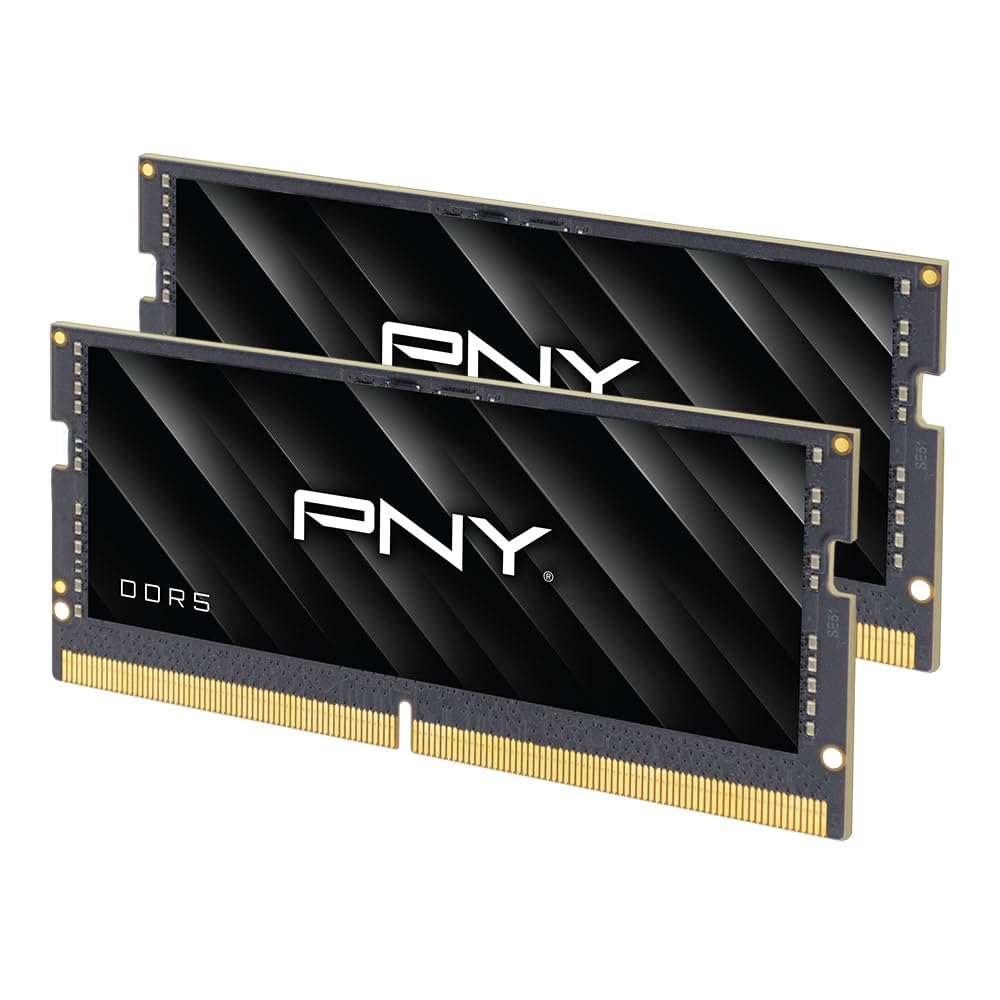
A 3-month burn-in passed without a single fault — the quiet, stable choice.
The PNY Performance kit is the no-drama option for the buyer who wants their RAM to disappear into the background and just perform. It is a 2x16GB 5600MHz kit with CL46-46-46-90 timings, 1.1V, and on-die ECC. Reviewers point out it passed a full stress test and, more notably, one owner called it “excellent — passed the three month smoke test under heavy loads.” That kind of real-world endurance report is rare in DDR5 reviews and suggests this kit handles sustained workloads without errors.
It automatically downclocks to 5200MHz or 4800MHz if your system does not support 5600MHz, and one reviewer confirmed it runs stably at 5200 MT/s on their machine. PNY provides a limited lifetime warranty with 24/7 US-based customer support — a meaningful backup if you run into issues. The kit lacks any flashy heat spreader or RGB lighting, so it will not win a beauty contest inside a transparent laptop panel, but it focuses on function.
The main trade-off relative to the TEAMGROUP kit (also CL46, 5600MHz) is a slightly higher price for the same core spec. You are paying a small premium for PNY’s support reputation and the confidence from that heavy-load testing report. If you value a warranty with real human phone support, that premium is worthwhile.
Standout Details
- Passed a three-month heavy-load smoke test according to one reviewer
- Limited lifetime warranty with 24/7 US-based phone support
- Reliable downclocking to 5200MHz/4800MHz if needed
Caveats
- Slightly more expensive than spec-equivalent TEAMGROUP kit
- Plain design — no heat spreader aesthetics
Choose this if: you value long-term reliability evidence and want a warranty backed by an actual phone support team.
Look past it if: you want the most value for your dollar — the TEAMGROUP kit delivers the same speed and latency for less.
Understanding the Specs
CAS Latency (CL)
This is the number of clock cycles the RAM waits before it can deliver data after receiving a command. A lower CL number means less waiting. A kit with CL40 will respond to your CPU’s request roughly 14% faster than a kit with CL48 at the same frequency, which translates to snappier game loads and smoother multitasking. Do not chase MHZ alone — CL matters just as much.
Dual-Rank vs. Single-Rank
Rank refers to how the memory chips are organized on the stick. A dual-rank module (2Rx8) has two sets of 64-bit data paths, which lets the memory controller juggle read/write operations more efficiently. The result is often higher bandwidth, especially in tasks like video editing or AI processing. Single-rank sticks are simpler and sometimes easier for a laptop’s memory controller to handle at high speeds, but dual-rank typically offers more performance headroom per module.
FAQ
Will any DDR5 laptop RAM work in my laptop?
What is the difference between 5200MHz and 5600MHz in real use?
Why does my RAM run slower than the speed printed on the box?
Is a 2x16GB kit better than a single 32GB stick?
What does CAS latency (CL46, CL48, CL40) mean for my laptop speed?
Do I need XMP or EXPO memory for my laptop?
Can I mix different brands or speeds of DDR5 RAM in my laptop?
How do I install new DDR5 RAM in my laptop?
Final Thoughts: The Verdict
Across the board, the 32gb ddr5 laptop ram winner is the G.SKILL Ripjaws 5600MT/s CL40 because its tight CL40 latency delivers the snappiest real-world feel for games and creative apps when paired with a compatible laptop. If you want guaranteed 5600MHz speed without any BIOS tinkering, grab the TEAMGROUP Elite 5600MHz CL46. And for systems capped at 5200MHz or for the confidence of a free compatibility tool, the Crucial 5200MHz CL42 kit is the most sensible choice because it matches your laptop’s actual speed ceiling with tighter latency than many faster kits.
How We Picked
We do not accept paid placement, and we did not hands-on test every unit. Instead, we match each pick to a real buyer and use-case by comparing the manufacturers’ published specifications against the patterns in verified customer reviews — so you get each pick’s real strengths and trade-offs instead of marketing copy.
Sources & Methodology
Specifications: manufacturer listings and product documentation. Review insights: verified customer reviews, as of July 2026. Pricing: not shown on this page (it changes often); check the current price via the retailer link.
As an Amazon Associate, Gadgets Feed earns from qualifying purchases. This does not affect which products we feature.
Product prices and availability are accurate as of the date/time indicated and are subject to change. Any price and availability information displayed on Amazon at the time of purchase will apply to the purchase of this product. As an Amazon Associate I earn from qualifying purchases.
CERTAIN CONTENT THAT APPEARS ON THIS SITE COMES FROM AMAZON. THIS CONTENT IS PROVIDED "AS IS" AND IS SUBJECT TO CHANGE OR REMOVAL AT ANY TIME.
Amazon and the Amazon logo are trademarks of Amazon.com, Inc. or its affiliates.