
Our readers keep the lights on and my morning glass full of iced black tea. As an Amazon Associate, I earn from qualifying purchases.
Specs are compiled from manufacturer listings and verified buyer reviews and can change over time — please confirm the key details on the product page before buying.
You are in a firefight. A pixel that takes too long to change color turns a clean headshot into a blurry miss. A 360Hz OLED monitor gives you a huge edge here: it refreshes the image 360 times every second (the “refresh rate”) using self-lit pixels that switch on and off in 0.03 milliseconds (“response time”), so motion stays crisp with no ghosting. The 360Hz refresh and 0.03ms response eliminate motion blur for near-instantaneous visual feedback.
I’m Min — the founder and writer behind Gadgets Feed. This guide is built by comparing the manufacturers’ published specifications and the patterns across verified customer reviews, so you get each pick’s real strengths and trade-offs instead of marketing spin.
The monitors here all share a QHD (2560×1440) resolution and an OLED panel at 360Hz or higher. They differ in brightness, burn-in protection, color accuracy, and ergonomics. The right 360hz oled monitor for you depends on if you want peak HDR brightness, anti-flicker technology, or a factory-calibrated color mode from the start.
Quick Picks
- Philips Evnia 27M2N8500 QD OLED Gaming Monitor — Best Brightness
- Samsung 27” Odyssey OLED G6 (G60SD) — Best Cooling System
- ASUS ROG Strix 26.5” 1440P QD-OLED Gaming Monitor (XG27ACDNG) — Safest Buy
- Alienware AW2725DF 27″ QHD Gaming Monitor — Competitive Edge
- MSI MPG 271QRX QD-OLED Gaming Monitor — Value Pick
How To Choose The Best 360Hz OLED Monitor
Choosing a 360Hz OLED monitor requires balancing brightness, burn-in protection, and ergonomics. Unlike standard LCDs, OLED pixels wear over time — so your decision between raw HDR pop, anti-burn-in features, and ergonomic adjustability determines whether the monitor still feels great two years from now.
Brightness vs. Burn-in Risk
OLED brightness is measured in nits (a unit of light output). A 250-nit panel like the MSI MPG 271QRX is fine for a dim room. The 450-nit Philips Evnia 27M2N8500 gives you noticeably punchier HDR highlights than a 250-nit panel. Brighter panels look better in HDR, but sustained high brightness can accelerate organic pixel wear. Look for monitors with OLED Care suites (pixel shift, logo dimming, and screen savers) if you plan long daily sessions.
Refresh Rate vs. Your Graphics Card
360Hz means the screen updates every 2.78 milliseconds. You will only see that smoothness if your GPU can push 360 frames per second at QHD (2560×1440) resolution. In demanding titles like Cyberpunk or Alan Wake 2, even an RTX 5080 may not hit that ceiling. A monitor with variable refresh rate (VRR) support — FreeSync Premium Pro or G-Sync Compatible — keeps frame delivery smooth when your frame rate fluctuates.
Burn-in Prevention Features
OLED burn-in (permanent image retention) happens when static UI elements like a taskbar or health bar overlay stay in the same position for hours. Monitors in this price range pack several defenses: pixel shift that moves the whole image a few pixels periodically, logo detection that dims static bright areas, and dynamic cooling systems that pull heat away from the panel. Samsung’s G60SD even has a pulsating heat pipe, which the company claims dissipates heat five times better than older graphite sheets.
Quick Comparison
On smaller screens, swipe sideways to see the full table.
| Model | Best For | Brightness | Response Time | VESA HDR | Amazon |
|---|---|---|---|---|---|
| Philips Evnia 27M2N8500 | HDR brightness & color work | 450 nits | 0.03ms GtG | True Black 400 | $639.99Amazon |
| Samsung Odyssey OLED G6 (G60SD) | Burn-in protection & anti-glare | 250 candela | 0.03ms GtG | — | $698.50$899.99Amazon |
| ASUS ROG Strix XG27ACDNG | Flicker-free gaming & warranty | — | 0.03ms GtG | True Black 400 | $732.20Amazon |
| Alienware AW2725DF | Esports & color coverage | 250 nits | 0.03ms GtG | True Black 400 | $596.00Amazon |
| MSI MPG 271QRX QD-OLED | Budget-friendly OLED entry | 250 nits | 0.03ms GtG | True Black 400 | $529.99$629.99Amazon |
In‑Depth Reviews
1. Philips Evnia 27M2N8500 QD OLED Gaming Monitor
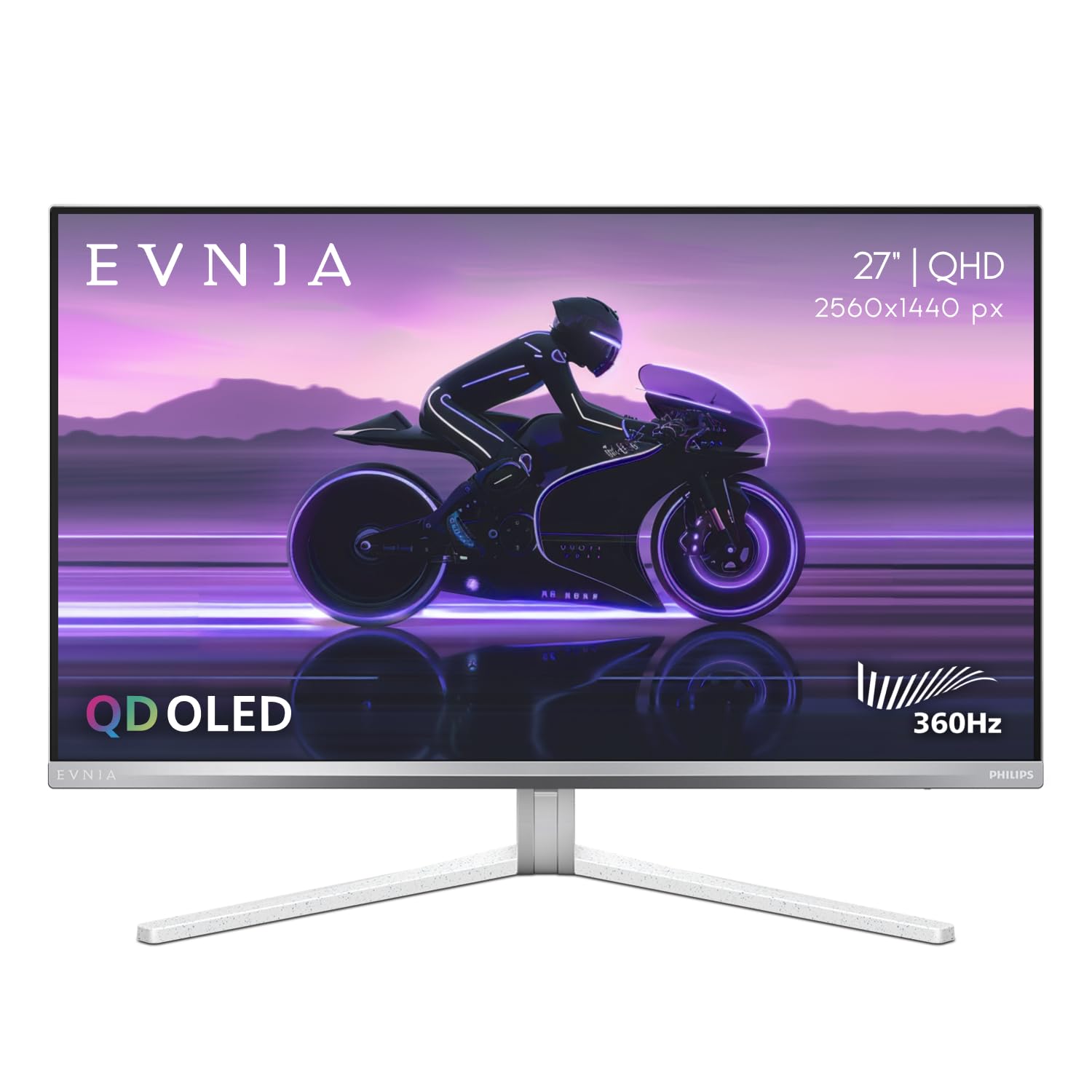
The brightest contender here — 450 nits for HDR that actually pops in a well-lit room.
HDR gaming on an OLED is only as good as your peak brightness. The Philips Evnia 27M2N8500 delivers the highest number in this group at 450 nits. That is a meaningful step up from the 250-nit panels from MSI and Alienware. Explosions in a game like Cyberpunk 2077 have real impact without washing out. Buyers report the factory-calibrated DCI-P3, Adobe RGB, and sRGB modes make it a strong choice for color work alongside gaming.
Its unique Ambiglow backlighting casts a halo of light that matches on-screen content. Owners mention it is a cool effect, though the low-frequency sampling means there is a noticeable delay. The stand is metal with a smooth swivel and height adjustment, and a headphone hanger is built in. On the downside, a few buyers noted the unit can arrive scratched from the abrasive foam packing since there is no screen protector. Philips customer support reportedly refused the 4-year warranty on those units, calling it a non-factory defect.
Vivid QD-OLED colors
- 450 nits is the highest peak brightness among the five picks — HDR highlights look genuinely punchy.
- Ambiglow creates an rich bias-lighting effect that follows colors on screen.
- 4-year Advance Replacement warranty covers burn-in and defects (though some customers note issues claiming it).
Lower peak brightness
- Reviewers point out a risk of scratches from the start due to abrasive foam packing with no inner screen protector.
- The white/silver finish may clash in a multi-monitor setup with dark bezels.
- Ambiglow has a noticeable delay — not ideal for fast-paced competitive use.
Vibrant gaming visuals: you want the brightest 360Hz QD-OLED for HDR gaming and color-critical work in a room that isn’t pitch-black.
Dim room required: you prioritize a flawless unboxing experience or already own dark-bezel monitors — the silver color and shipping issues are real trade-offs.
2. Samsung 27” Odyssey OLED G6 (G60SD)

Samsung’s first pulsating heat pipe in a monitor fights burn-in from the inside.
For the first time on an OLED monitor, Samsung dropped in a pulsating heat pipe that evaporates and condenses coolant to wick heat away. The company says it dissipates heat five times better than the older graphite sheet method. Heat accelerates organic pixel wear. Pair that with a thermal modulation system that predicts surface temperature and adjusts brightness automatically, and this monitor packs the most aggressive burn-in prevention suite in the roundup. Shoppers say that after a year of heavy use, the G60SD still shows no screen burn-in.
The anti-glare finish cuts reflections without the magenta tint that plagues some glossy QD-OLEDs, so you can play in a brighter room without losing deep blacks. However, a few buyers flagged that Samsung advertised HDMI 2.1 bandwidth but the port actually runs at HDMI 2.0 speeds, which requires Display Stream Compression (DSC) and causes a 1-2 second black screen when alt-tabbing out of a game. The 360Hz motion clarity is noticeably smoother than a 240Hz IPS panel. One reviewer put it: “360Hz OLED BEAST!” — making it a favorite for competitive Call of Duty, CS2, and Apex.
Sleek design, fast
- Dynamic Cooling System uses a pulsating heat pipe — the first monitor to do so — to reduce burn-in risk.
- Anti-glare finish cuts reflections without magenta shift, giving true blacks in varied lighting.
- At 3.9mm at its thinnest point, it is the sleekest panel here for a clean desk look.
No USB-C input
- HDMI port runs at HDMI 2.0 speeds despite being advertised as 2.1 — DSC needed for full 360Hz, triggering black screen on alt-tab.
- OLED care auto screen off/on can be annoying mid-session, per buyer reports.
- Built-in speakers do not work with HDR content.
Competitive esports: long-term durability — the cooling system and anti-burn-in algorithms make it the most future-proofed 360Hz OLED available right now.
Need USB-C hub: you alt-tab frequently during gaming sessions — the DSC-triggered black screen interruption gets old fast.
3. ASUS ROG Strix 26.5” 1440P QD-OLED Gaming Monitor (XG27ACDNG)

The one with a custom heatsink and anti-flicker tech that the competition mostly lacks.
ASUS packs a custom heatsink inside the XG27ACDNG, combined with an advanced airflow design, to keep pixel temperatures under control. The real differentiator is the ROG-exclusive OLED Anti-flicker technology. It reduces flicker during refresh-rate fluctuations — a problem that many OLED monitors exhibit when the frame rate dips and the VRR (variable refresh rate) range shifts. Buyers confirm zero flickering and zero dead pixels from the start, which puts it ahead of the Philips and Samsung units where quality-control issues appeared.
The monitor supports both G-Sync Compatible and FreeSync Premium Pro, so it works flawlessly with Nvidia and AMD GPUs alike. The 3-year warranty explicitly covers burn-in, and ASUS has a credible track record of honoring it. On the con side, some buyers report that the height adjustment range is limited compared to the Alienware or Philips stands. The pixel-cleaning pop-up that kicks in every few hours of use can interrupt immersion during a long session. A reviewer summed it up: “360Hz silky smooth, no ghosting, great value.”
ROG tuning features
- OLED Anti-flicker technology reduces flicker during VRR transitions — unique among these five picks.
- Custom heatsink plus airflow design keeps the panel cooler for less burn-in over time.
- 3-year warranty with burn-in coverage — one of the best protection policies in the group.
Expensive for size
- Limited height adjustment means you may need a monitor arm for perfect eye-level positioning.
- Pixel-cleaning pop-up appears after roughly four hours of use and can break immersion in the middle of a game.
- Some older games (like Resident Evil HD) simply will not display due to resolution or refresh incompatibilities.
ASUS ecosystem fans: buyers who want confidence — the combination of anti-flicker, a beefy heatsink, and a solid burn-in warranty makes this the lowest-risk OLED purchase.
Budget conscious: anyone who hates monitors bothering them with maintenance prompts mid-game — the pixel-cleaning pop-up will annoy you.
4. Alienware AW2725DF 27″ QHD Gaming Monitor
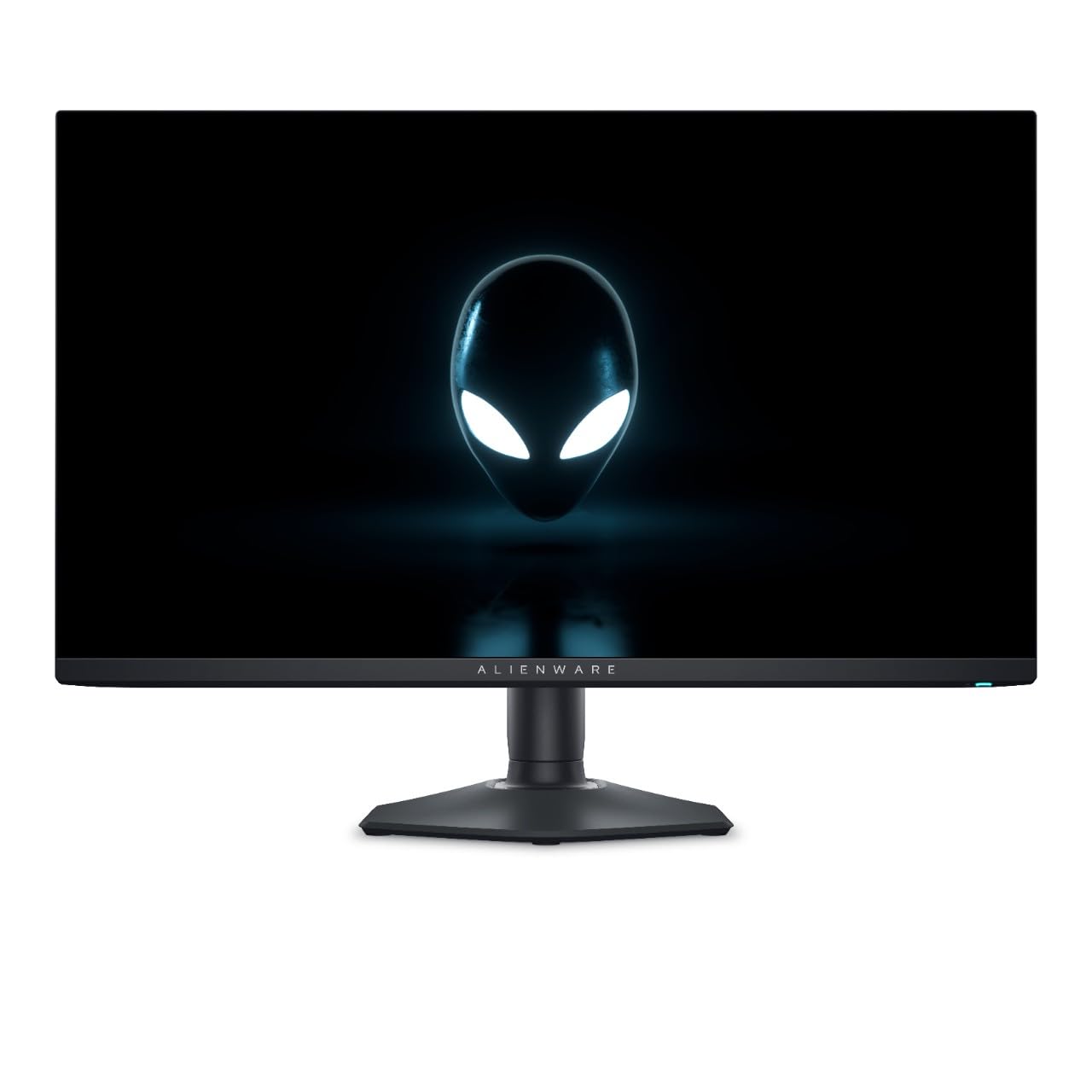
Alienware’s esports-focused OLED with a 99.3% DCI-P3 color gamut and a 3-year warranty.
If competitive shooters like Valorant, CS2, and Fortnite are your primary use case, the AW2725DF delivers extreme fluidity with the 360Hz refresh and 0.03ms GtG response. That means near-zero input lag and motion so clean you can track a strafing enemy at long range without blur. Owners call it the definitive monitor for competitive FPS. The 99.3% DCI-P3 coverage means colors are vivid in both games and content creation — not just a washed-out “gaming mode” that oversaturates everything.
That said, one major drawback is that AMD FreeSync causes screen flickering in Steam, Chrome, and some games. Owners mention that disabling FreeSync fixes the issue, but that removes the variable refresh rate benefit. The glossy screen looks fantastic in a dim room but picks up reflections in a bright environment, so you will want to control your lighting. On the plus side, the 3-year warranty is standard for Alienware, and the stand offers solid ergonomics with height, swivel, and tilt.
Alienware build quality
- 99.3% DCI-P3 coverage for vivid, accurate colors in games and creative work.
- 360Hz plus 0.03ms response delivers extreme motion clarity for competitive FPS.
- 3-year warranty provides solid long-term coverage against defects and burn-in.
Mediocre HDR
- FreeSync Premium Pro causes screen flickering in desktop apps and some games — often requires disabling VRR to fix.
- Glossy screen coating looks incredible in the dark but reflects everything in a bright room.
- Priced at a mid-to-premium tier but only offers 250 nits brightness — the Philips Evnia is significantly brighter for the same money.
Dell loyalists: the competitive FPS grinder who plays in a dark room, wants the absolute best motion clarity, and does not mind disabling FreeSync if flicker appears.
HDR enthusiasts: anyone who relies on AMD FreeSync for smooth frame delivery or plays in a brightly lit room — the glossy panel and flicker issue will frustrate you.
5. MSI MPG 271QRX QD-OLED Gaming Monitor

The entry point to 360Hz OLED that still delivers True Black 400 HDR and a KVM switch.
The MSI MPG 271QRX lands as the most affordable 360Hz OLED in this roundup, but it does not cut corners where it counts. The QD-OLED panel carries VESA DisplayHDR True Black 400 certification for deep blacks and solid HDR highlights. MSI rates its color accuracy at Delta E ≤2 — a spec that means the average color shift is under two notches, so what you see on screen is what you get. Buyers coming from a 1080p VA panel describe the upgrade as “incredible contrast and HDR colors” and say it feels like “the first time wearing glasses.”
It also includes a built-in KVM switch (Keyboard, Video, Mouse) that lets you control two devices — say, a gaming desktop and a work laptop — with a single mouse and keyboard. The Gaming Intelligence app gives you on-the-fly profile switching for different genres. The catch is the stand: it lacks height adjustment, which means you may need a VESA arm or a stack of books to get the panel to eye level. A reviewer noted the “purple tint not noticeable” on this panel, but text clarity on QD-OLED is generally very good for productivity.
High refresh rate
- Delta E ≤2 color accuracy from the start — ideal for photo editing and color-sensitive work without manual calibration.
- Built-in KVM lets you switch between a desktop and laptop with one keyboard and mouse.
- MSI OLED Care 2.0 includes pixel shift and panel refresh to reduce burn-in risk.
Stand wobbles
- Stand lacks height adjustment — you will likely need a monitor arm or a riser for comfortable ergonomics.
- At 250 nits peak brightness, HDR impact is noticeably weaker than the Philips Evnia’s 450 nits.
- Not the best choice for Mac dual-monitor setups without following a specific workaround (disable DSC, lock to DisplayPort at 120Hz).
Fast-paced gaming: the budget-conscious gamer who wants 360Hz OLED and True Black 400 HDR but does not need built-in height adjustment or a premium stand.
Stable desk needed: you run a Mac dual-monitor setup without patience for configuration workarounds — or if bright HDR is your top priority.
Understanding the Specs
Peak Brightness (nits)
This is the biggest spec split among 360Hz OLEDs. A monitor rated at 250 nits looks great in a dim room but struggles to make HDR highlights pop. The Philips Evnia hits 450 nits, while the MSI and Alienware panels are rated at 250 nits, so explosions and sun flares actually dazzle your eyes. If your room has windows or overhead lights, lean toward a higher nits number or an anti-glare coating like the Samsung G60SD has.
VRR & Flicker (FreeSync vs. G-Sync)
Variable Refresh Rate (VRR) syncs the monitor’s refresh rate to your GPU’s frame output so you get no screen tearing. FreeSync Premium Pro works with AMD GPUs and some Nvidia cards; G-Sync Compatible is Nvidia’s stamp. The catch: some OLEDs flicker when VRR kicks in during frame rate dips. The ASUS ROG Strix is the only pick here with an anti-flicker circuit designed to suppress that. The Alienware, by contrast, has widespread buyer reports of FreeSync flicker in desktop apps.
FAQ
Will a 360Hz OLED monitor look smoother than a 240Hz IPS monitor?
Do I need an expensive graphics card to use a 360Hz OLED monitor?
What is the difference between QD-OLED and standard OLED in a monitor?
Will the monitor work with a PS5 or Xbox Series X at 360Hz?
Does burn-in happen quickly on a 360Hz OLED monitor?
Can I use a 360Hz OLED monitor for office work and coding?
What is the real-world brightness difference between 250 nits and 450 nits?
Do these monitors support USB-C with power delivery?
Which of these monitors has the best warranty for burn-in coverage?
What is the difference between DisplayHDR True Black 400 and regular HDR400?
Final Thoughts: The Verdict
If you want one dependable pick, the 360hz oled monitor winner is the ASUS ROG Strix XG27ACDNG because it combines the best burn-in protection (custom heatsink plus anti-flicker) with a 3-year warranty that covers burn-out, plus it supports both G-Sync and FreeSync so it works with any GPU. If you want the brightest HDR experience available at 360Hz, grab the Philips Evnia 27M2N8500 with its 450 nits of peak brightness. And for competitive esports in a dark room where you prioritize near-zero input lag and 99.3% DCI-P3 color coverage, the Alienware AW2725DF is a fantastic choice — just be ready to disable FreeSync if you run AMD.
How We Picked
We do not accept paid placement, and we did not hands-on test every unit. Instead, we match each pick to a real buyer and use-case by comparing the manufacturers’ published specifications against the patterns in verified customer reviews — so you get each pick’s real strengths and trade-offs instead of marketing copy.
Sources & Methodology
Specifications: manufacturer listings and product documentation. Review insights: verified customer reviews, as of July 2026. Pricing: not shown on this page (it changes often); check the current price via the retailer link.
As an Amazon Associate, Gadgets Feed earns from qualifying purchases. This does not affect which products we feature.
Product prices and availability are accurate as of the date/time indicated and are subject to change. Any price and availability information displayed on Amazon at the time of purchase will apply to the purchase of this product. As an Amazon Associate I earn from qualifying purchases.
CERTAIN CONTENT THAT APPEARS ON THIS SITE COMES FROM AMAZON. THIS CONTENT IS PROVIDED "AS IS" AND IS SUBJECT TO CHANGE OR REMOVAL AT ANY TIME.
Amazon and the Amazon logo are trademarks of Amazon.com, Inc. or its affiliates.