
Our readers keep the lights on and my morning glass full of iced black tea. As an Amazon Associate, I earn from qualifying purchases.
Specs are compiled from manufacturer listings and verified buyer reviews and can change over time — please confirm the key details on the product page before buying.
Buying a 4K gaming monitor is not just about finding a screen that shows pixels. It is about picking the one that keeps up with your reflexes, makes game worlds look real, and does not force you to choose between resolution and speed. The right pick transforms how you play — the wrong one leaves you squinting at blur or fighting with cables.
I’m Min — the founder and writer behind Gadgets Feed. This guide is built by comparing the manufacturers’ published specifications and the patterns across verified customer reviews, so you get each pick’s real strengths and trade-offs instead of marketing spin.
Whether you chase silky-smooth motion in fast shooters or jaw-dropping detail in open-world adventures, the 4k gaming monitor that fits your setup is the one that matches its refresh rate, panel type, and connectivity to the games you actually play.
Quick Picks
- MSI MPG 321URX QD-OLED — Premium Pick
- ASUS ROG Swift PG32UCDM — Edge Performer
- LG 32GX870A-B Ultragear OLED — Dual-Mode Power
- Samsung Odyssey OLED G8 G80SH — Glare Free OLED
- Sony INZONE M9 II — Console First
- LG 27G810A-B Ultragear — Best Overall
- KTC 27 Inch Dual Mode Mini LED Monitor — Mini LED Star
- ASUS ROG Strix XG27UCG — Versatile Performer
- KTC 32 Inch 4K Gaming Monitor (H32P22P) — Big Screen Value
- CRUA 32″ Curved Gaming Monitor — Budget Curved
How To Choose The Best 4K Gaming Monitor
Picking a 4K gaming monitor depends on your game library and your graphics card. You want a screen that makes your games look crisp without stuttering, and that means understanding a few key specs before you click buy.
Panel Type: IPS, VA, or OLED
IPS panels give you wide viewing angles and good color, making them a solid all-rounder for both gaming and desk work. VA panels offer higher contrast ratios — like the 3000:1 you see on some models — for deeper blacks without the premium price of OLED. OLED panels deliver perfect, true blacks and the fastest response times (down to 0.03ms), but they cost more and need some care to prevent burn-in.
Refresh Rate and Dual Mode
A standard 4K monitor runs at 60Hz, but a gaming monitor pushes well past that. You will see 160Hz, 240Hz, and even dual-mode models that switch between a high-resolution 4K mode and a lower-resolution mode at a much faster rate — like 480Hz for competitive shooters. The lower the resolution in dual mode, the higher the framerate your graphics card can push, giving you a speed edge in fast games.
Connectivity: HDMI 2.1 and DisplayPort
To feed a 4K signal at high refresh rates, you need HDMI 2.1 or DisplayPort 1.4 with DSC (Display Stream Compression). Some monitors include a 65W or higher USB-C port, which lets you power a laptop and display the picture through a single cable. Without the right cable and port, you might get stuck at a lower refresh rate than the screen can handle.
Quick Comparison
On smaller screens, swipe sideways to see the full table.
| Model | Best For | Refresh Rate | Panel Type | Connectivity | Amazon |
|---|---|---|---|---|---|
| MSI MPG 321URX QD-OLED | Premium HDR & Speed | 240Hz | QD-OLED | DP 1.4a, HDMI 2.1, 90W USB-C | $849.99Amazon |
| ASUS ROG Swift PG32UCDM | Elite Gaming & Build | 240Hz | QD-OLED | DP 1.4, HDMI 2.1, 90W USB-C | $1,199.00Amazon |
| LG 32GX870A-B OLED | Dual-Mode & Brightness | 240Hz / 480Hz | OLED | DP 2.1, HDMI 2.1, USB-C | $1,029.99$1,399.99Amazon |
| Samsung Odyssey OLED G8 G80SH | Glare-Free OLED | 240Hz | QD-OLED | DP 2.1, HDMI, 96W USB-C | $999.99$1,299.99Limited time dealAmazon |
| Sony INZONE M9 II | PS5 & Contrast | 160Hz | Full Array LED | DP 2.1, HDMI 2.1, USB | $948.00Amazon |
| LG 27G810A-B Ultragear | 27-Inch Dual Mode | 180Hz / 360Hz | IPS | DP, HDMI 2.1 | $449.99$599.99Amazon |
| KTC Dual Mode Mini LED | HDR & Mini LED | 160Hz / 320Hz | Mini LED IPS | DP 1.4, HDMI 2.1, 65W USB-C | from $128.24Amazon |
| ASUS ROG Strix XG27UCG | Value Dual Mode | 160Hz / 320Hz | Fast IPS | DP, HDMI, USB-C | $389.99Amazon |
| KTC 32 Inch 4K Monitor | Large Screen Value | 165Hz | Fast IPS | DP 1.4, HDMI | $449.99Amazon |
| CRUA 32″ Curved Monitor | Budget Curved 4K | 240Hz | VA | DP 1.4, HDMI 2.1 | $399.99$499.99Amazon |
In‑Depth Reviews
1. MSI MPG 321URX QD-OLED

The 32-inch QD-OLED that makes every game look like a movie.
This monitor uses a Quantum Dot OLED panel that covers 99% of the DCI-P3 color space, so game worlds pop with deep, rich hues that an IPS panel just cannot match. The.03ms response time (GtG, the time a pixel takes to shift from one color to the next) means you see zero ghosting in fast motion — every sword swing and bullet trail stays sharp. The VESA DisplayHDR True Black 400 certification means black areas of the screen stay perfectly dark while bright highlights glow, giving HDR games a lifelike range.
Buyers report that the HDR colors and vibrance are a massive step up from an IPS 1440p display. They note the 32-inch stand is large but stable on a desk. One reviewer noted that for Mac setups with dual monitors, you have to disable DSC (Display Stream Compression) and lock the input to DP to run it at 120 Hz stably. The 90W USB-C port is enough to charge a laptop, cutting down on cables on your desk. It is a premium choice, but if you want the best-looking image at 240Hz, this is it.
Why it wins
- Incredible 99% DCI-P3 color and perfect OLED blacks
- 240Hz refresh rate with ultra-fast.03ms response
- 90W USB-C for single-cable laptop charging
What to know
- Requires a pixel refresh routine and some burn-in awareness
- Mac dual-monitor setup needs a configuration workaround
Your move: Reach for this if you want the richest HDR and fastest OLED motion available at 32 inches.
The catch: The high price is real, and you will want to run some basic OLED care to keep the screen pristine.
2. ASUS ROG Swift PG32UCDM

The 32-inch QD-OLED that aims to be the last monitor you buy.
ASUS packs a custom heatsink and graphene film into this QD-OLED to manage heat, which directly reduces the risk of burn-in over the long term. The 99% DCI-P3 gamut and true 10-bit color deliver gradients without any banding, and the Delta E less than 2 means the colors are accurate enough for photo editing. The 240Hz refresh rate and.03ms response time are the same top-tier specs as the MSI above, but the ASUS adds Dolby Vision support for an even richer HDR experience in games and movies that support it.
Owners mention that the glossy screen provides exceptional clarity and vibrant colors, and that it actually reduces eye fatigue compared to matte finishes. One buyer mentioned the text fringing — a slight blur on small white text against black backgrounds that is common on QD-OLED panels — is negligible at a normal viewing distance. The PG32UCDM also comes with a 3-year warranty and OLED Care tools, which adds confidence for a high-end purchase.
What stands out
- Custom heatsink and graphene film for long-term OLED durability
- Dolby Vision and FreeSync Premium Pro support
- True 10-bit color with Delta E less than 2
Keep in mind
- Glossy finish may bother some, though customers note it handles reflections well
- Text fringing is noticeable only if you sit very close
Buy it for: The player who wants top-tier OLED quality with active burn-in protection and Dolby Vision HDR.
skip it if: A glossy screen in a very bright room gives you glare issues.
3. LG 32GX870A-B Ultragear OLED

A 32-inch OLED that shifts from 4K story mode to 480Hz competitive speed.
This is the pick for the player who plays everything. In 4K UHD at up to 240Hz, you get rich, pixel-dense visuals for open-world RPGs and adventure titles. Press a hotkey, and it switches to Full HD at up to 480Hz for esports games like Valorant or Overwatch. The Micro Lens Array+ technology (a layer of tiny lenses over the OLED panel) pushes peak brightness up to 1300 nits, making HDR highlights in games and movies look brilliant. The 1.5M:1 contrast ratio means you see perfect black and bright color in the same frame.
Reviewers point out that the colors are amazing and the 480Hz mode makes even mouse movements look impossibly smooth. One owner reported that initial vertical banding (faint lines visible on a solid color) disappears after normal use. The monitor includes built-in speakers, and owners say they are crisp and clear — better than the average monitor speaker. The 2-year limited warranty covers the OLED panel, and the included OLED Care tools like pixel cleaning keep the display sharp.
Why it wins
- Dual Mode: 240Hz at 4K and 480Hz at Full HD
- Micro Lens Array+ for high peak brightness of 1300 nits
- Built-in speakers are surprisingly good for a monitor
Be aware
- Matte coating can look slightly grainy on static desktop pages
- Text clarity on Windows may need a ClearType adjustment
Best suited for: The gamer who wants one monitor for both HDR-rich single-player games and lightning-fast competitive play.
The trade-off: You get a 2-year panel warranty instead of the 3-year some rivals offer.
4. Samsung Odyssey OLED G8 G80SH
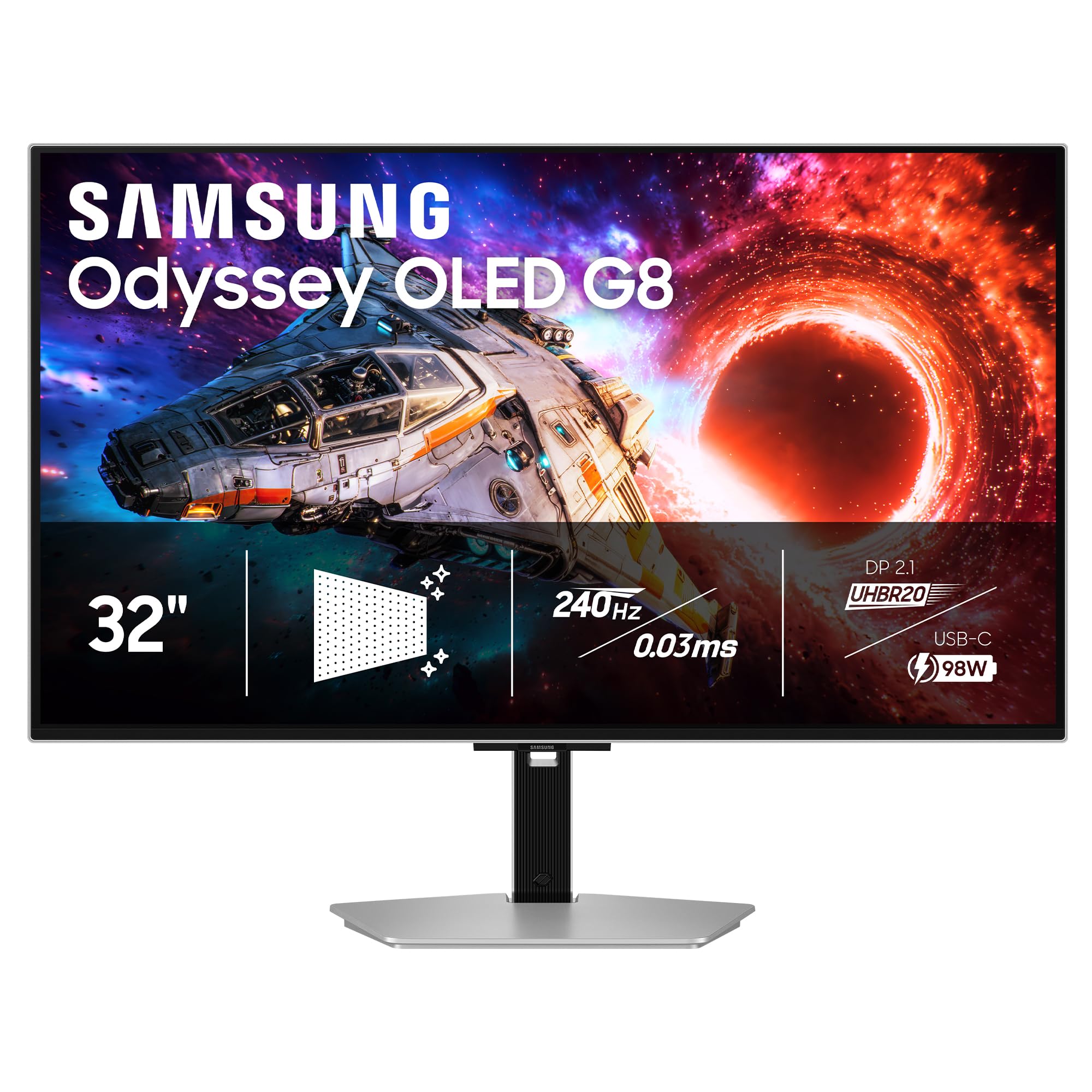
A 32-inch OLED that stays clear even with a window behind your desk.
This QD-OLED screen uses Samsung’s Glare Free technology, which diffuses reflections so you can set it up in a bright room without the image washing out. The 240Hz refresh rate and.03ms response time (GtG) are on par with the other high-end OLEDs. The pixel density of 140 PPI (pixels per inch) makes text and fine details look razor-sharp on the 32-inch panel. It includes OLED Safeguard+ to prevent burn-in, which runs a dynamic cooling system to keep the screen from overheating.
Shoppers say that the OLED blacks and contrast are excellent, and the anti-glare coating works well even near a window. One customer observed the stand is sturdy and supports tilt, height, swivel, and pivot adjustments. The USB-C port delivers 96W of power delivery (PD) — enough to charge a high-end gaming laptop. Some users found the out-of-box color accuracy needed calibration, and the monitor does not have built-in speakers.
Why it works
- Glare Free technology for bright-room gaming
- 96W USB-C power delivery for laptops
- Fully adjustable stand with tilt, swivel, pivot, height
Watch out for
- No built-in speakers
- Anti-glare adds a slight graininess to the image
Reach for this if: You game near a window or under bright lights and want OLED contrast without reflections ruining the view.
Look elsewhere if: You need built-in speakers or prefer a glossy screen.
5. Sony INZONE M9 II

A 27-inch monitor designed to match a PS5 like a glove.
This monitor uses Full Array Local Dimming, meaning zones of the screen can turn off independently for deeper blacks than a standard IPS panel, while keeping bright areas punchy. The 160Hz refresh rate and 1ms GtG response time handle fast action smoothly. It is VESA DisplayHDR 600 certified, so you get more brightness and contrast detail than the more common DisplayHDR 400. The DCI-P3 color coverage is over 95%, and it supports 1.07 billion colors (10-bit).
Buyers report that this monitor is a great fit for the PS5 because Auto Genre Picture Mode and Auto HDR Tone Mapping are built in — the monitor detects when you are playing a game and adjusts the picture automatically. One user highlighted the stand has a small footprint, which gives you more room for keyboard and mouse movements, and it also has a neat wrap-around brace to hide cables. The built-in speakers are decent for a monitor, and you get a 3-year limited warranty for confidence.
What it delivers
- Full Array Local Dimming for better contrast
- DisplayHDR 600 with over 95% DCI-P3
- Auto HDR Tone Mapping for PS5
Consider this
- Software updates require a USB stick
- Rear controls can be cumbersome to navigate
Built for: PS5 and PS5 Pro owners who want a smooth, auto-optimized 4K experience with better contrast than standard IPS.
Not ideal if: You need a 32-inch screen or prefer OLED-perfect blacks.
6. LG 27G810A-B Ultragear

A 27-inch dual-mode IPS that balances price, color, and speed unexpectedly well.
This monitor gives you dual-mode capability on an IPS panel: play in 4K at 180Hz for story games, or switch to Full HD at 360Hz for fast-paced shooters. The 1ms GtG response time keeps motion crisp. With VESA DisplayHDR 400 and 95% DCI-P3 color coverage, you get solid color and a noticeable HDR boost without paying the OLED premium. It comes with both AMD FreeSync Premium and NVIDIA G-Sync compatibility, meaning no screen tearing whether you have a GeForce or Radeon card.
Owners mention that this is a great IPS alternative to OLED if you are budget-conscious. One shopper added that colors are good but do not pop as much as an OLED, which is expected. The monitor also includes useful gaming features: Black Stabilizer to brighten dark corners in games, Dynamic Action Sync to reduce input lag, and a Crosshair overlay for FPS accuracy. The adjustable stand handles height, tilt, swivel, and pivot, so you can set it up exactly how you want.
Why it is a standout
- Dual Mode: 180Hz 4K and 360Hz Full HD
- 1ms GtG response with FreeSync Premium and G-Sync
- Excellent adjustable stand and narrow bezel design
Keep in mind
- Colors are inferior to OLED in pop and contrast
- Some users notice fan noise in a very quiet room
Perfect for: The gamer who wants a fast, dual-mode 4K IPS with great adjustability at a price that leaves room for a GPU upgrade.
Know this: HDR pop is solid for the tier, but not at the level of Mini LED or OLED.
7. KTC 27 Inch Dual Mode Mini LED Monitor
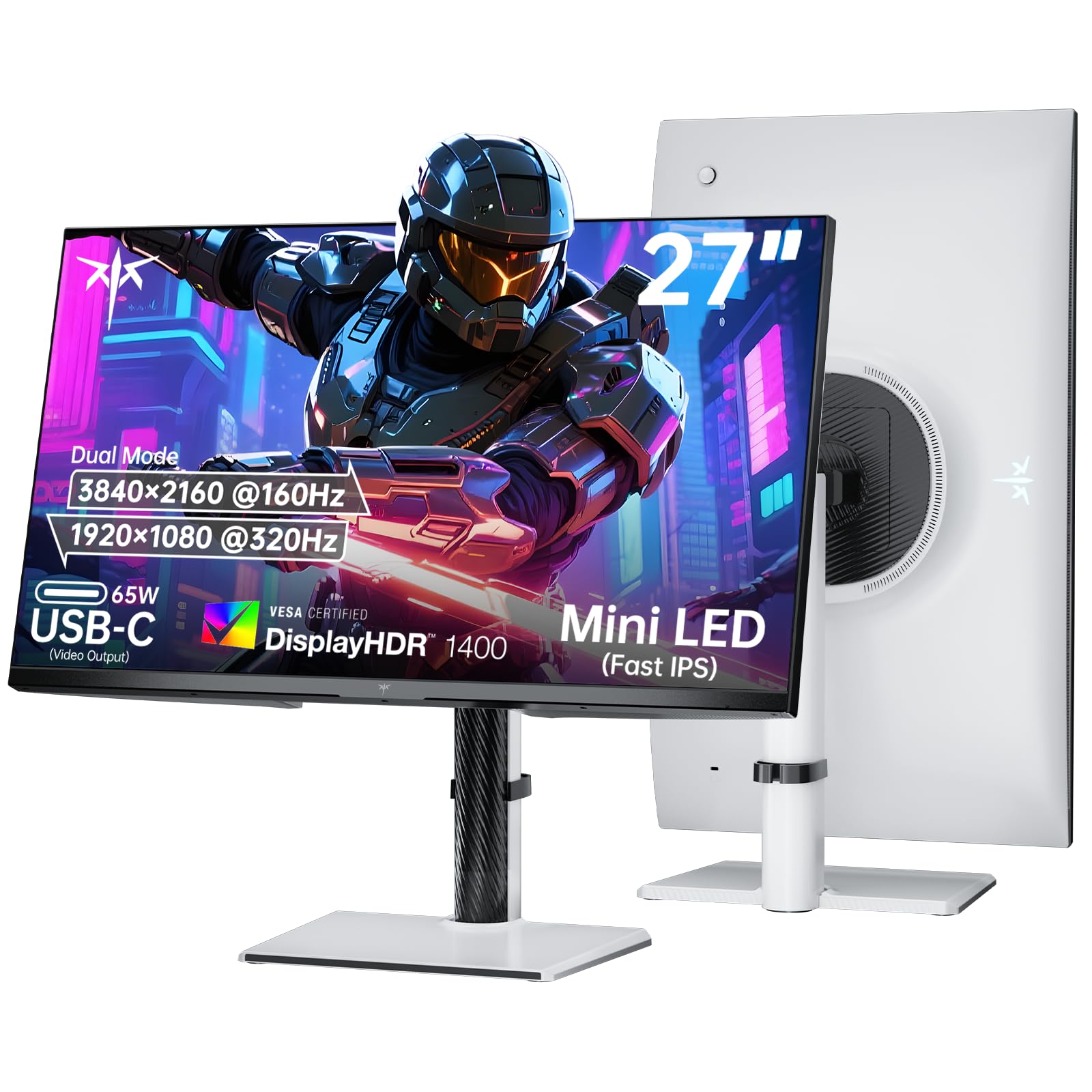
A 27-inch mini-LED that brings 1,152 dimming zones to a dual-mode gaming panel.
This KTC monitor uses Mini LED backlighting with 1152 individual dimming zones, so it can control brightness with fine precision — dark areas stay dark while bright objects glow. It is rated for a 1000000:1 contrast ratio, versus 3000:1 on the CRUA and 3000:1 on the KTC 32-inch. The HDR1400 certification means it can get extremely bright, bright enough to make explosions and sunlight in games look dazzlingly realistic. It also covers 145% of the sRGB color gamut.
The dual-mode lets you switch between 4K at 160Hz for detailed games and 1080p at 320Hz for competitive speed. The 65W USB-C port is full-function, meaning it charges a laptop and transfers video through a single cable. The monitor has a Fast IPS panel, which offers wide viewing angles and a 1ms response time (GTG — gray-to-gray, the most common measure of pixel speed). Customers note it is ideal for FPS and console gaming.
Why it is a contender
- 1152-zone Mini LED with 1000000:1 contrast ratio and HDR1400
- Dual Mode: 160Hz at 4K, 320Hz at 1080p
- 65W USB-C for single-cable laptop setup
What to check
- No customer review data is available yet on Amazon to verify real-world quality control
- Mini LED can show blooming (halos around bright objects on dark backgrounds) in edge cases
Choose it for: The incredible zone count and HDR1400 brightness that rival OLED in contrast, at a lower price.
Proceed with caution: Little user feedback yet; wait for owner reviews to confirm consistency.
8. ASUS ROG Strix XG27UCG

A 27-inch dual-mode IPS that delivers solid performance without emptying your wallet.
This monitor offers the dual-mode flexibility: 4K at 160Hz for rich titles, and a switch to 1080p at 320Hz for esports. The Fast IPS technology keeps the 1ms response time (GTG) snappy, and ELMB Sync (Extreme Low Motion Blur combined with variable refresh rate) eliminates ghosting without introducing tearing. The 95% DCI-P3 color gamut means colors are vibrant and accurate. It is also G-Sync Compatible, so NVIDIA graphics cards get smooth, tear-free gameplay.
Reviewers point out that 4K at 160Hz works perfectly through the included DisplayPort cable with DSC — one reviewer on an RTX 4080 Super noted that the HDMI port is limited to 120Hz, so you need to use DisplayPort for full speed. Another reviewer called it an excellent value that eliminates the need for a separate docking station for dual external monitors. The stand offers full ergonomic adjustments including height, swivel, and rotate, so you can set up the screen exactly as you need it.
Why it is a great buy
- Dual Mode: 160Hz 4K and 320Hz 1080p
- ELMB Sync for clear motion without tearing
- Full ergonomic stand with height, swivel, and rotation
What to watch
- HDMI port is limited to 120Hz at 4K; use DisplayPort for 160Hz
- The hefty stand requires significant desk space
Ideal for: The builder who wants a flexible 4K monitor that shifts into competitive 320Hz mode and has a great stand.
Just note: You will need a DisplayPort cable (included) to hit the full 160Hz.
9. KTC 32 Inch 4K Gaming Monitor (H32P22P)

A 32-inch entry into 4K gaming that packs a 165Hz Fast IPS panel and a tempting spec sheet.
This KTC monitor offers a 32-inch screen with a 165Hz refresh rate and 1ms MPRT (Moving Picture Response Time, a measure of how quickly a pixel disappears from view, which helps reduce perceived blur). The 3000:1 contrast ratio and 121% sRGB color gamut provide solid color and depth for a mid-range IPS panel. It supports both FreeSync and G-Sync, so screen tearing is kept in check. The monitor comes with HDMI 2.1 and DP 1.4 ports, so you can plug in a PS5 or recent graphics card without bottleneck issues.
Shoppers say that the value-to-specs ratio is appealing, but there are some quality control concerns. One reviewer noted severe backlight bleed at the top of the screen (a visible cloud of light bleeding through the edges of an LCD panel), not just the normal IPS glow. Another reviewer received a unit with a dead subpixel that appeared cyan on white screens. Some users also encountered bugs where the screen goes blank and requires a power cycle to reset. The 3-year warranty and responsive customer support are positives, but the feedback suggests a careful buy.
What it offers
- 32-inch 4K at 165Hz with a Fast IPS panel
- 3000:1 contrast and 121% sRGB
- HDMI 2.1 and DP 1.4 for next-gen consoles
Be aware
- Backlight bleed and dead pixels reported in customer reviews
- Some units have a scaler bug requiring a power cycle to fix
Best for: The buyer on a tighter budget who wants a large 32-inch 4K screen with a high refresh rate and is willing to check for defects right away.
Alternative: If quality control worries you, look at the ASUS or LG IPS options above for more consistent manufacturing.
10. CRUA 32″ Curved Gaming Monitor

A 32-inch curved VA that brings 240Hz speed and 4K resolution to a budget-friendly white design.
This is the most affordable curved 4K monitor in the list, using a VA panel with a 1500R curvature (a curve radius of 1500mm, which wraps the screen gently around your field of view). The 3000:1 contrast ratio gives you solid black depth compared to a typical IPS screen. It supports up to 240Hz refresh rate with AMD FreeSync, making it fast for competitive games. The 120% sRGB color gamut and 1.07 billion colors (8-bit + FRC — a technique that makes an 8-bit panel show close to 10-bit color depth) deliver vivid colors.
Buyers report it is good for budget gaming and studying — one reviewer called it perfect for “cozy gamer girlies” and noted that it has crisp visuals. Another said the stand is hard to assemble for people with large hands. The monitor includes built-in speakers, PIP/PBP (picture-in-picture and picture-by-picture for multitasking), and an anti-blue light feature. The main limitations are that the stand only offers tilt adjustment, and the built-in speakers are not loud.
The upsides
- 32-inch 1500R curved VA panel for rich viewing
- 240Hz refresh rate with FreeSync
- Built-in speakers and PIP/PBP support
The downsides
- Limited ergonomics: tilt only, no height or swivel adjustment
- Speakers are weak; plan for external audio
Perfect for: The casual or budget-conscious gamer who wants a big, curved 4K screen at a high refresh rate for a low price.
Not right for: Competitive players who need height adjustment or loud built-in speakers.
Understanding the Specs
Panel Types: IPS, VA, OLED, and Mini LED
IPS (In-Plane Switching) panels are the jack-of-all-trades: they give you wide viewing angles, good color accuracy, and decent response times, but their native contrast ratio is usually around 1000:1, meaning blacks look more like dark gray. VA (Vertical Alignment) panels improve on that with contrast ratios of 3000:1 or higher, offering deeper blacks, but they suffer from slower pixel response than IPS. OLED (Organic Light Emitting Diode) panels produce perfect blacks because each pixel lights itself, giving you an effectively infinite contrast ratio, plus response times as fast as 0.03ms — but they cost more and need burn-in management. Mini LED is an LCD with many tiny backlight zones — the KTC Mini LED has 1152 zones — so it can dim small areas, getting close to OLED black levels at a lower price, though you might see blooming (a faint halo) around bright objects on black backgrounds.
Refresh Rate and Dual Mode
Refresh rate, measured in Hertz (Hz), is how many times per second the screen redraws the image. A 60Hz monitor updates 60 times a second; a 240Hz monitor updates 240 times. A higher rate makes motion look smoother and reduces perceived blur in fast games. Dual Mode is a newer feature that lets the monitor switch between a high-resolution mode (like 4K at 160Hz) and a low-resolution mode (like 1080p at 320Hz) at the press of a button. This is useful because running 4K at 320Hz takes an enormous amount of graphics horsepower, but dropping to 1080p gives you a much faster refresh rate that competitive players can feel.
FAQ
Do I need HDMI 2.1 or DisplayPort 1.4 for a 4K 120Hz gaming monitor?
What is the difference between 1ms GTG and 1ms MPRT response time?
Is dual mode worth it on a 4K gaming monitor?
What is the real-world difference between HDR400, HDR600, and True Black 400?
Can I use a 4K gaming monitor for work and productivity?
Is a 32-inch 4K monitor too big for competitive gaming?
Does a curved monitor help in gaming?
What is the difference between G-Sync and FreeSync?
How do I prevent burn-in on an OLED gaming monitor?
Is 120Hz enough for a 4K gaming monitor, or should I go for 160Hz or 240Hz?
Final Thoughts: The Verdict
For most buyers, the 4k gaming monitor winner is the MSI MPG 321URX QD-OLED because it combines a top-tier QD-OLED panel, 240Hz speed, and a 90W USB-C port into one of the best all-around packages you can buy. If you want a dual-mode IPS that balances price and performance for both competitive and story-based gaming, the LG 27G810A-B Ultragear is a fantastic choice. And for PS5 owners who want deep contrast and automatic HDR tone-mapping without the risk of OLED burn-in, the Sony INZONE M9 II is the clear console-first pick.
How We Picked
We do not accept paid placement, and we did not hands-on test every unit. Instead, we match each pick to a real buyer and use-case by comparing the manufacturers’ published specifications against the patterns in verified customer reviews — so you get each pick’s real strengths and trade-offs instead of marketing copy.
Sources & Methodology
Specifications: manufacturer listings and product documentation. Review insights: verified customer reviews, as of July 2026. Pricing: not shown on this page (it changes often); check the current price via the retailer link.
As an Amazon Associate, Gadgets Feed earns from qualifying purchases. This does not affect which products we feature.
Product prices and availability are accurate as of the date/time indicated and are subject to change. Any price and availability information displayed on Amazon at the time of purchase will apply to the purchase of this product. As an Amazon Associate I earn from qualifying purchases.
CERTAIN CONTENT THAT APPEARS ON THIS SITE COMES FROM AMAZON. THIS CONTENT IS PROVIDED "AS IS" AND IS SUBJECT TO CHANGE OR REMOVAL AT ANY TIME.
Amazon and the Amazon logo are trademarks of Amazon.com, Inc. or its affiliates.