
Finding a reliable 3D printer that doesn’t force you into endless calibration hell or constant nozzle clogs while staying within a sensible budget is harder than it sounds. The market is flooded with promises of “assembled and ready” machines that often require hours of manual bed leveling and slicer tweaking before you see a successful print. This guide cuts through the noise and focuses on machines that actually deliver a clean Benchy out of the box.
I’m Min — the co-founder and writer behind Gadgets Feed. My approach here is grounded in weeks of cross-referencing real user stress tests, print success rates across hundreds of logged hours, and the specific firmware and hardware specs that separate frustration-free printers from weekend projects that never complete.
After analyzing nine distinct models through the lens of build volume, extrusion reliability, and automatic calibration fidelity, this deep-dive breakdown identifies the actual best 3d printer under $350 for both absolute beginners and makers ready to explore multi-color workflows, quiet operation, and true plug-and-play setups.
How To Choose The Best 3D Printer Under $350
Choosing a 3D printer in this price range means balancing build size, speed, and ease-of-use without sacrificing reliability. The most common mistake is prioritizing a large build volume while ignoring the auto-leveling system and extruder type. A printer with a tiny 100mm³ bed but a flawless first layer will always outperform a large-format machine that requires constant manual leveling tweaks. Focus on the ecosystem—how easy is it to go from unboxing to your first finished print?
Auto-Leveling: The Quality-of-Life Decider
Manual bed leveling using paper and four knobs is the number one frustration for beginners. A printer with 16-point or 49-point automatic leveling (like LeviQ 3.0 or CR Touch) removes the guesswork and ensures every print adheres correctly. Without it, you are accepting a steep learning curve and a higher failure rate, especially with flexible materials.
Extruder Type and Hotend Temperature
A direct drive extruder, where the motor sits directly above the nozzle, provides consistent extrusion pressure and handles flexible filaments like TPU without jamming. Bowden setups (motor on the frame) are cheaper but prone to stringing and retraction issues. Also check the max nozzle temperature—280°C to 300°C opens the door to PETG and ABS, while 250°C limits you mostly to PLA.
Quick Comparison
On smaller screens, swipe sideways to see the full table.
| Model | Category | Best For | Key Spec | Amazon |
|---|---|---|---|---|
| Bambu Lab A1 | Premium | Best Overall | 10,000 mm/s² acceleration, 256mm³ build, 48 dB | Amazon |
| Anycubic Kobra X | Premium | Multi-Color Printing | 600mm/s speed, native 4-color, 260mm³ | Amazon |
| FLASHFORGE Adventurer 5M | Premium | Fast Core XY Performance | 600mm/s, 20,000 mm/s² acceleration, 280°C nozzle | Amazon |
| Longer LK5 Pro 3 | Premium | Large Build Volume | 300 x 300 x 400 mm build, TMC2209 driver | Amazon |
| AOSEED X-Maker Joy AI+ | Premium | Kid-Friendly AI Printer | 400mm/s peak, 8,000+ models, AI camera | Amazon |
| Creality Ender-3 V3 KE | Premium | Reliable Workhorse | 500mm/s, 8000 mm/s² acceleration, 300°C nozzle | Amazon |
| Geeetech M1S | Mid-Range | WiFi & App Control | 250mm/s, 1:5 gear ratio, auto-leveling | Amazon |
| Geeetech M1 | Mid-Range | Learning & Troubleshooting | 250mm/s, direct drive, PEI plate | Amazon |
| Entina Tina2C | Mid-Range | Simplest Kids Printer | 100mm³ build, app control, 8-min setup | Amazon |
In‑Depth Reviews
1. Bambu Lab A1

The Bambu Lab A1 sits at the top of this list because it delivers an ecosystem that eliminates virtually all friction from the printing process. With a full-auto calibration system that handles Z-offset and bed leveling before every print, you spend zero time fiddling with paper or knobs. The active flow rate compensation algorithm reads extrusion data in real time, preventing under-extrusion blobs and keeping layer lines consistent even at high speeds.
Its 256 x 256 x 256 mm build volume is generous enough for functional parts and large figurines, while the 1-clip quick-swap nozzle makes switching between 0.4 mm and 0.6 mm tips a 10-second operation. The AMS Lite add-on (sold separately) unlocks multi-color printing, though the base machine already prints PLA, PETG, and TPU beautifully. Owners report hitting print within minutes of unboxing, with firmware updates delivered seamlessly via the app.
Noise levels measure at or below 48 dB during standard operation—quieter than most refrigerators—making it suitable for a bedroom or office. The integrated motor noise canceling practically eliminates the high-pitched whine that plagues cheaper printers. If you want one machine that works every time without requiring a weekend of configuration, this is the clear choice.
Why it’s great
- Truly automatic calibration—no manual Z-offset or bed leveling needed
- Active flow rate compensation prevents extrusion inconsistencies on long prints
- 48 dB quiet operation with active noise canceling
Good to know
- AMS Lite for multi-color is an additional purchase
- Proprietary ecosystem—some users prefer fully open-source firmware
2. Anycubic Kobra X Multicolor

The Anycubic Kobra X changes the game for multi-color printing in this price band by shipping with native 4-color capability—no separate AMS unit required. The LeviQ 3.0 auto-leveling system uses 49 calibration points to guarantee a perfectly flat first layer, which is crucial when transitioning between different color filaments mid-print. The hardened steel nozzle handles abrasive filaments and keeps extrusion reliable even after hundreds of hours.
Print speed hits 600 mm/s with vibration compensation that minimizes ghosting on tall models. The top-mount spool holder frees up desk space, and the AI camera provides spaghetti detection and foreign object monitoring through the Anycubic app—you can check a print from your phone rather than physically inspecting it. Owners consistently praise the Benchy completion time of 14 minutes without sacrificing surface quality.
Multi-material support extends to PLA, PETG, TPU, PVA, and ASA thanks to the 300°C nozzle temperature. The dual-band Wi-Fi (2.4G and 5G) ensures reliable remote control, and the 260 mm³ build volume gives you room for larger models than most competitors. The ACE 2 Pro expansion allows scaling up to 19 colors, though the included 4-color setup already covers the vast majority of creative projects.
Why it’s great
- Native 4-color printing without extra hardware costs
- 49-point LeviQ 3.0 auto-leveling ensures flawless first layers every time
- AI camera with spaghetti detection for remote monitoring
Good to know
- ACE 2 Pro expansion for 19 colors is sold separately
- Spaghetti detection software is still maturing—occasional false positives
3. Flashforge Adventurer 5M

The Adventurer 5M uses a Core XY motion system that pushes acceleration to 20,000 mm/s²—three times faster than most bed-slinger designs in this category. This translates to significantly reduced print times on complex geometries without visible ghosting, thanks to the integrated vibration compensation algorithm. The 50W hotend reaches 200°C in 35 seconds, so you aren’t waiting around between filament changes.
Full-auto one-click leveling calibrates the entire bed in under a minute, and the dual-sided PEI coating plate provides outstanding adhesion for PLA and PETG without glue stick or tape. Owners with hundreds of logged print hours report zero adhesion failures when using the recommended settings. The filament run-out sensor and power-loss recovery ensure that a 15-hour print isn’t ruined by an empty spool or a brownout.
The open-frame design requires placement in a ventilated area, especially when printing ABS. Users consistently note that the firmware initially had some freezing quirks, but recent updates have resolved these issues. With a 220 mm³ build volume and a solid all-metal frame, this machine is a workhorse for anyone who values speed over raw build size.
Why it’s great
- 20,000 mm/s² acceleration for rapid print times
- Dual-sided PEI flex plate—excellent adhesion with no glue required
- Filament run-out sensor and power-loss recovery for failsafe operation
Good to know
- Early firmware had freezing issues—check for the latest update before first print
- Open design means higher ambient noise compared to enclosed printers
4. Longer LK5 Pro 3

The Longer LK5 Pro 3 dominates this list with its massive 300 x 300 x 400 mm build volume—enough to print helmets, full-face masks, and large functional brackets in a single piece. The triangular frame with reinforced inclined rods minimizes resonance artifacts at high speeds, and the TMC2209 stepper driver keeps motor noise impressively low even during rapid X-Y movements.
Firmware is fully open-source, meaning advanced users can modify G-code and install custom profiles. The silicon carbide lattice glass platform heats evenly, reducing warping issues that plague large-format prints, especially with PETG. Owners who pushed over 300 hours of print time report consistent layer adhesion across the entire bed area, with only minor Z-band artifacts on exceptionally tall models.
The filament depletion detector automatically pauses the print when the spool runs dry, and the auto-resume function saves your place after a power cut. Note that manual bed leveling via four knobs is more involved than the competitors here—some owners opt for a BLTouch upgrade, though this requires firmware reflashing. If you need the biggest possible print area at this price point, this machine is unmatched.
Why it’s great
- Massive 300mm³ x 400mm tall build volume for large projects
- Silicon carbide glass bed delivers even heating and strong adhesion
- Fully open-source firmware and TMC2209 driver for quiet operation
Good to know
- Manual bed leveling—BLTouch upgrade requires firmware reflashing
- Fast nozzle temp fluctuations can cause inconsistent first layer without enclosure
5. AOSEED X-Maker Joy AI+

The AOSEED X-Maker Joy AI+ is purpose-built for families, with an AI-powered workflow that lets kids create 3D models from voice, text, or image prompts through the companion app. The printer ships with eight rolls of PLA filament, so you have real creative range from day one. The fully enclosed, pinch-resistant design and TÜV Rheinland ISO 16000-tested PLA provide peace of mind for parents concerned about fumes or moving parts.
Print speeds reach 400 mm/s, with a precision of 0.05 mm that keeps small details like fidget toy gears and character accessories crisp. The built-in camera enables real-time monitoring and automatic time-lapse video creation—a feature kids love to show off their finished projects. Owners report that the leveling-free platform genuinely works, eliminating the need for calibrating a static bed height.
The library of 8,000+ models and 17 themed modules means children can start printing without understanding slicing software or STL files. The AI MiniMe function turns photos into 3D figurines, and the AI Doodle tool converts doodles into printable objects. With 0.05 mm layer resolution and a magnetic build plate, the X-Maker Joy AI+ is the most accessible printer for non-technical users.
Why it’s great
- AI-powered creation from voice, text, or image prompts—no CAD skills needed
- Fully enclosed design with certified safe PLA for worry-free use
- Built-in camera with time-lapse recording and real-time monitoring
Good to know
- Smaller build volume limits large model printing
- Some users report adhesion issues with complex first layer geometries
6. Creality Ender-3 V3 KE

The Creality Ender-3 V3 KE carries forward the legendary Ender 3 lineage with a major upgrade: a Sprite direct drive extruder that supports 300°C printing and feeds PLA, PETG, TPU, and ABS without jamming. The Core XY-like motion system with ball bearings on the X-axis carriage delivers smoother movements than the older V-wheels, and the 8000 mm/s² acceleration makes short work of Benchy and calibration cubes.
CR Touch automatic bed leveling handles multi-point calibration, though some owners still suggest locking down the build plate with stronger springs for absolute consistency. The all-in-one design cuts assembly to roughly 10 minutes, and the intuitive touch UI with real-time model preview makes navigating settings straightforward. Dual fans cool the part rapidly, reducing warping on sharp overhangs.
The community support for this printer is immense—hundreds of profiles for Cura and OrcaSlicer exist, and replacement parts are widely available. Owners who experienced early defects (gantry misalignment) reported that Creality support resolved issues within the 12-month warranty. For makers who want a highly customizable platform with a proven track record, this machine offers exceptional flexibility.
Why it’s great
- Sprite direct drive extruder handles flexible materials like TPU consistently
- 300°C nozzle temperature for ABS and high-temperature filaments
- Huge online community with thousands of pre-configured print profiles
Good to know
- Quality control inconsistency—some units arrive with gantry misalignment
- Loud fans out of the box—silent board upgrade is a common mod
7. Geeetech M1S

The Geeetech M1S brings robust WiFi and app control to the entry-level segment, allowing users to send print jobs directly from a smartphone without touching an SD card. The dual-drive metal gear extruder uses a 1:5 gear ratio that delivers consistent extrusion force for PLA and TPU, and the 250 mm/s print speed keeps projects moving efficiently. The fully assembled design means you unbox, plug in, and print—no wrench needed.
Sixteen-point full-auto leveling ensures the PEI spring steel plate stays perfectly parallel to the nozzle, and the magnetic build plate makes part removal effortless. The 2.4-inch LCD color screen and one-button filament loading system reduce the learning curve for first-time users. Owners who received a replacement unit after an initial defect praised the 30-day return policy and lifetime technical support.
Build volume sits at a compact 100 x 110 x 100 mm, which is fine for toys and small household parts but restrictive for larger projects. The 0.5 kg spool holder is a limitation—most 1 kg spools require a printable adapter, which the manufacturer provides. For families looking for a low-commitment introduction to 3D printing with modern connectivity, this is a solid option.
Why it’s great
- WiFi and app control for cable-free operation and remote print management
- 16-point auto leveling with PEI spring steel plate for easy adhesion
- Fully assembled out of the box—no technical assembly required
Good to know
- Small 100mm³ build space limits usable model size
- Some early units had auto-leveling sensor failures—check warranty coverage
8. Geeetech M1 Mini
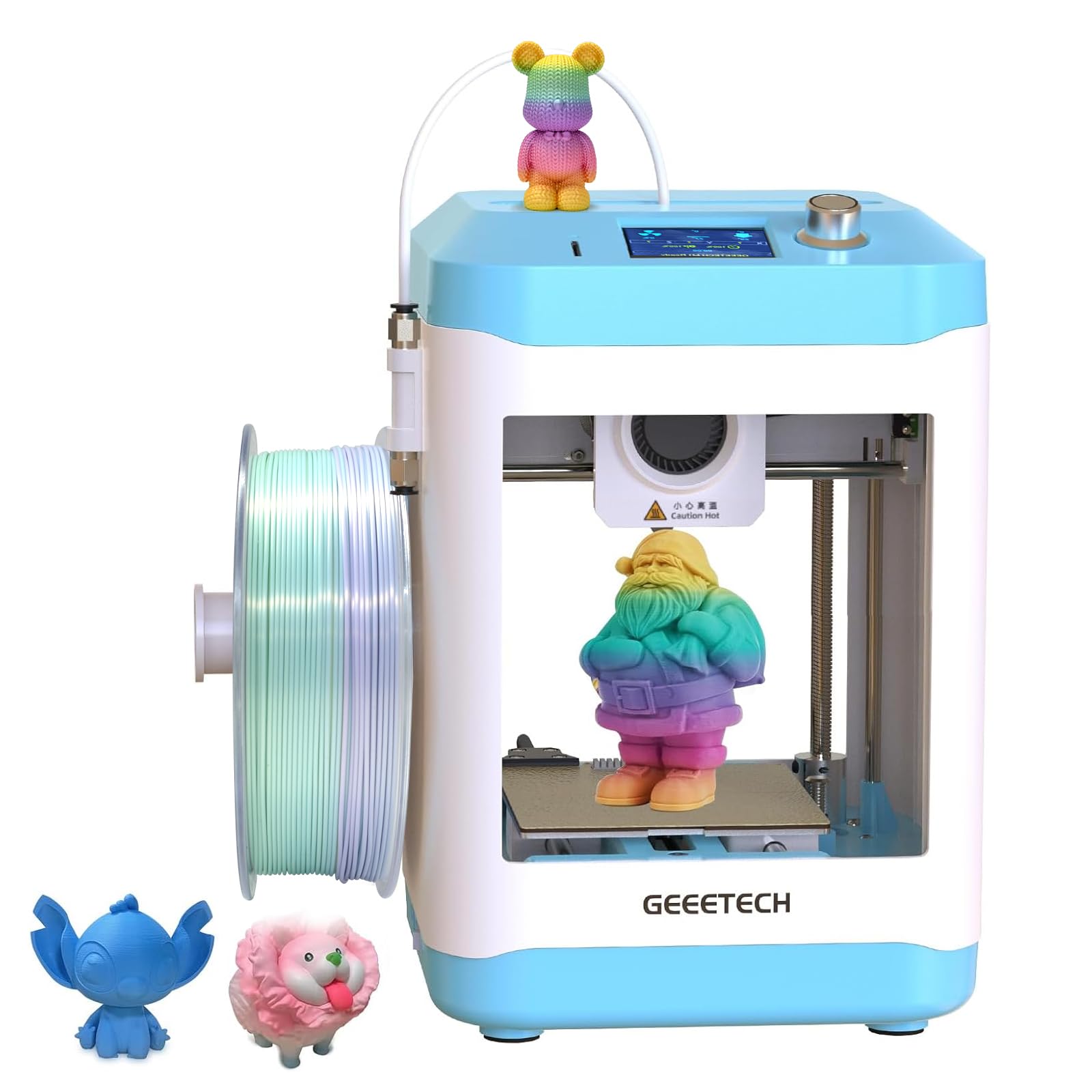
The Geeetech M1 Mini is a stripped-down no-frills machine that prioritizes a low entry price and a direct drive extruder with a 1:5 gear ratio, which provides the torque necessary for TPU printing. The 16-point auto-leveling system with a heated platform reduces warping on small PLA models, and the PEI print plate eliminates the need for glues or sticks. Experienced users stress that this printer is best viewed as a learning tool rather than a plug-and-play appliance.
Out of the box, the filament spool holder cannot accommodate standard 1 kg spools without a printed adapter, and the stock slicer settings produce noticeable stringing. Tuning the retraction distance and temperature profiles is essential for achieving clean prints. Owners with a background in 3D printing praise its solid build quality and teachable moment—it forces you to understand layer adhesion, temperature towers, and calibrating Z-offset.
The build volume of 100 x 110 x 100 mm is small, but the open-source firmware supports Cura and Simplify3D profiles, giving advanced users the freedom to experiment. The 50W hotend heats quickly, and the removable magnetic plate simplifies cleanup. For educators or makers who want to learn the fundamentals before upgrading, this machine offers tremendous value.
Why it’s great
- 1:5 gear ratio direct drive handles TPU without jamming
- Fully open-source slicer compatibility for deep customization
- Solid build feel with removable magnetic build plate
Good to know
- Stock spool holder doesn’t fit 1 kg rolls—requires printable adapter
- Slicer profiles need hand-tuning for stringing and temperature
9. Entina Tina2C
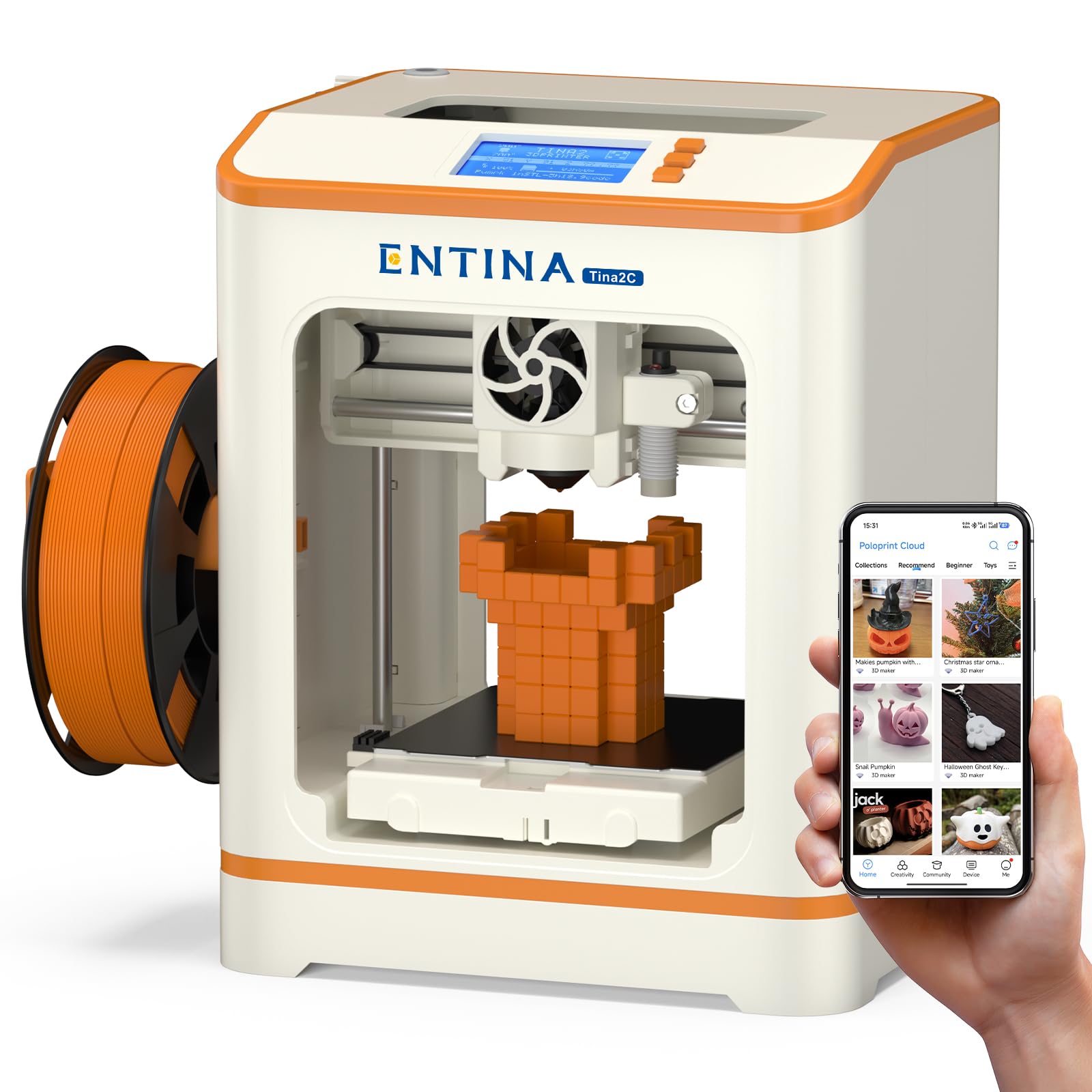
The Entina Tina2C is the most beginner-friendly printer on this list, with a setup time of just 8 minutes from box to first print. The Poloprint Cloud app includes over 20 creative modules, AI-powered search, and a photo-to-print feature that bypasses the need for any slicing knowledge. The compact form factor with rounded edges and integrated LED lighting is designed explicitly for kids and classroom environments where safety is a primary concern.
The magnetic build plate makes removing completed prints as simple as bending the plate, and the auto-leveling system removes the most common point of failure for newcomers. The low-noise operation stays below conversation volume, and the enclosed printhead with a quick-swap nozzle design facilitates easy maintenance. Owners report that the app’s model library is regularly updated with STEM course packages, extending the printer’s educational value beyond basic trinkets.
Build volume is limited to 100mm³, which restricts you to small figures, phone stands, and toys. The folding filament holder accommodates spools from 200 g to 1 kg, but the system tends to rattle on larger spools during rapid retractions. For the absolute simplest path into 3D printing—especially for younger users—the Tina2C removes every technical obstacle.
Why it’s great
- 8-minute unbox-to-print setup—no assembly, no calibration tweaking
- Poloprint app with 3000+ pre-loaded models and AI generation tools
- Low noise and rounded safe edges suitable for classroom use
Good to know
- Limited 100mm³ build volume restricts project size
- App servers can overload during holiday periods—offline TF card printing is a backup
FAQ
What is the minimum build volume I should consider for functional parts?
Do I still need to manually level the bed on auto-leveling printers?
Final Thoughts: The Verdict
For most users, the best 3d printer under $350 winner is the Bambu Lab A1 because its full-auto calibration and active flow rate compensate deliver the highest success rate for beginners and experienced makers alike. If you want multi-color printing without buying extra hardware, grab the Anycubic Kobra X. And for the largest possible build volume for cosplay or functional prints, nothing beats the Longer LK5 Pro 3.