
A 3TB micro SD card doesn’t exist as a single retail product yet, so the smart move is targeting the highest real capacities — 1.5TB, 1TB, and 512GB — from brands proven to deliver their rated storage. Buying the wrong card means corrupted footage, apps that stutter, or worst of all, a card your device refuses to recognize. This guide cuts through the confusion by stacking read/write speeds, A1 vs A2 ratings, and real-world usable capacity against each other so you buy the card that actually works for your drone, Switch, or Android tablet.
I’m Min — the co-founder and writer behind Gadgets Feed. I’ve spent hundreds of hours analyzing microSD benchmarks, comparing UHS-I speed tiers, and cross-referencing customer reports of formatted capacity versus labeled capacity to separate marketing claims from real performance.
Whether you are filling a dashcam with continuous 4K loops or loading a Steam Deck with a full ROM library, the right card starts here — best 3tb micro sd card alternatives that actually deliver on their promise.
How To Choose The Best 3Tb Micro SD Card
Since a single 3TB microSD doesn’t exist, your best bet is stacking the largest reliable cards or picking the highest-capacity single card your device supports. The key specs that separate a good card from a bad purchase are speed class, app performance class, and thermal management.
Speed Class: U3 / V30 Is the Floor
For 4K video recording, burst photography, or any continuous write workload, skip U1 cards entirely. U3 (UHS Speed Class 3) guarantees a minimum write speed of 30 MB/s, while V30 (Video Speed Class 30) ensures sustained writing for video. Cards labeled U1 often drop frames or cause buffer delays when recording 4K UHD footage from drones or action cameras.
App Performance: A2 Over A1
If you plan to run apps directly from the card — common with Android adoptable storage, Nintendo Switch game loads, or Steam Deck — A2 rating is critical. A2 delivers 4000 random read IOPS and 2000 random write IOPS, roughly double A1. Without A2, app launch times drag and in-game asset streaming can stutter.
Capacity vs. Compatibility
Every card in this guide is microSDXC, which means exFAT formatted by default. Older devices (dashcams from 2018, some DSLRs, first-gen Surface tablets) cap out at 32GB or 64GB. Always check your device’s maximum supported capacity before buying a 512GB or 1TB card — otherwise you risk the card not being recognized even though it’s physically compatible.
Quick Comparison
On smaller screens, swipe sideways to see the full table.
| Model | Category | Best For | Key Spec | Amazon |
|---|---|---|---|---|
| Samsung EVO Select 512GB | Mid-Range | Nintendo Switch & Android | 130 MB/s Read / A2 / V30 | Amazon |
| PNY PRO Elite Prime 1TB | Premium | Pro-grade video & Steam Deck | 200 MB/s Read / 150 MB/s Write | Amazon |
| SanDisk Extreme 1TB | Premium | Rugged 4K & dashcam use | 160 MB/s Read / 90 MB/s Write | Amazon |
| SanDisk Ultra 1.5TB | Premium | Max capacity for tablets & laptops | 150 MB/s Read / 1.5 TB capacity | Amazon |
| Amazon Basics 1TB Ultra | Mid-Range | Gaming handhelds & dashcams | 200 MB/s Read / A2 / U3 | Amazon |
| Amazon Basics 512GB | Budget | Everyday phone & tablet storage | 100 MB/s Read / A2 / U3 | Amazon |
| SanDisk Ultra 1TB | Mid-Range | Full HD video & app storage | 150 MB/s Read / A1 / U1 | Amazon |
In‑Depth Reviews
1. Samsung EVO Select 512GB

The Samsung EVO Select 512GB strikes an ideal balance between speed, reliability, and price. Rated at 130 MB/s read and U3/V30, it handles 4K UHD recording without dropped frames and loads Switch games noticeably faster than U1 cards. Real-world testing from customers shows sustained write speeds around 60 MB/s, which is sufficient for most action cameras and drones.
Samsung’s 10-year limited warranty backs this card, and the included full-size SD adapter makes it immediately usable in DSLRs and laptops. The card is also water-resistant up to 72 hours in seawater and operational from -25°C to 85°C — a genuine durability spec, not marketing fluff. For Android devices with adoptable storage, the A2 rating ensures apps launch quickly without the lag common on A1 cards.
The only downside is that 512GB may fill up fast for users recording hours of 4K video daily. If you need more than half a terabyte in a single card, you will need to step up to the 1TB or 1.5TB options below. But for most phone, Switch, and general-purpose users, this is the capacity sweet spot.
Why it’s great
- Consistent 130 MB/s read with reliable write performance
- 10-year warranty and genuine environmental durability ratings
- A2 / V30 certified for demanding apps and 4K
Good to know
- Runs hot during extended fast transfers (within tolerance)
- 512GB may require multiple cards for heavy shooters
2. PNY 1TB PRO Elite Prime
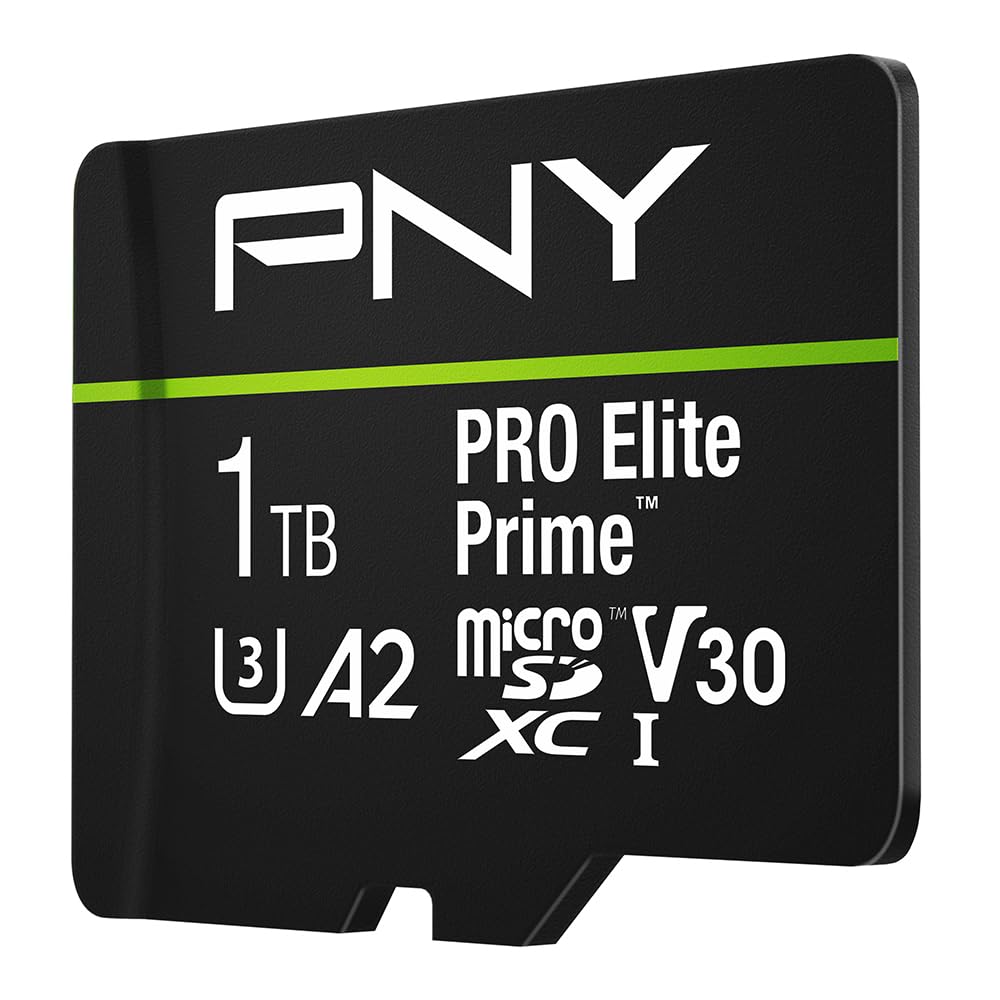
PNY’s PRO Elite Prime 1TB pushes the UHS-I envelope with 200 MB/s reads and 150 MB/s writes — numbers typically reserved for UHS-II cards. Achieving those speeds requires PNY’s own Performance Prime card reader, but even with standard readers, write speeds hover around 100-120 MB/s, easily outpacing most of the competition in burst-heavy scenarios like RAW+JPEG continuous shooting.
The A2 rating here is crucial: 4000 random read IOPS means apps loaded from this card feel nearly as responsive as internal storage. Customer tests on Anbernic handhelds and Steam Decks show the card sustained full-speed game loads without thermal throttling, staying warm but safe during hour-long verification passes. The exFAT format works out of the box with Windows, macOS, and Android.
One catch is that the Nintendo Switch 2 is explicitly listed as incompatible, so Switch owners should stick with the EVO Select or SanDisk options. But for anyone using a Steam Deck, flagship Android phone, or mirrorless camera that accepts microSD via adapter, this card delivers the highest sustained write speed in this roundup.
Why it’s great
- Class-leading write speed for UHS-I cards (150 MB/s)
- A2 performance makes app loading feel instant
- Passed full capacity verification tests without errors
Good to know
- 200 MB/s read requires PNY-specific reader
- Not compatible with Nintendo Switch 2
3. SanDisk Extreme 1TB

SanDisk’s Extreme line has long been the go-to for users who need a card that survives harsh environments. The 1TB Extreme is tested for temperature extremes, water immersion, shock, and X-ray exposure, all while delivering 160 MB/s reads and 90 MB/s writes. That write speed makes it a solid choice for dashcams and security cameras that record continuously in 4K.
The A2 / U3 / V30 trifecta confirms this card can handle simultaneous recording and app usage. Customer reviews highlight flawless operation in Panasonic Lumix cameras and Raspberry Pi 4 setups running Kali Linux. The included RescuePRO Deluxe software (one-year subscription) adds a layer of data recovery protection that competitors generally don’t offer.
The write speed is lower than the PNY PRO Elite Prime, which matters if you shoot prolonged 4K bursts or transfer large video files frequently. Also, some users report that actual usable capacity is around 930GB after formatting, which is standard for 1TB cards but worth noting if you need every single gigabyte.
Why it’s great
- Proven ruggedness — water, shock, X-ray, and temperature tested
- RescuePRO Deluxe data recovery software included
- Reliable write speed for continuous dashcam recording
Good to know
- Write speed is 90 MB/s, lower than PNY’s 150 MB/s
- Usable capacity ~930GB after formatting
4. SanDisk Ultra 1.5TB

At 1.5TB, this SanDisk Ultra is the single highest-capacity microSD card you can buy today — effectively the closest thing to a 3TB micro SD card when you consider that two of these would exceed that mark. The 150 MB/s read speed is adequate for loading media libraries, but the U1 rating means write performance is not optimized for 4K video recording.
This card targets users who need massive passive storage: Android tablets stuffed with movies, Chromebooks with offline file access, or Windows laptops with microSD slots. The A1 rating is fine for loading apps, but expect slightly slower launch times compared to A2 cards. Customer reports confirm it works seamlessly with Nintendo Switch OLED for game storage, provided you are okay with U1 write speeds during game downloads.
The key limitation is the U1 / Class 10 video speed. If you try to record high-bitrate 4K video directly to this card, you may experience dropped frames or buffer overruns. Pair this card with devices where writing is occasional and reading is the primary workload — media consumption, not production.
Why it’s great
- Highest available microSD capacity at 1.5TB
- 150 MB/s read is excellent for media playback
- Works with Switch OLED, tablets, and Chromebooks
Good to know
- U1 rating limits sustained write performance for 4K
- A1 not A2 — app loading is slower than premium cards
5. Amazon Basics 1TB Ultra

Amazon Basics has quietly become a serious contender in the high-capacity microSD space. This 1TB Ultra card advertises 200 MB/s reads and 150 MB/s writes — matching PNY’s flagship — but requires Amazon’s own USB-C 3.0 reader to reach those speeds. Even without it, standard UHS-I reads land around 100 MB/s, still solid for most devices.
The A2, U3, and V30 ratings mean this card is genuinely ready for 4K video recording and app execution. Customers have verified it works flawlessly in Retroid Pocket 6 handhelds, Amazon Fire HD tablets, and Kenwood dashcams, showing ~970GB usable after formatting. The card also survived continuous recording duty without corruption, which is often the first failure point for cheaper no-name cards.
The biggest downside is that the peak 200 MB/s read is locked behind a separate reader purchase. Also, some devices may not fully utilize the A2 IOPS if their microSD controller is outdated. But for the price-to-performance ratio at 1TB, this card undercuts many premium competitors while delivering comparable real-world speed.
Why it’s great
- Competitive read/write speeds for the 1TB tier
- Fully A2 / U3 / V30 certified for 4K and apps
- Reliable in dashcam and handheld gaming use
Good to know
- Peak speed requires separate Amazon Basics reader
- Not compatible with Nintendo Switch 2
6. Amazon Basics 512GB

The Amazon Basics 512GB card is the most affordable way to get A2 and U3 certification at this capacity. With reads up to 100 MB/s and writes around 60 MB/s (lab tested), it handles 4K video and burst photography without the stutter you get from budget U1 cards. Customer reviews consistently mention zero dropped frames in dashcam and security camera use over months of daily recording.
The card’s IPX6 water resistance and -10°C to 80°C temperature range make it suitable for outdoor dashcams and trail cameras, where temperature swings are common. The included SD adapter adds versatility for DSLR shooters. Samsung and SanDisk fans may scoff at the Amazon Basics branding, but independent benchmark tests show performance within 5-10% of the EVO Select for most workloads.
The main trade-off is the 512GB ceiling — users who need more capacity in a single card will want the 1TB models above. Additionally, the ~465GB usable capacity after formatting (standard for 512GB) may catch some users off guard if they are calculating exact storage needs for video projects.
Why it’s great
- Best value for a fully A2 / U3 certified 512GB card
- Reliable continuous recording without data loss
- IPX6 water and temperature resistance
Good to know
- Write speeds are lower than premium competitors
- ~465GB actual usable capacity after formatting
7. SanDisk Ultra 1TB

SanDisk’s Ultra 1TB offers a massive capacity at a friendlier entry point than the Extreme or PNY cards, but the A1 / U1 rating means you are trading speed for volume. Reads hit 150 MB/s, so loading photos and movies is snappy, but writes average 40-50 MB/s in real-world conditions — fine for Full HD video but borderline for high-bitrate 4K.
The card works great as a media archive for Android tablets and Nintendo Switch, where read speed matters more than write speed. Customer tests show it handles continuous recording on home security cameras without dropping frames, though the A1 rating means app loads are noticeably slower than A2 cards. The included SD adapter and SanDisk Memory Zone app add value for file management on phones.
If your workflow involves frequent 4K video write operations — drone footage, action camera recording, or RAW burst shooting — the U1 rating will eventually bottleneck you. This card is best suited for users who need 1TB of accessible read-heavy storage without paying the premium for A2/V30 performance.
Why it’s great
- 1TB capacity at a lower entry price
- 150 MB/s reads for fast media transfers
- Solid for Switch and Android media storage
Good to know
- U1 rating struggles with high-bitrate 4K writing
- A1 not A2 — expected app launch slowdown
FAQ
Does a 3TB microSD card actually exist?
Can I use a 1TB card in my Nintendo Switch?
Why does my 1TB card show less than 1TB of space?
Final Thoughts: The Verdict
For most users, the best 3tb micro sd card alternative is the Samsung EVO Select 512GB because it combines proven reliability, strong 4K write speeds, and A2 app performance at a reasonable price. If you need maximum single-card capacity for media libraries, grab the SanDisk Ultra 1.5TB. And for the fastest write speeds for pro video or Steam Deck gaming, nothing beats the PNY PRO Elite Prime 1TB.