
Every screen printing shop shifts from one-color shirts to full-color graphics at some point. A 4 color screen printing press is the specific tool that turns that transition from a manual alignment nightmare into a repeatable, profitable workflow. But not all presses handle registration with the same precision, and the wrong one will cost you hours of setup time per job.
I’m Min — the co-founder and writer behind Gadgets Feed. I’ve spent hundreds of hours analyzing the technical architectures, clamping systems, and micro-registration adjusters across dozens of screen printing press models to build this guide.
This guide cuts through the marketing to help you find the best 4 color screen printing press for your shop size, budget, and production volume without wasting capital on a press that drifts on press.
How To Choose The Best 4 Color Screen Printing Press
A 4 color screen printing press is a purchase decision between production speed and setup simplicity. The three factors below separate presses that hold registration through a full run from those that need constant re-tweaking.
Micro-Registration Adjustment
Four-color process work demands that each screen slot into the exact same position on every revolution. Look for presses with independent micro-adjustment knobs on each screen holder. If the press only offers coarse bolt-and-slot adjustment, you’ll spend more time chasing alignment than printing.
Clamp System and Screen Compatibility
The clamping mechanism determines how many screen frame sizes you can use and how rigidly the screen stays in place. Spring-loaded one-touch clamps speed up screen changes but sometimes sacrifice grip on heavier frames. Bolt-style clamps hold tighter but take longer to swap. Know your typical frame thickness and size before choosing.
Platen Size and Indexing Mechanism
The platen is the shirt board, and its size dictates the maximum print area. Standard platens run around 22 x 18 inches, which covers most adult t-shirt designs. The indexing mechanism — a 360-degree rotary wheel with detents — should snap into each station without play. A loose index introduces registration drift between colors.
Quick Comparison
On smaller screens, swipe sideways to see the full table.
| Model | Category | Best For | Key Spec | Amazon |
|---|---|---|---|---|
| TECHTONGDA Stand-Table | Add-On Stand | Stabilizing a desktop press | 24-inch slot fit, steel plate | Amazon |
| Screen Printing Equipment 006360 | Entry-Level Press | Beginner 4-color setup | 22×18 in platen, 360° rotation | Amazon |
| DREAMVAN 8-in-1 Heat Press | Multi-Function Heat | Sublimation and transfers | 12×15 in platen, 360° swing-away | Amazon |
| FLASHFORGE AD5X | Multi-Color 3D Printer | 4-color 3D printing | 600mm/s speed, IFS system | Amazon |
| Cricut Maker 4 Bundle | Cutting + Heat Press | Custom apparel with vinyl | EasyPress SE, 1-yr warranty | Amazon |
| DXZ A4 DTF Printer | DTF Transfer System | Direct-to-film transfers | XP600 printhead, 2800×1400 dpi | Amazon |
| PUNEHOD R1390 DTF Printer | DTF Transfer System | Volume DTF production | A3 print width, 100m PET film | Amazon |
| HP DesignJet T650 | Large Format | Architectural wide prints | 36-inch wide, 2-year warranty | Amazon |
| WJTZXY A3+ XP600 DTF | DTF System with Dryer | All-in-one DTF production | XP600 head, shaking dryer included | Amazon |
In-Depth Reviews
7. PUNEHOD R1390 DTF Printer with Oven
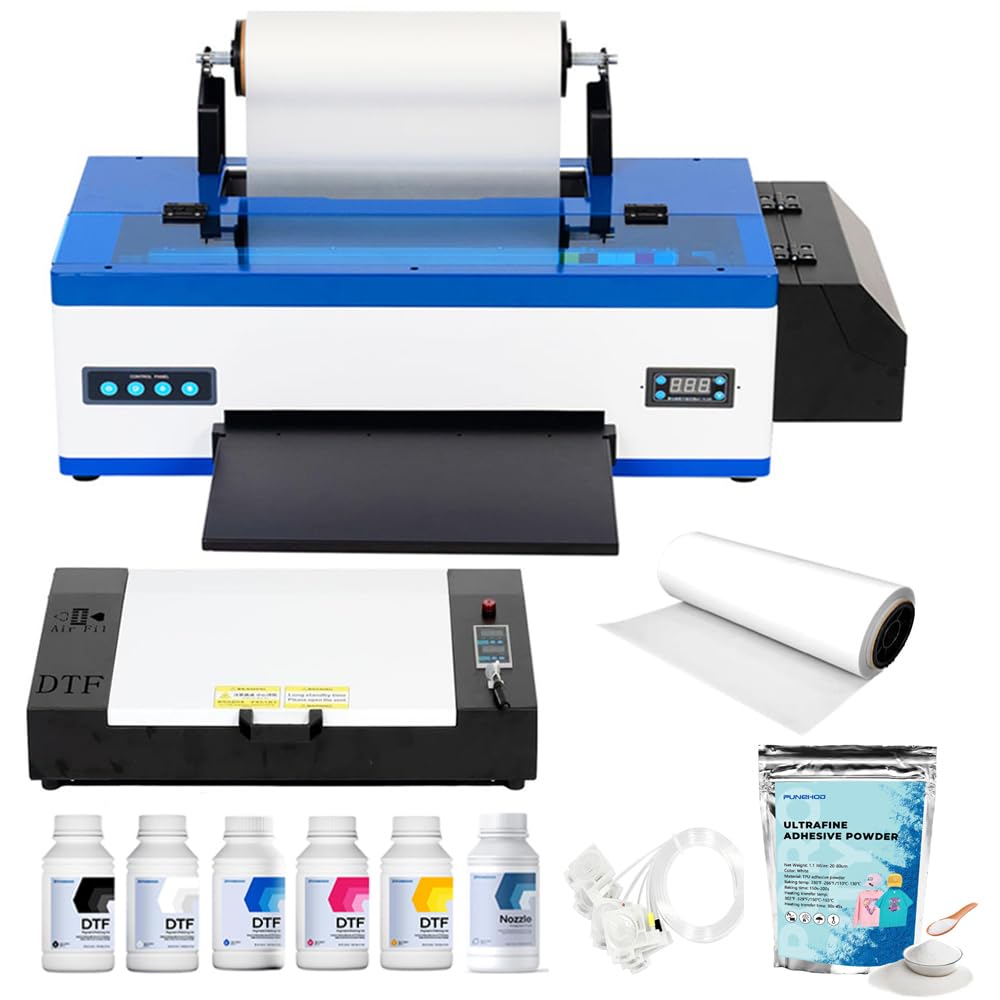
The PUNEHOD R1390 sits at the premium end of the DTF market for good reason: the integrated white ink circulation system actively stirs and recirculates white ink, which is the most common source of nozzle clogs in direct-to-film printing. Without it, white ink settles into a sludge that ruins transfer opacity, especially on dark garments. The R1390 also supports PET film reels up to 100 meters and includes an A3 oven, so you can go from print to shake to cure without moving the film roll between separate machines.
The detachable reel design and built-in cutting device streamline high-volume production. Users who committed the time to online setup reported vibrant color output with sharp edge definition, though the absence of a pre-loaded USB driver (discontinued due to virus concerns) means you must obtain the software package through customer support channels. Expect between 30 and 60 minutes of initial configuration before the first print.
The 32-bit color depth and 20 ppm monochrome speed are secondary to the real value: the white ink circulation eliminates daily purging routines. For shops printing regularly on both light and dark fabrics, this feature alone justifies the investment over cheaper DTF printers that clog every few days.
Why it’s great
- White ink recirculation prevents the clogs that choke production runs
- 100-meter PET film reel support reduces reload frequency
- Bundled A3 oven completes the transfer line in one purchase
Good to know
- Software driver requires contacting support; not included via USB drive
- Setup demands 30-60 minutes and a willingness to follow video guides
9. WJTZXY A3+ Plus XP600 DTF Printer with Shaking Dryer Machine
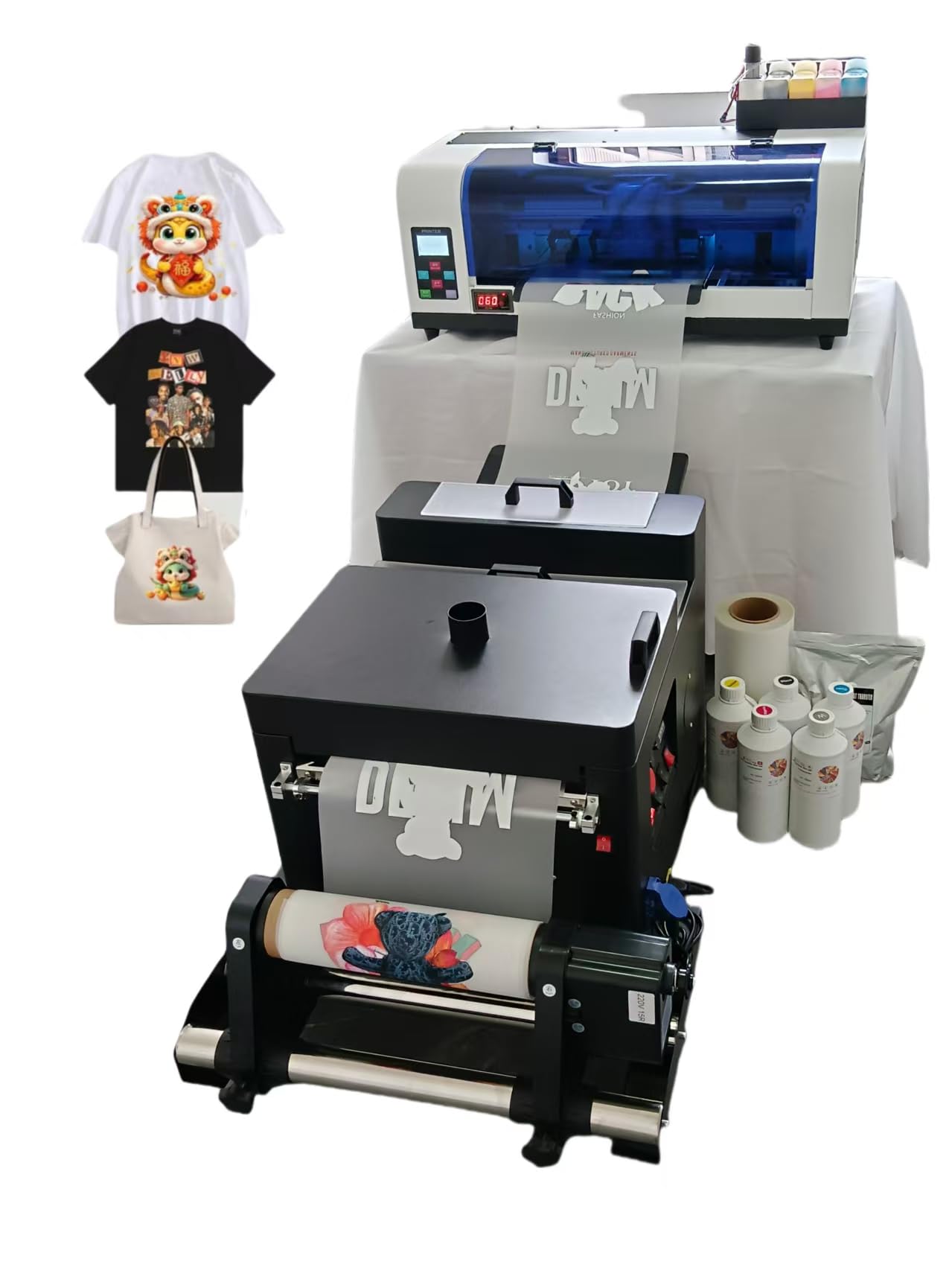
The WJTZXY A3+ XP600 package is a complete DTF line in one box: printer, shaking dryer, five 500ml ink bottles (CMYK + white), 1kg hot melt powder, and a full 100-meter roll of double-sided PET film. The XP600 printhead delivers print speeds roughly twice that of an L1800 or R1390, making it a legitimate production tool for shops pushing multiple dozens of transfers per day. The shaking dryer includes an automatic film feed, which is a rare inclusion at this system price point.
The software ships as RIIN Hosonsoft for Windows systems, which buyers have reported as virus-free and stable compared to more common RIP software. However, the initial interface ships in Japanese characters, requiring remote tech support — typically via WhatsApp — to reconfigure the language and sizing settings. Several users noted that the first 48 hours involve time-zone coordination with factory engineers, but after that the machine runs reliably without daily maintenance.
The maximum printable width is around 12.5 inches on the 13-inch wide film, so it won’t handle A3+ full-bleed transfers. For standard t-shirt chest prints and hat transfers the width is sufficient, but large back designs may require a wider press. Color quality is consistently described as excellent after the initial configuration hurdle.
Why it’s great
- Includes shaking dryer with auto feed for one-box production line
- XP600 head prints twice as fast as L1800-based systems
- Generous starter consumables: 2.5L ink, 1kg powder, 100m film
Good to know
- Software interface in Japanese initially; remote support required to reconfigure
- Print width limited to ~12.5 inches, not full A3+
6. DXZ 2026 A4 DTF Printer with Roll Feeder

The DXZ A4 printer is engineered around the XP600 printhead — a 6-color piezo head that outputs at 2800×1400 dpi resolution. That extra printhead width translates to richer color gradients and finer halftone dots compared to 4-color desktop printers. The built-in cutter trims printed film automatically, which saves a step in the transfer workflow and reduces film waste. The upgraded roller feeder minimizes the film jams that plague budget DTF systems when running longer print jobs.
The major differentiator here is the two-year ink subscription: every two months, you receive five 250ml bottles of CMYKW ink. This eliminates the biggest consumables headache for DTF shops — running out of white ink mid-job. The semi-automatic cleaning system purges the printhead on a schedule to prevent clogs, which is especially valuable for users who don’t print daily. The white ink mixing system keeps the white pigment suspended so it doesn’t separate in the tank.
Setup is simpler than the larger A3+ machines because the A4 width limits the film handling complexity, and the Mac-supporting bundle avoids the Windows-only roadblock. Customer reviews consistently praise the support team (Fonta was named specifically) for resolving white ink issues via remote desktop. The trade-off is print width: 8.27 inches maximum, so it is best suited for chest logos, hat fronts, and sleeve prints.
Why it’s great
- Two-year rolling ink supply eliminates consumables planning
- Semi-automatic cleaning reduces white ink clogs
- Built-in cutter and upgraded film feeder reduce manual steps
Good to know
- Maximum print width is A4 at 8.27 inches — not suitable for back designs
- Occasional USB folder errors reported during initial setup
8. HP DesignJet T650 Large Format 36-inch Plotter Printer

The HP DesignJet T650 is not a screen printing press, but it appears in this roundup because serious screen printing shops frequently need wide-format positives, stencil films, and large transfer sheets. The T650 handles media up to 36 inches wide on rolls, with automatic sheet and roll switching so you can run a 36-inch film positive for a poster screen, then drop down to 13×19 inch sheets for smaller jobs without manually changing the media source. It prints an A1/D-size page in 25 seconds, which translates to roughly 82 A1 prints per hour.
The 2-year onsite HP Care Pack means a technician comes to your shop if the printer fails, which is a critical insurance policy for a production machine. Connectivity includes Gigabit Ethernet, USB 2.0, and Wi-Fi with HP Smart app support for remote printing from phones or tablets. HP Click software includes automatic PDF error checking and nesting, which reduces media waste when tiling multiple small transfers onto a single roll.
Some buyers reported cheap plastic bracket components in the assembly hardware breaking within hours, but HP’s onsite warranty covers structural issues. The T650 uses HP 712/713 ink cartridges, which are professional-grade dye and pigment formulations with consistent color matching across print runs. This printer belongs in a shop that outputs screen positives, but it is not a replacement for a 4-color screen press.
Why it’s great
- 36-inch width handles film positives for large screens
- 2-year onsite warranty covers structural and printhead issues
- Auto media switching between rolls and sheets saves setup time
Good to know
- Some reports of fragile plastic brackets during initial assembly
- Not a multi-color press — this is a plotter, not a screen printer
5. Cricut Maker 4 + EasyPress SE Heat Press Bundle
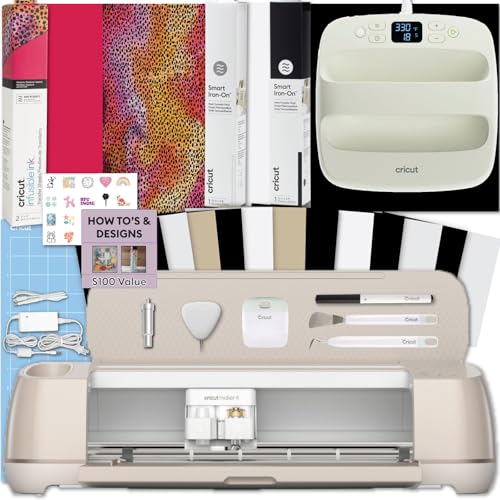
The Cricut Maker 4 bundle combines a precision cutting machine with the EasyPress SE heat press, creating a complete system for custom apparel without needing a multi-color screen printing press. The Maker 4 cuts heat transfer vinyl and Infusible Ink sheets with up to 4x the speed of the Maker 3, and the EasyPress SE delivers consistent 350°F surface temperature for bonding transfers to fabric. This is a vinyl-cutting workflow, not a screen printing workflow, so it is best for small batch production of one-off designs where four-color screen setup overhead doesn’t make sense.
The bundle includes a starter roll of Infusible Ink and standard iron-on vinyl, plus tools and digital guides. Infusible Ink transfers bond permanently with the fabric fibers — they cannot peel or crack because the ink becomes part of the material. This gives you a hand feel that is indistinguishable from a screen printed garment, but with the advantage of no screen, no squeegee, and no registration. The EasyPress SE heats a 12×10 inch area, which covers standard chest prints.
This system excels for craft-scale production and for creators who want to test the apparel business without the upfront cost of a 4-color press. It is limited by the speed of the single-platen press: each shirt takes 30-60 seconds of pressing, so a 20-shirt order will take about an hour of press time plus cutting time.
Why it’s great
- Permanent Infusible Ink bonding eliminates peeling and cracking
- Complete cut-and-press system in one purchase
- Supports custom one-off designs without screen preparation
Good to know
- Single-platen press limits production speed for larger orders
- Not a 4-color press — designed for vinyl and transfer crafts
4. FLASHFORGE AD5X Multi-Color 3D Printer
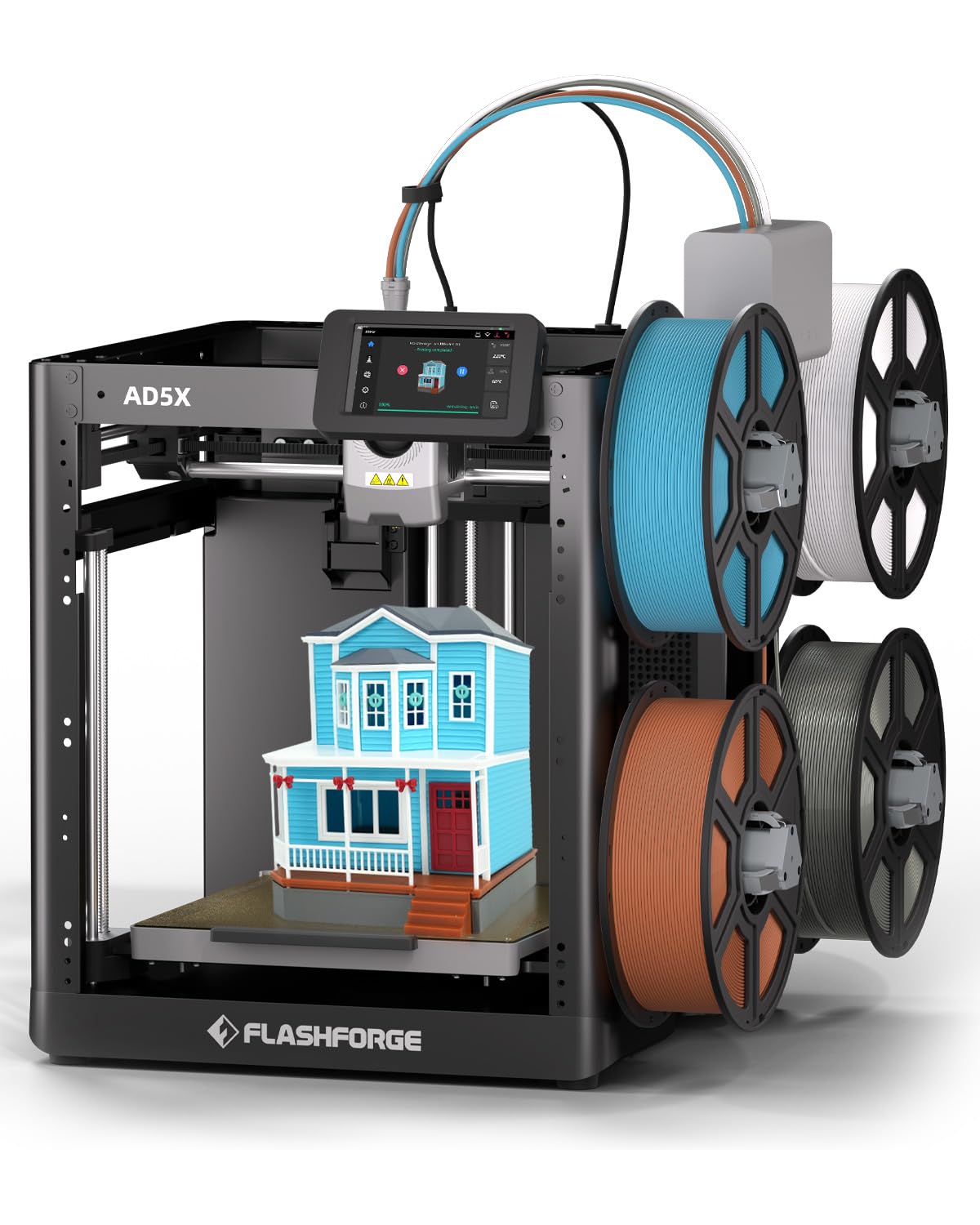
The FLASHFORGE AD5X is a multi-color FDM 3D printer, not a screen printing press, but it earns a spot here because it solves the same fundamental problem: applying four distinct colors to a single item without manual masking. The AD5X uses an Intelligent Filament System (IFS) that automatically switches between up to four filament spools mid-print, enabling full-color 3D objects without painting or post-processing. The all-metal Core XY structure prints at up to 600mm/s and 20,000mm/s² acceleration, which is extremely fast for a 220mm cube build volume.
Users report that the AD5X prints out of the box with minimal setup — leveling is fully automatic, and the first test print can begin within an hour. The printer handles PLA, Silk PLA, and flexible TPU without modification. An enclosure kit is available for exotic materials like wood-filled or iron-filled filaments. The 4-color switching is handled entirely in the slicer (a fork of Orca), and the printer pauses automatically between color changes to purge and wipe the nozzle.
The multi-color system generates filament waste (the “poop” from purging between color changes), but advanced users can optimize purge volumes in the slicer to minimize it. At 220mm cubed, the build volume is sufficient for phone cases, mascots, and small signs but not for large apparel. This is an excellent companion to a screen printing press for creating custom 3D brand elements or signs.
Why it’s great
- True 4-color single-print workflow without manual painting
- Auto-leveling and fast setup — printing in under one hour
- Enclosure kit expands material compatibility
Good to know
- 220mm build volume limits size of printable objects
- Multi-color printing generates filament waste during purges
3. DREAMVAN 8-in-1 Heat Press Machine

The DREAMVAN 8-in-1 is a heat press, not a screen printing press, but it is the most popular multi-function pressing tool for screen printers who also do sublimation and HTV transfers. It combines a 12×15 inch Teflon-coated platen with mug press attachments (11oz, 9oz, 12oz, 16cm), a cap heating pad, and 5-inch and 6-inch flat heating plates. The 360-degree swing-away mechanism rotates the heating element completely out of the way for safe platen access — a critical safety feature since the platen can reach up to 450°F during normal operation.
The double heating tube design distributes heat evenly across the platen surface within 5 degrees of set temperature, which prevents cold spots in the center of large transfers. The two layers of thermal insulation keep the external surface temperature around 50-70°C when the platen is at 210°C, significantly reducing burn risk compared to single-layer presses. The LCD controller supports both Fahrenheit and Celsius, with a timer range of 0 to 999 seconds.
Buyers who were new to heat pressing noted that the included instructions were minimal, requiring external research to distinguish between sublimation paper and HTV techniques. However, the machine itself is pre-assembled and the attachments swap easily with thumbscrews. Over 100 sold products per user were reported with no mechanical failures, which suggests the double tube design is durable for light commercial use.
Why it’s great
- Dual heating tubes deliver even temperature across the 12×15 platen
- 8 attachments cover mugs, caps, plates, and flat transfers
- Two-layer insulation keeps external surface safe during operation
Good to know
- Instructions lack detail for first-time sublimation users
- Not a screen printing press — supports heat transfer only
2. Screen Printing Equipment 4 Color 1 Station Silk Screen Printing Press

The Screen Printing Equipment 006360 is a 4 color, 1 station manual press that represents the entry point for screen printers who want a dedicated multi-color setup without breaking the budget. The platen measures 22 x 18 x 0.7 inches — large enough for front and back adult t-shirt prints. Each screen frame holder rotates on the 360-degree indexing wheel with locating detents, so each station clicks into the same position on every revolution. The spring tension on each screen holder is adjustable via screws to counterbalance heavier frames.
The chuck-style clamps grip the screen frame with adjustment knobs, and the frame holders accommodate frames up to 24 inches externally and up to 1.6 inches thick. The included bracket helps mount the platen, which slides back and forth for fine registration. The combination structure disassembles for compact shipping, and the package includes all necessary nuts and an installation diagram. Setup typically takes 1-2 hours for a mechanically inclined user.
Buyer feedback is mixed on build quality: several users found missing parts or stripped hardware, and one went as far as calling it “absolute the worst.” But the majority of verified purchasers reported that after overcoming the unclear instructions the press works reliably for 4-color spot color jobs. The trade-off at this price point is the absence of micro-registration dials — you adjust by loosening bolts and sliding the screen, which works but takes patience.
Why it’s great
- Full 22×18 inch platen for standard adult-size prints
- Locating detents provide repeatable screen positioning
- Adjustable spring tension balances heavy frames
Good to know
- No micro-registration knobs; adjustment is bolt-and-slot only
- Multiple reports of missing hardware and unclear assembly instructions
1. TECHTONGDA Stand Table for 4 Color 1 Station Screen Printing Press

The TECHTONGDA stand table is purpose-built to stabilize the TECHTONGDA desktop 4 color 1 station press, but its universal 24-inch slot fits many competitor desktop presses as well. The stand is constructed from steel plate with an electrostatic spraying process that resists corrosion and fading. The hardware includes stainless steel, aluminum alloy, nickel, and zinc-plated components throughout, so nothing rusts even in high-humidity print shop environments. The stand supports the full weight of the press and a loaded screen without wobble, which is critical for maintaining registration during the first pass.
Assembly is the main time investment: real buyers reported 2 hours of build time, though the packaged nuts and bolts are complete and the diagram is clear. The stand is a combination structure that disassembles flat for storage or shipping. There are spare parts included just in case any hardware strips during assembly. Upper temperature rating is 177°C, so it can safely hold a heat press with no deformation.
The most important caveat is compatibility: the 24-inch slot fits the TECHTONGDA press exactly, but other brands (especially VEVOR presses) may have different footprint dimensions. One buyer found their VEVOR press did not fit. Measure your press’s base dimensions before purchasing. This stand is not a printing press itself — it is the table that turns a desktop press into a free-standing production workstation.
Why it’s great
- Eliminates wobble from desktop presses during multi-pass printing
- Corrosion-resistant coating and hardware for longevity
- Spare parts included for trouble-free assembly
Good to know
- 24-inch slot may not fit non-TECHTONGDA or VEVOR presses
- Assembly requires 2 hours and mechanical patience
FAQ
Can I print four-color process on a 4 color 1 station press?
What screen mesh count is best for 4-color work?
Final Thoughts: The Verdict
For most users, the best 4 color screen printing press winner is the PUNEHOD R1390 DTF Printer because its white ink circulation system and A3 print width give you both quality and production scale. If you want a dedicated manual screen printing press for reusable screens, grab the Screen Printing Equipment 006360. And for a complete all-in-one DTF production line with the fastest print speed, nothing beats the WJTZXY A3+ XP600.