
A 49-inch monitor effectively replaces two 27-inch QHD monitors side-by-side without a bezel gap in the middle. The 32:9 aspect ratio and DQHD (5120×1440) resolution create a continuous desktop canvas for spreadsheets, NLE timelines, or a full triple-A game in peripheral-filling ultrawide. The challenge is balancing pixel density, refresh rate, and panel technology against a budget that can stretch from entry-level VA to flagship QD-OLED.
I’m Min — the co-founder and writer behind Gadgets Feed. I’ve spent hundreds of hours analyzing panel specifications, curve radii, and connectivity requirements to separate marketing claims from real-world usability in this specific format.
Whether you need a command center for day trading or a curved battle station for sim racing, this guide cuts through the noise to reveal the best 49 inch monitor for your specific workflow and play style.
How To Choose The Best 49 Inch Monitor
The 49-inch super ultrawide market is split between two distinct buyers: the professional who craves screen real estate for productivity and the gamer who wants to replace a multi-monitor setup with one seamless curve. Your choice hinges on three factors: resolution, panel technology, and connectivity.
Resolution: DQHD is the Baseline
A 3840×1080 resolution on a 49-inch screen yields the same pixel density as a basic 24-inch 1080p monitor — the image looks soft and pixelated. Always target DQHD (5120×1440) for a 49-inch format. This resolution gives you the equivalent of two 27-inch 1440p monitors side by side, providing sharp text and enough headroom for detailed timelines or large code blocks.
Panel Technology: VA, OLED, or QD-OLED
VA panels deliver a solid contrast ratio of 3000:1 and are the most affordable way to get into the DQHD format. The trade-off is slower pixel response, which can cause visible ghosting in fast-paced shooters. OLED and QD-OLED panels offer infinite contrast, near-zero response times (0.03ms), and vibrant colors. The downsides are higher cost, lower peak brightness in some models, and the need for burn-in mitigation features like pixel refresh cycles.
Curve Radius: 1000R for Maximum Wrap
At 49 inches wide, a flat panel is impractical — your eyes cannot focus on both edges simultaneously. A 1500R or 1800R curve provides a gentle arc that works for most desks. A 1000R curve, found on Samsung’s Odyssey G9, wraps around your peripheral vision completely, reducing eye movement and creating a cockpit-like feel. The 800R curve on the LG 45GX950A is even more aggressive, but that panel is 45 inches diagonal, not 49 inches, so the curve matches the proportion.
Quick Comparison
On smaller screens, swipe sideways to see the full table.
| Model | Category | Best For | Key Spec | Amazon |
|---|---|---|---|---|
| MSI MPG 491CQP QD-OLED | QD-OLED | Best Overall / Gaming & Editing | 5120×1440, 144Hz, 0.03ms, True Black 400 | Amazon |
| Samsung Odyssey G9 (LS49CG954ENXZA) | VA 240Hz | High-FPS Gaming | 5120×1440, 240Hz, 1ms, DisplayHDR 1000 | Amazon |
| Samsung Odyssey OLED G9 (G91SD) | QD-OLED | Premium OLED Gaming | 5120×1440, 144Hz, 0.03ms, FreeSync Premium Pro | Amazon |
| LG 45GX950A-B | OLED 5K2K | Sharpest Text & Dual Mode | 5120×2160, 165Hz, 0.03ms, 800R Curve | Amazon |
| Dell UltraSharp U4924DW | IPS-Black | Professional Productivity | 5120×1440, 60Hz, IPS-Black, Built-in KVM | Amazon |
| INNOCN 49C1R | VA 120Hz | Budget Productivity & Gaming | 5120×1440, 120Hz, USB-C 65W, HDR400 | Amazon |
| ASUS ROG Strix XG49VQ | VA 144Hz | 1080p Ultrawide Gaming | 3840×1080, 144Hz, FreeSync 2 HDR | Amazon |
| Gawfolk 49 Inch | VA 240Hz | Budget High-Refresh Gaming | 5120×1440, 240Hz, VA Panel, FreeSync | Amazon |
| CRUA 49 Inch | VA 165Hz | Entry-Level DQHD Value | 5120×1440, 165Hz, HDMI 2.1, Height Adjustable | Amazon |
In‑Depth Reviews
1. MSI MPG 491CQP QD-OLED

The MSI MPG 491CQP uses a QD-OLED panel that delivers true black levels (VESA DisplayHDR True Black 400) alongside a 144Hz refresh rate and a 0.03ms gray-to-gray response time. The combination of 5120×1440 resolution and quantum-dot color covers 99% of DCI-P3 with a Delta E ≤ 2 factory calibration, making this monitor equally at home in a color-graded edit bay and a competitive gaming rig.
MSI includes OLED Care 2.0 — a suite of pixel-shift, pixel-refresh, and taskbar-detection algorithms that reduce the risk of burn-in during daily desktop use. The stand offers height, swivel, and tilt adjustments, and the single USB-C port supports up to 65W power delivery to a connected laptop. The 32:9 aspect ratio fits three full-width browser windows or a single racing game with the steering wheel dead center on the screen.
Some users report that the USB-C port requires a USB 4 cable for full 65W PD functionality, and the bundled cable cannot reach that speed. The monitor also lacks a dedicated KVM switch, so switching between a PC and a Mac requires manually changing the monitor input. These are minor trade-offs for a panel that rivals the Samsung Odyssey OLED G9 in image quality at a lower entry price.
Why it’s great
- QD-OLED delivers infinite contrast and vibrant, accurate colors straight from the factory
- 0.03ms response time eliminates any perceivable ghosting or motion blur
- OLED Care 2.0 provides real burn-in protection that works transparently in the background
Good to know
- USB-C power delivery requires a USB 4 cable — the included cable may not hit the full 65W spec
- No built-in KVM makes multi-device switching more tedious than a Dell UltraSharp
2. Samsung Odyssey G9 (LS49CG954ENXZA)

The Samsung Odyssey G9 in its 2024 revision (LS49CG954ENXZA) pairs a 1000R curved VA panel with a 240Hz refresh rate and 1ms response time — still one of the highest refresh rates available on a DQHD monitor. The 1000R curve matches the natural curvature of the human eye, meaning every point on the screen is equidistant from your pupils, reducing lateral eye strain during long sessions.
With a peak brightness of 1000 nits and VESA DisplayHDR 1000 certification, this monitor delivers striking HDR highlights without the near-black compromise that some OLED models experience. The 1,000,000:1 dynamic contrast ratio (achieved via local dimming zones on the VA panel) produces deep shadows while maintaining high brightness for explosion effects and sun-drenched landscapes. AMD FreeSync Premium Pro ensures tear-free motion across the full refresh range.
CoreSync lighting projects on-screen colors onto your desk via rear LEDs, and the hexagonal stand provides excellent stability without taking up excessive depth. The main drawback for HDR purists is the VA panel’s limited viewing angle — color shifts slightly off-axis, and the local dimming zones can exhibit blooming around bright objects against a black background. The monitor also ships with a bright factory gamma that requires calibration for color-critical work.
Why it’s great
- 240Hz refresh rate with 1ms response time delivers the smoothest motion on a VA DQHD panel
- 1000R curve creates a genuinely immersive field of view with minimal eye movement
- HDR1000 peak brightness provides jaw-dropping highlights that exceed most OLED panels
Good to know
- VA panel exhibits off-axis color shift that can be distracting in a shared workspace
- Customers report inconsistent after-sales support from Samsung if a panel fails within the warranty period
3. Samsung Odyssey OLED G9 (G91SD)

The Samsung Odyssey OLED G9 (G91SD) uses a QD-OLED panel that produces true black levels at 0 nits, 1,000,000:1 contrast ratio, and a wider color gamut than the VA G9. The 144Hz refresh rate combined with a 0.03ms response time makes this monitor feel instantaneous — the only perceivable input delay is generated by the GPU and your mouse.
Samsung includes a comprehensive anti-burn-in suite: a thermal modulation system that predicts surface temperature and intelligently adjusts brightness, logo and taskbar detection that dims static elements, and a screen saver that activates after 10 minutes of inactivity. This gives buyers confidence to use the OLED G9 as a daily productivity monitor rather than a strict gaming-only panel. The aluminum silver finish looks clean on a desk, and the ergonomic stand allows height, tilt, and swivel adjustments.
The panel puts out a peak brightness of roughly 250 nits for full-screen white, which is significantly lower than the VA G9’s 1000 nits. In a brightly lit room, the OLED G9 can look dim compared to its VA sibling. Some units also exhibit a slight brightness mismatch along the center seam (a known artifact of fusing two 27-inch panels), visible only on dim gray or gradient content. The 3-year warranty includes burn-in coverage, which removes the single biggest fear of OLED ownership.
Why it’s great
- Infinite contrast ratios with true black levels — colors appear to float on the surface of the panel
- Three layers of anti-burn-in technology make it safe for mixed use with static desktop elements
- Factory color accuracy and DCI-P3 coverage are outstanding for creative professionals
Good to know
- Full-screen brightness is capped at around 250 nits — not as punchy as a high-end VA for bright room use
- A faint brightness seam may be visible on solid gray screens, a known artifact of the dual-panel design
4. LG 45GX950A-B 45-Inch Ultragear

The LG 45GX950A-B is the first 5K2K (5120×2160) OLED gaming monitor, combining a 21:9 aspect ratio with a pixel density of 125 PPI. This density eliminates the subpixel fringing that plagues traditional 1440p ultrawide OLEDs, making text sharp enough for full-time productivity work. The 45-inch diagonal and 800R curve create an incredibly immersive viewing arc that fills your peripheral vision without requiring excessive head movement.
The Dual Mode feature lets you toggle between native 5K2K at 165Hz and a downscaled WFHD (2560×1080) at 330Hz with a single hotkey press — useful for switching from an open-world exploration game to a fast twitch-shooter where response time matters more than detail. DisplayPort 2.1 connectivity provides enough bandwidth for the full 5K2K resolution at 165Hz with 10-bit color, something that DP 1.4 cannot achieve without display stream compression.
The 45GX950A is also UL-certified for anti-glare, flicker-free, and low blue light performance, making it suitable for long coding or editing sessions. Peak brightness reaches 1300 nits on small highlights with HDR content. The main caveat is the form factor — at 45 inches in a 21:9 format, the screen is shorter vertically than a 49-inch 32:9 display, so you lose some vertical workspace compared to the Dell U4924DW or the Samsung G9.
Why it’s great
- 5K2K resolution at 125 PPI delivers the sharpest text and image detail in any OLED ultrawide
- Dual Mode provides both high-resolution 165Hz and low-resolution 330Hz gaming in one panel
- DisplayPort 2.1 supports full bandwidth 5K2K at 165Hz without compression artifacts
Good to know
- The 21:9 aspect ratio means less vertical screen real estate than a 32:9 49-inch monitor
- Sleep and input switching can be finicky — some users report the monitor failing to wake from a connected MacBook
5. Dell UltraSharp U4924DW
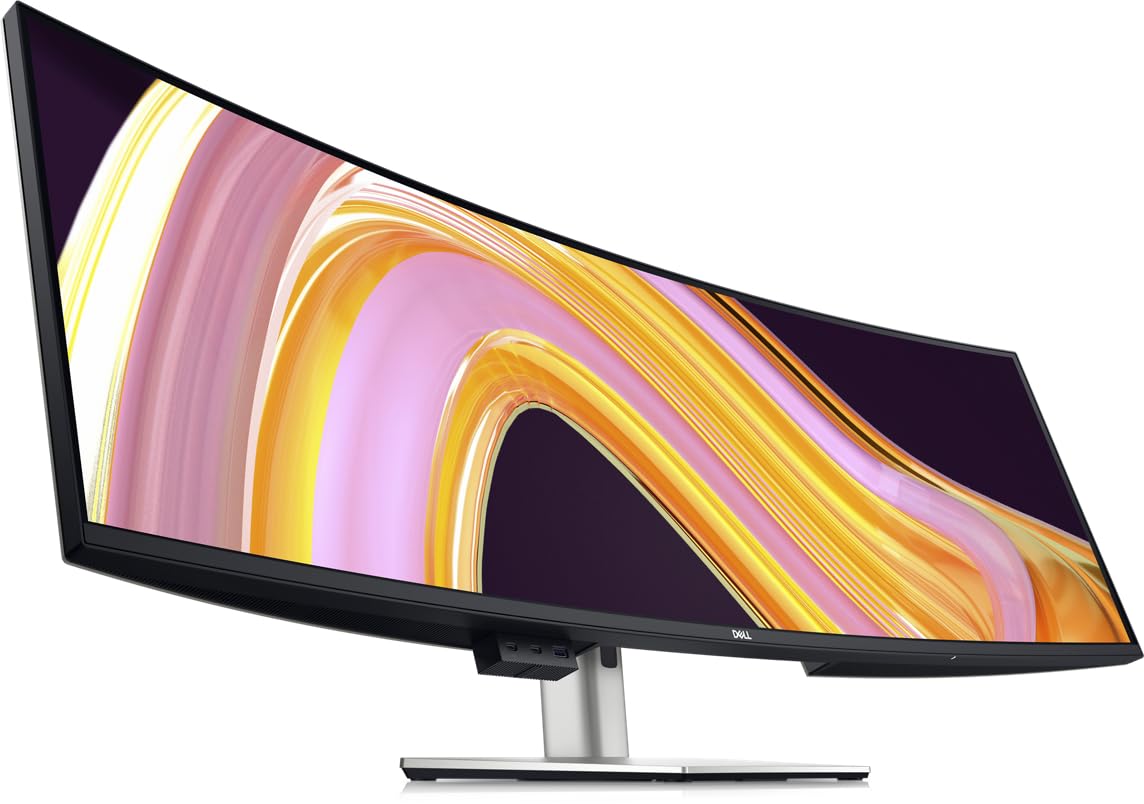
The Dell UltraSharp U4924DW is built for professionals who need a reliable, long-lasting monitor with enterprise-grade connectivity. The IPS-Black panel technology delivers a 2000:1 contrast ratio — double that of standard IPS panels — while maintaining the wide viewing angles and color consistency that Dell monitors are known for. The 5120×1440 resolution (DQHD) across a 49-inch 32:9 panel provides the same workspace as two 27-inch 1440p monitors without a seam.
The built-in KVM switch allows keyboard, mouse, and display to toggle between two connected devices (laptop and desktop, for example) with a single button press. The USB-C port delivers 90W of power delivery, enough to charge a MacBook Pro at full speed. The monitor also includes an Ethernet port (RJ45), so a single USB-C cable can provide video, data, network, and charging to a compatible laptop. The 3800R curve is shallow — it prevents glare but does not immerse you the way a 1000R gaming panel does.
Some users find the KVM switch slow (about five seconds to re-route peripherals), and the monitor does not automatically remember the left/right orientation of each input after switching. The 60Hz refresh rate and 5ms response time make it unsuitable for competitive or high-refresh gaming. For pure productivity, however, the build quality, warranty support, and connectivity options are unmatched at this price tier.
Why it’s great
- IPS-Black panel provides deep blacks (2000:1 contrast) without the viewing angle compromise of VA
- Built-in KVM switch with Ethernet and 90W USB-C PD simplifies a multi-device desk into one cable
- Dell’s reliability and warranty are best-in-class for professional monitors
Good to know
- 60Hz refresh rate and 5ms response time are not suitable for any form of gaming
- The shallow 3800R curve helps with reflections but does not wrap around your field of view
6. INNOCN 49C1R

The INNOCN 49C1R delivers a DQHD VA panel with a 120Hz refresh rate, HDR400 certification, and a 1800R curve — all at an entry-level price that undercuts most competitors by a significant margin. The 99% sRGB coverage and 3000:1 contrast ratio produce a serviceable image for both productivity and casual gaming, while the USB-C port with 65W power delivery lets you run a laptop with a single cable.
The monitor supports Picture-by-Picture (PBP) and Picture-in-Picture (PIP) modes, so you can view two separate input sources simultaneously on the same 49-inch canvas. This is essential for users who need to monitor two computers or a PC and a console at the same time. The stand allows height and tilt adjustments, and the VESA mount compatibility (100mm) opens up arm or wall mounting options.
The VA panel suffers from slower pixel response compared to OLED — in fast-paced shooters, dark objects against a light background can exhibit visible smearing. The on-screen display (OSD) menu is also basic compared to the ASUS or MSI offerings. Some users report an “Auto Power” setting that prevents the monitor from waking from sleep, which requires disabling it in the OSD.
Why it’s great
- DQHD resolution with 120Hz, USB-C 65W, and PBP/PIP at a price that beats the competition significantly
- 1800R curve provides a comfortable viewing arc for both productivity and gaming
- Color and contrast are respectable for a VA panel in this price range
Good to know
- VA pixel response leads to visible ghosting in fast-moving dark scenes
- The OSD menu is basic and the Auto Power setting can cause wake-from-sleep issues
7. ASUS ROG Strix XG49VQ

The ASUS ROG Strix XG49VQ runs at 3840×1080 resolution (DFHD), which is effectively two 27-inch 1080p monitors fused together. This lower pixel density means the image looks softer and more pixelated than DQHD options, but it also means a mid-range GPU can drive the full 144Hz refresh rate without breaking a sweat. For budget-conscious gamers who prioritize frame rate over sharpness, this monitor lets you experience the ultrawide format for less.
The VA panel delivers 1800R curvature and supports FreeSync 2 with a DisplayHDR 400 certification. The 90% DCI-P3 coverage provides decent color saturation for an older model, and ASUS includes their GamePlus crosshair overlay and GameVisual color modes. The stand offers height, swivel, and tilt adjustments, and the VESA mount compatibility makes arm installation straightforward.
The XG49VQ is a five-year-old design that has not been updated to DQHD resolution. In 2025, a 3840×1080 panel on a 49-inch screen looks dated — text has visible pixel structure, and fine details in games appear blurry. The LED backlight has limited local dimming zones, so HDR performance is underwhelming with obvious blooming. This monitor only makes sense if you find it at a steep discount and you never plan to use it for reading text.
Why it’s great
- 144Hz refresh rate with FreeSync 2 is fully accessible to mid-range GPUs without resolution throttling
- Ergonomic stand with full adjustability and VESA backing
- Immersive 1800R curve at a price that opens the ultrawide experience to more buyers
Good to know
- 3840×1080 resolution on 49 inches yields a low 81 PPI — text looks fuzzy and pixelated
- Edge-lit LED backlight causes visible blooming and poor HDR performance
8. Gawfolk 49 Inch Ultrawide
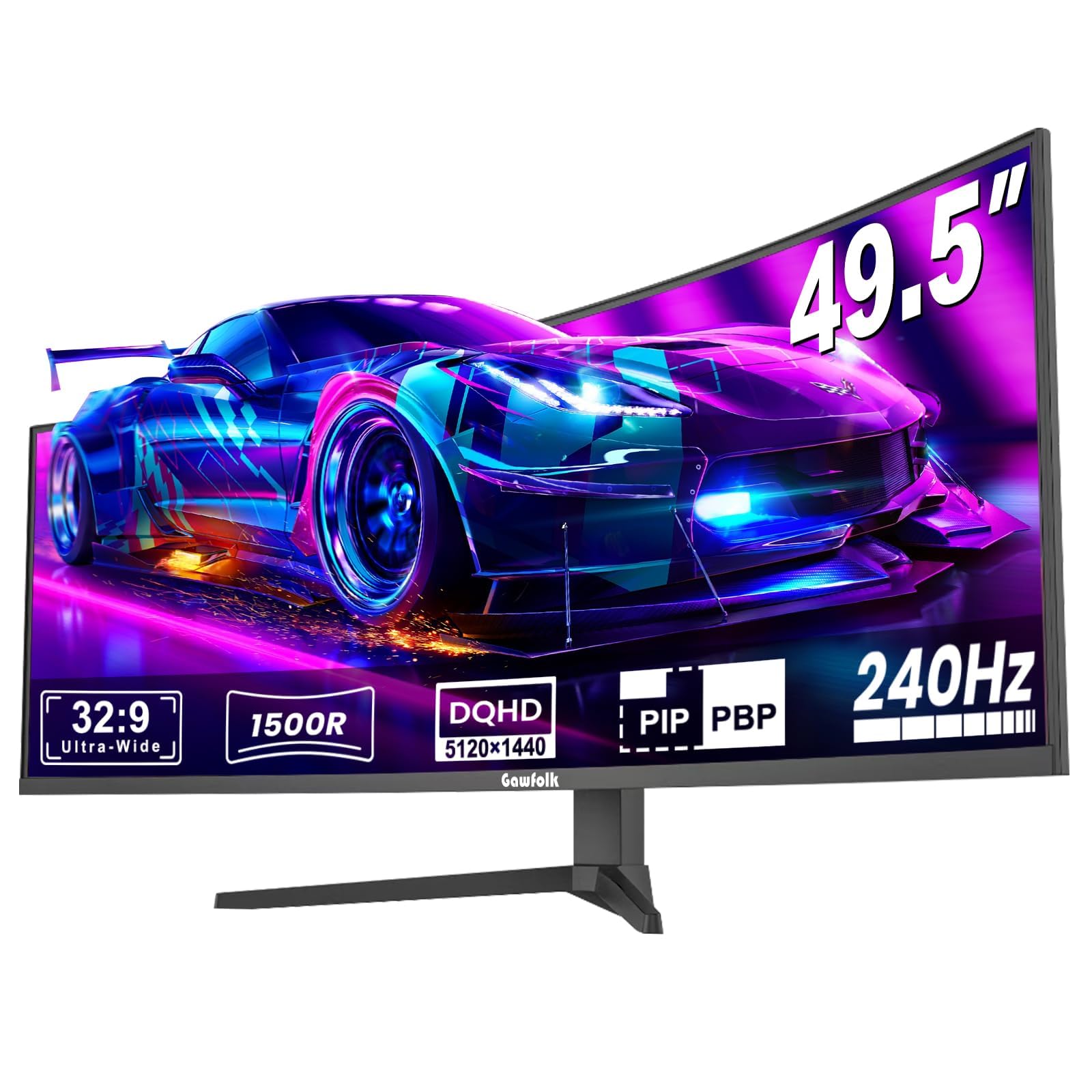
The Gawfolk 49 Inch Ultrawide delivers a 5120×1440 DQHD VA panel with a 240Hz refresh rate at a price that undercuts every other 240Hz DQHD monitor by a wide margin. The 1500R curvature and 3000:1 contrast ratio provide a solid baseline for both gaming and general desktop use. The matte screen surface reduces glare in brightly lit rooms.
The monitor includes a built-in crosshair overlay to aid aiming in first-person shooters, and AMD FreeSync support helps reduce tearing. The eight-bit plus FRC color depth pushes the panel to a 1.07 billion color count, and the 85% NTSC gamut coverage delivers acceptable saturation for a budget VA panel. The stand is basic but functional, and the VESA mount compatibility allows arm or wall mounting.
Customer reviews are mixed — while many buyers report good image quality and reliable performance after months of use, a notable minority describe random screen blackouts that last 1–4 seconds during gaming, followed by ghosting when the image returns. This inconsistency suggests variable quality control at the factory. The brand carries less after-sales support infrastructure than Dell or ASUS, so a defective unit could be difficult to return or replace.
Why it’s great
- 240Hz DQHD panel at a price that is significantly lower than any comparable monitor from a major brand
- 1500R curve and 3000:1 VA contrast provide decent immersion and depth
- Matte screen finish handles ambient light well without washing out colors
Good to know
- Multiple customer reports of intermittent black screen cutouts and ghosting during gaming sessions
- Brand warranty and customer support infrastructure is not as established as Dell, ASUS, or MSI
9. CRUA 49 Inch Curved Gaming
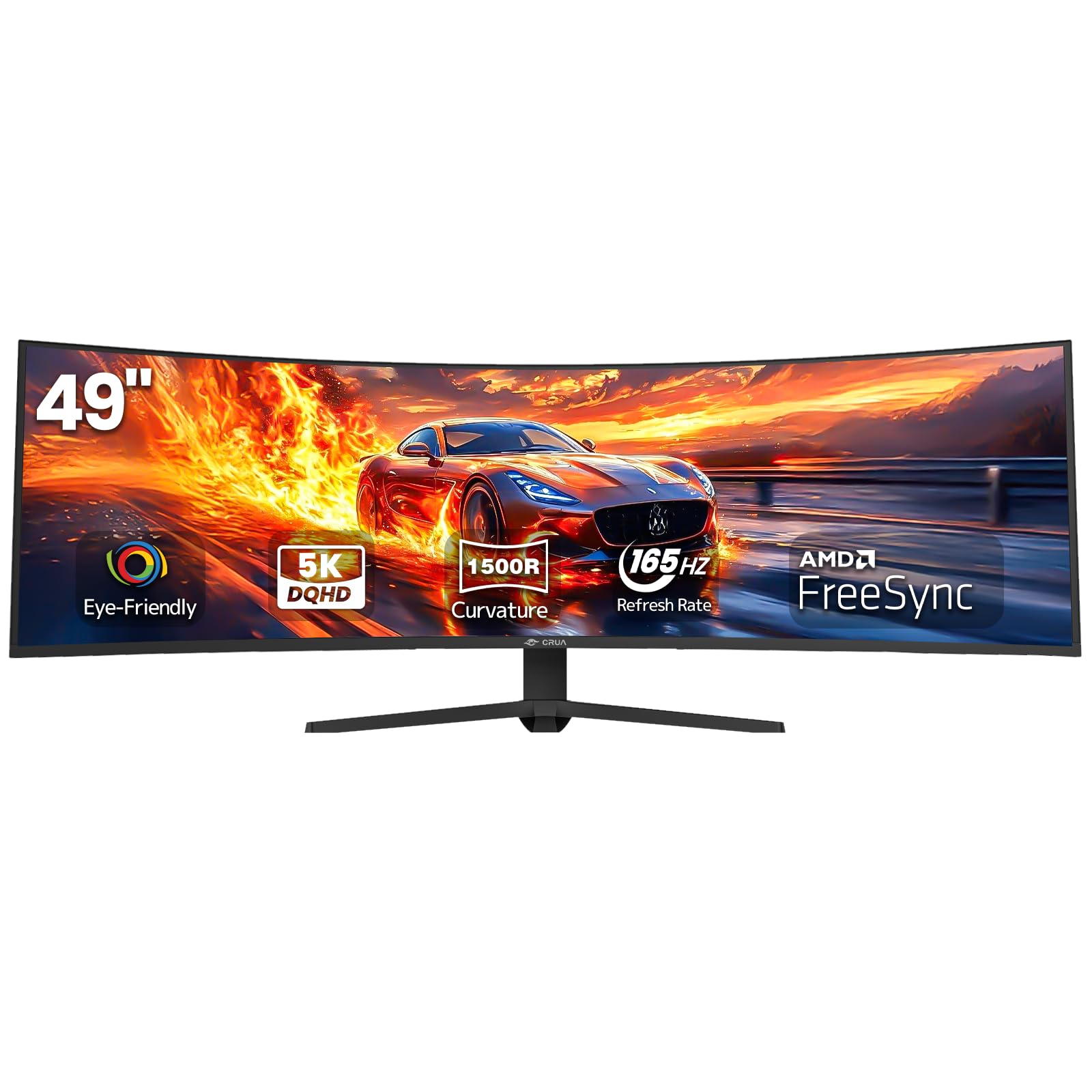
The CRUA 49 Inch Curved Gaming monitor offers a DQHD (5120×1440) VA panel with a 165Hz refresh rate and HDMI 2.1 connectivity, making it one of the most affordable ways to access the full 32:9 ultrawide resolution. The 1500R curve and 120% sRGB gamut provide a vibrant and immersive image that works well for both desktop productivity and console gaming via the HDMI 2.1 port.
The monitor includes AMD FreeSync for tear-free motion, a 330 cd/m² brightness rating, and a 3000:1 contrast ratio. The height-adjustable stand allows ergonomic positioning, and the VESA mount (100mm) compatibility offers flexibility. The port selection includes HDMI 2.1, DP 1.4, and a 3.5mm audio jack, although there are no built-in speakers or USB hub ports.
The VA panel’s pixel response is typical for the price tier — acceptable for strategy games and RPGs, but less ideal for fast-paced competitive shooters. Some users report that the included screw heads are soft and prone to stripping during assembly. The stand lacks swivel and pivot adjustments, limiting placement options on a desk with multiple monitors. The brand is less established than ASUS or Dell, so long-term support is uncertain.
Why it’s great
- Full DQHD resolution with 165Hz and HDMI 2.1 at a price that unlocks the ultrawide format for budget-conscious buyers
- 120% sRGB coverage produces vibrant, punchy colors for the price range
- Height-adjustable stand and VESA mount support for flexible desk layouts
Good to know
- VA response time leads to visible ghosting in competitive shooters with fast motion
- Stand lacks swivel and pivot; assembly screws are reported as soft and prone to stripping
FAQ
Will a 49-inch 32:9 monitor fit on a standard 60-inch desk?
What GPU do I need to run a 49-inch DQHD monitor for gaming?
Is OLED text clarity on a 49-inch ultrawide good enough for coding?
Final Thoughts: The Verdict
For most users, the best 49 inch monitor winner is the MSI MPG 491CQP QD-OLED because it combines infinite contrast, professional color accuracy, and the most transparent burn-in protection utility at a competitive price. If you want higher motion clarity and do not mind a VA panel’s limitations, grab the Samsung Odyssey G9 (LS49CG954ENXZA) with its 240Hz refresh and 1000 nit brightness. And for text-sharp productivity with a built-in KVM, nothing beats the Dell UltraSharp U4924DW.