
Upgrading to a 4K OLED monitor means finally seeing games and video content the way they were meant to be seen — with pixel-level contrast, zero backlight bleed, and colors that jump off the screen. The difference between an LCD and an OLED panel isn’t subtle; it’s the difference between night and day, with perfect blacks sitting next to bright highlights in the same frame.
I’m Min — the co-founder and writer behind Gadgets Feed. I’ve spent countless hours analyzing the technical specifications, real-world performance data, and user feedback across every major 4K OLED monitor currently available, focusing on what actually matters for gaming, creative work, and daily use.
This guide cuts through the marketing noise to help you select the right 4k oled monitor for your specific needs, whether you prioritize raw gaming speed, color accuracy for creative work, or the best overall value in this premium category.
How To Choose The Best 4K OLED Monitor
Entering the 4K OLED monitor market requires understanding a few key technical decisions that directly impact image quality, gaming performance, and long-term reliability. The right choice depends on your primary use case and budget tier.
QD-OLED vs WOLED Panel Technology
The most fundamental split in the current OLED monitor landscape is between Quantum Dot OLED (QD-OLED) and White OLED (WOLED) panels. QD-OLED panels, used by Samsung, MSI, Gigabyte, and Alienware, achieve higher color volume and peak brightness by using blue light with quantum dots to produce red and green. WOLED panels, primarily from LG, use a white OLED backlight with color filters and typically offer better text clarity out of the box. QD-OLED panels generally deliver more vibrant, saturated colors and higher brightness in HDR content, while WOLED panels often handle bright-room viewing better with matte anti-glare finishes and have a reputation for more natural color reproduction.
Refresh Rate and Response Time: What You Actually Notice
Every OLED monitor on this list offers a minimum 120Hz refresh rate, but the current standard for premium gaming is 240Hz. The .03ms GTG response time is essentially universal across modern OLED panels because each pixel switches on and off independently, eliminating the ghosting and motion blur inherent to LCD technology. If you primarily play single-player story-driven games or work in creative applications, 120Hz is more than sufficient. For competitive esports titles like *Valorant*, *Overwatch 2*, or *Call of Duty*, the jump from 120Hz to 240Hz provides a tangible advantage in motion clarity and input responsiveness. Some premium models now feature dual-mode functionality, switching between 4K 240Hz and 1080p 480Hz.
Burn-in Prevention: Beyond the Scare Stories
Modern OLED monitors include sophisticated burn-in mitigation technologies that make the risk far lower than early-generation models. Look for features like AI-based pixel refresh cycles, logo and taskbar brightness detection that automatically dims static elements, and hardware solutions such as graphene thermal films or custom heatsinks that dissipate heat — the primary accelerant of burn-in. Models from Gigabyte, ASUS, and MSI include comprehensive suites of these protections. VESA DisplayHDR True Black 400 certification ensures the panel can display deep blacks while maintaining sufficient brightness for HDR content. The best warranty protection currently includes specific burn-in coverage, which is worth prioritizing for peace of mind.
Quick Comparison
On smaller screens, swipe sideways to see the full table.
| Model | Category | Best For | Key Spec | Amazon |
|---|---|---|---|---|
| Gigabyte MO27U2 | QD-OLED | Best Overall Value | 27″ 4K 240Hz | Amazon |
| Alienware AW3423DWF | QD-OLED | Immersive Ultrawide | 34″ 1440p 165Hz | Amazon |
| Acer Predator X32 | QD-OLED | Curved 4K Gaming | 31.5″ 4K 240Hz Curved | Amazon |
| MSI PRO MAX 271UPXW12G | QD-OLED | Mac Productivity | 27″ 4K 120Hz | Amazon |
| Samsung Odyssey G8 G81SF | QD-OLED | Glare-Free Gaming | 27″ 4K 240Hz | Amazon |
| Alienware AW3425DW | QD-OLED | High-Speed Ultrawide | 34″ 1440p 240Hz | Amazon |
| MSI MPG 321URX | QD-OLED | Top Gaming Performer | 32″ 4K 240Hz | Amazon |
| ASUS ROG Swift PG32UCDM | QD-OLED | Premium Gaming & HDR | 32″ 4K 240Hz | Amazon |
| INNOCN GA27W1Q | QD-OLED | Budget 4K High-Frame | 27″ 4K 240Hz | Amazon |
| ASUS ROG Swift PG27AQWP-W | Tandem WOLED | Extreme Refresh Rate | 27″ 1440p 540Hz | Amazon |
| LG 32GX870A-B UltraGear | WOLED | Dual Mode 4K/FHD | 32″ 4K 240Hz/480Hz | Amazon |
| Alienware AW3225QF | QD-OLED | Flagship 4K Picture | 32″ 4K 240Hz | Amazon |
| Philips Evnia 49M2C8900L | QD-OLED | Super-Ultrawide Work | 49″ 5120×1440 144Hz | Amazon |
In-Depth Reviews
1. Gigabyte MO27U2
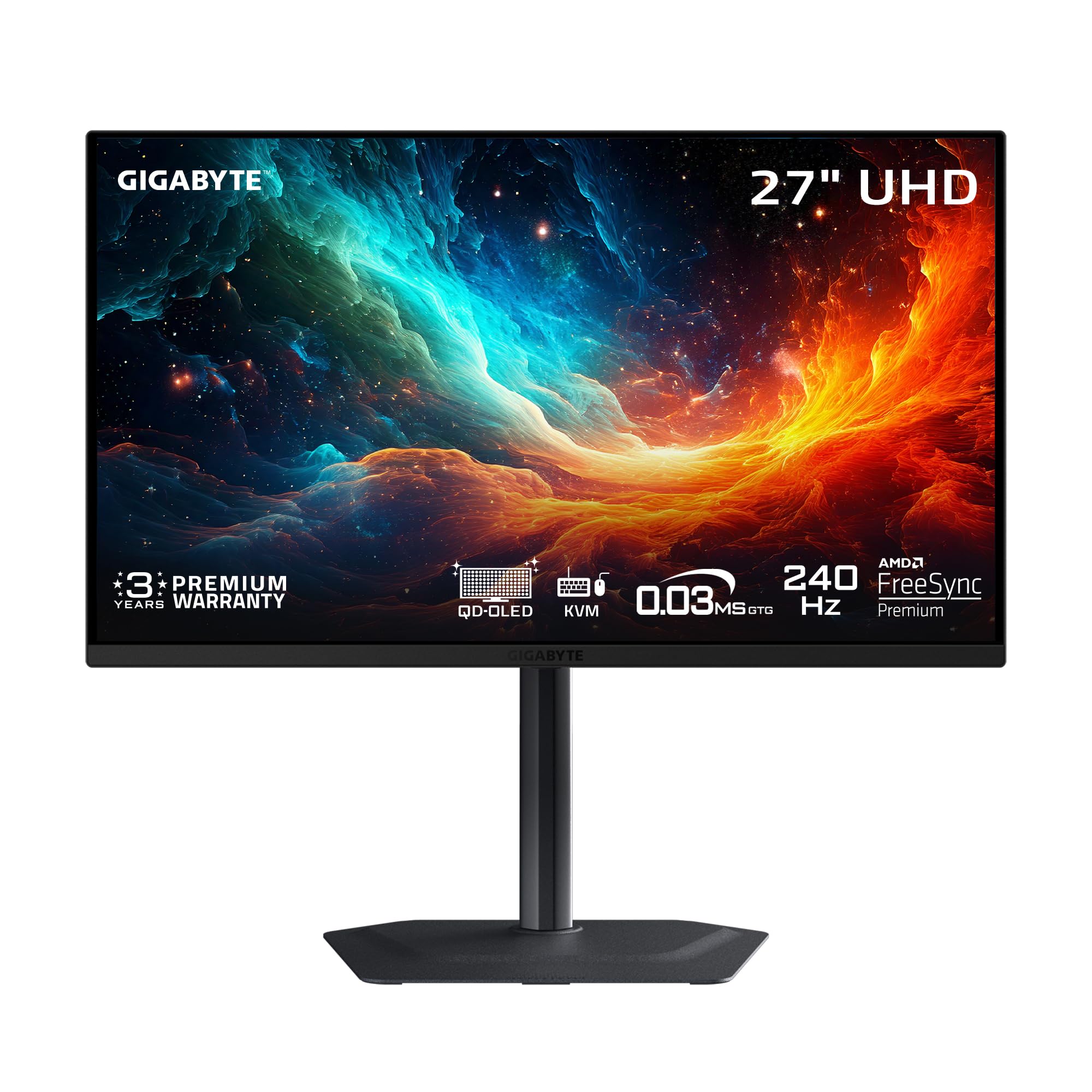
Gigabyte’s MO27U2 brings genuine 4K resolution to a 27-inch form factor, delivering a 166 PPI pixel density that makes text and fine details look razor-sharp. The next-gen 5-layer tandem QD-OLED panel produces a peak brightness of 1000 cd/m² alongside a 1.5M:1 contrast ratio, giving HDR content the punchy highlights and absolute black levels that LCDs simply cannot replicate. The 240Hz refresh rate and .03ms GTG response time eliminate motion blur completely, while AMD FreeSync Premium Pro and G-Sync Compatible support ensure tear-free gameplay across any GPU ecosystem.
Gigabyte’s AI-based OLED Care suite runs in the background to detect static elements and automatically dim them, reducing burn-in risk without user intervention. The graphene thermal film and fanless four-sided heatsink design keep temperatures under control during extended sessions. The KVM function with USB-C connectivity simplifies switching between a desktop and laptop setup, making this a genuinely versatile monitor for both gaming and productivity.
Users upgrading from older IPS panels consistently describe the visual improvement as transformative — color accuracy is excellent out of the box, and the anti-reflection coating manages ambient light well in moderately lit rooms. The built-in speakers are functional for casual use rather than primary audio. The compact stand has a small footprint, preserving desk space without sacrificing height and tilt adjustability.
Why it’s great
- Outstanding 166 PPI pixel density delivers superb text clarity for a 27-inch 4K panel
- AI-based burn-in prevention suite plus graphene thermal film provides comprehensive OLED protection
- Competitive pricing makes flagship QD-OLED performance accessible without premium markup
Good to know
- Lacks DisplayPort 2.1, relying on DP 1.4 with DSC for 4K 240Hz output
- Built-in speakers are serviceable but lack bass and volume for immersive audio
2. Alienware AW3423DWF

The Alienware AW3423DWF remains a favorite for users seeking the immersive ultrawide experience without jumping to a 49-inch super-ultrawide. Its 34-inch 3440×1440 QD-OLED panel wraps around your peripheral vision with an 1800R curve, producing a wider field of view in supported games and more screen real estate for multitasking. The 99.3% DCI-P3 coverage and VESA DisplayHDR True Black 400 certification ensure colors are vibrant and blacks are truly infinite, making every game and movie visually engaging.
The 165Hz refresh rate and .1ms response time provide silky-smooth motion, though competitive players may note that the 165Hz ceiling is lower than the 240Hz found on newer panels. Alienware’s Creator Mode in the OSD lets you switch between DCI-P3 and sRGB color spaces with adjustable gamma, which is a genuinely useful tool for content creators who need color-critical accuracy. The Legend 2.0 design with 360-degree ventilation and an OSD joystick makes daily adjustments easy.
Alienware backs the AW3423DWF with a 3-year premium warranty that specifically covers OLED burn-in, which is rare in this category and adds significant long-term value. The height-adjustable stand has height markers for easy position recall. The main caveat is that the panel compensates for the lower PPI of 110 compared to native 4K monitors, meaning text won’t be as sharp as a 27-inch 4K display, though users find the trade-off worthwhile for the immersive ultrawide format.
Why it’s great
- Immersive 34-inch ultrawide format is excellent for single-player games and productivity
- 3-year burn-in warranty provides peace of mind unmatched by most competitors
- Creator Mode with DCI-P3/sRGB switching is genuinely useful for color-critical work
Good to know
- 1440p ultrawide resolution has lower pixel density than native 4K displays
- Panel triggers pixel maintenance every 4 hours, briefly interrupting workflow
3. Acer Predator X32

The Acer Predator X32 combines a 31.5-inch 4K QD-OLED panel with a 1700R curvature, creating a display that wraps the image around your field of vision for a more enveloping gaming experience. The 240Hz refresh rate and .03ms response time are standard for the premium tier, but the true 10-bit panel with 99% DCI-P3 coverage ensures smooth color gradients without banding. VESA DisplayHDR True Black 400 certification means the monitor delivers deep blacks while maintaining 1000 nits peak brightness on small highlights.
The image retention refresh feature periodically shifts the pixel structure to prevent burn-in, and the adjustable stand provides tilt, swivel, and height adjustments for extended gaming sessions. The connectivity set includes two HDMI 2.1 ports, two DP 1.4 ports, and USB-C with DP-alt mode, making it console-ready for PS5 and Xbox Series X at full 4K 120Hz. Users report that the OSD menu locks certain settings under specific inputs, which can be frustrating when trying to calibrate the panel for different content.
The build quality is solid, though the stand’s V-shaped feet require a desk that’s at least 24 inches deep to avoid overhang — a detail worth measuring before purchasing. The Predator X32 delivers genuinely stunning image quality for its price tier, with the OLED panel’s per-pixel illumination providing a level of contrast and color depth that makes even well-calibrated IPS displays look flat by comparison.
Why it’s great
- 1700R curvature on a 31.5-inch panel creates deep immersion in supported games
- True 10-bit panel with 99% DCI-P3 delivers banding-free color transitions and vibrant visuals
- Full suite of connectivity includes dual HDMI 2.1 for modern console support
Good to know
- OCD menu prompts require manual dismissal every few hours, interrupting workflow
- V-shaped stand base has a large footprint and may not fit on smaller desks comfortably
4. MSI PRO MAX 271UPXW12G

The MSI PRO MAX 271UPXW12G targets a different audience than the gaming-focused monitors on this list: creative professionals and Mac users who want accurate color reproduction in a productivity-friendly package. The 27-inch 4K QD-OLED panel delivers delta E less than 2 color accuracy out of the box, and the white chassis with a sleek design fits naturally into a Mac-centric workspace. The 120Hz refresh rate is lower than the 240Hz gaming standard, but the FreeSync Premium Pro support provides smooth motion for everyday use and occasional gaming.
The dual USB-C connectivity with 98W power delivery is the standout productivity feature — a single cable handles video, data transfer, and laptop charging, reducing desk clutter. The MSI Mac Optimization software supports macOS color synchronization and Mac shortcut keys, creating a cohesive experience that simplifies the transition between your laptop display and the external monitor. The built-in speakers are adequate for conference calls and general audio.
The panel’s VESA DisplayHDR True Black 400 certification ensures deep blacks with sufficient brightness for HDR video editing and media consumption. The PRO MAX 271UPXW12G sacrifices high-refresh-rate gaming performance for superior color-critical features and Mac integration, making it the right choice for a reader who prioritizes color-accurate productivity over competitive frame rates.
Why it’s great
- Dual USB-C ports with 98W PD create a true single-cable solution for MacBook workflows
- Delta E less than 2 color accuracy is ideal for color-critical creative and design work
- MSI Mac Optimization software provides macOS color sync and native shortcut support
Good to know
- 120Hz refresh rate falls short of the 240Hz standard for competitive gaming
- White design may not suit all setups and shows dust more readily than black alternatives
5. Samsung Odyssey G8 G81SF

Samsung’s Odyssey G8 G81SF brings a unique Glare Free technology that reduces reflections by 54% compared to conventional anti-reflection coatings, making it the best choice for brightly lit rooms or workspaces near windows. The 27-inch 4K QD-OLED panel delivers the same 166 PPI pixel density as the Gigabyte MO27U2, providing crisp text and fine detail. The 240Hz refresh rate and .03ms response time are fully competitive with the best gaming monitors in this class, and the VESA DisplayHDR TrueBlack 400 certification ensures deep blacks and excellent contrast.
Samsung’s dynamic cooling system uses a pulsating heat pipe that diffuses heat five times faster than graphite sheets, allowing the monitor to run brighter for longer periods without thermal throttling. The thermal modulation system automatically adjusts brightness to prevent overheating, while logo and taskbar detection dims static on-screen elements to reduce burn-in risk. The ergonomic stand supports tilt, swivel, and height adjustments, making it easy to find a comfortable viewing angle.
Users consistently praise the monitor’s vibrant colors and deep blacks, noting that the 4K resolution provides a significant upgrade in detail over 1440p panels. Some users have reported dead pixels appearing within the first few months of use, highlighting the importance of checking the warranty coverage — the included warranty paperwork sometimes differs from the advertised 3-year term. The mini-joystick OSD button can be finicky to use, but the monitor’s image quality makes these minor frustrations worth managing.
Why it’s great
- Glare Free technology reduces reflections by 54%, ideal for bright rooms and near-window setups
- Pulsating heat pipe cooling system enables sustained brightness without thermal throttling
- Dynamic cooling and logo detection provide comprehensive multi-layered burn-in protection
Good to know
- Mini-joystick OSD button is small and can be awkward to operate during adjustments
- Some users report a discrepancy between advertised warranty length and actual paperwork
6. Alienware AW3425DW

The Alienware AW3425DW addresses the main criticism of its predecessor (the AW3423DWF) by raising the refresh rate from 165Hz to 240Hz, putting it on equal footing with the fastest 34-inch ultrawide monitors. The 34.2-inch WQHD 3440×1440 QD-OLED panel with an 1800R curve delivers the same infinite contrast ratio and 99.3% DCI-P3 coverage that made the original a favorite, but now with motion clarity that matches the best in the category. The .03ms response time ensures that fast-moving objects remain completely sharp without ghosting.
The AW3425DW supports both AMD FreeSync Premium Pro and G-Sync Compatible adaptive sync technologies, making it a universally smooth option regardless of your GPU brand. The built-in KVM function allows you to control multiple devices with a single keyboard and mouse, a useful productivity feature that is rare in ultrawide monitors. The 1800R curve is gentle enough that desktop productivity remains comfortable while providing noticeable immersion in games.
The monitor’s peak brightness of 250 nits in SDR mode is lower than some competitors, though HDR highlights can reach 1000 nits. Users appreciate the premium build quality and the comprehensive cable management system built into the stand. The included Alienware sticker and microfiber cloth are small touches that add to the unboxing experience. The AW3425DW is the right choice for ultrawide enthusiasts who want the highest possible frame rates without moving to a super-ultrawide format.
Why it’s great
- 240Hz refresh rate eliminates the previous generation’s motion clarity ceiling for competitive play
- Universal adaptive sync support with FreeSync Premium Pro and G-Sync Compatible certification
- Integrated KVM function enables seamless control of multiple devices from one keyboard and mouse
Good to know
- SDR peak brightness of 250 nits is lower than some QD-OLED competitors
- 1440p ultrawide PPI is lower than native 4K panels, affecting text sharpness
7. MSI MPG 321URX

The MSI MPG 321URX is a 32-inch 4K QD-OLED gaming monitor that delivers a near-flagship experience at a mid-range price. The 31.5-inch UHD panel with a 240Hz refresh rate and .03ms response time provides the same excellent gaming performance found on monitors that cost hundreds more, with 1.07 billion colors (10-bit) and a 99% DCI-P3 gamut that covers the entire sRGB and AdobeRGB spaces. The VESA DisplayHDR True Black 400 certification ensures the monitor can produce the deep blacks and bright highlights that define the OLED advantage.
MSI’s OLED Care 2.0 suite runs multiple burn-in prevention technologies in the background, including pixel shift, panel refresh, and static element detection. The Gaming Intelligence AI provides real-time game-specific image adjustments, and the KVM support with Picture-in-Picture and Picture-by-Picture modes makes this monitor a strong productivity tool as well. The connectivity includes HDMI 2.1, DP 1.4a, and a USB-C port with 90W power delivery for charging a laptop.
The four-way adjustable stand with tilt, swivel, pivot, and height adjustments accommodates any desk setup, and the Mystic Light RGB lighting provides a customizable aesthetic touch. Users upgrading from 1440p or 1080p panels report a transformative improvement in image quality, particularly in HDR content and modern games. The MSI MPG 321URX represents the sweet spot in the current 4K OLED market — premium performance without the absolute top-tier price.
Why it’s great
- 32-inch 4K QD-OLED delivers excellent gaming performance at a competitive mid-range price point
- OLED Care 2.0 provides comprehensive multi-layer burn-in prevention for long-term reliability
- USB-C with 90W power delivery simplifies laptop connectivity while providing full video bandwidth
Good to know
- Missing DP 2.1, relying on DSC for full 4K 240Hz bandwidth over DP 1.4a
- Stand lacks height adjustment range for users who prefer a very low or very high mounting position
8. ASUS ROG Swift PG32UCDM

The ASUS ROG Swift PG32UCDM is a reference-grade 32-inch 4K QD-OLED monitor that combines a custom heatsink and graphene film for superior heat management, reducing burn-in risk while enabling sustained brightness levels. The 240Hz refresh rate and .03ms response time handle the most demanding competitive games with zero motion blur, while the 99% DCI-P3 gamut and true 10-bit panel deliver color accuracy that satisfies even demanding creative professionals. The DisplayWidget Center software allows you to adjust OLED Care settings with a mouse, which is more convenient than navigating the OSD.
The PG32UCDM supports Dolby Vision in addition to standard HDR10, making it one of the few monitors that can display Dolby Vision content natively. The VESA DisplayHDR True Black 400 certification ensures deep blacks, but the monitor actually peaks higher on small highlights, providing the kind of HDR impact that makes games and movies look genuinely next-gen. The uniform brightness setting maintains consistent luminance across the entire panel, which is important for color-critical work where brightness variations would be distracting.
ASUS backs the monitor with a 3-year warranty that includes burn-in coverage, providing the same level of long-term protection as the Alienware offerings. The optional ROG pouch and sticker add a premium unboxing experience. The glossy screen has been praised for its clarity and immersion, though users in brightly lit rooms should be aware of reflections. The PG32UCDM is the best choice for users who want the most complete HDR experience and are willing to pay for it.
Why it’s great
- Dolby Vision support makes it one of the few monitors capable of displaying Dolby Vision HDR content
- Custom heatsink and graphene film provide industry-leading heat dissipation for sustained brightness
- 3-year warranty with burn-in coverage offers premium peace of mind for the investment
Good to know
- Glossy screen finish reflects ambient light, which may be distracting in very bright rooms
- Premium pricing places it above mid-range competitors with the same QD-OLED panel
9. INNOCN GA27W1Q

The INNOCN GA27W1Q delivers the core QD-OLED experience — 4K 240Hz, .03ms response time, 99% DCI-P3 coverage, and 1.5M:1 contrast ratio — at a price that undercuts the major brands by a significant margin. The 27-inch panel provides the same 166 PPI pixel density as the Gigabyte and Samsung options, producing sharp text and detailed images for both gaming and productivity. The VESA DisplayHDR 400 certification (not True Black 400) means HDR performance is decent but lacks the absolute black-level performance of the more expensive True Black 400-certified panels.
The connectivity includes dual DP and dual HDMI ports, plus a USB-C port for device charging. The stand supports height, tilt, and swivel adjustments, and LED atmosphere lights add a gaming aesthetic that some users appreciate. INNOCN includes a MAC-View mode that optimizes the color profile for Mac devices, reducing color unevenness when used with macOS. The built-in speakers are functional but weak, making external speakers or a headset a necessary upgrade.
The primary compromise with the INNOCN is build quality — the chassis uses less premium materials than the ASUS or MSI options, and an external power brick with short cables makes cable management less clean. The menu system is less intuitive and the default presets are not well-calibrated out of the box. For users who want the core OLED experience and are willing to spend a few minutes on calibration, the GA27W1Q offers the best frame rate per dollar in the 4K OLED category.
Why it’s great
- Unbeatable price-to-spec ratio for a 4K 240Hz QD-OLED panel with 99% DCI-P3 coverage
- Full connectivity with dual DP and dual HDMI provides flexibility for multi-device setups
- MAC-View mode reduces color unevenness for a more consistent macOS external display experience
Good to know
- Build quality and menu UI fall short of premium brands like ASUS and LG
- External power brick with short cables makes desk cable management more challenging
10. ASUS ROG Swift PG27AQWP-W

The ASUS ROG Swift PG27AQWP-W is a specialized 26.5-inch QHD OLED monitor designed for competitive esports players who prioritize frame rate above all else. Its dual-mode functionality allows switching between QHD at 540Hz and HD at 720Hz, making it the fastest OLED monitor on this list by a wide margin. The new Tandem OLED technology delivers 15% higher peak brightness and 25% larger color volume than the previous WOLED generation, with a 60% longer lifespan. The .02ms response time is the fastest available, providing near-zero input lag.
The TrueBlack Glossy panel provides a zero-haze surface that makes images look exceptionally sharp and clear, though reflections are more noticeable than on matte-coated alternatives. The Neo Proximity Sensor detects when you leave the desk and automatically switches to a black screen, reducing burn-in risk during breaks. The DisplayPort 2.1 UHBR20 connection provides full 80Gbps bandwidth, supporting the highest refresh rates without compression.
The white chassis with RGB lighting creates a distinctive aesthetic that fits well in a clean white-themed setup. The 3-year warranty with burn-in coverage matches the best in the industry. The PG27AQWP-W is priced as a premium product, and its 1440p resolution makes it less suited for content creation compared to 4K options. This is the monitor for the competitive player who counts every millisecond of input lag and wants the highest possible refresh rate in a compact format.
Why it’s great
- Unmatched 540Hz refresh rate in QHD mode delivers the smoothest motion available in any OLED monitor
- Tandem OLED panel provides 15% higher peak brightness and 25% larger color volume than previous WOLED
- DisplayPort 2.1 UHBR20 offers full 80Gbps bandwidth for uncompressed high-refresh-rate output
Good to know
- 1440p resolution offers lower pixel density than 4K options, reducing detail for creative work and media consumption
- Premium pricing places it in the same bracket as high-end 4K OLED monitors with greater versatility
11. LG 32GX870A-B UltraGear

The LG 32GX870A-B UltraGear is a 32-inch 4K OLED monitor that features a VESA-certified dual-mode capability, allowing you to switch between 4K at 240Hz for graphically rich story-driven games and Full HD at 480Hz for fast-paced competitive shooters. The switch is triggered via a hotkey, making it effortless to adapt to different games without changing hardware. The Micro Lens Array+ technology delivers a typical brightness of 275 nits with peaks up to 1300 nits, making this the brightest OLED gaming monitor in LG’s lineup.
The .03ms response time effectively eliminates ghosting, and the combination of G-Sync Compatible and FreeSync Premium Pro ensures smooth tear-free gameplay regardless of GPU brand. The anti-glare low reflection coating is particularly effective on LG’s WOLED panels, minimizing reflections while retaining deep blacks and punchy colors. The built-in speakers provide surprisingly clear and crisp audio for a monitor, and the 4-pole headphone jack supports DTS Headphone:X for 3D spatial audio.
The Switch app provides a built-in user interface for splitting the screen into multiple sections, managing display layouts, and switching between PC and the integrated webOS streaming platform. The 2-year limited warranty includes OLED panel coverage and panel care tools like pixel cleaning. The matte coating handles room reflections well, though it introduces a slight grainy texture on static bright pages. The 32GX870A-B represents LG’s most flexible gaming OLED, combining high-resolution immersion with extreme frame rate support.
Why it’s great
- VESA-certified dual-mode enables instant switching between 4K 240Hz and FHD 480Hz for any game type
- Micro Lens Array+ technology provides peak brightness of 1300 nits, the highest in this comparison
- Integrated webOS streaming platform with Switch app adds smart TV functionality to the monitor
Good to know
- Matte anti-glare coating introduces a subtle grainy texture on static white backgrounds
- WOLED panel shows slight text fringing that requires disabling ClearType for optimal sharpness
12. Alienware AW3225QF

The Alienware AW3225QF is the company’s flagship 32-inch 4K QD-OLED monitor, delivering the full premium experience with true 12-bit color depth and Dolby Vision support. The 3840×2160 resolution on a 32-inch panel provides an excellent balance of pixel density and screen real estate, making it suitable for both immersive gaming and productivity multitasking. The 240Hz refresh rate ensures smooth motion across all content, and the QD-OLED panel produces color saturation and black levels that are among the best in the current market.
Alienware’s premium warranty covers the OLED panel for 3 years including burn-in, providing the same comprehensive protection as the company’s ultrawide offerings. Users consistently rate the image quality as exceptional, with particular praise for the color accuracy and the deep contrast that makes HDR content look genuinely cinematic. The white and black design with the iconic Alienware aesthetic makes it a centerpiece of any gaming setup.
The main consideration with the AW3225QF is that it uses DP 1.4 with DSC for 4K 240Hz output rather than the newer DP 2.1 standard — a detail that matters more for future-proofing than current performance. Mac users should note that M1-based Macs require a USB-C to DisplayPort cable to achieve 120Hz output, as HDMI on M1 Macs is limited to 60Hz. The monitor’s fanless design keeps it silent in operation, and the heat management system effectively prevents burn-in during normal use.
Why it’s great
- True 12-bit color depth and Dolby Vision support provide reference-quality HDR and color performance
- 3-year warranty with burn-in coverage matches the best protection available in this category
- Premium build quality with distinctive Alienware design language makes it a statement piece
Good to know
- Relies on DP 1.4 with DSC for 4K 240Hz rather than the newer DP 2.1 standard
- M1 Mac users need a USB-C to DisplayPort cable to achieve 120Hz output
13. Philips Evnia 49M2C8900L
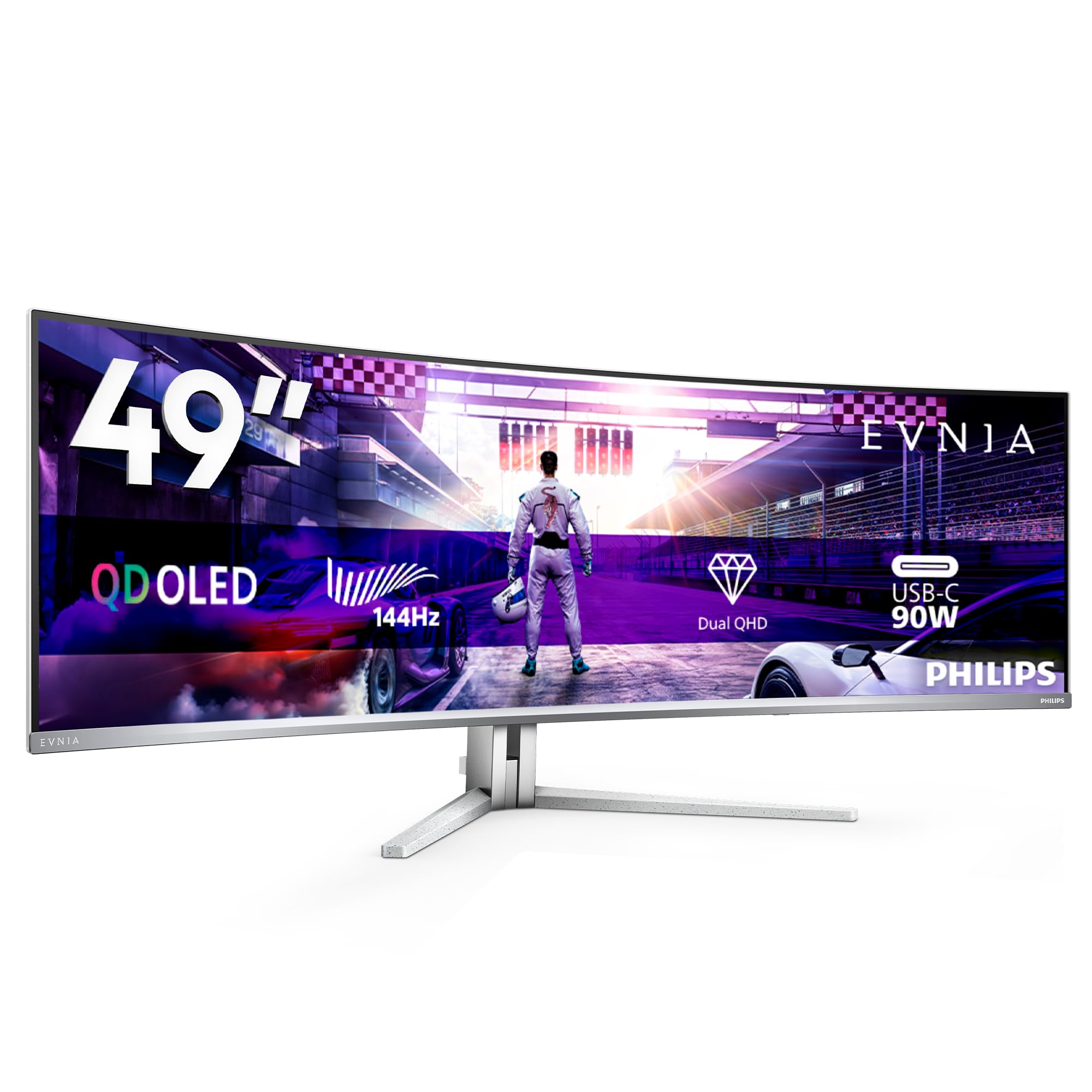
The Philips Evnia 49M2C8900L is a 49-inch DQHD (5120×1440) QD-OLED super-ultrawide monitor designed primarily for productivity users who want to replace a multi-monitor setup with a single seamless display. The 32:9 aspect ratio with an 1800R curve provides an uninterrupted surface that can comfortably display three to four windows side by side, eliminating the bezels that interrupt dual-monitor setups. The 144Hz refresh rate is lower than the gaming-focused 240Hz options, but the .03ms response time keeps motion blur at bay for smooth scrolling and window transitions.
The QD-OLED panel delivers the same deep blacks and vibrant colors found on smaller OLEDs, making even spreadsheet work and browser windows look more pleasant. The Picture-by-Picture function allows you to connect two separate PCs and view both inputs side by side on the same screen, each at its native resolution. The integrated KVM supports shared keyboard and mouse control across connected devices, and the USB-C port provides 90W power delivery for charging a laptop. The four 7.5-watt speakers deliver surprisingly good built-in audio with DTS sound processing.
The monitor’s large physical size requires a desk at least 60 inches wide to accommodate the 49-inch width plus the stand depth. The frequent pixel refresh notifications can be intrusive during work, requiring manual triggering to avoid interruptions during meetings. The Ambiglow bias lighting is less impressive than the TV version. The Evnia 49M2C8900L is a specialist product — it makes no sense for a dual-monitor user who doesn’t want the super-ultrawide format, but for a remote worker or power user who wants a single-screen solution, it is transformative.
Why it’s great
- 49-inch 32:9 format replaces three separate monitors with a single seamless curved QD-OLED screen
- Picture-by-Picture with dual PC input and integrated KVM is powerful for multi-device workflows
- OLED panel provides color and contrast far superior to any LCD ultrawide in this size class
Good to know
- Requires a 60-inch wide desk minimum; the physical footprint is substantial and requires careful planning
- 144Hz refresh rate is lower than the 240Hz gaming standard, limiting appeal for competitive gamers
FAQ
How often do I need to run pixel refresh on a 4K OLED monitor?
Is text fringing still a problem on 4K QD-OLED monitors?
Final Thoughts: The Verdict
For most users, the 4k oled monitor winner is the Gigabyte MO27U2 because it delivers the full 4K 240Hz QD-OLED experience with comprehensive burn-in protection at a price that undercuts the competition by hundreds. If you want immersive ultrawide format, grab the Alienware AW3423DWF. And for the absolute best HDR performance and Dolby Vision support, nothing beats the ASUS ROG Swift PG32UCDM.