
Our readers keep the lights on and my morning glass full of iced black tea. As an Amazon Associate, I earn from qualifying purchases.
That single Ethernet port on your router is a bottleneck. You plug in a gaming PC, then the smart TV buffers, the work laptop drops video calls, and your NAS (network attached storage box) is left unconnected. A 5 port switch fixes that by turning one wired connection into five, giving every device its own dedicated lane. The key is picking one that matches your actual internet speed and gear — a standard gigabit switch works for most homes, while a 2.5G (2.5 gigabit per second) switch is for faster fiber plans and heavy file transfers between devices.
I’m Min — the co-founder and writer behind Gadgets Feed. This guide is built by comparing the manufacturers’ published specifications and the patterns across verified customer reviews, so you get each pick’s real strengths and trade-offs instead of marketing spin.
Understanding the differences between these network hubs will help you find the best 5 port switch for your home setup.
How To Choose The Best 5 Port Switch
The right switch depends on the speed of your internet plan and the devices you connect. A gigabit switch (1,000 Mbps) handles a 1 gigabit fiber plan perfectly. If you have a faster multi-gig plan or move large files between a PC and a NAS, a 2.5G (2,500 Mbps) switch future-proofs your setup. Most 5 port switches are unmanaged (no setup, just plug in and go), which is ideal for homes and small offices.
Gigabit vs. 2.5G: Match Your Speed
A gigabit switch delivers up to 1,000 Mbps per port. That is plenty for streaming 4K video (about 25 Mbps), video calls, and online gaming. A 2.5G switch supports up to 2,500 Mbps per port — 2.5 times faster. You only benefit from this if your internet plan is faster than 1 gigabit or if you frequently transfer large files (like video editing projects) between computers and a NAS on your own network.
Build Quality: Metal vs. Plastic
A metal case helps dissipate heat better than plastic, which matters because switches run 24/7. Metal also feels sturdier and often comes with a longer warranty. Plastic cases keep the cost low and work fine for lighter use, but they may get warmer and feel less durable over years of service. Most premium models use a metal housing.
Fanless vs. Fan-Cooled
All the switches in this guide are fanless, meaning they have no moving parts. That makes them silent — no whirring fan noise in your living room or office. Fanless switches generate less heat, use less power, and have fewer points of failure. For a 5 port switch handling typical home traffic, fanless design is the standard.
Quick Comparison
On smaller screens, swipe sideways to see the full table.
| Model | Category | Best For | Key Spec | Amazon |
|---|---|---|---|---|
| TRENDnet TEG-S350 | 2.5G | Fast fiber plans & file transfers | 2.5Gbps per port | Amazon |
| NETGEAR GS305 | Gigabit | Budget-friendly plug-and-play | 1Gbps per port | Amazon |
| TP-Link TL-SG1005D | Gigabit | Energy-saving home use | 1Gbps per port | Amazon |
| NETGEAR GS105NA | Gigabit | Long-term reliability | 1Gbps per port | Amazon |
| BrosTrend 2.5G | 2.5G | Value multi-gig upgrade | 2.5Gbps per port | Amazon |
| D-Link DMS-105 | 2.5G Gaming | Prioritized traffic for gaming | 2.5Gbps per port | Amazon |
| NETGEAR MS305 | 2.5G | Multi-gig with premium build | 2.5Gbps per port | Amazon |
In‑Depth Reviews
1. TRENDnet 5-Port Unmanaged 2.5G Gaming Switch (TEG-S350)

2.5Gbps across all five ports makes the TRENDnet TEG-S350 the top pick for anyone with a fast fiber internet plan or who frequently transfers large files between a PC and a NAS.
Buyers report that it achieved full 2.5 Gbps throughput over existing Cat5e cables, so you likely do not need to rewire your home. It has a metal case that helps dissipate heat, and weighs 12.8 ounces. The fanless design means silent operation, and owners mention it “worked right out of the box and has not given me any issues at all.” It also meets NDAA and TAA compliance standards for government use, which is rare at this price.
One honest trade-off: under sustained heavy use, it runs warm to the touch, though no reviewers reported failures from heat. If you want a future-ready multi-gig switch that balances performance, price, and build quality, this is the one to get.
Why it’s great
- True 2.5Gbps per port over existing Cat5e cables.
- Metal case for better heat dissipation and durability.
- Fanless and completely silent during use.
Good to know
- Gets warm under sustained heavy load.
- Higher price than gigabit-only switches.
2. NETGEAR 5-Port Gigabit Ethernet Unmanaged Essentials Switch (GS305)

Compared to the top‑pick TRENDnet TEG‑S350, the NETGEAR GS305 caps each port at 1,000 Mbps instead of 2.5 Gbps, but for the vast majority of homes with 1 gig or slower internet you will never notice the missing speed. One reviewer noted that “upload speed dropped down a bit (from 950 to 790‑800), but the difference is barely noticable” — a small performance dip that does not affect streaming or gaming.
This switch uses a metal case that feels solid, and it measures 6.2 inches by 4 inches by 1.1 inches. It is energy‑efficient, complying with the IEEE 802.3az standard that cuts power when ports are idle. Setup is truly plug‑and‑play: you connect power, plug in Ethernet cables, and everything works instantly.
If your internet plan is under 1 gigabit and you simply need more wired ports without any complexity, choose this NETGEAR over the TRENDnet. You save money without sacrificing real‑world performance for typical browsing, streaming, and gaming.
Where it shines
- Metal case for durability at a budget-friendly price.
- Energy-efficient design reduces power usage when ports are idle.
- Genuine plug-and-play — no software, no configuration needed.
Worth noting
- Some users see a slight upload speed drop (around 150 Mbps).
- Plastic internal components compared to premium metal switches.
3. TP-Link 5 Port Gigabit Ethernet Network Switch (TL-SG1005D)
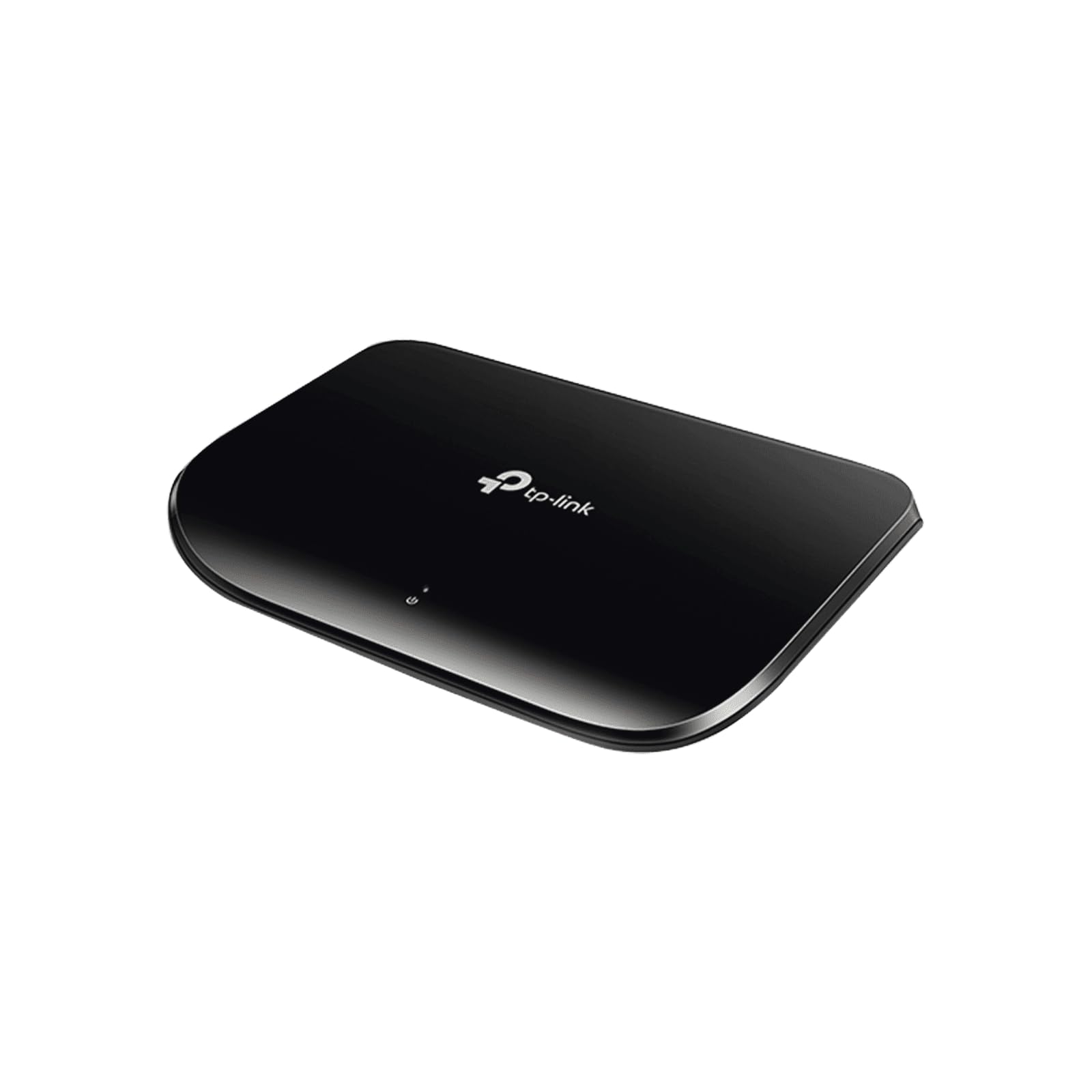
Imagine you have a media console in the living room with a streaming box, a gaming console, and a smart TV all fighting for one Ethernet cable. This TP-Link switch solves that by splitting one line into five gigabit (1,000 Mbps) ports, and it automatically cuts power to unused ports to save electricity — up to 80% less power consumption compared to a switch that keeps all ports active.
One buyer mentioned they got a “steady 800 Mbps over 150 ft Cat-5; full 1 Gbps with light traffic” — meaning even over a long cable run it delivers close to full speed. It weighs only 120 grams, making it extremely lightweight. The plastic case keeps costs low, and after 8 months of continuous use, that same reviewer called it “flawless.”
The standout spec here is the power-saving feature combined with support for jumbo frames (large data packets that improve file transfer efficiency). It sips electricity while handling oversized packets that most competitors at this price cannot touch.
What stands out
- Reduces power consumption by up to 80% when ports are idle.
- Super lightweight at 120 grams for easy cable management.
- Supports jumbo frames for faster large file transfers.
The trade-offs
- Plastic case feels less premium than metal alternatives.
- No included Ethernet cable in the box.
4. NETGEAR 5-Port Gigabit Ethernet Unmanaged Switch (GS105NA)
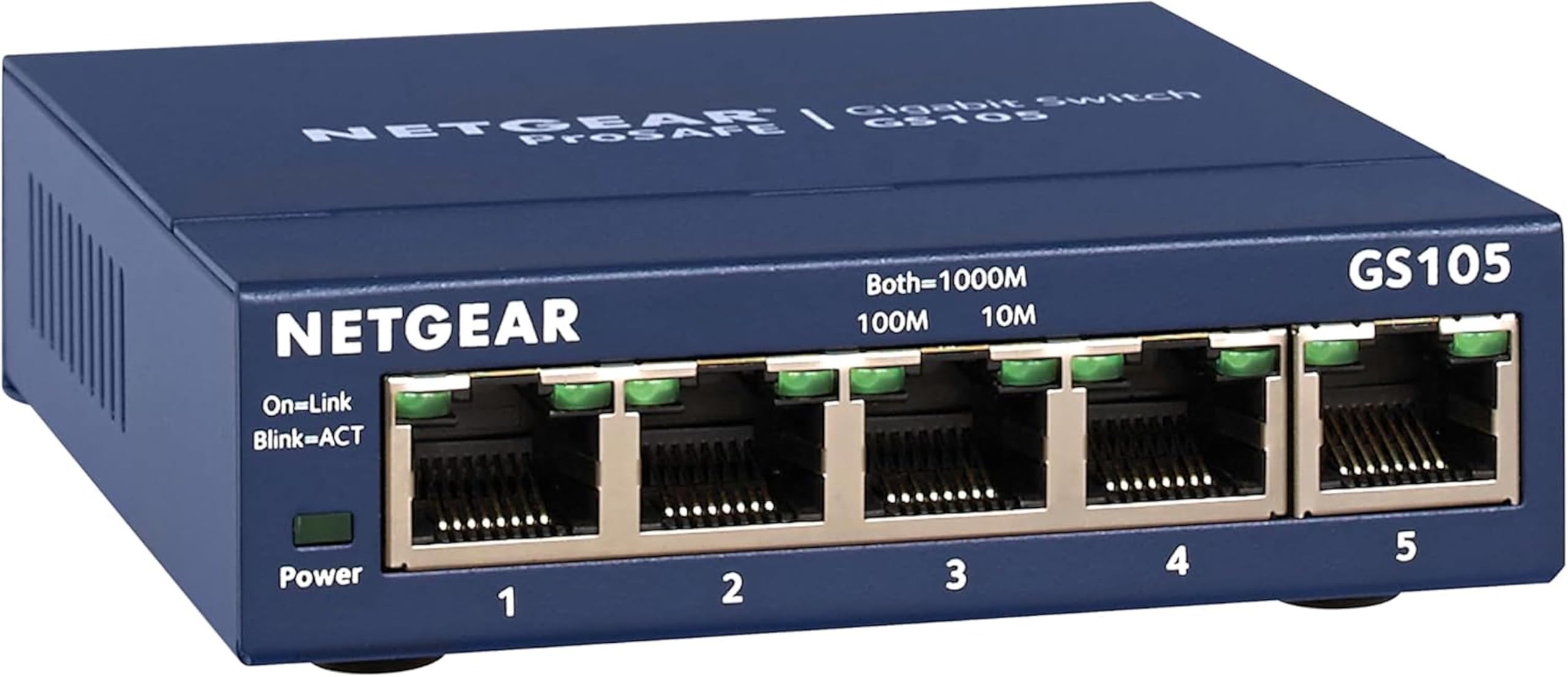
When buyers care most about longevity, the single number that matters is years of trouble-free service. The NETGEAR GS105NA scores exceptionally here — one owner reported “rock-solid reliability for 7+ years,” and another said a different unit failed only after 10 years and was replaced for free under the lifetime warranty. That kind of track record is the metric that defines this category.
The catch you accept is a slightly larger footprint — it measures 3.9 inches by 3.7 inches by 1.1 inches, compared to the TP-Link’s 6.5-inch length. It also costs more than entry-level gigabit switches like the GS305. But the metal case, quiet operation, and the guarantee that Netgear will stand behind it for the life of the product justify the extra cost for buyers who want to buy once and forget it.
One reviewer who ran it 24/7 for 9 months with no issues called it “silent” and said performance was close to an enterprise-grade switch. For the price of a couple of pizzas, you get a switch that could outlast your next three routers.
The upsides
- Known for 7+ years of daily, continuous use without failures.
- Limited lifetime warranty with free replacements (as one buyer experienced after 10 years).
- Metal case provides excellent durability and heat management.
Keep in mind
- Higher price than other gigabit switches with the same speed.
- Lacks 2.5G support for future-proofing.
5. BrosTrend 5 Port 2.5GB Switch

At this price you get five 2.5 gigabit per second (2.5Gbps) ports — the same speed as premium switches that cost nearly three times as much. Buyers confirm that “all tests achieved 2.5Gb,” and one reviewer who upgraded from a gigabit switch said it “doubled my speed by simply changing out switches.” It has a switching capacity of 25 Gbps total, meaning all five ports can run at full speed simultaneously.
What you give up is a metal case — this BrosTrend uses plastic, which customers note “runs warm but not too hot” under 24/7 use. It weighs 180 grams and measures 5.6 inches by 3.5 inches by 0.9 inches, making it compact enough to tuck behind a desk. The fanless design keeps it silent, matching every other switch in this guide.
This switch is the perfect entry point for anyone who has a 2 gigabit fiber internet plan or a NAS and wants to see that speed in their wired devices without spending premium money. It is the budget champion of the multi-gig category.
Why we’d pick it
- Five genuine 2.5Gbps ports at a budget-friendly price point.
- Plug-and-play setup with no configuration needed.
- Compact and lightweight at 180 grams for flexible placement.
A few caveats
- Plastic case runs warm under 24/7 heavy load.
- Lacks QoS (Quality of Service) features for traffic prioritization.
6. D-Link 5-Port 2.5GB Unmanaged Gaming Switch (DMS-105)
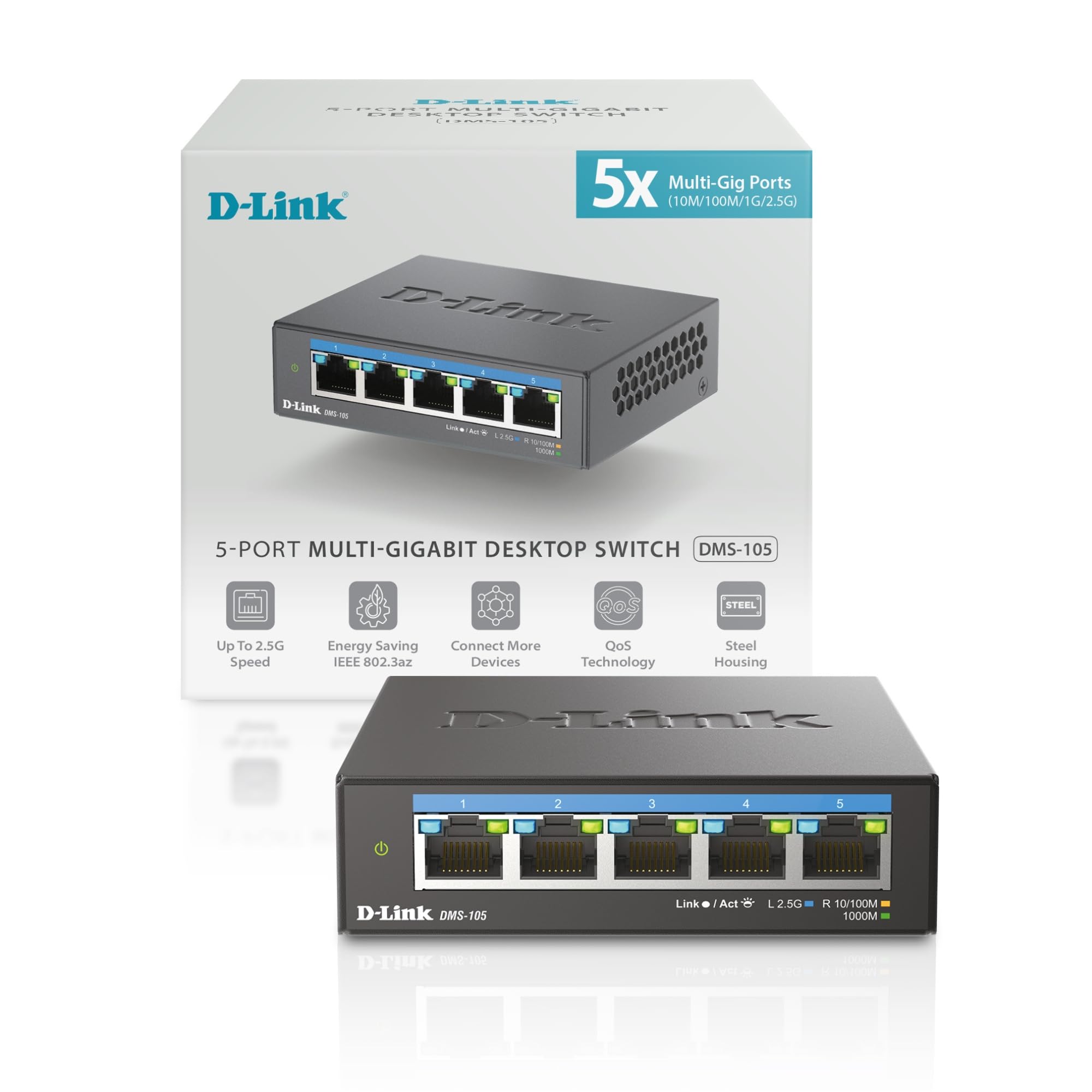
The D-Link DMS-105 is perfect for gamers and power users who need their network to prioritize traffic in a busy home with gaming, streaming, and file servers all competing for bandwidth. It includes QoS (Quality of Service) that classifies data into 8 priority levels, so your gaming console or streaming device gets bandwidth first when the network is busy. It also supports IGMP (Internet Group Management Protocol) snooping, which optimizes data streams for applications like live TV streaming or online gaming.
The fanless design means no noise, and the auto-negotiation feature adjusts each port between 100 Mbps, 1 Gbps, and 2.5 Gbps depending on the device connected. If you have a mix of older 100 Mbps devices and new 2.5G gear, the D-Link handles each at its optimal speed without you touching any settings.
Just be aware that its traffic-priority features are automatic and unmanaged, so you cannot manually fine-tune which device gets top priority if the default QoS sorting does not match your exact needs.
Strong points
- QoS prioritizes gaming and streaming traffic into 8 levels.
- IGMP snooping optimizes multicast data for live TV and gaming.
- Metal case for better heat dissipation and durability.
Before you buy
- Heavier than plastic-case competitors due to metal housing.
- No web management interface — it is purely unmanaged.
7. NETGEAR 5-Port 2.5G Multi-Gigabit Ethernet Unmanaged Network Switch (MS305)

The NETGEAR MS305 sits at the top of the price range, offering the same 2.5Gbps speed as the TRENDnet and BrosTrend switches but with a more premium metal case and NETGEAR’s reputation for reliability. It supports the IEEE 802.3az energy-efficient standard, meaning it cuts power when ports go idle without sacrificing performance. Buyers consistently report it as “quiet, well-constructed, easy install.”
One customer observed that it “increased throughput with 2.5Gbps WAN” and cut latency in half compared to their previous 1Gbps switch — a meaningful improvement for competitive online gaming. It weighs 1.1 pounds and measures similar to other compact 5 port models. The fanless design keeps it silent, and the metal case helps dissipate heat for 24/7 operation.
The one clear reason to choose the MS305 over the field is if you want a premium brand with a proven support track record and do not mind paying extra for the NETGEAR name.
What we like
- Premium metal case with excellent heat dissipation.
- Energy-efficient design reduces power usage.
- NETGEAR brand known for reliability and support.
The downsides
- Significantly more expensive than switches with the same 2.5G speed.
- No QoS (traffic prioritization) features.
Understanding the Specs
Data Transfer Rate: Gigabit vs. 2.5G
This spec tells you the maximum speed each port can handle. Gigabit (1,000 Mbps) is enough for streaming, gaming, and most home internet plans under 1 gigabit per second. 2.5G (2,500 Mbps) is 2.5 times faster and matters if you have a multi-gig fiber plan (like 2 gigabit or faster) or transfer large files between devices on your own network. A 2.5G switch works with your existing Cat5e cables, so you do not need to rewire your home.
Switching Capacity: Total Backplane Speed
This is the total amount of data the switch can handle at once across all ports. For a 5 port switch, the math is simple: port speed × number of ports × 2 (for full-duplex, meaning data flows both ways). A 2.5G switch has a 25 Gbps switching capacity, which means all five ports can run at full speed simultaneously without slowing each other down. A gigabit switch typically has 10 Gbps capacity — plenty for typical home use.
FAQ
Do I need a managed or unmanaged 5 port switch?
Will a 2.5G switch make my gigabit internet faster?
Can I use a 5 port switch with my existing Cat5e cables?
Final Thoughts: The Verdict
For most people, the best 5 port switch winner is the TRENDnet TEG-S350 because it delivers true 2.5Gbps speeds with a durable metal case at a price that makes sense for future-proofing. If you want a simple, budget-friendly gigabit switch for standard home use, grab the NETGEAR GS305. And for long-term reliability with a lifetime warranty that covers you for years, the standout is the NETGEAR GS105NA.