
The line between a great monitor and a great setup disappears when the screen is large enough to replace two displays and sharp enough to render 4K content without scaling compromises. A monitor in this size class isn’t just a bigger box — it’s a productivity multiplier that changes how you arrange windows, manage timelines, and keep your focus on a single continuous workspace.
I’m Min — the co-founder and writer behind Gadgets Feed. I’ve spent hundreds of hours analyzing specifications, panel technologies, and real user feedback for widescreen and large-format monitors to cut through the marketing noise and identify the models that actually deliver on their promises for serious work and gaming.
After meticulously reviewing the current landscape of panel types, refresh rates, connectivity standards, and ergonomic designs, this guide presents the most reliable and performance-focused models available today. This is your definitive resource for finding the right 50 inch 4k monitor for your desk.
How To Choose The Best 50 Inch 4K Monitor
Choosing a monitor in this size class requires a shift in thinking from smaller displays. A 50-inch-class monitor demands that you prioritize resolution density, panel technology for your room’s lighting, and the physical desk space required to accommodate the screen’s footprint. The wrong choice leaves you with a huge monitor that feels fuzzy or a curve that doesn’t match your viewing distance.
Resolution: DQHD vs. True 4K UHD
Most monitors in this size category use a Dual QHD resolution (5120×1440) at a 32:9 aspect ratio. This is not true 4K UHD (3840×2160) — it’s two 1440p monitors side by side. This resolution offers massive horizontal space for multitasking but has a lower pixel density than a true 4K panel of the same diagonal size. True 4K UHD in this size class, like the Samsung Odyssey G7 37-inch model, gives you sharper text and more vertical pixels, which is better for video editing timelines and reading documents without scrolling.
Panel Technology and Curvature
VA panels dominate this category because they deliver a 3000:1 contrast ratio for deep blacks and good dark-room performance, though viewing angles are narrower than IPS. The curvature rating (R1500, R1800, R1000) determines how much the screen wraps around your field of view. A tighter R1000 curve like Samsung’s Odyssey G7 line is immersive for gaming but can distort straight lines for CAD or spreadsheet work — an R1800 curve is a safer all-purpose choice for mixed productivity and gaming.
Connectivity and Desk Integration
A monitor this large often serves as a central hub. Look for USB-C with power delivery (65W to 90W) to charge a laptop through a single cable, a built-in KVM switch to control two computers with one keyboard and mouse, and at least one HDMI 2.1 port for modern consoles. An RJ45 Ethernet port on the monitor can clean up your desk by eliminating a separate USB dock — the Dell UltraSharp U4025QW excels at this with its Thunderbolt 4 hub.
Quick Comparison
On smaller screens, swipe sideways to see the full table.
| Model | Category | Best For | Key Spec | Amazon |
|---|---|---|---|---|
| Dell UltraSharp U4025QW | Premium Pro | Color-accurate creative work | 5K2K 5120×2160 120Hz | Amazon |
| Samsung 49″ Business Curved | Productivity Ultra | Office multitasking hub | 32:9 DQHD 120Hz | Amazon |
| Samsung 40” Odyssey G7 | Gaming Performer | Immersive competitive gaming | 5120×2160 180Hz | Amazon |
| Samsung 37” Odyssey G7 | Console Master | 4K UHD console gaming | 3840×2160 165Hz | Amazon |
| INNOCN 49C1S | Speed Demon | High-refresh esports | 5120×1440 240Hz | Amazon |
| INNOCN 45C1R | Balanced Workhorse | Productivity with console support | 5120×1440 120Hz | Amazon |
| Amzfast AMZG49C7U | Value Ultrawide | Budget-conscious gaming | 5120×1440 120Hz | Amazon |
| CRUA 45″ Curved | Eye-Comfort Gamer | Long-session gaming | 5120×1440 240Hz | Amazon |
| INNOCN 49C1R | Entry Ultrawide | First-time ultrawide upgrade | 5120×1440 120Hz | Amazon |
| Samsung 50″ The Frame | Living Room Display | Dual-use TV and art | 4K UHD 60Hz | Amazon |
In‑Depth Reviews
1. Dell UltraSharp U4025QW

The Dell UltraSharp U4025QW sits at the top of the large-format monitor hierarchy for professionals who need color accuracy and connectivity density in a single screen. Its 5120×2160 resolution at 40 inches delivers a true 5K2K experience with 140 PPI — sharper than DQHD panels and giving you real 4K vertical resolution for video timelines and document layouts. The IPS Black technology pushes the contrast ratio to 2000:1, which is double typical IPS panels, providing deep blacks without the color shift of a VA panel.
This monitor is a connectivity powerhouse. The Thunderbolt 4 port delivers up to 140W of charging to a laptop and supports daisy-chaining a second 4K display. The built-in KVM switch lets you control a PC and a MacBook with a single keyboard and mouse, switching between them seamlessly. The Ethernet port and upstream USB ports turn the monitor into a clean desk hub that eliminates the need for a separate docking station.
At this tier, you’re paying for the panel’s factory-calibrated Delta E < 2 accuracy, the 600-nit peak brightness for HDR content, and the robust build quality with extensive ergonomic adjustment. The 120Hz refresh rate is a bonus for smooth cursor movement and light gaming, though true esports monitors offer higher rates. For creative professionals who spend 8+ hours a day in front of a screen, this monitor justifies its premium positioning through reliability and color consistency.
Why it’s great
- IPS Black panel delivers excellent contrast for an IPS monitor
- Thunderbolt 4 hub with 140W PD replaces a separate dock
- Factory-calibrated color accuracy out of the box
Good to know
- Not ideal for competitive gaming due to 120Hz cap
- Premium pricing positions it far above value alternatives
2. Samsung 49” Business Curved LS49C954UANXZA

Samsung’s 49-inch Business Curved monitor is designed for professionals who want the equivalent of two 27-inch QHD monitors without the bezel gap. The 32:9 aspect ratio at 5120×1440 resolution gives you 49 inches of continuous horizontal real estate, and the 1000R curvature wraps the screen around your peripheral vision to reduce the need for head turning. The VA panel provides a 3000:1 contrast ratio for reading documents and coding with crisp text on dark backgrounds.
The integrated connectivity is the standout feature here. The USB-C port delivers 90W of power delivery, enough to charge a high-performance laptop, while the DisplayPort and two HDMI 2.0 inputs allow connection to a desktop and a console simultaneously. The built-in KVM function lets you control two connected computers with one keyboard and mouse, and the matte screen finish keeps reflections at bay in brightly lit offices.
The 120Hz refresh rate is a bonus for scrolling through long spreadsheets or code, and VESA DisplayHDR 400 support adds some dynamic range for video conferencing and streaming. The built-in speakers are adequate for system sounds and calls, but you’ll want proper speakers for music or gaming audio. This monitor excels as a central office hub where cable management and clean desk aesthetics matter more than raw gaming performance.
Why it’s great
- Replaces two 27-inch QHD monitors seamlessly
- USB-C 90W PD charges laptops while cleaning up cables
- Built-in KVM for dual-computer workflows
Good to know
- Speakers are mediocre for music and gaming
- Setup may require troubleshooting with older laptops
3. Samsung 40” Odyssey G7 G75F

The Samsung 40-inch Odyssey G7 G75F strikes a unique balance by offering a 5120×2160 WUHD resolution at 21:9 aspect ratio — effectively a true ultrawide 4K screen with 140 PPI. This resolution gives you more vertical pixels than DQHD panels, making it suitable for reading full web pages and editing video timelines without scaling. The 180Hz refresh rate and 1ms GtG response time pair with AMD FreeSync Premium Pro to deliver tear-free gaming at high frame rates.
The VESA DisplayHDR 600 certification is a significant advantage over HDR 400 panels. The 1000R curvature wraps the 40-inch screen tightly around your field of view, creating an immersive cockpit-like experience for flight sims and racing games. The VA panel produces deep blacks with a 3000:1 contrast ratio, and the 350-nit typical brightness is sufficient for most room lighting conditions, though HDR highlights benefit from the higher peak brightness of DisplayHDR 600.
Build quality is solid with a height-adjustable and swivel stand, and the connectivity suite includes DisplayPort 1.4 and HDMI 2.1 ports. The 40-inch size hits a sweet spot for users who want an immersive gaming screen without needing a desk that can swallow a 49-inch ultrawide. The WUHD resolution demands a powerful GPU — a GeForce RTX 4080 or equivalent is the realistic baseline for hitting high frame rates in modern titles.
Why it’s great
- WUHD resolution offers more vertical space than DQHD panels
- DisplayHDR 600 delivers better HDR highlights
- 180Hz refresh rate with 1ms response time
Good to know
- High GPU power required for 5120×2160 gaming
- Base design is quite wide for standard desks
4. Samsung 37” Odyssey G7 G75F

The 37-inch Odyssey G7 G75F is the closest thing in Samsung’s lineup to a true 16:9 4K UHD monitor in this size class. Its 3840×2160 resolution at 37 inches yields a higher pixel density than DQHD alternatives, producing sharper text and finer detail in games and applications. The 165Hz refresh rate and 1ms response time make it a strong candidate for both PC gaming and console play, with HDMI 2.1 supporting 4K 120Hz on PS5 and Xbox Series X.
The 1000R curve is aggressive and polarizing. Some users find it deeply immersive for gaming and single-monitor productivity, wrapping the screen around their vision. Others find it distorts straight lines for spreadsheet work and prefer a flat panel. The VA panel delivers the expected 3000:1 contrast ratio with deep blacks, and DisplayHDR 600 adds punch to bright highlights in supported games.
The 37-inch diagonal is a unique size that fits between a standard 32-inch monitor and the massive 49-inch ultrawides. It’s large enough to replace a multi-monitor setup for coding and creative work, but compact enough to fit on a standard 60-inch desk. The Samsung build quality is excellent with a sturdy stand, and the matte coating manages reflections well in bright rooms. For users who want true 4K UHD resolution without going to a smaller screen, this is a rare and capable option.
Why it’s great
- True 4K UHD resolution for sharp text and detail
- 165Hz with HDMI 2.1 for console 120Hz support
- DisplayHDR 600 for better HDR performance
Good to know
- Aggressive 1000R curve not suitable for all users
- Premium pricing reflects smaller production volume
5. INNOCN 49C1S
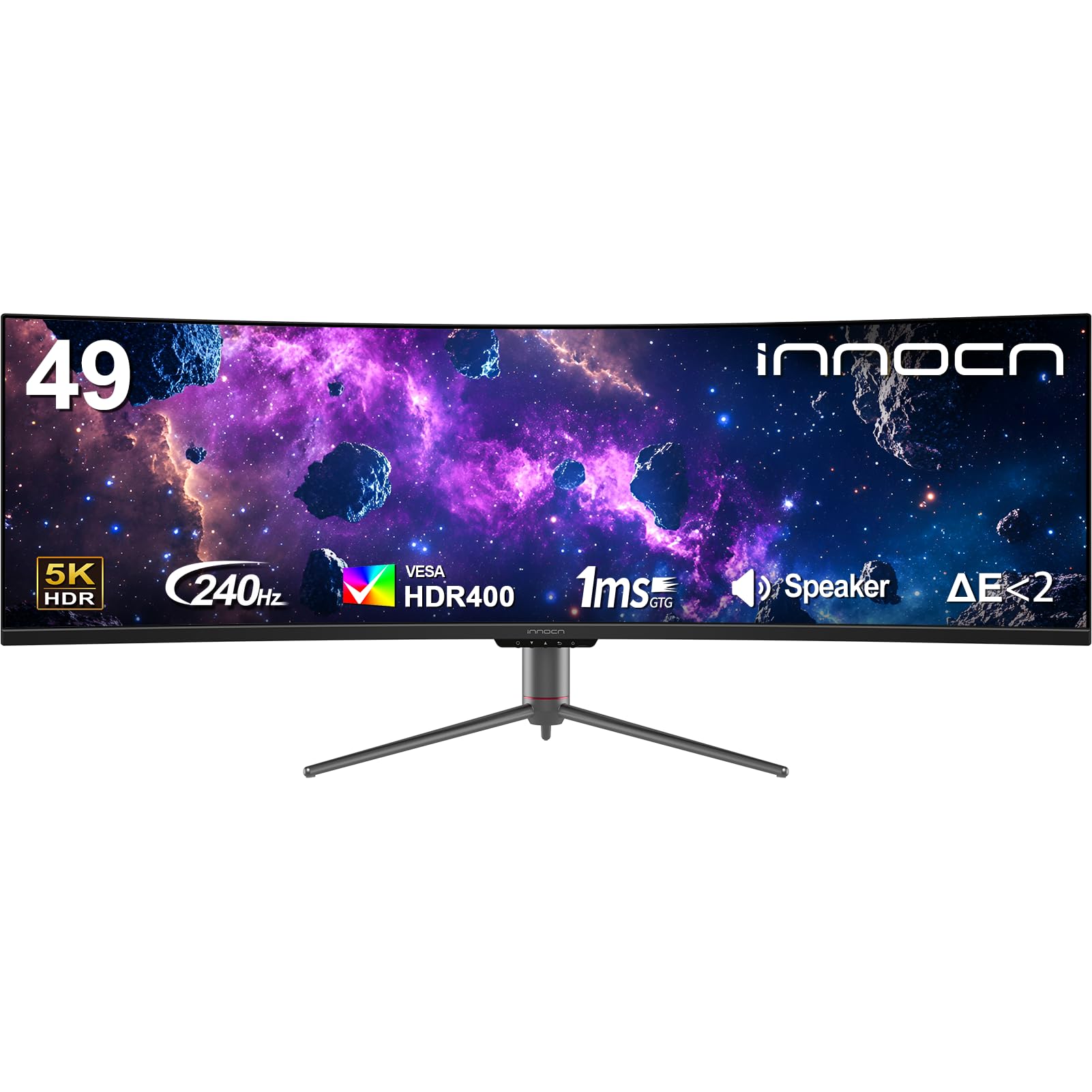
The INNOCN 49C1S is the highest-refresh-rate 49-inch DQHD monitor in this lineup, offering a 240Hz panel that rivals dedicated gaming monitors. The 5120×1440 resolution at 32:9 gives you the field of view advantage in games like Call of Duty and Fortnite, where peripheral vision matters. The 1800R curve is gentle enough for productivity but still provides wrap-around immersion for racing and flight sims. The VA panel delivers the typical 3000:1 contrast ratio with 99% sRGB coverage.
Connectivity is comprehensive with dual DisplayPort 1.4 inputs, HDMI 2.1, and a USB-C port with 65W power delivery. The USB hub includes two Type-A ports and a USB-B upstream, plus an RJ45 Ethernet port for wired network connectivity. The monitor supports PIP and PBP, letting you display two input sources side by side — useful for watching a console feed while keeping your PC workflow active on the other half.
The 240Hz refresh rate requires a powerful GPU to realize its full potential at DQHD resolution — a mid-range card will struggle to push high frame rates in demanding games. The monitor lacks the color accuracy of premium Dell options, and the interface is clunky, requiring multiple clicks to change input or PBP settings. The built-in speakers are functional for alerts but not for main audio. For competitive gamers who prioritize raw refresh rate and screen real estate, the 49C1S offers exceptional value per hertz.
Why it’s great
- 240Hz refresh rate is class-leading for this size
- Dual DP 1.4 and HDMI 2.1 for multi-device support
- USB-C 65W PD with RJ45 for clean desk setup
Good to know
- On-screen controls are cumbersome for daily use
- Built-in speakers are underwhelming
6. INNOCN 45C1R

The INNOCN 45C1R hits a size sweet spot at 45 inches with the full 5120×1440 DQHD resolution, offering a 1500R curve that’s slightly tighter than the 1800R found on the 49-inch models. This tighter curve works well at this smaller diagonal, wrapping the image naturally without the extreme distortion some users report with 1000R panels. The VA panel delivers 3000:1 contrast and 99% sRGB coverage, making it a strong choice for both productivity and media consumption.
This monitor includes USB-C with 90W power delivery — enough to charge a MacBook Pro or high-performance Windows laptop while transmitting video and data. The connectivity suite includes two HDMI 2.1 ports, DisplayPort 1.4, a USB hub, and an RJ45 Ethernet port. The built-in PIP and PBP functionality works well for showing content from two sources simultaneously, such as a Mac and a PC on the same screen.
The stand is bulky and offers limited adjustment — tilt, swivel, and height are present but the footprint is large. The built-in speakers are acceptable for casual use but lack bass and volume for immersive media. Some users report issues with the VESA mount compatibility, recommending risers for standard 100×100 mounts. For the price, this monitor delivers the core ultrawide experience with solid connectivity at a reasonable cost, making it a balanced choice for mixed-use scenarios.
Why it’s great
- 45-inch size fits on desks that can’t accommodate 49-inch models
- USB-C 90W PD charges most laptops reliably
- Two HDMI 2.1 ports for modern console support
Good to know
- Stand is bulky with large desk footprint
- VESA mounting may require risers
7. Amzfast AMZG49C7U

The Amzfast AMZG49C7U is the value-focused entry in the 49-inch DQHD category, offering a 5120×1440 VA panel with a 120Hz refresh rate at a significantly lower price than the Samsung and Dell alternatives. The 1500R curvature and 32:9 aspect ratio deliver the same ultrawide experience as premium monitors, and the 120% sRGB color gamut provides vibrant colors that exceed the INNOCN panels in gamut coverage. The brightness is rated at 350 nits with HDR support, though HDR performance is typical for the price tier.
Connectivity includes two HDMI 2.0 ports and two DisplayPort 1.4 inputs, supporting the 120Hz refresh rate at full resolution through DisplayPort. While it lacks USB-C with power delivery, the inclusion of a DP cable and power adapter in the box ensures plug-and-play setup for desktop users. The stand offers height adjustment up to 110mm, swivel, and tilt, providing good ergonomic flexibility for the price point.
The stand quality is the main compromise — some users report a slight tilt to the right and forward lean that can’t be fully corrected, and the 75x75mm VESA pattern is smaller than the standard 100x100mm, requiring an adapter for most monitor arms. The on-screen controls are basic but functional, with pre-set modes for Standard, Cinema, FPS, and Office. For users who want the 49-inch ultrawide experience at the lowest cost, the Amzfast delivers the core specs without the premium build refinements.
Why it’s great
- Lowest cost entry to 49-inch DQHD resolution
- 120% sRGB gamut for vivid colors
- Height-adjustable stand with tilt and swivel
Good to know
- Stand quality issues with alignment reported
- No USB-C connectivity
8. CRUA 45″ Curved Monitor
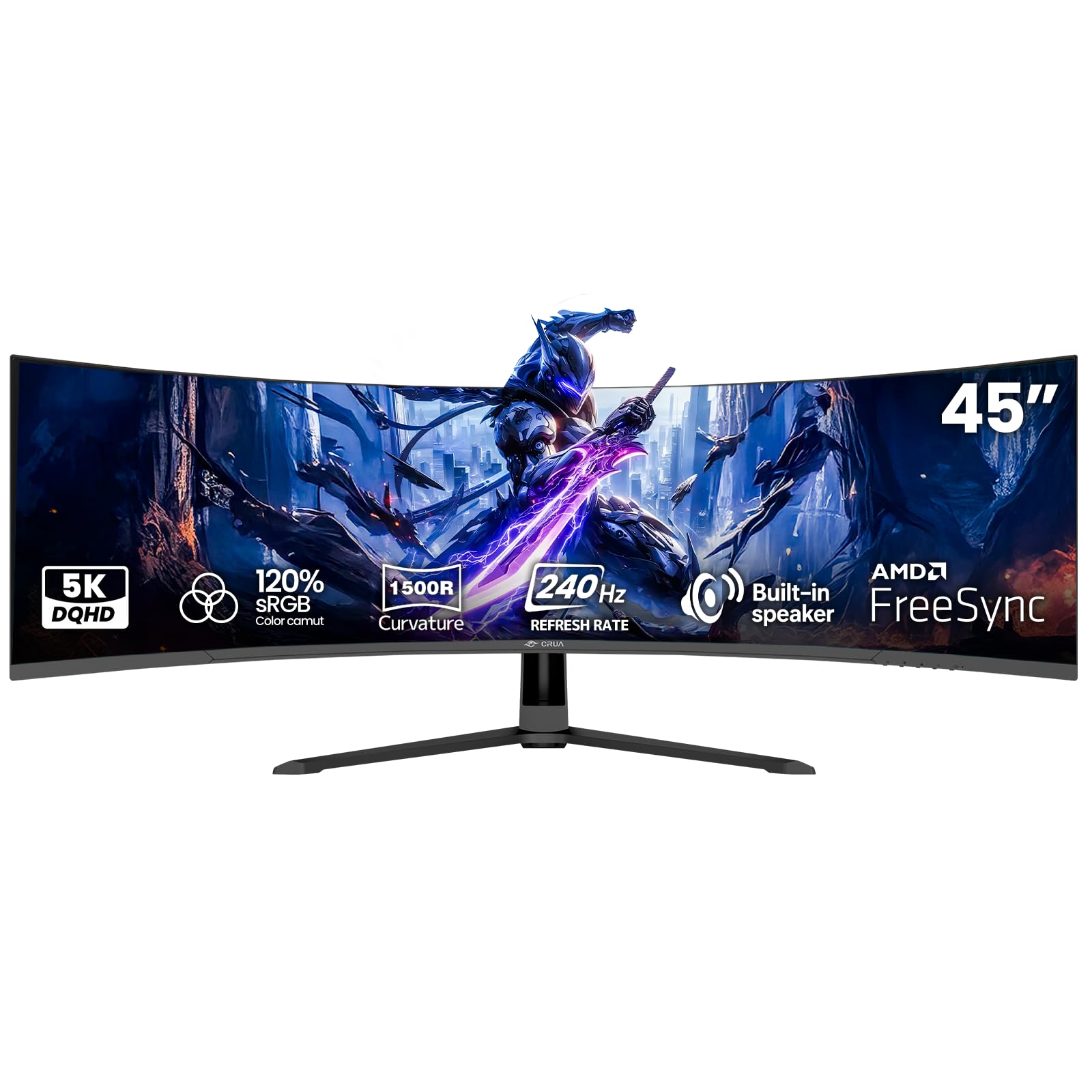
The CRUA 45-inch Curved Monitor targets long-session gamers with its strong blue light filter and 240Hz refresh rate at 5120×1440 DQHD resolution. The VA panel delivers a 3000:1 contrast ratio with 120% sRGB coverage, and the 1500R curvature provides wrap-around immersion for gaming. The monitor supports AMD FreeSync compatibility, and the 1ms MPRT response time helps reduce motion blur in fast-paced games.
Connectivity includes HDMI 2.1 and DisplayPort 1.4 ports. The HDMI 2.1 port supports high refresh rates on modern consoles, though the monitor maxes out at 144Hz through HDMI and requires DisplayPort for the full 240Hz on PC. The 100x100mm VESA mount makes it wall-mountable, and the monitor ships with a DP cable and power adapter. The built-in speakers are adequate for system sounds and casual use.
A key differentiator is the blue light filter — multiple users report that the strongest setting nearly eliminates eye strain, fatigue, and dizziness during extended gaming sessions. This makes the CRUA a strong choice for users sensitive to eye strain. However, the monitor has quality control concerns: some units produce a high-pitched whine from the power adapter, and the panel can appear dull and reflective in bright rooms. The color accuracy requires manual calibration out of the box for best results.
Why it’s great
- Effective blue light filter reduces eye strain
- 240Hz refresh rate for smooth competitive gaming
- 120% sRGB gamut coverage
Good to know
- Some units have power adapter whine
- Panel can appear dull in bright rooms
9. INNOCN 49C1R

The original INNOCN 49C1R was the brand’s first 49-inch DQHD monitor and remains a solid entry point for users transitioning to an ultrawide setup. The 5120×1440 resolution on a 49-inch VA panel with 1800R curvature delivers the same core experience as the newer models, with 400 nits brightness, 99% sRGB coverage, and HDR400 support. The 120Hz refresh rate via DisplayPort 1.4 is sufficient for smooth desktop use and moderate gaming.
Connectivity is a strong point, matching the more expensive 49C1S with USB-C 65W power delivery, DisplayPort 1.4, HDMI 2.1, a USB-A hub, and an RJ45 Ethernet port. This makes it a functional hub for a laptop-based desk setup, charging a MacBook or Dell XPS while providing all wired connections through the monitor. The PIP and PBP function works well for showing a console feed alongside a PC desktop.
The 49C1R is often available at a lower price than its siblings, making it the most cost-effective way to get INNOCN’s 49-inch form factor with full USB-C hub functionality. The compromises are minor: the 120Hz refresh rate is half the 49C1S’s 240Hz, making it less suited for competitive gaming, and the VA panel shows typical black-level shift at wide angles. For a first-time ultrawide user, the 49C1R delivers the essential features without the premium markup.
Why it’s great
- Lowest price for a feature-complete 49-inch hub
- USB-C 65W PD and RJ45 for clean laptop setup
- Reliable performance with good build consistency
Good to know
- 120Hz refresh rate is limiting for competitive gaming
- VA panel viewing angles show color shift
10. Samsung 50″ The Frame LS03D

The Samsung 50-inch The Frame LS03D is not a monitor in the traditional sense — it’s a QLED 4K TV designed to double as an art display. The matte screen finish is UL-certified to reduce glare, making it look like a printed canvas rather than a reflective TV screen. The 4K UHD resolution at 60Hz is adequate for TV and movie watching but not suitable for gaming beyond casual console play. The Quantum HDR delivers good dynamic range for streaming content.
The defining feature is Art Mode, which displays artwork when the TV is not in use. The included Slim Fit Wall Mount hangs the TV flush to the wall, and optional bezels in different colors complete the framed-art look. The One Connect Box routes all cables away from the TV to a separate box, keeping the wall clean. Pantone Validated color ensures artwork appears accurate to its original form.
As a dual-purpose display, it’s excellent for a living room or bedroom where you want the TV to disappear when not in use. The Art Mode requires a Samsung Art Store subscription full access to its 2500+ piece library, though you can display your own photos for free. The 60Hz refresh rate and lack of HDMI 2.1 make it unsuitable for gaming monitors. For users who want a 50-inch 4K screen that blends into their decor as art, The Frame delivers a unique combination that no dedicated monitor matches.
Why it’s great
- Matte display makes TV look like printed art
- Flush wall mount and One Connect Box clean up cables
- Pantone Validated color for accurate art reproduction
Good to know
- 60Hz refresh rate limits gaming compatibility
- Art Store subscription required for full art library
FAQ
Can a 50-inch monitor replace a dual-monitor setup?
What kind of GPU do I need for a 50-inch 4K monitor?
Is curved or flat better for a large monitor?
Final Thoughts: The Verdict
For most users, the 50 inch 4k monitor winner is the Dell UltraSharp U4025QW because it combines true 5K2K resolution with an IPS Black panel, Thunderbolt 4 hub, and professional color accuracy that serves both creative work and productive multitasking better than any other option. If you want a dedicated gaming screen with high refresh rates, grab the Samsung 40” Odyssey G7 G75F for its WUHD resolution and 180Hz smoothness. And for the best balance of ultrawide space and value, nothing beats the Samsung 49” Business Curved for clean office integration with its USB-C hub and KVM functionality.