
A sagging graphics card isn’t just an eyesore — it can stress the PCIe slot and the PCB over time, leading to connection issues or even permanent damage. The right support bracket or backplate accessory not only eliminates that droop but can also lower VRAM temps, add ARGB flair, or display your case’s internal temperature.
I’m Min — the co-founder and writer behind Gadgets Feed. After combing through dozens of hours of real user data, thermal pad specs, and build-quality reports across seven different models, I’ve singled out the ones that actually hold up heavy GPUs and deliver on their cooling or lighting promises.
Whether you need a simple anti-sag brace or an active backplate cooler, this guide covers the best graphics card backplate solutions that keep your build stable, cool, and looking sharp.
How To Choose The Best Graphics Card Backplate
A backplate accessory isn’t a one-size-fits-all purchase. You need to consider your GPU’s weight, the clearance inside your case, and whether you want purely structural support or active cooling for memory modules. Below are the three most critical factors to lock down before you click “buy.”
Support Height and Adjustability
The bracket must reach from the bottom of your case to the sag point of your GPU without being too tall or too short. Most adjustable models span a range of roughly 35 mm to 157 mm, but some premium options like the ASUS ROG Herculx cap out at 128 mm. Measure the distance between your GPU’s sagging corner and the case floor, then pick a bracket whose minimum setting is lower than that distance so you still have room to dial it in.
ARGB Compatibility and Fan Control
If you want lighting to match the rest of your build, check that the bracket uses a standard 5V 3-pin ARGB header — not an older 12V RGB or proprietary connector. Active coolers with fans require a 4-pin PWM header for automatic speed control. Boards without extra headers may need a separate controller hub, so plan your wiring before assembly.
Material and Thermal Performance
For pure anti-sag duty, aluminum or zinc alloy provides enough rigidity without adding much weight. If you’re targeting memory temperatures, look for aluminum coolers with high-W/mK thermal pads (7W or higher) and dual-ball-bearing fans that stay quiet under load. A bracket that simply covers the backplate does nothing for heat — you need an active heatsink-and-fan assembly to actually move hot air off the VRAM chips.
Quick Comparison
On smaller screens, swipe sideways to see the full table.
| Model | Category | Best For | Key Spec | Amazon |
|---|---|---|---|---|
| ASUS ROG Herculx | Anti-Sag Bracket | Precision leveling & toolless install | Zinc alloy, 72-128mm height | Amazon |
| PANO-MOUNTS Backplate Cooler | Active Cooler | Active VRAM temperature reduction | 2×70mm PWM fans, 1.5mm aluminum | Amazon |
| EZDIY-FAB GPU Holder | ARGB Bracket | Wide ARGB LED strip integration | Aluminum, 32 ARGB LEDs | Amazon |
| GPERHUAN GH3 PRO | Temp Display Bracket | Real-time case temp monitoring | Magnetic base, 35-157mm height | Amazon |
| TGDGAMER DY7-White | Temp Display Bracket | White-themed build with temp readout | Metal/silicone, 35-157mm height | Amazon |
| Dohaeris CM-BR01 | ARGB Temp Bracket | Full-screen lens & alloy build | Alloy steel, 0.94 lbs, 16 LEDs | Amazon |
| PowerColor Devil Skin | Swappable Backplate | Cosmetic customization for Red Devil | Aluminum, 102.5g, Red Devil only | Amazon |
In‑Depth Reviews
1. ASUS ROG Herculx GPU Anti-Sag Holder

The ASUS ROG Herculx is built from solid zinc alloy, giving it a satisfying heft that translates into rock-solid support for massive GPUs like the RTX 5070 Ti or any triple-fan card. Its support range of 72 to 128 mm covers most mid-tower and full-tower cases, and the adjustable wheel paired with a release button makes toolless installation genuinely effortless — you can fine-tune the height without needing a screwdriver.
A standout feature is the included spirit level, which lets you dial in perfectly horizontal alignment by eye rather than guessing. The embedded 3D ARGB element connects via a standard 5V 3-pin header and syncs seamlessly with Aura Sync, so the lighting matches your motherboard and fans without extra software headaches. The base is wide enough to sit over case fans without blocking airflow, which is a thoughtful touch for compact layouts.
At this price point, the Herculx is undeniably premium, but the combination of zinc alloy durability, tool-free adjustability, and integrated leveling makes it the most foolproof anti-sag solution on the market. It doesn’t occupy PCIe slots and doesn’t rely on adhesive, so it’s easy to move between builds.
Why it’s great
- Solid zinc alloy construction eliminates wobble on heavy GPUs
- Spirit level ensures precise horizontal alignment
- Toolless height adjustment with fine-dial control
Good to know
- May be a tight fit in smaller cases with mATX boards
- Higher price compared to basic aluminum brackets
2. PANO-MOUNTS Backplate Memory Radiator

The PANO-MOUNTS cooler is the only entry in this roundup that actively draws heat off the backplate rather than just supporting weight. It pairs a 1.5 mm thick aviation-grade aluminum radiator with two 70 mm dual-ball-bearing PWM fans spinning from 1500 to 2800 RPM. Users report VRAM temperature drops of 8-15°C on cards like the Zotac 3090 OC, and even steeper gains on the MSI 4090 Liquid X Suprim where idle VRAM went from 75°C down to 40°C.
The included 1.2 mm 7W thermal pad bridges the gap between the backplate and the memory modules, but several users found better results swapping it for a 1.5 mm pad with a copper shim. The elastic latch system makes installation straightforward — no tools required — though the 180×90 mm footprint means it won’t fit in cases with large CPU air coolers; you’ll need an AIO or a roomy chassis. Fan noise is rated at just 16-20 dBA, so it remains virtually silent during normal operation.
This isn’t a cosmetic accessory — it’s a functional cooling upgrade. If your RTX 3080, 3090, or 5080 is throttling due to hot VRAM, this backplate cooler is far cheaper than a full water block and delivers measurable results without voiding your card’s warranty through disassembly.
Why it’s great
- Proven 8-15°C VRAM temperature reduction in real-world builds
- Dual-ball-bearing PWM fans with wide speed range
- Sturdy 1.5mm aviation aluminum construction
Good to know
- Incompatible with large CPU tower air coolers
- Stock thermal pad may need upgrading for best results
3. EZDIY-FAB GPU Holder Brace

The EZDIY-FAB holder uses a lengthened, bent-aluminum design that covers two PCIe slots and provides a wide, stable platform for modern GPUs like the RTX 5070 and Sapphire Nitro+ 7800XT. Its 32 individual ARGB LEDs produce a bright, clean strip of light that integrates with Corsair iCUE and other ecosystems via a standard 5V 3-pin header, though iCUE sees it as two separate fan LED groups that need to be configured together.
Two different rubber pads are included to match various fan spacings on the GPU, and the support arm slides easily for a custom fit. Users consistently praise the build quality — the main structure is aluminum, not cheap plastic, and the anodized black finish resists fingerprints. One unit arrived used with defective LEDs, but the replacement worked perfectly, suggesting some quality-control variance, so inspect your unit on arrival. The bracket requires at least seven PCIe slots in your case, so it’s not suitable for small form-factor builds.
For builders who want maximum RGB presence in their case without sacrificing support, this bracket delivers. The 45° angled aesthetic and straight lines complement modern motherboard shrouds better than vertical-jack designs.
Why it’s great
- Bright 32-LED ARGB strip with wide ecosystem compatibility
- Sturdy aluminum construction supports heavy cards without flex
- Interchangeable rubber pads for different fan layouts
Good to know
- Requires a case with 7 or more PCIe slots
- Occasional quality-control issues on ARGB warranty
4. GPERHUAN ARGB GPU Support Bracket GH3 PRO

The GPERHUAN GH3 PRO stands out by adding a real-time temperature display to the typical support-bracket formula. Its 35-157 mm height range covers virtually any case and GPU combo, and the bottom magnet keeps it planted without sliding. Non-slip rubber pads on top prevent scratching the graphics card itself, and the ARGB lighting can sync with your motherboard’s 5V 3-pin header.
Real-world feedback confirms it supports even the massive RTX 5090 without sagging, and the temperature sensor reads ambient case air rather than GPU core or VRAM — a distinction the product description makes but some buyers miss. The displayed temp is useful for monitoring overall chassis airflow trends but shouldn’t be mistaken for a GPU hotspot reading. Some users note the temperature reading can be slightly inaccurate, but for a bracket at this price, that’s a minor concession.
Installation is straightforward: peel the protective film, place the bracket under the GPU, and adjust height until the card sits level. The 3M tape on the bottom is an alternative to the magnet if your case has a non-ferrous floor. This is the most feature-dense option in the budget-friendly tier, combining support, lighting, and telemetry.
Why it’s great
- Temperature display adds functional monitoring at no extra cost
- Broad height range fits everything from ITX to full tower
- Magnetic base with non-slip rubber protects case and GPU
Good to know
- Temperature sensor reads case ambient, not GPU core
- Display accuracy varies slightly between units
5. TGDGAMER ARGB GPU Support Bracket DY7-White
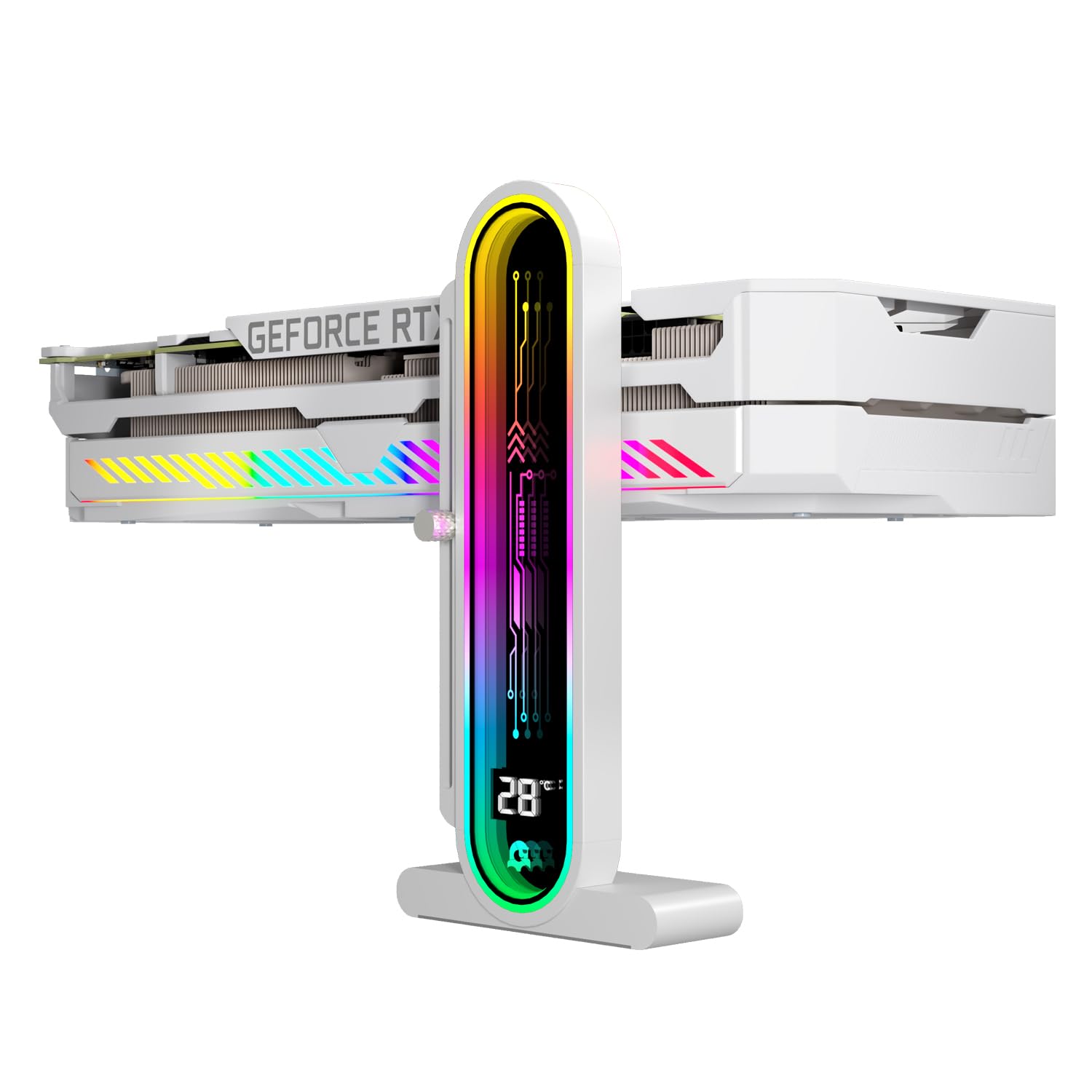
The TGDGAMER DY7-White is the only bracket in this list that comes in a clean white finish, making it the perfect match for white-themed PC builds. It shares the same 35-157 mm height adjustment range as the GPERHUAN and also features an integrated temperature display that monitors ambient case temperature. The dual recessed magnets in the base provide strong adhesion on steel case floors, while the silicone encapsulation prevents scratching during repositioning.
The single-layer silicone contact pad on top doubles as a vibration dampener, so you won’t get annoying GPU chatter transmitted through the bracket. Users confirm it handles the weight of a 7900XTX without flexing, and the ARGB lighting, controlled via a 5V 3-pin header, syncs without issues. The 2-year manufacturer warranty is a nice bonus for a mid-range accessory, signaling confidence in the build quality.
One point to be clear about: like the GPERHUAN, the temperature reading is case ambient, not GPU core. Some buyers have confused the two, so set your expectations accordingly. If you’re building an all-white rig and want matching ARGB support with a temp display, this is the cleanest option available.
Why it’s great
- Unique white colorway for themed builds
- Dual recessed magnets with silicone scratch protection
- 2-year warranty longer than most competitors
Good to know
- Temperature display reads ambient case temp, not GPU
- May require careful cable management for the ARGB wire
6. Dohaeris CM-BR01 ARGB GPU Stand
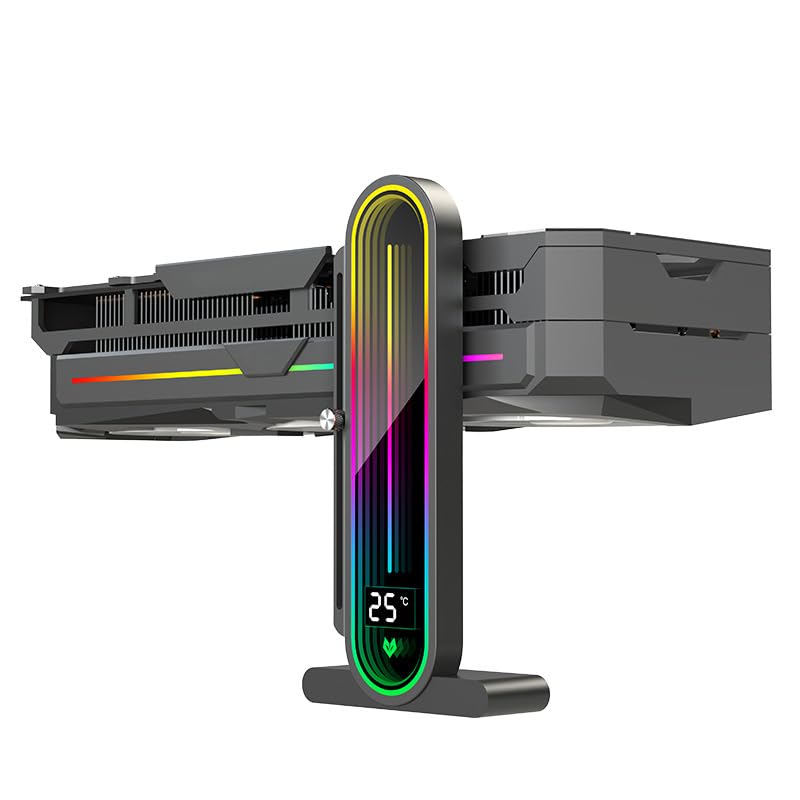
The Dohaeris CM-BR01 uses a full-screen lens design that makes its temperature display and 16 ARGB LEDs appear larger and more immersive than smaller-screen competitors. Its construction is a blend of alloy steel, aluminum, and carbon steel, giving it a satisfying 0.94-pound weight that stays put even with heavy cards. The sliding adjustment mechanism uses a hand-tightened screw for fine height control, and the magnetic anti-slip base includes a scratch-proof coating.
Build quality surprises many buyers — the anodized or painted finish is flawless, and the magnets hold the GPU firmly in place. The temperature sensor reads in 1°C increments and updates the display every second, but as with the other display brackets, it measures ambient case air, not GPU hotspot. One minor complaint is the 100 mm base length, which some feel is a bit long for small cases; a 75 mm base would look and fit better.
The 5V 3-pin ARGB passthrough design lets you daisy-chain other devices, and the included 600 mm cable provides plenty of slack for routing. If you want the largest temperature readout possible and prefer a metal-heavy build over plastic, this bracket delivers solid performance at a fair price.
Why it’s great
- Full-screen lens maximizes visibility of ARGB and temp readout
- Multi-metal construction feels premium and durable
- Sliding screw adjustment for precise height setting
Good to know
- 100mm base may be too long for compact cases
- No instructions included; self-explanatory but worth noting
7. PowerColor Devil Skin Swappable Backplate

The PowerColor Devil Skin is a first-party cosmetic backplate designed exclusively for the Red Devil 7000 series (7700, 7800, 7900). Its “Generative” design features a tree-branch-inspired pattern etched into a metal mesh that sits on an aluminum and TPU frame. The finish is matte and textured, blending red and black accents that match the Red Devil aesthetic perfectly.
Users confirm it fits the 7800XT Red Devil without issues, and some have even tested it on 7900-series cards with success, despite the official compatibility listing. However, the magnet-button attachment system can conflict with certain motherboards — the M.2_1 heatsink on the MSI Godlike X870E and ASUS Crosshair X870E Hero prevented a flush fit, so check your board’s layout before ordering. The backplate is purely cosmetic; it doesn’t add structural support or active cooling, so its main value is visual customization.
At this price, it’s an enthusiast indulgence for those who already own a Red Devil card and want to personalize its look. The lightweight 102.5-gram design and metal mesh construction give it a premium tactile feel, but the narrow compatibility window means it’s not a universal solution by any means.
Why it’s great
- Unique etched metal mesh design with tree-branch pattern
- Lightweight aluminum construction at 102.5g
- First-party fit for Red Devil 7000 series cards
Good to know
- Compatibility limited to PowerColor Red Devil 7000 series only
- May interfere with large motherboard M.2 heatsinks
FAQ
Will a backplate cooler fit my RTX 3080 or 4090 if the card has a preinstalled backplate?
My GPU sags even with a bracket — is the bracket defective?
Final Thoughts: The Verdict
For most users, the best graphics card backplate winner is the ASUS ROG Herculx because its zinc alloy build, integrated spirit level, and tool-free adjustment make it the most foolproof anti-sag solution available. If you want active VRAM cooling instead of just structural support, grab the PANO-MOUNTS Backplate Cooler. And for the best value with a temperature display, nothing beats the GPERHUAN GH3 PRO.