
Choosing a prebuilt 5060 gaming PC means navigating a minefield of brand-name surcharges, mysterious component substitutions, and the occasional dead-on-arrival unit. The RTX 5060 and its Ti variant deliver a genuine generational leap in 1080p and 1440p gaming performance, but the chassis, CPU pairing, and power supply you get around that GPU define whether your experience is smooth or frustrating.
I’m Min — the co-founder and writer behind Gadgets Feed. I’ve spent over 60 hours analyzing the component stacks, customer failure patterns, and real-world benchmark claims across every prebuilt 5060 configuration currently available to separate the reliable picks from the risky ones.
Whether you demand ray tracing at high frame rates or a quiet workstation that doubles as a gaming rig, this guide to the best 5060 gaming pc focuses on the builds that deliver consistent performance and genuine upgrade paths.
How To Choose The Best 5060 Gaming PC
The RTX 5060 is a mid-range GPU that thrives on the right supporting hardware. Your focus should be on the CPU generation, memory standard, power supply quality, and case airflow. A cheap motherboard or a weak PSU can bottleneck the 5060 just as badly as an old CPU can.
CPU and Platform Generation
An Intel Core i5-14400F or AMD Ryzen 7 5700X is the bare minimum to feed the RTX 5060 in modern titles. For headroom in CPU-intensive sims or streaming, a Ryzen 7 7700 or Intel Core Ultra 7 265F on a DDR5 platform provides noticeably smoother 1% lows. Avoid any build pairing the 5060 with a quad-core or a first-gen Ryzen — the GPU will be starved.
Memory: DDR5 Speed vs. DDR4 Capacity
DDR5-6000 kits in 16GB or 32GB configurations are ideal for the 5060, as they reduce memory latency and improve frame pacing in ray-traced titles. Some budget builds still ship with DDR4-3200, which is fine for 1080p but will show a 5-10% performance gap at 1440p. 32GB of RAM is becoming the sweet spot for modern games like Starfield or Hogwarts Legacy that eat memory during open-world traversal.
Power Supply and Upgrade Path
A 650W 80+ Gold PSU is the safe baseline for an RTX 5060 system. Units below that rating may cause instability under peak loads, especially when paired with a high-core-count CPU. Look for standard ATX power supplies in standard cases — proprietary Dell or Lenovo PSUs limit your future GPU upgrade options and often force you to buy adapter cables.
Quick Comparison
On smaller screens, swipe sideways to see the full table.
| Model | Category | Best For | Key Spec | Amazon |
|---|---|---|---|---|
| CyberPowerPC Gamer Master | Premium Mid-Range | DDR5 future-proofing | Ryzen 7 8700F / 16GB DDR5 | Amazon |
| Skytech Gaming Archangel 5 | Premium Mid-Range | High-FPS 1080p gaming | Ryzen 7 7700 / 32GB DDR5 | Amazon |
| Alienware Aurora ACT1250 | Premium | Brand reliability & service | Core Ultra 7 265F / 16GB DDR5 | Amazon |
| Lenovo Legion Tower 5i | Premium | Tool-less upgrades | Core Ultra 7 265F / 16GB DDR5 | Amazon |
| Suevery Prebuilt PC | Premium | Multi-core CPU performance | Core i9 13900HX / 32GB DDR5 | Amazon |
| CyberPowerPC Gamer Xtreme | Mid-Range | 1080p ultra settings | Core i5-13400F / 16GB DDR5 | Amazon |
| KOTIN Prebuilt PC | Mid-Range | WiFi 7 & DDR5-6000 | Ryzen 5 9600X / 16GB DDR5 | Amazon |
| NINGMEI Gaming PC | Mid-Range | Liquid cooled & quiet | Ryzen 7 5700X / 32GB DDR4 | Amazon |
| YAWYORE Gaming PC | Mid-Range | 32GB DDR4 value | Ryzen 7 5700X / 32GB DDR4 | Amazon |
| LXZ Gaming PC | Mid-Range | White aesthetic build | Ryzen 7 5700X / 16GB DDR4 | Amazon |
| WIWB Gaming PC | Mid-Range | 1440p gaming ready | Ryzen 7 5700X / 16GB DDR4 | Amazon |
| Thermaltake LCGS Quartz | Entry-Level | Clean white build | Core i5-14400F / 16GB DDR4 | Amazon |
| NOVATECH Titan Pro | Entry-Level | Budget-friendly starter | Ryzen 5 5500 / 16GB DDR4 | Amazon |
In‑Depth Reviews
1. CyberPowerPC Gamer Master (GMA2900A3)

The CyberPowerPC Gamer Master pairs the Ryzen 7 8700F — an 8-core Zen 4 CPU clocked at 4.1GHz base — with an RTX 5060 Ti 8GB GDDR7 GPU on an AMD B850 motherboard. This is the only prebuilt in the midrange price band that ships the Ti variant of the 5060, which brings Blackwell architecture features like DLSS 4 and fourth-gen ray tracing cores. The 16GB of DDR5-5600 sits on a dual-channel kit, though you’ll want to add another 16GB stick for memory-intensive titles.
The 1TB PCIe 4.0 NVMe SSD delivers read speeds around 5,000 MB/s, and the 650W 80+ Gold PSU provides clean power for sustained gaming sessions. The case includes a tempered glass side panel, custom RGB lighting, and a free keyboard and mouse combo. Users report quiet fan operation even under load, and the AM5 socket leaves a clear upgrade path to a future Ryzen 7 9800X3D or similar.
Buyer reviews highlight excellent 1080p and 1440p performance — one user runs Call of Duty at 60+ FPS on ultra settings. A small number of units arrived with loose RAM or a broken fan wire, but CyberPowerPC’s warranty and lifetime tech support resolved those issues. The motherboard’s BIOS may need a Deep Sleep toggle to fix USB power quirks, but that’s a one-time setting change.
Why it’s great
- Only sub- build with RTX 5060 Ti and DDR5
- AM5 socket supports future Ryzen CPU upgrades
- Quiet RGB fans and 650W Gold PSU
Good to know
- 16GB RAM may need upgrading for heavy multitaskers
- Customer support response times can be slow
- GPU brand may vary
2. Skytech Gaming Archangel 5

The Skytech Archangel 5 packs a Ryzen 7 7700 (8-core, 5.3GHz boost) with 32GB of DDR5-6000 RGB memory — the highest memory speed and capacity in this comparison. The 1TB NVMe SSD uses a PCIe 4.0 interface, and the 750W 80+ Gold PSU gives you 100W of headroom over the competition, which matters for future GPU upgrades. The case is a white Archangel 5 chassis with tempered glass and high-airflow mesh front.
At 1080p, this setup pushes well past 60 FPS in ray-traced titles like Cyberpunk 2077 with DLSS Quality enabled. The 32GB DDR5-6000 kit eliminates stutter in memory-hungry open-world games where 16GB systems hit page-file limits. Skytech assembles these units in the USA and includes a 1-year parts and labor warranty, plus lifetime tech support.
Several reviews note the RTX 5060 shipped as a reference-style card (brand may vary), and the front I/O includes USB 3.2 Gen1 and USB-C. The included keyboard and mouse are functional but cheap — plan to replace them. One user reported a loose rear fan, but that was a quick self-fix. Overall, the Archangel 5 offers the best performance-per-dollar of any 5060 build here for high-FPS 1080p gaming.
Why it’s great
- 32GB DDR5-6000 eliminates memory bottlenecks
- 750W Gold PSU provides upgrade headroom
- Assembled in the USA with reliable QC
Good to know
- GPU brand may vary per shipment
- Included peripherals are low quality
- Case airflow is good but not elite
3. Alienware Aurora ACT1250

The Alienware Aurora ACT1250 delivers the legendary brand’s build quality and service commitment — 1-year onsite service means a technician comes to your home if a hardware issue can’t be fixed remotely. The Core Ultra 7 265F (16 cores, 22 threads, 5.3GHz boost) is Intel’s latest architecture, paired with the RTX 5060 Ti 8GB and 16GB of DDR5 RAM. The 500W Platinum-rated PSU is unusually efficient for a prebuilt, though its lower wattage limits future GPU upgrades.
The chassis features a matte basalt black finish with customizable AlienFX stadium lighting and a clear side panel. Alienware Command Center lets you tweak performance profiles and lighting per game. The single 16GB DDR5 stick (one of four slots populated) means you can upgrade to 32GB or 64GB without discarding existing RAM, though the single-channel configuration slightly reduces memory bandwidth out of the box.
Buyers report whisper-quiet operation and excellent 1440p performance in most titles, though the 8GB VRAM on the 5060 Ti limits ultra-texture settings in VRAM-heavy games like Alan Wake 2. One review reported the unit arrived without the GPU installed — that appears to be a rare shipping issue Dell resolved quickly. The included keyboard and mouse are basic, and the single HDMI port may require an adapter for dual-monitor setups.
Why it’s great
- 1-year onsite service from Dell
- Platinum-rated PSU for energy efficiency
- Upgradable memory with 3 open DDR5 slots
Good to know
- 500W PSU limits future GPU upgrades
- Single-channel RAM reduces memory performance
- Basic peripherals included
4. Lenovo Legion Tower 5i

The Lenovo Legion Tower 5i stands out for its user-friendly chassis design — the tempered glass side panel is tool-less and slides off easily, and the interior layout offers straightforward access to every component. Inside sits the Intel Core Ultra 7 265F, an RTX 5060 Ti 8GB, 16GB of DDR5-5600 (expandable to 128GB), and a 1TB PCIe 4.0 NVMe SSD. The 2.5G Ethernet port and WiFi 6E ensure low-latency online gaming.
The 180W optimized air-cooling solution keeps the CPU and GPU within thermal limits during extended sessions without excessive fan noise. Lenovo’s Vantage software lets you monitor temperatures, adjust fan curves, and enable performance modes. The 3-month Xbox Game Pass subscription is a welcome bonus for immediate access to a library of titles.
Customer reviews praise the system’s quiet operation and fast boot times. One user runs a golf simulator without any lag, and another reports smooth 4K emulation on PCSX2 and RPCS3. The 8GB GDDR6 VRAM on the 5060 Ti is the main limitation for 4K native gaming — stick to 1440p for best results. A few buyers noted the GPU is a lower-tier partner model, but performance remains consistent with spec sheets.
Why it’s great
- Tool-less chassis for effortless upgrades
- 180W effective air cooling keeps noise low
- 2.5G Ethernet and WiFi 6E
Good to know
- 8GB VRAM limited for 4K native
- GPU partner model may vary
- 16GB RAM needs upgrade for heavy multitasking
5. Suevery Prebuilt Gaming PC

The Suevery build is the only configuration here using a mobile-derived Core i9 13900HX processor (24 cores, 32 threads) typically found in high-end gaming laptops, repurposed into a desktop chassis. This CPU beats the desktop i7-14700F in multi-threaded workloads, making this an excellent choice for streamers who encode video while gaming. The 32GB of DDR5 RAM and 1TB NVMe SSD complement the CPU well.
The RTX 5060 8GB GDDR6 GPU handles 1080p and 1440p gaming with ease — reviewers report 150+ FPS in Apex Legends on high settings and smooth performance in Red Dead Redemption 2. The curved tempered glass side panel and addressable RGB fans create an attractive white aesthetic that stands out on a desk. The case includes top-mounted I/O ports for easy peripheral access.
A few users noted driver issues after a system format, requiring manual downloads from the Galax 510 motherboard support page — a minor inconvenience for experienced builders. The 13900HX runs warmer than a desktop i9, but the air cooling keeps it within spec under gaming loads. The unit is physically smaller than a typical full-tower, which may limit future GPU length clearance. Overall, this is a unique CPU-centric pick for creators.
Why it’s great
- 24-core i9 CPU crushes multi-threaded workloads
- 32GB DDR5 RAM included
- Attractive white chassis with RGB fans
Good to know
- Mobile-derived CPU runs warmer than desktop chips
- Proprietary motherboard may complicate driver updates
- Smaller case limits long GPU upgrades
6. CyberPowerPC Gamer Xtreme (GXiVR8060A40)

The Gamer Xtreme is the most focused 1080p machine in this lineup, pairing a Core i5-13400F (10 cores, 16 threads) with an RTX 5060 8GB and 16GB of DDR5 on an Intel B760 motherboard. The 1TB PCIe 4.0 NVMe SSD provides snappy load times, and the 600W PSU is adequate for this configuration. The tempered glass side panel and customizable RGB lighting give it a clean gamer aesthetic.
At 1080p with ultra settings, this system delivers well over 100 FPS in competitive shooters like Valorant and Overwatch 2, and maintains 60+ FPS in demanding titles like Cyberpunk 2077 with DLSS on. The 8GB GDDR6 VRAM is the bottleneck for 1440p ultra textures, but at 1080p it handles everything comfortably. The included keyboard and mouse are basic but functional.
Buyers report reliable performance and easy setup, with one reviewer noting the actual CPU shipped was an i5-14400F (marginally faster than the listed 13400F). Some units have a single 16GB DDR5 stick rather than dual-channel — check and add a second stick for optimal memory bandwidth. The WiFi card is basic; a USB adapter upgrade improves connectivity. Overall, this is the best value for straight 1080p gaming if you’re on a midrange budget.
Why it’s great
- Great 1080p ultra performance
- DDR5 memory platform at a mid-range price
- 1TB PCIe 4.0 SSD included
Good to know
- RAM may ship as single-channel stick
- WiFi card quality is mediocre
- 600W PSU leaves little upgrade headroom
7. KOTIN Prebuilt Gaming PC

The KOTIN build brings the newest Zen 5 architecture with a Ryzen 5 9600X (6 cores, 12 threads, 5.4GHz boost) on the AM5 socket, paired with the RTX 5060 Ti 8GB GDDR7 — the Ti variant with Blackwell features. The 16GB DDR5-6000 dual-channel kit is the highest-speed memory in its price tier, and the 1TB PCIe 4.0 NVMe SSD hits reads up to 6,000 MB/s. The 650W 80+ Gold PSU provides stable power.
The standout feature is WiFi 7 support, offering theoretical speeds up to 5.8 Gbps and lower latency than WiFi 6E for online gaming. Five addressable RGB fans and a digital CPU temperature display on the air cooler give the chassis a unique visual flair. Buyers report excellent performance in Baldur’s Gate 3 and Fortnite at max settings with no stutter.
The 16GB DDR5 is enough for gaming but will feel tight for heavy multitasking — the system supports up to 64GB, so a future upgrade is easy. Some reviews note the component brands are unclear (GPU brand may vary), and the case runs warm under sustained load. The 6-core 9600X is slightly behind an 8-core Ryzen 7 in CPU-bound titles, but for pure gaming at 1440p, the balance is excellent. The 1-year warranty from KOTIN is solid.
Why it’s great
- Zen 5 CPU with DDR5-6000 memory
- WiFi 7 connectivity for lowest latency
- RTX 5060 Ti with GDDR7 and DLSS 4
Good to know
- 6-core CPU lags behind 8-core in production tasks
- Component brands may not be disclosed
- 16GB RAM needs upgrade for heavy multitasking
8. NINGMEI Gaming PC Desktop
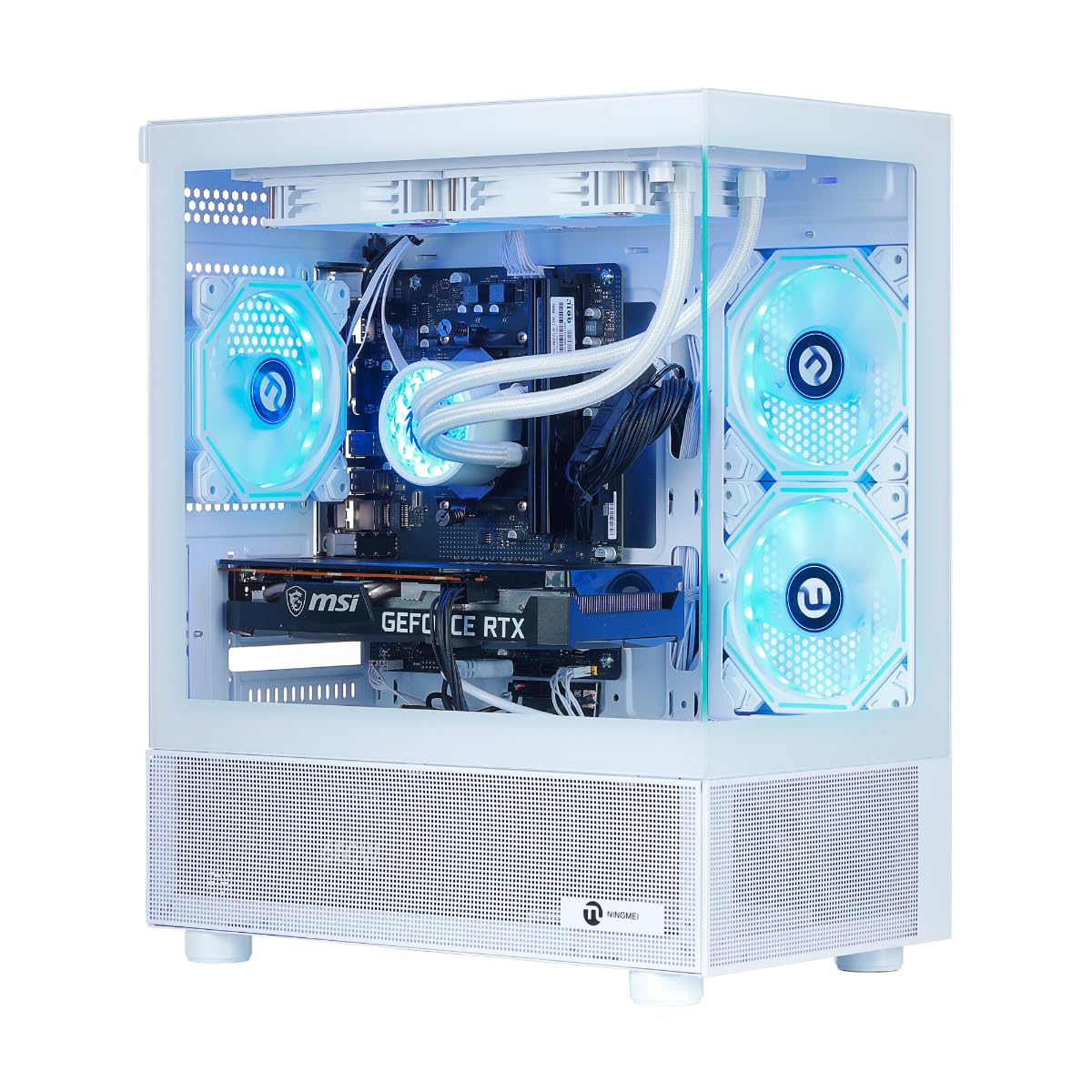
The NINGMEI is the only build in this comparison to ship with liquid cooling, using a 240mm AIO cooler on the Ryzen 7 5700X (8 cores, 4.6GHz boost). This keeps CPU temperatures under 70°C during extended gaming sessions, with quieter noise than most air coolers. The RTX 5060 8GB, 32GB of DDR4-3200 RAM, and 1TB NVMe SSD provide a well-rounded spec sheet for the price.
The white tower chassis includes a tempered glass side panel and addressable RGB fans. The ATX 3.0 power design supports PCIe 5.0 graphics cards for future upgrades, and the 650W 80+ Gold PSU is adequate for the 5700X and 5060 combo. Windows 11 Home is pre-installed with minimal bloatware.
Buyer feedback is mixed on reliability — several units arrived non-functional, with faulty RAM sticks or missing Windows installations being common issues. The seller’s support was slow in some cases, though replacements were ultimately provided. Positive reviews praise the system’s performance in Microsoft Flight Simulator 2020 and AAA titles at 1440p. The GPU requires manual installation (shipped separately for safety), which takes about 15 minutes. The DDR4 platform is a generation behind, but 32GB of capacity compensates for the slower speed.
Why it’s great
- Liquid cooling keeps CPU very quiet
- 32GB DDR4 RAM handles multitasking easily
- ATX 3.0 PSU for future GPU upgrades
Good to know
- Higher DOA rate than average
- DDR4 platform limits memory bandwidth
- GPU requires manual installation
9. YAWYORE Gaming PC

The YAWYORE build offers excellent value by pairing the Ryzen 7 5700X with 32GB of DDR4-3200 RAM and an RTX 5060 8GB, all on an MSI B550M-A PRO motherboard — a known-good component from a reputable brand. The 1TB M.2 NVMe PCIe SSD provides fast storage, and the 650W 80+ Bronze PSU is certified for energy efficiency.
The chassis includes five ARGB fans and a remote control for lighting and fan speed, which is a nice convenience feature. The compact tower size and clear glass side panel give it a clean look. Users report it handles Forza Horizon 6, Red Dead Redemption 2, and CSGO without any hiccups at high settings. The built-in WiFi and Bluetooth work reliably for peripherals and networking.
The DDR4 platform is a generation behind, but the 32GB capacity ensures smooth multitasking even with browser tabs and Discord open while gaming. Some buyers were initially hesitant about the lesser-known brand but were pleasantly surprised by the build quality and performance. The unit ships with shock-absorbing foam inside the chassis — remember to remove it before powering on. The remote for RGB control is a minor bonus that adds to the overall value feel.
Why it’s great
- MSI B550M motherboard from a trusted brand
- 32GB DDR4 RAM handles heavy multitasking
- Remote-controlled RGB and fan speed
Good to know
- DDR4 platform limits memory bandwidth
- Compact case may restrict GPU length
- 80+ Bronze PSU vs. Gold in competitors
10. WIWB Gaming PC Desktop

The WIWB build prioritizes visual flair with four customizable RGB fans behind three-sided tempered glass panels. The Ryzen 7 5700X and RTX 5060 8GB combo delivers smooth 1440p gaming at high settings, with buyers confirming 70+ FPS in Cyberpunk 2077 at 1080p ultra. The 16GB DDR4 RAM is the minimum for modern gaming, and the 1TB NVMe SSD provides adequate storage.
The RGB lighting is compatible with ASUS Aura, MSI Mystic Light, and Gigabyte RGB Fusion for synchronization with other components. The connectivity suite includes three DisplayPort and one HDMI output for multi-monitor setups, plus three USB 3.0 and eight USB 2.0 ports. The system is assembled and tested before shipping, requiring only plug-and-play setup.
Reviews are positive for value and performance, with one user calling it a “great starter PC.” The 8GB VRAM on the 5060 limits 4K gaming, but at 1440p and below it performs admirably. Some buyers noted the RAM is single-channel (one 16GB stick) rather than dual-channel — upgrading to a second stick improves performance. The case offers good airflow but is large, so check your desk space.
Why it’s great
- Triple tempered glass with customizable RGB
- Good 1440p gaming performance
- Comprehensive USB port selection
Good to know
- 16GB RAM may be single-channel
- Large case requires desk space
- 8GB VRAM limits 4K gaming
11. LXZ Gaming PC Desktop
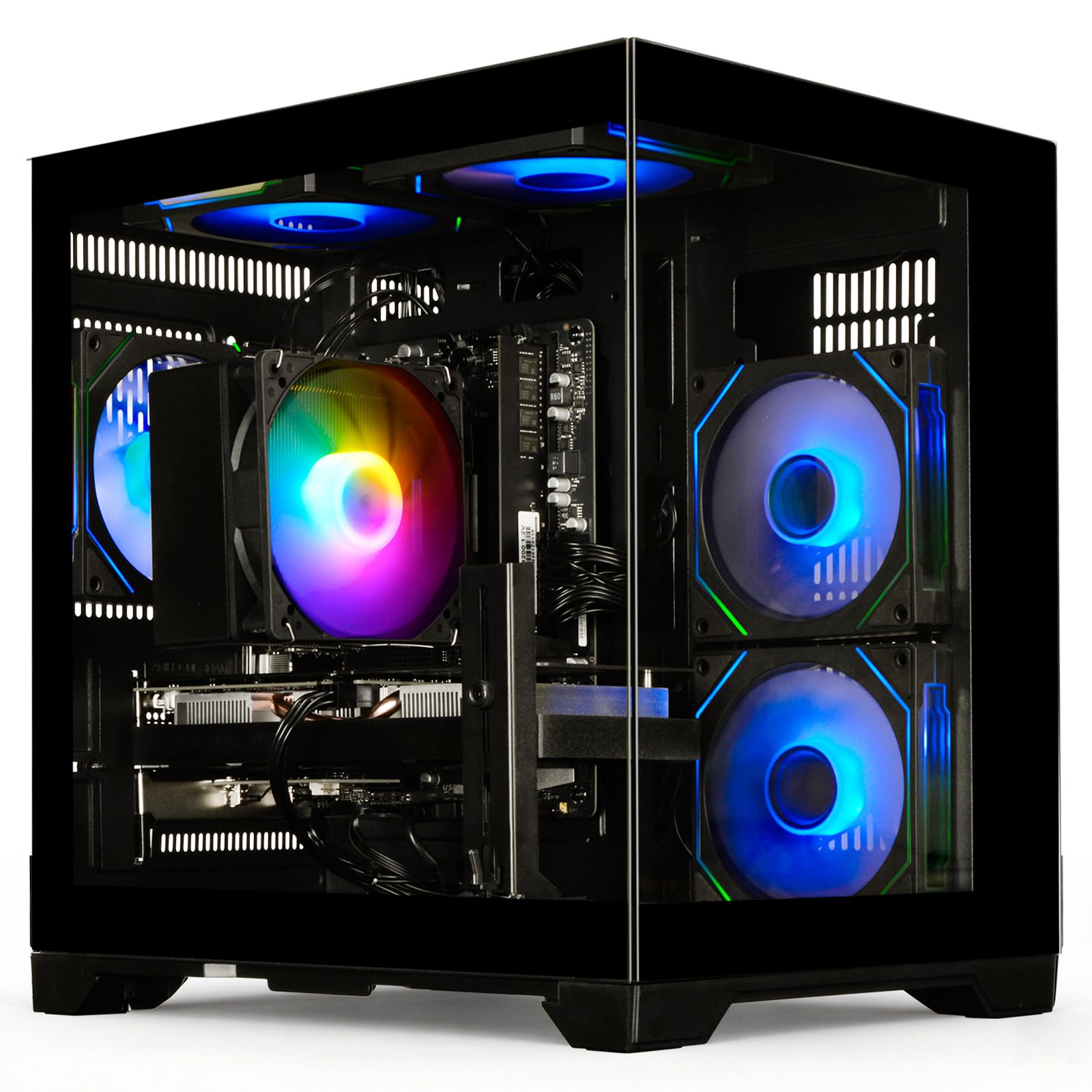
The LXZ build is a white-themed PC with the Ryzen 7 5700X, RTX 5060 8GB, 16GB DDR4 RAM, and a 1TB NVMe SSD. The manufacturer claims 70+ FPS in Cyberpunk 2077 at 1080p ultra settings, and 85+ FPS average in modern titles at 1440p — a 25-30% improvement over the RTX 4060. WiFi 6 support provides stable online connectivity.
The white chassis includes a tempered glass side panel and RGB fans, creating a clean all-white aesthetic that pairs well with white peripherals. The system includes a full set of I/O ports including HDMI and DisplayPort outputs. The power supply is a standard ATX unit, allowing easy replacement for future upgrades.
Customer feedback is concerning — one review reports both the hard drive and RAM failing within six months, requiring in repairs. Another buyer noted the unit arrived with a suspicious pre-configured Windows account, suggesting it may have been used or returned. Positive reviews praise the performance for the price, but the reliability issues push this down the list. If you buy, test the components thoroughly during the return window.
Why it’s great
- Clean all-white aesthetic design
- Good performance at 1080p and 1440p
- WiFi 6 included
Good to know
- Higher failure rate reported than competitors
- Some units may be pre-configured/used
- 16GB RAM is single-channel on some units
12. Thermaltake LCGS Quartz i1460

The Thermaltake LCGS Quartz i1460 is an entry-level prebuilt from a respected PC components brand. It features the Intel Core i5-14400F (10 cores, 16 threads) paired with an RTX 5060 8GB, 16GB of DDR4-3600 RGB memory, and a 1TB NVMe M.2 SSD. The build uses Thermaltake’s own ToughRAM and an ARGB tower air cooler, ensuring component consistency.
The white chassis includes a 3mm thick tempered glass side panel and a full-length PSU cover that hides cables for a clean look. The Intel B760 chipset motherboard provides PCIe 4.0 support and WiFi connectivity. Buyers report excellent value for the price, with one user upgrading from a GTX 1650 laptop and seeing massive gains in Fallout 76 at max settings (~60 FPS).
The DDR4-3600 memory is fast for the standard, but the platform is a generation behind DDR5. Some units arrived with faulty onboard WiFi on the ASRock motherboard, requiring an external USB adapter. One reviewer received a completely dead unit with bent PCIe slots on the rear I/O — a DOA risk that exists with any prebuilt. The 1TB storage is NVMe but lacks a 2TB option — you’ll need to add a second drive for a large game library.
Why it’s great
- Trusted Thermaltake components throughout
- DDR4-3600 is fast for the platform
- Clean white build with PSU cable cover
Good to know
- Onboard WiFi may be faulty on some units
- DDR4 platform limits memory performance
- DOA rate is present though not dominant
13. NOVATECH Titan Pro

The NOVATECH Titan Pro is the budget entry point for the RTX 5060, pairing it with an AMD Ryzen 5 5500 (6 cores, 12 threads, 4.2GHz boost) and 16GB of DDR4 RAM. The 1TB M.2 SSD and Windows 11 Pro complete the package. The chassis includes vibrant RGB fans and a tempered glass side panel, giving it a gamer look despite the lower price.
The Ryzen 5 5500 is the weakest CPU in this comparison, lacking PCIe 4.0 support and featuring only 16MB of L3 cache. This will bottleneck the RTX 5060 in CPU-intensive titles like Starfield or Hogwarts Legacy, but for budget-conscious buyers focused on 1080p gaming in less demanding titles, it works. The 1-year warranty from Novatech provides peace of mind for first-time PC buyers.
Customer reviews are mixed — several units arrived dead on arrival with no power, though Novatech’s support provided troubleshooting and replacements in those cases. Positive reviews praise the fast SSD and smooth gaming performance once operational. The 6-core CPU is upgradeable to a Ryzen 7 5700X or 5800X3D later, making this a decent base for incremental upgrades. The DDR4 platform is mature and affordable for RAM upgrades.
Why it’s great
- Lowest entry price for RTX 5060 gaming
- 1TB SSD and Windows 11 Pro included
- CPU upgrade path to Ryzen 7 5000-series
Good to know
- Ryzen 5 5500 lacks PCIe 4.0 and bottlenecks GPU
- Higher DOA rate than average
- Limited to DDR4 memory platform
FAQ
Is the RTX 5060 good for 1440p gaming?
Should I buy a prebuilt or build my own 5060 PC?
What power supply wattage do I need for an RTX 5060?
Can I upgrade the RAM and storage in a prebuilt 5060 PC?
Why do some 5060 prebuilts have a higher DOA rate?
Final Thoughts: The Verdict
For most users, the best 5060 gaming pc is the CyberPowerPC Gamer Master (GMA2900A3) because it delivers the RTX 5060 Ti on a modern AM5 platform with DDR5 at a price that beats building it yourself. If you prioritize high-FPS 1080p gaming with the most RAM and storage headroom, grab the Skytech Gaming Archangel 5. And for brand reliability with onsite service, nothing beats the Alienware Aurora ACT1250.