
Stepping up to a 65-inch touch screen monitor means entering a different class of interactive display—one where a single bad purchase can stall an entire boardroom, derail a classroom lesson plan, or turn a lobby into a dead zone. The difference between a responsive, collaborative hub and a laggy, frustrating blackboard comes down to how well the hardware handles 4K resolution, multi-touch input, and video conferencing under real-world conditions.
I’m Min — the co-founder and writer behind Gadgets Feed. I’ve spent years analyzing the spec sheets, customer feedback, and real-world performance data behind large-format touch panels, from capacitive industrial monitors to Google EDLA-certified smart boards, to separate the genuine collaborative tools from the overpriced TV clones.
Whether you’re kitting out a hybrid conference room, a university lecture hall, or a retail lobby, the goal is the same: find a display that keeps up with your workflow without hidden subscriptions or fragile hardware. This guide breaks down every meaningful option to help you find the best 65 inch touch screen monitor for your specific setup.
How To Choose The Best 65 Inch Touch Screen Monitor
Choosing a 65-inch touch screen monitor means first deciding between two fundamentally different product categories: a stand-alone touch monitor that requires an external computer, or a fully integrated smart board that runs Android (and sometimes Windows) directly. The right choice depends on your IT environment, software ecosystem, and whether you need built-in video conferencing hardware.
Touch Technology: Infrared (IR) vs. Projected Capacitive (PCAP)
IR touch is the dominant technology in this size class. Infrared frames track interruptions in an invisible light grid across the screen’s surface, enabling high accuracy (often within ±1mm) and multi-touch support up to 50 points. This technology works with a finger, a passive stylus, or even a gloved hand and handles high-traffic environments well. PCAP, common in smaller monitors and tablets, offers slightly faster response on some gestures but struggles more with size scaling and cost at 65 inches. Most professional smart boards in this range use IR for its proven reliability.
Operating System and Certification: Android, Google EDLA, and Windows
Android-based boards dominate this category for their open app ecosystem (Play Store, Zoom, Teams, Google Workspace) and low cost. A Google EDLA certification means the device is officially licensed by Google, offering full access to Google Play Services, regular security patches, and enterprise device management—this matters for schools and businesses that need IT compliance. Some boards offer dual Android/Windows operation via a built-in OPS (Open Pluggable Specification) slot, giving you the option to run legacy desktop software alongside Android apps. Avoid boards stuck on old Android versions (below Android 11) as they often lack Play Store compatibility and security updates.
Native Video Conferencing Hardware vs. Add-Ons
A built-in camera and microphone array transform a smart board into a full video conferencing hub. Look for a 20MP or higher AI camera that supports speaker tracking and auto-framing, plus a multi-mic array with echo cancellation for noise-free calls. If your use case is exclusively wired (HDMI input from a laptop), you can skip the built-in hardware and rely on external peripherals. But for hybrid classrooms or huddle rooms, an all-in-one unit saves desk space, cable clutter, and IT headaches.
Quick Comparison
On smaller screens, swipe sideways to see the full table.
| Model | Category | Best For | Key Spec | Amazon |
|---|---|---|---|---|
| NEWORK 65E Smart Board | Premium Smart Board | EDLA-certified classrooms & hybrid offices | Android 14, 50-point touch, 450 cd/m² | Amazon |
| JAV 65″ Smart Board Pro | Premium Smart Board | Video conferencing with AI camera | Google EDLA, 48MP AI cam, 100W soundbar | Amazon |
| Shiarffe R9 Smart Board | Mid-Range Smart Board | Zero-fee enterprise collaboration | 16GB RAM, 256GB, 50MP AI camera, 60W speaker | Amazon |
| Samsung Flip 2 WM65R | Premium Smart Board | Passive-pen flipchart & business use | 4K UHD, passive pen, 4-user multi-touch | Amazon |
| JYXOIHUB 65″ Smart Board | Mid-Range Smart Board | Dual-system (Android + Win i5) hybrid use | 20MP camera, 8 MICs, 6ms IR touch | Amazon |
| COOLHOOD 65″ Smart Board | Mid-Range Smart Board | Budget-conscious open-ecosystem classrooms | Android 13, 20-point touch, ±1mm, 6ms | Amazon |
| YCKJNB 65″ Smart Board | Mid-Range Smart Board | Budget office/home learning whiteboard | Android 13, 20-point IR touch, 13MP camera | Amazon |
| TouchWo 65″ Industrial Monitor | Standalone Touch Monitor | Multi-purpose PCAP kiosk & gaming table | 4K, 10-point capacitive, IP65 front bezel | Amazon |
| MWE-QIXZOCV 65″ Kiosk | Premium Kiosk Display | Indoor floor-standing advertising & wayfinding | FHD IPS, Android, touch, CMS, 3-year warranty | Amazon |
| HARZHI 65″ Kiosk | Premium Kiosk Display | Photobooth & event advertising | Android, touch, bright ring light, sturdy build | Amazon |
| JASZDOT 65″ Kiosk | Premium Kiosk Display | High-brightness restaurant/lobby signage | 600 nits, 4K UHD, touch, Android, split-screen | Amazon |
In‑Depth Reviews
1. NEWORK 65E Smart Board (Google EDLA Certified)
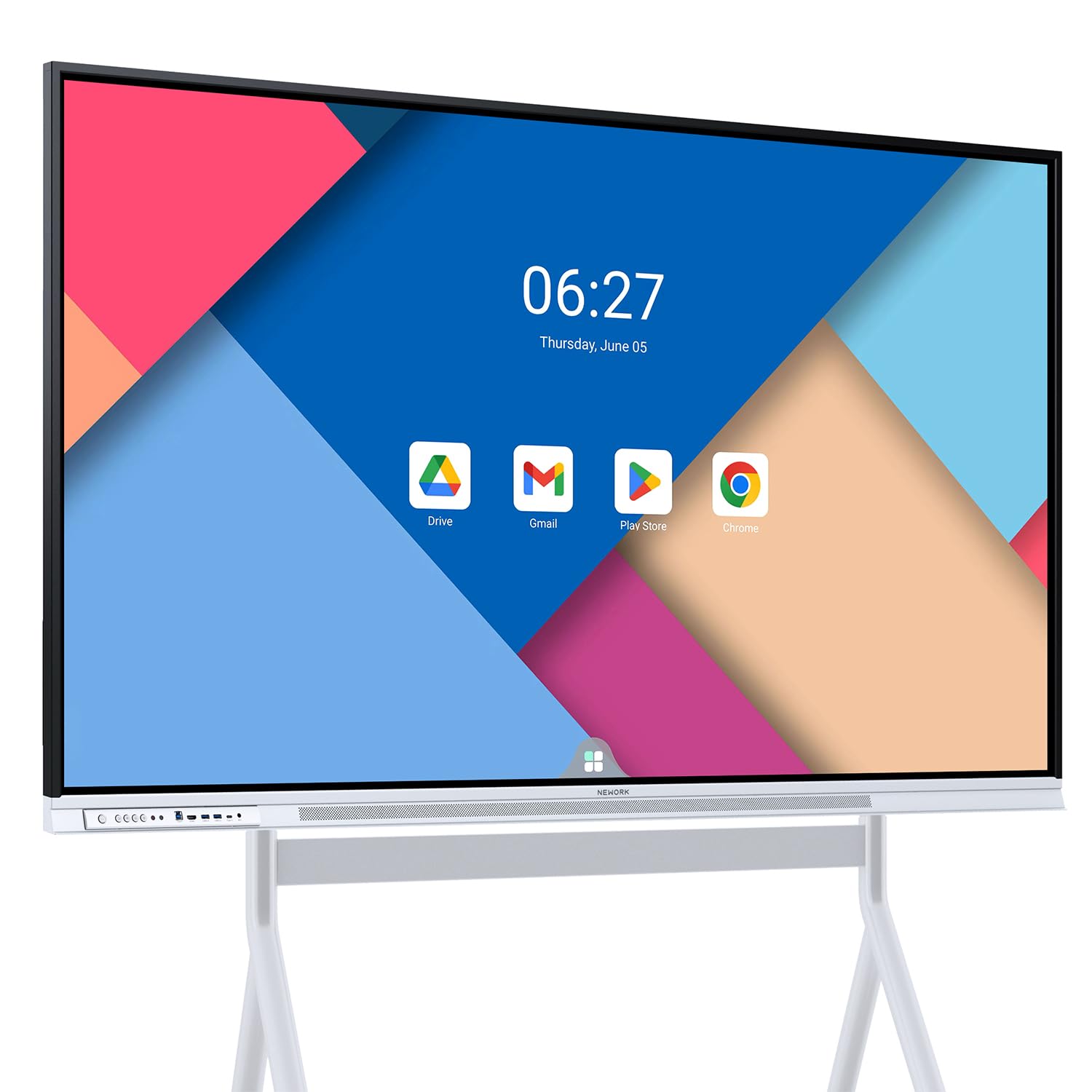
The NEWORK 65E hits the sweet spot of modern smart board design: Google EDLA certification guarantees full access to Play Store, Gmail, Drive, and the Google Education Suite with enterprise-grade OTA security updates. The Android 14 OS paired with 8GB RAM and 64GB ROM handles real-time multitasking—whiteboarding with a video call and a browser tab open—without stutter. The 50-point IR touch layer with ±1mm accuracy means up to ten people can write simultaneously during a brainstorming session, and palm rejection works reliably across the full 178-degree viewing angle.
The 4K VA panel delivers a 450 cd/m² brightness and 3000:1 contrast ratio, which keeps text sharp and colors vibrant even in well-lit conference rooms. Wireless casting supports up to 16 devices at once, making it ideal for hybrid classrooms where students or remote participants need to share screens. The built-in speakers are adequate for a medium-sized room, though you’ll want the 100W soundbar from the JAV board for larger auditoriums.
Setup is straightforward for a 65-inch panel: it ships with a wall mount, HDMI, USB-C, and touch cables. Customer feedback highlights the responsive support team—one user reported a USB webcam compatibility issue resolved via firmware guidance within hours. The only tradeoff is the absence of a built-in webcam, so you’ll need an external USB camera for native video conferencing if that’s a priority.
Why it’s great
- Google EDLA certification w/ Android 14
- 50-point multi-touch with palm rejection
- Wireless casting for up to 16 devices
- Bright 4K VA panel with 3000:1 contrast
Good to know
- No built-in webcam for video calls
- 64GB storage may fill quickly with many apps
2. JAV 65″ Smart Board Pro (Google EDLA Certified)
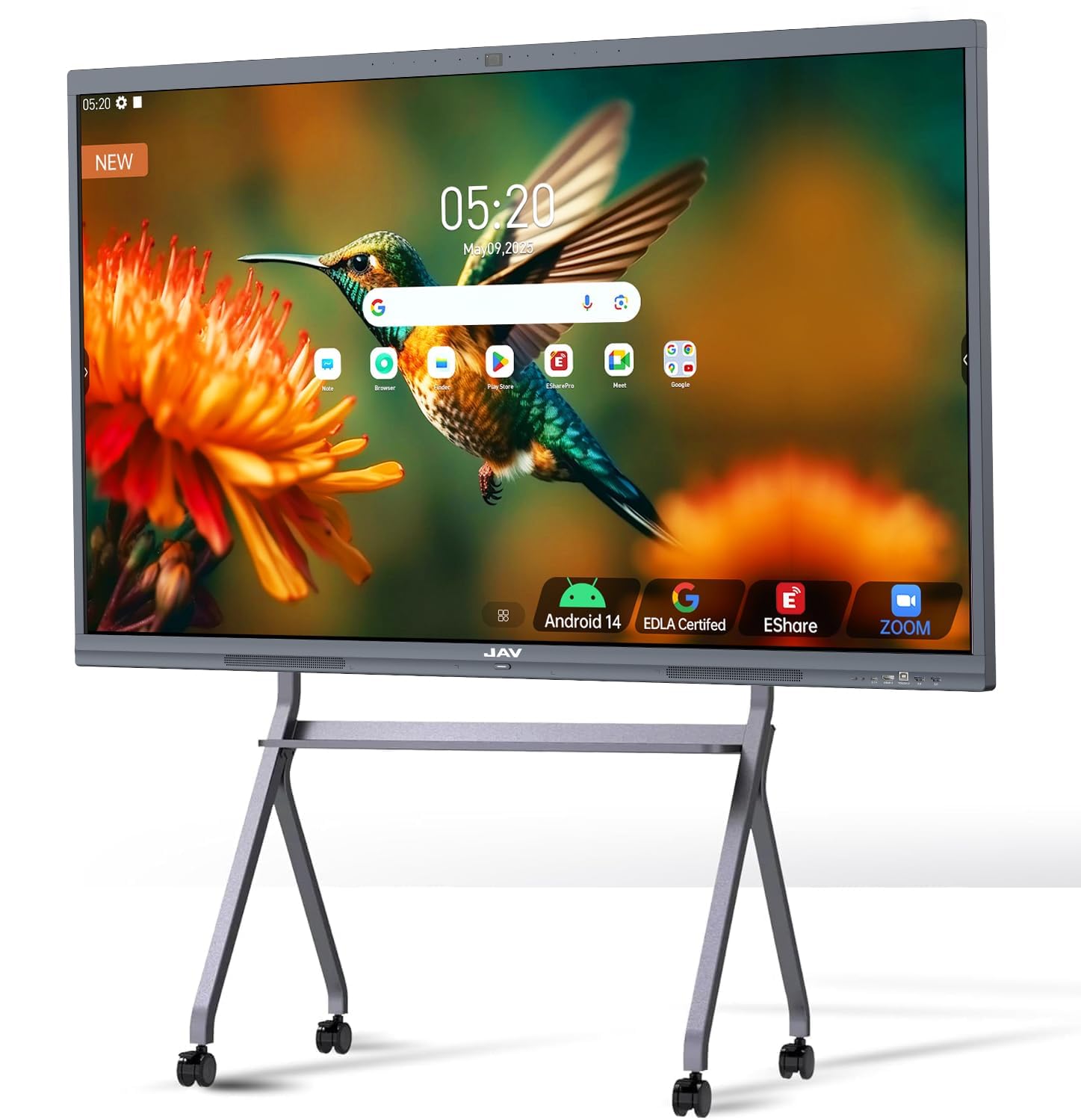
The JAV Smart Board Pro is the most video-conferencing-ready unit in this class. It integrates a 48MP AI-powered camera with speaker tracking, auto-framing, and facial recognition, plus an eight-array microphone system with intelligent noise reduction, voice gain, and echo cancellation. The 100W soundbar provides room-filling audio that makes a 20-person meeting room feel intimate rather than hollow. Google EDLA certification and Android 14 ensure the board runs Zoom, Teams, Google Meet, and Eshare natively without needing a connected laptop.
The 350-nit 4K DLED display uses AG (anti-glare) etched glass to cut reflections in bright rooms, which is critical for front-facing classrooms and sun-lit conference rooms. The 20-point IR touch supports dual simultaneous writing and palm erase. The built-in E-Share Professional Edition allows up to four users to screen-mirror wirelessly, with split-screen display and reverse touch control—meaning a user at the board can control a remote laptop’s presentation.
Some customer notes mention the AI camera’s speaker-tracking can be inconsistent in software, and one reviewer described the board as “laggy” when the OTA system background-updates mid-session. JAV’s customer support is frequently praised for phone and chat responsiveness, but ensure your firmware is fully updated out of the box. Overall, this is the best all-in-one hub for hybrid teams that want to skip the webcam and soundbar add-ons.
Why it’s great
- 48MP AI cam with speaker tracking
- 100W soundbar & 8-mic array with echo cancellation
- Google EDLA + Android 14
- Anti-glare AG glass for bright rooms
Good to know
- AI tracking can require firmware updates to be reliable
- Bulky design; wall mount only (no stand included)
3. Shiarffe R9 Smart Board
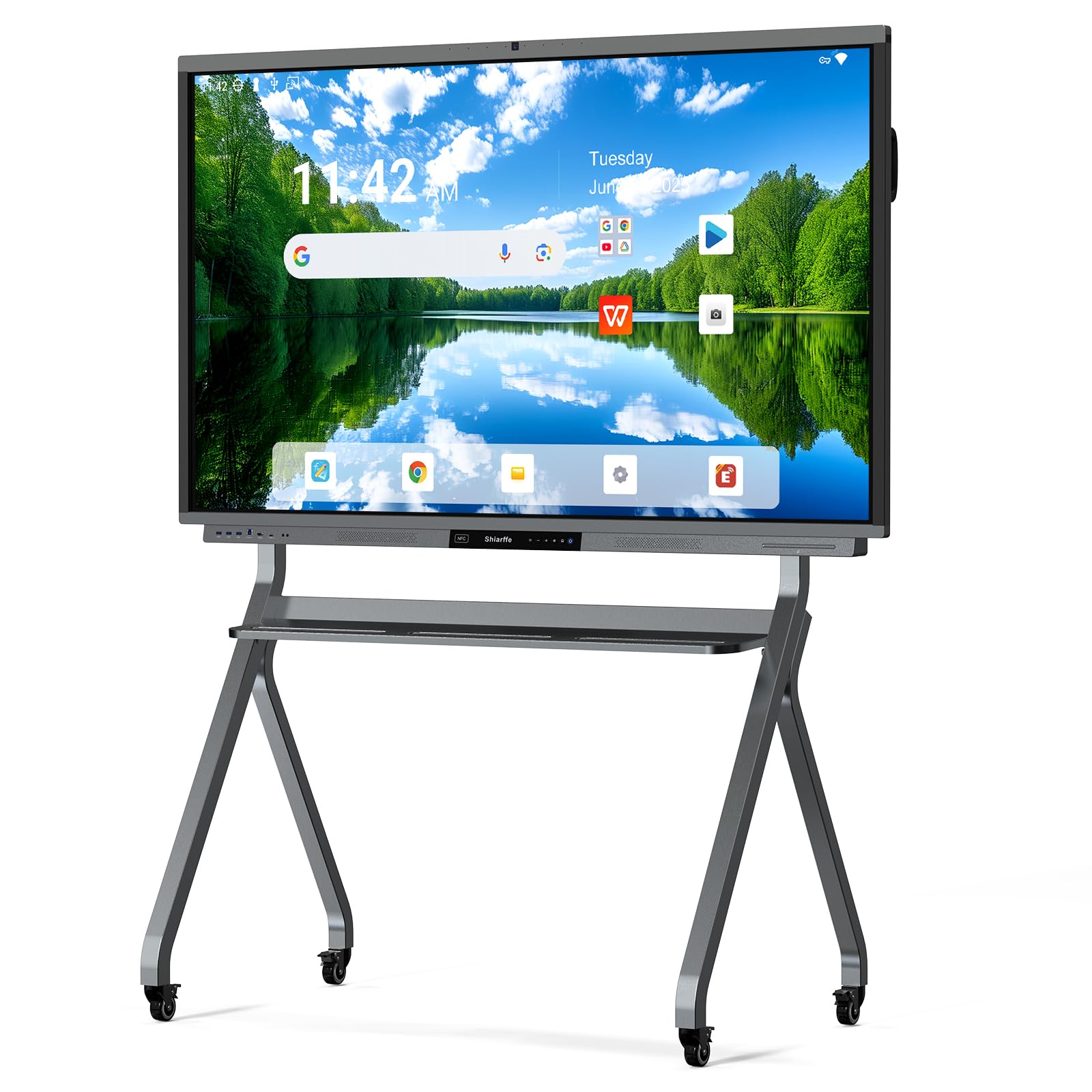
The Shiarffe R9 competes directly with the NEWORK and JAV boards at a lower entry point while offering a generous 16GB RAM and 256GB storage configuration—double the RAM of most rivals. This extra memory matters when running multiple whiteboarding apps alongside a Chrome browser with several tabs open during a brainstorming session. The 50MP AI camera and 60W three-speaker system (20W x 3) handle video calls and presentations well, though the audio driver doesn’t match the 100W soundbar on the JAV Pro.
The 4K IPS touchscreen uses anti-glare glass and supports 20-point multi-touch. The 86-pound unit includes a wall mount and NFC card for one-tap content sharing. The Google EDLA certification ensures the Play Store, Workspace, and Education Suite are fully functional, with zero subscription fees for the whiteboarding software. Hybrid teams appreciate the integrated QR-code sharing—remote participants can view and annotate the live whiteboard from a phone or browser without installing any app.
A few users note the pre-installed OS might require an initial OTA update out of the box, and the included remote is basic. Customer support receives high marks for fast replacement handling. If you need maximum multitasking headroom for under, the Shiarffe R9 is the strongest price-to-spec pick on this list.
Why it’s great
- 16GB RAM + 256GB storage for heavy multitasking
- Google EDLA certified with zero subscription fees
- 50MP AI camera & 60W speakers
- QR-code live whiteboard sharing for remote teams
Good to know
- OS may need a large initial OTA update
- Heavy unit at 86 lbs; two-person install required
4. Samsung Flip 2 WM65R

The Samsung Flip 2 is the established benchmark for enterprise digital flipcharts. It uses a passive pen (no batteries, no charging) that delivers a natural, low-friction writing experience with palm erasing. The 4K UHD display is equipped with an anti-glare coating, and the built-in NFC enables one-tap content sharing from compatible phones. Up to four people can write simultaneously on the multi-touch layer, making it suitable for small-group brainstorming in a boardroom.
The Flip 2 is a purpose-built business tool rather than a general Android tablet. The OS is Tizen-based, heavily skinned for whiteboarding, with apps limited to a curated set—no full Play Store access. This enhances security and simplicity in corporate settings but frustrates users who want to install a web browser or third-party video conferencing app natively. Screen mirroring via HDMI or Wi-Fi is reliable, and the web browser allows importing Office 365 documents for annotation.
Several customer reports mention reliability issues: one unit failed after four weeks with sudden shutdowns, and Samsung’s business support was slow to respond. The speakers are notably weak (no Bluetooth speaker support), and the pen lacks pressure sensitivity. This board is best for organizations that prioritize a friction-free flipchart experience over a general-purpose smart board—and who have the budget for a premium name.
Why it’s great
- Passive pen with no batteries needed
- Palm erase and natural writing feel
- NFC and HDMI for instant content sharing
- Anti-glare 4K display
Good to know
- Tizen OS restricts app selection (no Play Store)
- Weak built-in speakers; sub-par for video calls
- Cases of hardware failure and slow support reported
5. JYXOIHUB 65″ Smart Board
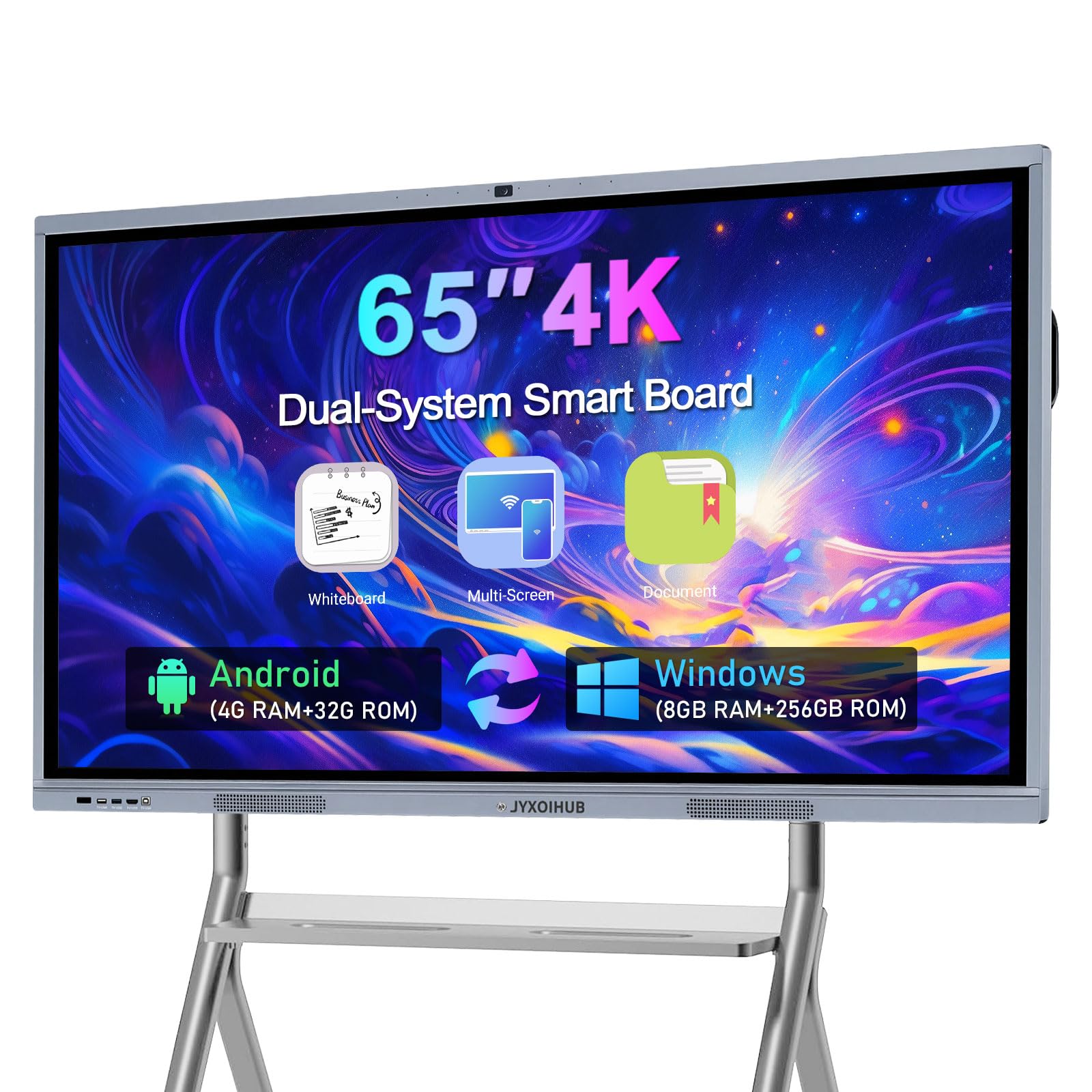
The JYXOIHUB smart board is unique in this price range for combining Android 11 (4GB RAM, 32GB ROM) with a built-in Windows OPS module (Intel i5-9300H, 8GB RAM, 128GB SSD). This dual-system approach lets you run legacy Windows applications like AutoCAD, Photoshop, or proprietary scheduling software natively on the board without plugging in a laptop. The 20MP camera and eight-array microphone system support Zoom, Teams, and Google Meet, with a 6ms IR touch response that feels nearly instant during whiteboard annotations.
The 4K LCD panel delivers 1000:1 contrast and 250 cd/m² brightness—serviceable for indoor rooms but not as bright as the NEWORK or JAV displays for sunlit environments. The aluminum alloy body and ≥7H glass hardness provide robust build quality. The included magnetic stylus and ordinary stylus cover basic needs, but power users might want a finer-tipped capacitive pen for detailed note-taking.
Customer feedback is a mixed bag: several users praise the excellent support after shipping damage (fast replacements), while others report the Windows module felt outdated (2020 OS version, license key failures) and the remote control unresponsive. The 3-year replacement warranty offers peace of mind, but ensure the unit ships with current firmware. This board is ideal for users who absolutely need a Windows-native workflow integrated into a single touchscreen panel.
Why it’s great
- Dual Android + Windows i5 system for app flexibility
- 20MP camera & 8-mic array for conferencing
- 3-year replacement warranty
- Aluminum alloy body with ≥7H glass
Good to know
- Windows module may ship with outdated OS/license issues
- Mid-range brightness (250 cd/m²) for well-lit rooms
- Bulky remote and limited stylus quality
6. COOLHOOD 65″ Smart Board

The COOLHOOD board uses an octa-core processor (4 A73 + 4 A53) with Android 13 and 128GB storage, offering solid performance for whiteboarding, presentations, and web browsing. The 20-point IR touch layer provides ±1mm precision with a 6ms response time, which is accurate enough for detailed sketching and mathematical note-taking. The open app ecosystem gives access to Google Play (though the board is not EDLA certified), and it includes a blue light filter for extended classroom sessions.
The 4K IPS panel delivers good viewing angles and a 2000:1 contrast ratio, though the 300 cd/m² brightness feels modest compared to premium competitors. Wireless screen sharing supports Mac, Windows, iOS, and Android, and the QR-code file sharing lets participants grab meeting notes instantly. One standout eccentricity: a verified customer review reports the board survived an accidental 4-day water submersion and still works—a testament to build quality.
Missing a built-in camera for video calls means you’ll need an external webcam if conferencing is key. The included wall mount is functional but the mobile stand is sold separately. Some users found the picture quality required color adjustment out of the box. For schools or offices on a budget that need a responsive touch interface and don’t need a built-in camera, the COOLHOOD offers excellent touch accuracy at a discount.
Why it’s great
- ±1mm touch accuracy with 6ms response
- Open Android ecosystem with 128GB storage
- QR code instant file sharing
- Blue light filter for eye comfort
Good to know
- No built-in camera for video conferencing
- 300 cd/m² brightness is mid-range
- Mobile stand sold separately
7. YCKJNB 65″ Smart Board
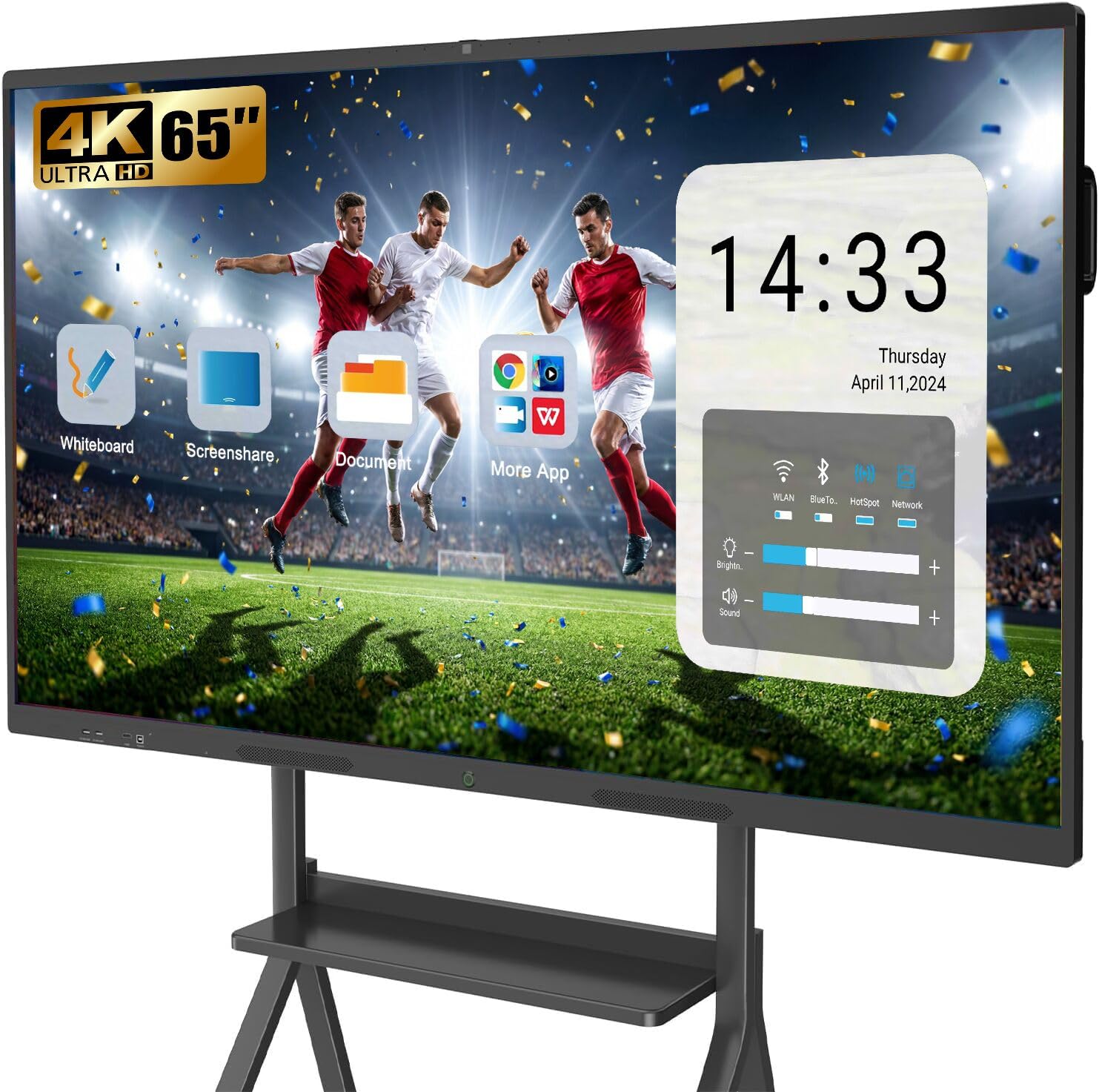
The YCKJNB smart board enters the market as a straightforward, no-nonsense Android 13 panel with a 13MP camera and an eight-array microphone system. The 20-point IR touch layer is stable and responsive, supporting palm erase and gesture zoom. The 4K LED panel offers a high 3000:1 contrast ratio, which makes text and presentations pop, even if the peak brightness is unlisted.
Setup is simple: wall mount included, connect to Wi-Fi, and download apps from the open ecosystem (though not EDLA certified, it supports Google Play). The wireless screen sharing function allows up to four users to cast simultaneously with reverse touch control—meaning a presenter can control a laptop’s slideshow from the board. The 13MP camera and basic 20W speakers handle casual video calls, but they won’t match the clarity of the JAV Pro’s 48MP system.
A library purchased this board for a meeting room and reported easy operation, excellent customer support with video tutorials, and a great 75-inch experience for simulation areas. Some users noted the 47.6″ width x 26.77″ height dimension and 4.5″ depth work well for wall mounting but require two people for safe handling. This board is a solid, budget-friendly choice for small offices or home classrooms that need a reliable touch display without a premium price tag.
Why it’s great
- High 3000:1 contrast for crisp text
- 13MP camera and 8-mic array included
- Wireless screen share with reverse touch control
- 24-hour professional after-sales support
Good to know
- Not Google EDLA certified
- Basic 20W speakers for audio
- Requires two people to wall-mount safely
8. TouchWo 65″ Industrial Monitor
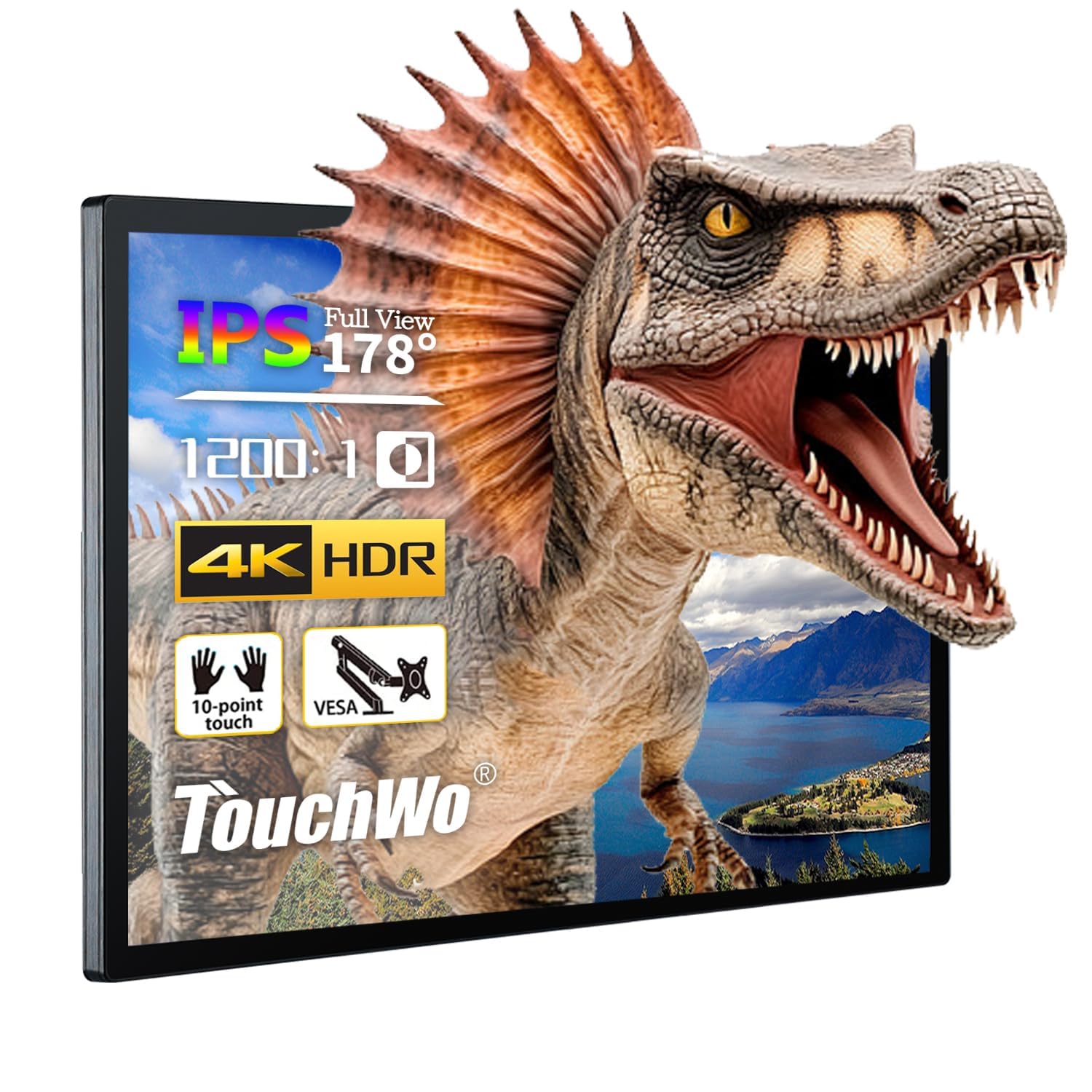
The TouchWo monitor is a completely different product category from the smart boards above—it’s a standalone 4K touch display without any embedded Android OS. You plug it into a computer via USB (for touch data) and HDMI/VGA/DVI (for video), and it functions as a large, interactive second screen. The 10-point projected capacitive (PCAP) touch layer works with a glove and supports multiple fingers for zoom and rotate. The IP65 front bezel rating makes it dust-tight and splash-resistant, suitable for warehouse kiosks, POS systems, or restaurant menu boards.
The 300 cd/m² brightness and 1200:1 contrast are adequate for indoor industrial environments but not meeting-room-grade. The slim aluminum alloy frame and 500×400 VESA mount allow both horizontal and vertical orientation. It’s a true plug-and-play device on Windows (XP through 11) and Android; Mac and Linux require additional mouse-mode configuration. The built-in 3.5mm audio jack and speakers work for basic notification sounds but not for music or video playback.
Some customer experiences are extreme: one user reported it fried their laptop battery, and another described the picture as blurry with dim backlight and loose ports. Conversely, a gaming enthusiast uses it as a 65-inch tabletop touch gaming screen and loves its durability in high-dust conditions. This monitor is not a consumer-friendly smart board—it’s a specialized industrial tool for those who need a large, rugged PCAP touch display and already have a computer to drive it.
Why it’s great
- Projected capacitive touch (glove-friendly)
- IP65 front bezel for dust & splash resistance
- True plug-and-play with Windows PCs
- Slim aluminum alloy frame with VESA mount
Good to know
- No embedded OS; requires external computer
- Mixed reports on build quality & port reliability
- Mac/Linux touch requires extra configuration
9. MWE-QIXZOCV 65″ Floor Standing Kiosk

The MWE-QIXZOCV is a complete floor-standing touch kiosk system, not just a monitor board. It includes a full-height stand with a built-in Android OS, CMS software for remote content management, and a sleek slim-bezel design that fits retail, airport, and commercial lobbies. The FHD IPS touch panel (note: FHD at 1920×1080, not 4K) offers responsive touch and a 178-degree viewing angle, with a bright image suitable for indoor mall lighting.
The Android OS supports app installation (YouTube, social media feeds, custom signage apps) and the bundled CMS system allows multi-screen layouts, timed on/off, and USB auto-play. The kiosk supports HDMI input and has space inside for additional media player boxes or a small PC. Smart split-screen can display a video alongside a scrolling text feed and a QR code simultaneously—great for hotel lobbies or hospital wayfinding.
Customer feedback highlights the reliable performance for arcade menus and yoga studio promotions, and the customer support is frequently commended for fast responses. The main drawback is the FHD resolution—at 65 inches, the pixel density is noticeably lower than 4K panels, making small text less crisp from close range. If your use case is primarily video and large images viewed from 3–10 feet, this kiosk delivers professional-grade presentation at a mid-range price.
Why it’s great
- Complete floor-standing kiosk with built-in Android
- CMS system for remote content management
- Smart split-screen for multi-content display
- 3-year warranty and lifetime technical support
Good to know
- FHD (1920×1080) resolution, not 4K
- Less pixel density for reading small text up close
10. HARZHI 65″ Floor Standing Kiosk
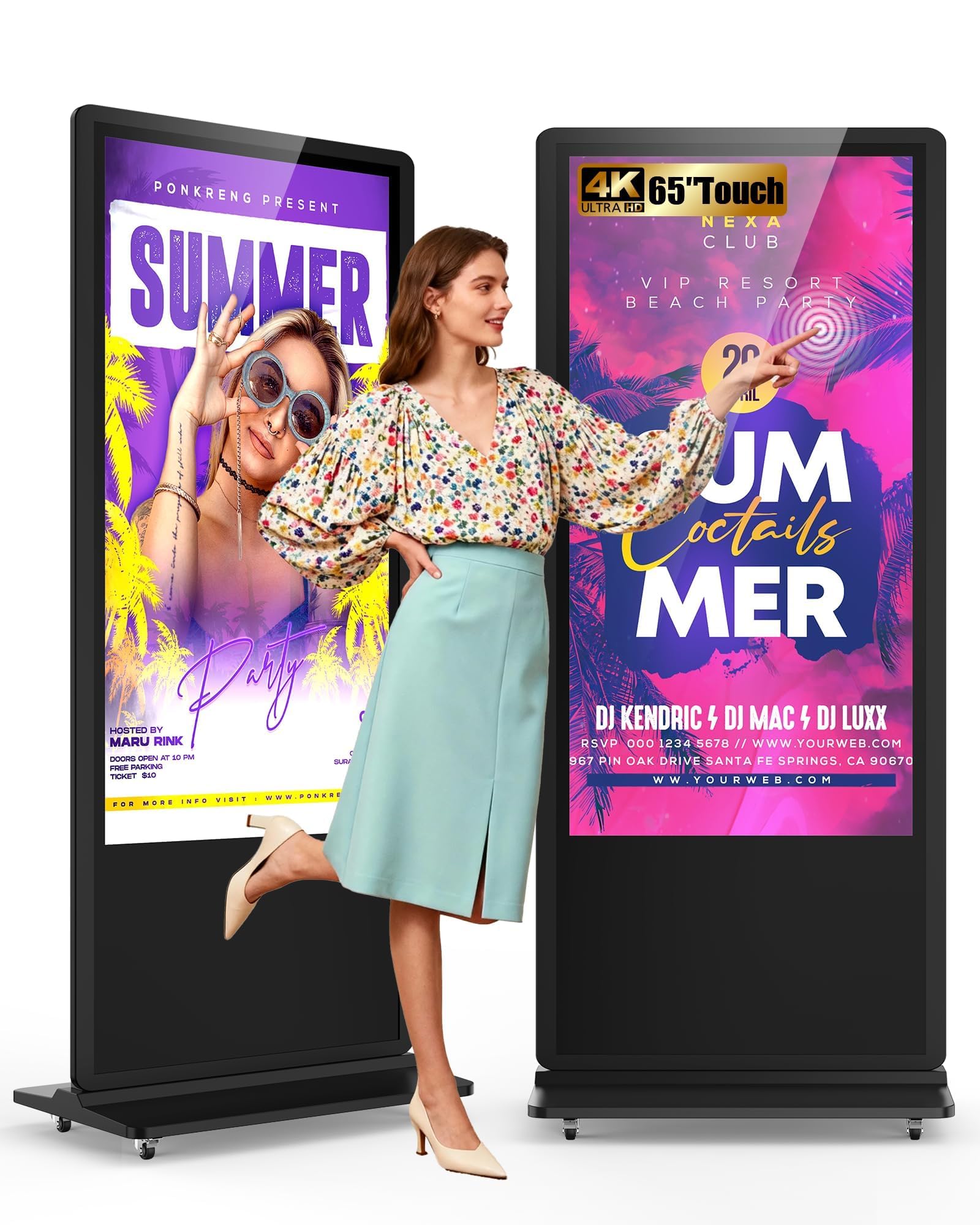
HARZHI’s 65-inch floor-standing kiosk has carved a strong niche in the photobooth and event photography market thanks to its bright front-facing LED ring light and sturdy, portable design. The 4K LCD touch display delivers sharp images for photo previews, and the Android OS supports photobooth software that runs custom backgrounds, animations, and social media uploads. The unit includes a case and casters for easy movement, and assembly takes 10–15 minutes straight out of the box.
For general advertising and wayfinding, the kiosk supports USB auto-play, timed on/off, and HDMI input from external media players. The touch screen enables interactive wayfinding, surveys, or product catalogs. The build quality includes a reinforced aluminum stand base that feels stable even in high-traffic event spaces. Customer reviews consistently highlight the “amazing customer service” and proactive follow-up support.
The main limitation is that the kiosk is optimized for portrait-mode photobooth use. Landscape-mode advertising works but the included software and UI lean heavily vertical. Also, the internal storage for the Android OS is modest, so you’ll likely rely on USB media or cloud-based CMS. If you’re a wedding DJ, event company, or mall operator needing a bright, interactive 65-inch touch kiosk for photo and video experiences, this is a specialized winner.
Why it’s great
- Bright front LED ring for photo/event use
- Sturdy casters and case for easy transport
- Up to 10-15 min setup time
- Excellent customer support and follow-up
Good to know
- Optimized for portrait photobooth, not landscape advertising
- Modest internal Android storage
11. JASZDOT 65″ Floor Standing Kiosk

The JASZDOT floor-standing kiosk’s standout spec is 600 nits of peak brightness—double that of most smart boards and indoor monitors. This makes it legible and vibrant in brightly lit lobbies, near windows, or in restaurants with high ambient light. The 4K UHD IPS panel with 3000:1 contrast delivers sharp text and dynamic colors, and the 178-degree viewing angle ensures visibility from anywhere in the room.
Powered by Android OS, it supports USB plug-and-play, 5G Wi-Fi, Google Apps, and smart split-screen display for running multiple content types (video, images, text) simultaneously. The touch interface works for interactive menus, wayfinding, and product browsing. The freestanding base is solidly built with lockable wheels for easy repositioning. Setup is rated as straightforward—one user reported assembly in 15 minutes with clear instructions.
The remote control feels cheap, but the kiosk’s auto on/off scheduling and reliable performance have made it a favorite for restaurant digital signage and hotel directory boards. The built-in internal memory eliminates the need for a USB drive once content is loaded. For businesses that need the brightest possible 65-inch interactive display for a high-ambient-light environment, the JASZDOT delivers unmatched luminance in this price class.
Why it’s great
- 600 nits brightness for well-lit spaces
- 4K UHD IPS with 3000:1 contrast
- Easy assembly and lockable wheel base
- Auto on/off scheduling and internal memory
Good to know
- Cheap remote control included
- Not intended for close-range writing or whiteboarding
FAQ
Can I use a 65-inch touch screen monitor without the built-in Android OS?
How important is the brightness specification in a 65-inch touch monitor?
Can I install Zoom, Teams, or Google Meet directly on a smart board?
Final Thoughts: The Verdict
For most users, the best 65 inch touch screen monitor winner is the NEWORK 65E Smart Board because it combines Google EDLA certification with a fast 50-point touch interface, bright 4K display, and robust wireless casting at a reasonable mid-range price. If your priority is native video conferencing with pro-grade audio and camera hardware, grab the JAV 65″ Smart Board Pro. And for a pure whiteboarding experience with zero subscription fees and maximum multitasking RAM, nothing beats the Shiarffe R9 Smart Board.