
The 8-inch Windows tablet category is the last bastion of true pocketable PC productivity. Unlike its larger 10-inch siblings that blur the line with ultrabooks, an 8-inch slate prioritizes one-handed grip, extreme portability, and a dedicated Windows desktop OS in a form factor you can actually slip into a jacket pocket or a tool pouch. For field technicians, data center engineers, digital artists on the go, or anyone who needs a full desktop OS without the backpack burden, this specific size class solves a very real physical problem.
I’m Min — the co-founder and writer behind Gadgets Feed. I’ve spent hundreds of hours cross-referencing performance specs, real-world battery benchmarks, and port configurations across dozens of models to separate the truly usable 8-inch Windows tablets from the underpowered curiosities that frustrate more than they empower.
After analyzing the available lineup, this guide cuts through the marketing noise to help you find the right 8 inch windows tablet for your specific workflow, whether that means a rugged workhorse for jobsite diagnostics or a compact travel companion for light office tasks.
How To Choose The Best 8 Inch Windows Tablet
An 8-inch Windows tablet occupies a very specific niche: it must balance the full demands of a desktop operating system against severe thermal and battery constraints. Choosing wisely means understanding which specs directly impact your daily use case, and which are marketing fluff.
Processor Performance — The Real Bottleneck
In the 8-inch space, the processor is the single biggest predictor of user experience. Older Celeron and Pentium Gold chips (like the N4020 or 4415Y) can feel painfully slow under modern Windows 11, especially with multiple browser tabs or Office apps. Look for at least an Intel N100 or N150 — these Alder Lake-N chips offer a massive generational leap in both single-core and multi-core throughput, making basic multitasking actually fluid. A premium-tier Intel Core m3 delivers even more headroom for creative apps but typically requires active cooling.
RAM & Storage — eMMC vs. SSD Matters
4GB of RAM is genuinely insufficient for Windows 11. Serious buyers should target 8GB as the absolute minimum, with 12GB or more preferred for any multitasking or business use. For storage, avoid eMMC when possible — these slower flash chips dramatically increase app load times and can make Windows feel unresponsive. A proper NVMe or SATA SSD (even 128GB) will transform the experience, and models with user-upgradable M.2 slots offer future-proofing.
Display Quality & Portability
True 8-inch tablets typically offer 1280×800 resolution, which is workable for productivity apps and web browsing at this screen size. Higher-res panels (1920×1200) exist on some premium or rugged models, offering sharper text and better detail. For outdoor use, prioritize brightness (300 nits or more) and bonded sunlight-readable displays. The weight — ideally under 0.8 kg (1.8 lbs) for a standard tablet — is critical for one-handed use; heavier rugged models sacrifice portability for drop protection.
Quick Comparison
On smaller screens, swipe sideways to see the full table.
| Model | Category | Best For | Key Spec | Amazon |
|---|---|---|---|---|
| KOOFORWAY N150 | Premium Compact | Ultra-portable full PC work | Intel N150, 12GB LPDDR5, 1TB SSD | Amazon |
| Microsoft Surface Go 10.5″ | Renewed Premium | Polished 2-in-1 experience | Intel Pentium 4415Y, 4GB RAM | Amazon |
| KBJPADS W801 | Budget Entry | Affordable light productivity | Intel Quad-Core, 4GB RAM | Amazon |
| AE86 Core m3 | Mid-Range Power | Performance on a mid budget | Core m3-8100Y, 12GB DDR3 | Amazon |
| ADREAMER N150 | Versatile 2-in-1 | Student/home office with keyboard | Intel N150, 8GB LPDDR5 | Amazon |
| QAZIPO 6500Y | Mid-Range 2-in-1 | Office suite with 1-year O365 | Pentium Gold 6500Y, 8GB RAM | Amazon |
| ONERugged M80J | Industrial Rugged | Field work, drops, water jets | Intel N5100, 8GB RAM, IP65 | Amazon |
| Fusion5 Helios10 | Assembled Premium | US-built, fast DDR5 performance | Intel N150, 12GB DDR5, 512GB | Amazon |
| MUNBYN IRT08 | Heavy-Duty Rugged | Construction, outdoor navigation | Intel N5100, 8GB, 4G LTE | Amazon |
In-Depth Reviews
1. KOOFORWAY 8 Inch 2-in-1 Mini Laptop Tablet PC, N150, 12GB RAM, 1TB SSD
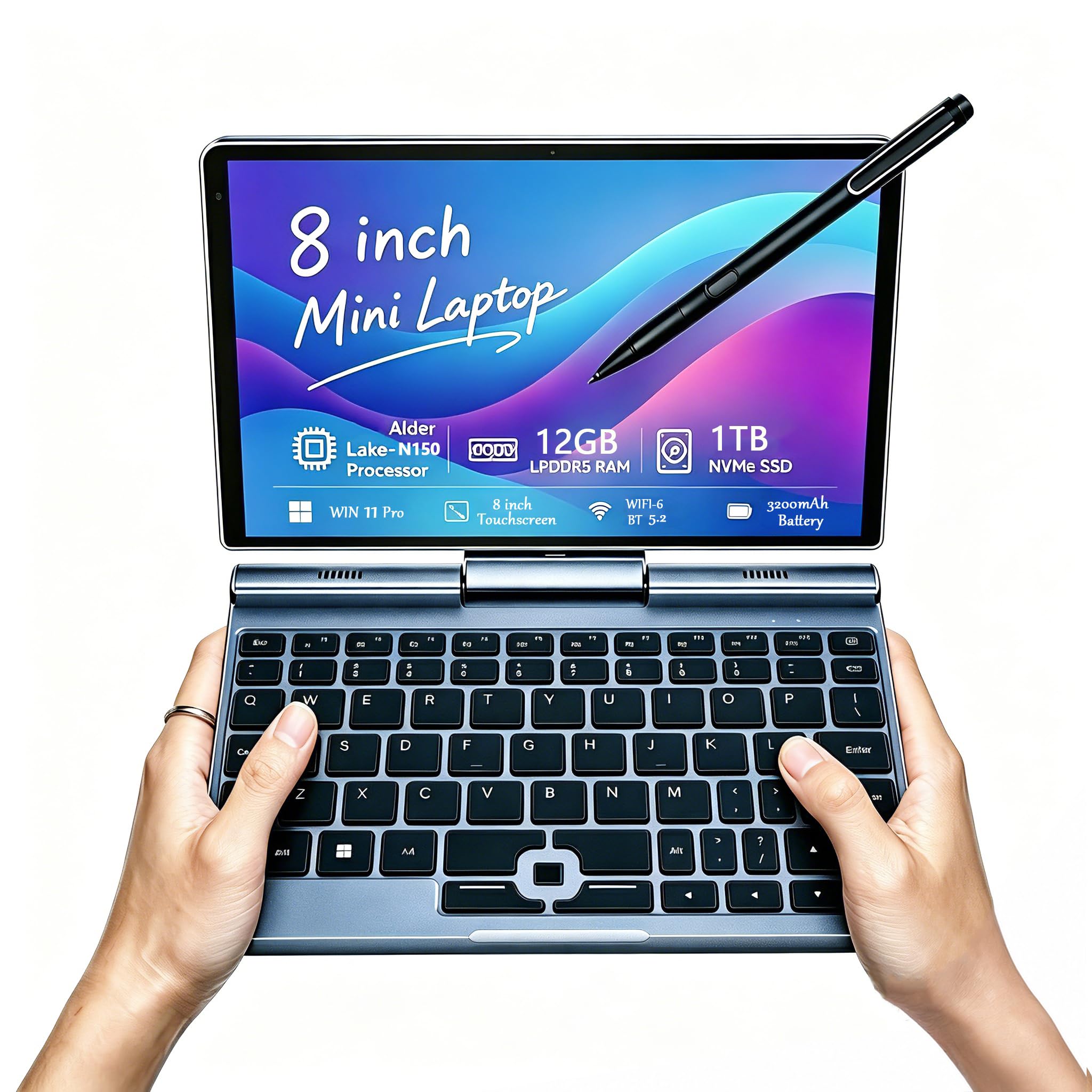
The KOOFORWAY is the rare 8-inch Windows device that feels genuinely complete. Its Intel N150 processor is the current sweet spot for this form factor — far more capable than older Pentium Gold chips, delivering smooth Windows 11 Pro performance for business apps, email, web browsing, and even light creative work. The 12GB of LPDDR5 RAM is generous enough to keep a dozen browser tabs open alongside Office apps without stuttering.
Storage is the other headline feature here: a 1TB NVMe SSD that is fast and spacious, eliminating the storage anxiety common to budget tablets. The 1280×800 HD touchscreen supports 10-point touch and a pressure-sensitive stylus (included) for note-taking or sketching. Its compact weight of just 0.78 kg (1.72 lbs) makes it genuinely portable for one-handed use, and the full port selection — USB-C, USB-A, micro HDMI, and even an RJ45 Ethernet jack — is remarkably versatile for a device this small.
Battery life is rated at around 5 hours under mixed use, which is acceptable for this performance tier. The fan does spin up under load, but the trade-off is sustained performance without throttling. For professionals — from data center engineers to field surveyors — who need a true Windows 11 machine that disappears into a bag, this is the most complete package on the market.
Why it’s great
- 12GB LPDDR5 RAM and 1TB NVMe SSD offer desktop-class storage and multitasking
- Full port suite includes RJ45, USB-A, and USB-C for real device connectivity
- Included pressure-sensitive stylus enhances note-taking and creative workflows
Good to know
- Active cooling fan can be audible under sustained load
- Battery life around 5 hours may require midday charging for heavy users
2. Microsoft Surface Go 10.5″ Tablet, 4GB RAM, 64GB (Renewed)
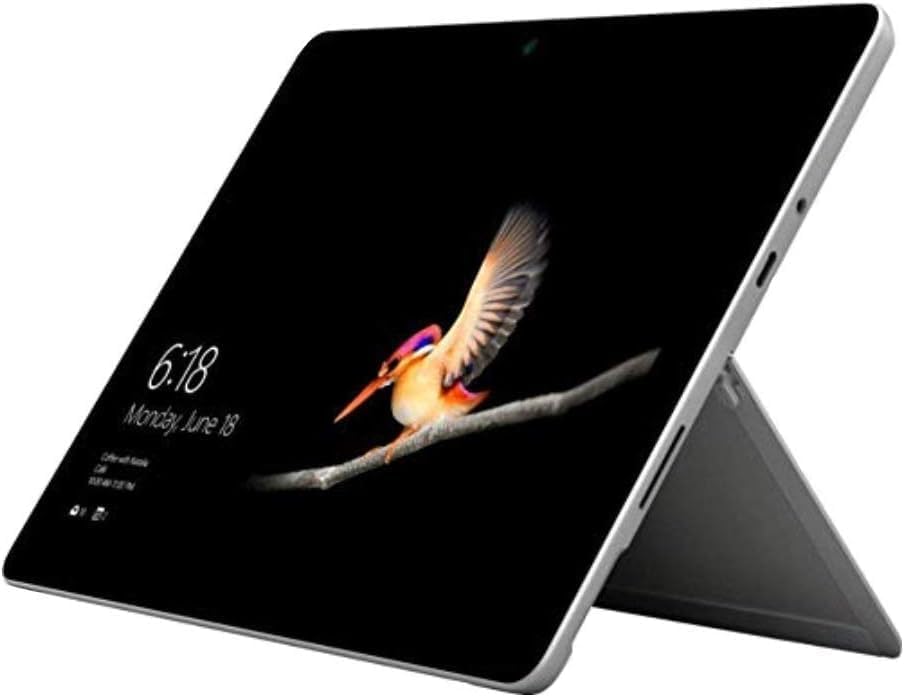
While technically a 10.5-inch device, the Surface Go remains the benchmark for a premium small-form-factor Windows tablet experience. Its PixelSense display at 1920×1280 resolution and 216 PPI offers a clarity that budget 1280×800 panels cannot match — text looks crisp, images are sharp, and the 10-point touch response is industry-leading. The Intel Pentium 4415Y processor (1.70 GHz) is dated but still serviceable for light productivity, web browsing, and streaming.
This is a renewed unit, which means it has been inspected, tested, and certified by Microsoft as a refurbished product. The build quality is exceptional — at just 1.15 lbs (520g) with an all-magnesium body, it remains one of the lightest Windows slates available. Battery life is rated up to 9 hours for video playback, though real-world mixed use tends to land closer to 6 hours.
The key limitation is the 4GB RAM and 64GB storage — Windows 11 occupies a significant portion of that, leaving only about 30GB usable for apps and files. The MicroSD card reader is essential for storage expansion. Also, the Type Cover keyboard and Surface Pen are sold separately, adding significant cost. For someone who values Microsoft’s build quality and display fidelity over raw specs, this remains a compelling entry point into the Windows tablet ecosystem.
Why it’s great
- Premium 10.5-inch PixelSense display with sharp 1920×1280 resolution
- Lightest Surface model at just 1.15 lbs for exceptional portability
- Renewed certification from Microsoft ensures reliability
Good to know
- 4GB RAM is limiting for multitasking under Windows 11
- Keyboard and stylus are sold separately, increasing total cost
3. AE86 10.1″ Core m3 Tablet PC, 12GB RAM, 256GB SSD
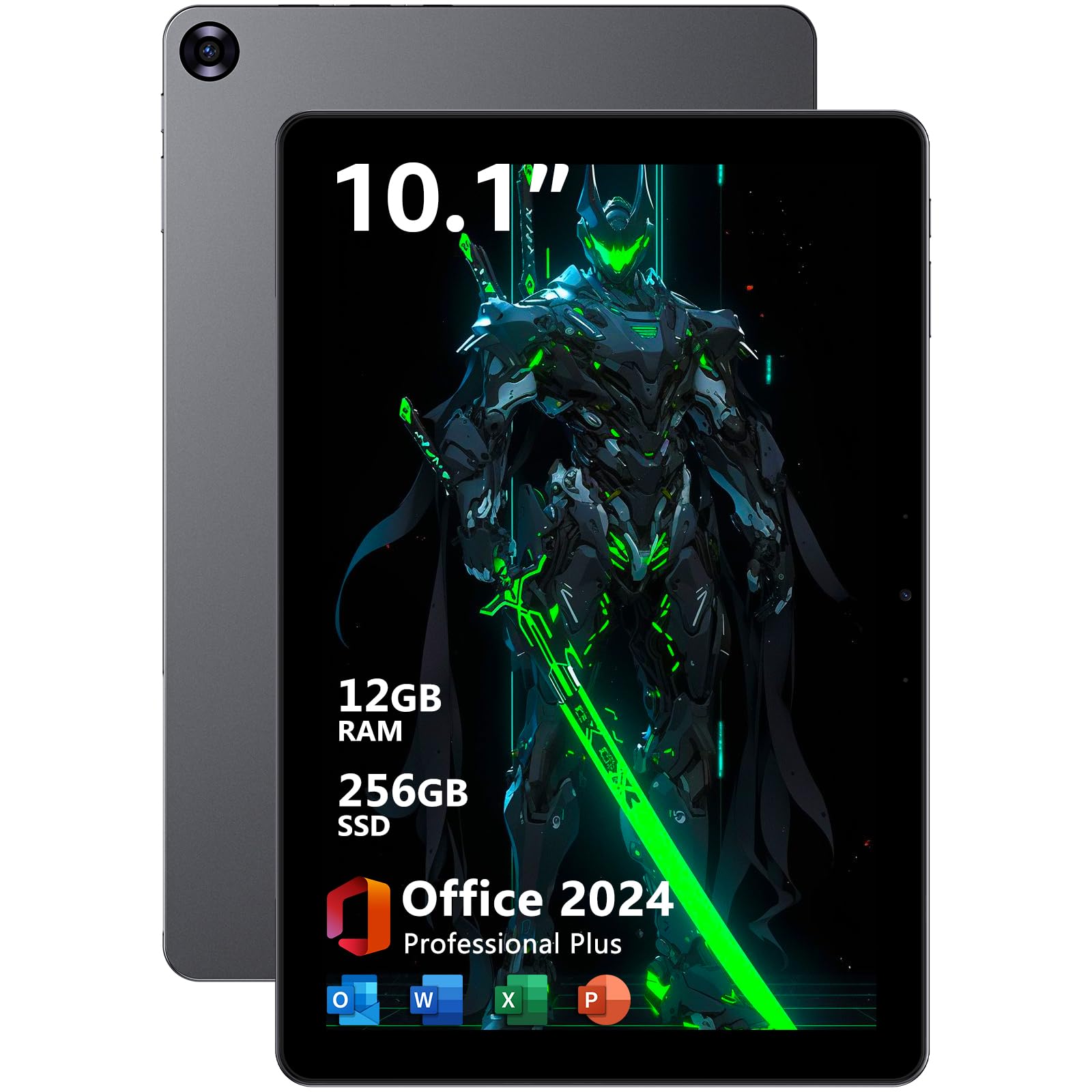
The AE86 packs a genuine Intel Core m3-8100Y processor (up to 3.4 GHz) — a CPU that runs circles around the Pentium and Celeron chips found in most budget 8-inch tablets. With 12GB of DDR3 RAM and a 256GB SSD, this device handles multitasking and light creative work (like SolidWorks or photo editing) with surprising confidence. The 10.1-inch 1280×800 IPS display is adequate, though not as sharp as the Surface Go’s panel.
A standout feature is the pre-installed Microsoft Office 2024 suite, which adds tangible value for students and office workers. The tablet also includes a stylus for note-taking and drawing. Connectivity is solid with USB-C, Micro HDMI, Bluetooth 5.0, and WiFi 5 — enough for most external displays and peripherals.
The main trade-offs are thermal management and battery life. Multiple reviews note the tablet runs hot under load, with the fan running constantly during demanding tasks. The 3400mAh battery delivers only around 3 hours of runtime in real-world use, which is below average for this category. It is a power-oriented device that requires being near a charger. For someone who wants a compact Windows 11 Pro machine with genuine processor muscle and is willing to stay plugged in, the AE86 delivers outstanding raw performance per dollar.
Why it’s great
- Core m3-8100Y processor offers significantly more power than N150/N5100 chips
- Comes with pre-installed Microsoft Office 2024 and a stylus
- Fast 256GB SSD and 12GB RAM handle multitasking smoothly
Good to know
- Battery life is short at roughly 3 hours of mixed use
- Runs hot with constant fan noise under load
4. ADREAMER 10.1″ Win 11 Tablet, Intel N150, 8GB + 256GB, Detachable Keyboard
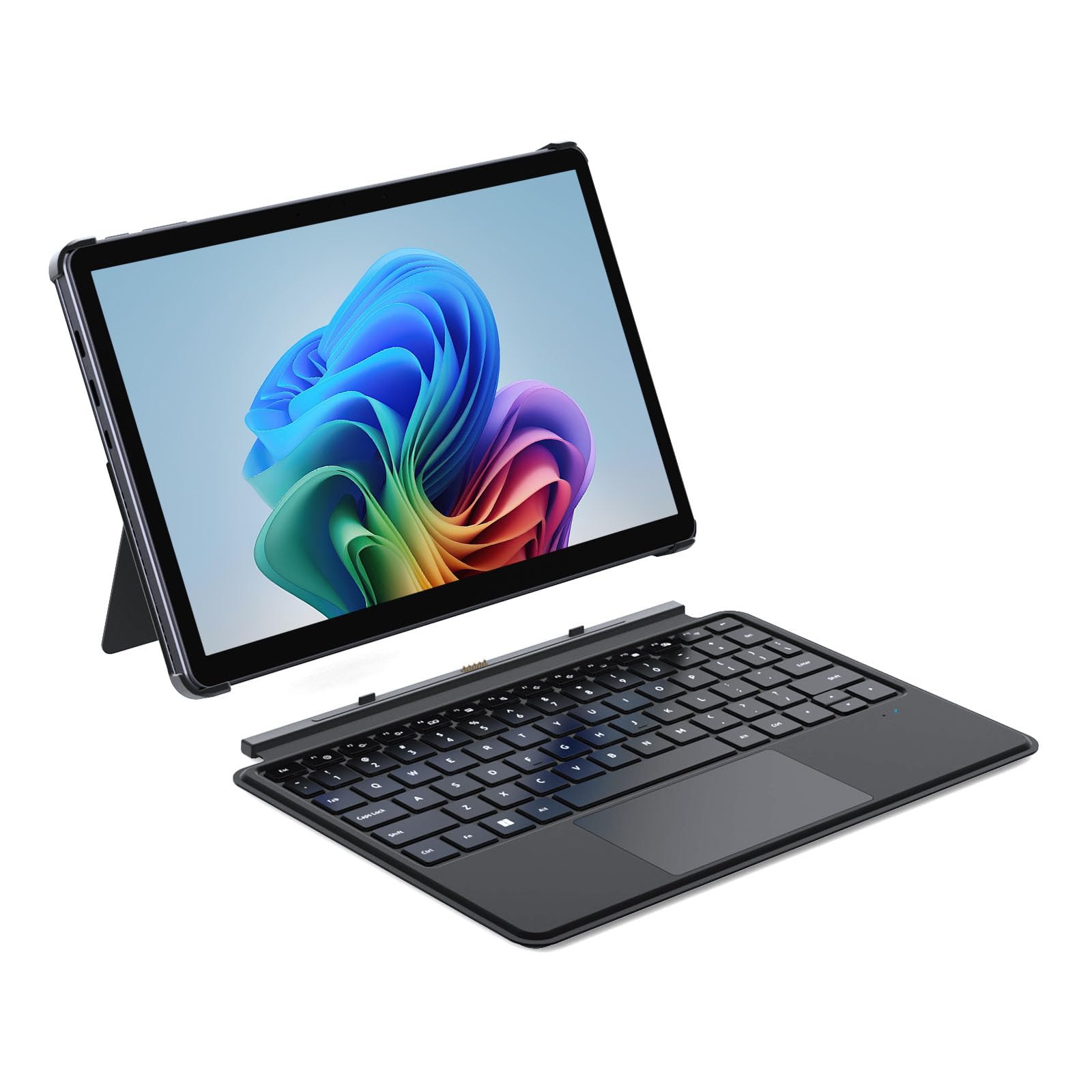
The ADREAMER WinsPad 10 Pro strikes an excellent balance between performance and value. The 12th Gen Intel N150 processor (4 cores up to 3.6 GHz) is markedly faster than the N100 and older chips, making daily Windows 11 tasks feel responsive. The 8GB of LPDDR5 RAM is 50% faster than standard DDR4, which translates to snappier app loading and smoother multitasking — a tangible benefit in the budget-to-mid-range Windows tablet market.
This package includes a detachable backlit keyboard that transforms the tablet into a mini laptop, making it a genuine 2-in-1. The 10.1-inch 1280×800 HD IPS display is rated at 300 nits — bright enough for indoor and shaded outdoor use. The 4500mAh battery delivers up to 6 hours of real-world use, which is solid for this price category. Port selection is generous: two full-function USB-C ports, a USB 3.0 port, Micro HDMI, and a headphone jack cover most connectivity needs.
Build quality is a mixed bag — the metal body feels premium, but the detachable keyboard’s magnetic connection can be weak, causing detachment when moving the device. Some users report slight backlight bleed at boot. Still, as a complete package including keyboard, fast LPDDR5 memory, and WiFi 6 support, the ADREAMER provides excellent value for students and home office users who need a versatile, portable Windows device.
Why it’s great
- LPDDR5 RAM delivers noticeably faster performance than DDR4-based tablets
- Includes a detachable backlit keyboard for true 2-in-1 versatility
- WiFi 6 support for faster wireless connectivity
Good to know
- Keyboard magnetic attachment can be weak and prone to detachment
- Some units exhibit minor backlight bleed on the display
5. QAZIPO 2-in-1 Laptop/Tablet, 8GB RAM, 256GB SSD, 1-Year Office 365

The QAZIPO targets a very specific buyer: the student or remote worker who needs a full year of Microsoft Office 365 built into the purchase price. The included 1-year subscription plus 1TB of cloud storage via OneDrive adds significant value for anyone building a workflow around Word, Excel, PowerPoint, and OneNote. The Intel Pentium Gold 6500Y processor (up to 3.4 GHz) is a step above the low-end Celerons but still trails the newer N150 in raw multi-core performance.
The 10.1-inch FHD IPS touchscreen (1280×800) is bright enough for indoor productivity, and the detachable magnetic leather case keyboard allows quick mode switching between laptop and tablet. At 1.3 lbs (tablet only), it is light enough for daily carry. The 8GB of RAM is adequate for office workloads, and the 256GB SSD ensures fast boot times and app loading. Dual USB-C ports and a Micro HDMI output cover most connectivity needs.
Reliability concerns temper the value proposition. Some users report the tablet freezing intermittently with disk usage hitting 100%, and there are isolated reports of units failing to charge after 30 days. The core experience when it works is solid for light office tasks, but the mixed reliability reviews make this a riskier choice compared to more established brands. It is best suited for budget-conscious buyers who prioritize the Office 365 bundle and are willing to trade some long-term dependability.
Why it’s great
- Includes a 1-year Office 365 subscription plus 1TB OneDrive storage
- Lightweight 1.3 lb tablet with fast SSD for quick boot times
- Detachable magnetic keyboard enables flexible laptop/tablet modes
Good to know
- Some users report intermittent freezing and 100% disk usage issues
- Reliability and customer support can be inconsistent
6. ONERugged M80J, 8″ Windows 11 Pro, 8GB RAM,128GB, IP65, MIL-STD-810H

The ONERugged M80J is built specifically for harsh environments — exactly what the 8-inch rugged Windows tablet category is designed for. It carries IP65 certification (dust-tight and protected against water jets) and meets MIL-STD-810H standards for drops from 4 feet, operating reliably in temperatures from -4°F to 140°F. The 8-inch 1920×1200 FHD IPS display is sharp (283 PPI) and features 7H scratch-resistant glass with glove-touch capability — a critical feature for field technicians wearing protective gear.
Under the hood, the Intel Jasper Lake N5100 processor offers decent performance for logistics, inventory management, and field data entry. The 8GB RAM and 128GB internal storage (expandable via microSD) handle line-of-business Windows applications smoothly. A unique advantage is the hot-swappable 5000mAh battery — you can swap a fresh battery without powering down, keeping shifts uninterrupted for up to 8.5 hours of continuous use.
Connectivity is enterprise-ready with WiFi 6, 4G LTE, Bluetooth 5.0, plus GPS/GLONASS/Beidou for precise outdoor positioning. The included hand strap and stylus add ergonomic value. Downsides include a large bezel that reduces usable screen area, and some users report sluggishness with demanding warehouse management apps. The fingerprint scanner and barcode scanner are optional add-ons, not standard. For industrial and outdoor fieldwork where durability outweighs raw performance, this is a purpose-built tool.
Why it’s great
- IP65 waterproof and MIL-STD-810H drop certified for harsh environments
- Hot-swappable 5000mAh battery enables uninterrupted all-day shifts
- Glove-touch capable display with 1920×1200 FHD resolution
Good to know
- Large bezel reduces usable screen area for the 8-inch size
- Can feel sluggish with demanding enterprise applications
7. Fusion5 Helios10, 10.1″ Windows 11, 12GB DDR5, 512GB SSD, N150
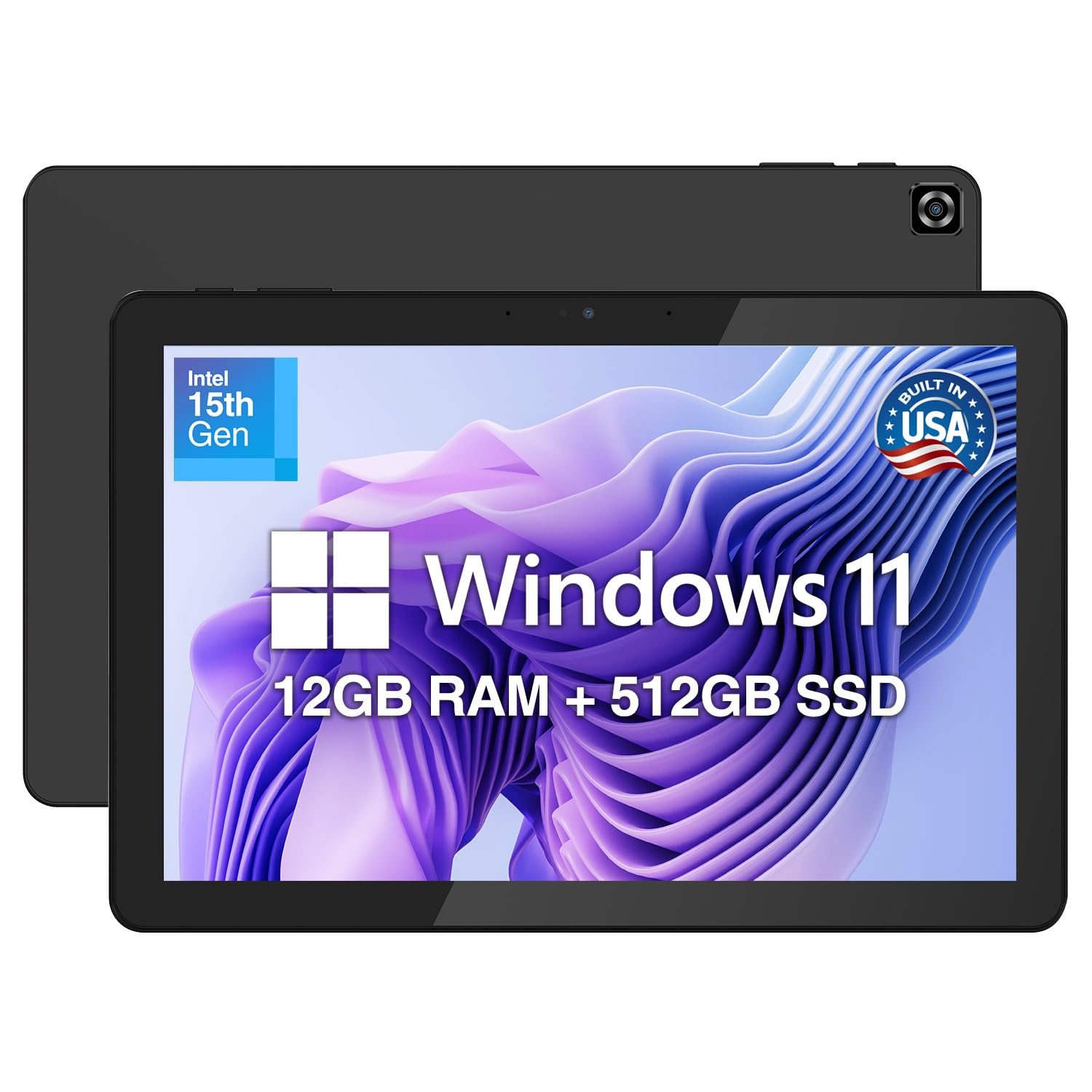
The Fusion5 Helios10 is assembled in Florida, USA, which sets it apart from the vast majority of Windows tablets manufactured overseas. This gives it a unique selling proposition for buyers who prioritize domestic assembly and quality control. The hardware itself is competitive: an Intel N150 processor paired with 12GB of DDR5 RAM — the DDR5 memory is a meaningful upgrade over DDR4, offering 50% faster bandwidth that helps the N150 multitask more fluidly. The 512GB SSD provides fast, roomy storage.
The 10.1-inch FHD+ display (1920×1200, 400 nits) is one of the brightest in this class, making it usable near windows or in brightly lit rooms. The 16:10 aspect ratio provides extra vertical space for document editing and web browsing compared to 16:9 panels. Active cooling with an internal fan prevents thermal throttling during sustained workloads, which is important for a device that aims to replace a laptop for productivity tasks.
Quality control reports are mixed — some users receive units with dead pixels or charging issues, and the included charger can be non-standard (some units ship without any charger). Customer support responsiveness varies. The Fusion5 Helios10 offers strong specs on paper with a compelling US-assembly story, but inconsistent quality control means it is a calculated risk. For buyers who get a good unit, the combination of build, display, and DDR5 memory is excellent for the price.
Why it’s great
- US-assembled in Florida, supporting domestic manufacturing
- 12GB DDR5 RAM and bright 400-nit 1920×1200 display
- Active cooling fan prevents thermal throttling under load
Good to know
- Quality control can be inconsistent with some unit defects reported
- Customer support response times can be slow in resolving issues
8. MUNBYN IRT08, 10.1″ Windows 11 Pro, 8GB RAM, 128GB, Intel N5100, 4G LTE

The MUNBYN IRT08 is purpose-built for the most demanding industrial environments — think construction sites, warehouses, and outdoor surveying. It carries MIL-STD-810G certification (surviving 4-foot drops) and can withstand powerful water jets, making it genuinely field-hardy. The Intel Jasper Lake N5100 processor and 8GB of RAM provide reliable performance for warehouse management apps, GPS-guided field work, and inventory scanning — the 4X performance boost over older low-spec CPUs cited by MUNBYN checks out in real-world use.
A standout feature is the sunlight-readable display with a built-in visibility film, allowing the screen to remain legible under direct sun — a critical capability for outdoor workers who cannot shade their device. The detachable 5000mAh battery is tool-free to swap, supporting shift-long operations when paired with a spare battery. The U-Blox NEO-7 GPS module delivers precise positioning compatible with GIS software like Esri ArcGIS and QGIS, making it a viable tool for geographic data collection.
However, this ruggedness comes at a cost. The tablet is heavy and bulky — significantly larger than a standard 10.1-inch consumer tablet due to its protective casing. Some features like the fingerprint scanner, barcode scanner, and NFC are optional and not standard in the base configuration. Battery life is around 6.5 hours under mixed use. The 2-year warranty and lifetime technical support are genuinely valuable for business buyers. For construction, field service, or logistics teams, the IRT08 is a durable, trackable investment.
Why it’s great
- Sunlight-readable display with visibility film for outdoor use
- Precision GPS supports GIS software for field data collection
- Detachable 5000mAh battery and 2-year warranty for long-term reliability
Good to know
- Heavier and bulkier than consumer tablets due to rugged casing
- Some advertised features (NFC, fingerprint) are optional add-ons
9. KBJPADS 8 Inch Windows Tablet, 4GB RAM, 64GB, Intel Quad-Core
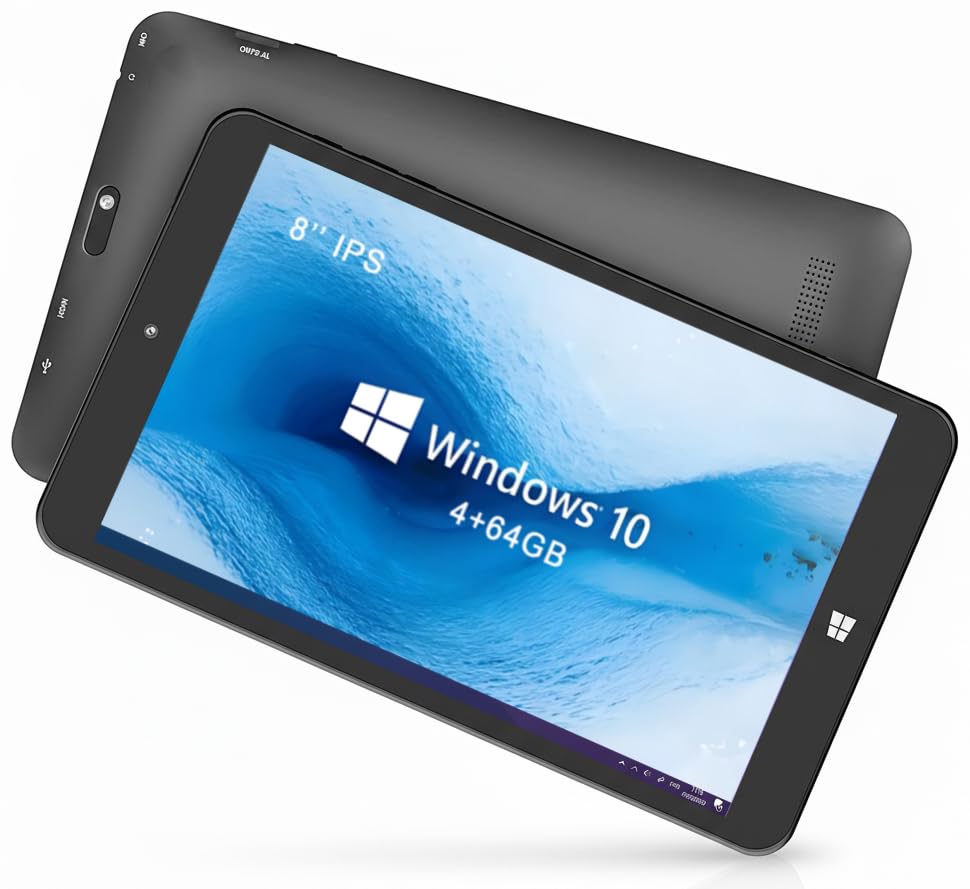
The KBJPADS W801 is a true entry-level 8-inch Windows tablet — a no-frills device built for the absolute lowest cost of entry. Its Intel quad-core processor (likely a Celeron N4020 or similar) with 4GB of RAM and 64GB of internal storage represents the minimum viable spec for Windows 11. Expect to use the MicroSD card slot (supports up to 128GB) immediately, as the internal storage fills up rapidly with the OS and essential apps.
The 1280×800 HD IPS display is adequate for basic tasks — web browsing, document reading, light video streaming — but it is not particularly bright or color-accurate. The tablet is genuinely compact and lightweight, small enough to slip into a handbag or a tool bag for light on-the-go use. Connectivity is limited to 2.4G WiFi and Bluetooth 4.0, which is noticeably dated and slower than modern 5G WiFi and Bluetooth 5.x standards.
Performance is strictly for light productivity. Multiple browser tabs will cause slowdowns, and anything beyond basic Office tasks will test its limits. There are documented reliability concerns, with some units failing to power on after a few months, and technical support is essentially non-existent. This tablet is best understood as a disposable utility device for a very specific, low-demand use case like basic note-taking, PDF reading, or a dedicated single-purpose machine for car diagnostics or similar specialized software.
Why it’s great
- Lowest cost of entry for a true 8-inch Windows 11 tablet
- Compact and lightweight for easy portability in bags
- SD card slot allows storage expansion up to 128GB
Good to know
- 4GB RAM and eMMC storage make for a sluggish Windows 11 experience
- Dated 2.4G WiFi and Bluetooth 4.0; limited build reliability
FAQ
What is the actual usable battery life of an 8-inch Windows tablet under real workloads?
Can an 8-inch Windows tablet replace a laptop for college or office work?
What is the difference between a rugged and a consumer 8-inch Windows tablet?
Final Thoughts: The Verdict
For most users, the best 8 inch windows tablet overall is the KOOFORWAY N150 because it delivers a true full-PC experience in a genuinely pocketable 8-inch frame with 12GB of LPDDR5 RAM and a massive 1TB SSD — no compromises on storage or memory. If you need a rugged field device for industrial environments, grab the ONERugged M80J for its IP65 waterproofing and hot-swappable battery. And for budget-conscious buyers who just need a basic Windows 11 slate for light productivity, the KBJPADS W801 is the most affordable way to get a full desktop OS in an 8-inch body.