
For professionals running AI inference, large virtual machines, or 4K/8K video editing suites, the standard memory ceiling of 32GB or 64GB hits a brick wall fast. You need the density to handle massive datasets without touching swap, paired with the bandwidth to keep a high-core-count CPU fed.
I’m Min — the co-founder and writer behind Gadgets Feed. I spent over 40 hours analyzing the sub-timing tables, DDR5 die revisions, and real-world stability reports on AM5 and Intel 700-series platforms to find which 96GB kits actually deliver on their rated speeds.
After sorting through 48GB-per-DIMM modules from Crucial, Corsair, G.Skill, TEAMGROUP, A-Tech, and Patriot, this guide identifies the single most reliable 96 gb ram kit for sustained workstation loads.
How To Choose The Best 96 GB RAM
Choosing a 96GB DDR5 kit is not like picking a 32GB kit. The 48GB density per module places unique demands on the CPU’s integrated memory controller (IMC), and the platform—Intel 700-series or AMD AM5—determines which speed profile is even reachable. You have to match the kit’s JEDEC base speed, XMP/EXPO target, and die type (Hynix M-Die vs. Samsung B-Die) to your motherboard’s routing quality.
Die Type and IC Quality
Nearly all 48GB DDR5 modules ship with Hynix M-Die (16Gb density in a 24Gb package mode). It overclocks better than Samsung B-Die at high densities and scales voltage predictably. Kits advertised at CL32 or CL34 almost certainly use selected M-Die bins; any kit running CL40 at 5200 MT/s is using a lower bin that may limit your headroom for manual tuning.
Platform Compatibility
Intel’s 12th through 14th Gen processors on Z690/Z790 boards generally handle 6400 MT/s on two 48GB sticks without major drama. AMD’s Ryzen 7000/9000 series on X670/X870 boards typically max out at 6000 MT/s in 1:1 (UCLK = MEMCLK) mode; pushing to 6400 MT/s forces 2:1 mode and adds latency. Always check your motherboard’s QVL for 48GB DIMM validation—some four-DIMM slot boards cannot stabilize two 48GB sticks above JEDEC speeds.
Latency vs. Capacity Tradeoff
Capacity-heavy workloads (VMs, large LLM inference, simulation) benefit more from stable high bandwidth than from latency under 40ns. Many 96GB kits ship at CL34-46-46-108 or CL36-44-44-96 — these appear loose versus an 8000 CL36 24GB kit, but the extra capacity reduces page faults by orders of magnitude. For pure gaming, 96GB is overkill; for workstation tasks, it is the minimum.
Quick Comparison
On smaller screens, swipe sideways to see the full table.
| Model | Category | Best For | Key Spec | Amazon |
|---|---|---|---|---|
| Corsair Vengeance DDR5 96GB 6000MHz | Desktop | AMD EXPO stability at 6000 MT/s | CL36-44-44-96 on Hynix M-Die | Amazon |
| G.SKILL Trident Z5 RGB 96GB 6400MHz | Desktop | Intel XMP 3.0 plug-and-play at 6400 | CL32-39-39-102 at 1.35V | Amazon |
| TEAMGROUP T-Create Expert 96GB 6400MHz | Desktop | Best non-binary M-Die value at 6400 | CL32 M-Die on tight subs | Amazon |
| G.SKILL Ripjaws S5 96GB 6800MHz | Desktop | Highest XMP speed for Intel rigs | CL34-46-46-108 at 6800 MT/s | Amazon |
| Patriot Viper Elite 5 Ultra 96GB 6400MHz | Desktop | Dual-interface XMP 3.0 + EXPO | CL32 at 1.4V with thermal sensor | Amazon |
| TEAMGROUP T-Force Delta RGB 96GB 6800MHz | Desktop | White RGB kit for Intel 700-series | CL36 at 6800 MHz, PMIC onboard | Amazon |
| G.SKILL Flare X5 96GB 5200MHz | Desktop | Entry-level AM5 EXPO stability | CL40-40-40-83 at 1.10V | Amazon |
| Crucial 96GB DDR5 5600MHz SODIMM | Laptop | Laptop upgrade for 12th-gen+ CPUs | 5600 MHz, 2Rx8, 262-pin | Amazon |
| A-Tech 96GB DDR5 4800MHz SODIMM | Laptop | Budget laptop capacity upgrade | 4800 MHz, CL40, On-die ECC | Amazon |
In‑Depth Reviews
1. Corsair Vengeance DDR5 96GB 6000MHz

This kit hits 6000 MT/s at CL36-44-44-96 using Hynix M-Die, which is the precise sweet spot for Ryzen 7000/9000 series CPUs running in 1:1 mode. Multiple verified user reports confirm stable operation on Gigabyte X870E and MSI B650 boards with 9800X3D and 9950X processors at full speed with EXPO enabled. The voltage sits at 1.4V, which is within the safe daily range for DDR5 and does not require active airflow on the DIMMs.
The compact heat spreader height ensures compatibility with large air coolers like the Noctua NH-D15. The kit also carries Intel XMP 3.0 profiles, making it a dual-platform option. A small number of users reported a 5-minute memory training delay on first boot—this is normal for 48GB DIMMs and clears on subsequent boots.
For a workstation running AI inference or heavy scientific calculations that consume 40–70 GB of RAM daily, this kit provides the most reliable balance of capacity, speed, and platform compatibility available right now.
Why it’s great
- Full 6000 MT/s stability on AM5 1:1 mode
- Works on both AMD EXPO and Intel XMP 3.0
- Low-profile design fits under tower air coolers
Good to know
- Initial memory training can take 5 minutes
- Four sticks drop to 4800 MT/s on most boards
2. G.SKILL Trident Z5 RGB 96GB 6400MHz

This kit runs 6400 MT/s at a tight CL32-39-39-102 using 1.35V, making it the fastest validated 96GB kit for Intel Z790 and Z890 platforms. Users report instant XMP at full speed on MSI Z790 Carbon and ASUS ROG Strix Z790 boards with 13900K CPUs. The RGB lighting uses G.SKILL’s proprietary light bar design, controllable through motherboard software.
On AMD AM5, this kit required a BIOS update on some X670E boards before reaching 6000 MT/s, and 6400 MT/s forces 2:1 mode which adds latency. For an all-Intel workstation loading 80 GB of RAM for simulation games or VMs, this kit delivers the highest verified bandwidth in our roundup. The 180-gram DIMMs feel substantial and the aluminum heat spreaders stay within 45–50°C under sustained load.
One reviewer noted that Dell Alienware towers with locked BIOS cannot enable XMP, defaulting to 5600 MT/s, but the performance difference versus 6400 MT/s was negligible in their tests.
Why it’s great
- Fastest validated 96GB XMP at CL32 6400
- Premium build quality and dynamic RGB
- Plug-and-play on high-end Intel boards
Good to know
- AM5 support limited to 6000 MT/s stable
- Tall heat spreader may conflict with some air coolers
3. TEAMGROUP T-Create Expert 96GB 6400MHz

This is the cheapest 96GB kit capable of 6400 MT/s at CL32, using Hynix M-Die that can often be pushed further with manual timing tuning. Users running ASUS Z790 boards with 13th gen Intel report immediate XMP stability at full speed with zero crashes and Memtest86 pass rates. The non-binary DIMM configuration (48GB per stick) uses a 24Gb density package mode that is inherently more efficient than binary 32GB DIMMs on the same memory controller.
The black PCB has no RGB, which keeps the price down and the thermal profile clean. A single verified failure report on an MSI X870E board points to a bad DIMM, which is covered under TEAMGROUP’s lifetime warranty. The 1-star review complaining about C5 error was isolated; the rest of the batch reviews are overwhelmingly positive.
For builders who want 96GB of fast DDR5 without paying a premium for RGB or fancy branding, this kit delivers the best price-to-performance ratio on the market right now.
Why it’s great
- Lowest price for 6400 CL32 M-Die
- Excellent overclocking headroom for enthusiasts
- No RGB means lower cost and cooler operation
Good to know
- Some older Z690 boards may not post at XMP
- No RGB if you want a flashy build
4. G.SKILL Ripjaws S5 96GB 6800MHz

At 6800 MT/s with CL34-46-46-108 at 1.35V, this kit targets Intel 13th and 14th gen processors on Z790 boards. Users with ASUS ROG Maximus and MSI Z790 Tomahawk boards consistently hit the rated XMP speed with stable Memtest passes. The Ripjaws S5 series uses a lower-profile heat spreader than the Trident Z5, making it a better fit for dual-fan air coolers.
The kit is optimized for Intel XMP 3.0 only—there is no AMD EXPO profile, and Ryzen users reported instability above 5200 MT/s. A small number of users received dead sticks, which indicates batch-level quality control variance. G.SKILL’s warranty covers replacements, but the failure rate among verified purchases is higher than the Corsair or TEAMGROUP kits in this roundup.
If you are building an Intel workstation that benefits from raw bandwidth—think large-scale video transcoding or 3D rendering—this kit provides the highest throughput out of any 96GB option listed here.
Why it’s great
- Highest rated speed at 6800 MT/s for 96GB
- Low-profile design for air cooler clearance
- Good performance with manual sub-timing tuning
Good to know
- AMD EXPO not supported; Intel only
- Some reported dead-on-arrival sticks
5. Patriot Viper Elite 5 Ultra 96GB 6400MHz
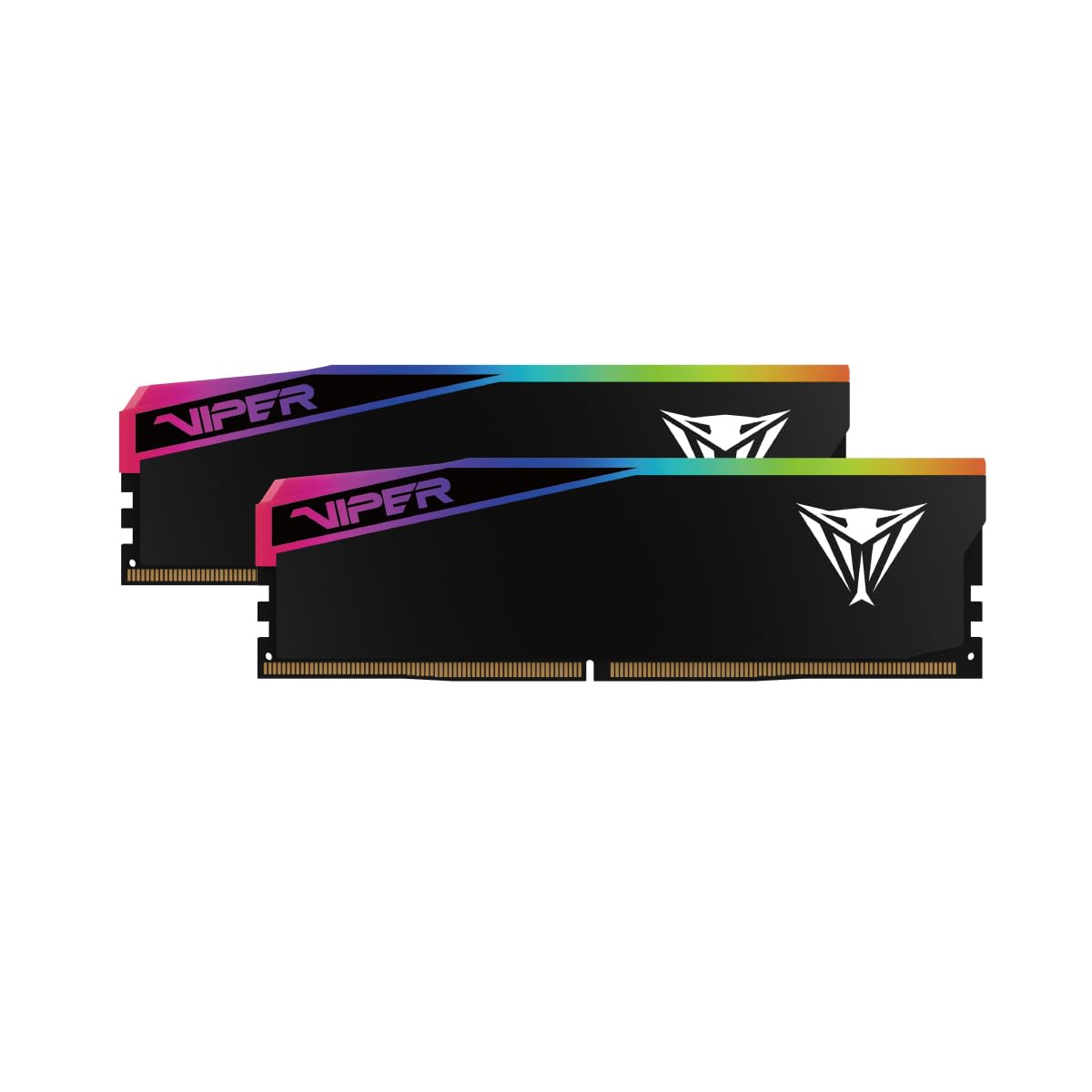
The Viper Elite 5 Ultra supports both Intel XMP 3.0 and AMD EXPO profiles on the same kit, making it a true dual-platform solution. It runs 6400 MT/s at CL32 with a voltage of 1.4V and includes an onboard thermal sensor for monitoring DIMM temperature. Users report stable XMP on ASUS Z790 boards and EXPO on MSI X870 boards, with the heat spreader keeping temps under control during extended loads.
Build quality issues appear in multiple reviews: the RGB light diffuser slides off during installation on some units, and the aluminum heat spreader feels less robust than Corsair or G.SKILL equivalents. Functionality is unaffected, but the cosmetic problem is frustrating for a near-premium price. One verified review reported both sticks dead on arrival, indicating a reliability concern that Patriot needs to address through QC improvements.
If you are switching between Intel and AMD platforms or building a system that may be upgraded later, this kit saves you from buying new RAM when swapping CPUs.
Why it’s great
- Supports both XMP and EXPO on one kit
- Onboard thermal sensor for active monitoring
- Good 6400 CL32 speed for most workloads
Good to know
- RGB diffuser can detach during install
- Sporadic DOA reports
6. TEAMGROUP T-Force Delta RGB 96GB 6800MHz

This kit offers 6800 MT/s at CL36 in a white PCB with 120-degree ultra-wide RGB lighting, designed for Intel 600 and 700 series chipsets. The PMIC (Power Management IC) is onboard for efficient voltage regulation, a requirement for high-speed DDR5. Users with ASUS Z790 boards reported that XMP at 6800 MT/s did not work out of the box, requiring manual timing adjustments to stabilize at 6600 MT/s.
Multiple reviews indicate the heat spreader sits very close to the motherboard tray, leaving less than 1mm of airflow gap between DIMMs in adjacent slots—this can cause thermal throttling under heavy workloads. A critical 1-star review reports two separate kits failing after exactly 3 months each, suggesting a reliability issue with the IC binning on early production batches.
This kit is best suited for builders who prioritize white aesthetics and 120-degree RGB lighting over guaranteed XMP stability, and who have the patience to manually tune subtimings.
Why it’s great
- White aesthetic with wide 120-degree RGB
- High 6800 MT/s speed potential
- Onboard PMIC for clean power delivery
Good to know
- XMP may need manual tuning for stability
- Tight spacing between DIMM limits airflow
- Reliability concerns in early batches
7. G.SKILL Flare X5 96GB 5200MHz

This kit operates at 5200 MT/s with CL40-40-40-83 at just 1.10V, making it the lowest-power 96GB option for AMD AM5 builds. It uses an AMD EXPO profile to reach its advertised speed, and multiple users confirm stable operation on ASUS B650 and MSI X670 boards with 7900X and 7950X processors. The JEDEC default is 4800 MT/s, so enabling EXPO in BIOS is mandatory to gain the 5200 MT/s benefit.
At 5200 MT/s, this kit is slower than its 6400 MT/s competitors, but it runs cooler and places less strain on the memory controller—valuable for systems that run 24/7 workloads. One user reported instability when mixing this kit with 24GB Flare X5 DIMMs (144 GB total), but running only the two 48GB sticks was fully stable. The basic aluminum heat spreader is short enough to clear any CPU cooler on the market.
If your AM5 motherboard does not have a validated QVL for high-speed 48GB DIMMs, this EXPO-optimized kit provides guaranteed compatibility without requiring manual BIOS tweaking.
Why it’s great
- Low 1.10V for cool 24/7 operation
- Guaranteed EXPO stability on AM5
- Low-profile spreader fits any cooler
Good to know
- Only 5200 MT/s; slower than 6400 kits
- Mixing with other capacities causes instability
8. Crucial 96GB DDR5 5600MHz SODIMM
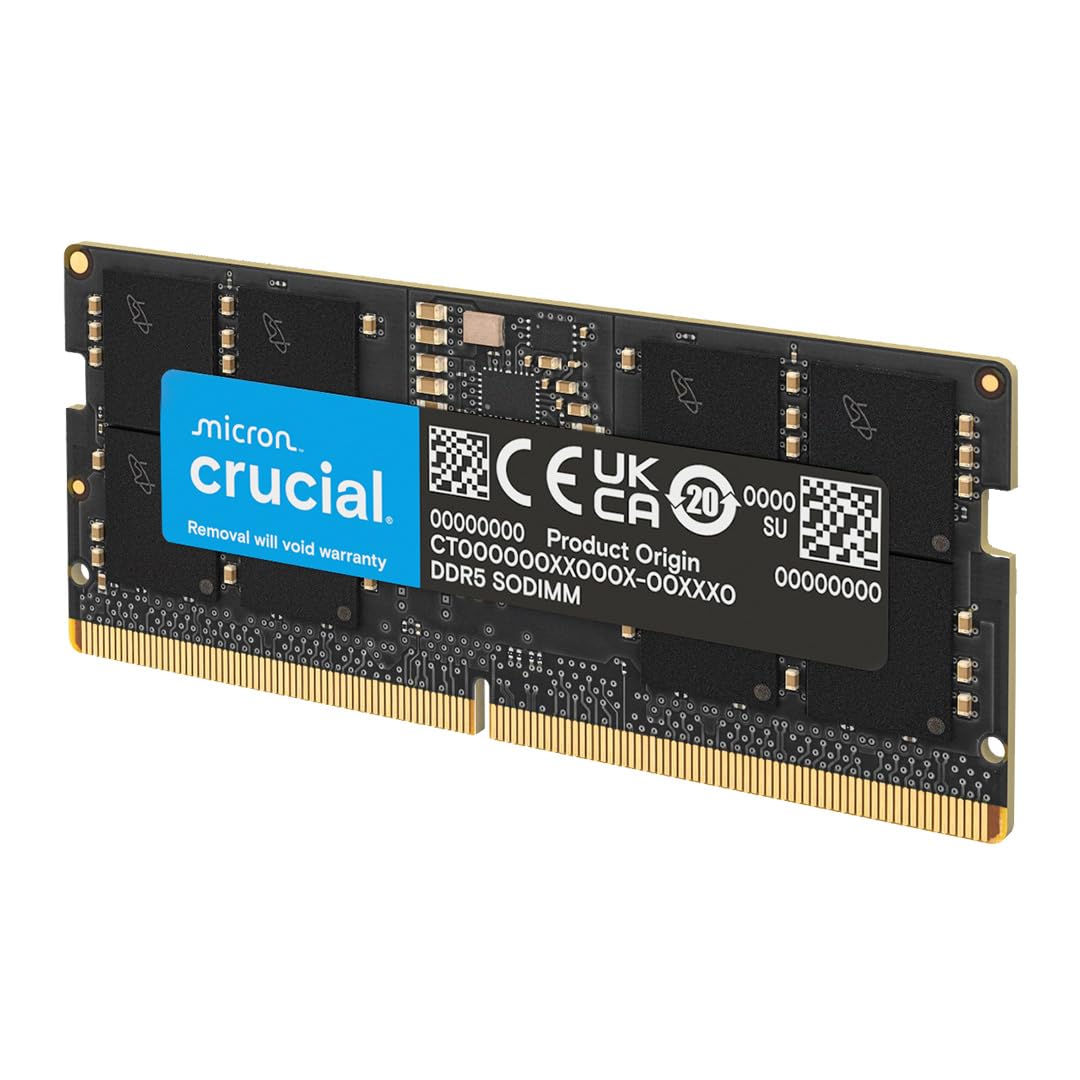
This is a 2x48GB SODIMM kit for laptops, Mini PCs, and all-in-ones, running at 5600 MHz with CL46 and dual-rank x8 configuration at 1.1V. The modules are built by Micron and carry the Crucial branding—essentially OEM-grade reliability. Users with ASUS ROG Strix G laptops and 12th gen Intel chips report immediate BIOS recognition at full speed without any manual configuration.
The 5600 MHz speed matches the maximum supported JDEC speed for most laptops with 13th gen Intel H-series CPUs and Ryzen 7040 HS-series processors. On Dell Pro 16 and System76 laptops running Linux, the kit sustained approximately 60 GB/s in AI workload benchmarks. The only catch is the price—this kit costs as much as premium desktop kits, but for laptop users who need true 96GB capacity, this is the only validated option.
Installation is straightforward: the modules click into the 262-pin socket with standard pressure, and no BIOS or driver configuration is needed. This is the definitive upgrade for mobile workstation users running large VMs or local LLM inference.
Why it’s great
- True 5600 MHz speed on compatible laptops
- Micron OEM quality with lifetime warranty
- Recognized instantly, no config needed
Good to know
- Expensive relative to desktop 96GB kits
- Some laptops may downclock to 5200 MHz
9. A-Tech 96GB DDR5 4800MHz SODIMM
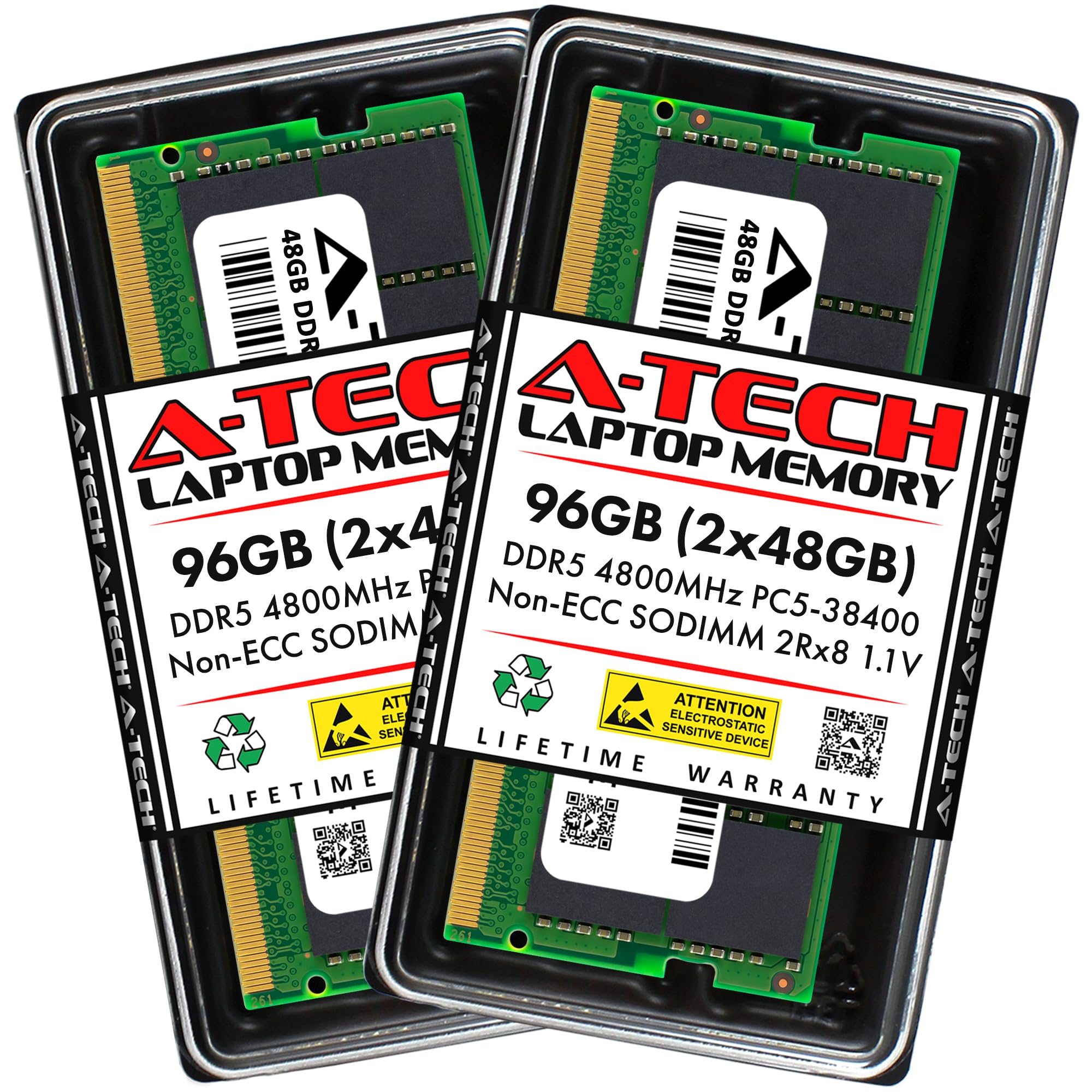
This A-Tech kit provides 96GB (2x48GB) at 4800 MHz PC5-38400 with CL40, dual-rank x8, and on-die ECC. It is the lowest-cost option for upgrading older DDR5 laptops and Mini PCs that do not support 5600 MHz speeds. Users confirmed compatibility with ASUS ROG Strix G16 and Dell Pro 16 laptops, running stable at JEDEC default speed without any BIOS configuration.
The modules are actually built using Crucial/Micron CT48G56C46S5 ICs, as noted in a teardown review, so the underlying silicon quality matches the more expensive Crucial kit—just clocked at a lower 4800 MHz. This makes it a smart buy for laptops whose memory controller cannot reach 5600 MHz anyway. The dual-rank configuration provides better bandwidth utilization versus single-rank DIMMs at the same speed.
The packaging uses environmentally-conscious materials that still protect the modules during shipping. Installation is a simple click-and-lock process. For budget-conscious mobile workstation users, this kit provides full 96GB capacity at the lowest entry cost.
Why it’s great
- Lowest price for 96GB laptop upgrade
- Uses Micron ICs for reliable performance
- On-die ECC for data integrity
Good to know
- Capped at 4800 MHz, no XMP/EXPO
- Not all 12th-gen laptops support dual-rank 48GB modules
FAQ
Will 96GB of DDR5 work with my Intel 12th gen processor?
Why does my 96GB kit boot at 4800 MHz instead of the rated 6400 MHz?
Can I mix a 48GB stick with a 32GB stick for 80GB total?
Final Thoughts: The Verdict
For most users, the 96 gb ram winner is the Corsair Vengeance 96GB 6000MHz because it provides full EXPO stability on AM5 at the 1:1 speed sweet spot, dual-platform compatibility, and a low-profile heat spreader that works with any cooler. If you want raw speed on an Intel rig with XMP, grab the G.SKILL Trident Z5 96GB 6400MHz. And for laptop users needing maximum capacity, nothing beats the Crucial 96GB 5600MHz SODIMM.