
That new flat-panel TV only has an optical audio output, but your vintage stereo receiver or powered bookshelf speakers only accept RCA analog input. This is the exact gap an A to D converter bridges, taking digital signals from Toslink or coaxial jacks and translating them into clean, usable analog sound for your existing gear. Without one, you are locked out of your own audio system.
I’m Min — the co-founder and writer behind Gadgets Feed. I’ve spent countless hours digging into the technical specs of audio converters, sampling rate benchmarks, chipset differences, and real-world compatibility gotchas to separate the units that actually deliver noise-free sound from those that introduce hum or drop channels.
Whether you are connecting a turntable to a PC or feeding a legacy amp from a modern TV, the best a to d converter will eliminate the digital-to-analog barrier without degrading your signal quality.
How To Choose The Best A To D Converter
Not every converter handles the same audio formats or output quality. Matching the device to your specific source (TV, game console, turntable) and destination (receiver, active speakers, headphones) determines whether you get clean stereo or frustrating silence.
Check the Audio Format Support
Most modern TVs output either PCM (stereo) or Dolby Digital (compressed surround). A converter that only decodes 2-channel PCM will produce garbled noise or no sound at all from a Dolby Digital 5.1 source. Look for units that explicitly support DTS and Dolby AC-3 decoding if your source outputs multichannel signals. For pure music listening, a unit that handles 24-bit/192kHz PCM via coaxial or optical is the baseline for high-fidelity playback.
Input and Output Connections
The two digital input standards are Toslink optical and coaxial RCA. Optical is universal on modern TVs, while coaxial is common on older CD players and streamers. Your converter must have the input type your source provides. For output, you will likely need RCA L/R jacks for a stereo receiver or amplifier, or a 3.5mm headphone jack for active speakers or headphones. Some units include both, which adds flexibility without requiring a splitter.
Build Quality and Power Delivery
Heat and electrical noise degrade analog audio signals. Converters with a metal chassis and a magnetic ring on the power cord tend to reject interference better than all-plastic housings. Power is usually delivered over a micro-USB or USB-C cable — a 5V/1A adapter is the standard, though some TVs can power the converter directly via their USB port, simplifying the installation and reducing cable clutter behind the entertainment center.
Quick Comparison
On smaller screens, swipe sideways to see the full table.
| Model | Category | Best For | Key Spec | Amazon |
|---|---|---|---|---|
| Topping E30II | Premium DAC | High-fidelity stereo listening | 32-bit / 768kHz via USB | Amazon |
| OREI DA34 | Dolby Decoder | TV to stereo receiver | Decodes Dolby Digital 5.1 | Amazon |
| SMSL PO100 | USB Bridge | Phone/PC to legacy DAC | MQA decoding, XU316 chip | Amazon |
| J-Tech Digital | Audio Extender | Sending audio 990 ft over Ethernet | Cat5e/6 up to 990 feet | Amazon |
| PROZOR 192kHz | Standard Converter | TV to powered speakers | 192kHz sampling rate | Amazon |
| SatelliteSale RF Modulator | RF Modulator | RCA to coaxial for older TVs | NTSC RF output | Amazon |
| ClearClick Video2Digital 3.0 | Media Digitizer | Converting VHS/audio tapes to digital files | Records to USB/MicroSD | Amazon |
In‑Depth Reviews
1. Topping E30II

The Topping E30 II is a premium desktop DAC that pulls double duty as both a pure DAC and a preamp with volume control. Its dual AK4493S chips deliver an extremely low noise floor, measuring under 1.5µV, which makes it ideal for driving headphones like the HD 800s or feeding a separate amplifier. USB input handles sampling rates up to 32-bit/768kHz and DSD512 natively, while optical and coaxial inputs cap out at 24-bit/192kHz, giving you high-resolution playback from any digital source.
Users report that this unit essentially eliminated static interference that plagued their previous RCA-to-aux connections. The discrete LNRD circuit actively filters noise from the 5V power supply, meaning the analog output stays clean even when powered by a less-than-perfect USB brick. In pure DAC mode, DSD signals bypass the digital filter entirely for a more direct signal path that audiophiles appreciate.
The build quality is solid with an aluminum chassis, though the included remote is small and requires line-of-sight aiming. It includes auto-standby and switchable fixed/pre-amp modes, making it suitable for both desktop listening and integration into a larger home stereo system. The lack of a Toslink cable in the box is a minor oversight given the price point.
Why it’s great
- Exceptional SINAD and dynamic range from dual AK4493S DAC chips
- DSD512 native support via USB for high-resolution audio files
- Discrete LNRD circuit suppresses power supply noise below 1.5µV
Good to know
- Remote requires direct line-of-sight and has limited range
- No Toslink cable included in the box
- Price point is significantly higher than basic converters
2. OREI DA34

The OREI DA34 fills a very specific need: it actively decodes Dolby Digital and DTS 5.1 surround signals into 2.0-channel analog stereo. This is the key feature most basic converters lack — if your TV sends a Dolby Digital signal and your converter only expects PCM, you get silence. The DA34 handles the conversion on-chip, making it the go-to solution for connecting a modern smart TV to an older stereo receiver that only has RCA inputs.
Setup is straightforward: plug the optical or coaxial cable from your TV into the input, switch the side toggle to match the input type, and the RCA L/R or 3.5mm output feeds into your speakers or headphones. It supports simultaneous output on both RCA and the headphone jack, so you can drive powered speakers and a subwoofer at the same time without a splitter. The included 5V power adapter and optical cable mean you have everything you need out of the box.
One common gotcha is the plastic cap on the optical cable terminals that must be removed before insertion. The unit’s plastic chassis is compact enough to hide behind a TV, but the build feels less substantial than a metal-cased competitor. For anyone moving from a Dolby Digital source to a stereo analog system, this decoder is the correct tool.
Why it’s great
- Actively decodes Dolby Digital and DTS 5.1 to stereo PCM
- Simultaneous RCA and 3.5mm headphone outputs
- Includes power adapter and optical cable for out-of-box use
Good to know
- Plastic housing feels less durable than metal alternatives
- Must manually switch input between optical and coaxial
- Does not support high-resolution audio beyond 48kHz in Dolby mode
3. SMSL PO100
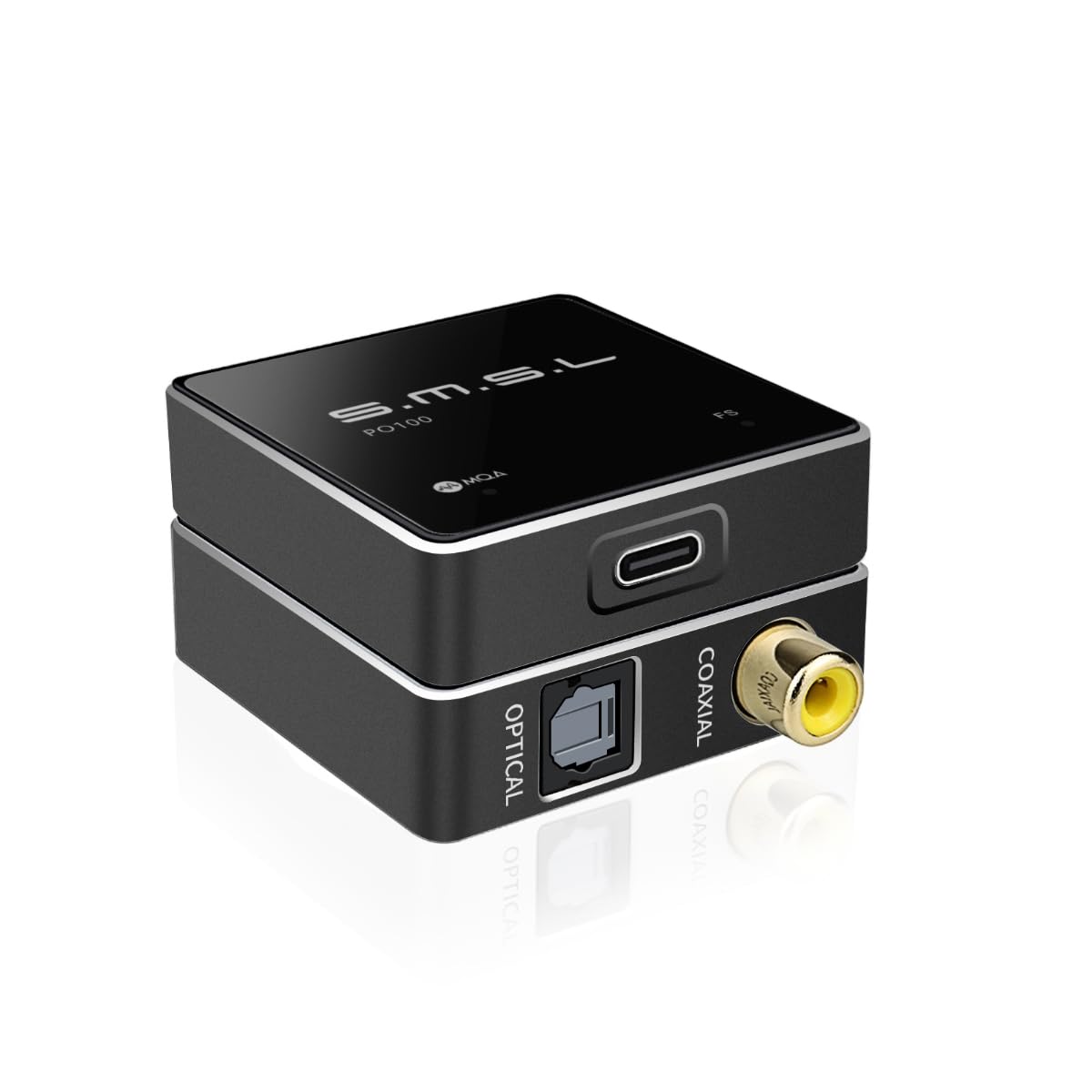
The SMSL PO100 is a tiny USB-to-digital audio bridge designed to send bit-perfect audio from a phone or computer to an external DAC that lacks USB input. It uses the XMOS XU316 chip, an asynchronous design that reclocks the USB signal and reduces jitter. With both optical and coaxial outputs active simultaneously, you can feed two different DACs or audio systems from a single source without any signal degradation.
MQA decoding is supported natively, meaning Tidal Masters tracks unfold fully without additional software. The unit draws only about 100mA from the host device, so an iPhone or laptop’s battery is barely affected during extended listening sessions. It supports PCM up to 24-bit/192kHz and DSD64 via DoP, which covers most high-resolution streaming services. The total weight is negligible — the PO100 is roughly the size of a USB stick and can be stashed anywhere in a cable run.
Note that this device is purely a converter and has no volume control. Volume must be adjusted on the source device or the downstream DAC. Some users needed to install drivers on Windows for the XMOS chip to be recognized, though macOS and Windows 10+ detected it natively. The package includes both USB-C-to-C and USB-A-to-C cables, but no optical cable, so budget for one separately.
Why it’s great
- XMOS XU316 chip with asynchronous USB for jitter-free signal
- Simultaneous optical and coaxial output to feed two DACs
- Ultra-low power consumption at ~100mA from the host device
Good to know
- No volume control — must adjust on source or downstream device
- Requires Windows driver installation for XMOS chip recognition
- Does not include a Toslink optical cable in the package
4. J-Tech Digital Audio Extender
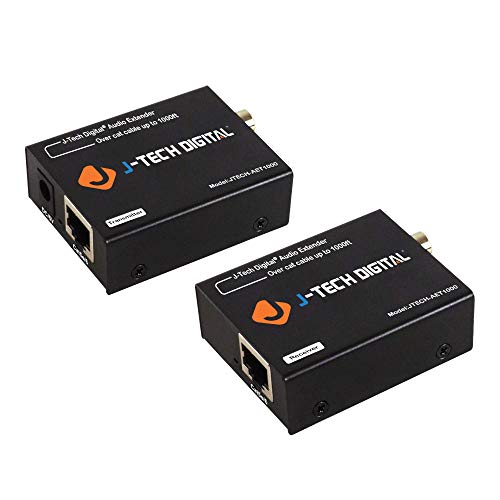
The J-Tech Digital AET1000 solves a specific spatial problem: sending a digital audio signal over long distances using standard Cat5e or Cat6 Ethernet cable. Instead of running expensive optical cables or risking signal loss over long analog runs, this extender converts optical or coaxial digital audio into a signal that travels up to 990 feet over Ethernet. It supports Dolby Digital, DTS 5.1, DTS-HD, and PCM, meaning it works with both home theater and stereo sources.
Power-over-Cable (PoC) technology means only the transmitter end needs a power supply; the receiver is powered through the Ethernet connection itself. This is a clean solution for setups where the receiver is tucked away in a remote equipment rack or another room. Both the optical and coaxial outputs on the receiver side are active simultaneously, so you can send the signal to two destinations — say, a soundbar and a zone amplifier — without any splitting hardware.
Setup is genuinely plug-and-play: connect the digital source to the transmitter, run an Ethernet cable to the receiver, and plug in the power adapter on the transmitter side. There is zero configuration or software required. The limitation is that optical carries Dolby Digital (not Atmos), but for most content and older receivers, this is perfectly adequate. The units are housed in compact metal enclosures that dissipate heat well.
Why it’s great
- Extends optical or coaxial audio up to 990 feet over Cat5e/6 cable
- Power over Cable design — only one power adapter needed
- Simultaneous optical and coaxial output for dual-zone audio
Good to know
- Limited to Dolby Digital — no Dolby Atmos pass-through
- Ethernet cable not included
- Power adapter only on transmitter side restricts placement options
5. PROZOR 192kHz DAC
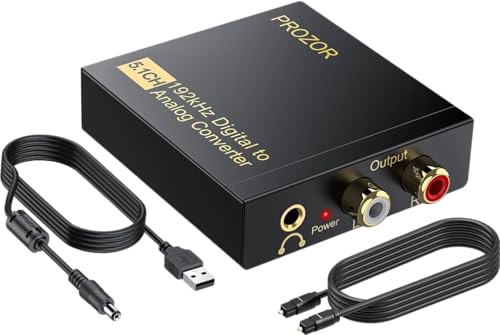
The PROZOR 192kHz converter is the classic budget entry point for connecting a TV’s optical output to analog RCA speakers or headphones. It handles sampling rates up to 192kHz and 24-bit from both optical and coaxial inputs, downmixing DTS and Dolby AC-3 5.1 sources into 2.0-channel analog output. The included magnetic ring on the USB power cord helps filter out electrical noise, which is crucial in budget units where interference is common.
Users consistently report that this unit solved the problem of a newer TV with only optical output not communicating with an older Bose system or analog receiver. Setup requires only a USB power source (5V/1A recommended — not included), an optical cable, and an RCA or 3.5mm connection to the amplifier. The metal housing is a step up in build quality from the all-plastic converters at the same price point, and the unit is small enough to sit unobtrusively on a shelf.
One caveat from the reviews is that rear speaker output from Dolby ProLogic material is weak, which is expected since this is a 2.0-channel downmix. For pure stereo PCM audio, the clarity is very good for the price. Users connecting this to a Bluetooth transmitter reported that volume control must happen at the amplifier. It is a reliable, no-frills converter for the most common use case.
Why it’s great
- 192kHz / 24-bit sampling support for high-resolution PCM audio
- Magnetic ring on the power cord reduces electrical noise interference
- Metal housing offers better durability than plastic alternatives
Good to know
- Power adapter not included — requires a separate 5V/1A USB charger
- Downmixed Dolby Digital rear channel output is noticeably weak
- Volume must be adjusted at the amplifier, not on the converter
6. SatelliteSale RF Modulator

The SatelliteSale RF Modulator is an unconventional entry in the A to D converter category — it takes composite RCA analog signals and converts them to RF coaxial output. This is specifically for coax-only TV inputs found on older CRT televisions, distribution systems, or RV setups. It encodes the video signal onto an NTSC channel (typically channel 3 or 4) that a TV tuner can pick up, allowing devices like vintage DVD players, VCRs, or retro game consoles to display on a monitor that lacks RCA jacks.
Build quality is adequate for its purpose: a PVC-molded plastic casing with metal RCA and F-type coaxial connectors that resist corrosion. The unit comes with both an RCA composite cable and a coaxial cable, plus a power supply, so everything needed is in the box. Setup is genuinely plug-and-play — no drivers, no menus — just connect the composite source to the input, the coaxial output to the TV, and tune the TV to the correct channel.
Users leveraging this with a Dish Hopper 3 or similar satellite receiver reported it successfully distributed analog video to multiple TVs via an existing RF coax infrastructure. The mono audio output means stereo sources are summed to a single channel, which is acceptable for voice-heavy content like security camera feeds or retro gaming. The aux port durability is a known weak point, so careful handling is recommended if the unit will be moved frequently.
Why it’s great
- Converts composite RCA to RF coaxial for older TVs and distribution systems
- Includes RCA cable, coaxial cable, and power supply for immediate setup
- Lifetime warranty from the manufacturer provides peace of mind
Good to know
- Mono audio output only, stereo signals are summed to mono
- Auxiliary port can bend with repeated use over time
- Limited to NTSC standard, which is region-specific to North America
7. ClearClick Video2Digital 3.0

The ClearClick Video2Digital 3.0 is the most versatile device in this list — it is a standalone digitizer that records analog audio and video from RCA sources directly to a USB flash drive or microSD card without needing a computer. You connect a VCR, camcorder, turntable, or any device with composite video and RCA audio output, and the unit encodes the signal as MP4 video (720×480 or 640×480) or WAV/MP3 audio. The built-in 5-inch preview screen shows exactly what is being recorded in real time.
The third generation added a rechargeable battery, a microSD slot, a custom auto-stop timer (useful for overnight batch digitizing), and a USB-C charging port. This means you can digitize a stack of VHS tapes or cassette tapes completely untethered — no computer, no outlet required. The interface is menu-driven and intuitive, with on-screen instructions that make the process straightforward even for non-technical users. Output files are standard MP4 and MP3, playable on any modern device without proprietary software.
There are important limits: the maximum resolution is SD 720×480 — there is no upscaling to HD, and it cannot record from HDMI sources. The digitizer does not play tapes itself; you must provide a working VCR or camcorder. Some users noted occasional frame stuttering or brief blink artifacts, which is common in this price range of USB-based capture hardware. ClearClick includes a 2-year warranty and US-based tech support, which is rare for this category.
Why it’s great
- Records directly to USB or microSD without requiring a computer
- Built-in 5-inch preview screen and rechargeable battery for portable operation
- Custom auto-stop timer allows unattended batch digitizing
Good to know
- Maximum output resolution is 720×480 SD — no HD or upscaling
- Requires a working VCR, camcorder, or turntable; does not play media itself
- Occasional frame stuttering or blink artifacts reported by users
FAQ
Why is there no sound after connecting my converter?
Can I use an A to D converter with a turntable?
What is the difference between optical and coaxial digital audio?
Will an A to D converter work for video signals from a VCR?
Final Thoughts: The Verdict
For most users, the best a to d converter winner is the OREI DA34 because it actively decodes Dolby Digital sources that choke basic converters, making it the reliable bridge between a modern TV and any analog stereo system. If you need pristine high-resolution DAC performance for a dedicated listening room or desktop headphone setup, grab the Topping E30 II. And for emailing audio across a long distance to a remote zone amplifier, nothing beats the J-Tech Digital Extender.