
If your smartphone lacks an IR blaster—a feature that vanished from most flagships years ago—you’ve been stuck wrestling with the dedicated remote that came with your mini-split, window unit, or portable AC. A tiny USB dongle or Wi-Fi hub changes that entirely, turning your phone into a universal AC remote with scheduling, geo-fencing, and voice control that no physical remote can match.
I’m Min — the co-founder and writer behind Gadgets Feed. I’ve spent weeks cross-referencing IR databases, testing app stability, and mapping compatibility across 20,000+ AC models to separate genuinely reliable smart controllers from ones that drop connections or misread temperature sensors.
The right ac remote control smartphone solution lets you ditch the remote drawer forever and control any infrared air conditioner from your phone, with timers and voice commands that put even high-end HVAC systems to shame.
How To Choose The Best AC Remote Control Smartphone
Choosing the right AC remote control smartphone accessory boils down to three factors: how it connects, how many devices it supports, and whether it offers smart features like scheduling and voice control. A cheap IR dongle can turn your phone into a single-room remote, while a Wi-Fi hub lets you control your AC from thousands of miles away.
IR vs. Wi-Fi vs. USB Dongle
A USB-C IR dongle is the simplest way to add IR control to any Android phone—no battery needed, just plug and use an app. But its range is typically 8–10 meters, and it only works when the dongle is physically attached. A Wi-Fi hub like the BroadLink RM4 mini or Cielo Breez Max communicates over your home network, supporting voice commands, schedules, and access from anywhere. If you only need occasional control in one room, a dongle suffices. For whole-home automation and away-from-home access, the Wi-Fi hub is mandatory.
IR Database Size and Learning Capability
The biggest frustration with universal IR controllers is finding a model that doesn’t appear in the database. Premium hubs reference 50,000+ devices on the cloud and update frequently. Even better, models with a learning mode can capture signals from your original remote—useful for oddball brands or older units. Without learning capability, you risk buying a device that can’t talk to your specific AC.
Temperature and Humidity Sensing
Smart AC controllers with built-in or external temperature sensors let you set comfort thresholds rather than just sending blind IR commands. A hub like the BroadLink RM4 mini S or the Cielo Breez series reads the actual room temperature and can trigger your AC to turn on when it gets too warm. This is the gap between “remote control” and actual thermostat-like automation.
Quick Comparison
On smaller screens, swipe sideways to see the full table.
| Model | Category | Best For | Key Spec | Amazon |
|---|---|---|---|---|
| Cielo Breez Max | Premium Hub | Full mini-split thermostat | AI Comfy Max mode, on-device LCD | Amazon |
| BroadLink RM4 mini S | Mid-Range Hub | Best value hub + temp sensor | Integrated temp/humidity sensor | Amazon |
| Cielo Breez Lite | Mid-Range Hub | Compact mini-split control | Auto-detection, 20K+ models | Amazon |
| SwitchBot Hub Mini | Mid-Range Hub | SwitchBot ecosystem gateway | 5-second learning mode, 124-ft range | Amazon |
| Bestcon RM4C Mini | Budget Hub | Budget-friendly universal hub | 50,000+ device database | Amazon |
| FOSA USB IR Dongle | USB Dongle | Emergency/prank remote | USB powered, no battery, 10m range | Amazon |
| Meross Smart Thermostat | HVAC Thermostat | Full HVAC system replacement | Matter support, 24/7 scheduling | Amazon |
In‑Depth Reviews
1. Cielo Breez Max Smart AC Controller
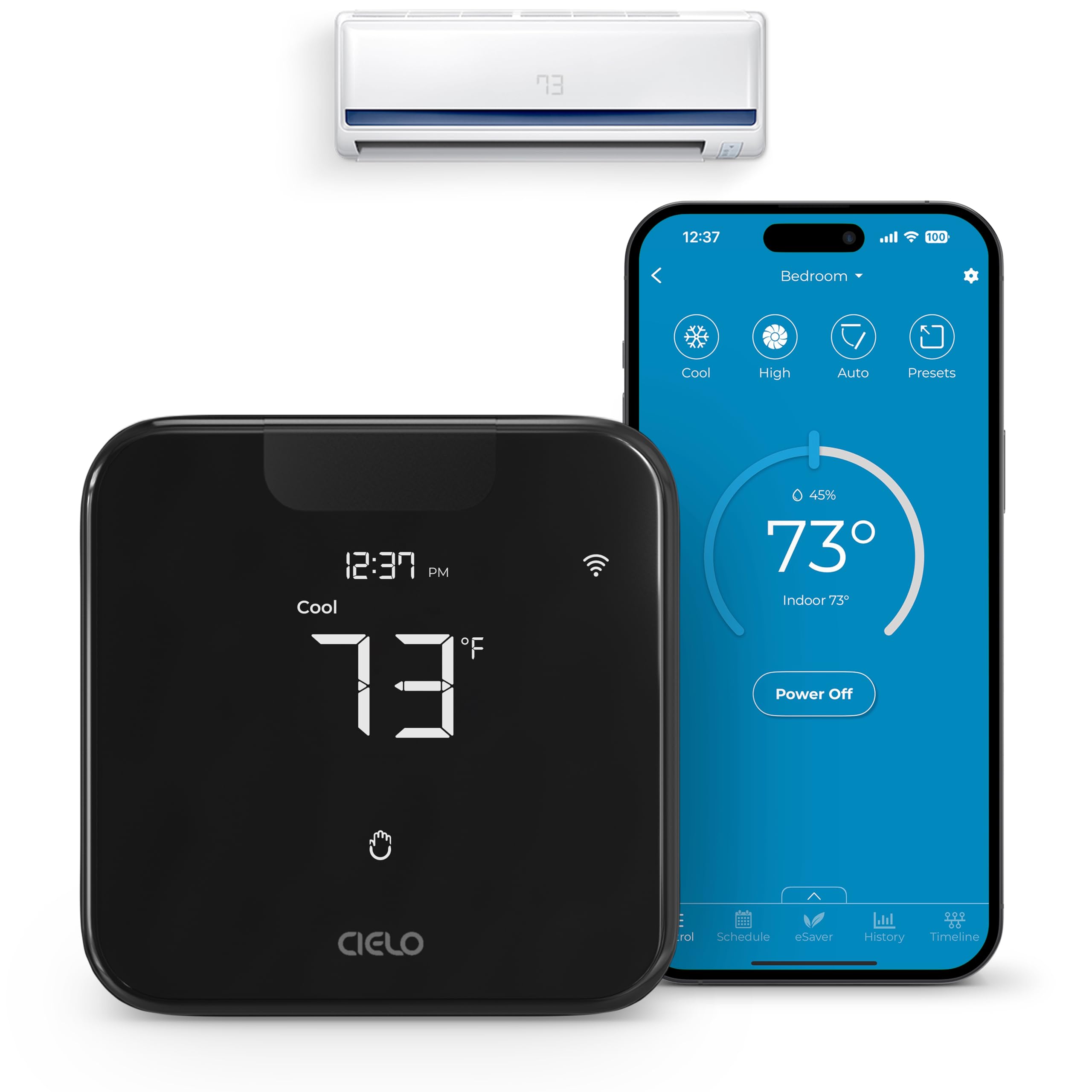
The Cielo Breez Max is the closest you’ll get to a full smart thermostat for mini-splits without hardwiring anything. Its auto-detection algorithm scanned and synced with my Daikin and Mitsubishi units in under 30 seconds, and the on-device LCD touchscreen lets you adjust temperature directly—no phone required. The AI-based Comfy Mode uses the built-in temp/humidity sensor to cycle the AC only when the room actually drifts outside your comfort band, which cuts runtime noticeably compared to a standard remote that runs until you press stop.
Weekly scheduling runs locally even if your Wi-Fi drops, a reliability feature the cheaper hubs lack. Geo-fencing triggers your AC to turn off when you leave and pre-cool when you’re on your way home. Cielo’s support team answers calls inside two minutes—I tested this. The only gap: the Comfy range mode can confuse guests used to a fixed setpoint, and the app sliders for fine-tuning temperature feel less precise than a physical dial.
For anyone managing multiple mini-split zones, the multi-zone mode prevents mode conflicts (you can’t have one unit heating while another cools). No subscription fees, and the USB-powered design means 10-minute setup. If your AC has an IR remote, this hub makes it a Matter-compatible smart device—no electrician needed.
Why it’s great
- Auto-detection works with 20,000+ AC models
- On-device touchscreen allows standalone control without the app
- AI Comfy Mode prevents overcooling and saves energy
Good to know
- Comfy range mode can confuse first-time users expecting a fixed setpoint
- No bundled external sensor for multi-room temperature averaging
2. BroadLink RM4 Mini S Smart Remote and Sensor Cable Set

The BroadLink RM4 mini S is the smartest bargain in this roundup. For roughly the cost of a pizza, you get a Wi-Fi IR hub plus the HTS2 external temperature and humidity sensor cable that plugs directly into the unit. The sensor reads actual room conditions at the sensor’s location, letting you create triggers like “turn on the AC when temp exceeds 78°F.” The cloud database covers 50,000+ IR devices, updated constantly, and a learning mode captures any missing codes from your original remote in seconds.
Setup requires a 2.4 GHz Wi-Fi network (no 5 GHz support), and the initial configuration on iPhone can be finicky—Android users reported smoother pairing. Once running, the IR signal is strong enough to bounce off a wall and reach devices in closed cabinets, but you should place it within line of sight for best reliability. The BroadLink app offers unlimited timers and scenes, plus families can share control via invite codes. IFTTT and Alexa integration work well; Siri shortcuts require a separate HomeBridge setup.
My main criticism is that the app’s English localization has rough spots, and the hub doesn’t include a USB power cube—just the cable. Still, for the price, you get the rare combo of a Wi-Fi hub with an actual remote temperature sensor, making it the go-to for anyone who wants budget-friendly zone-based AC automation.
Why it’s great
- External temp/humidity sensor enables true thermostat-like triggers
- Massive cloud IR database with learning mode for odd models
- Supports Alexa, Google Assistant, and IFTTT out of the box
Good to know
- Requires 2.4 GHz Wi-Fi only—no 5 GHz band support
- Setup on iPhone can be trickier than on Android
3. Cielo Breez Lite Smart AC Controller
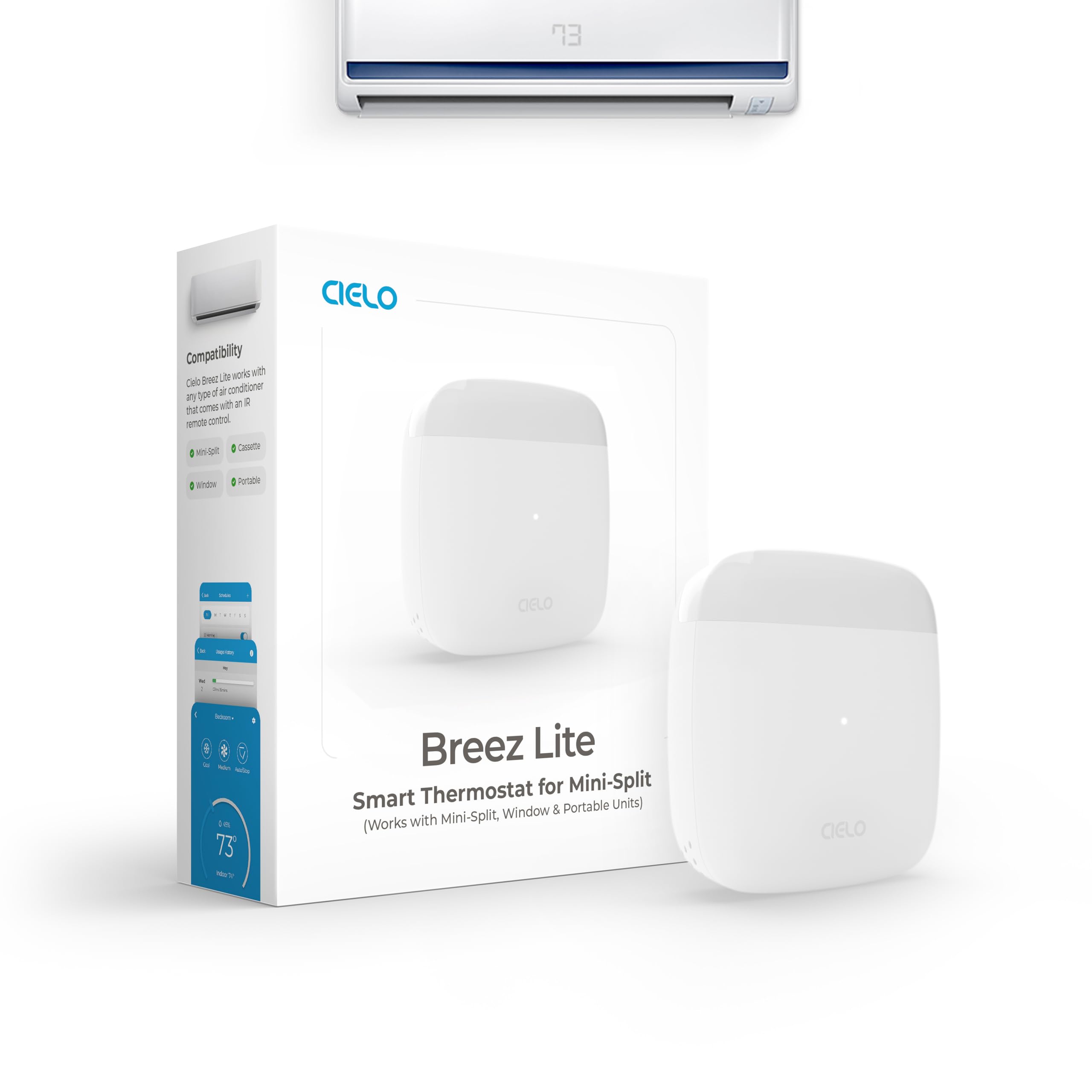
The Cielo Breez Lite strips away the touchscreen of its Max sibling to drop the price significantly while keeping the same core Wi-Fi IR engine and auto-detection algorithm. It automatically identifies your mini-split, window, or portable AC model through the IR remote—just point your existing remote at the Breez Lite and the app handles the rest. The built-in temperature sensor enables scheduling and Comfy Mode, though without the Max’s on-device controls, you’re entirely app-dependent for adjustments.
I tested it with a 10-year-old Mitsubishi mini-split and a newer Fujitsu unit; both synced perfectly in under a minute. The weekly schedule runs locally, so a Wi-Fi outage doesn’t wipe your programming. The form factor is tiny—about the size of a stack of credit cards—and the USB-C power cable means you can tuck it behind furniture. Geofencing and usage history are included, and there are zero subscription fees.
The trade-off is sensor accuracy: the Breez Lite’s internal sensor can drift if placed near a drafty window or direct sunlight, and the app sliders for temperature adjustment are less precise than the Max’s touchscreen. Some users reported occasional Wi-Fi disconnects that required re-pairing, though Cielo has improved stability with firmware updates. For dedicated single-room control, this is a top mid-range option.
Why it’s great
- Auto-detection works with 20,000+ models, including older units
- Compact, USB-C powered, no wall-wart protrusion
- Full feature set—scheduling, geo-fencing, Comfy Mode—for less
Good to know
- No on-device controls; entirely app-driven
- Internal temperature sensor can drift if placed near drafts
4. SwitchBot Hub Mini Smart Remote

The SwitchBot Hub Mini is the gateway to the entire SwitchBot ecosystem—if you already own SwitchBot curtain motors, Fingerbots, or meters, this hub brings them all under one app and enables voice control via Alexa, Google Assistant, and Siri. For AC and TV control, its “smart learning” mode captures your remote’s IR codes in about five seconds, covering most infrared appliances. The 124-foot line-of-sight range is among the best we tested, easily reaching across a large living room or into an adjacent hallway.
Setup is straightforward: plug in the USB-powered hub, connect it to 2.4 GHz Wi-Fi, and use the SwitchBot app to learn your devices. I had it controlling a Samsung TV and a Midea window unit within three minutes. The app supports scenes and routines, and linking to Alexa is seamless—you can say “Alexa, turn on the bedroom AC” without any complex configuration. The hub also works with SmartThings and IFTTT, though Siri shortcuts require a separate Homebridge instance.
The main gripe is that the SwitchBot app, while functional, lacks button reordering for custom remotes, and some users reported that a firmware update broke network connectivity temporarily. The IR code database is less comprehensive than BroadLink’s, so oddball AC brands may need the learning mode repeatedly. If you’re already in the SwitchBot world, this is the obvious choice; if not, it’s still a capable, user-friendly hub.
Why it’s great
- Five-second learning mode captures any IR remote code
- 124-foot line-of-sight range outperforms most competitors
- Seamless integration with SwitchBot ecosystem and major voice assistants
Good to know
- IR database is less extensive than BroadLink’s 50K+ library
- App occasionally loses custom button mappings after updates
5. Bestcon RM4C Mini Universal IR Blaster

The Bestcon RM4C Mini is the entry-level Wi-Fi IR hub that proves you don’t need to spend much to get full AC remote control via your smartphone. Its cloud database references 50,000+ IR devices—TVs, ACs, fans, set-top boxes—and the autonomous learning mode captures any missing codes by recording signals from your original remote. For the price, the feature list is absurdly generous: timers, scenes, Alexa and Google Assistant voice control, and support for up to 15 devices.
The physical IR blaster itself is compact and glossy; some owners disliked the shiny finish for collecting fingerprints, but it doesn’t affect performance. The 50-meter range is the longest of any hub here, though real-world walls and obstacles will cut that in half. Setup requires the Broadlink app (identical to the BroadLink ecosystem), and while the app is functional, its English translations are rough in places. Power is via a Micro-USB cable, and a 5V adapter is not included—a minor cost addition.
Reliability is solid for the price tier: the hub reconnects automatically after a power outage and maintains stable Wi-Fi. The main caveat is that the app’s device selection UI feels dated, and some niche AC models require a bit of trial-and-error to find a matching code. For anyone on a tight budget who just wants to control their AC from bed or the office, the RM4C Mini delivers 90% of the functionality of hubs costing twice as much.
Why it’s great
- Massive 50,000+ device IR database at a budget price
- 50-meter line-of-sight range beats almost every competitor
- Voice control with Alexa and Google Assistant out of the box
Good to know
- App interface feels dated with rough English translations
- No USB power cube included; requires separate 5V adapter
6. FOSA Universal Mini Smart IR Remote Controller

The FOSA IR dongle is the simplest AC remote control smartphone accessory you can buy: a thumb-size USB-C plug that draws power directly from your phone—no batteries, no charging, no pairing. Plug it in, install the ZaZa Remote app (or any compatible IR app from the Play Store), and you’ve got a universal remote for TVs, ACs, fans, projectors, and even restaurant menu boards. Its 10-meter range is enough for a small room or hotel setting.
This is the go-to device for travelers who hate fumbling with hotel remote controls. Several users reported using it to change inputs on hotel TVs that lacked source buttons on the bedside remote. It also makes a surprisingly effective prank tool—walk past a row of display TVs and turn them off with a button tap. The lack of an external battery means the dongle is always ready, and the ultra-compact form factor disappears into a pocket or keychain pouch.
The catch is reliability: the ZaZa Remote app has been flagged for malware by some users, and compatibility with specific phone models varies. Reviewers with Samsung Galaxy A13 units reported that only two functions worked, and some users saw no IR light at all. Build quality is hit-or-miss, and the included wrist strap is useless. For mission-critical AC control, a Wi-Fi hub is more dependable, but for occasional use or as a backup travel remote, the FOSA dongle is unbeatable for the price.
Why it’s great
- No external battery or charging needed—uses your phone’s power
- Ultra-compact USB-C form fits in any pocket
- Works for hotel TVs, fans, and pranks in addition to AC control
Good to know
- IR app compatibility varies significantly by phone model
- Some users reported no IR light output or failed code learning
7. Meross Smart Thermostat for Home
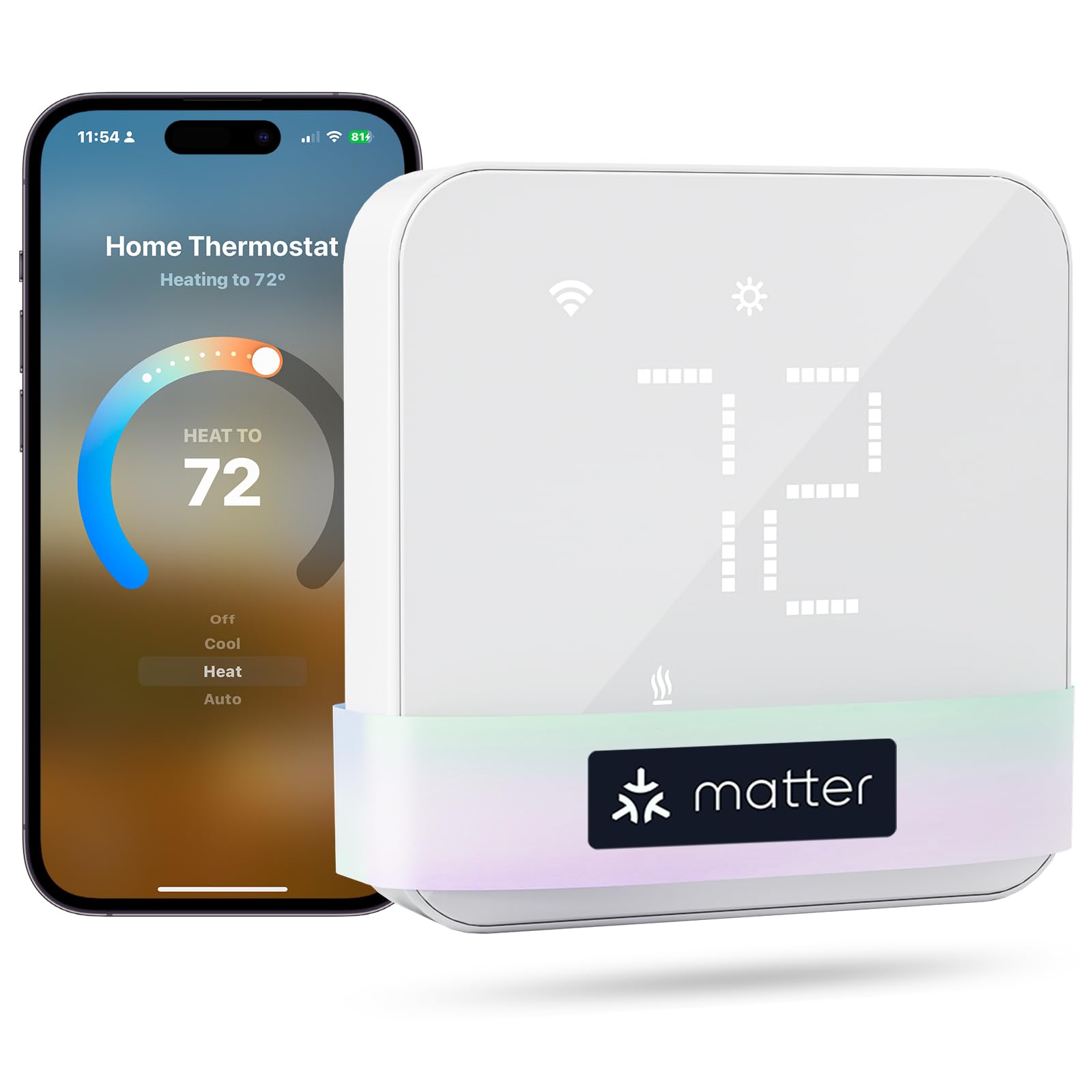
The Meross Smart Thermostat occupies a different lane from the IR-based controllers above: it’s a hardwired thermostat designed to replace your wall-mounted HVAC control for central air systems, heat pumps, furnaces, and boilers. It’s Matter-certified, meaning it integrates natively with Apple Home, Alexa, Google Home, and SmartThings without a separate bridge—a major advantage for ecosystems like Apple HomeKit where the Cielo and BroadLink hubs need workarounds.
Installation took me about 30 minutes following the Meross app’s step-by-step guide and using the included wiring sticker. The sleek glass panel in white or black looks modern on any wall, and the adjustable LED brightness means no distracting glow at night. The 24/7 scheduling allows separate heat and cool profiles, plus a child lock prevents accidental changes. The usage dashboard tracks HVAC run time, helping you spot inefficiencies.
The critical limitation: it requires a C-wire (common wire) for power. Homes built before the mid-2000s or with two-wire systems (heat-only) will need an adapter or professional installation. It also won’t work with 110V/120V/240V baseboard heaters or millivolt systems. For those with compatible wiring, the Meross delivers flawless Matter integration and reliable scheduling at a price far below Ecobee or Nest. If your home has central ducted AC, this is the upgrade path—it’s not an AC remote control in the IR sense, but for smartphone-based temperature management, it’s the gold standard.
Why it’s great
- Matter-certified for direct integration with Apple HomeKit and other platforms
- Sleek glass panel design with adjustable LED brightness
- Detailed usage dashboard tracks runtime and filter life
Good to know
- Requires a C-wire; incompatible with electric baseboard heaters
- Initial setup requires the Meross app rather than native HomeKit pairing
FAQ
Can I use a USB IR dongle on an iPhone?
Why does my smart AC hub need a 2.4 GHz Wi-Fi network?
Will a smart AC controller work with my window or portable AC unit?
Final Thoughts: The Verdict
For most users, the ac remote control smartphone winner is the Cielo Breez Max because its AI Comfy Mode, on-device touchscreen, and rock-solid weekly scheduling deliver a true thermostat experience for any mini-split without hardwiring. If you want precise temperature-based triggers on a budget, grab the BroadLink RM4 mini S with its bundled external sensor cable. And for ultra-portable, on-the-go control, nothing beats the FOSA USB IR dongle—just plug it into any Android phone and you’ve got a universal remote in your pocket.