
A thermostat is the single most underappreciated piece of hardware in your home. It dictates whether you sleep through the night or wake up drenched, whether your energy bill climbs or plateaus, and whether your HVAC system runs efficiently or cycles itself into early retirement. The right AC thermostat for home use does more than just change the temperature—it manages a schedule, anticipates your routine, and compensates for poor insulation and shifting weather patterns.
I’m Min — the co-founder and writer behind Gadgets Feed. I have spent countless hours analyzing technical specifications, comparing connectivity protocols, and mapping the real-world performance of smart and programmable thermostats to separate the genuinely useful hardware from the overhyped widgets.
Because a bad thermostat wastes energy and a great one quietly pays for itself, this guide covers the best options available now, ranked by build quality, scheduling flexibility, and smart home compatibility. Read on for the definitive list of the best ac thermostat for home use in 2025.
How To Choose The Best AC Thermostat For Home
Choosing the right thermostat comes down to your HVAC system type, your willingness to run new wires, and how much control you want from your phone. Ignore the glossy features and focus on three things: power compatibility, scheduling depth, and ecosystem lock-in.
Power Compatibility: The C-Wire Factor
A C-wire (common wire) supplies continuous 24V power to the thermostat. Most smart thermostats require one to maintain Wi-Fi connectivity and keep the display lit. If your current system only has two wires (R and W), you either need a thermostat that runs on batteries or you must install a C-wire adapter. Battery-powered models like the Honeywell Home RTH20B work without a C-wire, but they lose connectivity features when the batteries drain.
Scheduling Flexibility: 5-2 vs 7-Day vs Learning
Programmable thermostats follow fixed blocks: a 5-2 schedule treats weekdays and weekends separately, while a 5-1-1 schedule splits Saturday and Sunday. A 7-day schedule offers full customization, and learning thermostats like the Nest Learning Thermostat adjust automatically after a week of manual changes. If your weekly routine is unpredictable, a learning or geofencing model saves more energy than any preset program.
Smart Home Ecosystem and Remote Sensors
A thermostat locked into one ecosystem limits future flexibility. Matter certification, as seen on the Honeywell Home Smart Thermostat X2S, bridges Alexa, Google Assistant, and Apple HomeKit. Remote sensors solve the problem of uneven temperature across rooms — the ecobee SmartThermostat includes one in the box, while Nest and Honeywell sell them separately. If you have a multi-story home or a room that always runs hot, sensor support is non-negotiable.
Quick Comparison
On smaller screens, swipe sideways to see the full table.
| Model | Category | Best For | Key Spec | Amazon |
|---|---|---|---|---|
| ecobee SmartThermostat | Premium Smart | Multi-room comfort with voice control | Includes one remote SmartSensor | Amazon |
| Google Nest Learning Thermostat | Learning | Auto-programming for consistent routines | Self-learning schedule after 1 week | Amazon |
| Emerson Sensi Pro | Smart Value | Easy DIY install with geofencing | ENERGY STAR certified, 23% HVAC savings | Amazon |
| Honeywell Home Smart X2S | Mid-Range Smart | Matter-certified cross-platform control | WiFi + Matter, 2-year warranty | Amazon |
| Amazon Smart Thermostat | Budget Smart | Alexa integration and energy rebates | Works with Alexa + Ring, C-wire required | Amazon |
| Honeywell Home RTH20B | Basic Programmable | Simple no-WiFi 5-2 scheduling | 5-2 day schedule, AA battery power | Amazon |
| Honeywell TH2110DV1008 | Value Programmable | Vertical display for tight wall spaces | Vertical orientation, digital display | Amazon |
In‑Depth Reviews
1. ecobee SmartThermostat with Voice Control

The ecobee SmartThermostat is the most complete smart thermostat for the home, combining a vivid glass touch display, dual-band Wi-Fi, a quad-core processor, and far-field voice control with Alexa built in. Unlike most competitors, it ships with one SmartSensor right in the box, which detects occupancy and temperature in a separate room and adjusts the main unit to match. For homes with hot bedrooms or cold offices, that single feature changes everything.
The installation process takes about 30 minutes if you have a C-wire, though some users report firmware updates during setup that triggered a random reboot and reset the time zone. Once configured, the ecobee app delivers detailed energy usage reports that helped one user identify an insulation gap in their home. The built-in Alexa speaker is clear enough for music playback and hands-free commands, and the thermostat integrates with Google Assistant, Apple HomeKit, and SmartThings without any extra hub.
Geothermal heat pump owners report excellent compatibility, and the SmartSensors are accurate enough to trigger occupancy-based adjustments within minutes. The only real downside is that the thermostat requires a C-wire for full functionality, and the initial configuration can be frustrating if your system lacks one—although ecobee includes a power extender kit to solve that. If you want the most capable smart thermostat that does not compromise on features or expandability, this is the unit to buy.
Why it’s great
- Includes one SmartSensor for multi-room temperature balancing
- Quad-core processor and dual-band Wi-Fi for fast app response
- Alexa built-in with far-field voice recognition
Good to know
- C-wire required (power extender kit included)
- Firmware updates can cause unexpected reboots during setup
- Not self-learning; requires manual schedule or sensor-based adjustments
2. Google Nest Learning Thermostat 3rd Gen

The Nest Learning Thermostat 3rd Gen is the iconic smart thermostat that redefined the category. It learns your schedule after about a week of manual adjustments and programs itself to match your routine, switching to Eco Temperature when you leave and restoring comfort before you return. The stainless steel finish and mirrored display give it a premium look that stands out on any wall, and the Home/Away Assist uses built-in sensors and phone location to avoid heating or cooling an empty house.
Installation is straightforward for anyone who has replaced a thermostat before — the Nest screwdriver and labeled wires make the process painless. HVAC monitoring alerts you if something is wrong with your system, like excessive cycling or a failing component, which can prevent costly repairs. The Nest Leaf icon appears when you choose an energy-saving temperature, providing gamified feedback that nudges you toward efficiency without feeling preachy.
The 3rd Gen supports both 2.4 GHz and 5 GHz Wi-Fi bands, plus Bluetooth Low Energy for quick phone setup. The optional Nest Temperature Sensor (sold separately) lets you prioritize a specific room, but unlike the ecobee, no sensor is included in the box. Some users report battery drain issues after a couple of years, requiring a recharge via USB. For homeowners who value self-learning automation and modern design over expandable sensor networks, the Nest remains the gold standard.
Why it’s great
- Self-learning schedule programs itself after one week of use
- Dual-band 2.4/5 GHz Wi-Fi plus BLE for fast setup
- HVAC monitoring sends alerts for potential system failures
Good to know
- Remote sensor sold separately, not included in box
- Internal battery may degrade after 2+ years
- No Matter certification; limited cross-platform compatibility
3. Emerson Sensi Wi-Fi Smart Thermostat Pro
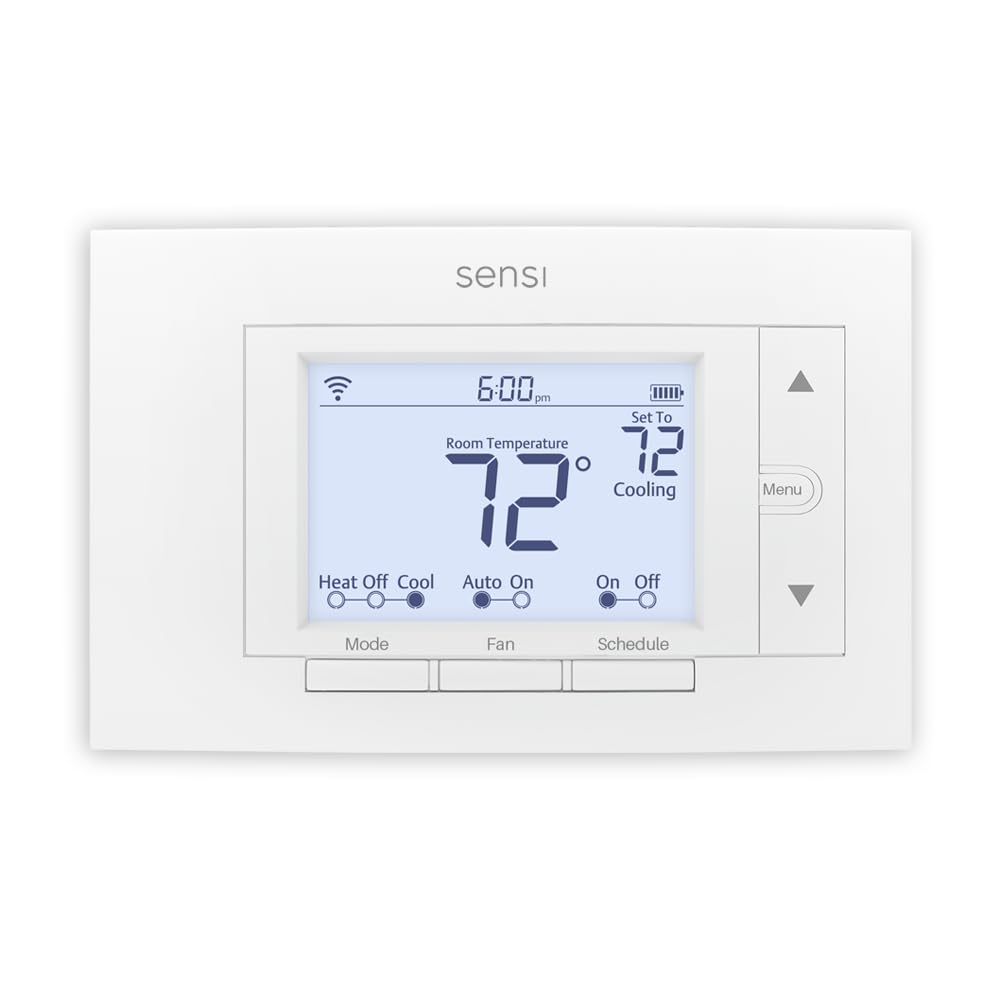
The Emerson Sensi Pro strikes the best balance between smart features and upfront cost. It is ENERGY STAR certified and claims up to 23% savings on HVAC energy, thanks to geofencing that uses your phone location to switch to an energy-saving mode when you leave. The 7-day flexible scheduling and remote access through the Sensi app give you full control without requiring a subscription or hub.
Installation is nearly foolproof: the built-in level guides your wall mounting, and the app walks you through wire labeling step by step. Most users complete the swap in under 30 minutes. The thermostat works with Amazon Alexa, Google Assistant, Apple HomeKit (requires C-wire for HomeKit), and Samsung SmartThings. The usage report shows daily heating and cooling runtimes, which helps fine-tune your schedule, though it does not break down individual cycle durations.
Some users found the humidity overcooking feature useful for maintaining comfort without overcooling. The Sensi app includes an Auto mode and adjustable fan runtime (10–100% per hour), a rare granularity at this price point. The main limitation is that the display requires the app for schedule changes — you cannot program the schedule directly on the thermostat itself. For homeowners who primarily control their thermostat from a phone, the Sensi Pro is an unbeatable entry point.
Why it’s great
- Geofencing auto-adjusts temperature based on phone location
- Built-in level and app-guided installation reduce errors
- Adjustable fan runtime from 10% to 100% per hour
Good to know
- Schedule changes require the app, not the thermostat itself
- HomeKit functionality requires a C-wire
- Usage reports show daily runtime only, not individual cycles
4. Honeywell Home Smart Thermostat X2S
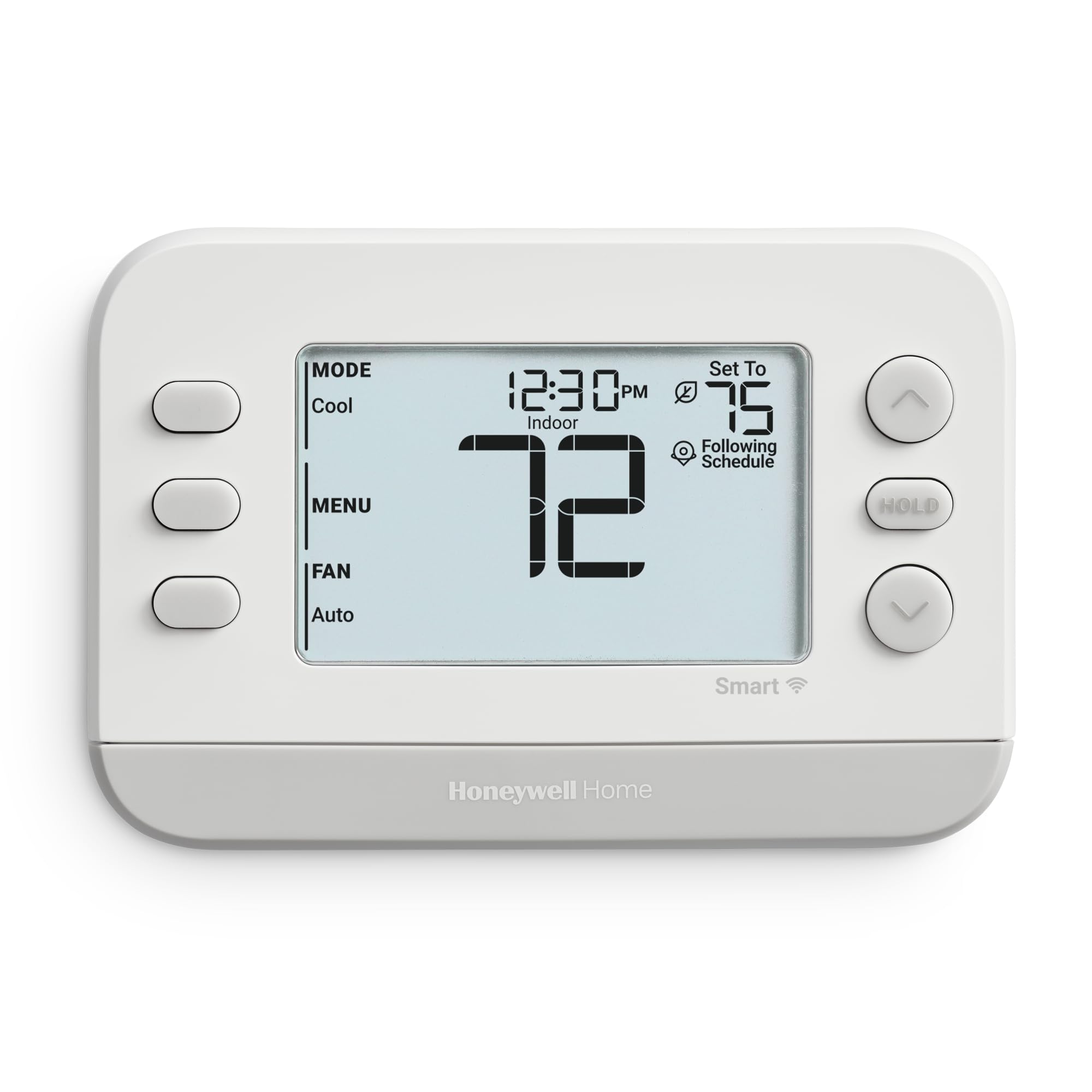
The Honeywell Home Smart Thermostat X2S brings Matter certification to the mid-range, meaning it works seamlessly with Amazon Alexa, Google Assistant, Apple HomeKit, and any other Matter-compatible platform. You do not have to pick an ecosystem before you buy — this thermostat bridges them all. It supports conventional systems up to 2 heat / 2 cool and heat pumps up to 2 heat / 1 cool, making it one of the most versatile smart thermostats for older homes with complex wiring.
The scheduling options are the deepest in this price range: you can choose 5-1-1 day, 5-2 day, 7-day, or 1-week blocks, plus a non-programmable mode for users who want simple manual control. The auto-away feature uses occupancy detection to drop the temperature when nobody is home. A humidity display option lets you monitor indoor moisture levels directly from the thermostat screen, and the change filter reminder takes the guesswork out of maintenance.
Setup via Bluetooth avoids the common headache of 2.4 GHz / 5 GHz band confusion during initial Wi-Fi pairing. Some users noted a loud click when the relay switches the HVAC on or off — a mechanical sound from the internal relay that is common on Honeywell units but louder than other smart thermostats. The screen is small and the text can be hard to read from across the room. For buyers who value broad platform support and flexible scheduling over a large display, the X2S is a strong contender.
Why it’s great
- Matter certified for cross-platform compatibility (Alexa, Google, HomeKit)
- Bluetooth-assisted Wi-Fi setup avoids band confusion
- Flexible scheduling: 5-1-1, 5-2, 7-day, or non-programmable
Good to know
- Audible clicking sound when relay engages HVAC system
- Small screen with small text readability
- No remote sensor support for multi-room balancing
5. Amazon Smart Thermostat
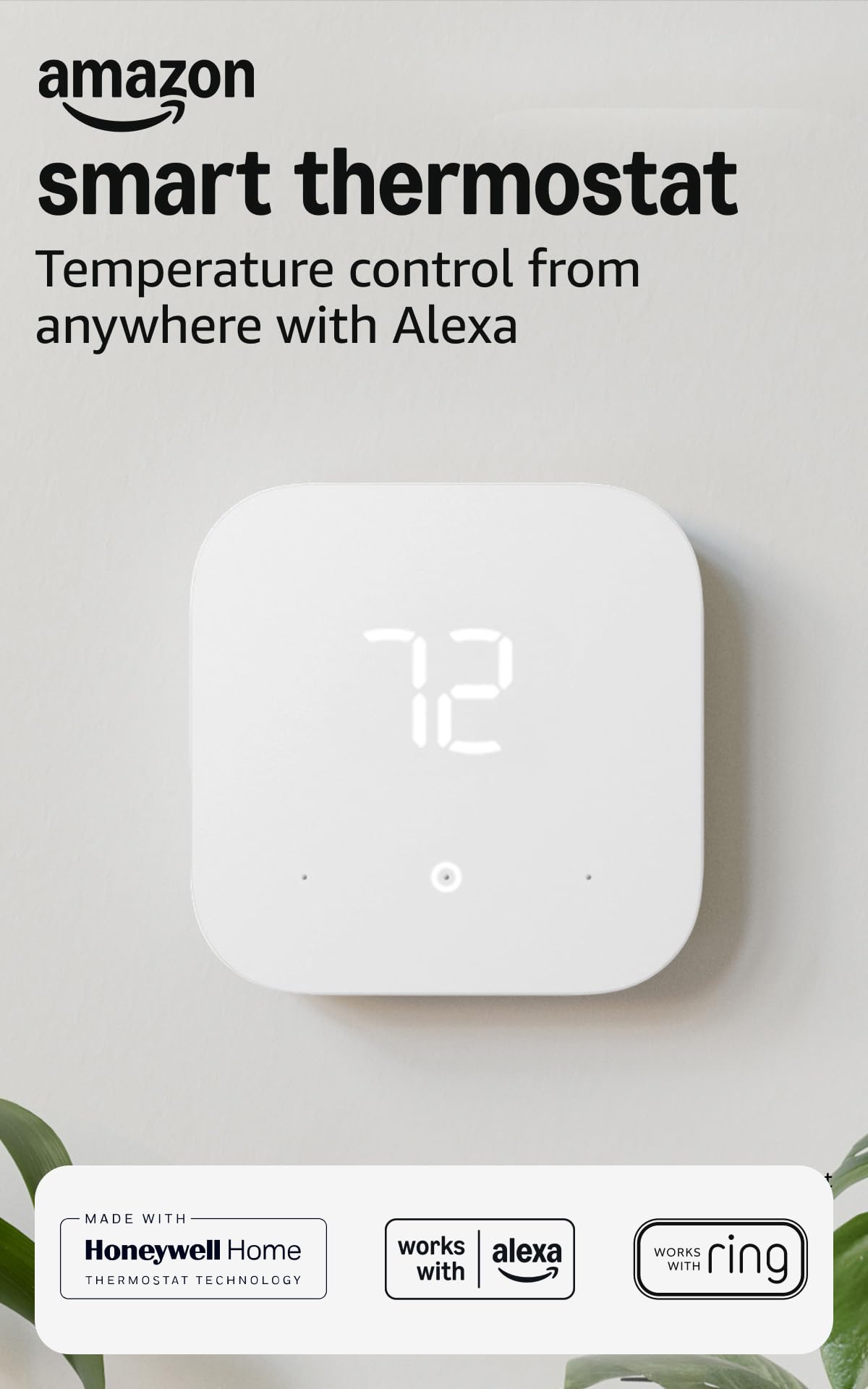
The Amazon Smart Thermostat is the most affordable entry point into the smart thermostat world, especially if you are already invested in Alexa and Ring. Made with Honeywell Home technology, it inherits the reliability of a legacy thermostat maker while adding cloud-based scheduling and remote control via the Alexa app. After purchase, Amazon sends an email with details about potential rebates from energy providers, and the ENERGY STAR certification promises an average yearly savings on energy bills.
Installation is guided entirely through the Alexa app, which uses a photo of your current wiring to walk you through the swap. The thermostat supports home, away, and sleep schedules, and Alexa+ introduces automatic temperature adjustments based on presence detection. The app allows you to set maximum temperature limits, schedule copying, and filter change reminders. Users who stayed within the Alexa ecosystem found the integration seamless, with routines that trigger other smart devices based on temperature changes.
The biggest drawback is the C-wire requirement — without a common wire, the unit will not power up. Some users reported unreliable reconnection to Wi-Fi after network interruptions, and the scheduling interface crashed on older Android phones. A small number of units exhibited a “Delayed start” error that failed to engage the heat pump outside unit, though replacements resolved the issue. If you are heavily invested in Alexa and have a C-wire ready, this thermostat delivers smart functionality at the lowest possible entry fee.
Why it’s great
- Lowest-cost smart thermostat with Alexa integration
- App-guided installation with wiring photo support
- Energy rebate eligibility sent directly via email
Good to know
- Strict C-wire requirement; no battery backup
- Scheduling interface may crash on older Android devices
- Limited to three schedules: Away, Home, Sleep
6. Honeywell Home Programmable Thermostat RTH20B
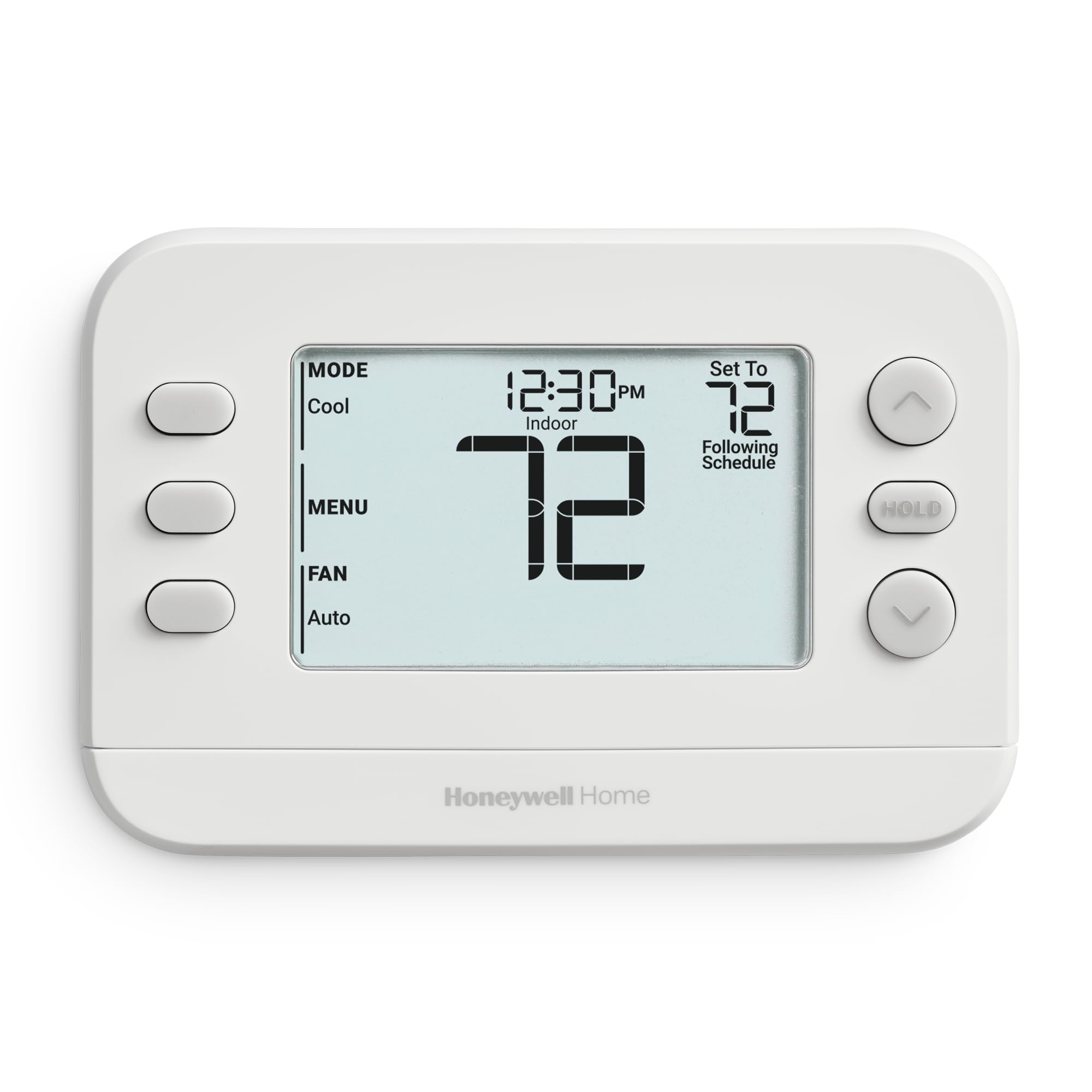
The Honeywell Home RTH20B is the definition of no-nonsense programmable control. It runs on two AA batteries, requires no C-wire, and offers a 5-2 day scheduling system that separates weekdays from weekends. The large backlit LCD display is easy to read from across the room, and the change filter reminder eliminates the common problem of forgetting to swap out a dirty filter. It supports 1 heat / 1 cool systems including hot water heat, forced air (gas, oil, or electric), and 750 mV systems, but it does not work with electric baseboard heat (120–240V).
Installation is straightforward with the Honeywell Home UWP wall plate, which simplifies wire insertion and future upgrades. Users report a 20-minute install even with older four-wire gas heat/AC setups. The thermostat allows custom display settings and an extended 32°F low-heat setpoint, useful for vacation homes or unheated spaces. The programming is simple: set your weekday schedule for morning and evening, and the weekend schedule separately — no app, no Wi-Fi, no subscription.
The most common complaint is the tiny clock display, which is harder to read than the main temperature reading. Some users found the “Smart” feature (which pre-heats or pre-cools to meet schedule targets) turned on the heat too early, so they disabled it. The instructions assume some familiarity with thermostat wiring, and the 16 wire slots have tiny labels. For anyone who wants a reliable, programmable thermostat without the complexity of smart features, the RTH20B is a solid choice.
Why it’s great
- No C-wire required; runs on two AA batteries
- Large backlit display with change filter reminder
- Quick 20-minute install with UWP wall plate
Good to know
- Clock display is small and hard to read
- Smart pre-heat feature may activate too early
- Not compatible with electric baseboard heating (120–240V)
7. Honeywell TH2110DV1008 PRO 2000 Vertical Programmable Thermostat

The Honeywell TH2110DV1008 PRO 2000 is a vertical-oriented programmable thermostat that fits into narrow wall spaces where a standard horizontal thermostat would not. Its digital display is well-illuminated and defaults to showing the actual room temperature, with a bright green backlight that is visible in pitch-dark hallways and basements. The programming is utilitarian: set forced air heating to turn on at 6 AM, off by 8 AM, back on at 5 PM, and reduced by 10 PM — a classic 2-event weekday schedule.
This thermostat is a direct upgrade from older non-programmable Honeywell models and uses the same mounting plate, so you can snap it in place without rewiring. Users with 13-year-old Honeywell units that had stopped reading AC temperature correctly found this replacement fixed the issue immediately. The clock display is always visible, and the unit ships with a 1-year warranty. It works with 1 heat / 1 cool systems, including forced air, hot water, and heat pumps.
The TH2110DV1008 has no Wi-Fi, no app control, and no scheduling flexibility beyond the preset 2-event weekday/1-event weekend block. The instructions are minimal, and the controller type is listed as “App” in the specifications, which is misleading — this is a manual button-control thermostat. For a simple replacement or a rental property where you want basic energy savings without smart features, this budget-friendly option gets the job done quietly.
Why it’s great
- Vertical design fits narrow wall spaces and junction boxes
- Bright green backlight visible in complete darkness
- Snap-in replacement for older Honeywell non-programmable models
Good to know
- No Wi-Fi, app control, or remote access
- Fixed 2-event weekday / 1-event weekend schedule only
- Minimal instruction manual; assumes wiring knowledge
FAQ
Can I install a smart thermostat without a C-wire?
What does a remote sensor do for a thermostat?
Is vertical or horizontal thermostat orientation better?
Final Thoughts: The Verdict
For most users, the best ac thermostat for home is the ecobee SmartThermostat with Voice Control because it delivers the most complete feature set — a built-in SmartSensor, Alexa voice control, Matter-ready integration, and a crisp glass display — without requiring a separate hub or subscription. If you want a learning thermostat that programs itself and prefer a minimalist stainless steel design, grab the Google Nest Learning Thermostat 3rd Gen. And for budget-conscious homeowners who still want geofencing and app control, nothing beats the value of the Emerson Sensi Pro.