
Your high-end router is great for concentrated signal, but its range will always be limited by physics and internal antenna limitations. If you need to blanket a multi-story home, a brick-and-mortar office, or a warehouse floor with reliable, low-latency Wi-Fi, a single standalone access point is the centerpiece of a professional-grade network upgrade.
I’m Min — the co-founder and writer behind Gadgets Feed. My deep analysis for this guide involved cross-referencing real-world throughput scores over the 5 GHz band and evaluating management platform maturity for every budget tier in the current access point market.
After weeks of research comparing throughput, controller ecosystems, and real-world roaming stability across budget, mid-range, and premium tiers, I’ve compiled this guide to the best access point for home and business networks.
How To Choose The Best Access Point
Choosing the right access point (AP) is about matching the hardware generation to your client density and your network infrastructure. You need to understand the controller ecosystem, the Ethernet bottleneck, and the physical layer technology (Wi-Fi 6 vs. 7) before making a purchase.
Controller Management: Cloud vs. Local vs. Standalone
A managed AP can be configured via a local web interface, a hardware/software controller (like TP-Link Omada or Ubiquiti UniFi), or a cloud dashboard (like Netgear Insight or Zyxel Nebula). If you need multi-site management or seamless roaming with zero-touch provisioning, look for an ecosystem that supports SDN (Software Defined Networking). For a single AP at home, a standalone web GUI is often sufficient.
PoE Power Budget and Ethernet Uplink Speed
Almost every business-grade AP is powered via Power over Ethernet (PoE). Verify that your PoE switch provides at least 802.3af (15.4W) for standard APs or 802.3at (30W) for models with 2.5GbE uplinks and Wi-Fi 7. The wired port speed (1Gbps vs. 2.5 Gbps) sets the absolute ceiling for your wireless throughput to wired devices. A 2.5GbE port eliminates the bottleneck for heavy local network traffic like NAS transfers.
Dual-Band vs. Tri-Band and Spatial Streams
Most indoor APs are dual-band (2.4 GHz + 5 GHz). If you need to support dozens of concurrent clients, look for 4×4 MIMO (four spatial streams) per radio to improve multi-user throughput. Tri-band APs add a second 5 GHz or dedicated 6 GHz (Wi-Fi 6E) radio, which is critical for high-density environments like conference rooms or lecture halls.
Quick Comparison
On smaller screens, swipe sideways to see the full table.
| Model | Category | Best For | Key Spec | Amazon |
|---|---|---|---|---|
| TP-Link EAP650 | Omada (Cloud) | Best All-Around Wi-Fi 6 | AX3000 / 5yr Warranty | Amazon |
| Cudy BE3600 (AP3600) | Wi-Fi 7 | Future-Proofing & Speed | BE3600 / 2.5GbE / Wi-Fi 7 | Amazon |
| Zyxel NWA50AXPRO | NebulaFlex | Advanced Home / Prosumer | AX3000 / 2.5GbE / NebulaFlex | Amazon |
| TP-Link EAP615-Wall | In-Wall Omada | Hotels / Per-Room | AX1800 / 4 Ports / PoE | Amazon |
| Ubiquiti U6+ | UniFi Ecosystem | UniFi Ecosystem Users | AX3000 / 3.0 Gbps | Amazon |
| Netgear WAX610 | Insight Managed | Business / High Client Count | AX1800 / 200 Clients | Amazon |
| Cudy AP1300-Outdoor | Outdoor | Yard / Farm / Marina | AC1200 / IP65 / PoE | Amazon |
In-Depth Reviews
1. TP-Link Omada EAP650 (AX3000)

The TP-Link Omada EAP650 delivers the best ratio of price to managed Wi-Fi 6 performance on the market. It supports a total throughput of 2976 Mbps over dual bands, with 1024-QAM and OFDMA to handle 25+ client devices without congestion. The ultra-slim white chassis mounts flush to a ceiling or wall, and the built-in captive portal makes it ideal for guest networks in cafes or hotels.
Management flexibility is the EAP650’s killer feature. It integrates seamlessly into the free Omada SDN platform, which offers a hardware controller (OC200/OC300), a software controller (Windows/Linux), or a cloud-based controller. You can adopt the AP, configure VLANs and multiple SSIDs, enable 802.11r/k/v seamless roaming with other Omada APs, and monitor everything from the Omada app or a single web dashboard.
Power is supplied via the included 12V/1.5A DC adapter or optional 802.3at PoE+ (suggested for clean installations). With a 5-year warranty and proven reliability in thousands of homes and small offices, the EAP650 is the safest, most capable pick for a scalable network backbone. The hardware v1 vs. v2 revision confusion is a minor inventory risk, but the performance is consistent across both.
Why it’s great
- Free cloud or local SDN management with no licensing fees.
- Excellent range and throughput for a mid-range Wi-Fi 6 AP.
- Full VLAN support, band steering, and WPA3 in standalone mode.
Good to know
- Ethernet uplink is limited to 1 Gbps.
- Hardware revision may vary; verify before purchase.
2. Zyxel NWA50AXPRO (AX3000)

The Zyxel NWA50AXPRO stands apart from the crowd by offering a true 2.5 Gigabit Ethernet uplink at a price point that remains firmly mid-range. This multi-gig port removes the 1 Gbps bottleneck that plagues most sub- APs, making it a perfect match for fiber internet connections and high-speed local NAS transfers. The theoretical throughput is rated at 3000 Mbps over dual bands with 160 MHz channel support.
Zyxel’s NebulaFlex management lets you toggle between standalone local GUI control and the free Nebula Control Center cloud platform without any additional license costs. This is a major advantage for IT consultants managing multiple sites. The AP also supports OFDMA, MU-MIMO, 802.11r/k/v fast roaming, and WPA3 security, making it enterprise-ready out of the box.
Power comes from either 802.3at PoE+ or the included 12V AC adapter. The three high-gain internal antennas deliver strong signal propagation across multi-floor environments. Reviewers highlight the router-level command-line access (SSH/CLI) and config file editing, which appeals to advanced users who want to fine-tune low-level wireless parameters. The web GUI can be sluggish on Firefox, so keep a Chromium browser handy for administration.
Why it’s great
- 2.5GbE uplink eliminates the Ethernet bottleneck.
- Free cloud or local management via NebulaFlex.
- Full CLI and config file access for advanced tweaking.
Good to know
- Web GUI has glitches and is not fully compatible with Firefox.
- Roaming setup can be tricky without proper VLAN planning.
3. Cudy BE3600 AP3600 (Wi-Fi 7)

The Cudy BE3600 AP3600 is the most affordable entry point into the Wi-Fi 7 (802.11be) era for a ceiling-mount access point. It leverages 4K-QAM (4096-QAM) and a 320 MHz channel to deliver a dual-band total throughput of up to 3600 Mbps. While Wi-Fi 7 clients are still scarce, the AP3600 fully supports backward compatibility with Wi-Fi 6 and Wi-Fi 5 devices, and the 2.5 Gigabit Ethernet port ensures that future clients won’t be starved for bandwidth.
Management is handled via the Cudy app, which supports both local and cloud management modes. The AP supports a surprising number of advanced VPN protocols for a budget-friendly device—WireGuard, OpenVPN, IPsec, Zerotier, PPTP, and L2TP. This makes it a powerful tool for branch offices or remote home setups that need encrypted site-to-site tunnels without a dedicated VPN router.
Power can be delivered via 802.3at PoE+ or passive PoE. The AP lacks a DC adapter in the box, so plan for a PoE switch or injector. User reviews confirm that the AP easily penetrates cinder block walls with better than 50% signal retention and that the web UI is clean, logical, and requires no account registration. It’s a phenomenal value for anyone building a greenfield network today.
Why it’s great
- Wi-Fi 7 at a price close to many Wi-Fi 6 units.
- Built-in multi-VPN support (WireGuard, OpenVPN).
- Excellent signal penetration through dense building materials.
Good to know
- No AC adapter included; requires PoE.
- Limited ecosystem compared to Omada or UniFi.
4. TP-Link Omada EAP615-Wall (AX1800)

The TP-Link EAP615-Wall is an in-wall Wi-Fi 6 access point that replaces a standard Ethernet wall plate, turning each room into a dedicated Wi-Fi zone with wired connectivity. It delivers AX1800 speeds (up to 1800 Mbps) and includes four Gigabit Ethernet ports: one uplink port powered by 802.3af/at PoE, and three downlink ports—one of which supports PoE passthrough to power a phone or another device.
As part of the Omada ecosystem, this AP integrates with Omada SDN for centralized management, VLAN segmentation, and seamless roaming alongside other EAP-series APs. Its compact, flush-mount design makes it ideal for hotels, dorm rooms, conference rooms, or offices where aesthetics and per-room coverage are priorities. The coverage rating is 538 square feet per unit, which is realistic for a single room with drywall partitions.
Users report that the EAP615-Wall solves persistent Wi-Fi issues in rooms with thick walls where a single ceiling AP struggles. The three wired downlink ports also eliminate the need for a separate switch for desk devices. However, reviewers note that Omada’s implementation lacks Layer 2 client isolation, which means multicast traffic like AirPlay can pass between devices on different SSIDs even in guest mode. This is a notable security nuance for hospitality deployments.
Why it’s great
- Replaces a wall plate for a clean, permanent install.
- PoE passthrough powers a desk phone or camera.
- Omada integration with seamless roaming and VLANs.
Good to know
- No Layer 2 client isolation on guest VLANs.
- Coverage is limited to a single room (538 sq ft).
5. Ubiquiti UniFi U6+

The Ubiquiti U6+ is the natural upgrade path for anyone already invested in the UniFi ecosystem. It delivers a Wi-Fi 6 dual-band total throughput of 3.0 Gbps and covers up to 1,500 square feet. The AP is powered by 802.3at PoE+ (injector not included) and is managed via the UniFi Network application, which runs on a UniFi Cloud Gateway, a self-hosted controller, or the cloud.
Setup is famously simple for a business-grade AP: power it on, adopt it in the controller interface, and configure SSIDs, VLANs, and security settings in minutes. The U6+ supports 802.11r/k/v fast roaming, band steering, and WPA3, ensuring that clients maintain persistent connections when moving between multiple UniFi APs. Users consistently report zero crashes and seamless handoffs after years of deployment.
The U6+ lacks a 2.5GbE port, which keeps its cost lower but limits wired throughput to 1 Gbps. It also requires a Ubiquiti gateway for full features like guest portal and traffic shaping. If you are starting a network from scratch, the UniFi ecosystem demands a higher upfront investment (gateway + controller + switch), but the set-and-forget reliability is unmatched. The U6+ is a premium pick for users who prioritize stability over raw specs.
Why it’s great
- Rock-solid reliability and zero-touch adoption in UniFi.
- Seamless handoff and fast roaming with multiple APs.
- Clean, compact design with wall or ceiling mount kit.
Good to know
- No 2.5GbE port; limited to 1 Gbps uplink.
- Requires Ubiquiti gateway for full feature set.
6. Netgear WAX610 (AX1800)
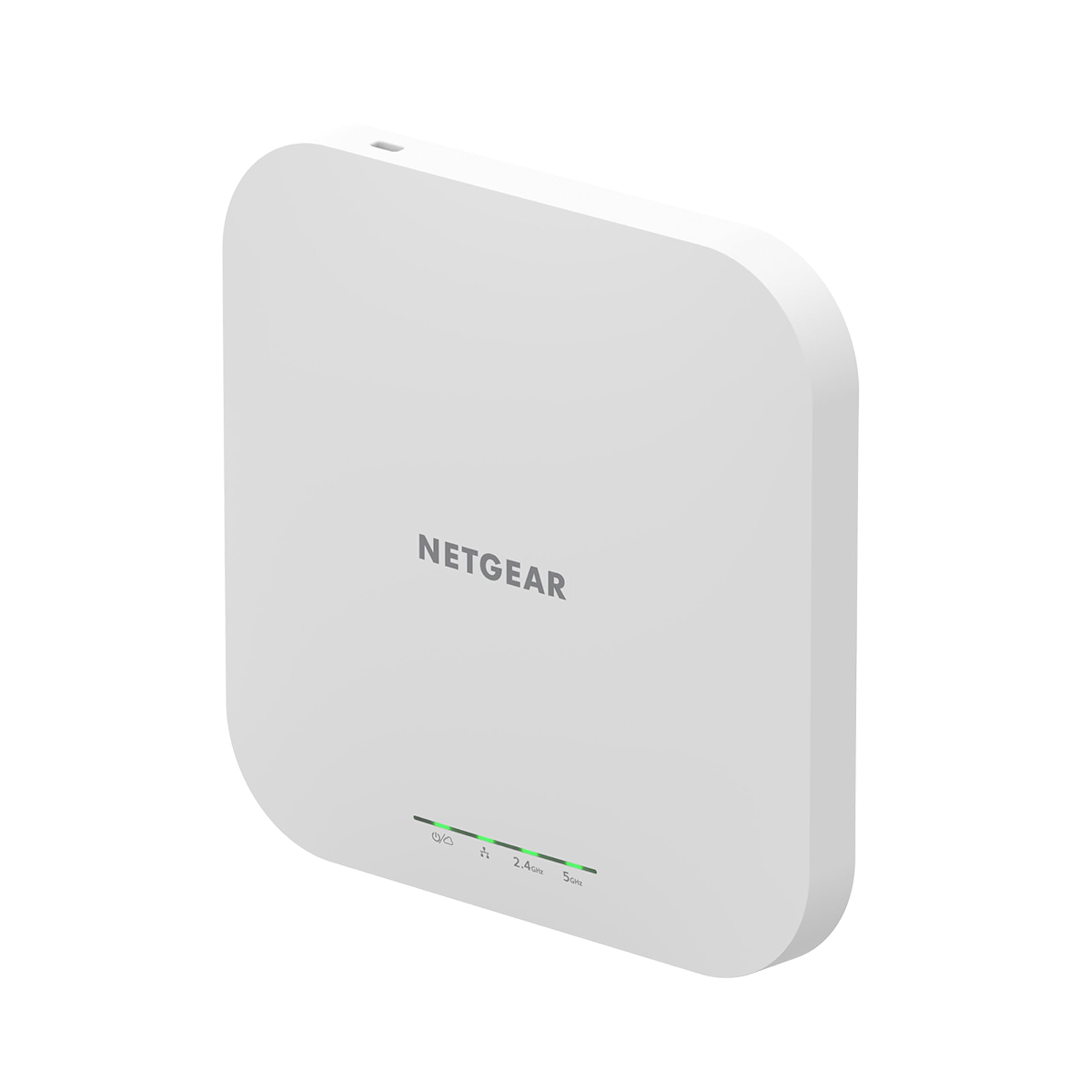
The Netgear WAX610 is a cloud-managed dual-band AX1800 access point built for environments that push 100–200 concurrent client devices. It covers up to 2,500 square feet and includes MU-MIMO, OFDMA, and a 2.5G Ethernet port to keep the wired backplane clear of bottlenecks. The subscription includes one full year of NETGEAR Insight management, which provides remote monitoring, configuration, and alerts from the Insight app or web portal.
Security is a priority on the WAX610, with support for WPA3, rogue AP detection, client isolation, and up to 8 SSIDs with VLAN tagging. It supports load balancing and band steering to distribute clients efficiently across the 2.4 GHz and 5 GHz bands. The AP includes standard wall/ceiling mounting hardware and is powered by 802.3at PoE+ (adapter sold separately).
Real-world user feedback is overwhelmingly positive, with VR enthusiasts noting a dramatic drop in Quest 2 Virtual Desktop latency (from 40ms down to 15ms) after switching to the WAX610. The AP runs warm to the touch under load—a common characteristic of high-power business APs. If you need a high-density AP with professional cloud management and a reliable 2.5G uplink, the WAX610 is a strong contender.
Why it’s great
- Handles up to 200 devices without significant degradation.
- 1-year free Insight subscription with remote management.
- 2.5G port for high-speed wired backhaul.
Good to know
- Requires 12V/2.5A adapter or proper PoE+ injector.
- Insight subscription required after first year for cloud features.
7. Cudy AP1300-Outdoor (AC1200)

The Cudy AP1300-Outdoor is a rugged AC1200 dual-band access point designed to withstand rain, dust, and temperature extremes thanks to its IP65-rated housing and 4kV lightning protection. It delivers up to 867 Mbps on the 5 GHz band and 300 Mbps on the 2.4 GHz band, making it more than adequate for outdoor surveillance cameras, guest Wi-Fi in a yard, or extending coverage to a detached workshop.
Connectivity is handled via a single Gigabit Ethernet port that supports both 802.3af/at PoE and 24-50V passive PoE. The included PoE adapter makes installation simple—just run a single Ethernet cable from your switch to the AP location. The AP can operate in five modes: Access Point, Extender, Router, WISP Router, or Mesh Router. This multi-function flexibility is rare at this price point.
The detachable RP-SMA antennas allow for future upgrades to higher-gain directional antennas if you need to target a specific area. Users have successfully deployed the AP1300 on sailboats to relay Wi-Fi from a marina 100 yards away, reporting no signal drops over two months. For anyone needing a solid, weatherproof outdoor AP without spending on premium brands, this Cudy is the clear budget-friendly winner.
Why it’s great
- Weatherproof IP65 housing with lightning protection.
- Five operating modes (AP, Extender, Mesh, Router).
- Detachable antennas; RP-SMA for future upgrades.
Good to know
- Wi-Fi 5 (802.11ac) only; no Wi-Fi 6.
- Lacks WPA3 and guest VLAN support.
FAQ
Can I use an access point with a standard home router?
What is the difference between a mesh system and a standalone access point?
How many clients can a single Wi-Fi 6 access point realistically handle?
Do I need a PoE switch to install a ceiling-mounted AP?
Final Thoughts: The Verdict
For most users, the best access point winner is the TP-Link Omada EAP650 because it combines AX3000 Wi-Fi 6 speed, a free cloud management ecosystem, and a 5-year warranty at a price that doesn’t break the bank. If you want a 2.5 Gigabit Ethernet uplink for future-proof throughput, grab the Zyxel NWA50AXPRO. And for a dedicated outdoor installation with IP65 protection, nothing beats the Cudy AP1300-Outdoor.