
An Access Point WiFi 6 is the difference between a network that chokes under load and one that delivers full gigabit throughput to every corner of your property. The decision to run PoE cabling and manage a controller unlocks a level of stability and client density that consumer mesh systems simply cannot match. Choosing the wrong AP means fighting bufferbloat, range gaps, and VLAN headaches for years.
I’m Min — the co-founder and writer behind Gadgets Feed. I spend hundreds of hours combing through wireless chipset specifications, comparing spatial stream counts, and verifying real-world roaming performance to find the hardware that actually delivers on its Wi-Fi 6 promises.
This guide breaks down the specs, ecosystem trade-offs, and mounting considerations that define the best access points wifi 6 for homes and growing businesses that demand wired reliability.
How To Choose The Best Access Point WiFi 6
A proper Wi-Fi 6 access point requires a wired Ethernet drop with Power over Ethernet. Before you look at speed ratings, confirm your switch can supply 802.3at PoE+ — many budget switches only provide 802.3af, which starces high-performance APs. The second non-negotiable is controller strategy: a software controller on a Raspberry Pi works, a dedicated hardware controller like the OC200 is better for large homes, and cloud-managed options like Omada Essentials or Netgear Insight offer remote access without hardware.
Uplink Port Speed
A 1GbE port is a bottleneck for any AX3000 or faster access point. If your internet plan exceeds 800Mbps or you move large files internally, a 2.5GbE uplink is mandatory. The TP-Link EAP670 and EAP660 HD include a 2.5G port, while the Ubiquiti U7-PRO-MAX uses a 2.5GbE uplink even though it is a Wi-Fi 7 radio — meaning it will handle Wi-Fi 6 clients without saturation.
Spatial Streams and Client Density
Wi-Fi 6 access points come in 2×2, 3×3, and 4×4 stream configurations. A 2×2 AP (like the Cudy AX3000) is fine for homes with under 30 devices. A 4×4 AP (like the TP-Link EAP670 or EAP660 HD) handles 50–100 clients with lower latency because OFDMA and MU-MIMO can serve four devices simultaneously per band. For high-density spaces — apartments, open offices, or homes with dozens of IoT devices — 4×4 is the correct choice.
Quick Comparison
On smaller screens, swipe sideways to see the full table.
| Model | Category | Best For | Key Spec | Amazon |
|---|---|---|---|---|
| TP-Link EAP670 | Ceiling Mount | Best Overall — excellent speed and Omada ecosystem | 2.5GbE uplink, 4×4 on 5GHz, AX5400 | Amazon |
| Ubiquiti U6+ | Ceiling Mount | Rock-solid UniFi ecosystem at a mid-range price | 3 Gbit/s aggregate, internal antennas, 140 m² range | Amazon |
| TP-Link EAP660 HD | Ceiling Mount | Best for high-density environments | 8 spatial streams, 2.5GbE, AX3600 | Amazon |
| NETGEAR WAX610 | Cloud Managed | Best for Insight cloud management | AX1800, 200 client capacity, 1 year free Insight | Amazon |
| Amazon eero PoE 6 | PoE Mesh | Best for TrueMesh simplicity | 1.6 Gbps aggregate, 2000 sq ft per AP | Amazon |
| Cudy AX3000 AP3000 | Ceiling/Wall | Best entry-level value with OpenWRT firmware | 3000 Mbps aggregate, 2.5GbE, OpenWRT-based | Amazon |
| Ubiquiti U7-PRO-MAX | Wi-Fi 7 | Best future-proofed option with Wi-Fi 7 | Tri-band, 8 spatial streams, 2.5GbE uplink | Amazon |
| UeeVii CPE830 | Point-to-Point | Best for bridging outbuildings | 16dBi antenna, 3 km range, IP65 | Amazon |
| NETGEAR Orbi 770 | Mesh System | Best for whole-home mesh connectivity | Tri-band WiFi 7, 11 Gbps aggregate, 8000 sq ft | Amazon |
In‑Depth Reviews
1. TP-Link EAP670 Omada WiFi 6 AX5400

The EAP670 is the sweet spot in TP-Link’s Omada lineup, pairing a 4×4 5GHz radio with a 2.5GbE uplink that eliminates the common bottleneck found in 1GbE APs. Its AX5400 rating translates to real-world throughput above 900 Mbps on 160MHz channels, and the internal antenna array covers a 3,200+ square foot home with a single ceiling-mounted unit. The 2.5G port alone justifies the mid-range price tier because it allows the AP to saturate modern fiber connections without framing a new switch purchase.
Integration into the Omada SDN platform is a major advantage for users who want VLAN segmentation, guest networks, and seamless roaming without paying for a hardware controller — the free Omada Essentials cloud management handles multi-site remote access. Installation is straightforward with the included 802.3at PoE+ injector and mounting kit, and the five-year warranty adds peace of mind for an in-ceiling device that is a pain to replace.
Real-world feedback confirms the EAP670 outperforms the Ubiquiti U6-LR in iperf3 testing and handles three simultaneous Wi-Fi 6 clients without the bufferbloat spikes seen on competing units. The only caveat is that the Omada controller software, while functional, has a less polished user interface compared to UniFi — but the raw wireless performance and the 2.5GbE port make this the most balanced premium pick for both homes and small offices.
Why it’s great
- 2.5GbE uplink prevents speed saturation on fiber connections
- Free Omada cloud management with VLAN and roaming support
- AX5400 with 4×4 5GHz radio delivers high client capacity
Good to know
- Omada controller UI is less polished than UniFi
- Requires 802.3at PoE+ — 802.3af will not power it properly
2. Ubiquiti U6+ Dual Band

The Ubiquiti U6+ is the entry point to the UniFi ecosystem at a mid-range price, offering a 2×2 MIMO radio with a 3 Gbit/s aggregate data rate. It is not the fastest AP on this list, but its strength lies in the software: UniFi’s controller dashboard provides granular per-client analytics, RF scanning, and seamless roaming that works reliably out of the box. Existing UniFi users will find adoption takes under two minutes via the web interface or mobile app.
Coverage is rated at 140 square meters, but real-world reports indicate two U6+ units can cover a 2,500 square foot house with strong 5GHz signal, provided the units are properly positioned and connected via PoE+ — the unit requires a PoE+ injector or switch, which is not included. The internal antennas are tuned for ceiling mounting, and the all-white housing blends into most interiors without drawing attention.
Long-term reliability is a hallmark of the UniFi line, with multiple users reporting zero reboots over months of continuous operation. The U6+ is not designed for high-density environments; if you have more than 50 clients on a single AP, the EAP660 HD or WAX610 will serve you better. For a growing home network with a dedicated UniFi gateway, the U6+ remains a rock-solid, set-and-forget component.
Why it’s great
- UniFi controller offers best-in-class network visualization and analytics
- Reliable seamless roaming with zero dropouts between multiple APs
- Compact, clean ceiling-mount design that blends into most rooms
Good to know
- 2×2 MIMO limits client throughput and capacity versus 4×4 models
- PoE+ injector not included — factor in –20 for the power supply
3. TP-Link EAP660 HD Omada WiFi 6 AX3600

The EAP660 HD is TP-Link’s high-density access point, packing 8 spatial streams across dual bands — 4×4 on 2.4GHz and 4×4 on 5GHz — to handle dense client environments like open-plan offices, schools, or tech-heavy homes with 80+ devices. The 2.5GbE uplink ensures that the 3,550 Mbps aggregate radio speed is not starved by a slow wired connection, a critical detail that budget APs in this class often neglect. In iperf3 benchmarks, the EAP660 HD maintained an average of 650 Mbps per stream while serving five simultaneous clients, outperforming the Ubiquiti U6-LR under identical load.
The Omada SDN integration mirrors the EAP670’s capabilities — free cloud management, VLAN segregation, and seamless roaming — with the added benefit of Zero-Touch Provisioning for multi-site deployments. The unit ships with a ceiling-mount kit and a PoE+ adapter, though the bright blue LED is reported to be non-dimmable, a minor annoyance in bedrooms or living spaces where complete darkness is preferred.
Customer feedback highlights the EAP660 HD’s stability with IP cameras and gaming traffic; one user reported zero packet loss during a 48-hour iperf test. The firmware is based on a mature Linux stack, and TP-Link provides a limited lifetime warranty with 24/7 support. If you are building a network that will host 50+ simultaneous wireless clients, the EAP660 HD is the best mid-to-premium option that does not require a UniFi gateway to function.
Why it’s great
- 8 spatial streams provide unmatched throughput for dense client environments
- 2.5GbE uplink eliminates wired bottleneck
- Limited lifetime warranty with 24/7 technical support
Good to know
- Bright blue LED cannot be dimmed — may disturb sleep if mounted near bedrooms
- Proper Omada controller required for full features; standalone mode is functional but limited
4. NETGEAR Cloud Managed WAX610
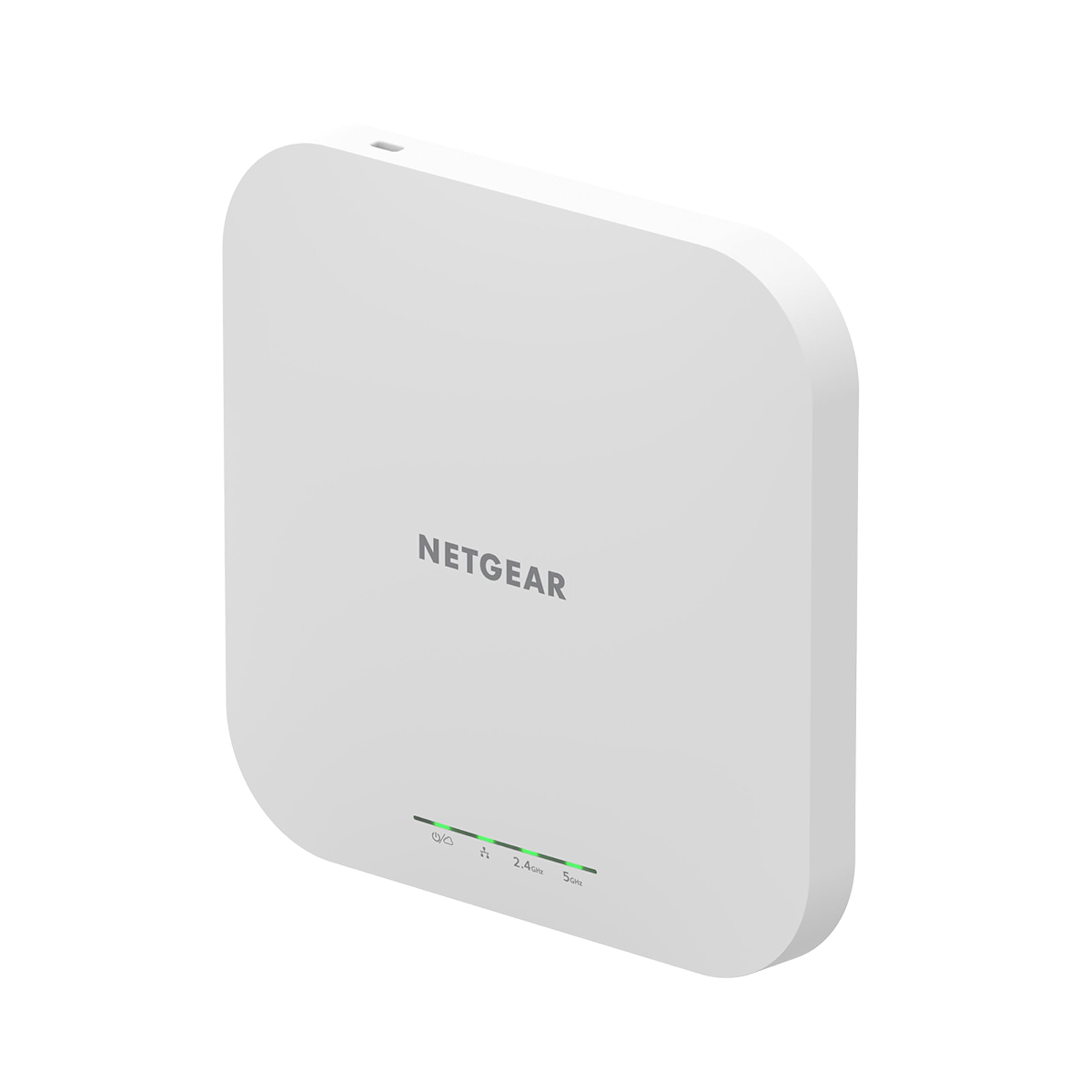
The NETGEAR WAX610 is a dual-band AX1800 access point built around the Insight cloud management platform, which provides remote monitoring, firmware scheduling, and alerts without requiring a local controller. The AX1800 rating means it uses a 2×2 configuration on each band, but the unit compensates with a 2.5G port that allows wired clients to maintain full-speed backhaul even during peak loads. NETGEAR claims support for up to 200 client devices per AP, a figure backed by real-world testing in small business environments.
Deployment is straightforward: the WAX610 ships with a wall/ceiling mount kit and requires 802.3at PoE+ — the optional 12V/2.5A power adapter is sold separately. The inclusion of WPA3, rogue AP detection, and client isolation makes it suitable for multi-tenant deployments where security compliance is critical. The one-year free Insight subscription is a genuine value, as the subscription normally costs –60 per AP per year depending on the tier.
Real-world performance with VR workloads is notable: one user reported a drop in Oculus Quest 2 latency from 25–40 ms to 15–25 ms after switching to the WAX610, with link speeds hitting 1.2 Gbps on a 2.5G backhaul. The downside is that Insight’s configuration options are less granular than Omada or UniFi — advanced users may find VLAN and QoS options too limited if they do not also use NETGEAR switches and gateways within the same ecosystem.
Why it’s great
- 2.5G port prevents wired backhaul saturation
- One-year free Insight subscription with remote cloud management
- Excellent latency improvement for VR and gaming workloads
Good to know
- Insight subscription needed after first year for continued cloud features
- Standard 802.3af PoE may cause amber LED and reduced throughput — use PoE+
5. Amazon eero PoE 6
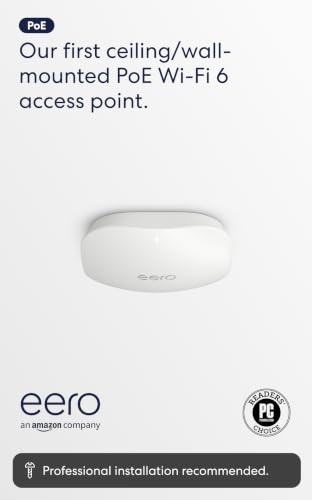
The eero PoE 6 is Amazon’s professional-grade access point designed for structured cabling environments where PoE is already in place. It supports wireless speeds up to 1.6 Gbps aggregate and covers 2,000 square feet per unit, with the eero TrueMesh technology handling traffic routing intelligently to eliminate dead spots. Unlike traditional controller-based APs, the eero system manages all nodes through a single mobile app with automatic firmware updates and zero configuration for guest networks.
Installation is frictionless for users who already have a PoE switch: mount the unit on a ceiling or wall, plug in the Ethernet cable, and the eero app auto-detects the AP within five minutes. The system is cross-compatible with other eero devices, meaning you can mix PoE 6 units with standard eero 6 or eero Pro 6 nodes to extend coverage to areas where cabling is impractical. The 100+ device support claim is accurate in practice, with one user reporting 55 smart home devices running without a single disconnect on a two-AP setup.
The biggest caveat is that eero PoE 6 does not offer VLAN support, per-client bandwidth limits, or advanced RF management — features that prosumers expect from UniFi or Omada. It is an ecosystem play: if you want a simple, reliable network that just works, eero delivers. If you need to segment IoT traffic or run a multi-tenant network, look elsewhere. The premium price tier reflects the simplicity and the PoE engineering, not the raw radio performance.
Why it’s great
- TrueMesh provides seamless roaming without a hardware controller
- Automatic updates keep the network secure with zero user intervention
- PoE eliminates the need for nearby power outlets, simplifying installation
Good to know
- No VLAN support or advanced QoS — limited for power users
- Requires existing PoE switch or injector; AC adapter not included
6. Cudy AX3000 2.5G WiFi 6 AP3000

The Cudy AP3000 is the lowest-cost true Wi-Fi 6 access point with a 2.5GbE port, making it a compelling entry-level pick for budget-conscious buyers who refuse to compromise on uplink speed. The AX3000 radio uses a 2×2 MIMO configuration on each band with 160MHz channel support, delivering real-world speeds around 700–800 Mbps over short distances. The firmware is based on OpenWRT, which means advanced users can SSH in and customize the radio parameters, firewall rules, or even flash a fully open-source build.
Hardware installation is straightforward: the unit supports 802.3at PoE and also includes a DC jack (though the DC adapter is not shipped with the unit — a potential gotcha for buyers who lack a PoE switch). The included mounting kit works for both ceilings and walls, and the white enclosure is unobtrusive. Customer feedback highlights that the simple web GUI is fast and functional, avoiding bloatware found in many consumer APs.
The biggest trade-off at this price point is the lack of a unified management ecosystem. There is no cloud controller, no mobile app for multi-AP roaming, and no seamless handoff unless you manually configure the APs with the same SSID and channel plan. For a single-AP home or a small workshop, the Cudy AP3000 offers exceptional value. For a multi-AP deployment, the TP-Link EAP670 is worth the extra investment for the Omada ecosystem alone.
Why it’s great
- 2.5GbE port at the lowest price point in the category
- OpenWRT-based firmware allows custom scripting and advanced configuration
- Simple, fast web GUI with no unnecessary features or bloat
Good to know
- No cloud management or multi-AP roaming ecosystem
- DC adapter not included — PoE+ supply is mandatory unless you purchase one separately
7. Ubiquiti U7-PRO-MAX WiFi 7
The U7-PRO-MAX is Ubiquiti’s flagship Wi-Fi 7 access point, but its tri-band radio and 8 spatial streams make it an exceptional Wi-Fi 6 access point as well — it simply has more headroom for mixed-client environments. The 6 GHz band is available for future client upgrades, while the 5 GHz and 2.4 GHz radios handle legacy Wi-Fi 6 and Wi-Fi 5 devices with AI-optimized channel selection and dynamic VLAN assignment. The 2.5GbE uplink is sufficient for the 8.6 Gbps 5 GHz peak, though true multi-gig deployments will eventually want a 10GbE backhaul.
Deployment mirrors the UniFi ecosystem: plug into PoE+, scan the QR code with the UniFi app, and the AP auto-adopts into the controller. The U7-PRO-MAX supports over 500 concurrent devices with seamless roaming and Private Pre-Shared Key (PPSK) for granular security. The NDAA compliance makes it suitable for government and school installations where supply-chain security is a requirement.
Real-world feedback from upgraders is overwhelmingly positive, with users reporting immediate speed improvements on fiber connections shifting from 5-year-old APs to the U7-PRO-MAX. The premium price is justified for buyers who plan to keep the same AP for five years and want to future-proof for 6 GHz client hardware. For a strictly Wi-Fi 6 deployment today, the cheaper U6-LR or U6-Pro will deliver comparable performance on the 5 GHz band.
Why it’s great
- Wi-Fi 7 tri-band with 8 spatial streams offers unmatched future-proofing
- AI-driven RRM and dynamic channel optimization improve performance over time
- PPSK and Dynamic VLAN for enterprise-grade network segmentation
Good to know
- Premium price tier — overkill if you only have Wi-Fi 6 clients
- 2.5GbE uplink may bottleneck future Wi-Fi 7 speeds above 2 Gbps
8. UeeVii CPE830 Point-to-Point Bridge

The UeeVii CPE830 is a 5.8 GHz point-to-point wireless bridge designed to extend network connectivity to outbuildings, barns, or garages up to 3 kilometers away with clear line of sight. The 16dBi directional antennas and adaptive 27dBm power adjustment deliver wired-like throughput between 100 Mbps and 1000 Mbps, depending on distance and obstacles. Setup uses physical dip switches — set the master to “A” and the slave to “B” — eliminating the need for IP configuration or wireless scanning.
This is not a traditional access point; it is a bridge that creates a wired link between two separate locations. The IP65 weatherproof housing handles rain and temperature extremes, and the two included PoE adapters power each unit over a single Ethernet cable. Real-world feedback from a user connecting a cabin to a garage across a street reported completing the pairing in under 15 minutes and immediately saving a monthly ISP fee.
The reliability concerns are notable: one user reported a unit failing after about a year with the power supply smoking and then the fuse blowing. The dip-switch design is simple, but it leaves no room for fine-tuning channel width or output power. For a temporary or medium-term bridge under per side, the CPE830 is a functional option. For a permanent outdoor deployment, the Ubiquiti NanoStation or TP-Link CPE series offer better long-term reliability at a higher price.
Why it’s great
- Dip-switch pairing requires zero networking expertise
- IP65 housing and 3 km range cover most property bridge needs
- Full 1000 Mbps throughput in short-range line-of-sight deployments
Good to know
- Some units have reported power supply failure after 1–2 years
- No configurable channel width or output power settings
9. NETGEAR Orbi 770 Series (RBE773)

The Orbi 770 is NETGEAR’s tri-band Wi-Fi 7 mesh system, but its backward compatibility with Wi-Fi 6 and the dedicated 6 GHz wireless backhaul make it a top contender for whole-home coverage without running Ethernet drops. The three-unit kit covers up to 8,000 square feet and handles 100 devices, with the dedicated backhaul preventing the speed penalty that many mesh systems suffer on shared channels. The 2.5G WAN port and two 2.5G LAN ports per node support multi-gig fiber plans and wired backhaul connections for users who do eventually run cabling.
Setup is entirely app-based and takes 15–20 minutes — a stark contrast to the controller-based configuration of Omada or UniFi. The Orbi app handles firmware updates, device prioritization, and guest network management without a subscription, though NETGEAR’s Advanced Router Protection requires a paid plan. The satellites connect to the router wirelessly, but the system is known to be unstable on wired backhaul with Cat5e cabling, requiring Cat6 for reliable wired performance.
The premium price reflects the ease of use and the dedicated wireless backhaul, not pure radio performance. In a large home where ceiling-mount APs are not feasible, the Orbi 770 delivers strong coverage without visible cabling. If you already have Ethernet drops in the ceiling, a properly deployed UniFi or Omada system will offer better latency and per-client bandwidth at a lower cost. The Orbi is a convenience play for users who value simplicity over granular control.
Why it’s great
- Dedicated 6 GHz wireless backhaul avoids speed loss from mesh hops
- Covers 8,000 sq ft out of the box with a three-unit kit
- 2.5G ports on every node support multi-gig wired connections
Good to know
- Wired backhaul may be unstable with Cat5e cabling
- App-only management offers limited advanced controls vs. Omada/UniFi
FAQ
Do I need a hardware controller for a Wi-Fi 6 access point?
Can I use a TP-Link EAP670 with a non-TP-Link switch?
What is the difference between Wi-Fi 6 and Wi-Fi 6E access points?
Can I mix Wi-Fi 6 and Wi-Fi 5 access points on the same network?
Final Thoughts: The Verdict
For most users, the best access points wifi 6 winner is the TP-Link EAP670 because its 2.5GbE uplink, 4×4 5GHz radio, and free Omada cloud management deliver a balance of performance, coverage, and ecosystem value that no other single AP matches at this tier. If you want the UniFi ecosystem and plan to scale to multiple APs, grab the Ubiquiti U6+. And for high-density environments with 50+ devices, nothing beats the TP-Link EAP660 HD with its 8 spatial streams and 2.5GbE uplink.