
Cutting acrylic cleanly without melting, cracking, or chipping the edges requires a machine that delivers precise power control, proper wavelength absorption, and thermal management — qualities that separate a usable engraver from a frustrating one. The best acrylic cutting machine combines sufficient laser wattage, a rigid gantry or frame, and software that lets you dial in speed and power per millimeter of thickness.
I’m Min — the co-founder and writer behind Gadgets Feed. I’ve spent countless hours cross-referencing optical power output, motion system rigidity, software ecosystems, and user-reported cut quality across dozens of laser and CNC models to identify which units actually deliver clean, repeatable acrylic cuts without excessive charring or edge haze.
From entry-level diode lasers to enclosed workhorse systems, this guide breaks down the real performance trade-offs so you can confidently choose the best acrylic cutting machine for your shop, studio, or small business.
How To Choose The Best Acrylic Cutting Machine
Acrylic behaves differently than wood or leather under a laser beam — it requires the right balance of power, speed, and air flow to produce flame-polished edges rather than melted, cloudy, or scorched results. Understanding a few key parameters will save you from buying a machine that can only handle thin craft-grade sheets.
Optical Power and Wavelength
Blue diode lasers around 445-450 nm are absorbed well by clear cast acrylic but struggle with translucent or colored variants. For clean cuts on material thicker than 5 mm, look for at least 10 W of optical output — 20 W or higher for single-pass cuts on 8-10 mm sheets. The larger 40 W diode modules now available can cut through 30 mm black acrylic in a single pass, rivaling entry-level CO2 tubes in speed.
Motion System Rigidity and Precision
A wobbly gantry or belt-driven slop produces jagged edges on acrylic curves. Machines with dual linear guides on the X and Y axes, paired with lead screws or ball screws, maintain the positioning accuracy needed for intricate acrylic sign work. Look for repeatability specs at or below 0.05 mm, and avoid machines where the Z-axis relies on a single unsupported rod.
Air Assist and Exhaust
Acrylic cutting generates hot vapor that re-deposits as hazy residue on the material surface. An integrated air assist pump — ideally 30 L/min or higher — blows away combustion gases and cools the cut zone, producing clearer edges. Enclosed machines with exhaust ports and optional smoke purifiers let you work indoors without irritating fumes.
Quick Comparison
On smaller screens, swipe sideways to see the full table.
| Model | Category | Best For | Key Spec | Amazon |
|---|---|---|---|---|
| xTool S1 40W | Premium Enclosed | High-volume & rotary projects | 40000 mW, 600 mm/s, Class 1 | Amazon |
| Genmitsu L8 20W | All-in-One Enclosed | Plug-and-play safety for beginners | 20000 mW, 40000 mm/min, Camera | Amazon |
| xTool F2 Dual | Portable Dual-Laser | On-site metal marking & acrylic | 5W IR + 15W Diode, 6000 mm/s | Amazon |
| Creality Falcon A1 Pro 20W | Enclosed Mid-Range | Beginner-friendly with auto-focus | 20000 mW, 600 mm/s, Touchscreen | Amazon |
| Mecpow X4 Pro 40W | Dual-Power Enclosed | Switching between fine engraving & heavy cutting | 40W/20W switchable, 30000 mm/min | Amazon |
| Longer RAY5 40W | Open-Frame High Power | Thick acrylic cuts with app control | 40000 mW, 24000 mm/min, Touchscreen | Amazon |
| 3030-Evo Max (800W Spindle) | CNC Router | Metal & thick acrylic precision milling | 800W, ±0.01 mm repeatability | Amazon |
| FoxAlien Masuter Pro | CNC Router | Hobbyist wood & plastic routing | 300W spindle, 400×400 mm area | Amazon |
| Twotrees TTC450 Pro | CNC Router | Precision Z-axis for multi-layer acrylic | 0.0025 mm positioning accuracy | Amazon |
| Genmitsu 4040-PRO CNC | CNC Router | Metal & acrylic milling on a budget | Lead screw drive, 15.7″ x 15.7″ | Amazon |
| Creality Falcon 10W | Starter Diode Laser | Entry-level engraving & thin acrylic | 10000 mW, 0.06 mm accuracy | Amazon |
In‑Depth Reviews
1. xTool S1 40W Laser Cutter & Engraver

The xTool S1 40W sets a high bar for enclosed diode laser systems. Its 40,000 mW optical output slices through 18 mm cherry wood in a single pass and cuts black acrylic up to 10 mm cleanly with the included 30 L/min air assist. The 600 mm/s engraving speed on a 23.93″ x 15.16″ bed means large acrylic signs or batch runs of 119 dog tags complete quickly without edge charring.
Patented Pin-point Positioning allows precise alignment on curved surfaces like tumblers, and the AutoPassthrough technology handles workpieces up to 118 inches long — a feature few competitors offer at this level. The 3 mm aerospace-grade aluminum frame dampens vibration effectively, keeping the laser spot stable during long cuts. Class 1 safety certification, five flame sensors, and a lid-open stop make it safe for home workshops without requiring goggles.
Setup requires some attention to the acrylic lid alignment and rotary module connection, but the xTool Creative Space software includes over 400 pre-tested material profiles so you rarely guess at settings. For a premium all-in-one solution that handles acrylic alongside wood, leather, and coated metal, the S1 delivers consistent, production-ready results from day one.
Why it’s great
- Single-pass cuts on 18 mm wood and 10 mm acrylic
- AutoPassthrough enables oversized project processing
- Class 1 safety with five flame sensors and enclosed design
Good to know
- Rotary module installation can trigger minor alignment quirks
- Premium price point; heavy at 86.8 pounds
2. Genmitsu L8 20W Laser Engraver
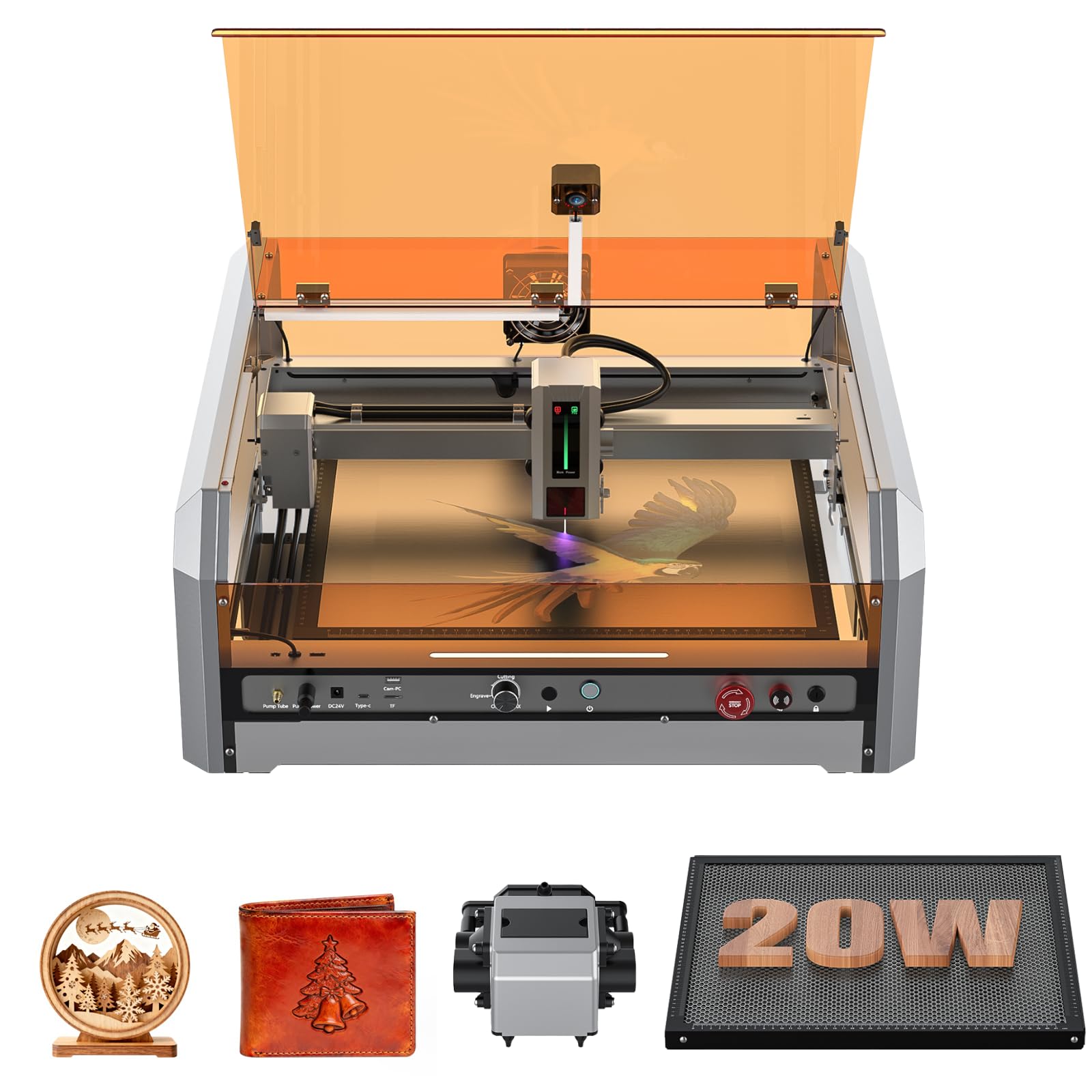
The Genmitsu L8 arrives fully assembled inside an acrylic shield enclosure with 360-degree visual access. Its 20 W optical power cuts through 8 mm black acrylic and 12 mm pinewood in a single pass, while the built-in 30 L/min air assist and honeycomb bed minimize residue on the piece. The engraving speed reaches 40,000 mm/min — about 33% faster than typical desktop frame lasers.
A LightBurn-compatible camera provides real-time workspace preview, eliminating test runs for positioning. Safety features include a door sensor that pauses the laser when opened, a tilt automatic stop, flame monitor buzzer, and a child safety lock. The included 256-color engraving palette produces vibrant acrylic marks without needing to buy additional color packs.
Some users report that the USB drive included for software can be unreliable, and the camera cable alignment takes a little extra attention during first setup. But for a fully enclosed, safety-certified Class 1 machine that works out of the box, the L8 offers strong value — especially for beginners who want to avoid building their own enclosure.
Why it’s great
- Fully assembled with integrated safety shield and vent
- LightBurn-compatible camera for zero-waste positioning
- 20 W cuts 8 mm acrylic cleanly in one pass
Good to know
- USB drive quality is inconsistent; use direct download
- Beginners may need time to tune camera cable routing
3. xTool F2 5W IR & 15W Diode Dual Laser
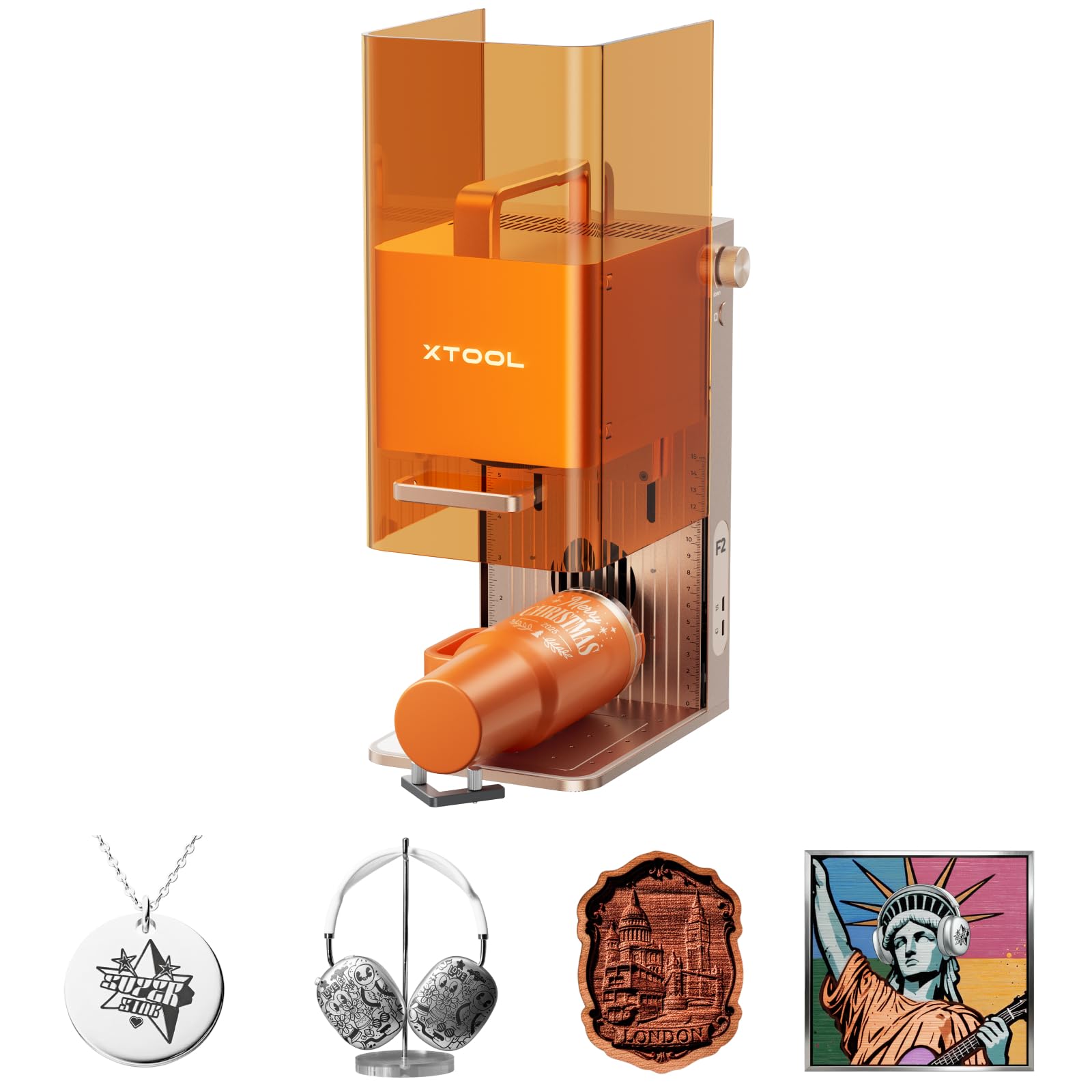
The xTool F2 combines a 5 W infrared laser and a 15 W blue diode laser in a compact 10-pound desktop unit. The IR laser produces deep, dark marks on metal and colored acrylic where blue wavelengths reflect, while the 15 W diode handles engraving and cutting on standard clear acrylic, wood, and leather. The dual-source setup means you can mark anodized aluminum business cards and cut acrylic keychains without swapping machines.
Its 50 MP camera delivers 0.1 mm alignment accuracy, and the 6,000 mm/s engraving speed completes a small card in roughly 3 seconds. The fully enclosed, leak-proof design with a built-in fan allows safe operation at craft fairs or pop-up shops. Weighing only 4.6 kg, it packs into a case easily for mobile customization services.
The main trade-off is that the blue diode is limited to 15 W, so cutting thick acrylic (over 5 mm) requires multiple passes. It is also a Class 4 device, so you must use the included protective glasses even with the enclosure. For a portable dual-laser system that engraves metal and cuts thin acrylic on the go, the F2 is unmatched in its size class.
Why it’s great
- IR laser marks metal and colored acrylic where blue diode fails
- 50 MP camera with 0.1 mm positioning for tiny projects
- Ultra-portable at 10 lbs; easy to transport to events
Good to know
- Blue diode limited to 15W; multiple passes for thick acrylic
- Class 4 requires careful eye safety with enclosure removed
4. Creality Falcon A1 Pro 20W
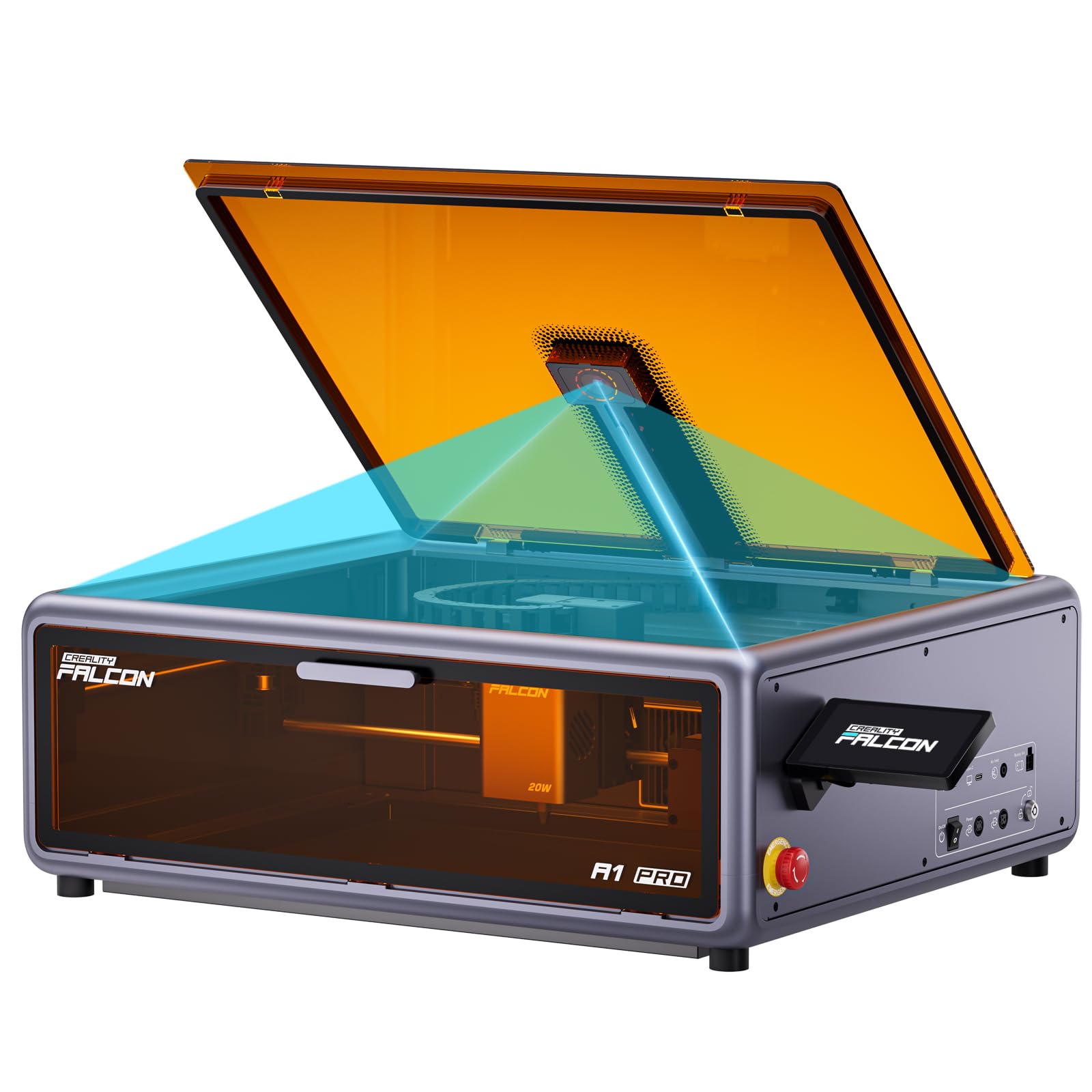
The Falcon A1 Pro 20W brings an enclosed, touchscreen-controlled experience with auto-focus, making it one of the most beginner-friendly options. Its 20 W blue laser cuts 10 mm cherry wood and 13 mm acrylic in a single pass, and the 600 mm/s engraving speed on the 14.09″ x 10.55″ workspace is fast enough for small batch production. The switchable laser module design lets you install an optional 2 W IR module for fine metal marking.
A smart HD full-frame camera enables drag-and-drop design placement — you see exactly where the laser will hit before firing. Over 800 ready-to-make projects are preloaded in the Falcon Design Space software, and the material presets cover more than 200 tested substrates. The compact footprint is 47% smaller than many enclosed diode lasers, fitting comfortably on a standard desk.
Some users have noted occasional mid-task stops on long engravings (roughly 1 in 25 runs) and USB-C port stability concerns. The software ecosystem also has fewer third-party integrations than LightBurn-native machines. For a turnkey enclosed system with auto-focus and a supportive app, the A1 Pro is a solid choice for beginners and intermediate makers alike.
Why it’s great
- Auto-focus and HD camera for effortless job setup
- 20W cuts 13 mm acrylic in a single pass
- Compact, space-saving enclosed design at 46.6 lbs
Good to know
- Occasional unexplained mid-task stops in long runs
- Software less flexible than LightBurn-native systems
5. Mecpow X4 Pro 40W/20W

The X4 Pro introduces a unique dual-power laser module that switches between 20 W and 40 W optical output without swapping hardware. At 20 W, the spot size shrinks to 0.08 x 0.1 mm for fine engraving. At 40 W, the spot expands slightly to 0.1 x 0.15 mm, cutting through 25 mm wood and 30 mm black acrylic in a single pass. This makes it one of the few diode lasers that can handle both detailed acrylic lithophanes and thick signage material on the same bed.
The built-in camera supports visual positioning, image tracking, and batch engraving across the full frame. The automatic air pump pushes 30 L/min and switches on and off via software, while the exhaust fan and filter system keep the enclosed workspace clear of acrylic fumes. Three connection options – Wi-Fi, USB, and offline TF card – give you flexibility if your computer isn’t near the machine.
Assembly is manageable, though the instruction booklet is sparse in spots. Some users have reported that the power converter can run hot in long sessions, and warranty support response time has been inconsistent in some cases. Still, for the price, the X4 Pro’s dual-power flexibility is a rare feature that saves both space and money compared to owning two separate lasers.
Why it’s great
- Switchable 20W/40W laser covers engraving and thick cutting
- Cuts up to 30 mm black acrylic in a single pass at 40W
- Wi-Fi, USB, and offline TF card control options
Good to know
- Enclosure camera is less reliable over Wi-Fi hub
- After-sale support has mixed reviews on response speed
6. Longer RAY5 40W
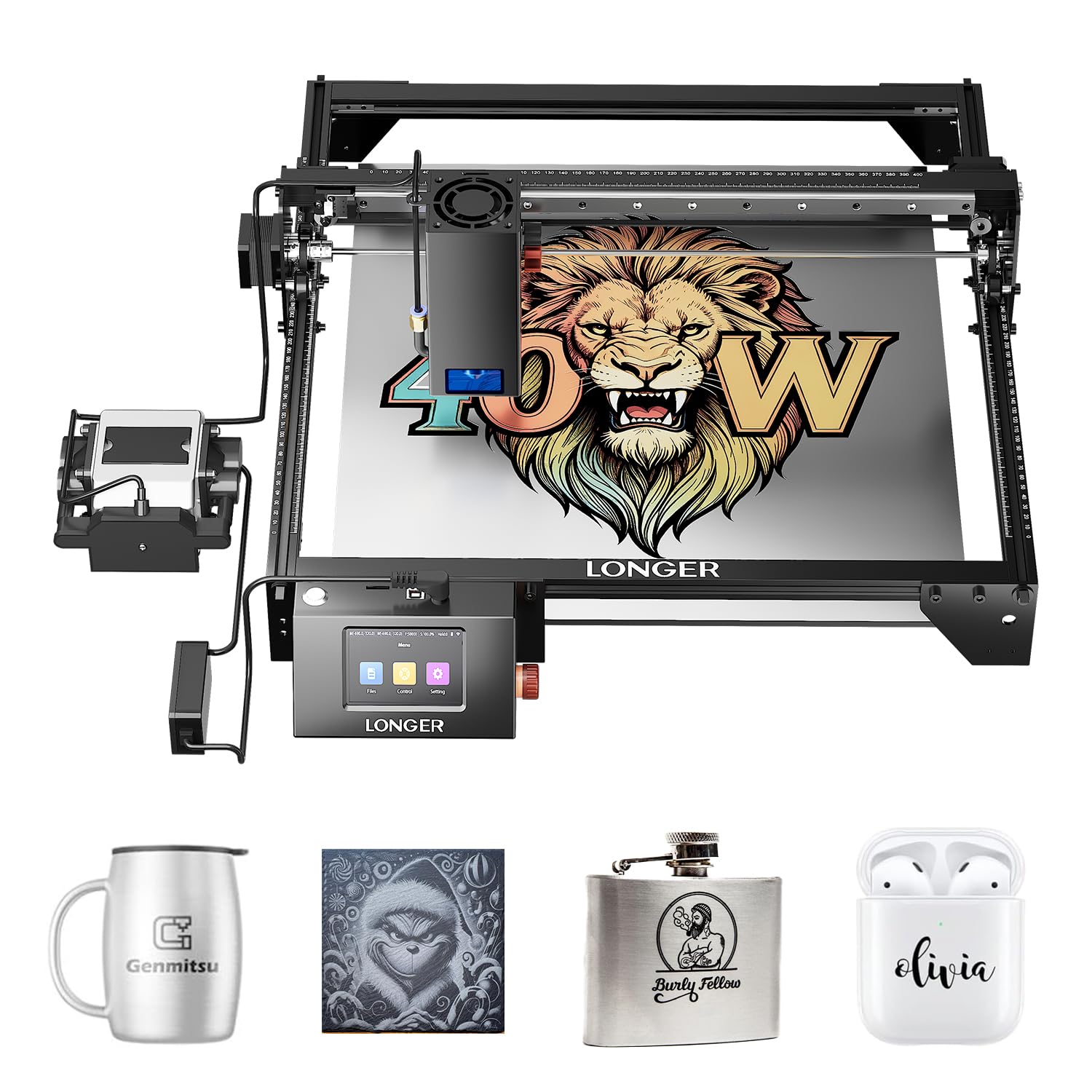
The Longer RAY5 40W delivers high optical output in an open-frame format, making it suitable for those who already have ventilation and a workspace for a Class 4 device. Its dual-beam laser module produces a 0.08 x 0.1 mm spot for engraving precision, while the 40 W power cuts through 30 mm black acrylic and 20 mm wood in a single pass. The 24,000 mm/s engraving speed keeps batch jobs efficient.
A 3.5-inch touchscreen and the Longer app enable offline control — you can start jobs without a tethered computer. The upgraded 32-bit motherboard processes g-code smoothly, and motion detection with temperature control triggers automatic shutdown in case of overheating. The 256-color palette support adds vibrant marking capability to acrylic projects.
To get the best cut quality on acrylic, you will need to purchase an external air assist pump and honeycomb bed — neither is included with the base machine. LightBurn software compatibility costs an additional license. For experienced users comfortable with an open-frame setup, the RAY5 40W offers raw cutting power that rivals machines at a higher price point.
Why it’s great
- 40W cuts 30 mm black acrylic in a single pass
- Offline touchscreen and app control eliminate PC tether
- 256-color palette for vibrant acrylic engraving
Good to know
- Open-frame; requires external air assist and honeycomb
- LightBurn license sold separately
7. AnoleX 3030-Evo Max (800W Spindle)
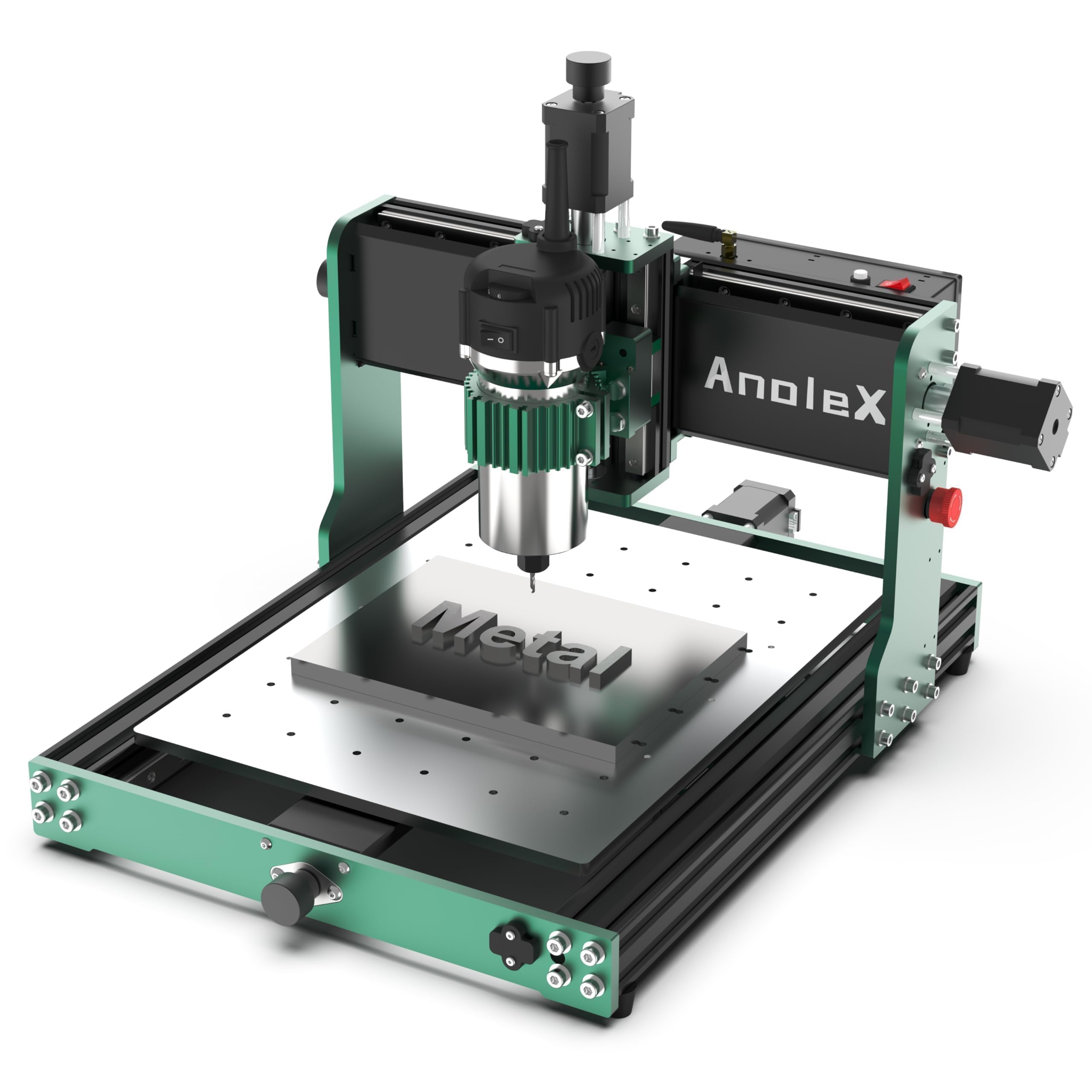
For users who need to cut acrylic with routed edges rather than laser-melted edges, the 3030-Evo Max CNC router offers a mechanical alternative. Its 800 W trim router spins at 8,000–24,000 RPM, and the 6-speed settings let you dial in feed rates for acrylic without melting the material. The dual MGN-15 linear guides on all three axes, combined with T8 lead screws, deliver ±0.01 mm repeatability — essential for precision acrylic parts and jigs.
The GRBL 1.3a firmware on a 32-bit ESP32 board supports advanced features: 4th axis rotation, coolant control, closed-loop motor upgrades, and Wi-Fi control via smartphone or tablet. The NEMA 17 stepper motors with 650 mN·m torque handle aluminum and stainless steel as well, so this machine can graduate from acrylic to metal milling later. Assembly is more involved than a laser but manageable with the picture-oriented manual.
Ball screws have small dead spots under certain load conditions, which can impact multi-setup jobs. Spindle noise is also noticeably higher than a diode laser. For workshop users who need a rigid CNC platform for acrylic milling alongside metal, the 3030-Evo Max provides a solid foundation with good upgrade pathways.
Why it’s great
- Dual linear guides on XYZ for high rigidity and ±0.01 mm repeatability
- 800W spindle handles acrylic and light metal milling
- WiFi control and upgradeable ball screws and closed-loop motors
Good to know
- Ball screw dead spots can affect multi-setup repeatability
- Spindle noise is significantly higher than a diode laser
8. FoxAlien Masuter Pro 3-Axis CNC
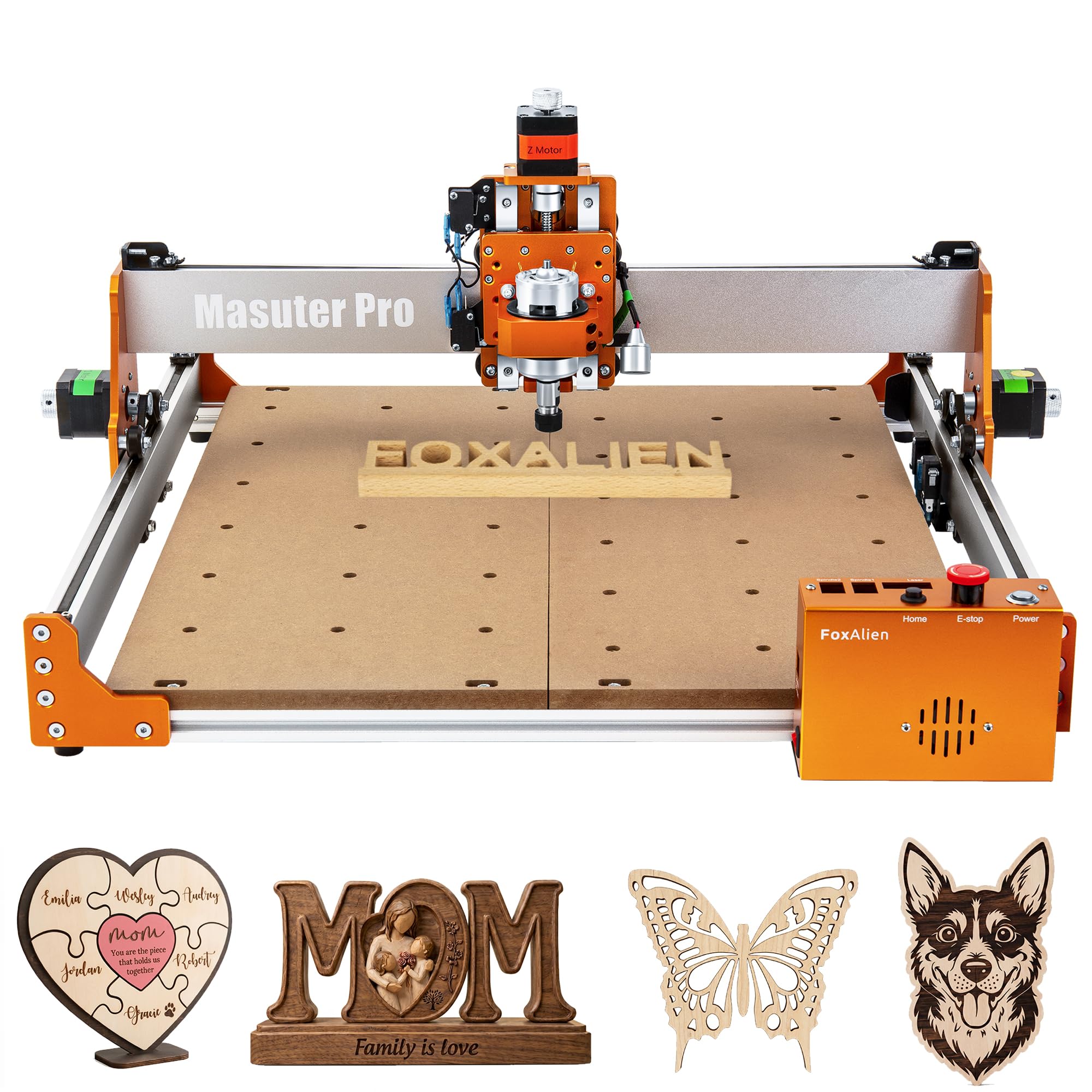
The Masuter Pro uses an all-aluminum frame with a linear rail Z-axis to keep vibrations low during acrylic, wood, and nylon routing. Its 300 W spindle with 10,000 RPM maximum speed works well for engraving and light cutting on acrylic sheets up to 5 mm thick. The 15.75″ x 15.75″ x 2.36″ workspace accommodates medium-sized signs and batch parts, and the optional Y-axis extension kit expands capacity further.
Pre-wired components and a detailed step-by-step manual allow assembly in 10–15 minutes — one of the fastest setups in its class. It comes with two spindle clamps (52 mm and 65 mm) for compatibility with both the included 60 W motor and an upgraded router. The dust-proof controller box keeps the electronics clean in a shop environment.
The stock 60 W spindle is underpowered for anything beyond light engraving on acrylic. Upgrading the spindle is necessary if you plan to cut acrylic thicker than 5 mm or work with harder materials frequently. Support responsiveness varies — some users report fast replacement of defective parts, others experience long delays. For hobby CNC routing on thin acrylic and soft materials, the Masuter Pro is a capable entry-level machine.
Why it’s great
- Rigid all-aluminum frame with linear rail Z-axis
- Very fast assembly time of 10–15 minutes
- Y-axis extension kit available for larger projects
Good to know
- Stock 60W spindle struggles with acrylic over 5 mm
- Customer support response times are inconsistent
9. Twotrees TTC450 Pro CNC Router
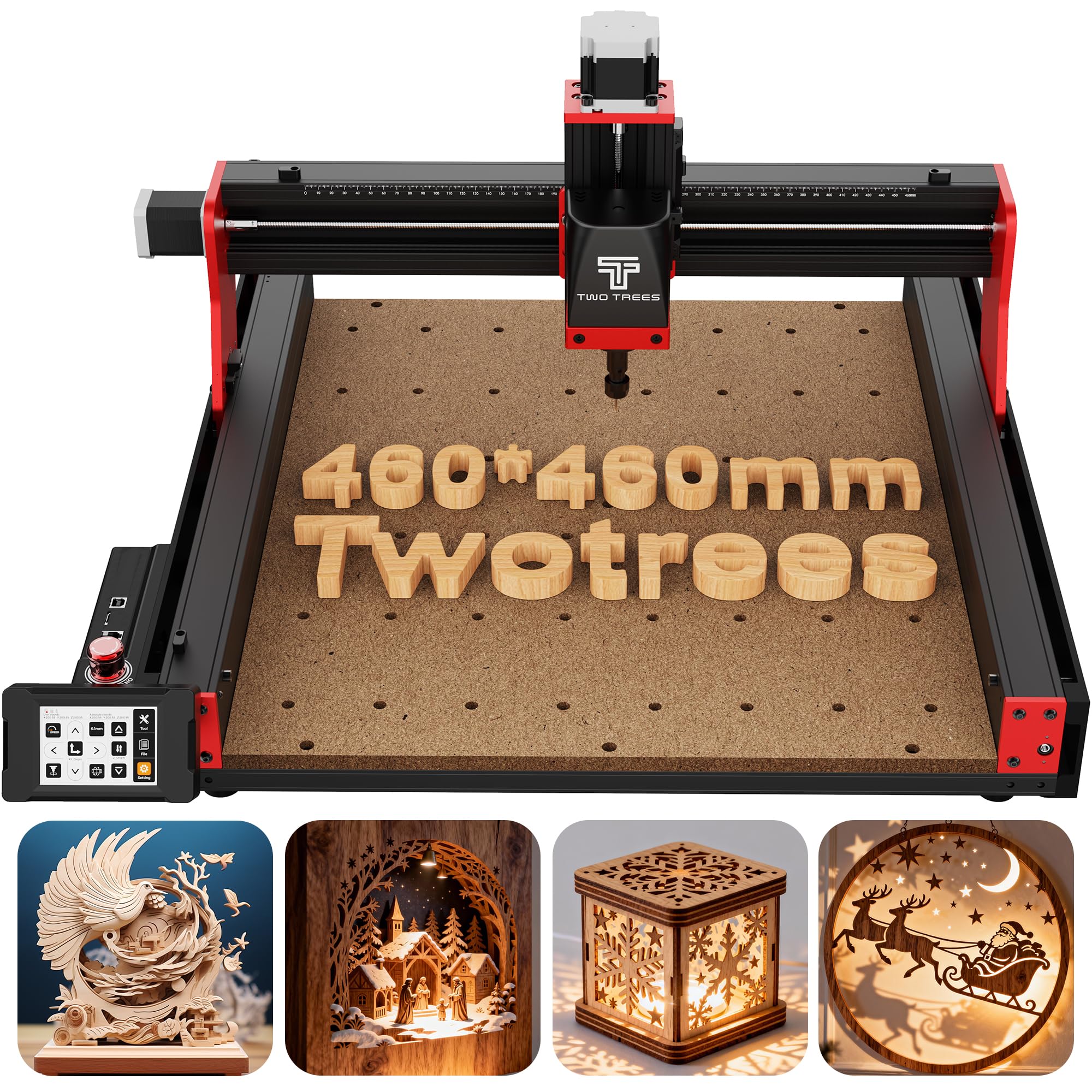
The TTC450 Pro stands out for its Z-axis precision — driven by a NEMA 57 stepper motor with 0.0025 mm positioning accuracy. For acrylic work that requires multi-layer relief or deep pocket cuts, this accuracy translates to clean vertical walls without scalloping. Its 460 x 460 x 80 mm working area is square-shaped, which suits sign-sized acrylic sheets better than rectangular beds on some rivals.
The 3.5-inch IPS capacitive touch screen allows operation without a connected laptop, and the GRBL-compatible control box includes ports for a 4th axis rotary module and a 500 W spindle speed control. The supplied 775 brushed spindle works for acrylic and wood but is loud and lacks the torque of a router upgrade. Dual limit switches on all axes provide fail-safe homing and travel limits.
Assembly is straightforward but requires patience with the wiring connections for the touch screen and limit switches. The included bits are all the same diameter, limiting variety for fine work out of the box. Software compatibility with VCarve, Fusion 360, and Easel is good, but G-code post-processing can have quirks that require trial and error. For users who prioritize Z-axis resolution in a CNC router for acrylic and softer metals, the TTC450 Pro delivers impressive accuracy at a reasonable cost.
Why it’s great
- NEMA 57 Z-axis motor delivers 0.0025 mm positioning accuracy
- Large square 460x460mm bed ideal for signage acrylic
- 3.5″ touchscreen enables PC-free operation
Good to know
- Included brushed spindle is noisy and underpowered
- G-code post-processing may need manual tuning for some software
10. Genmitsu 4040-PRO CNC Router
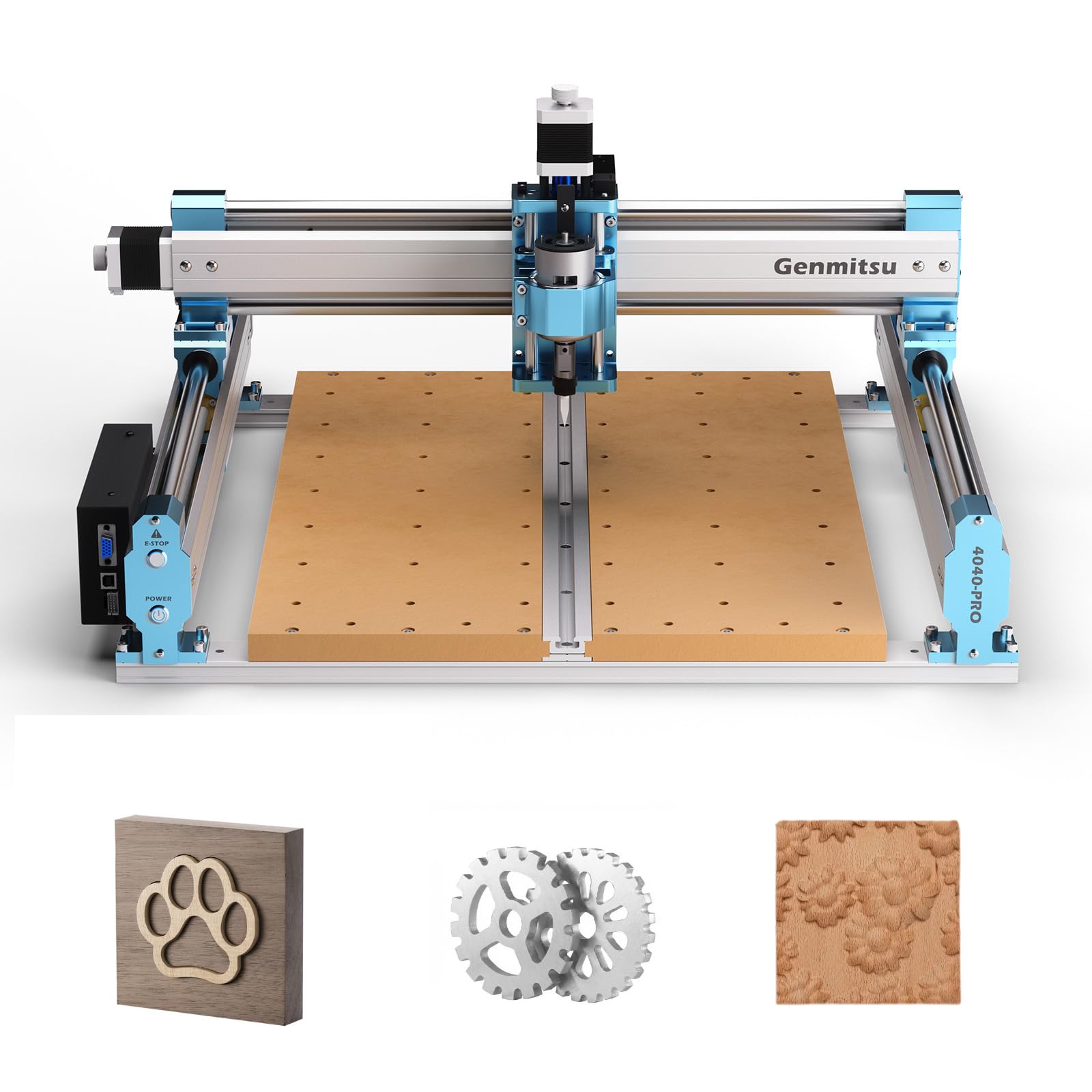
The Genmitsu 4040-PRO employs steel HSS linear tubes and lead screw motion drivers on all axes — a more rigid system than belt-driven designs at a similar price. The 15.7″ x 15.7″ x 3.1″ working area is suitable for medium acrylic panels, and the updated control box with a Toshiba TB6S109 32-bit driver produces quiet, smooth motion. Pre-assembled main parts enable setup in about 15 minutes.
Compatibility has been expanded with optional upgrades: a 4th axis rotary module for cylindrical engraving, a Wi-Fi module for mobile control, and XZ-axis screw upgrades for better speed and stability. The 42 mm and 52 mm spindle mounts accommodate the stock unit or an upgraded 300 W spindle. The MDF spoilboard is replaceable per section, so damage to one area doesn’t require a full swap.
User reports indicate that the stock spindle (rated at 9,000 RPM) struggles with acrylic thicker than 6 mm, and some units experience vector orientation drift after repeated use. The controller board seems to be the weak point for some users, requiring replacement. For a budget-friendly CNC with a sturdy frame and good upgrade path, the 4040-PRO is competitive, but expect to budget for spindle and controller improvements.
Why it’s great
- Steel HSS frame with lead screw drive for increased rigidity
- 15-minute assembly time with pre-wired components
- Modular upgrades: 4th axis, Wi-Fi, and stronger Z-axis screws
Good to know
- Stock spindle lacks torque for acrylic over 6 mm
- Some units experience controller board drift over time
11. Creality Falcon 10W Laser Engraver

The Creality Falcon 10W is the most affordable path into acrylic laser cutting and engraving. Its 10,000 mW blue diode cuts through 3–5 mm acrylic sheet in two to three passes, and the 0.06 mm laser accuracy produces clean lines on small signs, keychains, and craft acrylic. The 500 x 500 mm honeycomb bed protects the work surface and aids smoke dispersion.
Assembly takes 5–10 minutes, and the Falcon Design Space software is intuitive enough for absolute beginners to start engraving within an hour. The machine supports LaserGRBL and LightBurn for advanced users, and compatibility extends to Windows and macOS. Safety features include an emergency stop button and tilt detection to prevent accidents.
The 10 W power is insufficient for cutting acrylic thicker than 5 mm efficiently — expect charred or incomplete cuts on 6 mm sheets. The open-frame design also requires a ventilated workspace and protective goggles since it’s Class 4. For someone who wants to explore acrylic engraving and light cutting with minimal upfront investment, the Falcon 10W is a solid starting point that you can later sell or keep as a secondary engraver.
Why it’s great
- Lowest upfront cost for acrylic entry-level laser cutting
- 5–10 minute assembly; works out of the box
- 500x500mm honeycomb bed reduces scorching
Good to know
- 10W struggles with acrylic over 5 mm; requires multiple passes
- Open-frame design needs goggles and good ventilation
FAQ
Can a diode laser cut clear acrylic as cleanly as a CO2 laser?
How thick of acrylic can a 10W laser cut?
Is an enclosed laser safer for cutting acrylic indoors?
Final Thoughts: The Verdict
For most users, the best acrylic cutting machine is the xTool S1 40W because it combines a powerful enclosed diode laser with auto pass-through, rotary support, and Class 1 safety that handles acrylic signs, tumbler projects, and batch production without compromise. If you want a fully assembled safety-certified machine with a camera, grab the Genmitsu L8 20W. And for the most portable dual-laser system that marks metal and cuts thin acrylic on the go, nothing beats the xTool F2 Dual Laser.