
A laptop screen sitting flat on a desk forces your neck into a downward angle that strains cervical vertebrae over an eight-hour workday. The solution is not a fixed wedge or a stack of textbooks — it is an adjustable laptop riser that lifts the display to true eye level while maintaining thermal airflow and typing stability. The difference between a good riser and a poor one comes down to hinge tension, base weight, and how much the platform wobbles when you type.
I’m Min — the co-founder and writer behind Gadgets Feed. I have logged hundreds of hours comparing the hinge mechanisms, weight capacities, and heat dissipation designs of aluminum laptop stands to separate the stable setups from the shaky compromises.
After evaluating seven models across a wide price and feature range, this guide breaks down the essential specs and real-world performance data behind the best adjustable laptop riser choices for your desk.
How To Choose The Best Adjustable Laptop Riser
Adjustable laptop risers range from simple folding aluminum brackets to heavy-duty articulated arms. The right choice depends on your laptop size, your desk depth, whether you use an external keyboard, and how much you value portability. Focus on four key pillars: stability under typing load, height range that matches your seated eye level, thermal management, and the footprint the base occupies on your desk.
Hinge Tension and Foundation Weight
A riser that wobbles when you type defeats its entire purpose. Look for models with a wide aluminum base or a sturdy C-clamp mount that anchors the platform. Hinges should require deliberate force to adjust — loose joints will sag under the weight of a 15-inch or larger laptop. The j5create JTS127 and the Lifelong UPRYZE use heavy-duty hinges that stay locked in place even with vigorous typing.
Height Range and Viewing Angle
Your screen should sit so the top bezel is at or just below your horizontal eye level. For most users seated at a standard 29-inch desk, that means the riser needs to lift the laptop between 4 and 12 inches above the desktop. Models that only offer a fixed tilt wedge (often just 1 to 3 inches of lift) do not count as truly adjustable. The BoYata and Lamicall stands provide continuous height adjustment from roughly 4 to 7 inches, while the Lifelong UPRYZE extends up to 20 inches for standing desk use.
Thermal Airflow Under Load
Laptops exhaust heat through bottom vents or rear hinges. A riser that blocks those vents causes thermal throttling during video calls, coding, or gaming. Openwork platforms with large ventilation holes — such as the HUANUO’s 240-hole tray — or U-shaped aluminum brackets that lift the laptop off the surface entirely are the best designs for keeping internal fans spinning at lower speeds.
Rotating Capability and Desk Real Estate
A 360-degree rotating base lets you swivel the screen toward a colleague without dragging the whole laptop across the desk. This feature matters if you share your screen frequently in meetings or if you run a dual-monitor setup where the laptop sits off to one side. The Lamicall rotating stand and the TECKNET 360 model both offer this function, but the added complexity can introduce slight lateral play — check user reviews for wobble reports before buying.
Quick Comparison
On smaller screens, swipe sideways to see the full table.
| Model | Category | Best For | Key Spec | Amazon |
|---|---|---|---|---|
| Lifelong UPRYZE | Premium | Standing desk usage | 20-inch max height, 13-inch arm | Amazon |
| j5create JTS127 | Premium | Rock-solid hinge stability | Multi-angle aluminum up to 16” | Amazon |
| Lamicall (LN1-US) | Mid-Range | Portable foldable design | 0.06 kg weight, 10-17.3” fit | Amazon |
| Lamicall Rotating (STDL04) | Mid-Range | Screen sharing and collaboration | 360° rotating aluminum base | Amazon |
| BoYata M6 | Mid-Range | Wide tripod stability | 3.9-7.4” height, 3mm steel plates | Amazon |
| TECKNET ELS01002 | Budget | 360° rotation on a budget | 22-lb capacity, foldable | Amazon |
| HUANUO HNCM16 | Budget | 2-in-1 laptop/monitor arm | C-clamp mount, 22-lb capacity | Amazon |
In‑Depth Reviews
1. Lifelong UPRYZE Ergonomic Adjustable Laptop Stand
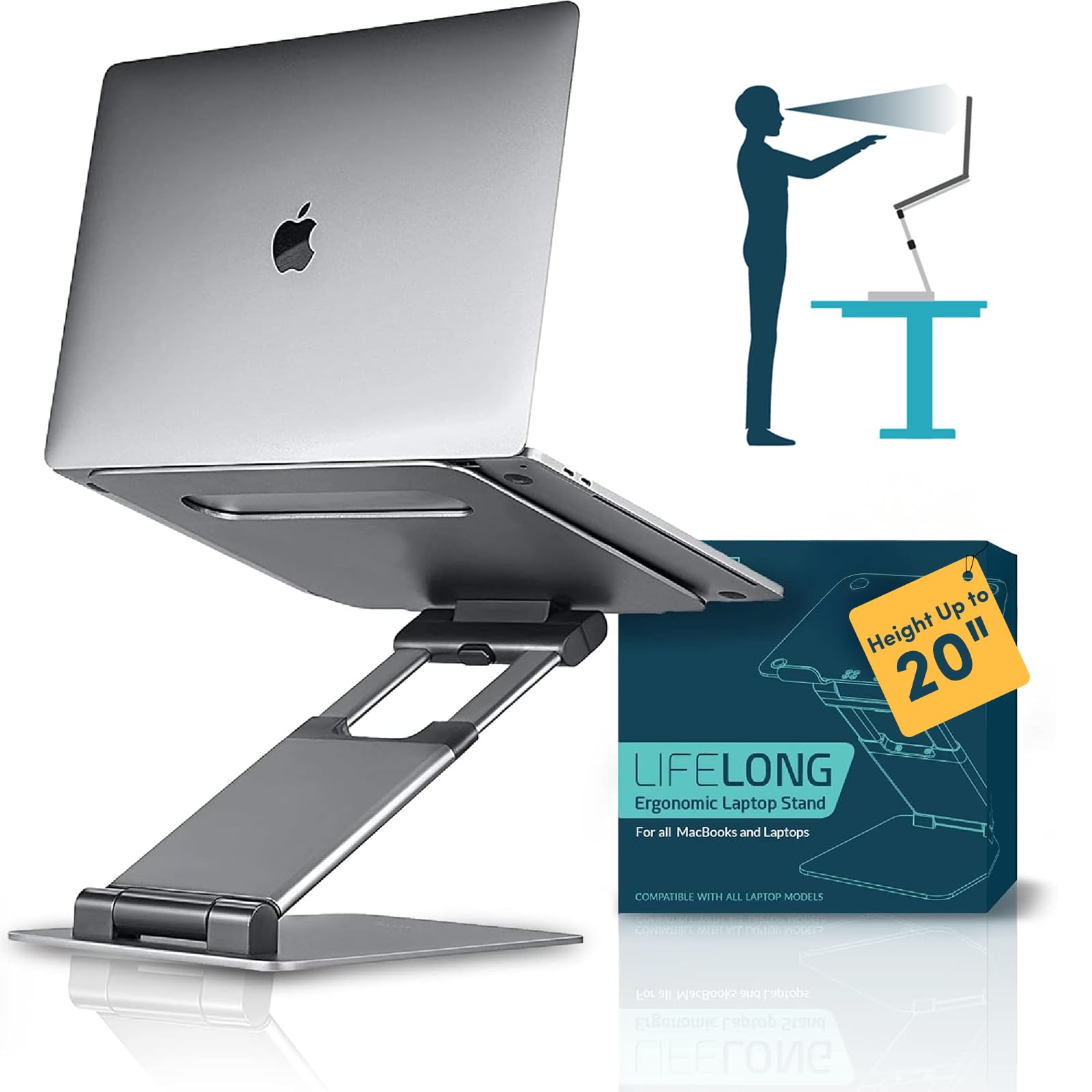
The UPRYZE stands apart because it is the only model in this group that can raise a laptop high enough for true standing desk use. The arm extends up to 13 inches and the platform reaches 20 inches from the base floor, which means you can position the screen at full standing eye level without hunching. The aluminum tower construction and heavy base prevent the unit from tipping forward, even when a 17-inch laptop is extended to maximum height.
Hinge tension on the UPRYZE is notably stiff — adjusting the angle requires deliberate force, but that same stiffness keeps the platform locked in place during typing sessions. Some users report a slight bounce when typing at full extension without a separate keyboard, but the trade-off is acceptable given the height range. The foldable design collapses into a relatively compact shape for transport, though at 2.32 pounds it is heavier than most portable stands.
Ventilation is handled by the open-frame structure that leaves the laptop underside fully exposed, eliminating heat buildup entirely. The grey painted finish resists scratches and blends into most office aesthetics. For anyone who alternates between sitting and standing throughout the workday, this riser eliminates the need for a separate standing desk entirely.
Why it’s great
- True standing-desk height at 20 inches
- Very stiff hinges prevent sagging
- Open-frame design for unrestricted airflow
Good to know
- Noticeable keyboard bounce at full extension
- Heavier than most foldable stands
- L-brackets may interfere with thin ultrabooks
2. j5create Multi-Angle Aluminum Laptop Stand JTS127

The j5create JTS127 earns its premium reputation through hinge quality that feels a tier above the competition. The aluminum joint is machined to maintain its position without any drift — even after weeks of daily typing, the angle does not creep downward. The stand fits laptops up to 16 inches and supports a near-vertical orientation for users who want the screen as upright as possible to match an external monitor.
At 2.32 pounds, the JTS127 is not the lightest option, but the weight contributes to its planted feel on the desk. The non-slip protective pads on both the base and the platform prevent the laptop from sliding even when the stand is tilted to steep angles. Folded, it measures 11.42 x 8.9 x 2.09 inches — compact enough to slide into a laptop bag compartment without adding bulk.
Heat dissipation is passive but effective: the open back and cutout platform leave the laptop’s underside exposed to ambient air. Users with cervical neck issues report significant relief because the stand allows precise incremental adjustments that wedge-style risers cannot match. The silver aluminum finish matches MacBook aesthetics closely.
Why it’s great
- Hinge holds position indefinitely with no drift
- Near-vertical orientation option for monitor matching
- Non-slip pads prevent sliding at any angle
Good to know
- Maximum laptop size limited to 16 inches
- Fixed angle increments rather than continuous adjustment
- Slightly narrower base than competing premium stands
3. Lamicall Adjustable Laptop Stand LN1-US

The Lamicall LN1-US is the lightest fully adjustable stand in this lineup at just 0.06 kilograms (approximately 60 grams), which is lighter than most phone cases. Despite the featherweight construction, the aluminum alloy platform supports laptops up to 17.3 inches without flexing. The secret is the foldable bracket design that uses the laptop’s own weight to lock the stand into a stable angle — the more pressure you apply by typing, the more secure the hold.
Adjustment requires two hands and a firm push, which ensures the angle does not slip during use. The large base spans roughly 12 by 10 inches when opened, providing a wide enough footprint to feel planted on the desk. The multiple ventilation holes on the platform allow hot air to escape from bottom-venting laptops, and the anti-skid silicone strips along the edges keep the device from sliding forward.
The LN1-US folds down to a nearly flat slab that slips into a laptop bag sleeve without creating a bulge. The trade-off for the extreme portability is that the height adjustment range is narrower than heavier stands — it lifts the screen roughly 2 to 5 inches above the desk, which suits seated use but does not support standing desk configurations. The silver finish reflects light and can make the keyboard area easier to see in dim rooms.
Why it’s great
- Extremely lightweight at 60 grams
- Folds completely flat for transport
- Wide base provides solid stability
Good to know
- Height range limited to roughly 2-5 inches
- Adjustment mechanism requires firm pressure
- Not suitable for standing desk use
4. Lamicall Adjustable Laptop Stand with 360° Rotating Base STDL04
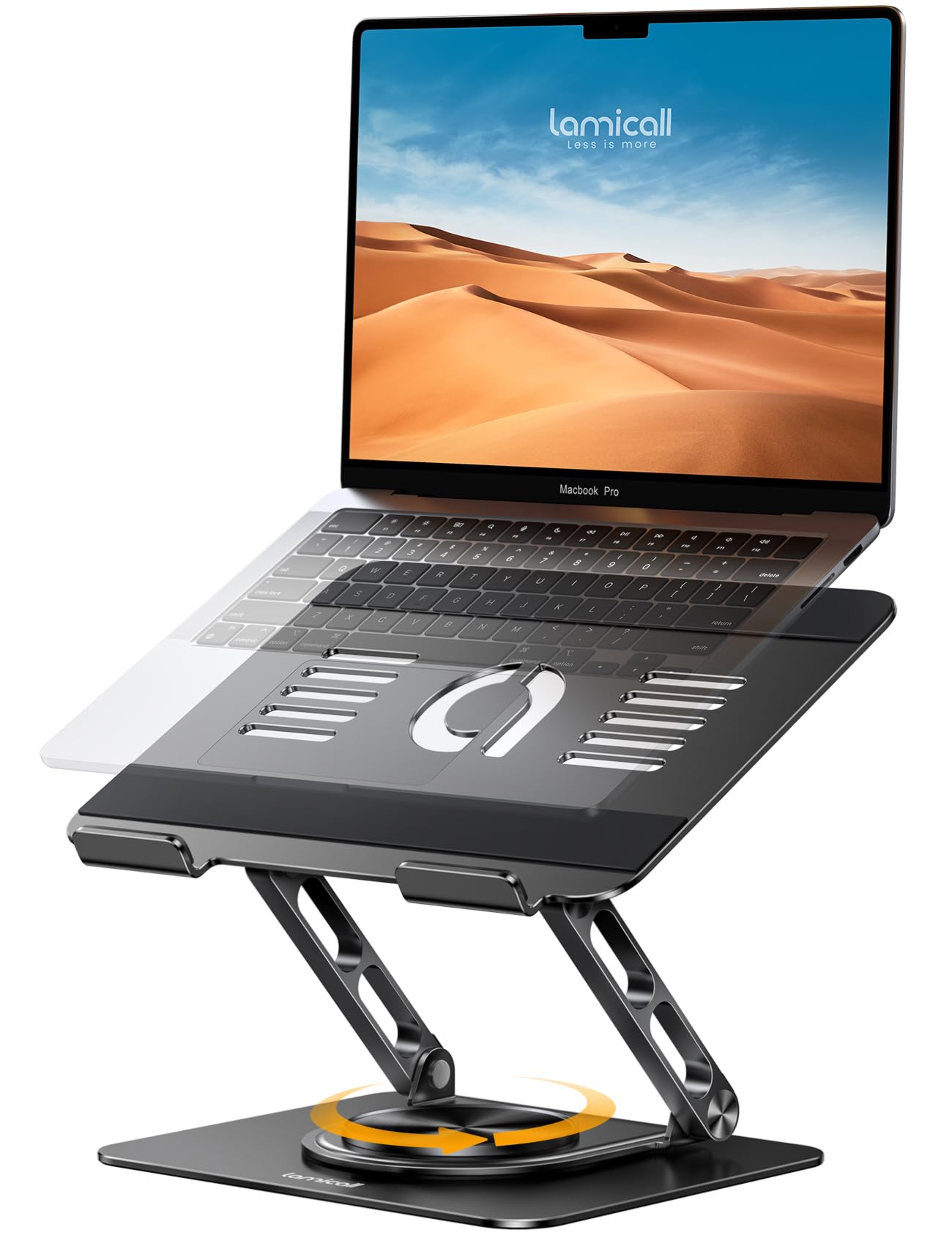
The Lamicall STDL04 is the rotating version of the brand’s popular adjustable stand, and the difference is immediately apparent in collaboration scenarios. The base contains a smooth bearing ring that lets the platform spin 360 degrees with minimal effort, so you can turn the screen toward a colleague without dragging cables across the desk. The rotation mechanism does not introduce noticeable wobble — the aluminum alloy base is significantly heavier than the non-rotating LN1-US, which anchors the stand firmly on the desk surface.
Height and tilt adjustments work identically to the LN1-US, with the same two-hand push required to change angles. The stand fits laptops from 10 to 17.3 inches, and the openwork platform design promotes airflow underneath the device. Users who pair this stand with a separate wireless keyboard and mouse report that the rotating base makes dual-monitor setups far more practical — the laptop can sit at an angle while the external monitor faces forward.
The black finish is matte and resists fingerprints better than the silver variant. At roughly 0.7 pounds, the rotating mechanism adds some weight over the non-rotating version, but it still qualifies as portable. The primary caveat is that the rotation ring can accumulate dust over time and may require occasional cleaning to maintain smooth movement.
Why it’s great
- Smooth 360-degree rotation for screen sharing
- Heavy aluminum base prevents tipping
- Works with laptops up to 17.3 inches
Good to know
- Rotation ring may collect dust over time
- Heavier than non-rotating Lamicall stand
- Height adjustment still requires firm two-hand push
5. BoYata Ergonomic Height Adjustable Laptop Stand M6

The BoYata M6 uses a tripod-style base with two 3-millimeter-thick metal plates and a central support rod, creating a wide stance that resists lateral wobble. The height adjusts from 3.9 inches to 7.4 inches via a button on the back of the stand — press the button, slide the platform up or down, and release to lock. This click-stop mechanism is more precise than the friction hinges on some competitors, though it offers only discrete positions rather than infinite adjustment.
The support rod is rated to hold up to 11 pounds, which comfortably covers most 15-inch and 16-inch laptops. Large silicone pads on both the top and bottom surfaces prevent the laptop from sliding and protect the desk from scratches. Assembly takes about two minutes with the included hex key and extra screws — the three-piece construction is straightforward and the fit is flush with no exposed sharp edges.
Heat dissipation comes from the U-shaped bracket that lifts the laptop off the support structure, leaving the entire underside open to airflow. Users with 15.6-inch machines report that the stand holds stable even during aggressive typing, with no sagging or angle drift. The black painted finish is matte and does not reflect glare, which helps readability in brightly lit offices.
Why it’s great
- Click-stop height adjustment for repeatable positions
- Wide tripod base eliminates wobble
- Simple three-piece assembly in minutes
Good to know
- Discrete height stops rather than continuous adjustment
- 11-pound weight limit lower than some competitors
- Support rod can feel slightly thin compared to full-width stands
6. TECKNET Laptop Stand for Desk ELS01002
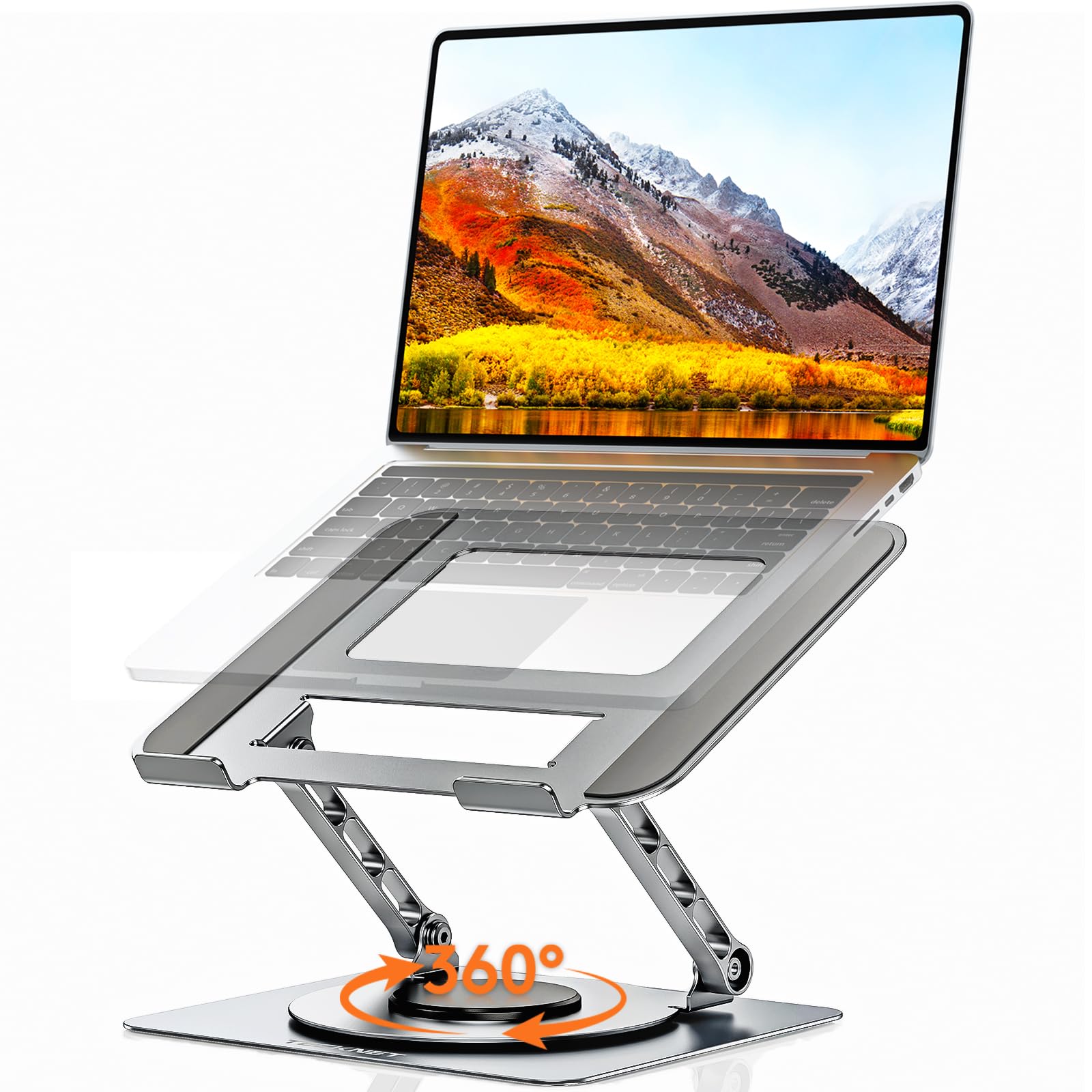
The TECKNET ELS01002 brings 360-degree rotation and a 22-pound weight capacity to a price point that undercuts most rotating stands. The platform is constructed from thick reinforced aluminum alloy and spans 10.2 by 8.7 inches, fitting laptops from 10 to 17.3 inches. The rotation clicks every few degrees with a tactile feedback that helps you find the exact position without overshooting.
Height and tilt adjust from 0 to 180 degrees, which means you can lower the platform parallel to the desk for a flat profile or tilt it up to near-vertical. The foldable design collapses to a compact 10.2 by 8.7 by 1.25 inches, making it suitable for sliding into a desk drawer or backpack. The non-slip silicone pads on the base prevent the stand from sliding on smooth surfaces, and the openwork pattern on the platform improves airflow by roughly 40 percent compared to a solid surface.
The main compromise at this price point is a slight amount of wobble during heavy typing — the hinge mechanism does not have the same clamping tension as premium models. TECKNET acknowledges this and recommends pairing the stand with a wireless keyboard for the steadiest experience. For users who do most of their work with an external keyboard and only occasionally type directly on the laptop, the wobble is negligible.
Why it’s great
- 360-degree rotation with tactile click feedback
- 22-pound capacity for heavy gaming laptops
- Foldable to 1.25 inches for easy storage
Good to know
- Some wobble during direct laptop typing
- Hinge tension lower than premium stands
- Larger laptops may need careful balancing at steep angles
7. HUANUO Laptop Desk Mount HNCM16

The HUANUO HNCM16 is fundamentally different from the other stands in this list because it is a C-clamp mount rather than a freestanding riser. The ventilated tray measures 13.8 by 11.8 inches and fits laptops up to 17 inches, but the real draw is the removable tray — detach it and the mount becomes a full monitor arm compatible with VESA 75x75mm and 100x100mm patterns, supporting screens from 15 to 32 inches. This 2-in-1 versatility is unmatched in the budget segment.
The 15-inch pole provides height adjustment that exceeds most foldable risers, and the arm offers plus/minus 45 degrees of tilt and swivel, plus 360-degree rotation. The C-clamp fits desks 0.39 to 3.07 inches thick, and a grommet mount option is also included for desks with cable pass-through holes. The 22-pound weight capacity handles even the heaviest 17-inch gaming laptops without sagging.
The tray features 240 ventilation holes that provide exceptional airflow, keeping the laptop cooler than most solid-platform stands. Assembly requires a screwdriver (not included), but the labeled hardware and detailed instructions make the process straightforward. The main limitation is that installation is semi-permanent — you will not be moving this mount between rooms or taking it to a coffee shop. For a fixed workstation where you want the option to switch between laptop and monitor mounting, this is the most versatile option per dollar.
Why it’s great
- Converts between laptop stand and monitor arm
- 240-hole ventilated tray for maximum cooling
- 22-pound capacity with full articulation
Good to know
- Requires C-clamp or grommet installation — not portable
- Screwdriver needed for assembly (not included)
- Tray attachment screws are not recessed and could scratch devices
FAQ
Does an adjustable laptop riser work with a 17-inch gaming laptop?
Why does my laptop stand wobble when I type?
How high should I raise my laptop for proper ergonomics?
Are aluminum laptop stands better than plastic or wood ones?
Final Thoughts: The Verdict
For most users, the best adjustable laptop riser winner is the Lifelong UPRYZE because it delivers the widest height range from seated to standing, uses stiff hinges that stay locked under typing pressure, and leaves the laptop fully exposed for cooling. If you want maximum portability and a weight you can carry in a shirt pocket, grab the Lamicall LN1-US. And for a fixed workstation where you need the option to switch between laptop and monitor mounting, nothing beats the HUANUO HNCM16.