
The promise of a 2-in-1 laptop is freedom—the ability to tent for a movie, stand for a presentation, or flatten into a tablet for sketching. But the scariest spec for budget buyers isn’t the processor speed; it’s the hinge quality. A loose hinge on a convertible feels like an impending fracture, and nobody wants their “affordable” laptop to snap six months in.
I’m Min — the co-founder and writer behind Gadgets Feed. I have spent hundreds of hours dissecting the technical specifications of this category, from MIL-STD-810H durability ratings to the actual power-delivery capabilities of USB-C ports, so you don’t end up with a tablet pretending to be a laptop.
After sorting through eleven contenders, I am ready to give you the full picture on what makes a machine worth your desk space. This is the definitive guide to finding the best affordable 2-in-1 laptops on the market right now.
How To Choose The Best Affordable 2-In-1 Laptops
An affordable 2-in-1 is a master of compromise. You are trading raw CPU power for a touchscreen and a hinge mechanism, so you need to know exactly which compromises are acceptable. The three most critical pillars are the hinge type, the RAM and storage combo, and the CPU architecture.
Hinge Philosophy: 360° Convertible vs. Detachable Keyboard
A 360-degree convertible (like the Lenovo IdeaPad 5 Flex or ASUS Chromebook Flip) uses a single, sturdy hinge that rotates the keyboard behind the screen. This design keeps the processor and battery in the same chassis as the screen, resulting in better thermal management and no separate charging cables for the keyboard half. Detachable designs, like the Surface Pro, separate the screen from the keyboard entirely. Detachables are lighter as tablets but often have top-heavy balance on your lap and rely on a kickstand for stability. For budget-friendly options, a 360-degree convertible typically offers a more robust typing experience and fewer connectivity headaches.
The eMMC vs. SSD Trap on Budget Machines
The biggest performance bottleneck in an affordable 2-in-1 is the storage medium. You will see two terms: eMMC (embedded MultiMediaCard) and SSD (Solid State Drive). eMMC is soldered directly to the motherboard and is significantly slower than a standard NVMe SSD. An eMMC drive can make a laptop with 8GB of RAM feel sluggish during Windows updates or file transfers. Look for a laptop with a 256GB or larger NVMe SSD, as this upgrade has a more profound impact on daily speed than the CPU model itself.
Memory Floor: 8GB is the Starting Line, 16GB for Longevity
In the affordable 2-in-1 space, 4GB of RAM is a strict red line for Windows machines—it will choke with more than three browser tabs open. 8GB is the comfortable minimum for Windows, handling Office, Slack, and a browser stream simultaneously. If you can stretch your budget to a unit with 16GB of RAM, you are future-proofing the machine for heavier multitasking and the increasing memory demands of the Chrome browser. ChromeOS machines are more forgiving on RAM, making 4GB workable but 8GB recommended for a smooth experience.
Quick Comparison
On smaller screens, swipe sideways to see the full table.
| Model | Category | Best For | Key Spec | Amazon |
|---|---|---|---|---|
| Lenovo Yoga 7i (16″, Core Ultra 7) | Premium Convertible | Power users needing 16GB RAM & 1TB SSD | 16GB LPDDR5X / 1TB NVMe | Amazon |
| Microsoft Surface Pro (2024) | Premium Detachable | AI-powered tablet-first workflow | Snapdragon X Plus / 14hr battery | Amazon |
| Lenovo IdeaPad 5 Flex 14″ | Mid-Range Convertible | Students seeking a solid Windows convertible | Intel Core Ultra 5 / 8GB LPDDR5x | Amazon |
| FUNYET 14″ 2-in-1 | Detachable Value | Best storage-to-price ratio | 16GB DDR5 / 1TB SSD | Amazon |
| QAZIPO 12″ 2-in-1 | Detachable with Office 365 | Bundled software for students | 12GB RAM / 512GB SSD | Amazon |
| HP 17.3″ Touchscreen | Budget Convertible | Large screen for spreadsheet work | Intel N100 / 8GB DDR4 | Amazon |
| Dell Latitude 7320 Detachable | Premium Refurbished | Business-grade build on a budget | Core i7-1180G7 / 16GB RAM | Amazon |
| jumper EZpad V12Pro | Budget Detachable | Ultra-portable Windows tablet | 12GB RAM / 256GB SSD | Amazon |
| ASUS Chromebook Flip CX1 | Chromebook Convertible | Best entry-level Chromebook experience | 8GB RAM / 128GB eMMC | Amazon |
| Samsung Chromebook Plus | Chromebook Convertible | Bundled accessories for school | 4GB RAM / 64GB eMMC | Amazon |
| Lenovo Yoga 7i (16″, Core Ultra 7 Pro) | Premium Convertible | Pro-grade OS with Win 11 Pro | 16GB DDR5 / 1TB PCIe | Amazon |
In‑Depth Reviews
1. Lenovo Yoga 7i 2-in-1 (16″, Core Ultra 7 155U, 16GB/1TB)
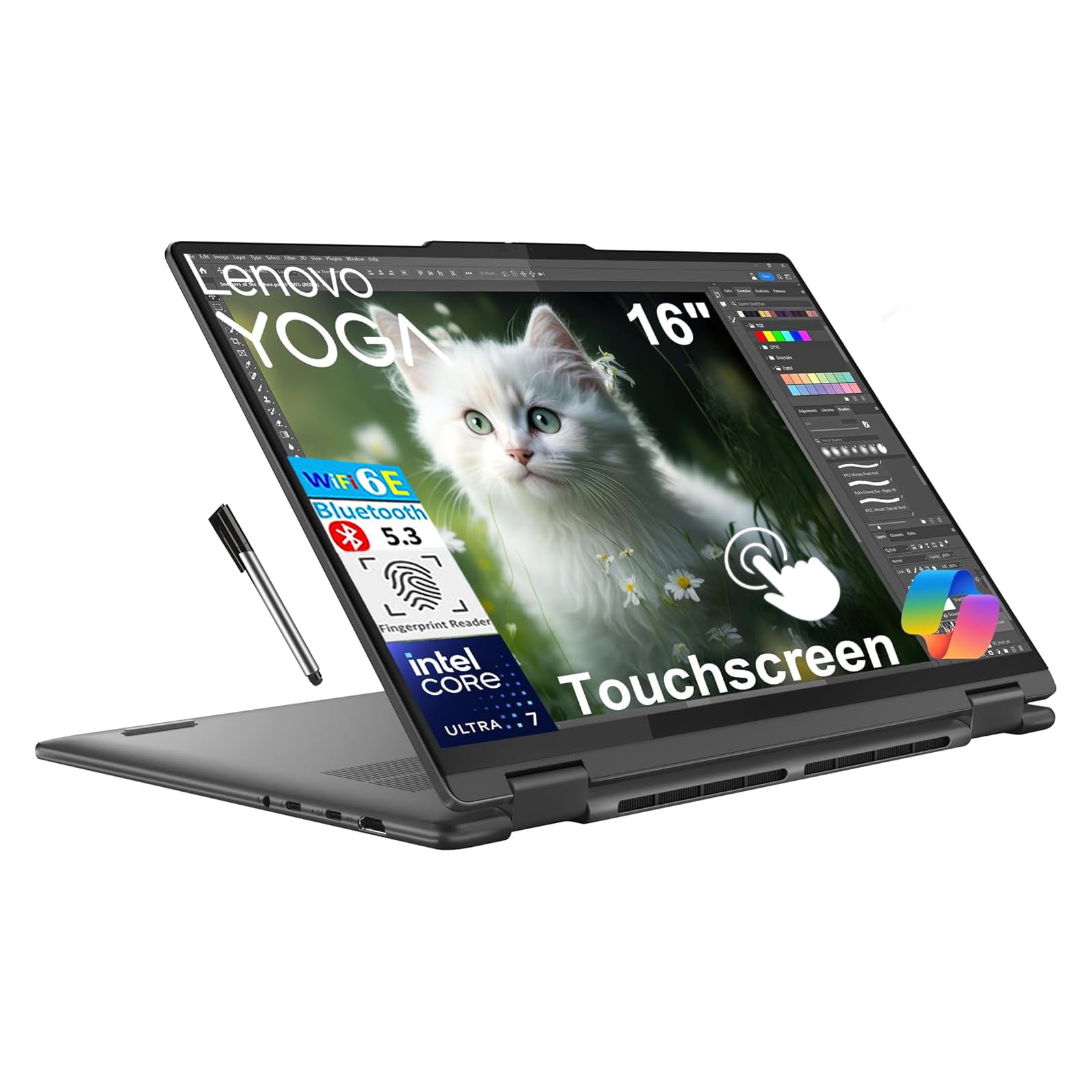
The Lenovo Yoga 7i is the gold standard for what a mid-premium 2-in-1 should deliver. It packs a 12-core Intel Core Ultra 7 155U processor paired with 16GB of soldered LPDDR5X memory and a 1TB PCIe NVMe SSD—a spec sheet that rivals laptops costing twice as much. The 16-inch FHD+ 1920×1200 touchscreen is vibrant, and the 360-degree hinge passes the MIL-STD-810H durability test, meaning it can survive a tumble off a dorm room bed.
Connectivity is future-proofed with two Thunderbolt 4 ports, Wi-Fi 6E, and Bluetooth 5.3. The backlit keyboard and fingerprint reader are welcome conveniences, and the bundled 16GB USB pen is an odd but appreciated addition. Some user reports occasionally claim the unit is not touchscreen, but that appears to be a listing error; the vast majority of verified buyers confirm a functional, responsive touch display.
For the parent of a college student or a creative freelancer who needs one machine for everything, this is the safest, most capable investment. It avoids the budget trap of low RAM or slow storage while still keeping the price firmly in the affordable category.
Why it’s great
- Massive 1TB NVMe SSD offers lightning-fast boot times and ample local storage.
- Thunderbolt 4 ports allow for high-speed data transfers and external GPU support.
- Durable MIL-STD-810H certification ensures hinge longevity.
Good to know
- RAM is soldered and non-upgradeable—choose your configuration wisely.
- The 16-inch screen makes tablet mode feel large and heavy compared to smaller detachables.
2. Microsoft Surface Pro (2024, Snapdragon X Plus)

The 2024 Surface Pro marks a radical shift, moving from Intel to the Snapdragon X Plus ARM processor. This move delivers fanless operation, instant-on responsiveness, and a staggering 14-hour battery life that desktop Intel chips simply cannot match. The 13-inch touchscreen is the best in class for color accuracy, making it ideal for digital artists and note-takers using the Surface Pen (sold separately).
However, this is a Copilot+ PC, meaning it is built to leverage Windows 11 AI features via its powerful NPU. The trade-off is app compatibility: some legacy x64 programs or niche games may require emulation, which can cause performance hiccups. The detachable keyboard (sold separately) is essential for laptop use, and the kickstand adds both versatility and bulk in tablet mode.
For a buyer who values portability and battery life above all else, and who primarily uses cloud-based apps or ARM-native software, this is the most forward-looking purchase in the list. It is also one of the priciest, but the build quality and resale value justify the step up.
Why it’s great
- All-day 14-hour battery life outclasses every other laptop in this list.
- Silent, fanless operation with zero heat under typical loads.
- Premium magnesium alloy build feels substantial yet weighs just 1.94 lbs.
Good to know
- The keyboard and stylus are sold separately, adding to the total cost.
- ARM architecture may cause compatibility issues with some older x86 programs.
3. Lenovo IdeaPad 5 Flex 2-in-1 14″

The IdeaPad 5 Flex is a pragmatic choice for any student who needs a true 360-degree hinge without the premium markup. It is driven by the Intel Core Ultra 5 225U, a 12-core chip that delivers snappy responsiveness for browsing, writing, and light photo editing. The 14-inch 1920×1200 touchscreen is bright enough for lecture halls, and the Dolby Audio speakers provide decent sound for movie nights.
With 8GB of soldered LPDDR5x RAM and a 512GB NVMe SSD, this machine avoids the storage bottleneck that plagues cheaper convertibles. The M.2 2242 slot is user-upgradeable, so you can swap the drive for a larger capacity later. Some users have noted the absence of a backlit keyboard and an SD card reader, which may be dealbreakers for late-night typists or photographers.
For the budget-conscious student who needs a reliable Windows machine for four years of college, this is the sweet spot. It offers genuine Intel performance without the bloat of a detachable keyboard charging system, making it a much simpler daily driver.
Why it’s great
- User-serviceable M.2 SSD slot allows easy storage upgrades down the line.
- Dolby Audio delivers surprisingly rich sound for a mid-range convertible.
- The 12-core Ultra 5 provides excellent multi-tasking headroom.
Good to know
- No backlit keyboard makes typing in low-light environments difficult.
- RAM is soldered and capped at 8GB, limiting future-proofing.
4. FUNYET 14″ 2-in-1 (N100, 16GB/1TB)

The FUNYET 14″ is a spec-sheet monster in the budget detachable space. For a price that typically gets you a Chromebook, this Windows 11 Pro machine offers a staggering 16GB of DDR5 RAM and a 1TB NVMe SSD. The 1920×1200 touchscreen is crisp, and the detachable magnetic keyboard provides a satisfying typing experience for a thin profile. The N100 processor is not a powerhouse, but it handles web browsing, Office applications, and even light gaming (like The Sims 4) without major struggle.
At only 2 pounds and 0.4 inches thick, this is one of the most portable Windows machines you can buy. Some units have reported random system lockups, which may indicate a driver issue or SSD controller problem with certain batches.
This is the perfect laptop for a remote worker or student on a tight budget who refuses to compromise on storage and multitasking headroom. The 16GB of RAM ensures you can run a hundred Chrome tabs without breaking a sweat.
Why it’s great
- 16GB DDR5 RAM is a rarity at this price point, providing smooth multitasking.
- 1TB SSD offers massive local storage for media and project files.
- Lightweight 2-pound design makes it ideal for a portable tablet setup.
Good to know
- The N100 processor may struggle with heavy video editing or high-end gaming.
- Some units have experienced random lockups requiring a full system restore.
5. QAZIPO 12″ 2-in-1 with Office 365
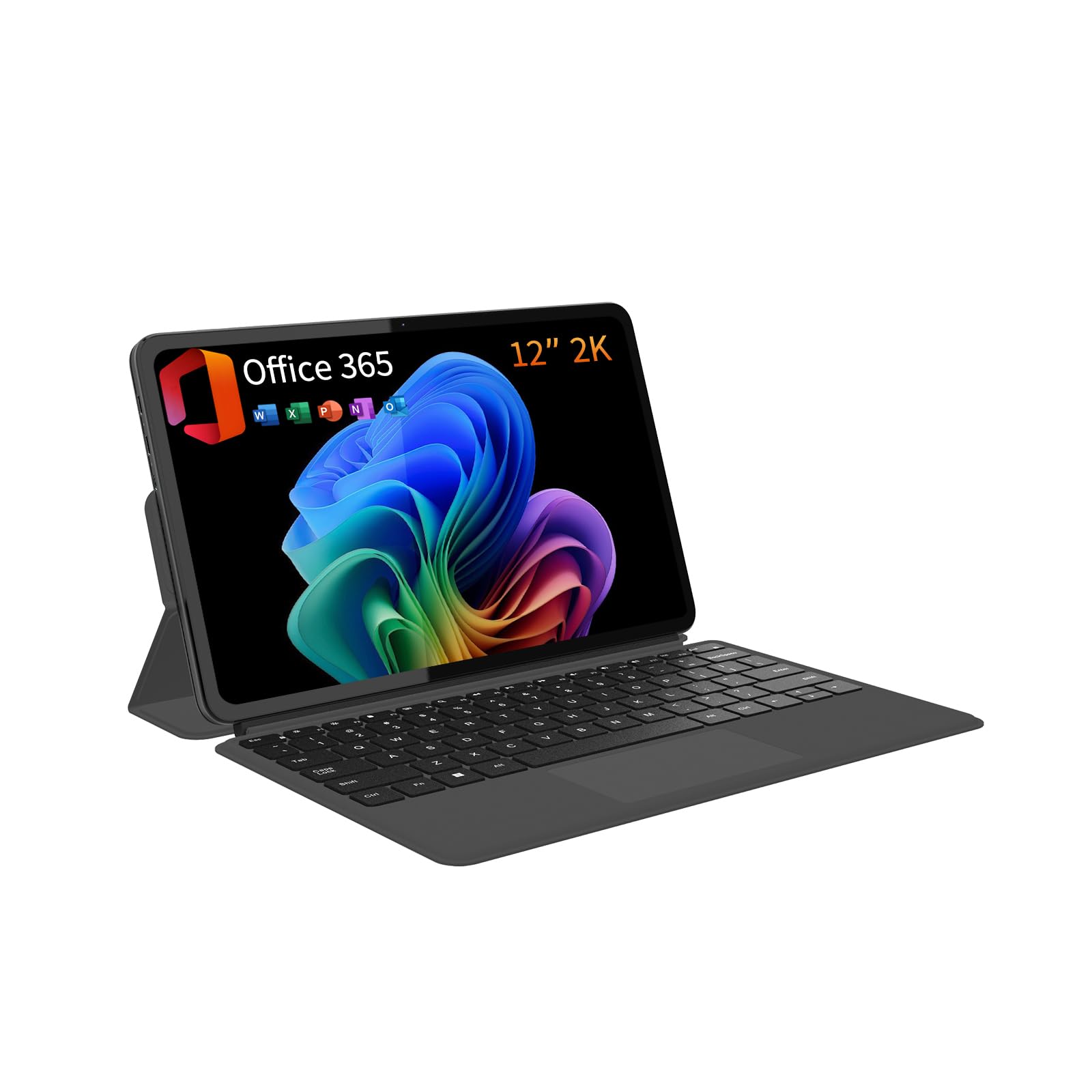
The QAZIPO offers a compelling value proposition for students: a full Windows 11 pro machine with a pre-installed 1-Year Office 365 subscription. The 12-inch 2K IPS touchscreen (2000×1200) is sharp and color-accurate, and the magnetic keyboard makes transformation seamless. With 12GB of RAM and a 512GB SSD, it hits a solid sweet spot between entry-level and premium performance.
The Intel Pentium Gold 6500Y is a step up from the Celeron line, but it still belongs to the ultra-low-power segment, so heavy tasks like 4K video editing are off the table. The dual USB-C ports are versatile, and the lightweight 1.4-pound chassis is incredibly easy to carry. However, some buyers report random freezes with 100% disk usage, a known quirk of these budget SSD controllers that may require a system reinstall to resolve.
This is the ideal choice for a high school or college student who needs Microsoft Office for assignments and wants a device that is as functional as a notebook in a backpack. The included software bundle alone saves you the cost of a separate subscription.
Why it’s great
- Bundled with a full 1-year Office 365 subscription, saving you money.
- The 2K IPS display offers excellent clarity and color for the price.
- Ultra-portable 1.4 lb design is lighter than most tablets.
Good to know
- Random disk usage spikes may require troubleshooting or a driver update.
- The 6500Y processor is not designed for intensive creative workloads.
6. HP 17.3″ Touchscreen Laptop (Intel N100)

If screen real-estate is your top priority, the HP 17.3-inch touchscreen makes a bold case. The massive HD+ anti-glare display is perfect for split-screen document work, spreadsheets, or watching movies without squinting. The chassis also includes a full keyboard with a numeric keypad, a fingerprint reader, and HP Fast Charge, which tops up the battery to 50% in 45 minutes.
Under the hood, the Intel Quad-Core N100 handles browsing, email, and Office apps, but the 8GB of DDR4 RAM and 128GB SSD are the bare minimum for a modern Windows 11 experience. The 1600×900 resolution is less sharp than the 1920×1080 panels on smaller laptops, and the touchscreen is a standard capacitive layer, not a premium in-cell panel. The 4.6 lb weight also makes it a desk-bound device rather than a tablet you carry around.
This is for the home office user who values a large screen and a full keyboard over portability and high-resolution media. The included Microsoft 365 subscription is a nice bonus, but consider upgrading the storage immediately if you plan to store many files locally.
Why it’s great
- The 17.3-inch anti-glare display is excellent for multitasking and data entry.
- HP Fast Charge reaches 50% capacity in just 45 minutes.
- Includes a full-size numeric keypad and a reliable fingerprint reader.
Good to know
- The 128GB SSD is very limited for a Windows machine—plan to upgrade or use cloud storage.
- At 4.6 lbs, it is too heavy for comfortable tablet-mode use.
7. Dell Latitude 7320 Detachable (Renewed)
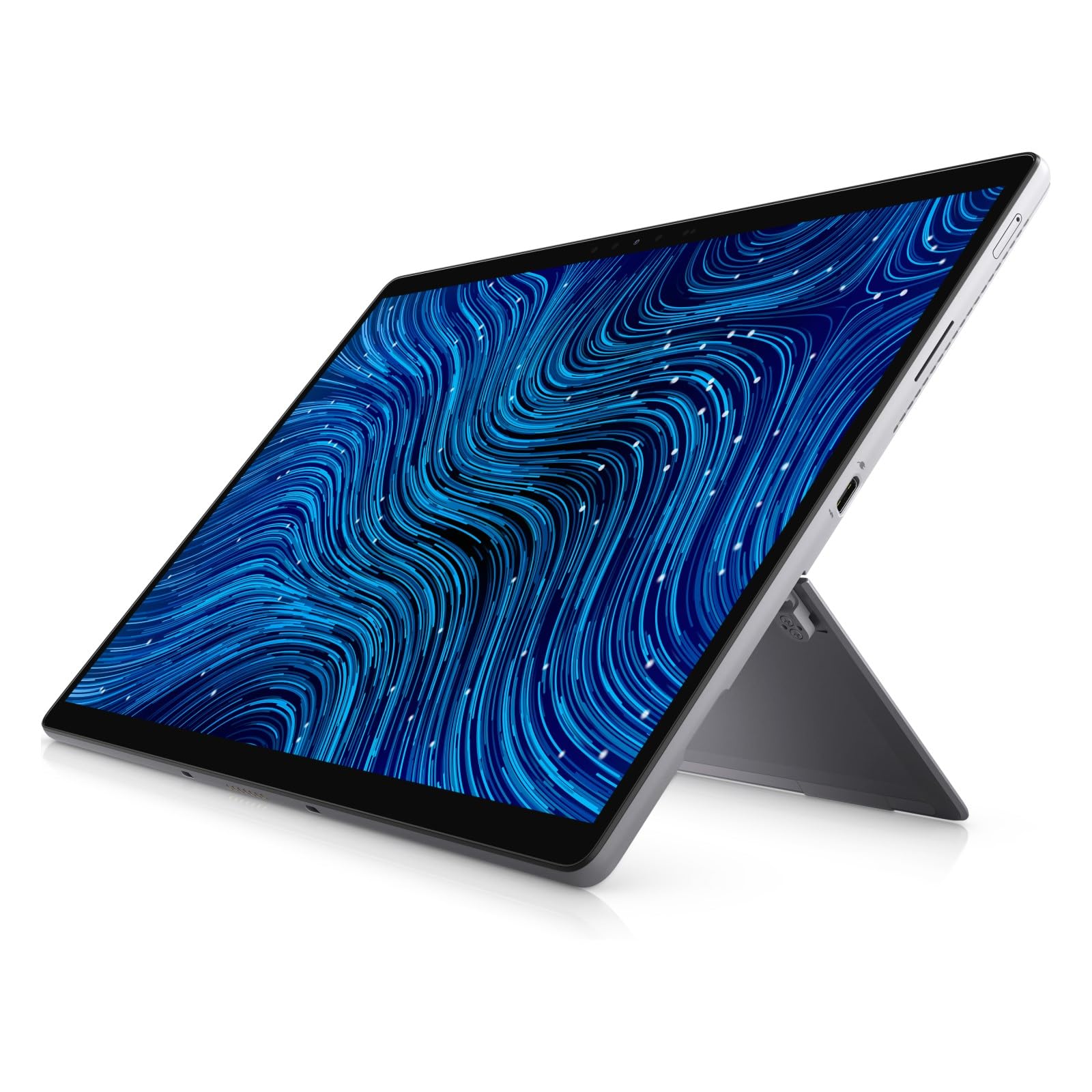
The Dell Latitude 7320 is a business-grade detachable that normally sells for a premium, but the renewed market brings it into the affordable range. It features a Core i7-1180G7, 16GB of RAM, and a 512GB NVMe SSD—a combination that easily outperforms brand-new budget machines. The 13-inch 1920×1280 FHD+ touchscreen is sharp and responsive, and the detachable design includes a built-in kickstand.
As a renewed product, the condition can vary. Some users received units in excellent condition, while one reported a battery health of only 50%. The ports are limited to a couple of USB-C connections, so you will likely need a dongle for legacy devices. The i7-1180G7 is an 11th-gen Tiger Lake chip, which means it lacks the newer efficiency cores and AI acceleration of Intel Core Ultra chips.
This is a fantastic choice for a professional who wants a premium build, a responsive stylus experience, and a great price. Just be sure to check the battery health report upon arrival, and consider that the 11th-gen CPU will not support Windows 11 AI features later.
Why it’s great
- Business-grade build quality with a robust kickstand and premium materials.
- 16GB of RAM and a Core i7 provide genuine high-performance multitasking.
- The detachable design makes it an excellent pure tablet for note-taking.
Good to know
- Battery health on renewed units can vary—verify immediately after purchase.
- The 11th-gen processor lacks the efficiency cores of newer Intel chips.
8. jumper EZpad V12Pro 12″ (6500Y, 12GB/256GB)
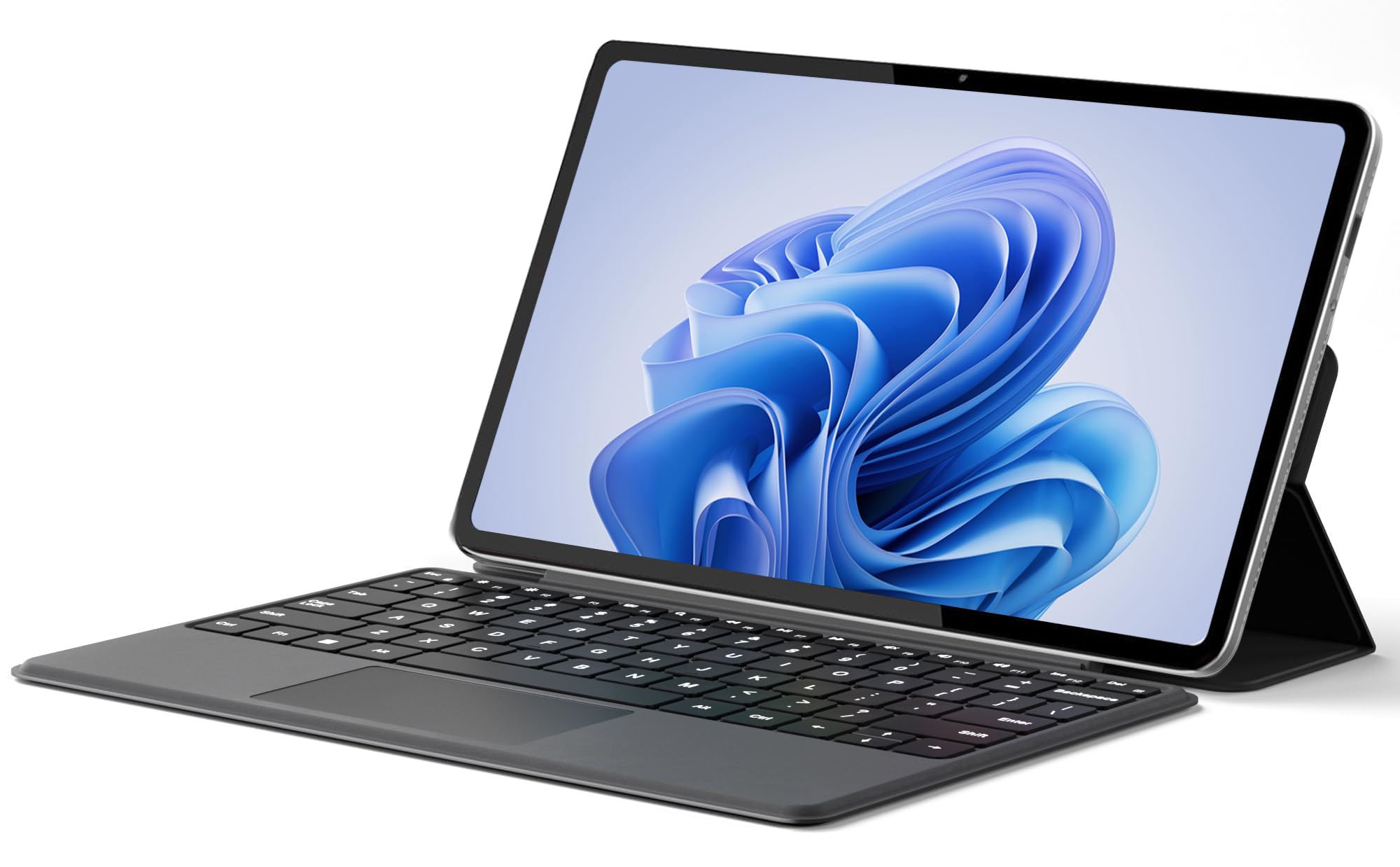
The jumper EZpad V12Pro is a remarkably inexpensive detachable that does not feel cheap in the hand. The 12-inch 2K IPS touchscreen (2000×1200) punches above its weight, and the metal chassis feels solid despite being only 0.64 kg (1.41 lbs) without the keyboard. The Intel Pentium Gold 6500Y processor is paired with 12GB of LPDDR3 RAM and a 256GB SSD, making it surprisingly capable for daily office work and streaming.
The 4300mAh battery delivers about 8 hours of video playback, and the dual USB-C ports support charging, data, and 4K video output. The magnetic keyboard is functional but has shallow key travel, which may not suit everyone for long typing sessions. A built-in fan helps manage heat, but it is barely audible under normal loads.
This is the best option for anyone who wants to dip their toes into the 2-in-1 world without a major cash outlay. It is perfect for a student who needs a Windows device for school apps and a tablet for media consumption, all in one bag.
Why it’s great
- The 2K IPS display provides excellent visual clarity for media and documents.
- 12GB of RAM ensures smooth multitasking despite the low-power CPU.
- Ultra-lightweight at 0.64 kg, making it a true tablet replacement.
Good to know
- Keyboard key travel is shallow, which may frustrate fast typists.
- Windows 11 on a 6500Y can feel sluggish with very heavy apps or browsers.
9. ASUS Chromebook Flip CX1 (14″, Intel Celeron N4500)

The ASUS Chromebook Flip CX1 proves that ChromeOS is a legitimate pathway into the affordable 2-in-1 space. It is built to the MIL-STD-810H standard, yet it weighs only 3.59 lbs, making it durable and portable. The 14-inch FHD NanoEdge touchscreen is bright, and the 360-degree hinge is sturdy enough for years of use.
With an Intel Celeron N4500, 8GB of RAM, and 128GB eMMC storage, it handles Google’s ecosystem—Docs, Sheets, browsing, and Zoom—with surprising fluidity. The free Google One AI Premium Plan for 3 months is a nice extra. Battery life is a strong point, with some users reporting 7-8 hours of heavy use and up to 14 hours on light duty. The eMMC storage is the main bottleneck; it will not feel as snappy as an SSD during large file transfers.
This is the ideal laptop for a middle school student or a parent who wants a simple, virus-resistant (ChromeOS is famously safe) machine for email and light productivity. It is a no-brainer for anyone already ensconced in Google’s ecosystem.
Why it’s great
- Military-grade MIL-STD-810H durability ensures it can handle drops and bumps.
- Excellent battery life that can stretch to 14 hours with light use.
- ChromeOS offers a clean, secure, and fast experience for web-based tasks.
Good to know
- eMMC storage is slower than an SSD and has limited storage capacity.
- ChromeOS lacks native support for most Windows desktop applications and games.
10. Samsung Chromebook Plus (12.2″, Celeron 3965Y)

The Samsung Chromebook Plus is an all-in-one kit that includes a 32GB MicroSD card, a 128GB docking station, a stylus, and a wireless mouse. The 12.2-inch FHD touchscreen is vibrant, and the 360-degree hinge makes screen mode switching effortless. The included stylus is pressure-sensitive, which is excellent for note-taking apps.
The glaring limitation is the 4GB of RAM. ChromeOS is memory-efficient, but 4GB is still the minimum, and you may hit stutters with a dozen tabs open. The Celeron 3965Y processor is from an older generation. The bundled 7-in-1 docking station with 128GB SSD is a creative solution to the low internal storage, but it adds dongle dependency. Some users report the device becoming unusable after a few months, though most find it more than adequate for younger students.
This is a decent option for an elementary or middle school student who needs a basic, protected device for schoolwork. The ample accessories make it feel like a complete starter kit, but the internal specs mean it is not a long-term investment.
Why it’s great
- Comes with a stylus, wireless mouse, and 128GB SSD docking station.
- The 12.2-inch screen is compact and easy for small hands to carry.
- ChromeOS is easy for young students to navigate and parents to manage.
Good to know
- 4GB of RAM is the bare minimum—multitasking may be limited.
- Older Celeron processor and reports of premature failure in some units.
11. Lenovo Yoga 7i 2-in-1 (16″, Core Ultra 7 155U, Win 11 Pro)

This variant of the Yoga 7i is nearly identical to the first entry in our reviews, but it ships with Windows 11 Pro instead of Windows 11 Home. The Pro edition unlocks features like BitLocker encryption, Remote Desktop, and Group Policy management, which are critical for professionals and small business owners. The hardware remains the same: an Intel Core Ultra 7 155U, 16GB DDR5 RAM, and a 1TB PCIe SSD.
The 1920×1200 touchscreen offers vivid colors, and the 360-degree hinge is robust. The port selection of 2x USB-A, 2x USB-C, and a microSD card reader covers most connectivity needs. The design is sleek in Storm Grey, and the backlit keyboard is comfortable for long typing sessions. Some users note the device ships with annoying Lenovo and Microsoft promotional bloatware, which can be uninstalled.
This is for the IT administrator, developer, or small business owner who requires the security and networking features of Windows 11 Pro without paying enterprise prices. It is a true powerhouse that justifies every dollar spent.
Why it’s great
- Windows 11 Pro offers BitLocker and Remote Desktop for professionals.
- Same high-end 12-core Core Ultra 7 and 16GB/1TB specs as the top pick.
- Excellent build quality with a premium metal chassis and backlit keyboard.
Good to know
- Comes with some pre-installed bloatware that you may want to remove.
- The 16-inch form factor is large for a tablet mode.
FAQ
Can I upgrade the RAM in an affordable 2-in-1 laptop?
Is a detachable keyboard better than a 360-degree hinge for note-taking?
Can I run Adobe Photoshop or Lightroom on a budget 2-in-1?
What is the difference between a “Convertible” and a “Detachable” 2-in-1?
Final Thoughts: The Verdict
For most users, the best affordable 2-in-1 laptops winner is the Lenovo Yoga 7i because it delivers genuine high-performance hardware—a 12-core Core Ultra 7, 16GB of RAM, and a 1TB NVMe SSD—with a premium build that includes Thunderbolt 4, Wi-Fi 6E, and a durable MIL-STD-810H hinge. If you want a feather-light tablet-first experience with phenomenal battery life, grab the Microsoft Surface Pro. And for the best storage-to-price ratio in a detachable form factor, nothing beats the FUNYET 14″ with its 16GB of RAM and 1TB SSD.