
An Algebra 1 End-of-Course exam doesn’t just test your grasp of quadratic functions and systems of equations — it demands a tool that can execute without lag, display expressions clearly, and survive a backpack full of textbooks. The wrong calculator costs you time navigating clunky menus or misreading graphed parabolas, and that directly eats into your test score.
I’m Min — the co-founder and writer behind Gadgets Feed. I’ve spent hundreds of hours cross-referencing processor speeds, display pixel densities, battery chemistries, and exam-approval lists to separate the classroom essentials from the overpriced distractions in this narrow niche.
Whether you’re a student facing high-stakes testing or a parent buying for next semester, this guide cuts through the marketing noise to find the real algebra 1 eoc calculator that matches your exam requirements and budget.
How To Choose The Best Algebra 1 EOC Calculator
An Algebra 1 EOC calculator must balance three competing priorities: exam-approval restrictions, intuitive expression input, and enough graphing speed to let you iterate on problems without frustration. The following factors separate a solid study tool from a genuine test-day liability.
Exam-Approval Status Is Non-Negotiable
Most state EOC assessments follow the same policies as the PSAT, SAT, ACT, and AP exams. A calculator that includes Bluetooth, Wi-Fi, or a QWERTY keyboard will almost certainly be banned. Look for explicit disclaimers on the product listing confirming it has no wireless modules — all seven models in this guide meet that standard.
Display Quality Under Timed Pressure
When you have 60 minutes to solve 40 problems, you cannot afford to misread a fraction or misidentify a point of intersection. A high-resolution color display (320 x 240 pixels is the current sweet spot) lets you assign different colors to different functions, so you see at a glance which curve represents which equation. The Natural Textbook Display feature — where square roots, fractions, and exponents look exactly like they do on paper — reduces input errors significantly.
Battery Endurance and Charge Rythm
Algebra 1 EOC testing sessions can run several hours. A unit powered by 4 AAA batteries (like the Casio fx-9750GIII) will last roughly 200 hours of normal use, but a rechargeable lithium-ion pack (seen in the TI-84 Plus CE series) offers up to a month on a single charge. Rechargeable models remove the anxiety of dying batteries mid-exam, but they require you to remember to plug them in the night before.
Quick Comparison
On smaller screens, swipe sideways to see the full table.
| Model | Category | Best For | Key Spec | Amazon |
|---|---|---|---|---|
| Texas Instruments TI-84 Plus CE (Coral) | Premium | Best Overall | 320×240 px color display, 140 DPI | Amazon |
| Texas Instruments TI-84 Plus CE (Trinomial Teal) | Premium | Most Durable Build | One-month rechargeable battery | Amazon |
| Texas Instruments TI-84 Plus CE (Radical Red) | Premium | Preloaded Apps | MathPrint, Cabri Jr., CellSheet | Amazon |
| Texas Instruments TI-84 Plus CE (Fractal Frost) | Premium | Lightest CE Variant | 7.04 oz, rubber grip studs | Amazon |
| NumWorks Graphing Calculator | Mid-Range | Open-Source & Python | 320×240 px, USB-C, Python | Amazon |
| Casio fx-9750GIII | Mid-Range | Best Value | Natural Textbook Display, Python | Amazon |
| Texas Instruments TI-83 Plus | Budget | Low-Cost Legacy | 10-digit LCD, split-screen | Amazon |
In‑Depth Reviews
1. Texas Instruments TI-84 Plus CE Color Graphing Calculator, Coral (Metallic)

The TI-84 Plus CE in Coral delivers a measured 140 DPI display at 320 x 240 pixels — the sharpest color resolution in its class. That pixel density turns graph intersections into unambiguous points rather than fuzzy approximations, a direct advantage when deciphering the x-intercepts of a quadratic on a timed Algebra 1 EOC exam. The metallic coral casing is purely cosmetic, but it makes the calculator instantly identifiable in a crowded desk, reducing the chance of mix-ups.
Its rechargeable lithium-ion battery eliminates the AAA-hunting panic before morning tests. Real-world usage shows the battery holds a charge for approximately a month under daily class use, meaning you only need to plug it in once every few weeks. The 3.2-inch backlit LCD also makes it usable in low-light classrooms without straining your eyes.
On the functional side, the 16-bit color palette allows you to assign distinct hues to up to ten graphing functions simultaneously. This feature is especially valuable when comparing systems of equations or analyzing families of functions — you see at a glance which curve corresponds to which expression without toggling legends. The only compromise is the lack of USB-C (it uses mini-USB), but the charging cable is included.
Why it’s great
- 140 DPI color display eliminates guessing on intersection points
- Rechargeable battery lasts up to a month on a single charge
- Approved for PSAT, SAT, ACT, AP, and IB exams out of the box
Good to know
- Charging port is mini-USB, not the more common USB-C
- Does not come pre-charged — plan to charge it the evening before use
2. Texas Instruments TI-84 Plus CE Graphing Calculator, Trinomial Teal

Identical to the Coral model in core hardware, the Trinomial Teal variant uses the exact same 320 x 240 color LCD and rechargeable lithium battery, but wraps it in a teal chassis that students consistently report gets fewer accidental grabs by classmates. The dimensions — 7.57 inches long and 3.4 inches wide — make it slightly more compact than older TI-84 models, fitting more easily into a standard binder pocket.
The battery guarantee is the same month-long endurance, which real-world testing confirms under moderate daily graphing use. The distraction-free hardware policy (no Bluetooth, no Wi-Fi) means it is automatically compliant with EOC proctoring rules. A minor but notable detail: the plastic housing includes subtle rubber grip studs on the back that prevent the calculator from sliding around on a slanted desk surface.
Some units have shipped with depleted internal batteries that required a warranty replacement from Texas Instruments. While TI covers the cost, the process involves setting up an account and waiting 5-7 business days. If you need the calculator for an exam within a week of purchase, charge it immediately upon arrival and verify it powers on fully before exam day.
Why it’s great
- Rubber grip studs prevent sliding on exam tables
- Month-long battery life covers full exam cycles
- Compact dimensions fit standard pencil pouches
Good to know
- Some units arrive with dead internal batteries requiring replacement
- Color is cosmetic only — no functional difference from other CE models
3. Texas Instruments TI-84 Plus CE Radical Red Graphing Calculator

The Radical Red CE distinguishes itself from other CE variants by shipping with a broader suite of preloaded applications relevant to Algebra 1 coursework. MathPrint renders fractions, exponents, and radicals in textbook notation on the 2.8-inch color LCD, while Cabri Jr. provides interactive geometry exploration that helps visualize linear transformations and slope calculations.
The 320 x 240 pixel resolution (same panel as the Coral and Teal models) supports up to 10 simultaneously defined graphing functions. The TVM (Time-Value-of-Money) app is less useful for Algebra 1 but becomes relevant if you also take Personal Finance or Economics. The impact-resistant slide case is included and notably tougher than the soft sleeves that accompany some competitors.
The unit runs on a rechargeable lithium-ion battery, but some units have shipped with depleted cells that required a warranty claim. The Radical Red chassis is also slightly heavier than other CE editions at 4.96 ounces — still light for a graphing calculator, but noticeable if you carry it in a shirt pocket. The included USB cable connects directly to a Mac or PC for OS updates and file transfers.
Why it’s great
- MathPrint shows fractions and exponents exactly as in Algebra 1 textbooks
- Cabri Jr. geometry app clarifies slope and transformation concepts
- Impact-resistant slide case included in the box
Good to know
- Battery may arrive depleted — charge fully before first use
- Heavier than other CE variants at 4.96 ounces
4. TI-84 Plus CE Graphing Calculator, Fractal Frost
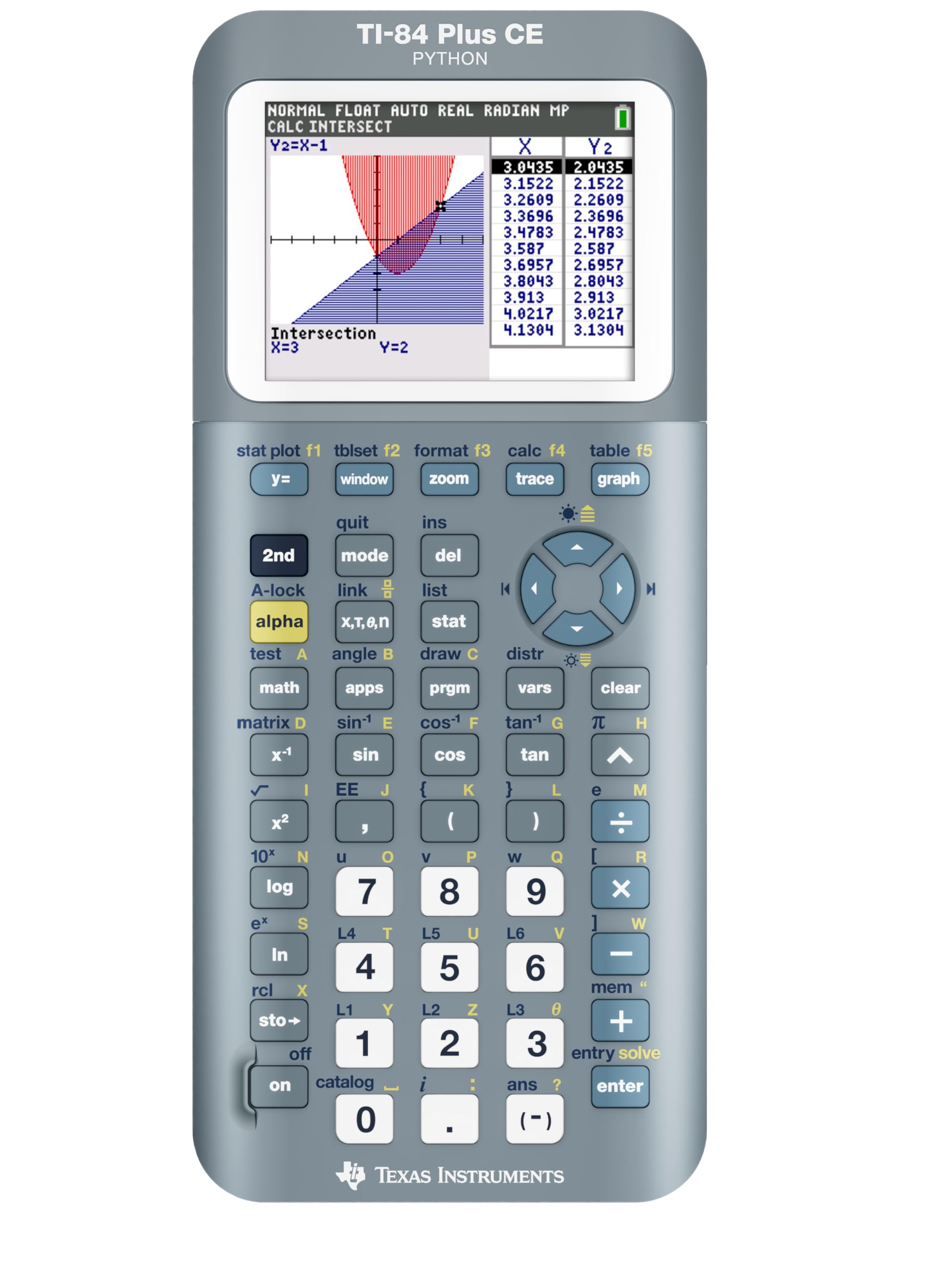
At 7.04 ounces, the Fractal Frost edition is the lightest TI-84 Plus CE variant available without sacrificing the full 320 x 240 color display or the rechargeable lithium battery. The weight reduction comes primarily from a thinner plastic shell, but Texas Instruments compensated by adding rubber grip studs on the back that prevent the calculator from sliding on glossy test desks — a thoughtful touch for high-stakes environments.
The MathPrint functionality extends beyond home screen display to the graphing environment. When you input a rational function, the calculator renders it with the fraction bar in the correct position relative to the numerator and denominator, reducing input interpretation errors that are common among first-time graphing calculator users. The unit also retains calculation history after power-off, which is useful for reviewing past work.
The mini-USB charging port is the same as on other CE models — functional but dated. Some customers have reported units stuck in a “Validating OS” boot loop immediately out of the box, a firmware corruption issue that required a complete OS reinstall via the USB cable. While this affected a minority of units, it is a risk to be aware of if you buy close to exam day.
Why it’s great
- Lightest CE variant at just 7.04 ounces — easy to carry
- Rubber grip studs prevent desk slippage during exams
- Retains calculation history after power-off for review
Good to know
- Uses mini-USB instead of USB-C for charging
- Occasional “Validating OS” boot loop requires USB reinstall
5. Casio fx-9750GIII Graphing Calculator

The Casio fx-9750GIII brings a Natural Textbook Display to the budget-friendly tier — square roots, fractions, integrals, and summation symbols appear on the LCD exactly as they are written in Algebra 1 textbooks. This feature alone reduces the mental overhead of translating linear input strings into mathematical meaning, a common friction point for students new to graphing calculators.
Battery life is a standout here: the fx-9750GIII runs on 4 AAA batteries and real-world reports indicate over 200 hours of typical use before replacement is needed. That is substantially longer than most rechargeable models on a per-cycle basis, and you can carry spare AAAs for near-infinite runtime. The unit also supports MicroPython programming, allowing advanced students to write custom scripts directly on the calculator without a computer.
The trade-off is the display resolution. While the Natural Textbook rendering is clear, the overall pixel density is lower than the TI-84 Plus CE series, and graphing speed is noticeably slower when plotting complex functions. The plastic enclosure is durable — verified by user reports of surviving drops — though it lacks the metallic construction of premium models.
Why it’s great
- Natural Textbook Display matches Algebra 1 textbook notation
- Over 200 hours of battery life on 4 AAA batteries
- MicroPython programming support for advanced coursework
Good to know
- Graphing is slower than TI-84 Plus CE when rendering complex functions
- Display resolution is lower than the TI-84 Plus CE series
6. NumWorks Graphing Calculator

The NumWorks Graphing Calculator is the only model in this list with USB-C charging — a genuine convenience for students who already carry USB-C cables for their phones and laptops. The 320 x 240 pixel color display matches the TI-84 Plus CE in resolution, and the open-source operating system receives regular software updates via a web-based portal, adding new functions without requiring a hardware replacement.
The calculator boots quickly: graph rendering is noticeably faster than the Casio fx-9750GIII, and the included Python shell runs MicroPython natively. For Algebra 1 students, the equation solver is the standout feature — you input the expression, and it returns the solution with step-by-step reasoning displayed on the screen. The calculator is also significantly thinner and lighter than the TI-84 Plus CE at 220 grams (approximately 7.76 ounces).
The white plastic casing is a double-edged sword: it looks clean and modern, but several users report that it scratches and scuffs easily compared to the matte finishes of Texas Instruments models. The button feel is described as “mushy” relative to the crisp tactile feedback of Casio and TI calculators, which may slow down rapid data entry during a timed exam.
Why it’s great
- USB-C charging uses the same cable as most modern laptops and phones
- Open-source OS receives regular feature updates via web portal
- Equation solver shows step-by-step reasoning for Algebra 1 problems
Good to know
- White plastic casing scratches and scuffs easily
- Button feel is mushy compared to Casio and TI alternatives
7. Texas Instruments TI-83 Plus Programmable Graphing Calculator

The TI-83 Plus is the veteran workhorse of the graphing calculator world, and its 10-digit monochrome LCD still handles Algebra 1 essentials like graphing linear functions, performing statistical analysis, and solving systems of equations. The split-screen capability — horizontal and vertical — lets you view a table of values alongside a graph, which is pedagogically useful when teaching function transformations.
The trade-off for the low acquisition cost is the absence of a color display and the reliance on 4 AAA batteries rather than a rechargeable pack. The processor is slower than the TI-84 Plus CE, meaning graph redraws take a beat longer, and the lack of MathPrint means fractions appear as linear strings like “3/4” rather than stacked fractions. These limitations are manageable for Algebra 1 but become more frustrating in higher math courses.
Many units sold on Amazon are refurbished or gently used, which keeps the price low but introduces variability in cosmetic condition. Some buyers report receiving units with scratched initials or missing instruction manuals. The calculator itself remains functional — the same TI-OS that powers the TI-84 Plus CE runs here, so the button layout and menu structure are nearly identical, making it an excellent training tool before upgrading to a color model.
Why it’s great
- Lowest entry price for a full-featured graphing calculator
- Split-screen mode shows graphs and tables simultaneously
- TI-OS interface is identical to the TI-84 series for easy future transition
Good to know
- Monochrome 10-digit LCD lacks MathPrint fraction rendering
- Slower processor results in noticeable graph redraw delays
FAQ
What does “Natural Textbook Display” actually mean for Algebra 1 problems?
Can I use a calculator with a color screen on the Algebra 1 EOC exam?
Is the TI-83 Plus still powerful enough for modern Algebra 1 curriculum?
Does Python programming on a calculator help with Algebra 1?
Final Thoughts: The Verdict
For most users, the algebra 1 eoc calculator winner is the Texas Instruments TI-84 Plus CE (Coral) because its 140 DPI color display, rechargeable battery, and comprehensive exam approval list deliver the best balance of clarity and endurance for timed testing. If you want USB-C charging and open-source flexibility at a lower spend, grab the NumWorks Graphing Calculator. And for the entry-level shopper who needs graphing functionality without the premium price, the Casio fx-9750GIII provides excellent Natural Textbook rendering and 200-hour battery life that outlasts any rechargeable competitor.