
The modern office doesn’t live on a desk anymore—it lives in your pocket. An Android fax machine bridges the gap between legacy document workflows and the mobile-first reality of running a business from your phone, letting you scan, print, and fax without ever booting up a desktop PC. The old pain of standing at a machine feeding pages through a slot disappears when your fax machine connects directly to the device you already carry everywhere.
I’m Min — the co-founder and writer behind Gadgets Feed. I spend my days dissecting spec sheets, scanning real buyer feedback, and ranking office gear by the metrics that actually matter for mobile professionals and home-office setups.
After combing through hundreds of reviews and comparing wireless protocols, paper capacities, and print speeds across every major brand, I assembled the honest breakdown of the best android fax machine options that actually deliver on their promises without trapping you in expensive ink subscriptions.
How To Choose The Best Android Fax Machine
Not every all-in-one printer labeled “mobile compatible” actually delivers a smooth Android fax experience. The three factors below separate the machines that frustrate you with constant setup issues from the ones that print a received fax from your phone in under ten seconds.
Print Technology and Cost Per Page
Every machine you buy commits you to a long-term cost structure. Monochrome laser printers offer the lowest cost per page for black-and-white faxes, often below two cents per page using high-yield toner. Inkjet models produce color faxes and graphics but can drain cartridges fast—especially when they cycle color ink during black-only fax maintenance cycles. Thermal printers eliminate ink entirely but use special paper that feels different from standard office bond. Match the technology to your monthly fax volume.
Android Connectivity and App Ecosystem
Android fax machines rely on three connection paths: native AirPrint/Mopria support for direct printing without an extra app, proprietary apps that add scan-to-email and cloud fax abilities, and Wi-Fi Direct for environments without a shared network. The best Android fax machines support Mopria Print Service natively, so you can print from Google Docs, email attachments, or your fax app without installing a separate printer utility. Avoid models that require a constant Bluetooth handshake or only print through a buggy third-party app.
Auto Document Feeder and Duplex Scanning
Faxing isn’t just about receiving—it’s about sending multi-page contracts and signed agreements from your mobile device. An auto document feeder rated for 35 pages or higher lets you load a full contract, walk away, and let the machine scan and fax each page automatically. Duplex (two-sided) scanning doubles your fax efficiency for double-sided documents. If you regularly fax more than ten pages at a time, a 50-sheet ADF with automatic duplex becomes a must-have specification, not a luxury.
Quick Comparison
On smaller screens, swipe sideways to see the full table.
| Model | Category | Best For | Key Spec | Amazon |
|---|---|---|---|---|
| Brother MFC-L2900DW | Premium Laser | Small business speed | 36 ppm, 3.5″ touchscreen | Amazon |
| Canon imageCLASS MF462dw | Premium Laser | High-volume scanning | 37 ppm, 5″ touchscreen | Amazon |
| HP Laserjet Pro MFP 4101fdw | Premium Laser | Team security features | 42 ppm, Wolf Pro Security | Amazon |
| Epson Workforce Pro WF-7840 | Mid-Range Inkjet | Wide-format printing | 13″x19″ wide, 500-sheet | Amazon |
| Canon imageCLASS MF275dw | Mid-Range Laser | Reliable B&W printing | 30 ppm, 6-line LCD | Amazon |
| Brother MFC-L2820DW | Mid-Range Laser | Compact office setup | 36 ppm, dual-band Wi-Fi | Amazon |
| HP OfficeJet Pro 8138e | Mid-Range Inkjet | Renewed budget value | 20 ppm, 2.7″ touchscreen | Amazon |
| Epson Workforce WF-2960 | Budget Inkjet | Entry-level all-in-one | 14 ppm, 2.4″ touchscreen | Amazon |
| POOOLITECH Thermal Printer | Budget Thermal | Portable travel fax | 10 ppm, inkless thermal | Amazon |
In‑Depth Reviews
1. Brother MFC-L2900DW

The Brother MFC-L2900DW sets the benchmark for monochrome laser all-in-ones designed for mobile-heavy workflows. Its 36-ppm print engine paired with a 50-page auto document feeder and single-pass duplex scanning means you can drop a 20-page double-sided contract into the ADF and fax the entire document from your Android phone without touching the machine after the initial paper load.
The 3.5-inch color touchscreen is a genuine productivity upgrade—you can scan directly to Google Drive, Dropbox, or OneNote without ever opening a computer. Android users benefit from native Mopria Print Service support and the Brother Mobile Connect app, which handles remote fax send and receive through the cloud. The 700-page starter toner included in the box is generous compared to the skimpy 300-page starters many competitors ship.
Build quality stands out at this tier: the metal internal frame and robust paper path handle the monthly duty cycles of a six-person office without jams or feed errors. The dual-band Wi-Fi (2.4GHz and 5GHz) keeps Android print jobs fast even on congested office networks. For a professional monochrome fax and print hub that integrates seamlessly with Android, this machine justifies its position at the top of the list.
Why it’s great
- Single-pass duplex scanning speeds up multi-page fax jobs
- Cloud scan-to services eliminate the PC from the workflow
- Fast 36-ppm output with automatic duplex printing
Good to know
- Starter toner yields only 700 pages
- No color printing for faxed marketing materials
2. Canon imageCLASS MF462dw

The Canon imageCLASS MF462dw brings a 5-inch color touchscreen that changes how you interact with a fax machine—you can customize the home screen with shortcuts to your most-used fax, scan, and copy functions through the Application Library feature. This makes it the most intuitive Android fax machine for users who fax the same types of documents repeatedly without wanting to navigate deep menus every time.
Under the hood, the 37-ppm engine and 50-sheet one-pass auto document feeder deliver some of the fastest duplex scanning in its class: up to 100 ipm for black-and-white and 80 ipm for color in two-sided mode. That speed matters when you need to fax a 30-page document on the way out the door. The MF462dw also supports expandable paper capacity up to 900 sheets with the optional cassette, so you rarely hit “out of paper” mid-job.
Canon’s PRINT Business app for Android handles remote fax send, scan-to-email, and cloud storage integration cleanly—no random disconnects or clunky pairing rituals. The 3-year limited warranty gives peace of mind for a machine that will see daily fax and scan volume. The only trade-off is the lack of color output, but for pure monochrome fax and document workflows, this remains a premium choice.
Why it’s great
- Customizable 5-inch touchscreen speeds up repetitive fax jobs
- Fast one-pass duplex scanning at up to 100 ipm
- Expandable to 900-sheet paper capacity
Good to know
- Occasional Wi-Fi connectivity drops require a restart
- Monochrome only—no color fax or print capability
3. HP Laserjet Pro MFP 4101fdw

The HP Laserjet Pro MFP 4101fdw is built for speed and security—42 pages per minute makes it the fastest monochrome laser on this list, and the integrated HP Wolf Pro Security adds firmware-level protection against malware and unauthorized access to your fax data. For a legal or medical office that faxes sensitive documents from Android devices, this security layer alone justifies the premium position.
Printing from Android is near-instant thanks to intelligent Wi-Fi that automatically selects the best frequency band and HP Smart app support that includes fax send, scan-to-email, and cloud storage routing. The 50-sheet ADF handles multi-page fax jobs without manual intervention, and the automatic duplex printing saves paper on internal documents. The 650-page starter toner is respectable, and the high-yield cartridge option keeps cost per page under two cents.
Build quality is robust enough for a ten-person team, and the Ethernet port gives you a wired fallback if wireless fax reliability becomes an issue. The main downside is the vendor lock-in: this printer is designed to reject third-party toner cartridges through firmware checks, so you’re tied to HP-branded supplies. For organizations where security and speed matter more than supply flexibility, the 4101fdw delivers.
Why it’s great
- Fastest print speed at 42 ppm for quick fax output
- HP Wolf Pro Security protects sensitive fax data
- Intelligent Wi-Fi maintains stable Android connections
Good to know
- Not compatible with third-party toner cartridges
- Bulkier footprint than comparable Brother models
4. Epson Workforce Pro WF-7840

The Epson Workforce Pro WF-7840 is the only Android fax machine on this list that prints wide-format documents up to 13 by 19 inches, making it the go-to choice for architects, engineers, and notary professionals who need to fax ledger-sized blueprints or oversized contracts. The PrecisionCore Heat-Free printhead eliminates the warm-up delay that plagues laser machines, so Android fax jobs start printing within seconds of hitting send.
The 500-sheet paper capacity handles high-volume days without constant reloading, and the 50-page ADF processes multi-page faxes efficiently. Epson’s Smart Panel app for Android includes remote fax send, scan-to-cloud, and print-from-phone functions that work reliably even over 5GHz Wi-Fi. DURABrite Ultra ink resists smudging from highlighter pens, which matters when faxed documents end up marked up in meetings.
Be aware of the firmware update policy: Epson aggressively pushes updates that may block third-party ink cartridges, and some users report “paper mismatch” errors during certain scan jobs. The printer is also physically large—verify your desk space before buying. For professionals who need wide-format fax capability from their Android device, the WF-7840 offers capability no other model in this roundup can match.
Why it’s great
- Unique 13×19 wide-format fax and print capability
- 500-sheet paper tray minimizes mid-job reloads
- Heat-Free technology prints instantly from Android
Good to know
- Aggressive firmware updates may block third-party ink
- Large footprint requires dedicated desk space
5. Canon imageCLASS MF275dw

The Canon imageCLASS MF275dw proves you don’t need to spend a premium for a reliable laser fax and print hub. At 30 pages per minute with a 5.3-second first-page-out time, it handles fax jobs with responsive speed, and the 150-sheet cassette paired with the 35-sheet ADF covers light-to-moderate daily fax volume without feeling cramped.
Android connectivity is straightforward through Canon PRINT Business, Apple AirPrint, and Mopria Print Service—no proprietary app shenanigans or Bluetooth pairing dances. The 6-line adjustable touchscreen lets you navigate fax settings while standing at the machine, and the automatic duplex printing cuts paper usage in half for two-sided fax reception. Starter toner yields 700 pages, and the aftermarket cartridge ecosystem makes long-term costs very manageable.
The MF275dw lacks the duplex scanning found on pricier Canon models, so faxing two-sided originals requires manual page flipping. The 35-sheet ADF also feels limited if you regularly fax documents exceeding 20 pages. For a home office or small team that faxes mostly single-sided documents at moderate volume, this Canon delivers laser reliability and Android compatibility at a price that’s hard to beat.
Why it’s great
- Fast 30-ppm laser output with low cost per page
- Native AirPrint and Mopria support for Android
- Affordable price with aftermarket toner options
Good to know
- No duplex scanning for two-sided originals
- 35-sheet ADF limits high-volume fax jobs
6. Brother MFC-L2820DW

The Brother MFC-L2820DW packs essentially the same 36-ppm print engine found in the more expensive L2900DW into a chassis that shaves off a few inches of depth, making it a strong pick for tight desk spaces that still need full fax, copy, scan, and print functionality. The 50-page ADF and automatic duplex printing give it workflow capabilities that punch well above its mid-range positioning.
Dual-band Wi-Fi (2.4GHz and 5GHz) ensures stable Android connectivity even in crowded office environments, and the Brother Mobile Connect app handles remote fax send and cloud scanning without hiccups. The 2.7-inch touchscreen is smaller than the premium Brother’s 3.5-inch panel but remains responsive and logically laid out for fax destination entry and scan-to-cloud routing.
The L2820DW ships with a starter toner estimated at 700 pages, and Brother’s TN830 high-yield cartridge pushes cost per page to around 2.5 cents. The Refresh EZ Print subscription saves up to 50% on genuine toner if you commit to auto-delivery. Some users report confusing initial Wi-Fi setup with the sparse printed instructions—the manual router setup is actually the more reliable path. For small offices that want Brother reliability in a smaller package, this is the sweet spot.
Why it’s great
- Compact footprint with premium 36-ppm engine
- Dual-band Wi-Fi for reliable Android connectivity
- 50-page ADF handles multi-page fax jobs
Good to know
- Initial Wi-Fi setup instructions are unclear
- Smaller touchscreen than premium Brother models
7. HP OfficeJet Pro 8138e (Renewed Premium)
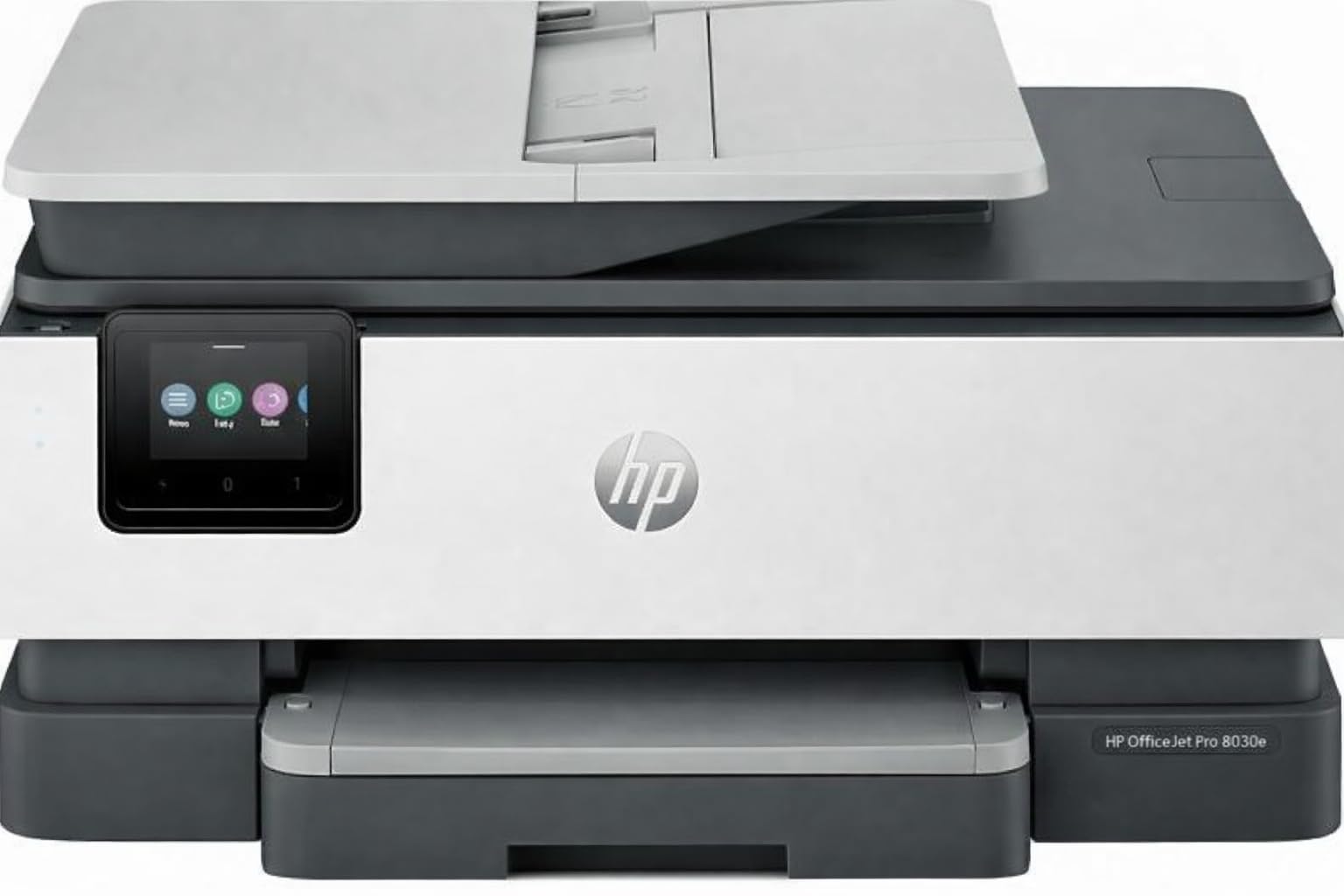
The HP OfficeJet Pro 8138e lets you access color fax capability at a significantly reduced entry point through the renewed premium channel. It prints up to 20 ppm in black and 10 ppm in color with a 4800 x 1200 dpi resolution, and the 225-sheet input tray handles larger fax batches than many similarly priced inkjets. The 2.7-inch color touchscreen provides the same navigation experience as the brand-new unit.
Android printing works through HP Smart App, Apple AirPrint, Wi-Fi Direct, and Mopria—you have multiple paths to fax from your phone. The automatic document feeder processes multi-page fax originals, and the automatic duplex printing saves paper on internal copies. Scan-to-email and scan-to-cloud functions are available through the HP Smart App without needing a PC.
The renewed nature means cosmetic imperfections are possible, and some users report that the initial setup experience is more complicated than a factory-fresh unit. Ink consumption is typical for an HP OfficeJet: color cartridges deplete even during black-only print jobs, and the ink subscription model (HP Instant Ink) is pushed aggressively during setup. For budget-conscious buyers who need color fax capability and are comfortable with HP’s ink ecosystem, the renewed 8138e delivers functional value.
Why it’s great
- Color fax capability at a budget-friendly renewed price
- 225-sheet tray handles larger fax batches
- Multiple Android connectivity options
Good to know
- Renewed unit may have cosmetic wear
- Ink consumption is high, especially color during B&W jobs
8. Epson Workforce WF-2960

The Epson Workforce WF-2960 is the most affordable traditional all-in-one on this list that includes fax, making it the entry point for Android users who need a dedicated fax machine without committing to laser pricing. PrecisionCore Heat-Free technology delivers 14 ppm in black and 7.5 ppm in color, and the 2.4-inch color touchscreen provides basic fax menu navigation and Android setup through the Epson Smart Panel app.
The 150-sheet paper tray and 30-sheet ADF cover light fax volume adequately, and the automatic duplex printing saves paper on two-sided fax reception. Android support includes direct printing, scan-to-cloud functions, and remote fax send through the Epson iPrint app. Voice-activated printing through Alexa and Siri adds a convenience layer for hands-free fax job initiation.
The WF-2960’s biggest weakness is ink economics: the included starter cartridges are low-yield (reportedly lasting only a few weeks of moderate use), and the printer consumes color ink even during black-only print jobs, forcing more frequent cartridge swaps. The build quality uses more plastic than the premium Epson and Brother models, and the lack of USB port limits direct Android cable connections. For occasional fax use where ink cost isn’t the primary concern, this Epson gets the job done.
Why it’s great
- Lowest entry price for a fax-equipped all-in-one
- PrecisionCore Heat-Free technology prints instantly
- Voice-activated fax via Alexa and Siri
Good to know
- Starter cartridges deplete very quickly
- Consumes color ink even in black-only mode
9. POOOLITECH Thermal Printer

The POOOLITECH Thermal Printer takes a completely different approach to Android faxing by eliminating ink entirely. Thermal technology means zero cartridge costs—your only ongoing expense is thermal paper rolls in either 8-inch or 4-inch widths. For occasional fax users who just need a printed record of incoming faxes or reference copies, this eliminates the biggest ongoing cost of a traditional fax machine.
Android connectivity runs through the HerePrint app via Bluetooth, and the USB-C port adds a wired fallback for laptop printing. The printer is genuinely portable—small enough to slip into a backpack for business trips where you need to fax from a hotel room. Setup is simple: download the app, pair via Bluetooth, and you’re printing within two minutes.
The trade-offs are significant in professional settings. Thermal paper has a distinct feel and shorter lifespan than bond paper—it curls, feels waxy, and can fade if exposed to heat or prolonged sunlight. Print quality is adequate for text documents but poor for photographs or graphics. The 10-ppm speed feels slow for multi-page fax jobs, and some users report the printer stops working after a few months of use. This is a niche tool for on-the-go fax reference prints, not a replacement for an office all-in-one.
Why it’s great
- Zero ink costs—thermal paper is the only expense
- Ultra-portable design fits in a backpack
- Simple Bluetooth setup with Android HerePrint app
Good to know
- Thermal paper fades over time and feels waxy
- Reliability varies—some units fail after a couple of months
FAQ
Can I fax directly from my Android phone without touching the printer?
Do I need a landline for an Android fax machine to work?
Why does my printer use color ink when I only print black-and-white faxes?
Final Thoughts: The Verdict
For most users, the best android fax machine winner is the Brother MFC-L2900DW because it combines the fastest monochrome laser speed in its class with a generous 50-page ADF and seamless cloud integration that turns your Android phone into a remote fax control center. If you need wide-format fax capability for blueprints or oversized contracts, grab the Epson Workforce Pro WF-7840. And for budget-conscious buyers who still want laser reliability from their Android device, nothing beats the value of the Canon imageCLASS MF275dw.