
A pen that skips mid-stroke, a screen that glares under your studio lights, and a parallax gap that throws off every eyelash you ink — these are the daily realities that separate a usable animation drawing tablet from a frustrating one. Whether you are rigging characters in Toon Boom Harmony or sketching keyframes in Clip Studio Paint, the hardware beneath your hand dictates whether you hit your deadline or rage-quit by noon.
I’m Min — the co-founder and writer behind Gadgets Feed. My research into this category involves cross-referencing pressure-curve data, laminated display layers, driver latency reports, and color-gamut coverage across hundreds of user workflows to filter out the gear that actually holds up in a production pipeline.
The sheer range of options makes finding the right tool a project in itself, which is why I built this guide to walk you through the specs that matter. My goal here is to help you confidently choose the best animation drawing tablet for your specific budget and workflow needs without wasting time on marketing fluff.
How To Choose The Best Animation Drawing Tablet
Picking an animation drawing tablet means looking past the headline specs and focusing on the factors that actually impact your daily workflow. Screen type, pen technology, connectivity, and whether the tablet runs independently or tethered to a computer each carry different tradeoffs for animators.
Screen Technology: Laminated vs. Non-Laminated
Full lamination bonds the glass, digitizer, and LCD into a single layer, virtually eliminating the gap between the pen tip and the cursor. A non-laminated screen introduces parallax — the visual offset that makes fine line work feel floaty and imprecise. For frame-by-frame animation where every stroke must land exactly where you intend, a fully laminated display is non-negotiable.
Pressure Sensitivity and Initial Activation Force
Pressure sensitivity levels (4K, 8K, or 16K) define how many gradations the tablet can register between a light tickle and a hard press, but the more critical spec is the initial activation force (IAF). A 2-gram IAF means the pen registers the faintest contact, enabling whisper-thin lines without needing to consciously press down. Look for an IAF of 3 grams or less for responsive, natural-feeling strokes during long animation sessions.
Standalone vs. Tethered Pen Display
A standalone drawing tablet runs its own operating system (typically Android) with pre-installed drawing apps, meaning you can sketch anywhere without a laptop. A tethered pen display connects to a PC or Mac and functions as a secondary monitor, giving you full access to industry-standard animation suites like Toon Boom Harmony, TVPaint, or Adobe Animate. Your choice depends on whether you prioritize portability or professional software compatibility.
Color Accuracy and Gamut Coverage
For animation work that will be reviewed by clients or sent to rendering pipelines, the tablet’s color gamut matters. Look for at least 99% sRGB coverage as a baseline. Wider gamuts like DCI-P3 or Adobe RGB become relevant if you are compositing or doing color grading within your animation workflow. Factory calibration reports add an extra layer of confidence that what you see matches the final output.
Quick Comparison
On smaller screens, swipe sideways to see the full table.
| Model | Category | Best For | Key Spec | Amazon |
|---|---|---|---|---|
| XP-Pen Artist 13.3 Pro V2 | Pen Display | Hyper-nuanced line work | 16384 pressure levels, 95% P3 | Amazon |
| Wacom Cintiq 16 | Pen Display | Professional production pipeline | 2.5K WQXGA, 99% DCI-P3 | Amazon |
| HUION Kamvas 16 (Gen 3) | Pen Display | High-res budget-friendly animation | 2.5K QHD, 186 PPI | Amazon |
| XPPen Magic Drawing Pad | Standalone Tablet | Portable untethered animation | 16K pressure, 8000 mAh battery | Amazon |
| Wacom Intuos Pro Large | Pen Tablet | Desk-based keyframe workflow | 8192 pressure, Bluetooth 5.3 | Amazon |
| HUION Kamvas 13 (Gen 3) | Pen Display | Portable screened animation | 16384 pressure, 2g IAF | Amazon |
| PicassoTab A12 | Standalone Tablet | Learning animation fundamentals | 12″ laminated 2K, 4096 levels | Amazon |
| RubensTab T12 | Standalone Tablet | All-day drawing without computer | 12″ FHD, 8000 mAh battery | Amazon |
| Frunsi RubensTab T8 | Standalone Tablet | Entry-level portable sketching | 8″ 1200×800, 4000 mAh | Amazon |
In‑Depth Reviews
1. XP-Pen Artist 13.3 Pro V2

The XP-Pen Artist 13.3 Pro V2 packs the industry-first X3 Pro Smart Chip stylus delivering 16384 levels of pressure sensitivity, a 90ms initial response rate, and 20% improved accuracy over previous generations. This translates to virtually lag-free line work even during rapid inking sessions. The full-laminated 13.3-inch IPS panel includes AG film that reduces glare and parallax, giving you a paper-like feel without the rainbow sparkle effect common on cheaper etched glass surfaces.
Color performance is exceptional for this price tier, with 125% sRGB gamut area ratio and 95% DCI-P3 coverage, so your color holds true whether you are exporting storyboard frames or final composites. The Red Dial Quick Key and eight customizable shortcut buttons let you map brush size, zoom, and undo without lifting your hand, which directly speeds up frame-by-frame animation workflows.
Setup is beginner-friendly with an updated driver that auto-configures the screen and pen, though some users report a driver-level pen misalignment when using multiple monitors at different resolutions. The adjustable AC42 stand is included, and the full-featured USB-C cable keeps your desk clutter-free. This is a premium-feeling pen display that out-specs options at higher price points.
Why it’s great
- Industry-leading 16384 pressure sensitivity with fast 90ms initial response.
- Wide color gamut (95% DCI-P3) for accurate animation color work.
- Red Dial and 8 shortcut keys streamline animation software navigation.
Good to know
- Some users experience pen misalignment with multi-monitor setups at mixed resolutions.
- Requires a computer connection; not a standalone device.
2. HUION Kamvas 16 (Gen 3)

The HUION Kamvas 16 (Gen 3) brings a 2.5K QHD resolution (2560×1440) to a 15.8-inch panel, hitting 186 PPI for a noticeably sharper image than standard 1080p displays. That extra pixel density matters when you are zoomed in on a character’s eye or tweaking fine line weights in a complex scene. The PenTech 4.0 stylus offers 16384 levels of pressure with a 2-gram initial activation force, so the lightest tickle registers without any dead zone at the top of the pressure curve.
Color accuracy is factory-calibrated with an average Delta E of under 1.5, covering 99% sRGB and 90% Adobe RGB — solid numbers for animation work that moves into compositing. The dual dial controllers and six silent press keys give you hands-on control over brush size, timeline scrubbing, and canvas rotation, all without touching your keyboard. The included ST300 adjustable stand provides multiple viewing angles for long sessions.
Connectivity is handled by either a 3-in-1 cable or a single full-featured USB-C cable, which keeps the workspace tidy. The tablet is not standalone, so you need a computer or compatible Android device with USB 3.1 Gen 1 and DP 1.2. The built-in stand is functional but feels less premium than the rest of the hardware, and the dials require some configuration to get exactly right for your software shortcuts.
Why it’s great
- Sharp 2.5K QHD resolution (186 PPI) for detailed animation work.
- Factory calibrated Delta E <1.5 with wide sRGB and Adobe RGB coverage.
- Dual dial controllers streamline animation timeline navigation.
Good to know
- Stand is functional but feels less robust than the tablet itself.
- Requires a computer or high-end Android device; not standalone.
3. Wacom Cintiq 16

The Wacom Cintiq 16 is the professional’s benchmark for a reason. It offers a 16-inch IPS display with 2.5K WQXGA resolution (2560×1600) and 99% DCI-P3 coverage, which is the color space used in digital cinema and modern animation pipelines. The Pro Pen 3 delivers 8192 levels of pressure sensitivity, tilt support, and three customizable shortcut buttons, giving you precise control over every stroke — at a level that feels distinctly tighter than most competing styluses.
The anti-glare glass eliminates sparkle and reflection without softening the image, which is critical when you are working under variable studio lighting. The screen’s 8-bit color depth with 100% sRGB coverage ensures that your export color matches what you see on screen. The built-in fold-out legs provide a 20-degree working angle right out of the box, though an adjustable stand is sold separately for those who need more ergonomic flexibility.
Connectivity is via USB-C with DisplayPort Alt Mode or Thunderbolt 3/4 input, which works cleanly with modern Mac and PC setups. The primary caveat is that the included mini-HDMI cable is not supplied — you will need to buy one separately if your computer lacks DP Alt Mode. The Pro Pen 3’s slim shape and stiff buttons may not suit every hand, and some users prefer the ergonomics of the older Pro Pen 2.
Why it’s great
- Cinema-grade 99% DCI-P3 color gamut for professional animation output.
- Pro Pen 3 delivers responsive 8192 pressure with tilt and 3 shortcut keys.
- Zero anti-glare sparkle with a crisp 2560×1600 resolution panel.
Good to know
- No mini-HDMI cable included; additional purchase needed for many setups.
- Pro Pen 3 ergonomics may feel too slim with stiff button feedback.
4. XPPen Magic Drawing Pad

The XPPen Magic Drawing Pad is a standalone tablet that runs Android 14, freeing you from any computer tether. It is 6.9 mm thin and weighs only 590 grams, making it genuinely portable for sketching on location or animating during a commute. The 12.2-inch screen uses AG-etched glass with a 2160×1440 resolution, delivering a paper-like texture with zero glare — a rarity in portable drawing tablets.
The X3 Pro Slim stylus offers 16384 pressure levels with 60-degree tilt recognition, and it does not require charging or pairing. The 8000 mAh battery provides up to 13 hours of continuous drawing, which covers a full day of work. The tablet ships with 8GB of RAM, 256GB of internal storage, and a microSD slot for expansion up to 1TB, so your animation project files stay local.
It includes a 3-month membership for Clip Studio Paint and ibis Paint X, which gives you a head start with professional-grade animation tools. The Android ecosystem means you can install Krita, Infinite Painter, or Concepts directly from Google Play. The tilt implementation is less refined than Wacom’s, and the camera quality is mediocre, but as a dedicated drawing slab, it competes strongly with iPads at a lower entry point.
Why it’s great
- Ultra-portable 590g design with a 13-hour battery for all-day drawing.
- Industry-leading 16384 pressure levels on a non-charging stylus.
- AG-etched paper-like screen with TÜV Rheinland eye comfort certification.
Good to know
- Tilt support is less precise compared to Wacom’s implementation.
- Limited to Android apps; no native Toon Boom or TVPaint support.
5. Wacom Intuos Pro Large

The Wacom Intuos Pro Large (2025 edition) is a pen tablet — not a display — meaning you draw on the tablet surface while looking at your monitor. This setup is preferred by many animators because it keeps your hand away from the screen, reducing arm fatigue during 10-hour keyframe sessions. The large active area (377 x 253 mm) fits broad sweeping gestures without needing to reposition your hand, and the magnesium-alloy body is only 4mm thick at its thinnest point.
The Pro Pen 3 offers 8192 levels of pressure with adjustable grip, balance, and button layout, so you can fine-tune the feel to match your preferred stylus weight. The two mechanical dials and ten ExpressKeys are positioned at the top of the tablet near the keyboard, letting you change brush size or scrub the timeline without breaking your workflow. Bluetooth 5.3 works flawlessly with modern Macs, though Windows 11 users may encounter occasional connectivity drops.
The 16:9 active area matches modern widescreen monitors, and the tablet can switch between wired USB and wireless modes with a simple button press. The surface has a subtle paper-like texture that provides tactile feedback without wearing down nibs too quickly. The lack of touch input might be a dealbreaker for some, but for pure pen-driven animation production, this is the most refined tablet on the market.
Why it’s great
- Broad 16:9 active area with slim magnesium-alloy body, ideal for desk animation.
- Mechanical dials and ExpressKeys keep hands off keyboard during production.
- Adjustable Pro Pen 3 ergonomics for personalized grip and balance.
Good to know
- No touch input; pen-only interaction may slow some workflows.
- Windows 11 Bluetooth connectivity can be inconsistent.
6. HUION Kamvas 13 (Gen 3)

The HUION Kamvas 13 (Gen 3) is a 13.3-inch full-laminated pen display that brings the new anti-sparkle Canvas Glass 2.0 technology to a compact form factor. The glass eliminates the rainbow sparkle effect that plagues many etched glass screens, and the full lamination reduces parallax to nearly zero, so your cursor sits directly under the pen tip. This is a critical spec for animators doing tight inking or precise character line work.
PenTech 4.0 provides 16384 levels of pressure sensitivity with a 2-gram initial activation force, making the stylus responsive to the gentlest touch. The display covers 99% sRGB with a factory calibration report confirming an average Delta E under 1.5, so your color decisions transfer accurately to your editing suite. The five programmable shortcut keys and dual dial buttons sit conveniently on the left side for quick brush and timeline control.
The tablet connects via a single USB-C cable (or a 3-in-1 cable for older computers), and the included ST300 adjustable stand supports multiple angles. The screen brightness maxes out at around 200 nits, which is on the dimmer side, and the tablet runs warm after extended use. For its price, this is a strong entry point into a high-pressure-sensitivity pen display that won’t break your desk space.
Why it’s great
- Full lamination with anti-sparkle glass eliminates parallax and rainbow flare.
- Factory-calibrated 99% sRGB with Delta E <1.5 for accurate color.
- Compact 13.3-inch size fits easily into studio backpacks and small desks.
Good to know
- Screen brightness of ~200 nits can feel dim in well-lit rooms.
- Tablet runs warm after a few hours of continuous use.
7. PicassoTab A12
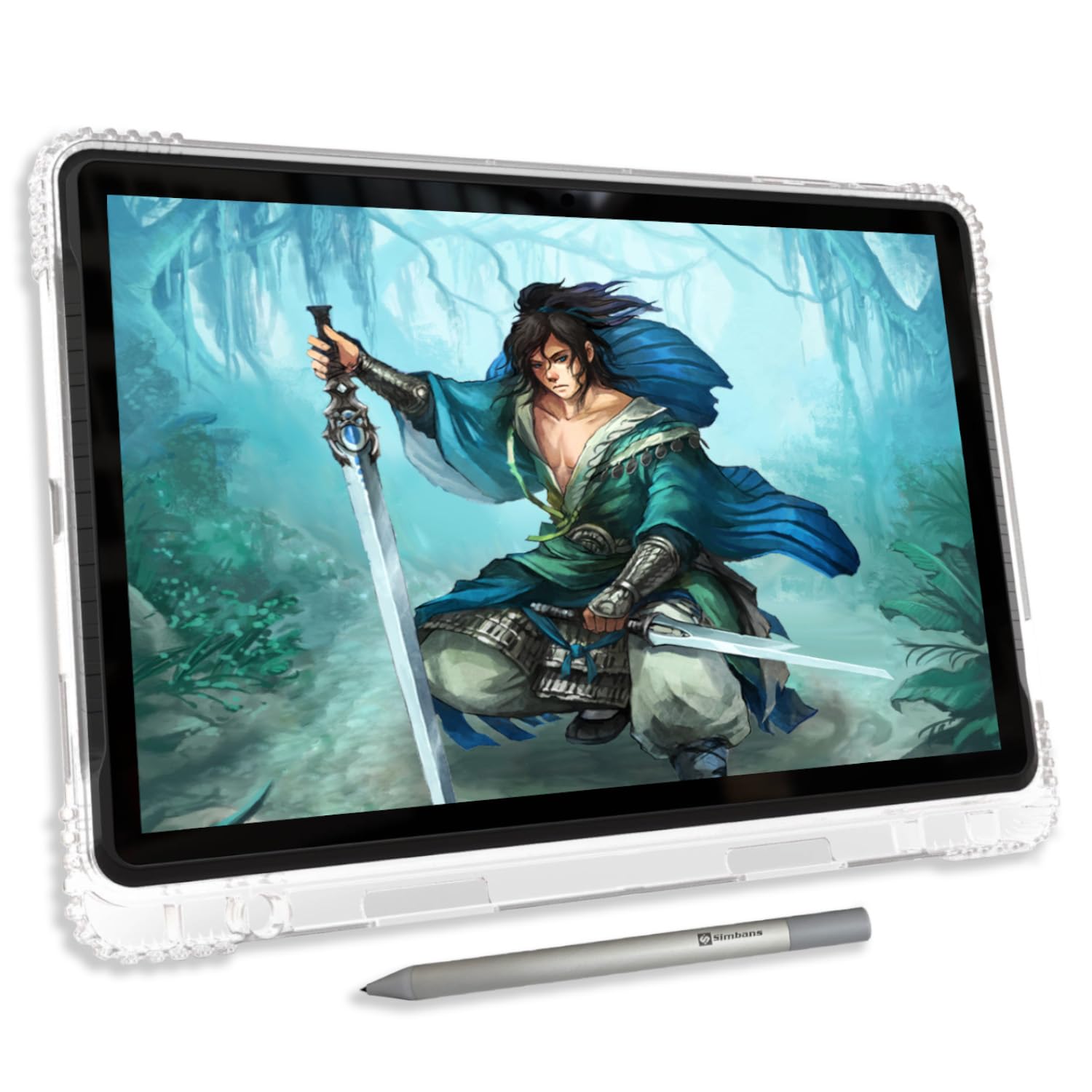
The PicassoTab A12 is a standalone drawing tablet running Android that comes with a Lifetime PRO upgrade for Concepts and a Lifetime VIP tutorial membership for Artixo. This makes it a compelling pick for beginners learning animation fundamentals without the cost of subscription-based software. The 12-inch laminated 2K display reduces parallax and delivers clear colors at a resolution that exceeds standard HD panels in this price range.
The Picasso Pen 3 offers 4096 levels of pressure sensitivity with palm rejection, which is adequate for sketching storyboards and learning frame-by-frame techniques. The octa-core CPU paired with 6GB of RAM handles multitasking between drawing apps and reference images without significant lag. Storage is 128GB, expandable up to 1TB via microSD, giving you room to store animation projects locally.
The package includes a protective case, drawing glove, screen protector, stylus, and charger — all ready out of the box. The pen nib is a bit hard and may scratch the screen over time, so a screen protector is essential. The charging port can become loose with heavy everyday use, but the seller’s warranty service has been responsive for replacements. It is a solid value for students or hobbyists who want a dedicated standalone device.
Why it’s great
- Lifetime PRO drawing app and VIP tutorials included at no extra cost.
- 12-inch laminated 2K display with low parallax for clear sketching.
- Generous 128GB storage expandable to 1TB for project files.
Good to know
- Pen nib is hard and may scratch the screen without a protector.
- Charging port durability has been inconsistent in long-term use.
8. RubensTab T12
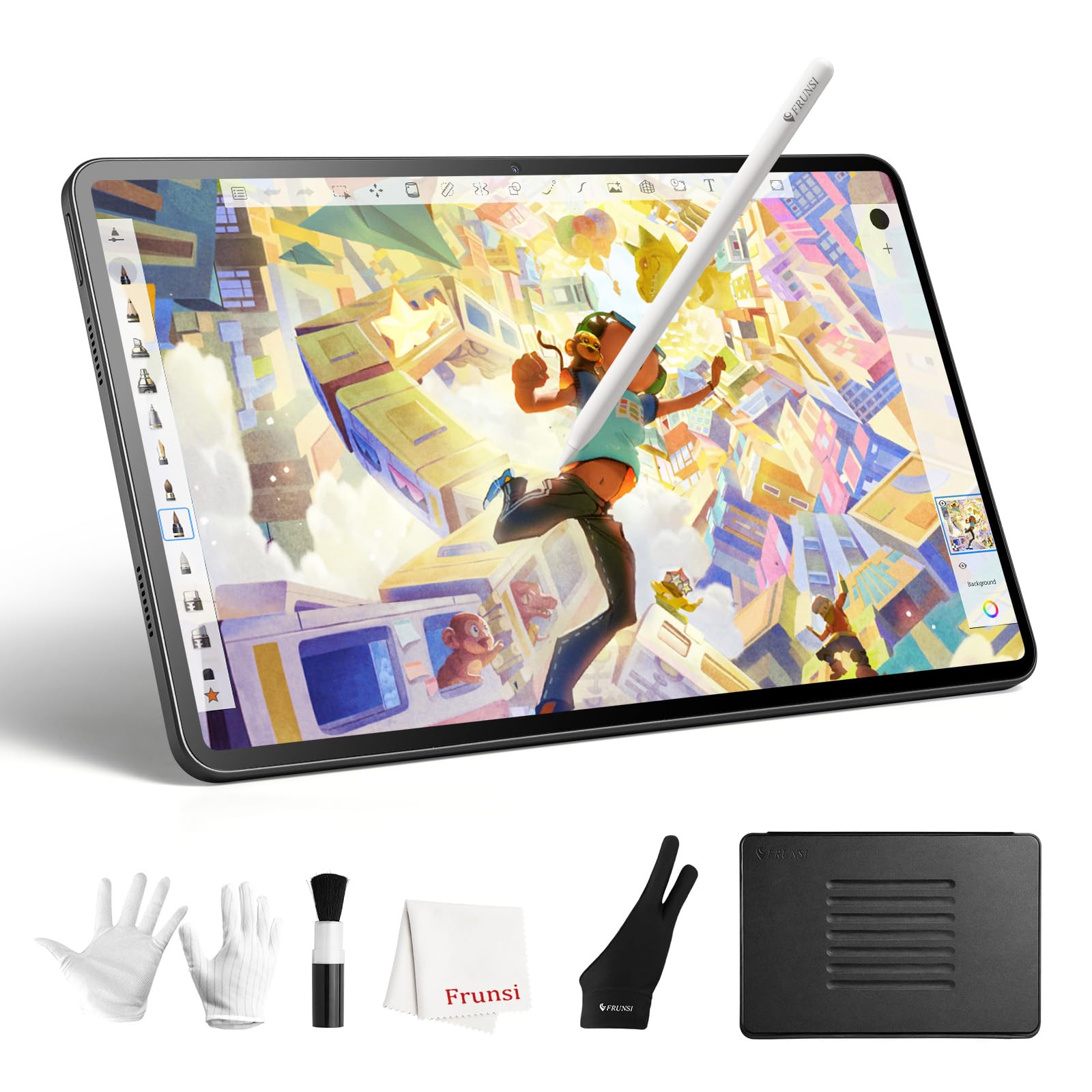
The RubensTab T12 from FRUNSI is a 12-inch standalone drawing tablet that runs Android and does not require a computer. It uses a MediaTek MT8781 octa-core processor with 6GB of RAM and 128GB of storage, which is a step up from the entry-level RubensTab T8. The 12-inch Full HD display is fully laminated to minimize parallax, and the anti-glare coating reduces reflections for a more paper-like drawing feel.
The included stylus offers 4096 levels of pressure sensitivity with USI 2.0 support, delivering lag-free strokes in apps like Sketchbook, Krita, and Flipaclip. The 8000 mAh battery provides all-day drawing capacity, and the slim design makes it easy to carry in a bag. Pre-installed premium software including Sketchbook, Infinite Painter, and Flipaclip gives you animation tools right out of the box.
Users report the pen works responsively with good pressure sensitivity, but the touch layer is highly sensitive, and some users need a glove to avoid accidental palm input. The Android app ecosystem is more limited than iPadOS for professional animation, but for learning and intermediate work, the T12 offers a full-featured experience. The included case, glove, power adapter, and screen protector add immediate value.
Why it’s great
- Large 12-inch laminated display with anti-glare coating for outdoor use.
- All-day 8000 mAh battery and pre-installed animation and drawing apps.
- Expandable storage up to 256GB for local project archiving.
Good to know
- Touch sensitivity is high; a drawing glove is almost required to avoid palm marks.
- Limited to Android apps; no native access to industry-standard animation suites.
9. Frunsi RubensTab T8
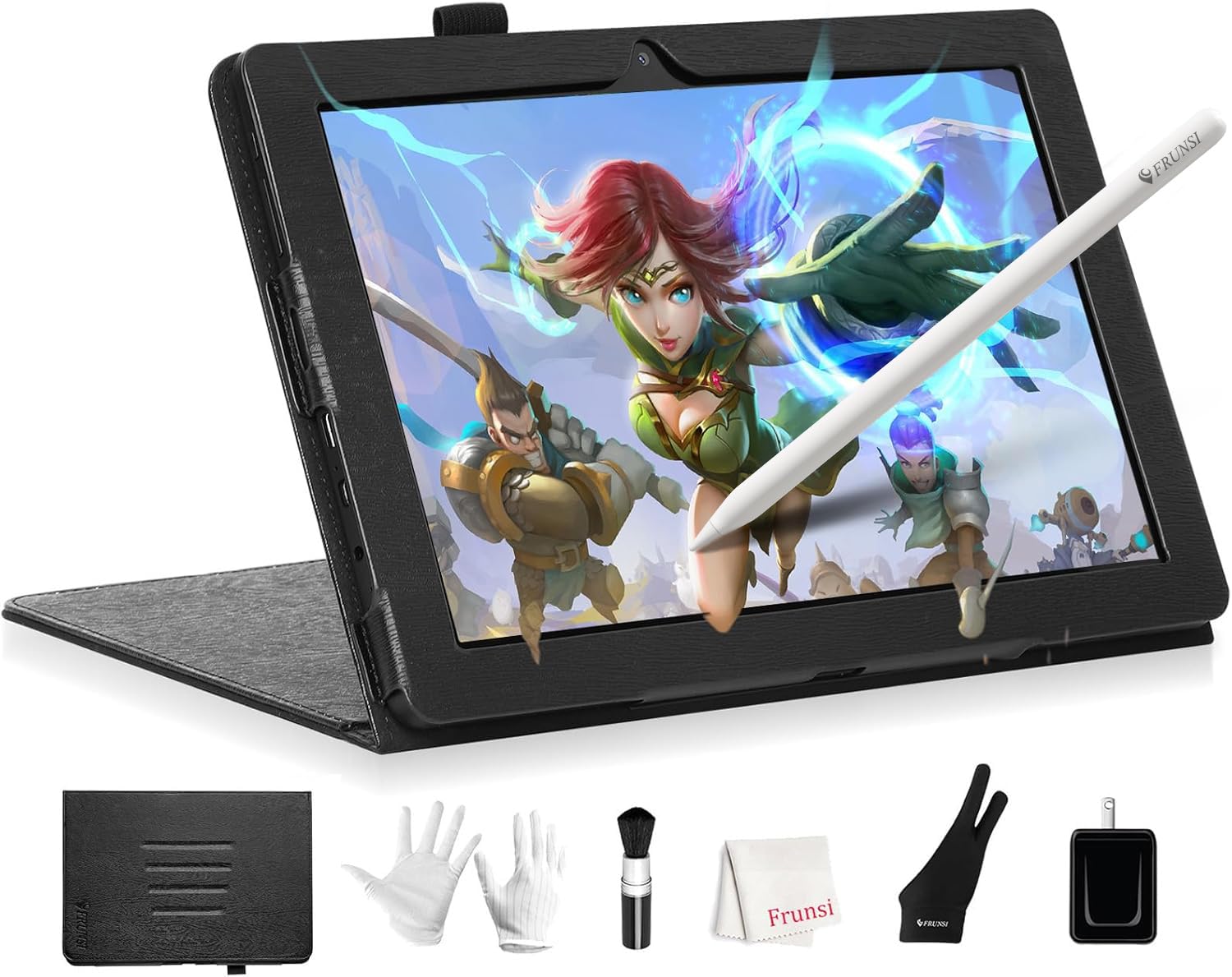
The Frunsi RubensTab T8 is the most affordable standalone drawing tablet in this lineup, making it an accessible entry point for young artists, students, or anyone curious about digital animation without a large commitment. It runs Android 13 with a quad-core CPU, 4GB of RAM, and 64GB of storage expandable to 256GB. The 8-inch display operates at 1200×800 resolution, which is sufficient for learning, though the lower resolution and smaller canvas will limit fine line work.
The stylus offers 2048 levels of pressure sensitivity, which is basic by current standards but functional for sketching and learning pressure control. The 4000 mAh battery delivers up to 20 hours of use, and the tablet comes with pre-installed apps like SketchBook, ArtFlow, and ibis Paint X, along with a detachable keyboard and screen protector in the box. The compact size makes it very portable for school or travel.
Users note minor diagonal jitter and lag with heavy brush sizes, especially when the battery is low. The lack of palm rejection means you need a glove or careful hand positioning. The customer support has been praised for quick warranty handling. For the price, this is a functional introduction to the standalone drawing tablet experience, not a production tool.
Why it’s great
- Very budget-friendly standalone Android tablet for learning animation basics.
- Pre-installed drawing apps and tutorials ready out of the box.
- Compact and portable with up to 20 hours of battery life.
Good to know
- 2048 pressure sensitivity and 1200×800 resolution limit detailed line work.
- Some diagonal jitter and brush lag reported, especially at low battery.
FAQ
What pressure sensitivity level do I need for professional animation?
Can I animate on a standalone drawing tablet without a computer?
What screen size is best for animation drawing tablets?
Does color accuracy matter for animation or just illustration?
Final Thoughts: The Verdict
For most users, the best animation drawing tablet winner is the XP-Pen Artist 13.3 Pro V2 because it delivers a market-leading 16384 pressure sensitivity, wide P3 color gamut, and a Red Dial for timeline control at a mid-range price. If you want a portable standalone device for animating on the go, grab the XPPen Magic Drawing Pad. And for a professional desktop setup that plugs directly into your existing production pipeline, nothing beats the Wacom Cintiq 16.