
The difference between a desk that wobbles at standing height and one that stays rock-solid comes down to motor architecture, frame thickness, and leg-stage design. An automated standing desk with a single motor and two-stage legs will shake noticeably when you type at full extension, while a well-engineered dual-motor three-stage frame holds firm. That stability is the single biggest factor separating a desk you’ll love for years from one you’ll regret within a month.
I’m Min — the co-founder and writer behind Gadgets Feed. I’ve spent over 100 hours analyzing motor specs, frame geometry, weight capacities, and real-user stability reports across the automated standing desk market to find the frames that genuinely deliver wobble-free performance at every height setting.
This guide ranks the best automated standing desk models by frame rigidity, motor noise levels, height range, and practical daily usability to help you find a durable sit-to-stand workstation that fits your space and budget.
How To Choose The Best Automated Standing Desk
Choosing the right automated standing desk means looking past the surface and focusing on frame structure, motor quality, and real-world stability. The wrong pick can leave you with a desk that shakes whenever you type at standing height. Here’s what separates a rock-solid workstation from a frustrating purchase.
Dual Motors vs. Single Motor: Not Negotiable for Stability
A single-motor desk forces one motor to push both legs through a mechanical bar, which creates uneven lift and noticeable wobble above 40 inches. Dual-motor designs power each leg independently, providing synchronized lift and drastically reducing shake. Dual motors also lift faster (typically 1.5–2 inches per second versus 1 inch per second) and handle heavier loads with less strain — expect 220 to 355 lbs of capacity versus 150 lbs on a single motor.
Leg Stages and Column Thickness
Two-stage legs extend from one inner segment, while three-stage legs add a middle segment for greater height range and better weight distribution at full extension. A desk with three-stage legs and columns at least 2.5 inches wide will remain stable up to 48–50 inches. Thinner columns or two-stage designs often introduce lateral sway when you lean on the desk or type vigorously.
Desktop Material and Thickness
Particle board tops under 1 inch thick can warp over time, especially in humid environments. Solid bamboo (FSC-certified) or laminate tops at 1.25 inches or thicker resist warping, scratches, and stains. Bamboo also offers natural antibacterial properties and a tensile strength higher than steel by weight. Laminate provides consistent color and pattern with easy cleaning, but it can chip if dropped on. Always check the surface thickness before committing.
Memory Presets and Controller Features
A good memory controller should hold at least three presets for different users or postures. Touchscreen controllers (like those on premium Desktronic or Vari models) are more responsive and easier to clean than mechanical buttons. Anti-collision sensors are critical: they automatically reverse the desk if it hits an object during lowering, preventing damage to your gear or injury to pets. Adjustable sensitivity on the sensor is a bonus found on high-end frames like the UPLIFT V3.
Quick Comparison
On smaller screens, swipe sideways to see the full table.
| Model | Category | Best For | Key Spec | Amazon |
|---|---|---|---|---|
| UPLIFT DESK V3 80×30 | Premium | Maximum stability and load capacity | 355 lbs capacity, dual German motors | Amazon |
| Vari ComfortEdge 60×30 | Premium | Curved comfort edge + fast assembly | 200 lbs, tool-free 2-step setup | Amazon |
| Vari Ergo 54×26 | Premium | Compact premium build with ergonomic edge | 200 lbs, 4 memory presets | Amazon |
| Desktronic HomePro 70×30 | Premium | European build, zero wobble, USB-C | 352.7 lbs, touchscreen controller | Amazon |
| Desktronic HomePro 60×30 | Premium | Mid-size premium with built-in charging | 352.7 lbs, USB-A & USB-C ports | Amazon |
| FlexiSpot Q8 Bamboo 55″ | Mid-Range | Bamboo surface with wireless charging drawer | 220 lbs, Qi charger + drawer | Amazon |
| FlexiSpot E6 Bamboo 72×30 | Mid-Range | Large bamboo work surface, quiet motors | 220 lbs, <45 dB noise level | Amazon |
| HUANUO 71×35 | Mid-Range | Deep 35-inch surface, brushless motor | 220 lbs, <55 dB noise level | Amazon |
| VIVO 2B Series 60×24 (Black) | Value | Reliable dual-motor at an entry price | 220 lbs, 3 memory presets | Amazon |
| VIVO 2B Series 60×24 (White) | Value | White aesthetic dual-motor entry | 220 lbs, 3 memory presets | Amazon |
| RedLemon 60″ L-Shaped | Value | Corner desk with LED lights and outlets | 4 height memory, RGB LED modes | Amazon |
In-Depth Reviews
1. UPLIFT DESK V3 2-Leg 80 x 30
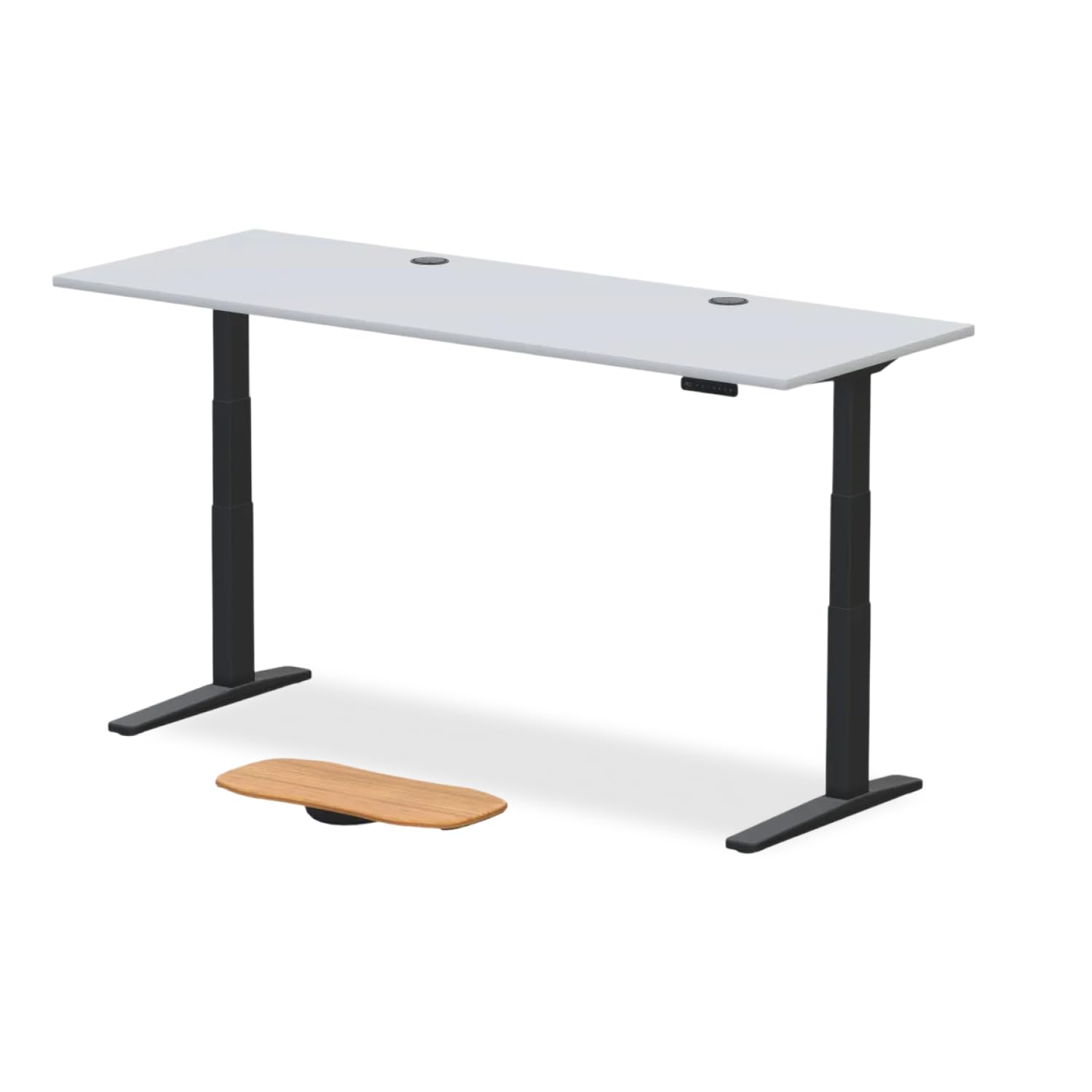
The UPLIFT V3 is the gold standard for stability. Its dual German-made motors lift at under 48 dB while moving a massive 355 lbs capacity — that’s enough for three monitors, a loaded desktop, and a full tower PC without a hint of wobble at 49 inches max height. The three-stage legs use a six-axis gyroscope sensor for anti-collision detection, with adjustable sensitivity so you can tune it to your desk layout.
The Advanced Keypad holds four memory presets and includes a programmable up/down lock to prevent accidental presses — critical if you have kids who love buttons. The laminate desktop is water-, stain-, and scratch-resistant, and the 80-inch width gives you an enormous uninterrupted work surface. The FlexMount Cable Manager and built-in grommets handle wire organization elegantly.
Assembly is straightforward with the included Allen key, but the unit ships in three boxes that may arrive separately via FedEx. The laminate top, while durable, is not as warm or textured as solid bamboo. If you want the most stable frame at any price, this is it.
Why it’s great
- 355-pound capacity is industry-leading for a 2-leg frame
- German motors are whisper-quiet and fast (1.5 in/s)
- Six-axis gyroscope anti-collision with adjustable sensitivity
Good to know
- Ships in three separate boxes with potential FedEx delays
- Laminate top is functional but not as premium as bamboo
- Requires two people for safe assembly due to weight
2. Vari ComfortEdge 60×30
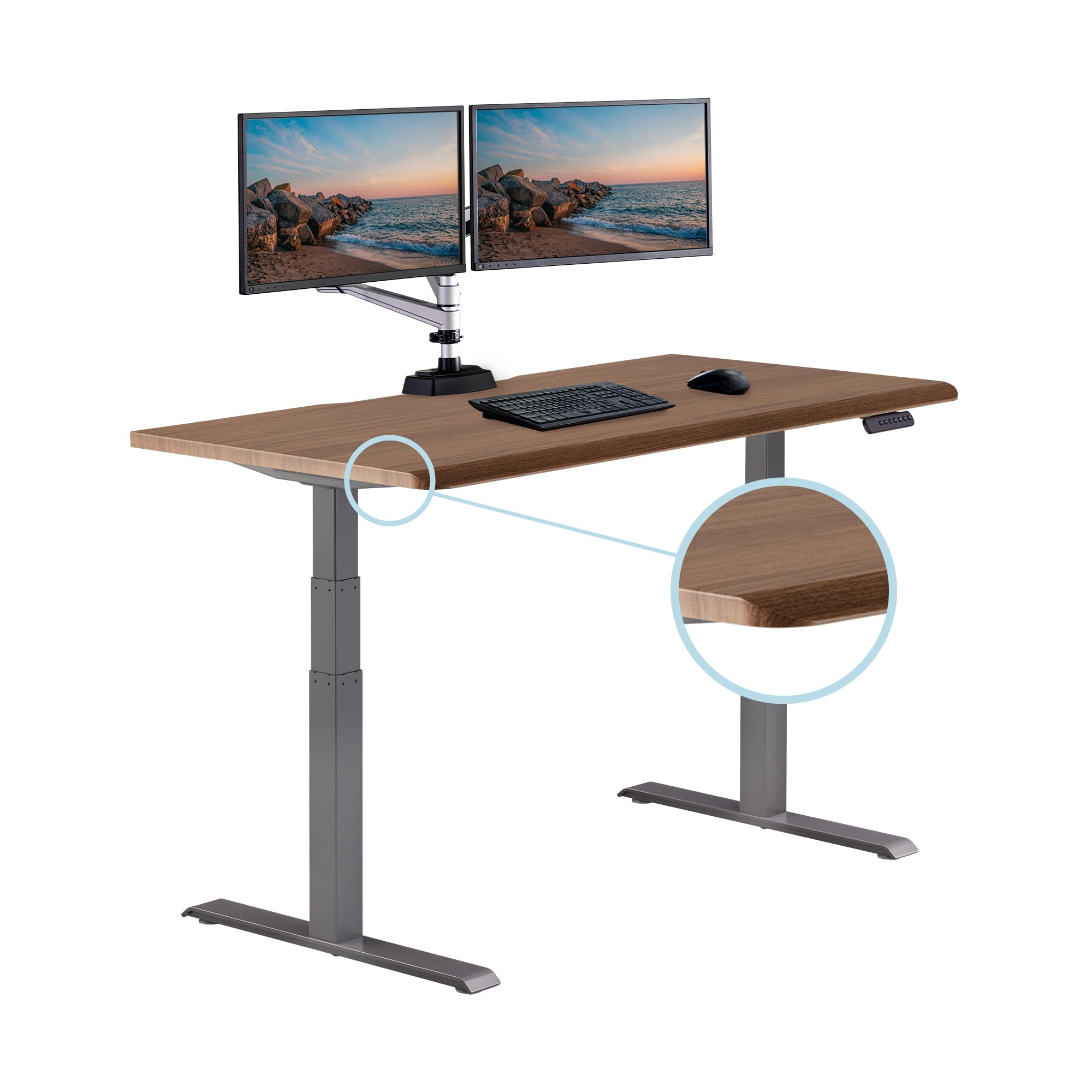
The Vari ComfortEdge combines rock-solid stability with one of the most comfortable desktop edges in the category. The sloped waterfall front edge reduces forearm pressure during long typing sessions, and the 1.25-inch thick laminate top resists warping and scratches. The electric lift is quiet and smooth, with four memory presets that cover both standard sitting and standing heights.
Assembly is genuinely tool-free — you pop on the legs with a quick-attach system and tighten a few screws. Most users finish in under 30 minutes. The 200-pound capacity supports dual monitors and a laptop without strain, and the desk remains wobble-free even at its max 50.5-inch height. Two included hooks hold headsets or bags, and the dual grommets keep cables managed.
The walnut laminate finish looks premium and cleans easily, but the bottom edges of the tabletop are somewhat sharp — consider adding edge guards if you work in shorts. The optional caster wheels add mobility but reduce stability slightly. For a premium desk that prioritizes comfort and quick setup, this is a top contender.
Why it’s great
- Curved waterfall edge reduces forearm strain
- Tool-free assembly in under 30 minutes
- Rock solid at full 50.5-inch extension
Good to know
- 200 lb capacity is lower than some competitors
- Bottom table edges are sharp enough to need caution
- Optional wheels reduce stability versus floor contact
3. Vari Ergo 54×26

The Vari Ergo delivers the same waterfall-edge ergonomics as the ComfortEdge in a slightly more compact 54×26-inch footprint — ideal for home offices with limited floor space. The 1.25-inch thick laminate top is durable and resists daily wear, and the 200-pound capacity handles dual monitors easily. The height range of 25 to 50.5 inches accommodates users from 5 feet to 6 feet 3 inches without wobble.
The quiet electric lift moves smoothly through four programmable memory settings, and the two-step quick-attach system gets you assembled in under 20 minutes. The espresso wood laminate looks convincingly like real wood and is easy to clean. Dual grommets route cables underneath, and the 39.5-inch leg span adds lateral stability during typing.
Users consistently praise the build quality and note the desk feels far more premium than its mid-range price suggests. The only downsides are the 200-pound limit (adequate for most but not for heavy server rigs) and the lack of a built-in cable management tray — you’ll need to buy one separately. For a premium feel in a space-saving size, this is a strong choice.
Why it’s great
- Curved ergonomic edge for reduced wrist strain
- Easy 20-minute assembly with quick-attach system
- Stable at full height with 200 lb capacity
Good to know
- No built-in cable management tray
- 200 lb limit may not suit heavy server setups
- Dimensions may be tight for three monitors
4. Desktronic HomePro 70×30
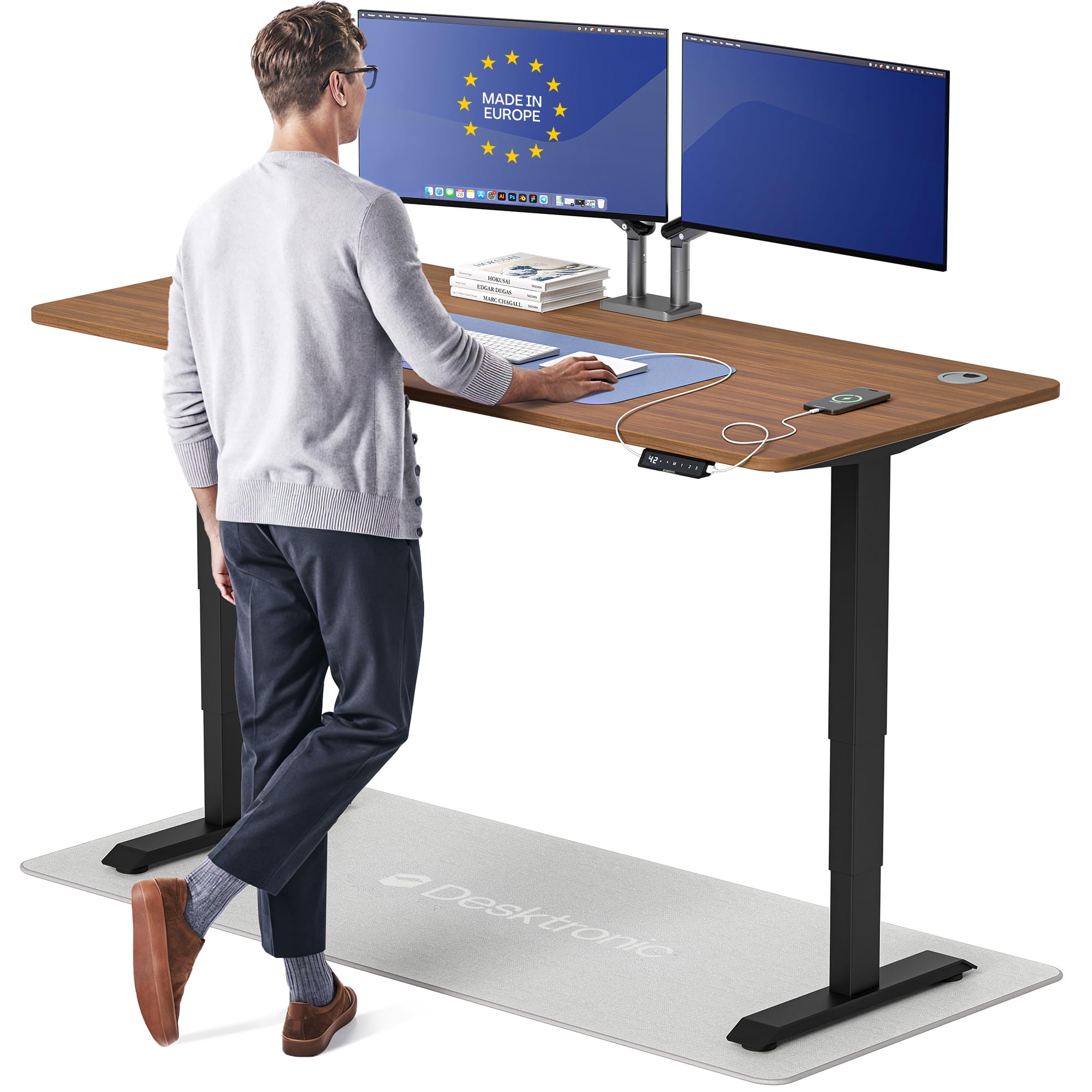
The Desktronic HomePro 70×30 is engineered for zero wobble — and it delivers. The dual synchronized motors lift at 2 inches per second and hold 352.7 pounds with absolutely no lateral drift at the max 51.2-inch height. That’s enough capacity for triple stacked monitors and a heavy desktop PC. The touchscreen controller is responsive and easy to clean, storing three memory presets with a single tap.
The 70-inch wide one-piece desktop has rounded corners and a lacquered finish that resists stains and wipes clean easily. Integrated USB-A and USB-C ports on the controller keep your devices charged without an extra adapter. The anti-collision sensor auto-reverses on contact, though it’s not the most sensitive in this class — you still need to be mindful of low obstacles.
Assembly is fast (under 30 minutes with included tools), but the packaging has drawn some criticism — reports of chips on the desktop surface from insufficient foam padding. If you buy, inspect the top immediately and contact support if damaged. The warranty is solid, making this a top-tier option for users who prioritize total stability at full height.
Why it’s great
- Zero wobble even at 51.2-inch max height
- Touchscreen controller with USB-A and USB-C charging
- 352.7 lb capacity handles the heaviest setups
Good to know
- Packaging can result in cosmetic desktop damage
- Anti-collision sensor sensitivity is below average
- Premium price range limits accessibility
5. Desktronic HomePro 60×30
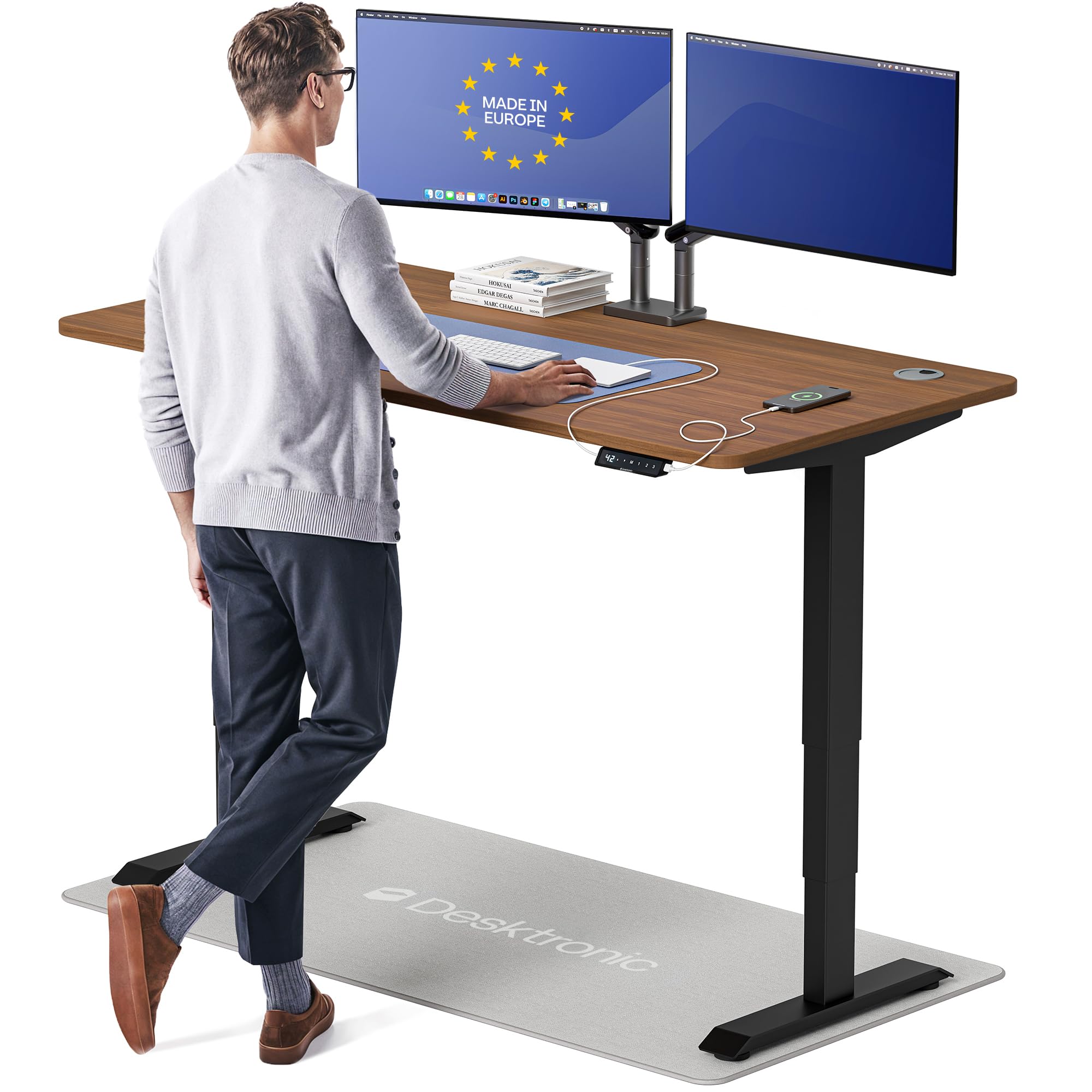
The Desktronic HomePro 60×30 shares the same zero-wobble dual-motor frame and touchscreen controller as the 70-inch version but in a more space-conscious 60-inch width. The 352.7-pound capacity remains identical, and the height range of 25.4 to 51.2 inches covers users from 5 feet to 6 feet 8 inches. The lacquered walnut finish looks premium and shifts tone slightly under different lighting — lighter in bright daylight, warmer under lamps.
The integrated USB-A and USB-C ports charge phones and tablets at fast speeds without a separate power brick. The anti-collision sensor works but, like its larger sibling, doesn’t detect very low-profile items. Assembly takes roughly 30 minutes with the included hardware, and the cable management channel snaps into place under the desktop to keep wires out of sight.
Cable management clips are adhesive-backed and may not hold heavy cables securely — some users swap them for Velcro straps. The glossy lacquer shows fingerprints more readily than a matte finish. If you want premium stability and integrated charging in a standard 60-inch size, this is the pick.
Why it’s great
- Same zero-wobble frame as the 70-inch version
- Fast USB-C/USB-A charging built into the controller
- Height range accommodates very tall users
Good to know
- Glossy lacquer shows fingerprints and smudges
- Adhesive cable clips may need reinforcement
- Anti-collision sensor misses low-profile items
6. FLEXISPOT Q8 Bamboo 55″

The FlexiSpot Q8 combines a sustainable bamboo desktop with convenience features that most desks at this price point skip. The dual motors lift 220 pounds smoothly at 1.5 inches per second with very little noise. The oval legs and rounded wide feet provide a stable base that reduces lateral wobble even at the full height range — users report minimal shake with dual monitors mounted on arms.
The standout feature is the integrated Qi wireless charging pad embedded in the desktop surface, plus a Type-A and Type-C outlet built into the frame. A small drawer under the top holds pens, notepads, or a phone. The bamboo surface is FSC-certified, scratch-resistant, and lightweight for easier installation. Assembly is remarkably fast — the top comes pre-assembled with the drawer, so you only need to attach the legs and frame in about 15 minutes.
The Dark Bamboo finish appears murkier and more grayish-purple than product photos suggest — opt for Natural Bamboo to get the lighter, warmer look you expect. The drawer is shallower than some users want, and the Qi charger can warm your phone during use. For a tech-packed ergonomic desk with a small footprint, this is hard to beat.
Why it’s great
- Built-in Qi wireless charging pad in the desktop
- Quick 15-minute assembly with pre-built top
- FSC-certified bamboo is durable and sustainable
Good to know
- Dark Bamboo color looks much darker than advertised
- Qi charger can heat the phone during extended use
- Drawer is shallow for larger office supplies
7. FlexiSpot E6 Bamboo 72×30

The FlexiSpot E6 is the largest bamboo automated standing desk in the mid-range, with a 72×30-inch work surface that comfortably fits triple monitors and a laptop. The dual motors operate at under 45 dB — quiet enough that you won’t disturb background music or a sleeping baby — while lifting 220 pounds. The height range of 23.6 to 48.8 inches works for users from 5 feet 4 inches to 6 feet 4 inches.
The bamboo desktop uses lateral compression technology to retain the natural grain, giving it a warm organic texture that laminate can’t match. Bamboo’s tensile strength of 28,000 PSI means this top will not warp over time, even in humid climates. The frame is sturdy at sitting height but shows slight wobble at max extension under aggressive typing — less stable than the UPLIFT V3 but acceptable for the price.
Assembly is the main pain point: the base and top ship separately (often days apart), and you must drill pilot holes for the frame brackets because none are pre-drilled. The included wire clips are low-quality and sparse — most users supplement with Velcro straps. If you’re willing to spend an hour on setup, you get a massive, beautiful bamboo desk at a great value.
Why it’s great
- 72×30-inch bamboo surface fits three monitors
- Ultra-quiet dual motors under 45 dB
- FSC-certified bamboo is stronger than steel by weight
Good to know
- Base and top ship in separate boxes with different arrival times
- Frame brackets require drilling pilot holes
- Slight wobble at full standing height while typing
8. HUANUO 71×35
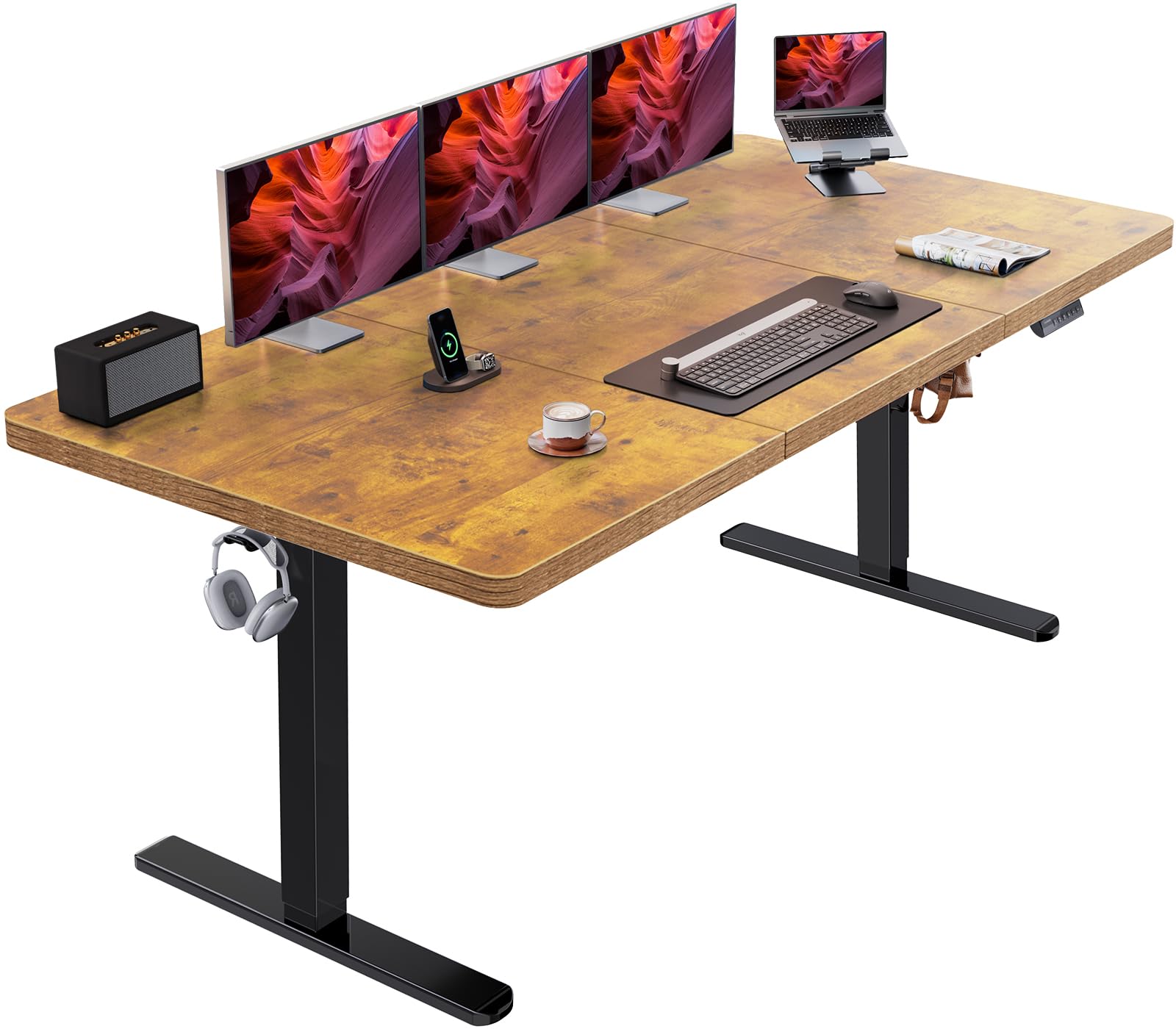
The HUANUO 71×35 breaks the standard 30-inch depth barrier with a 35-inch deep surface — giving you room to push monitors further back and use the front area for drawing tablets, notebooks, or a second keyboard. The brushless motor is 75% faster than conventional motors while staying under 55 dB, and the carbon steel frame uses 30% longer plates and 25% thicker columns than typical mid-range desks.
The four memory presets cover sit, stand, and intermediate positions, and the digital display shows current height to the tenth of an inch. The cable management tray runs underneath the full width and keeps power strips hidden. Two included hooks hold bags or headphones. Users at 6 feet 2 inches note the 46.5-inch max height is adequate but could use two more inches — full extension is comfortable for typing but not perfect for taller users.
The vintage wood finish looks warm but shows smudges easily, and the edges are squared rather than rounded, which can dig into forearms during long writing sessions. Some users report slight wobble when aggressively typing at max height. For the price, the extra depth and fast brushless motor are compelling trade-offs.
Why it’s great
- 35-inch depth is the deepest in this roundup
- Brushless motor lifts 75% faster than standard motors
- Thick carbon steel frame with reinforced columns
Good to know
- Max height of 46.5 inches may be short for very tall users
- Squared edges dig into forearms without an armrest
- Vintage finish shows fingerprints and smudges
9. VIVO 2B Series 60×24 (Black)
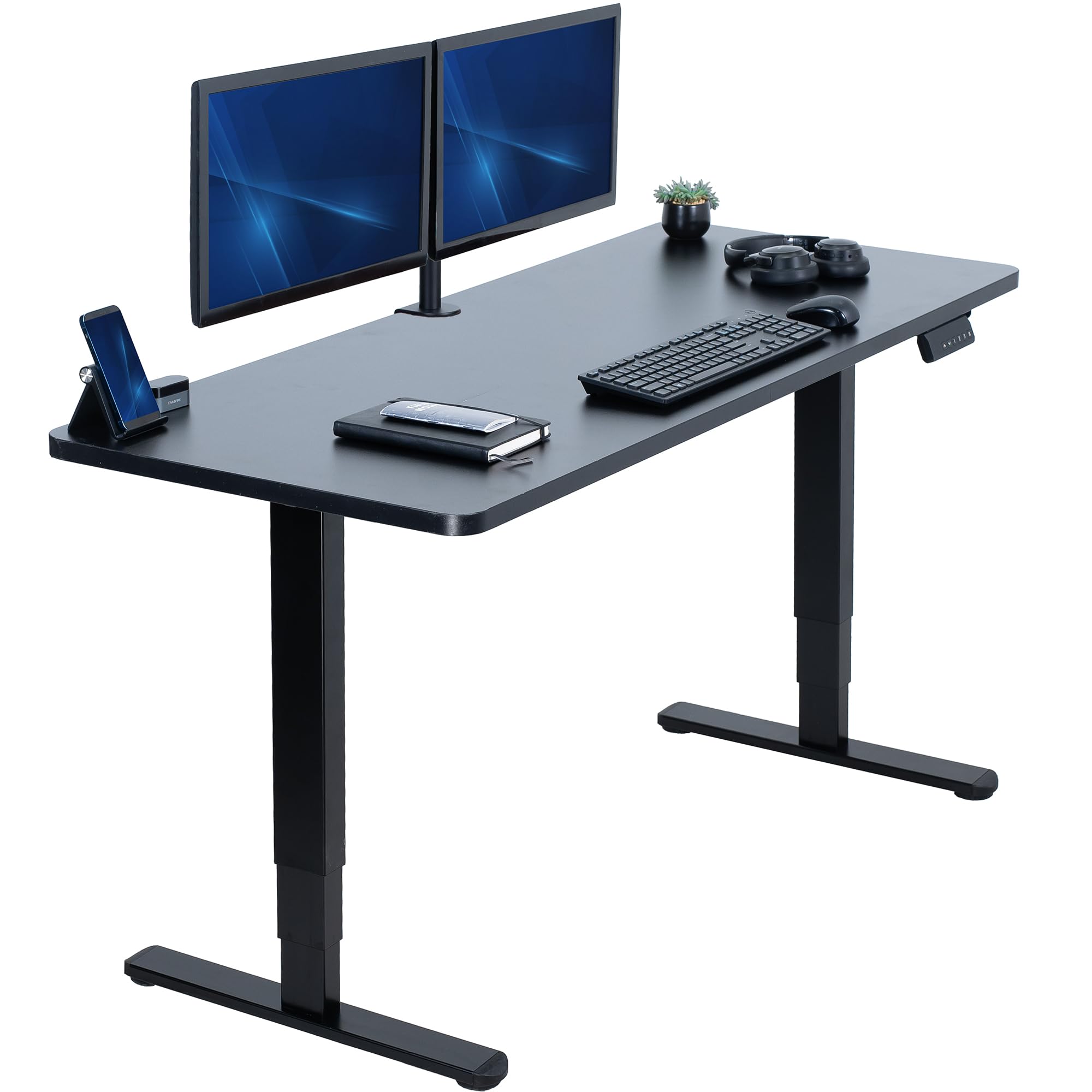
The VIVO 2B Series proves you don’t need a premium budget to get dual-motor stability. At just under 60 inches wide and 24 inches deep, the one-piece particle-board top provides a seamless surface free of seam breaks. The dual motors lift at a smooth speed with very little noise, and the three memory presets allow quick switching between sitting and standing heights. The 220-pound capacity handles a dual-monitor setup, a laptop, and accessories without strain.
The all-steel frame is stable on thick carpet and at sitting height, but at full 50.4-inch extension, there is some lateral wobble under aggressive typing — expected at this price tier. Assembly takes about 1.5 hours with clear picture-based instructions. The legs come pre-assembled, which simplifies the process. The black laminate finish is scratch-resistant and easy to maintain.
One drawback is the 24-inch depth, which feels tight once you mount monitors — a 27-inch monitor on an arm leaves barely any room for a keyboard in front of it. Cable management isn’t included, so budget for a separate tray. If you need a reliable dual-motor desk at the lowest entry price, the VIVO 2B delivers.
Why it’s great
- Dual motors offer synchronized lift at a budget price
- Legs pre-assembled for faster setup
- 220 lb capacity supports dual monitor setups
Good to know
- 24-inch depth is tight for monitor arms
- Some wobble at full extension during typing
- No built-in cable management included
10. VIVO 2B Series 60×24 (White)
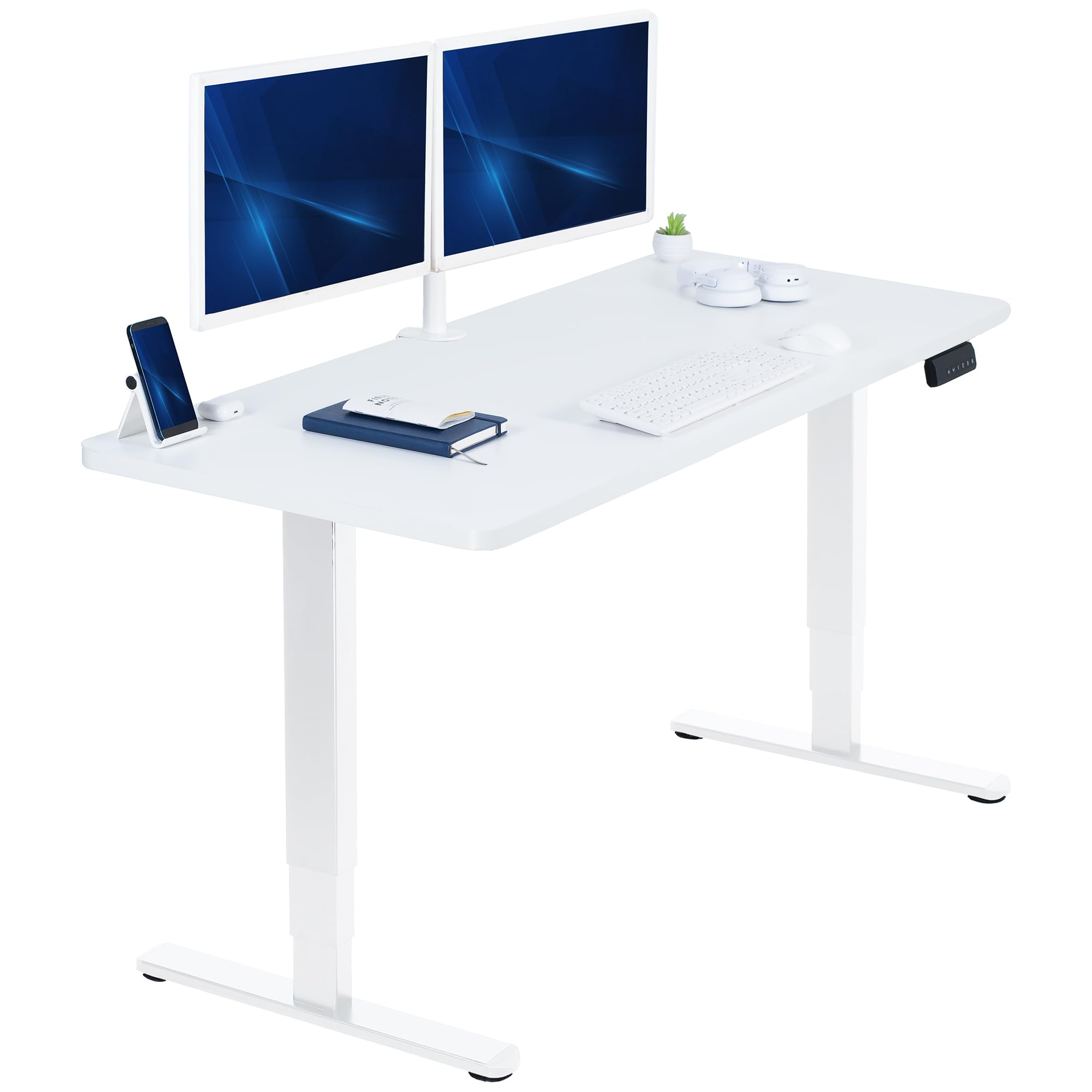
The white version of the VIVO 2B Series offers the same dual-motor, 220-pound capacity frame in a clean white-on-white aesthetic that suits bright, modern home offices. The one-piece 59×23.6-inch particle-board top is scratch-resistant and easy to clean. The dual motors remain quiet during adjustment, and the three memory presets in the push-button controller make transitions effortless.
Users report stable performance at sitting height and moderate stability at standing height — the same lateral wobble under typing pressure that the black version exhibits. The height range of 24.6 to 50.4 inches works for most users between 5 feet 2 inches and 6 feet. The white laminate top stays bright with regular cleaning but shows smudges more readily than the black finish.
Assembly mirrors the black model: picture-based instructions, pre-assembled legs, and a 1.5- to 2-hour build time. The 24-inch depth is the same limitation — deep enough for one monitor on a stand, but cramped with a monitor arm and full-size keyboard. If you want a budget dual-motor desk that matches a white decor scheme, this is the correct choice.
Why it’s great
- White-on-white design fits bright office aesthetics
- Dual motors and 3 memory presets for under entry price
- Scratch-resistant laminate surface is easy to maintain
Good to know
- White top shows smudges and dust more than black
- 24-inch depth limits monitor arm setups
- Wobble at full height under vigorous typing
11. RedLemon 60″ L-Shaped

The RedLemon L-Shaped desk is the only corner configuration in this roundup, offering a 60×60-inch split workspace with a monitor shelf, keyboard tray, and two small drawers. The electric height adjustment ranges from 28 to 46 inches with four memory presets. The built-in power outlets, 360-degree rotating cup holder, and two side hooks make this one of the most feature-packed automated desks at its price.
The RGB LED strip has 12 scene modes and can be cycled through with a remote — great for gaming setups or mood lighting during late-night work sessions. The antique white finish has a subtle wood-grain pattern that is not plain white, which buyers should note. The motor is quiet and smooth, and the desk supports a laptop plus two 24-inch monitors without issue.
The keyboard tray is too shallow to use with a large mouse pad, and the drawers are small — fine for pens and cables but not for files or tablets. Assembly requires 4 hours solo, though the instructions are clear and labeled parts help. If you need an L-shaped automated desk with extra storage and LED ambiance, this is your best budget option.
Why it’s great
- L-shaped design fits corners and maximizes surface area
- RGB LED lighting with 12 scene modes
- Built-in power outlets and rotating cup holder
Good to know
- Keyboard tray is too shallow for large mouse pads
- Drawers are small and not suitable for file folders
- Assembly takes about 4 hours
FAQ
Will a dual-motor desk really eliminate wobble at standing height?
How fast should the lifting speed be for an automated standing desk?
Can I use a monitor arm with any automated standing desk?
What is the difference between a brushed and brushless motor in a standing desk?
Final Thoughts: The Verdict
For most users, the best automated standing desk winner is the UPLIFT DESK V3 80×30 because its dual German motors and three-stage frame deliver zero wobble at full height with a 355-pound capacity that handles any setup. If you want premium ergonomics with a curved waterfall edge and instant tool-free assembly, grab the Vari ComfortEdge 60×30. And for a feature-packed corner desk with RGB lighting and built-in power outlets, nothing beats the RedLemon 60″ L-Shaped.