
An AV capture card sits between your HDMI source and your computer, translating raw video signals into a format your streaming or recording software can read. The problem is that most cheap cards use outdated chipsets that compress color, introduce audio drift, or lock you into 1080p30 when your camera or console can output far more. A proper capture card preserves the exact frame rate and color depth your source produces, and keeps latency low enough that you can monitor your gameplay or camera feed in real time without a separate HDMI splitter.
I’m Min — the co-founder and writer behind Gadgets Feed. I’ve spent hundreds of hours analyzing capture card specifications, cross-referencing real user reports of connection stability, YUY2 versus MJPEG compression artifacts, and the actual passthrough latency figures that determine whether you can play while you stream.
Whether you are upgrading from a generic USB dongle or buying your first dedicated capture device, this guide covers the options that deliver clean video, stable audio, and reliable driver support across Windows, macOS, and Linux. Read on for my picks for the best av capture card for every streaming workflow and budget.
How To Choose The Best AV Capture Card
Choosing a capture card means balancing resolution support, latency, audio handling, and ecosystem compatibility. A card that works well for a Nintendo Switch streamer may fail a dual-PC shooter setup that requires 1440p120 passthrough with VRR. Know your source signal and your capture target before you buy.
Capture Resolution vs Passthrough Resolution
Many cards advertise 4K60 but only capture 4K30 or 1080p60 while the passthrough port forwards the full 4K60 signal to your monitor. If you need to record 4K60 natively, you need a card with a USB 3.2 Gen 2 interface and hardware encoding support for H.265 or H.264 at that bitrate. For most streamers, 1080p60 capture with 4K60 HDR passthrough is the smarter balance.
Audio Channel Handling
Budget cards often embed only two-channel stereo over HDMI, or worse, pass mono audio with a tinny background noise floor. Cards with a dedicated 3.5mm input let you mix a separate microphone or line-in source directly into the capture, bypassing the need for a USB mixer. Check whether the card supports audio line-in and headphone monitoring simultaneously without additional splitter cables.
Quick Comparison
On smaller screens, swipe sideways to see the full table.
| Model | Category | Best For | Key Spec | Amazon |
|---|---|---|---|---|
| ASUS TUF Gaming CU4K30 | Premium External | Dual-PC & 4K HDR Passthrough | 4K30 capture / 4K60 HDR passthrough | Amazon |
| AVerMedia GC571 | PCIe Internal | Internal Dual-Input Streaming | PCIe x4 / 4K60 passthrough | Amazon |
| Elgato Cam Link 4K | Premium External | DSLR / Mirrorless Webcam Use | 4K30 capture / 1080p60 capture | Amazon |
| UGREEN 4K@60Hz | Mid-Range External | High-Framerate & VRR Capture | 4K60 capture / 1080p240 capture | Amazon |
| Mwin Cam Link 4K | Budget-Friendly External | Entry-Level Camera Streaming | 4K30 / 1080p120 capture | Amazon |
| VIXLW Cam Link 4K | Entry-Level External | Casual Switch & Camera Capture | 4K30 / 1080p120 capture | Amazon |
| Swudloe C7-01 | Budget Entry External | Simple 1080p60 Recording | YUY2 1080p60 / 4K30 passthrough | Amazon |
In‑Depth Reviews
1. ASUS TUF Gaming Capture Box CU4K30

The ASUS TUF Gaming CU4K30 packs a durable alloy chassis and a UVC plug-and-play design that OBS recognizes instantly without any proprietary driver bloat. It delivers 4K30 capture or 1080p120 capture, while the HDMI passthrough forwards up to 4K60 HDR with variable refresh rate support, so your gaming monitor stays smooth even as you record. The built-in 3.5mm ports allow controller and headset audio to be mixed directly into the stream without an external mixer.
Real-world reports confirm zero-latency passthrough on a PS5 connected to a 240Hz 4K panel, and the initial OBS audio delay is fixed with a simple sync offset adjustment in the software. The metal body feels genuinely rugged compared to the plastic shells of budget alternatives, and the compact footprint makes it easy to slot into a laptop bag or an ITX rig that lacks a spare PCIe slot. A few users report intermittent connection drops that require re-plugging the USB cable, though this seems to affect a small batch.
The trade-off is the capture ceiling — you cannot record native 4K60 from an HDMI 2.1 source. If your workflow demands 4K60 capture natively, you need a more expensive internal card. But for the vast majority of streamers who game at 1440p or 4K and stream at 1080p60, this is the most polished external USB capture card available today.
Why it’s great
- Rock-solid metal build with premium fit and finish
- Instant OBS recognition with UVC, no drivers needed
- 4K60 HDR passthrough with VRR support
Good to know
- Capture limited to 4K30 or 1080p120, not 4K60 native
- Occasional re-plug needed for some units to be recognized
2. AVerMedia Live Streamer Ultra HD GC571

The AVerMedia GC571 is an internal PCIe x4 capture card that supports 4K60 passthrough and 4K30 capture with full VRR support, making it an ideal pick for desktop streamers who want a permanent, low-latency solution inside their gaming PC. It captures at 1080p120 high frame rate and uses HDMI 2.0 input, so it handles the full bandwidth of a PS5 Pro or Xbox Series X at 4K60 without compression artifacts on the passthrough side.
Users praise its drive-free installation — the card is recognized within seconds on Windows 11 without extra software, and the RGB lighting provides a clean visual status indicator for input locking. The GC571 records two HDMI inputs simultaneously, which is a rare feature at this price tier and invaluable for streamers who run a console and a PC camera setup. Some users note that audio crackles when both inputs are active, and the RGB control software is limited compared to motherboard ecosystems.
Because it is a PCIe card, it is not suitable for laptops or ITX builds without a free full-height slot. You also need Windows 10 or 11 x64; Mac and Linux users are out of luck. But for a dedicated gaming rig that stays put, the GC571 delivers the lowest capture latency and highest passthrough stability of any card in this roundup.
Why it’s great
- Dual HDMI input for simultaneous console and camera capture
- 4K60 passthrough with VRR for tear-free gaming
- Plug-and-play PCIe installation with no external power
Good to know
- Windows-only; no macOS or Linux support
- Audio crackling reported when both inputs are active
3. Elgato Cam Link 4K

The Elgato Cam Link 4K is the de facto standard for turning a DSLR or mirrorless camera into a high-quality webcam. It supports 4K30 capture and 1080p60 capture, with ultra-low latency that keeps audio and video in sync for professional video calls, podcasting, and live streaming. The USB 3.0 interface requires no external power, and the card works natively with Zoom, OBS, Discord, and Teams without any driver installation.
Users report flawless integration with Sony ZV-E10 and Nikon D750 cameras, delivering sharp, lag-free 1080p60 video with accurate colors straight out of the box. The card runs warm during extended use, so you should unplug it when not in use. A minor caveat: the Cam Link uses a micro HDMI to standard HDMI cable, which adds an extra adapter step if your camera has a full-size HDMI port. Some users also note noticeable latency with fast-paced console games — this card is built for camera workflows, not low-latency console passthrough.
The build is plastic but lightweight at 0.71 ounces, and the included USB 3.0 extension cable adds flexibility for positioning. If your primary use case is transforming your camera into a professional streaming or video-conferencing tool, the Cam Link 4K remains the gold standard for reliability and software ecosystem support.
Why it’s great
- Trusted brand with mature driver stability and wide app support
- Sharp 1080p60 capture with ultra-low audio-video sync delay
- Works as a field monitor with iPad over USB-C
Good to know
- Runs warm; needs to be unplugged when idle
- Noticeable latency for gaming passthrough — not ideal for console capture
4. UGREEN 4K@60Hz Capture Card

The UGREEN 4K@60Hz capture card punches well above its mid-range price by offering native 4K60 capture and 1080p240 capture in MJPEG format, along with 4K60 HDR passthrough and VRR support. The aluminum housing with cooling holes keeps the card stable during long streams, and the seven RGB lighting modes add a stylish touch without feeling gimmicky. It also includes three 3.5mm ports — headphone, mic, and line-in — letting you integrate a microphone, mixer, and monitoring headset without a separate audio interface.
Real-world users consistently praise the smooth 4K30 video quality and sharp frames, though one detailed review points out poor audio performance with a 15dB noise floor and modulated digital interference from the capture circuitry. The card works across Windows, macOS, Linux, iOS 17, and Android, making it one of the most versatile cross-platform options in this guide. Note that USB 3.0 Type-A or Type-C output is required for full performance; connecting to a USB 2.0 port will limit resolution and add latency.
If audio quality is your top priority, the UGREEN may frustrate you without a separate inline ground-loop isolator. But for streamers who need the highest frame rate capture in this price bracket and can manage audio separately, this card offers the best raw capture specs for the money.
Why it’s great
- Native 4K60 capture and 1080p240 for smooth slow-motion recording
- Triple 3.5mm ports eliminate need for separate audio interface
- Cross-platform support including iOS 17 and Android
Good to know
- Audio quality is noisy with a high noise floor and digital interference
- Requires USB 3.0 port for full resolution and low latency
5. Mwin Cam Link 4K

The Mwin Cam Link 4K provides a cost-effective entry point for streamers and content creators who want 4K30 capture and 1080p120 recording without spending on premium-brand hardware. The USB 3.0 interface delivers ultra-low latency video sharing, and the card is truly plug-and-play with no drivers or external power required. It works with DSLRs, camcorders, action cams, and game consoles including PS5, Xbox Series X, and Nintendo Switch.
User feedback highlights excellent image quality with a low-aperture lens and stable 4-hour streaming sessions without crashes. The plastic build feels lightweight and a bit cheap, and there is no included extension cable, so you may need to buy one for easier cable management. A minor color temperature difference compared to the original source is easily corrected with an OBS LUT filter.
The capture ceiling is 4K30 MJPEG, not 4K60, and some users report that the advertised 1080p120 mode works best with specific software configurations. For the budget-conscious creator who is not chasing 4K60 or perfect color accuracy out of the box, the Mwin Cam Link 4K delivers reliable performance at a price that leaves room for a better microphone or lighting.
Why it’s great
- Truly plug-and-play with no drivers needed on Windows or Mac
- Stable 4-hour streaming sessions with reliable connection
- Wide compatibility with DSLRs, consoles, and microscopes
Good to know
- Plastic build feels lightweight; no extension cable included
- Not true 4K60 capture; maxes out at 4K30 MJPEG
6. VIXLW Cam Link 4K
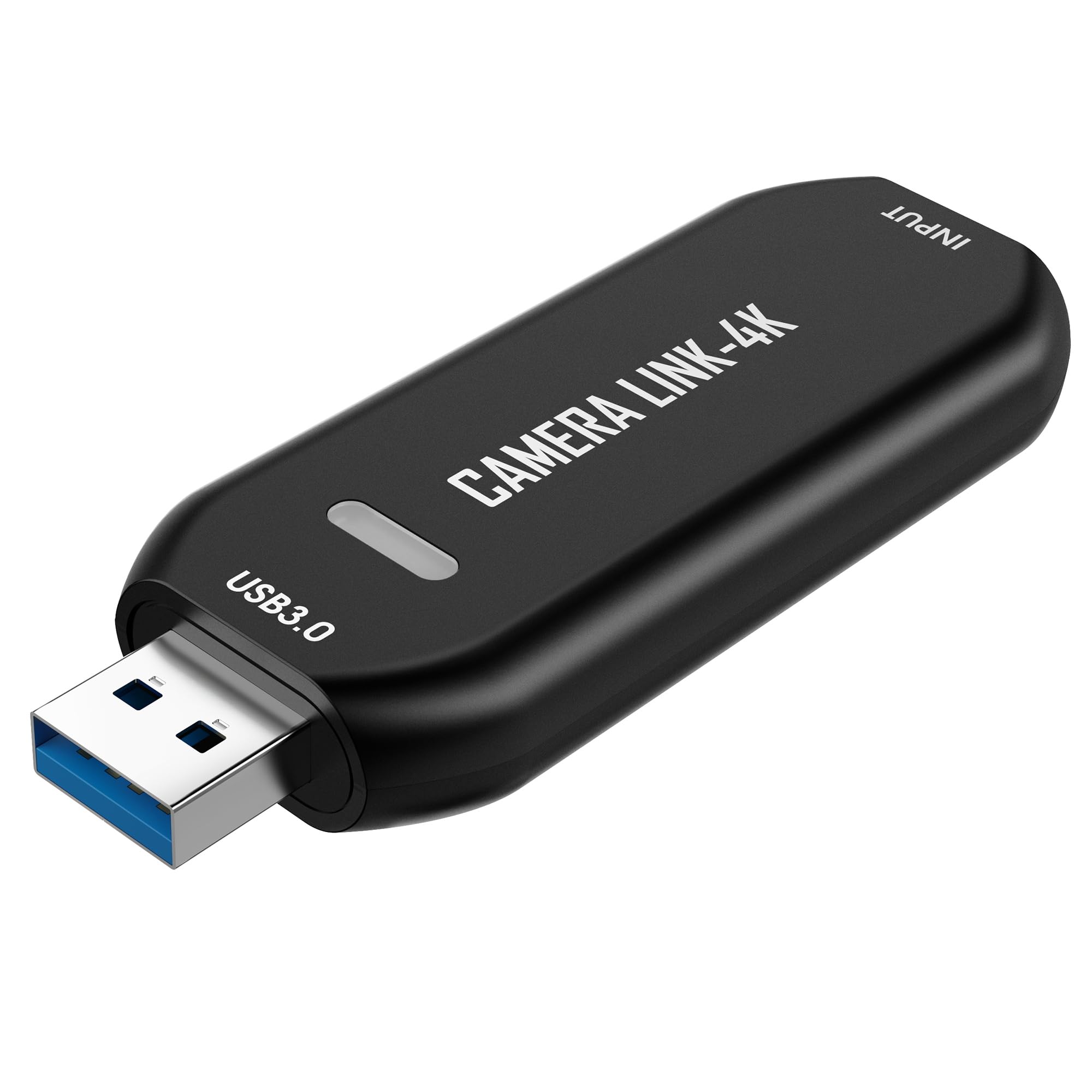
The VIXLW Cam Link 4K is an entry-level external capture card that lets you turn a DSLR, camcorder, or action camera into a high-quality webcam for streaming, video calls, or precision work recording. It supports 4K30 and 1080p120 capture over USB 3.0, and it is automatically recognized by OBS, Zoom, and Teams without any driver installation. The ultra-low latency design keeps audio and video in sync for live presentations and casual streaming.
User reviews confirm it works well for Nintendo Switch streaming at 1080p30 or 720p60, though the single HDMI port forces you to use software passthrough rather than a dedicated monitor output. A common workaround is using an HDMI splitter to send a separate signal to your TV. Some users report a slight color tint that is easily corrected with an OBS LUT filter, and the audio is mono over HDMI — you will need a separate USB microphone or a Voicemeeter setup for real-time audio monitoring.
The card runs warm during extended use and does not include an HDMI cable. It is best suited for entry-level streamers who want to test the waters with a console or camera before investing in a premium card. If you need zero-latency passthrough or multi-channel audio, spend a bit more on a mid-range option.
Why it’s great
- Budget-friendly entry point for casual streaming
- Supports 4K30 and 1080p120 capture for smooth recording
- Plug-and-play with no driver installation required
Good to know
- No HDMI passthrough port; requires a separate splitter for zero-lag monitoring
- Mono audio over HDMI; needs external mic or Voicemeeter
7. Swudloe C7-01 HDMI Capture Card
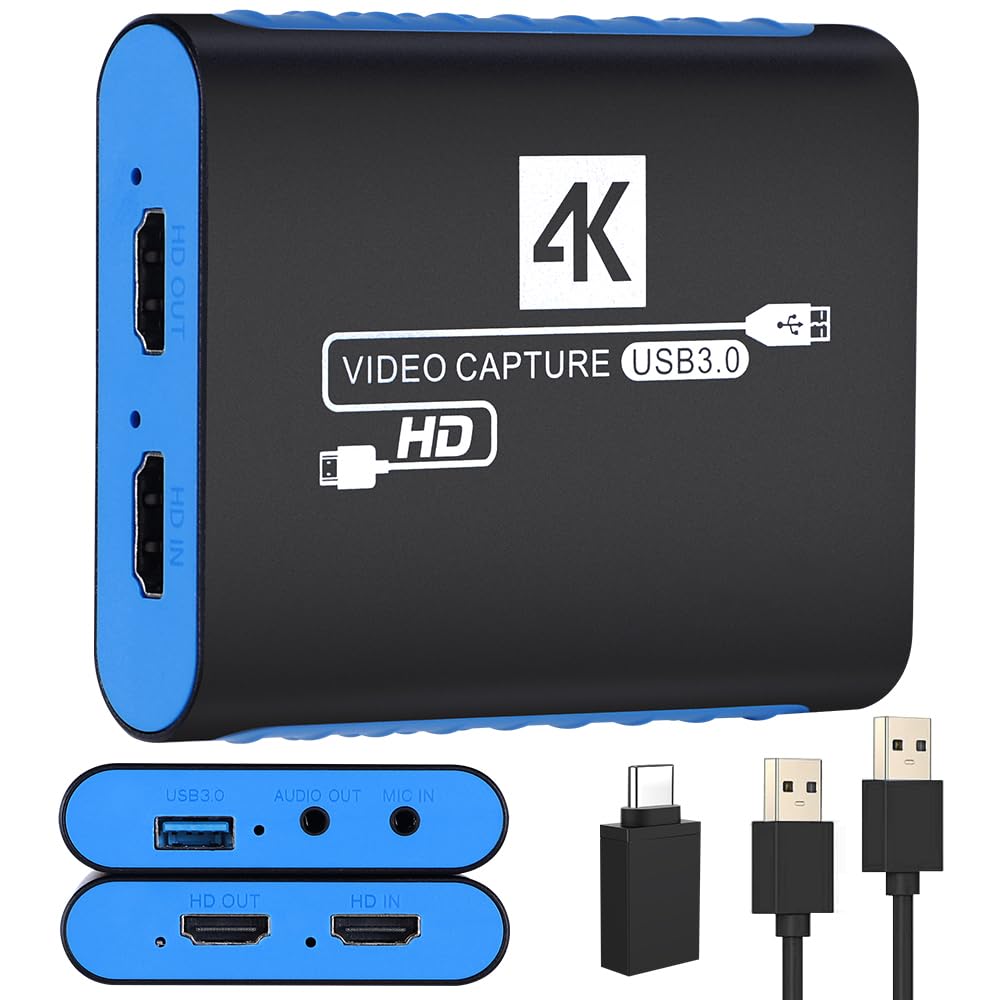
The Swudloe C7-01 is a no-frills capture card that focuses on delivering YUY2 uncompressed 1080p60 video for the lowest possible price. It supports 4K30 HDMI input and passthrough, so you can connect a console or camera and forward the signal to a monitor while recording at 1080p60. The built-in 3.5mm audio input and output ports let you capture microphone or line-in audio directly, a welcome feature at this price tier.
Users consistently praise its plug-and-play simplicity — it works like a webcam in OBS without any driver installation. The video quality is sharp with minimal compression artifacts, and one reviewer compared it favorably to a capture device in terms of HDCP compatibility and color accuracy. There is a minor static background noise on the audio line, but it is faint enough to be ignored or reduced with a noise gate in OBS.
The card is small and lightweight, but the USB 3.0 plug sticks out from the computer and could break if bumped. There is no included HDMI cable, and the 4K30 passthrough is not true 4K60 passthrough, so high-refresh-rate gamers should look elsewhere. For anyone who just needs clean 1080p60 recording with simple audio mixing, this is the cheapest reliable option on the list.
Why it’s great
- YUY2 uncompressed 1080p60 for superior color accuracy
- Built-in 3.5mm audio input and output for mic/headset mixing
- Impressive HDCP compatibility and reliable signal lock
Good to know
- Slight static background noise on audio line
- USB plug sticks out; could snap if bumped
FAQ
Can I use an AV capture card with a Nintendo Switch without a splitter?
What does YUY2 1080p60 give me that MJPEG 1080p60 does not?
Is a PCIe internal capture card better than a USB external one for latency?
Final Thoughts: The Verdict
For most users, the best av capture card is the ASUS TUF Gaming CU4K30 because it delivers the highest passthrough quality with VRR and HDR support in a durable metal case that fits any desktop or laptop bag. If you need dual-input simultaneous capture for a console and camera setup, grab the AVerMedia GC571. And for a budget-friendly 1080p60 capture with YUY2 quality, nothing beats the Swudloe C7-01.