
A stream that drops frames during a critical moment isn’t just a technical glitch; it’s the fastest way to lose an audience. Finding a machine that can handle encoding a live video feed without freezing your game or commentary overlay is the central challenge for any aspiring creator on a tight budget. The right processor and enough memory to keep OBS or Streamlabs running smoothly alongside your capture card or software encoder make all the difference between a professional broadcast and a frustrating slideshow.
I’m Min — the co-founder and writer behind Gadgets Feed. I’ve spent countless hours analyzing processor benchmarks, memory bandwidth constraints, and thermal performance data to separate the machines that can actually handle a live encoding workload from those that will choke under the pressure.
This guide focuses on machines capable of maintaining a stable bitrate and frame rate during live broadcasts, helping you identify the best budget laptop for live streaming that won’t let you down when the red light turns on.
How To Choose The Best Budget Laptop For Live Streaming
Selecting a laptop for live streaming on a limited budget requires shifting your focus from the GPU to the CPU and RAM. Most budget machines lack a dedicated graphics card, so the processor must handle all the encoding work. A quad-core chip with a decent clock speed is the minimum requirement to stream without significant frame drops. You also need enough memory to run both your streaming software and the game or application you are broadcasting, all without the system locking up.
Processor Encoding Power
The central processor performs software encoding (x264) in applications like OBS. Look for an AMD Ryzen 3 or Ryzen 5, or an Intel Core i3 or i5 from recent generations. Processors like the N100 or Celeron typically struggle with even a single-stream 720p encode when the system is under load, leading to stuttering video. A chip with a base clock above 2.0 GHz and a turbo boost into the 4.0 GHz range provides the headroom needed for a stable broadcast.
RAM and Storage Requirements
8GB of RAM is the absolute floor for streaming, though 16GB is strongly recommended to prevent OBS from crashing when you have multiple browser sources, alerts, and a chat overlay open simultaneously. The storage drive also matters: a solid-state drive (SSD) is mandatory. A 128GB SSD fills up quickly if you record locally, so a 256GB or 512GB drive offers more breathing room for your stream recordings and overlays.
Webcam and Connectivity
Your laptop’s built-in webcam is your primary interface with your audience. A 720p camera is standard on budget models, while a 1080p sensor provides noticeably sharper detail for face-cam overlays. Port selection is also critical: you need at least one USB 3.0 port for a capture card if you are streaming from a console, and an HDMI output to connect a secondary monitor for chat and stream management.
Quick Comparison
On smaller screens, swipe sideways to see the full table.
| Model | Category | Best For | Key Spec | Amazon |
|---|---|---|---|---|
| Acer Aspire Go 15 (Ryzen 7) | Premium | High-bitrate 1080p Streaming | AMD Ryzen 7 7730U / 16GB RAM | Amazon |
| NIMO 15.6 | Premium | Light Gaming + Stream | AMD Ryzen 7 7735HS / 32GB RAM | Amazon |
| Lenovo ThinkPad E14 Gen 7 | Premium | Business Streams & Conferencing | AMD Ryzen 7 250 / 16GB RAM | Amazon |
| Apple MacBook Neo 13 | Premium | Ecosystem & Mobile Streaming | A18 Pro / 8GB Unified Memory | Amazon |
| Dell 15 (Core 3) | Mid-Range | 120Hz Display for Preview | Intel Core 3 100U / 8GB RAM | Amazon |
| HP Pavilion 15.6 | Mid-Range | Student & Entry-Level Streaming | Intel N100 / 8GB RAM | Amazon |
| ASUS Vivobook Go 15 | Mid-Range | FHD Display & Fast Charging | AMD Ryzen 3 7320U / 8GB RAM | Amazon |
| Acer Aspire Go 15 (Ryzen 3) | Mid-Range | Affordable AMD Foundation | AMD Ryzen 3 7320U / 8GB RAM | Amazon |
| KOOFORWAY 8 Inch | Mid-Range | Ultra-Portable 2-in-1 Streaming | Intel N150 / 12GB RAM | Amazon |
| HP Stream 14 (16GB) | Budget | Lightweight Chat & Overlay | Intel Celeron N4120 / 16GB RAM | Amazon |
| HP Stream 14 (Celeron N150) | Budget | Basic 720p Streaming | Intel Celeron N150 / 16GB RAM | Amazon |
In‑Depth Reviews
1. Acer Aspire Go 15 AI Ready Laptop (Ryzen 7)

The Acer Aspire Go 15 with the Ryzen 7 7730U processor is the strongest all-around performer in this budget category for live streaming. Its eight-core, sixteen-thread CPU provides enough raw encoding power to maintain a stable 1080p stream at a high bitrate, even while running a game or application in the background. The 16GB of DDR4 memory ensures OBS Studio has plenty of headroom for browser sources, alerts, and chat overlays without forcing the system into paging file territory.
The 15.6-inch Full HD IPS display is sharp enough to monitor your stream preview and chat comfortably. The inclusion of Wi-Fi 6 ensures your upload connection stays stable, which is critical for avoiding dropped frames during a broadcast. The dedicated Copilot key offers quick access to AI tools, but the real value is in the raw CPU performance, which rivals machines costing significantly more.
Storage is handled by a 512GB PCIe Gen 4 SSD, giving you ample room for your stream recordings and overlay assets without requiring an immediate external drive purchase. The Acer TNR solution and PurifiedVoice technology also improve the built-in microphone and camera quality, making your face-cam and vocal audio clearer for your audience.
Why it’s great
- Eight-core Ryzen 7 delivers excellent x264 encoding performance
- 16GB RAM provides headroom for OBS and background apps
- Wi-Fi 6 connection maintains stable upload bandwidth
Good to know
- Integrated Radeon graphics limit high-end gaming while streaming
- No dedicated Ethernet port for the most stable connection
2. NIMO 15.6 Light-Gaming Laptop
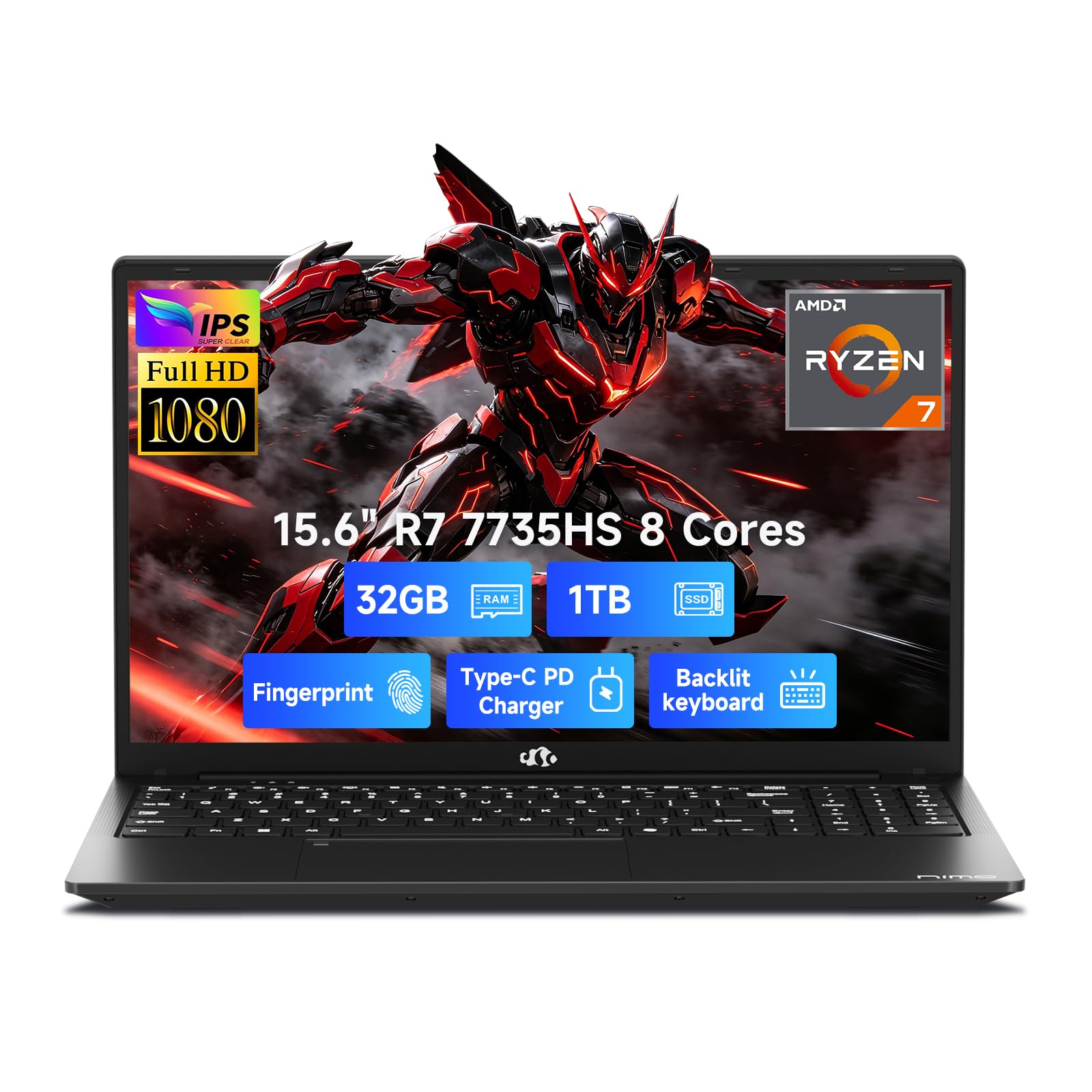
The NIMO 15.6 stands out by packing a Ryzen 7 7735HS processor and 32GB of DDR5 RAM into a chassis designed for creators who need to game and stream simultaneously. The 7735HS has eight cores and sixteen threads with a boost clock up to 4.75 GHz, providing the single-core speed for game performance and the multi-core throughput for a high-bitrate 1080p encode. The Radeon 680M integrated graphics are among the most powerful iGPUs available, capable of handling lighter games natively while streaming.
The 1TB NVMe SSD eliminates storage anxiety, allowing you to record hours of gameplay in high quality without worrying about disk space. The backlit keyboard and fingerprint reader are useful for late-night streaming sessions, while the 100W PD fast charging means you can top up the battery quickly between broadcasts. The 15.6-inch FHD IPS display with an anti-glare coating reduces reflections from studio lights.
The 32GB memory pool is overkill for most streaming scenarios, but it future-proofs the system against increasingly demanding OBS plugins and multitasking requirements. The machine also includes HDMI and multiple USB ports, making it easy to connect a capture card for console streaming.
Why it’s great
- 32GB DDR5 RAM handles demanding multi-stream setups
- Radeon 680M iGPU can game at 1080p low settings while streaming
- 100W PD fast charging keeps downtime minimal
Good to know
- Fan noise can be noticeable under full encoding load
- Build quality is more plastic than premium metal chassis
3. Lenovo ThinkPad E14 Gen 7
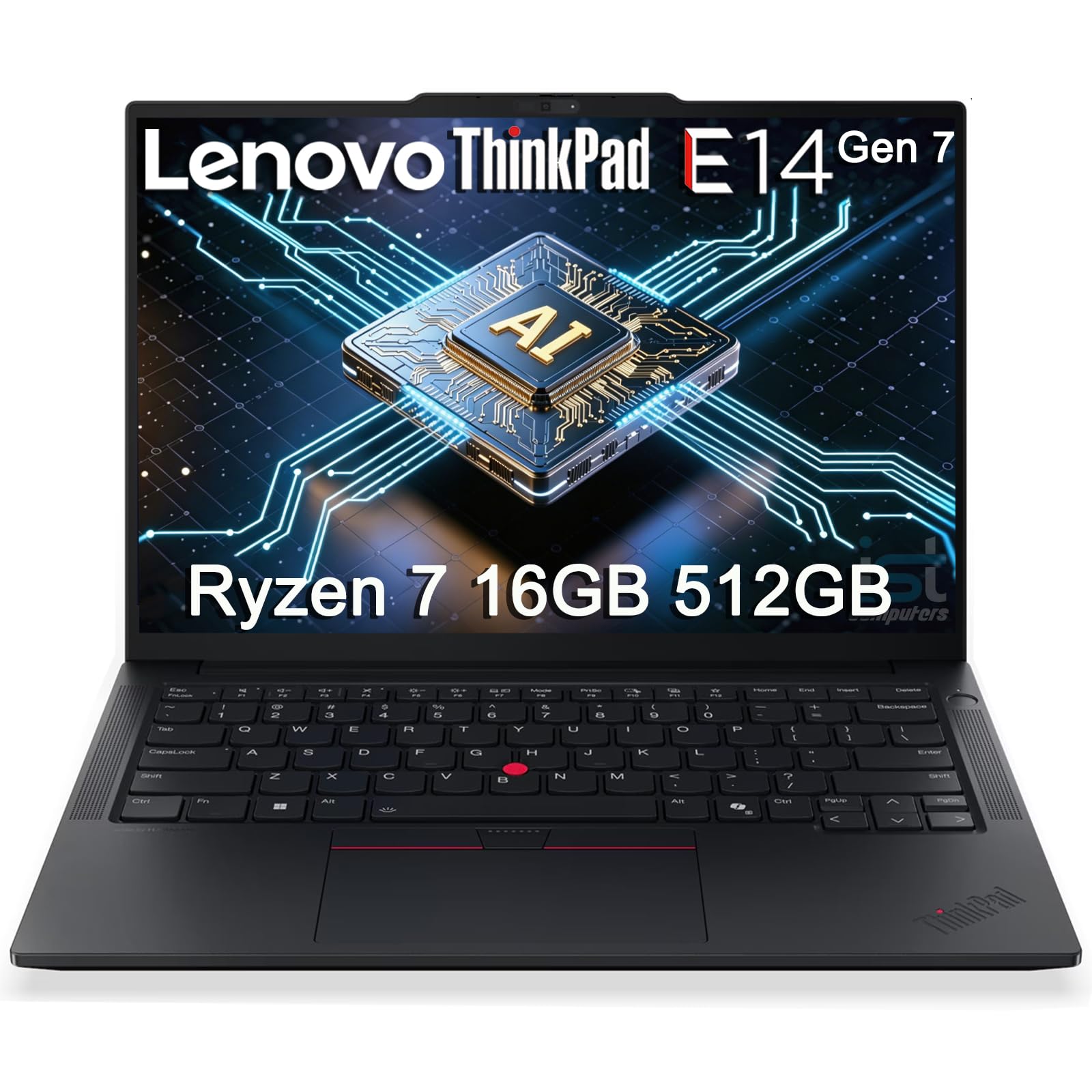
The Lenovo ThinkPad E14 Gen 7 brings the legendary ThinkPad build quality and an AMD Ryzen 7 250 processor into a compact 14-inch form factor. The Ryzen 7 250 is an AI-optimized chip that excels at dynamic workload management, making it one of the most efficient processors in this list for maintaining a stable stream encode without excessive power draw. The 16GB of DDR5 RAM is sufficient for OBS running alongside a browser with alerts and chat.
The 14-inch WUXGA (1920 x 1200) IPS display offers a taller aspect ratio that provides more vertical screen real estate, which is useful for seeing more of your OBS layout at once. The 5MP webcam with a privacy shutter is a class leader at this price point, delivering noticeably sharper face-cam video than the standard 720p sensors found on most budget machines. The inclusion of an RJ-45 Ethernet port is a major win for streamers who need the most stable wired connection.
The MIL-STD 810H certification means this laptop is built to survive the bumps of being carried to different streaming locations. The backlit keyboard and fingerprint reader add convenience, while the AI Copilot integration helps manage your workflow across multiple applications.
Why it’s great
- Built-in RJ-45 Ethernet ensures a rock-solid wired connection
- 5MP webcam delivers superior face-cam video quality
- Military-grade durability for travel between streaming setups
Good to know
- 14-inch screen is smaller for managing complex OBS layouts
- Integrated Radeon 780M graphics are capable but not for AAA gaming
4. Apple 2026 MacBook Neo 13-inch

The Apple MacBook Neo 13-inch rewrites the rules for budget streaming laptops by leveraging the A18 Pro chip’s hardware media encoder. This dedicated encoding engine offloads the video compression work from the main CPU, allowing for incredibly efficient 1080p streaming that barely impacts system performance. The 8GB of unified memory is shared between the CPU and GPU, and Apple’s memory architecture makes this 8GB feel far more capable than 8GB of standard DDR4 in a Windows machine for streaming tasks.
The 13.3-inch Liquid Retina display with a 2408-by-1506 resolution and 500 nits of brightness provides an exceptional canvas for monitoring your stream and managing your chat. The 1080p FaceTime HD camera with a dual-mic array delivers crisp video and clear audio for your face-cam without needing an external microphone for basic streams. The up to 16 hours of battery life means you can stream from a coffee shop without hunting for an outlet.
The macOS ecosystem is a double-edged sword for streamers: OBS Studio runs excellently, but some game-specific plugins and overlays designed for Windows may not work. The dual USB-C port setup (with one being USB 2.0 speed) is limiting for connecting multiple peripherals without a dongle.
Why it’s great
- Hardware encoder on A18 Pro allows efficient 1080p streaming
- 1080p webcam is among the best-in-class for a budget laptop
- Extremely long battery life for mobile streaming sessions
Good to know
- Only two USB-C ports severely limits peripheral connectivity
- 8GB unified memory is non-upgradable and may limit heavy multitasking
5. Dell 15 Laptop (Core 3 100U)

The Dell 15 offers an unusual feature for a budget laptop: a 120Hz display. This higher refresh rate provides a noticeably smoother experience when previewing your stream or navigating OBS, as the interface and any game windows will feel more responsive. The Intel Core 3 100U processor is a 12th-gen Alder Lake chip with a hybrid architecture that provides decent multi-core performance for encoding a 720p stream, though 1080p may require lowering settings.
The 8GB of DDR4 RAM is the minimum viable amount for streaming, and you will need to close unnecessary background applications to keep OBS stable. The 512GB SSD is a generous amount of storage at this price point, allowing you to record your streams locally without immediately needing an external drive. The Express Charge support is useful for powering up between broadcasts.
The Dell ComfortView software reduces blue light emissions, which is helpful during long streaming sessions. The inclusion of a separate numeric keypad is a bonus for creators who need to input numbers quickly. The build quality feels solid for the price, and the lifted hinge design provides a comfortable typing angle.
Why it’s great
- 120Hz display provides a smooth stream preview experience
- 512GB SSD provides ample local recording storage
- Express Charge support for quick top-ups between streams
Good to know
- 8GB RAM limits multitasking with OBS and browser sources
- Core 3 100U is best suited for 720p streaming, not 1080p high-bitrate
6. HP Pavilion 15.6 FHD Laptop

The HP Pavilion 15.6 is a solid entry-level machine for a student who wants to start live streaming without a large investment. The Intel N100 processor, with its four efficient cores, is capable of handling a 720p software encode for casual streaming, though it will struggle with the demands of a 1080p high-bitrate broadcast. The 8GB of DDR4 RAM is the baseline requirement for OBS, and you will need to keep your browser sources minimal.
The 15.6-inch Full HD anti-glare display is good for monitoring your stream and working on school assignments. The 256GB PCIe NVMe SSD provides fast boot times and enough space for OBS and a few recording files. The inclusion of Wi-Fi 6 and Bluetooth 5.3 ensures modern wireless connectivity, while the camera privacy shutter gives you control over your privacy when not streaming.
The lightweight design at 3.64 pounds makes it easy to carry between your dorm room and a campus streaming event. The bundled USB Type-C to RJ-45 cable is a thoughtful addition for users who need a wired connection. The N100 is a power-efficient chip, keeping fan noise low during light streaming loads.
Why it’s great
- Lightweight and portable for carrying between streaming locations
- Wi-Fi 6 and Bluetooth 5.3 provide modern wireless connectivity
- Anti-glare display reduces reflections from studio lights
Good to know
- Intel N100 processor is limited to 720p streaming
- 8GB RAM is the bare minimum and will require careful OBS optimization
7. ASUS Vivobook Go 15

The ASUS Vivobook Go 15 delivers the AMD Ryzen 3 7320U processor, a quad-core chip that provides a significant leap in encoding performance over Intel’s N-series processors. The Ryzen 3’s Zen 3 architecture can handle a 720p stream with less frame dropping and can even manage a light 1080p encode if you limit the bitrate and close background applications. The 8GB of DDR5 memory offers higher bandwidth than DDR4, which helps feed data to the CPU faster.
The 15.6-inch NanoEdge display with its slim bezels gives the laptop a modern look. The fast charging capability is a practical feature for streamers who need to power up between broadcasts. The ergonomic ErgoSense keyboard and precision touchpad are comfortable for managing your streaming software during a broadcast.
The inclusion of a webcam privacy shield is a nice security touch. The comprehensive port selection, including USB-C for power and display, USB-A, and HDMI 1.4, provides flexibility for connecting a capture card or external monitor. The military-grade durability testing suggests it can handle the rigors of being moved between different streaming setups.
Why it’s great
- AMD Ryzen 3 7320U offers better encoding than Intel N-series chips
- Fast charging gets the battery back up quickly between streams
- Military-grade durability ensures longevity with frequent travel
Good to know
- 8GB RAM is the baseline; 720p streaming is the safe target
- 128GB SSD fills up quickly with local recording files
8. Acer Aspire Go 15 AI Ready (Ryzen 3)

The Acer Aspire Go 15 with the AMD Ryzen 3 7320U is the most affordable entry point into the Ryzen ecosystem for streaming. The quad-core processor is well-suited for a 720p encode with a stable frame rate, and the integrated Radeon 610M graphics can handle basic 2D games for a low-intensity stream. The 8GB of LPDDR5 memory is soldered on, so choose your storage capacity carefully—the 128GB SSD will fill up fast with stream recordings.
The 15.6-inch Full HD IPS display is sharp and offers good viewing angles for monitoring your stream. The Wi-Fi 6 connectivity ensures a modern wireless connection, though a wired Ethernet dongle via the USB-C port is recommended for the most stable upload. The AcerSense utility helps manage battery life and storage performance.
The Copilot in Windows integration provides an AI assistant, though this is a software feature, not a hardware advantage. The dual full-function USB-C ports are a rarity at this price and provide flexibility for connecting peripherals and external displays. This is a no-frills foundation for a streamer on a very tight budget.
Why it’s great
- AMD Ryzen 3 chip provides solid 720p encoding performance
- Dual USB-C ports for connecting peripherals and a capture card
- Full HD IPS display offers a sharp stream preview
Good to know
- 128GB SSD is insufficient for local recording without an external drive
- Soldered RAM cannot be upgraded later
9. KOOFORWAY 8 Inch 2-in-1 Mini Laptop
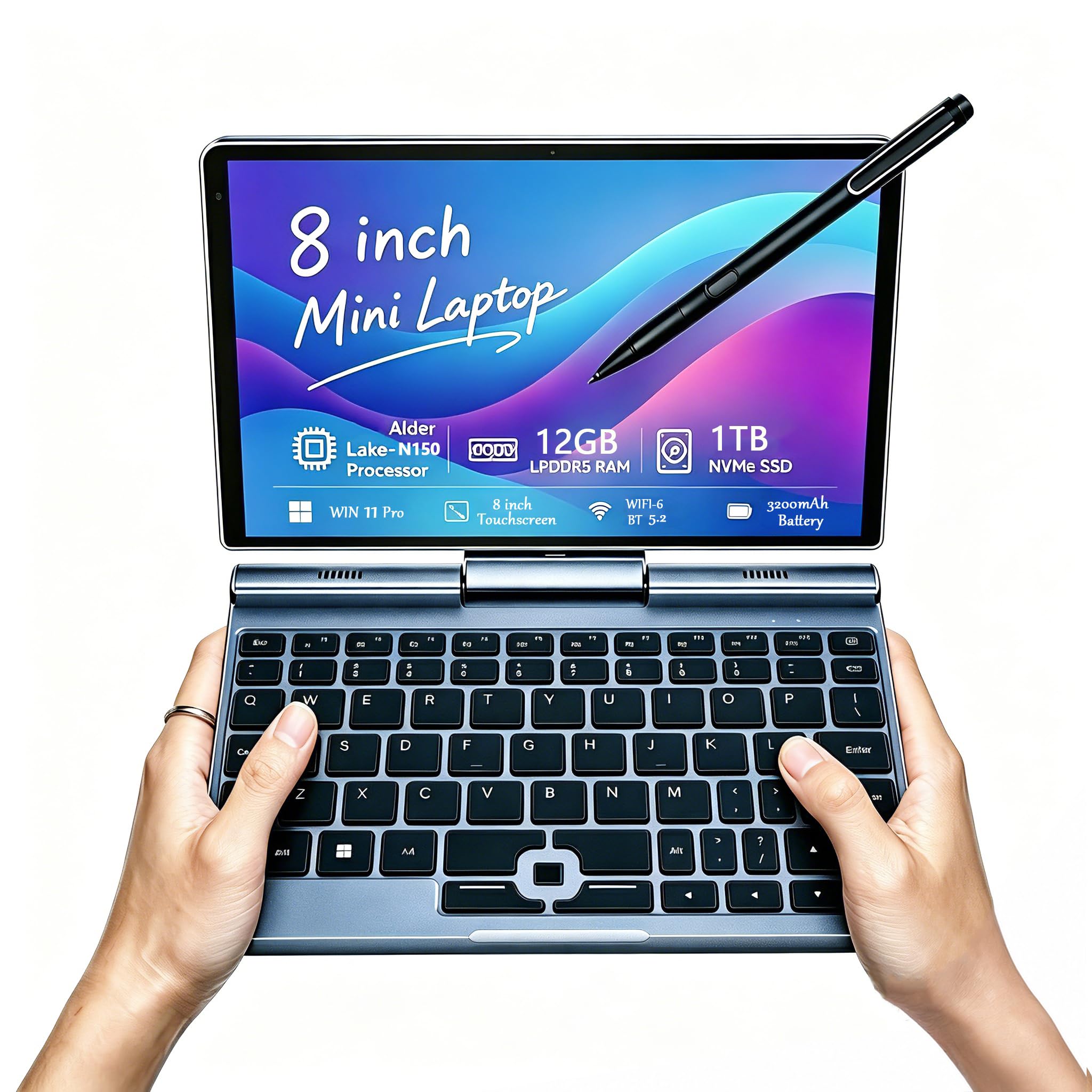
The KOOFORWAY 8-inch is a unique 2-in-1 that prioritizes portability over raw encoding power. Its Intel N150 processor can manage a low-bitrate 720p stream for simple content like a podcast or a desktop stream, but it is not suited for gaming and streaming simultaneously. The 12GB of LPDDR5 RAM is generous for this form factor and helps OBS run without crashing.
The 1280×800 touchscreen supports a 1024-level stylus, making this machine interesting for streamers who do art or need a portable second screen for chat management while using a desktop as the main streaming PC. The Wi-Fi 6 and Bluetooth 5.2 connectivity are modern. The inclusion of an HDMI port means you can drive an external display for a better view.
The small 8-inch screen is a major limitation for managing a complex OBS layout, and the keyboard is cramped for long typing sessions. The built-in 2MP webcam is basic. This is a niche tool for streamers who need an ultra-portable companion device rather than a primary streaming rig.
Why it’s great
- Ultra-portable 8-inch design fits in a small bag
- 12GB RAM in a compact form factor helps OBS stability
- Touchscreen with stylus support for creative streaming overlays
Good to know
- Intel N150 processor is severely limited for encoding
- 8-inch screen is too small for complex OBS management
10. HP Stream 14 (16GB RAM, Intel N4120)
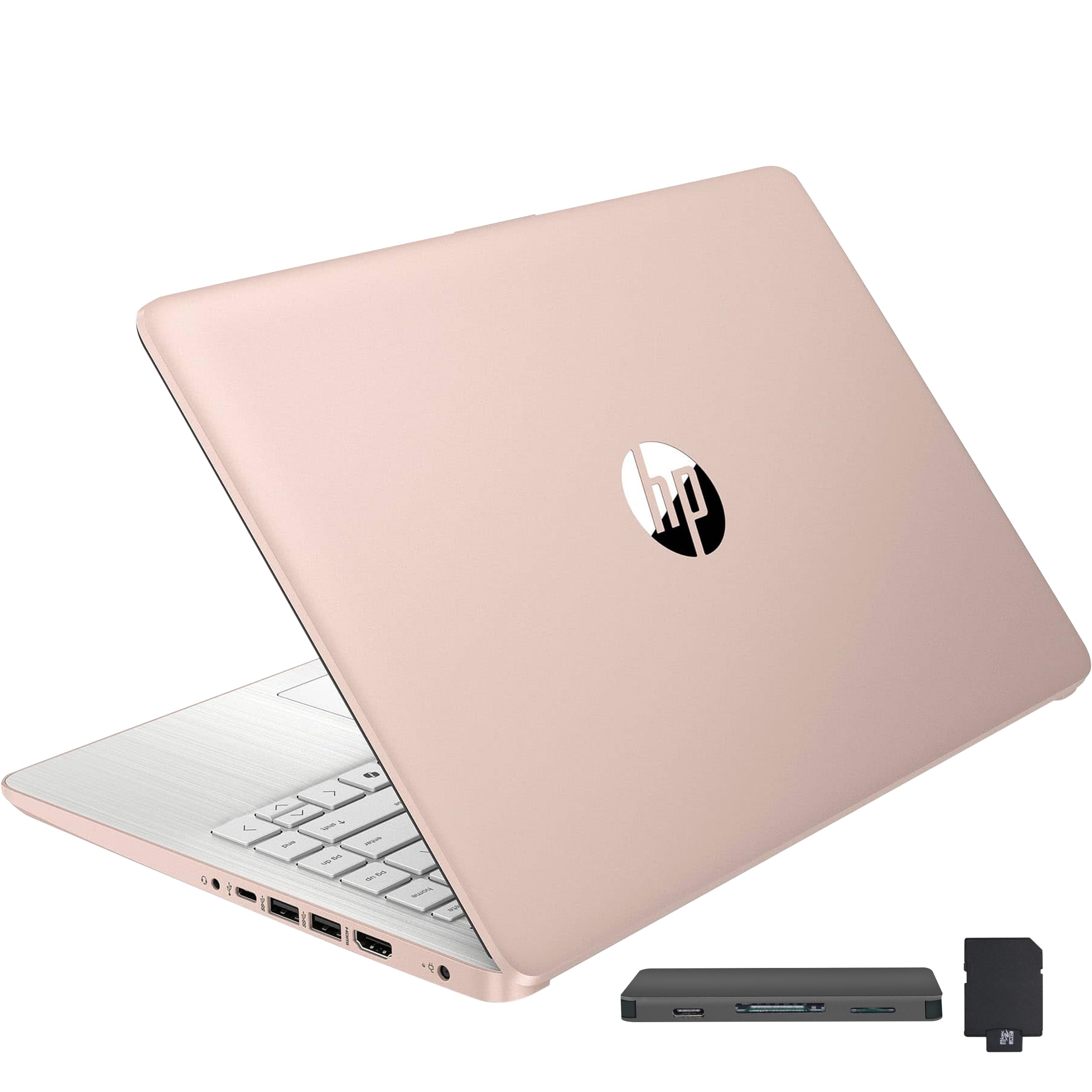
The HP Stream 14 with 16GB of DDR4 RAM is a paradox: it has double the memory of most budget machines, but its Intel Celeron N4120 processor is the weakest link. The quad-core Celeron can just barely handle a 720p encode at a low bitrate, but any increase in scene complexity—multiple browser sources, alerts, a game capture—will cause frame drops. The 16GB RAM is useful for keeping many browser tabs open without slowing down the system.
The 14-inch HD BrightView display has a native resolution of 1366 x 768, which is lower than the Full HD panels found on other budget machines. This lower resolution reduces the detail you can see in your stream preview. The inclusion of a 7-in-1 docking station with extra storage and a MicroSD card adapter provides some value for expanding the 128GB eMMC storage.
The machine is lightweight at 3.24 pounds and offers a decent battery life of up to 10 hours. This laptop is best suited for a streamer who primarily uses an external capture card and does very light overlay management, but it will frustrate anyone trying to do a single-PC stream of a game.
Why it’s great
- 16GB RAM provides great multitasking capacity for the price
- Lightweight and portable for on-the-go streaming
- Included docking station adds storage and connectivity ports
Good to know
- Celeron N4120 processor is barely adequate for 720p encoding
- 1366 x 768 display is low resolution for managing a stream
11. HP Stream 14 (16GB RAM, Intel N150)
The second HP Stream 14 variant uses the newer Intel N150 processor, which offers slightly improved efficiency over the N4120 but remains a budget-oriented chip. The N150 is capable of a 720p software encode at low settings, but the user experience will be marred by high CPU usage and potential stuttering whenever the stream scene changes rapidly. The 16GB of DDR4 RAM is again the standout feature, providing more memory headroom than most machines in this price bracket.
The 14-inch HD BrightView display shares the same 1366 x 768 resolution as its sibling, which is a disadvantage for viewing detailed stream overlays. The included 7-in-1 docking station with 128GB of additional storage gives you a combined 256GB of space for OBS and recordings, which is a practical solution for the limited internal eMMC storage.
Windows 11 in S Mode is restrictive for streamers who need to install third-party encoding software like OBS or Streamlabs, and switching out of S Mode requires a full system reset. The lack of Bluetooth support is another limitation if you plan to use wireless headphones for monitoring.
Why it’s great
- 16GB RAM helps OBS run alongside multiple browser tabs
- Included docking station provides bonus storage and ports
- 11-hour battery life allows for long streaming sessions on a charge
Good to know
- N150 processor struggles with any stream above 720p low bitrate
- Windows S Mode and restrictive OS policies hinder software installation
FAQ
Can a budget laptop with integrated graphics handle live streaming?
What is the minimum RAM needed for a smooth streaming experience?
Is a 720p webcam acceptable for live streaming?
Final Thoughts: The Verdict
For most users, the budget laptop for live streaming winner is the Acer Aspire Go 15 (Ryzen 7) because its eight-core processor and 16GB of RAM provide the encoding power and multitasking headroom needed for a reliable 1080p stream. If you want the most powerful hardware for gaming while streaming, grab the NIMO 15.6. And for a business-class build with an unbeatable webcam and Ethernet port, nothing beats the Lenovo ThinkPad E14 Gen 7.