
That monthly cloud subscription slowly draining your bank account is just the price of convenience — or is it? A budget network attached storage (NAS) box hands you the same remote access, automatic backups, and media streaming capabilities without a recurring fee, giving you full ownership of your data and your wallet.
I’m Min — the co-founder and writer behind Gadgets Feed. I’ve spent countless hours analyzing NAS hardware specifications, customer feedback, and storage performance data to separate genuine value from marketing hype, ensuring this guide reflects real-world use, not just spec sheets.
Whether you need automated phone backups, a Plex media server, or a secure file hub for your family, the right budget nas delivers professional-grade functionality at a fraction of enterprise costs.
How To Choose The Best Budget NAS
Selecting the right budget NAS is about matching your storage needs with the right processor, number of drive bays, and software ecosystem. The cheapest option might save you money upfront but cost you dearly in limited expandability or a confusing interface.
Bay Count and Scalability
Each drive bay dictates your maximum raw storage and RAID configuration options. A 1-bay NAS offers no data redundancy, while a 2-bay unit enables RAID 1 mirroring where one drive can fail without data loss. A 4-bay unit unlocks RAID 5 or Synology’s SHR, allowing mixed drive sizes and more efficient use of space. Plan for at least 2 bays if your data matters to you.
Processor Architecture: ARM vs. x86
ARM-based processors (found in most entry-level models) are power-efficient and silent but struggle with software transcoding for Plex or Jellyfin media servers. x86 processors (Intel or AMD) handle hardware-accelerated transcoding, run Docker containers, and support a wider range of third-party applications. If you plan to stream 4K video or run multiple services, prioritize x86.
Networking Speed and Connectivity
Standard Gigabit Ethernet (1GbE) is sufficient for typical file sharing and backups, delivering about 125 MB/s sequential throughput. A 2.5GbE port nearly doubles that ceiling, which becomes relevant when multiple users access the NAS simultaneously or when editing video files directly from the storage. USB ports and HDMI output add flexibility for direct playback or external drive expansion.
Quick Comparison
On smaller screens, swipe sideways to see the full table.
| Model | Category | Best For | Key Spec | Amazon |
|---|---|---|---|---|
| Synology DS124 | 1-Bay | Personal backup hub | 1-bay ARM, 512MB RAM | Amazon |
| Synology DS223j | 2-Bay | Entry-level RAID 1 | 2-bay ARM, 1GB RAM | Amazon |
| UGREEN DH2300 | 2-Bay | Beginner-friendly NAS | 2-bay ARM, 4GB RAM, HDMI | Amazon |
| QNAP TR-002-A-US | DAS | Direct-attached RAID | 2-bay DAS, USB 3.2 Gen 2 | Amazon |
| ZimaBlade 7700 Kit | DIY 2-Bay | Homelab and Docker | x86 Intel, 16GB RAM, PCIe | Amazon |
| Asustor Drivestor 2 Pro | 2-Bay | Fast network transfers | 2-bay ARM, 2.5GbE, 2GB DDR4 | Amazon |
| TERRAMASTER D4-320U | 4-Bay DAS | Rackmount capacity | 4-bay 1U, USB 3.2 10Gbps | Amazon |
| TERRAMASTER F4-425 | 4-Bay | Home media server | 4-bay x86, 4GB RAM, 2.5GbE | Amazon |
| LincStation N2 | 6-Bay | All-SSD fast storage | 6-bay x86, 10GbE, 16GB RAM | Amazon |
In‑Depth Reviews
1. Synology DS124 Personal Backup & File Hub

The Synology DS124 is the gold standard for anyone who just wants automatic phone and computer backups without recurring subscription fees. Its DiskStation Manager (DSM) operating system is the most polished in the industry, making setup a breeze even for first-time NAS buyers. The single-bay design limits your RAID options, but for a straightforward backup destination, it gets the job done quietly and reliably.
With AI-powered surveillance station support and Synology Photos for facial recognition, this little box punches well above its weight. The 512MB RAM is modest but perfectly adequate for single-user file serving and light media streaming. It supports both Windows and macOS Time Machine backups right out of the box.
Just keep in mind that a single drive means no data redundancy — if that drive fails, you lose everything unless you have external backups. The alloy steel chassis feels durable, and the two-year warranty with ongoing DSM updates makes this a solid long-term investment for budget-conscious users who prioritize software polish.
Why it’s great
- Best-in-class DSM software for easy setup
- AI-powered photo organization and home surveillance
- Zero subscription fees for remote access and backup
Good to know
- Single bay offers no RAID data protection
- 512MB RAM limits multitasking and Docker support
- Plastic pin cover is difficult to reinstall after opening
2. Synology 2-Bay DiskStation DS223j

The DS223j is the natural upgrade from the single-bay DS124, adding a second drive bay so you can run RAID 1 for automatic data mirroring. This is the cheapest way to get true data redundancy from Synology, protecting you against a single hard drive failure. The white plastic chassis is lightweight and quiet, sitting unobtrusively on a desk or shelf.
Performance is adequate for file sharing, scheduled backups, and running Surveillance Station with a few IP cameras. The Synology Photos app handles automatic mobile backups and uses face recognition to organize your gallery. A USB port lets you connect external drives for additional backup destinations or quick data migration.
The ARM processor and 1GB RAM can slow down under heavy multitasking — don’t expect to run multiple Docker containers or heavy database applications. However, for pure backup duty and media serving to a few devices, it is stable and reliable. Users report excellent build quality and consistent software updates from Synology.
Why it’s great
- RAID 1 mirroring protects against single drive failure
- Synology Photos app with AI face recognition
- Quiet fanless operation for 24/7 use
Good to know
- ARM CPU lacks hardware transcoding for Plex
- 1GB RAM limits simultaneous task performance
- Cannot rename USB drives through the interface
3. UGREEN NAS DH2300 2-Bay

UGREEN enters the NAS arena with the DH2300, a 2-bay enclosure designed deliberately for first-time users transitioning from cloud storage or external hard drives. The 4GB onboard RAM is generous for this price tier and keeps file transfers snappy at up to 125 MB/s over Gigabit Ethernet. The HDMI port lets you connect directly to a TV for 4K media playback without needing a separate streaming device.
The AI photo album feature automatically tags faces, locations, and objects — making it the most consumer-friendly photo management tool in this budget lineup. The UGREEN NASync software is intuitive and desktop-like, with a clean interface that rivals Synology for ease of use. The unit supports up to 64TB total capacity across two drives.
Be aware that the DH2300 does not support Docker or virtual machines, making it strictly a file storage and media hub. The wired Ethernet connection is recommended, and Wi-Fi requires an external USB adapter. Noise from enterprise drives can be an issue, but with standard desktop HDDs, the unit stays whisper-quiet.
Why it’s great
- 4GB RAM provides smooth multitasking performance
- Direct HDMI output for 4K media playback
- AI-powered photo tagging and duplicate detection
Good to know
- No Docker or virtual machine support
- Wi-Fi requires separate USB adapter
- Enterprise drives can produce audible noise
4. QNAP TR-002-A-US 2 Bay USB DAS

Technically a direct-attached storage (DAS) rather than a NAS, the QNAP TR-002 connects via USB Type-C and offers hardware RAID 0, 1, and JBOD modes without consuming a network port. This is ideal for users who already have a main server or PC and just need extra local storage with data protection. The lockable drive bays add physical security.
Setup is as simple as setting dip switches on the back — no network configuration required. Transfer speeds reach up to 7200 MB/s in ideal conditions, though real-world performance hovers around 200-400 MB/s depending on your USB cable quality and drive type. It works across Windows, macOS, and Linux without drivers.
The fan noise is audible, and the unit emits a loud beep every five minutes when the RAID array is degraded — with no mute option. Some users report cable sensitivity issues, where a cheap cable drastically reduces throughput. Upgrade to a quality shielded USB-C cable for consistent performance.
Why it’s great
- Hardware RAID offloads processing from your PC
- Plug-and-play with no network configuration needed
- Lockable drive bays for physical security
Good to know
- Audible fan and RAID degradation alarms
- USB cable quality significantly affects speed
- Not a NAS — requires a host computer to function
5. ZimaBlade 7700 2-Bay NAS Kit
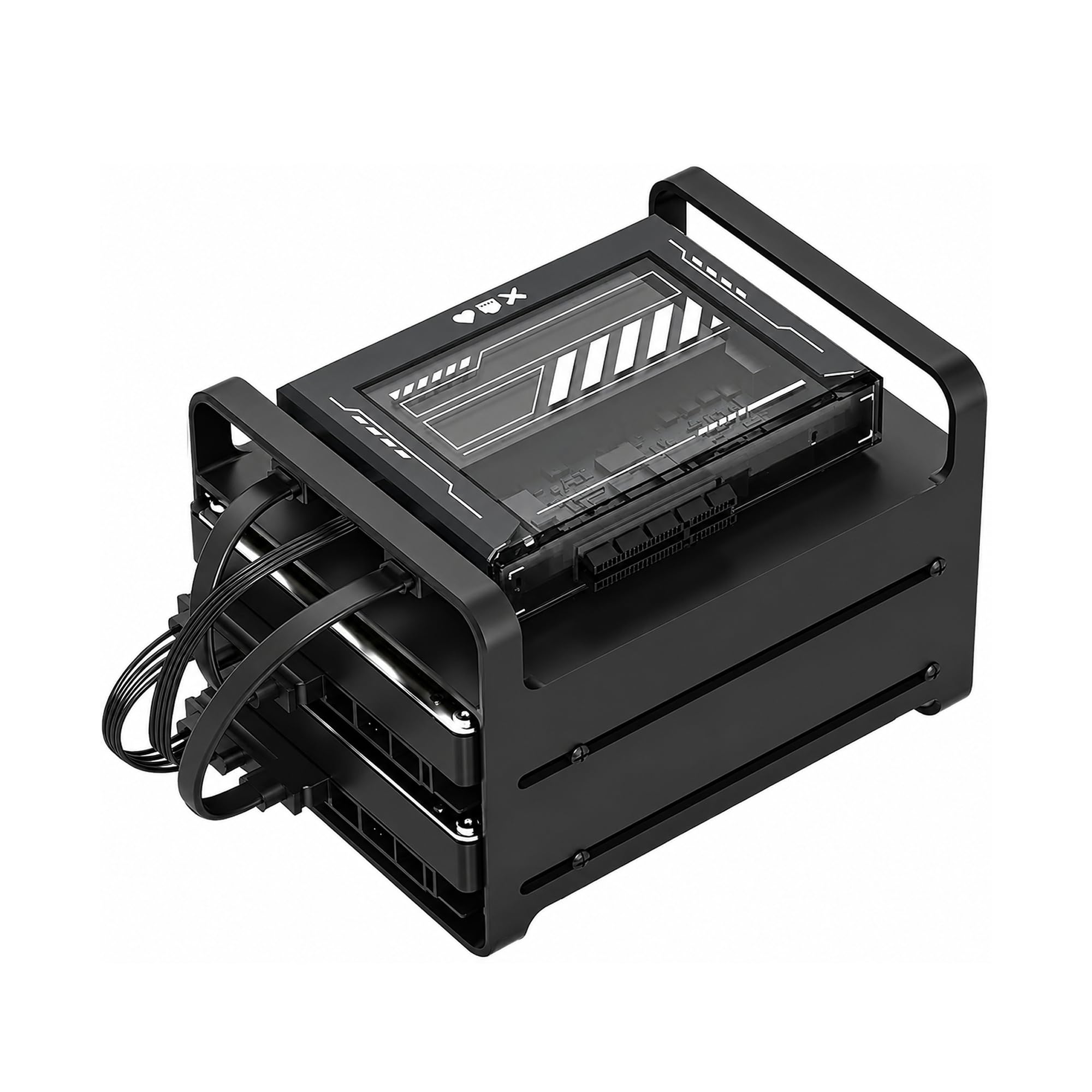
The ZimaBlade 7700 is not your average appliance — it is a full x86 mini server disguised as a NAS kit, packing an Intel quad-core processor and 16GB of DDR4 RAM. CasaOS is preinstalled, giving you a clean web interface, but the real power lies in its flexibility: you can install TrueNAS, Proxmox, or any Linux distro. The PCIe x4 slot lets you add a 10GbE card or additional SATA controller down the line.
This kit includes a metal drive cage for two 2.5-inch or 3.5-inch drives, plus dual SATA cables and a power supply. It handles Plex direct play for 4K content smoothly, though heavy transcoding will tax the CPU. Docker support is excellent, making it ideal for self-hosting Home Assistant, Nextcloud, and other services alongside file storage.
The open-frame design exposes drives and cables, which is fine for a lab environment but less tidy for a living room. It requires assembly and a willingness to tinker — not recommended for those who want a plug-and-play experience. The 2-bay limit is its biggest constraint for data-heavy users.
Why it’s great
- x86 platform supports Docker, VMs, and multiple OS options
- 16GB RAM handles multi-service workloads easily
- PCIe expansion for networking or storage upgrades
Good to know
- Requires assembly and technical know-how
- Open-frame design collects dust and looks messy
- 2-bay limit restricts total storage capacity
6. Asustor Drivestor 2 Pro Gen2 AS3302T v2

The Asustor Drivestor 2 Pro Gen2 brings 2.5 Gigabit Ethernet to the budget tier, offering substantially faster file transfers than standard Gigabit when paired with a compatible switch or router. The Realtek quad-core processor and 2GB DDR4 RAM provide enough horsepower for simultaneous file serving, media streaming, and backup tasks. The tool-free drive bays make HDD installation a ten-second job.
Asustor’s ADM operating system includes a rich app store with Plex, Emby, and Surveillance Station support. The 4K media server capability with hardware transcoding works well for most home setups, though some users report that the CPU struggles with demanding JellyFin transcoding. The metal enclosure is sturdy and helps dissipate heat effectively.
Customer support responsiveness and occasional firmware quirks are common concerns. Some units have reported fan failures early in their lifespan, though replacements are generally honored under warranty. For the price, the 2.5GbE port alone makes it a compelling option for small offices or power users with fast network infrastructure.
Why it’s great
- 2.5GbE port doubles standard Gigabit throughput
- Tool-free drive trays for easy installation
- Rich app ecosystem with Plex and Emby support
Good to know
- CPU may struggle with heavy media transcoding
- Some units report early fan failures
- Software interface can overwhelm new users
7. TERRAMASTER D4-320U 4-Bay Rackmount Enclosure
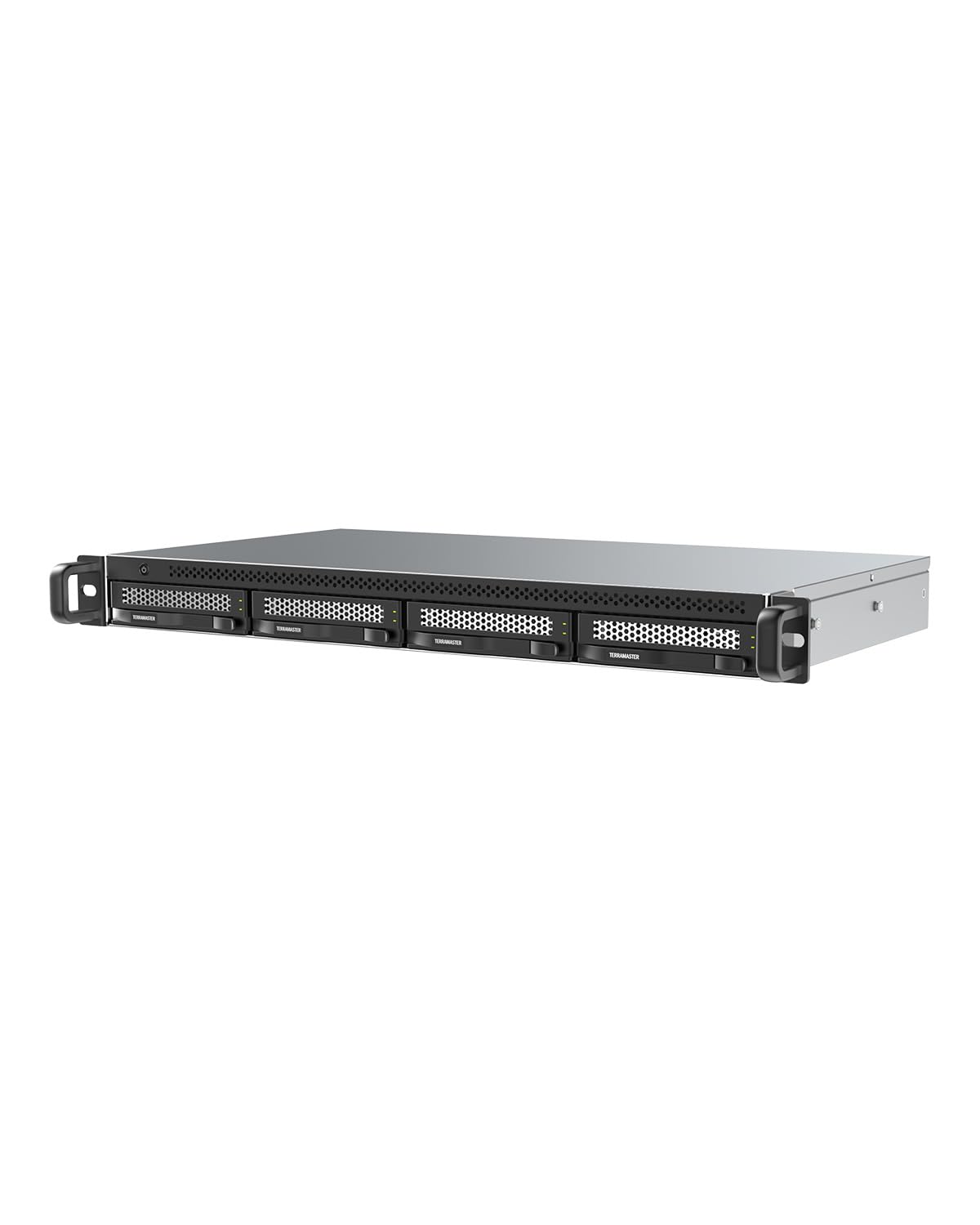
The D4-320U is a 4-bay, 1U rackmount DAS that connects via USB 3.2 Gen 2 at up to 10Gbps, making it a fast expansion chassis for existing servers or NAS units. Its compact depth of just 9.5 inches fits into shallow racks and network closets without sacrificing capacity — supporting up to four 3.5-inch SATA drives for a maximum of 120TB. The plug-and-play nature requires no drivers across Windows, Mac, and Linux.
Optimized for TerraMaster NAS systems running TOS 5.1 or higher, this unit can expand storage pools and create arrays through the NAS software. For standalone use, it presents each drive individually — there is no onboard RAID controller. The included USB-C-to-C and USB-A-to-C cables cover most compatibility scenarios.
A known vulnerability is the 72W power supply, which may be insufficient to spin up four enterprise-class hard drives simultaneously. Users report that upgrading to a higher-wattage PSU resolves boot failures. The stock USB cable can also introduce signal loss at 10Gbps — a short, shielded 0.5m cable is recommended for reliable transfer speeds.
Why it’s great
- Ultra-compact 1U rackmount for space-constrained deployments
- 10Gbps USB 3.2 Gen 2 for fast transfers
- Works with TerraMaster NAS for storage pool expansion
Good to know
- 72W PSU may need upgrading for enterprise drives
- Stock USB cable can cause throughput issues
- No onboard RAID — each disk appears individually
8. TERRAMASTER F4-425 4-Bay NAS
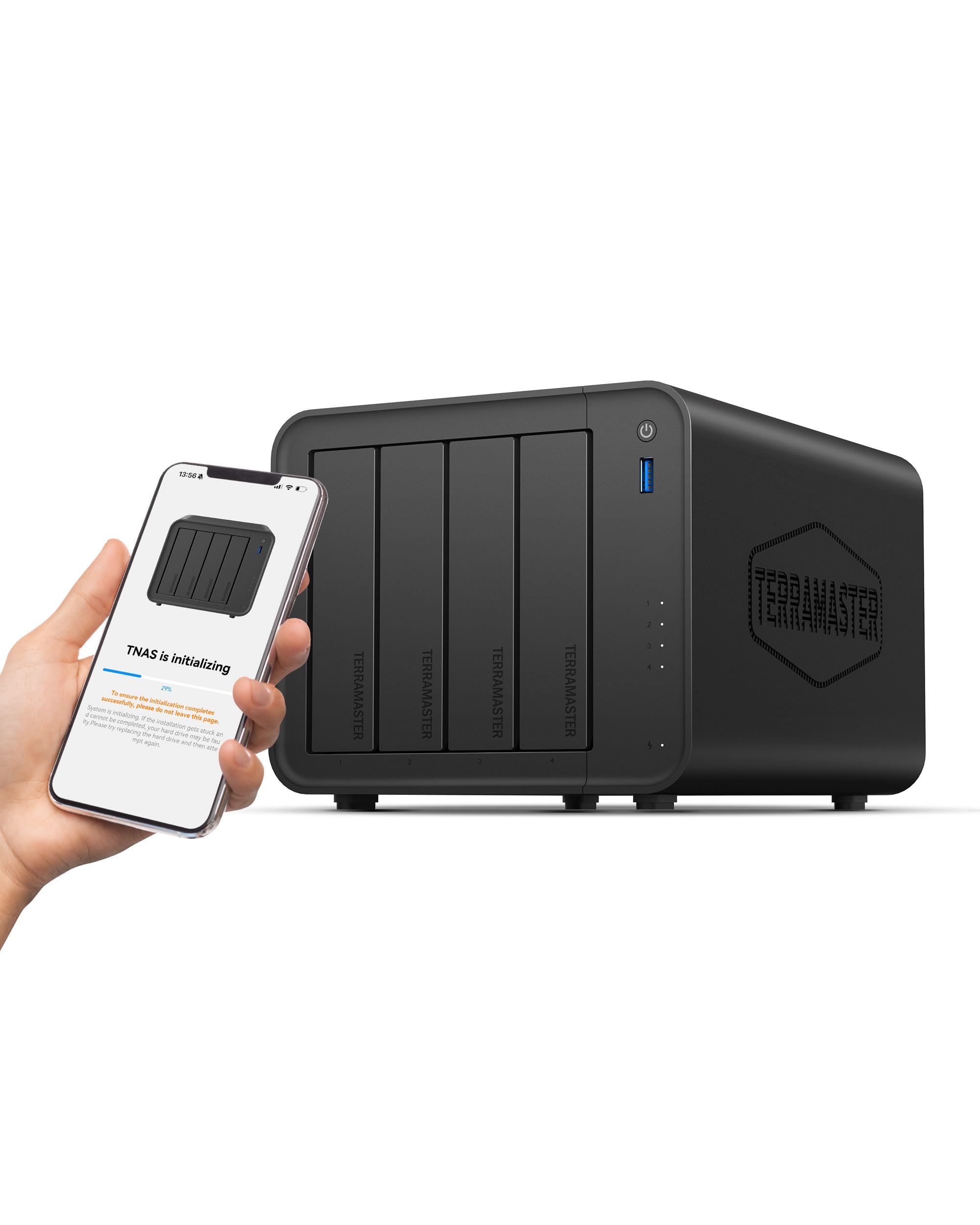
The F4-425 is a true 4-bay NAS with an Intel x86 quad-core processor and QuickSync support, making it one of the best budget options for running Plex, Emby, or Jellyfin with hardware-accelerated transcoding. The included 4GB RAM can be user-upgraded to 16GB for heavier Docker workloads. It supports up to 120TB of total storage using four 30TB drives.
TerraMaster’s TOS 6 operating system now includes TRAID, a flexible RAID system that maximizes usable capacity with mixed drive sizes, similar to Synology’s SHR. The Photos app with AI smart albums and the TNAS Mobile app allow easy remote management and automatic backups. The unit operates at just 21dB(A), making it suitable for quiet home environments.
Boot times are notably slow at 15-20 minutes, and some users report issues with user login persistence and lost remote access after firmware updates. TerrraMaster’s technical support has mixed reviews — some find it responsive while others report limited assistance. The plastic chassis feels less premium than metal alternatives.
Why it’s great
- Intel QuickSync for hardware-accelerated 4K transcoding
- TRAID supports mixed drive sizes efficiently
- Upgradable RAM to 16GB for Docker and multitasking
Good to know
- Boot time is unusually long at 15-20 minutes
- Some firmware updates cause login and access issues
- Plastic build quality is below metal alternatives
9. LincStation N2 6-Bay NAS

The LincStation N2 breaks the budget mold with a 10 Gigabit Ethernet port and six storage slots — two for 2.5-inch SATA drives and four for M.2 NVMe SSDs. This all-SSD-capable design delivers blazing-fast random I/O and near-silent operation, making it ideal for high-performance home labs and creative professionals working with large media files directly from the NAS.
Powered by an Intel N100 Alder Lake-N processor with 16GB LPDDR5 RAM, it handles Docker containers, Plex direct play, and multiple VMs with ease. An official Unraid OS starter license is included, unlocking flexible array pooling with drives of different sizes and a massive library of community apps. The compact metal enclosure doubles as a heatsink, keeping NVMe temps under 35°C under load.
The PCIe x1 lane limitation means NVMe throughput is capped at roughly 900 MB/s — far below the 7000+ MB/s the drives can achieve, but still fast for a budget NAS. Some units have reported power failures within weeks of purchase, and the lack of 3.5-inch HDD support means you’ll spend more on storage if you need large capacities.
Why it’s great
- 10GbE provides immense network bandwidth potential
- Four M.2 NVMe slots for ultra-fast SSD storage
- Includes Unraid OS license with flexible drive pooling
Good to know
- PCIe x1 limits NVMe speeds to around 900 MB/s
- No 3.5-inch drive support — SSDs only
- Some units have reported power failure issues
FAQ
Do I need 2.5GbE for a budget NAS?
Can I use different sized hard drives in a budget NAS?
What is the difference between a DAS and a NAS?
Final Thoughts: The Verdict
For most users, the budget nas winner is the Synology DS223j because it combines Synology’s best-in-class DSM software with RAID 1 data protection at the lowest possible entry price. If you want a beginner-friendly system with generous RAM and HDMI output, grab the UGREEN DH2300. And for maximum storage scalability and Intel QuickSync transcoding in a media server, nothing beats the TERRAMASTER F4-425.