
Recording a basketball game is a unique challenge. The action moves fast, the court is large, and the lighting in a gym is often unpredictable. A standard point-and-shoot or smartphone struggles to keep up, forcing you to choose between zooming in on the ball or capturing the full width of the play. The right camera solves this by delivering stable, high-frame-rate footage that can keep a moving player in frame.
I’m Min — the co-founder and writer behind Gadgets Feed. This guide comes after hundreds of hours analyzing shopping feeds and cross-referencing technical data like frame rates, sensor sizes, optical zoom ranges, and stabilization systems to find the best fit for hardwood action.
Whether you’re a parent wanting to catch every basket or a coach building game film, finding the best camera to record basketball games means balancing resolution, zoom reach, and reliable tracking to capture the game as it happens.
How To Choose The Best Camera To Record Basketball Games
Basketball recording demands a specific set of capabilities that general-purpose cameras don’t always deliver. You need a device that can handle fast cuts, sudden changes in direction, and a large playing area without dropping frames. The following factors will guide you to the right choice for your gym or court.
Frame Rate: The Key to Smooth Motion
A basketball moves faster than most subjects. A camera recording at 30fps will produce a blurry mess during a fast break. Look for a camera that can shoot at least 60fps in 1080p or 4K — 120fps is even better for capturing a jump shot or a steal with clarity. Higher frame rates allow you to slow down the footage for detailed review without choppy playback.
Auto-Tracking vs. Manual Panning
Manually following a basketball game from the sidelines is exhausting and often leads to missed plays. Dedicated sports cameras with AI auto-tracking — like the XbotGo Falcon or BallerCam — use computer vision to follow the ball and players automatically. Traditional camcorders with a tripod head require you to physically pan and tilt. If you plan to watch the game live, an auto-tracking system is a smarter investment.
Optical Zoom and Low-Light Performance
Unless you are courtside, you will need reach. Optical zoom maintains image quality as you magnify, unlike digital zoom which just crops pixels. A zoom range of 20x or more is ideal for bleacher seats. Meanwhile, gym lighting is notoriously dim. A larger sensor — specifically a 1-inch type — captures significantly more light, reducing grain and keeping the action sharp when the lights are low.
Quick Comparison
On smaller screens, swipe sideways to see the full table.
| Model | Category | Best For | Key Spec | Amazon |
|---|---|---|---|---|
| XbotGo Falcon | AI Sports Cam | Auto-tracking & Livestreaming | 4K / Dual Lens / 6 TOPS AI | Amazon |
| BallerCam BC-Series | iPhone Attachment | Ball & Player AI Tracking | 180° Full-Field Lens | Amazon |
| Panasonic HC-X2 | Pro Camcorder | Broadcast-Grade Quality | 1-inch Sensor / 20x Zoom | Amazon |
| Sony FDR-AX43 | Consumer Camcorder | Bleacher Zoom Range | 20x Optical Zoom / 4K | Amazon |
| Canon VIXIA HF G70 | Consumer Camcorder | Compact & Time Stamp Recording | 20x Zoom / UVC Livestream | Amazon |
| AVKANS GO | Wireless Live Cam | Multi-Protocol Streaming | 4K / 9x Zoom / 6hr Battery | Amazon |
| Nikon RED ZR Cinema | Cinema Camera | Professional Game Film | 6K Full-Frame / R3D RAW | Amazon |
| Xtra Muse | Gimbal Camera | POV & Footwork Recording | 1-inch CMOS / 4K@120fps | Amazon |
| Insta360 GO Ultra | Wearable Action Cam | First-Person Basketball Perspective | 4K@60fps / 53g / Magnetic | Amazon |
In‑Depth Reviews
1. XbotGo Falcon
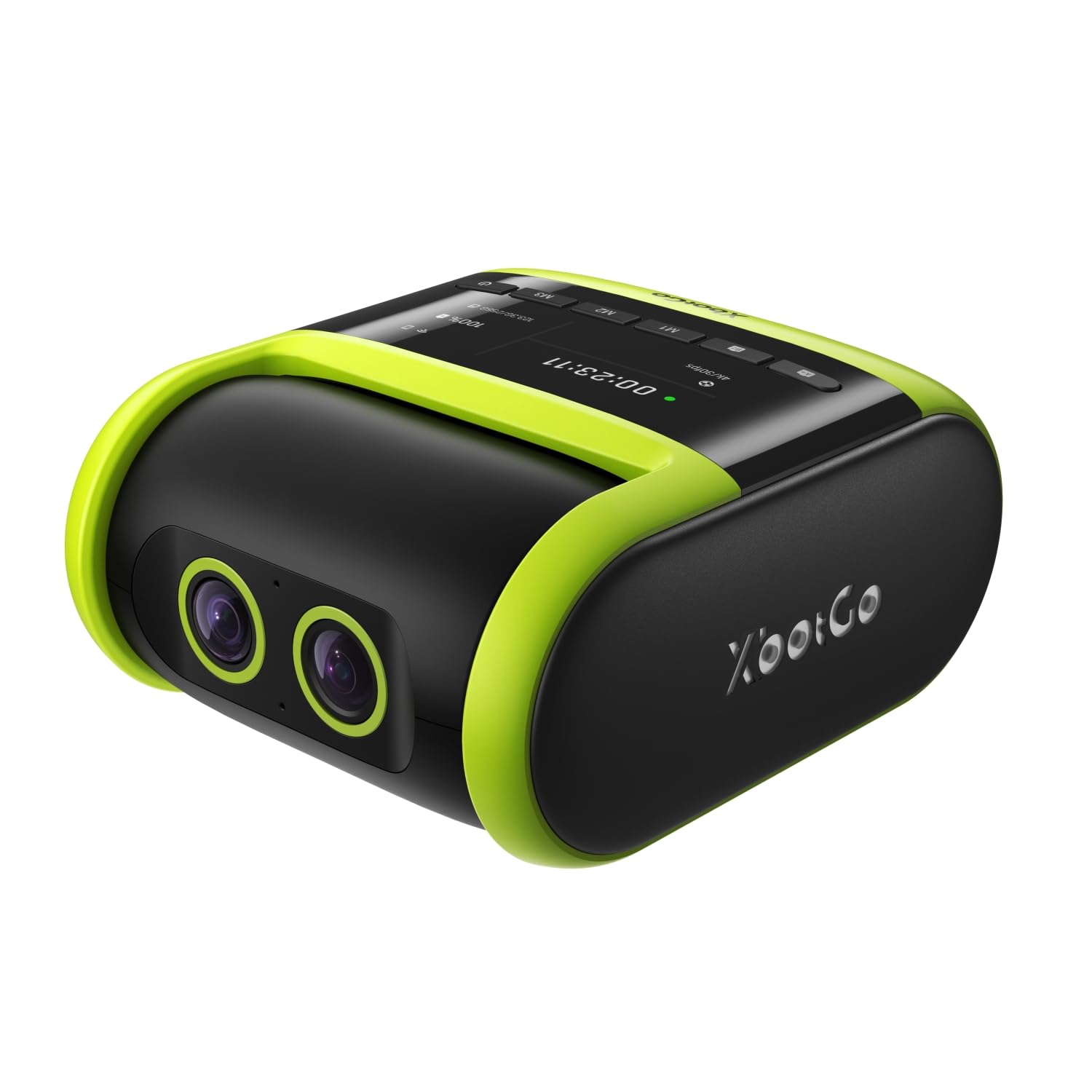
The XbotGo Falcon is purpose-built for team sports like basketball, soccer, and football. Its dual-lens system uses a dedicated 6 TOPS AI processor to track players and the ball automatically, freeing you from the tripod. The 4K recording is sharp, and the built-in Wi-Fi enables instant live streaming to share the game with family or post highlights for recruitment.
The IPX5 water-resistant body means it can handle the occasional splash from a water bottle or light rain on the sidelines. Setup is straightforward: mount it on a standard 1/4-inch screw tripod, insert a microSD card, and the AI begins tracking within seconds. The 1.6x digital zoom is modest, but the AI-assisted panning covers the entire court effectively.
Battery life is sufficient for most regulation games, and the USB-C charging port allows extended operation with a power bank. A few users report tracking lag during very fast transitions, but the overall reliability and no-subscription model make it a strong value for youth leagues and high school programs.
Why it’s great
- Reliable AI auto-tracking keeps the ball and players centered
- No recurring subscription fees for core tracking features
- Weather-resistant design handles sideline conditions
Good to know
- Digital zoom is limited, optical zoom would be better for distant bleacher seats
- Some tracking latency during extremely fast baseline-to-baseline plays
2. BallerCam BC-Series
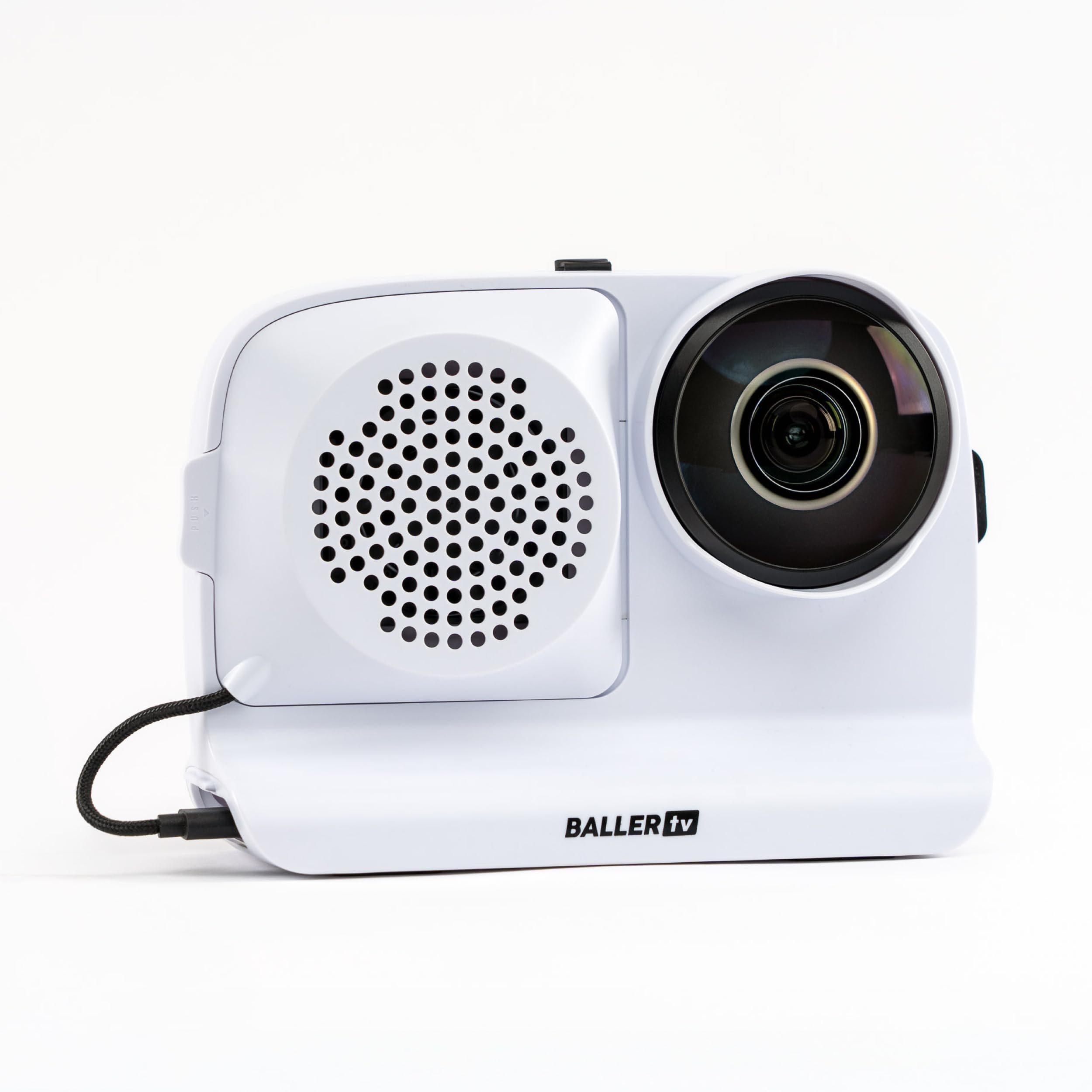
The BallerCam is an attachment system that turns your iPhone into a dedicated basketball recorder. Its 180-degree ultra wide lens captures the entire court, and the AI follows the ball and key players digitally without moving the phone. This eliminates the mechanical noise and wear of traditional panning gimbals.
The included 10,000mAh battery lasts through 2-3 full games and can charge your phone when needed. The companion app is simple to use: set the phone on a tripod, select the sport, and the AI begins tracking. It also supports live streaming with a single tap, and the cloud storage includes 20 hours of free space for highlights.
Customer feedback highlights the 95% tracking accuracy in crowded gyms, with occasional manual corrections needed for fast breaks. The phone attachment is quite snug with thick cases, so a case-free setup may be preferable. It is an excellent budget-friendly entry point for families who already own a recent iPhone.
Why it’s great
- 180-degree lens sees the entire court with zero panning blind spots
- Massive battery powers multiple games and doubles as phone charger
- Free cloud storage and easy highlight clipping from the app
Good to know
- Requires a recent iPhone to function
- Tracking is not 100% accurate during chaotic fast-paced transitions
3. Panasonic HC-X2

The Panasonic HC-X2 is a broadcast-style camcorder built for professionals needing reliable, high-quality game film. Its 1-inch MOS sensor delivers exceptional low-light performance, crucial for dim high school gyms where smaller sensors produce noisy footage. The 20x optical zoom lets you pull tight shots from the stands without losing detail.
It records 4K 60p in 4:2:2 10-bit color, giving you extensive latitude for color grading in post-production. The built-in V-Log and 13 stops of dynamic range let you recover details in both the shadows under the bleachers and the bright court lights. The simultaneous SDI and HDMI outputs are invaluable if you are feeding a live production truck or a scoreboard display.
Dual SD card slots allow hot-swapping during a long tournament. The Ethernet port provides a wired live streaming option that is far more stable than Wi-Fi for critical broadcasts. The weight is well-balanced for shoulder-mounted work, and the triple manual ring gives precise control over focus, zoom, and iris during fast game action.
Why it’s great
- Large sensor captures clean footage even in poorly lit gyms
- Strong 20x optical zoom reaches players across the entire court
- Professional I/O including SDI, HDMI, and Ethernet for live switching
Good to know
- Premium price point appropriate for semi-pro and pro use
- No built-in AI tracking; requires manual panning or a robotic head
4. Sony FDR-AX43

The Sony FDR-AX43 is a classic consumer camcorder that brings serious reach to basketball recording. Its 20x optical zoom (extendable to 30x in 4K with Clear Image Zoom) makes it easy to capture a player driving to the hoop from the top of the bleachers. The Balanced Optical SteadyShot image stabilization is a built-in mechanical gimbal that smooths out the natural shake of handheld filming.
The Fast Intelligent AF locks onto subjects quickly, which is helpful when tracking a player cutting around a screen. It records in XAVC S 4K format, providing a good balance of quality and manageable file sizes for editing on a standard laptop.
The battery is large and can run for several hours, but it protrudes from the back, making the camera slightly awkward to pack. It includes a mic input for better audio, and the Wi-Fi remote control via smartphone is convenient for tripod-based recording from a distance.
Why it’s great
- Long 20x optical zoom range for sharp footage from the stands
- Integrated gimbal stabilization delivers smooth handheld video
- Intelligent autofocus tracks moving players reliably
Good to know
- Sensor size limits low-light performance in dim gyms
- Protruding battery design can be awkward to handle and store
5. Canon VIXIA HF G70

The Canon VIXIA HF G70 is a compact camcorder that packs a 20x optical zoom and a 1/2.3-inch sensor into a lightweight body. It records 4K UHD at 30fps and 1080p at up to 60fps, making it a solid choice for recording high school basketball games where you need reach without a bulky setup. The DIGIC DV 6 image processor handles color reproduction well in well-lit environments.
A feature that stands out for coaches is the On-Screen Display Time Stamp recording, which embeds date, time, and timecode directly into the video file. This is invaluable for official game review and compliance recording. The UVC livestreaming capability lets you connect the camera to a PC via USB and broadcast directly to streaming software without a capture card.
The Hybrid AF system with face detection works well for keeping a clear shot of a player’s face during free throws, but the 4K autofocus can occasionally hunt during fast lateral movement. Low-light performance is the G70’s main weakness — footage becomes soft and grainy in poorly lit gyms. It is a great option for bright courts where time-stamped official recording is needed.
Why it’s great
- On-screen time stamp recording is perfect for official game documentation
- UVC livestreaming works directly with a PC without extra hardware
- Compact and lightweight for easy transport to away games
Good to know
- Low-light performance drops significantly in dim gyms
- 4K autofocus can be unreliable during rapid player movements
6. AVKANS GO
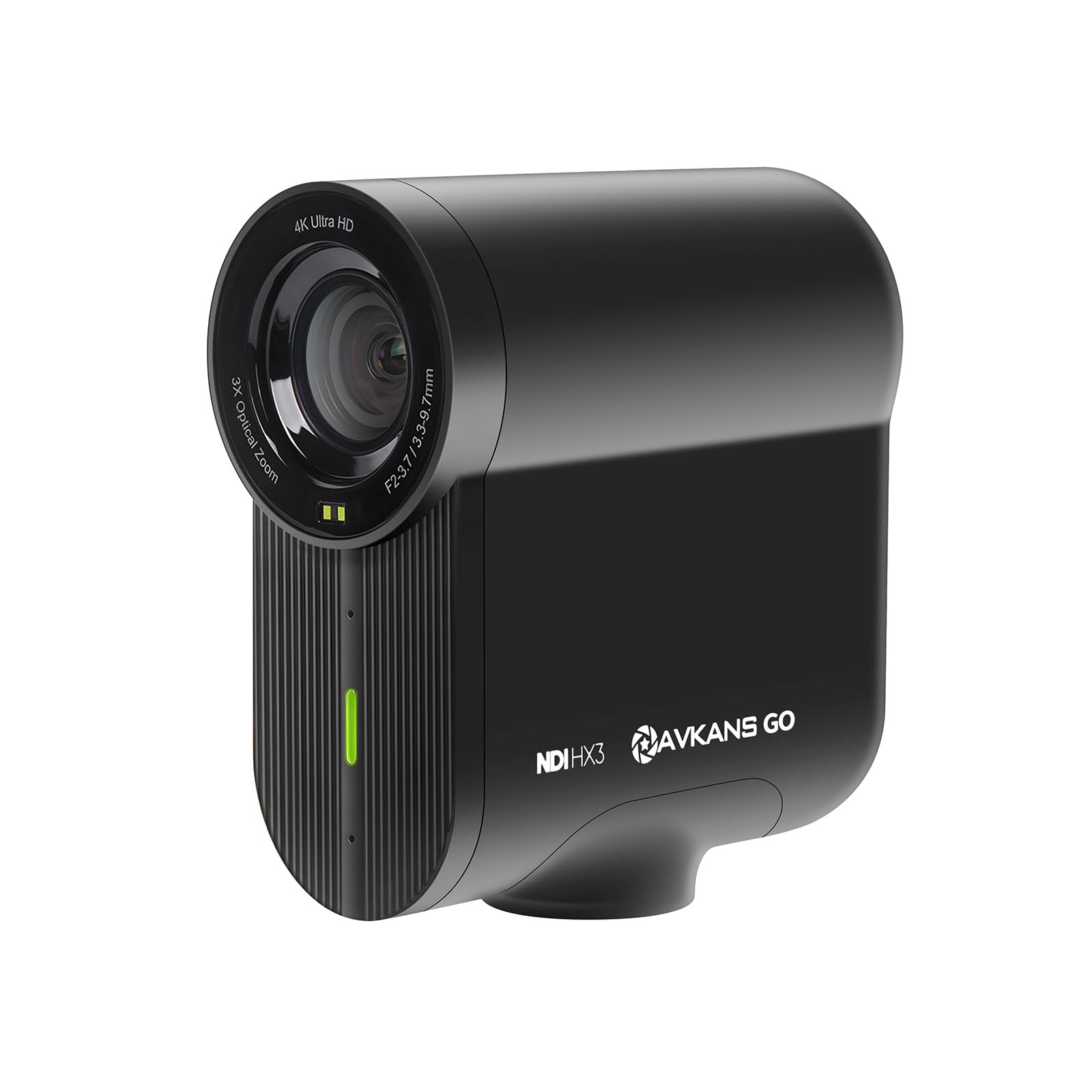
The AVKANS GO is designed for live streaming youth and high school sports directly to platforms like GameChanger, SidelineHD, and YouTube. It offers multiple streaming protocols — RTMP, RTMPS, NDI, and SRT — giving you maximum flexibility to fit any online broadcast workflow. The 4K sensor records locally to a microSD card while simultaneously streaming at a lower bitrate for the live audience.
The 9x zoom (3x optical, combined with a 90-degree wide-angle lens) provides a versatile field of view, from capturing the full half-court to a tighter shot of the three-point line. The 6-hour battery life is enough for a doubleheader. The TOF autofocus system is fast and reliable, adjusting quickly when a player runs toward the camera.
The AVKANS Live companion app includes useful overlays like a built-in scoreboard, lower thirds, and scrolling text, saving you from needing a separate OBS setup. A minor trade-off is that the battery is not user-swappable. A few users experienced connectivity issues with the live stream dropping, but most found stability solid with a strong Wi-Fi or Ethernet connection.
Why it’s great
- Supports direct RTMP streaming to GameChanger without a computer
- Long 6-hour battery covers an entire tournament or doubleheader
- Records 4K locally while streaming 1080p simultaneously
Good to know
- Non-swappable battery requires a power bank for extended use
- Live stream stability depends heavily on Wi-Fi signal strength
7. Nikon RED ZR Cinema

The Nikon RED ZR Cinema is a professional cinema camera that brings Hollywood-grade color science to basketball filming. Its 6K full-frame sensor with 15+ stops of dynamic range captures the full drama of the action, from the shadows of the baseline to the peak of a dunk. The REDCODE RAW (R3D) format gives you extreme flexibility in post-production to adjust exposure and color without degrading the image.
Weighing just over a pound, it is exceptionally light for a cinema camera, making it easy to rig on a gimbal or shoulder mount for fast-breaking action. The hybrid autofocus system with 273 points keeps a moving player sharp. The 32-bit float audio capability lets you record ambient court sounds and coach calls without worrying about clipping distortions.
The camera is a specialized tool. File sizes are enormous — a single game could fill multiple terabytes — requiring fast CFexpress Type B cards and a powerful editing workstation. It lacks built-in microphone preamps for professional XLR mics, so an external audio recorder is needed for high-quality sound. This is the choice for production teams creating elite recruitment highlight reels or broadcast content.
Why it’s great
- 6K full-frame sensor offers unmatched image quality and dynamic range
- RED R3D RAW format provides maximum flexibility for color grading
- Lightweight body is easy to rig for dynamic game filming
Good to know
- Massive 6K RAW file sizes require professional post-production equipment
- No internal XLR inputs, requiring an external audio setup
8. Xtra Muse

The Xtra Muse is a pocket-sized gimbal camera that can handle fast basketball action with impressive smoothness. Its 1-inch CMOS sensor records 4K video at 120fps, allowing you to slow down a crossover dribble or a game-winning shot by 4x without visible judder. The 3-axis gimbal stabilization is rock-solid, eliminating the micro-jitters that plague handheld footage.
The Master Follow tracking feature works through the gimbal to keep a moving subject centered. This is useful for recording a player’s footwork drills or a quick one-on-one matchup from a tripod setup. The 2-inch touchscreen is bright and responsive, and switching between horizontal and vertical orientation is instant — helpful for social media highlight clips.
Battery life of about 161 minutes is enough for most games, and it can be extended via external USB-C power. The X-Log 10-bit color mode provides good latitude for grading. It is not a replacement for a full camcorder with a long zoom — the Xtra Muse functions best from courtside rather than the bleachers — but for close-range, cinematic footage, it excels.
Why it’s great
- High 120fps slow-motion capture for analyzing plays in detail
- Built-in gimbal provides professional-grade stabilization
- 1-inch sensor delivers great low-light performance for a pocket camera
Good to know
- No optical zoom; best used from courtside or floor level
- External microphones require a separate adapter for best audio quality
9. Insta360 GO Ultra
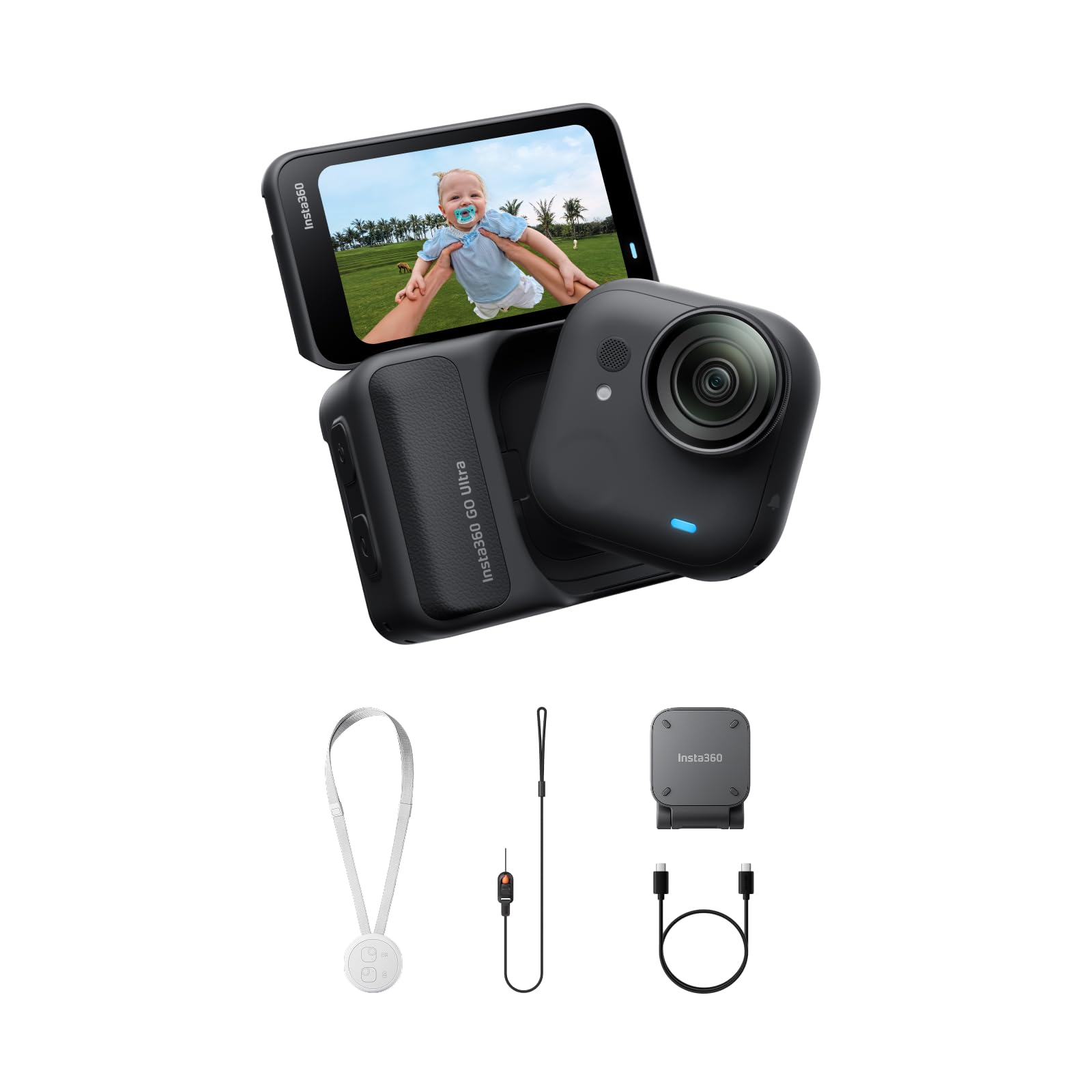
The Insta360 GO Ultra is a tiny, magnetic action camera that excels at capturing a first-person perspective of basketball. Weighing only 53 grams, you can clip it to a baseball cap visor, mount it on the backboard, or attach it to a player’s jersey for a completely immersive view of the game. The 1/1.28-inch sensor and 4K Active HDR keep the footage vibrant even in high-contrast gym lighting.
The three-level FlowState Stabilization and 360 Horizon Lock ensure the footage remains smooth and level regardless of the player’s movement or the camera’s orientation. The 156-degree field of view captures a wide swath of the court, making it feel like you are right in the action. The IPX8 waterproof rating means it can survive a sweaty jersey or a quick splash, and the dive case extends the depth for more extreme scenarios.
Battery life is 70 minutes on the standalone camera and 3 hours with the Action Pod, which also provides a touchscreen interface. The standout feature is the 12-minute 0-80% fast charge, which is excellent for charging during halftime. This is a niche tool for basketball — it does not zoom or track from far away — but for immersive POV clips of drills, scrimmages, or spectator perspective, it is unmatched.
Why it’s great
- Extremely lightweight and magnetic for unique POV camera angles
- FlowState stabilization keeps high-motion footage incredibly smooth
- Fast charging replenishes 80% in only 12 minutes
Good to know
- No zoom capability; intended for close-proximity or wearable use
- MicroSD card required and sold separately
FAQ
Is 1080p good enough for recording basketball games or do I need 4K?
Can I use a regular action camera like a GoPro to film a basketball game?
What is the best way to live stream a basketball game from the gym?
Final Thoughts: The Verdict
For most users, the best camera to record basketball games winner is the XbotGo Falcon because it combines reliable AI auto-tracking with solid 4K quality and no subscription fees. If you want cinema-grade quality for professional highlight reels, grab the Nikon RED ZR Cinema. And for a cost-effective solution that leverages your existing smartphone, nothing beats the hands-free ease of the BallerCam BC-Series.