
Our readers keep the lights on and my morning glass full of iced black tea. As an Amazon Associate, I earn from qualifying purchases.
Specs are compiled from manufacturer listings and verified buyer reviews and can change over time — please confirm the key details on the product page before buying.
Your voice needs to sound clear on every call, you need comfort for eight-hour days, and your headset should not cut out mid-sentence. The hard part is picking the model that actually delivers this without draining your budget. This guide compares four headsets built for remote work, using published specs and verified customer feedback to focus on real call quality, battery life, and all-day comfort.
I’m Min — the founder and writer behind Gadgets Feed. This guide is built by comparing the manufacturers’ published specifications and the patterns across verified customer reviews, so you get each pick’s real strengths and trade-offs instead of marketing spin.
To help you filter through the noise, I’ve analyzed the specs and feedback on these four models to create a straightforward guide to the best bluetooth headset for working from home that puts your voice first and your background noise last.
Quick Picks
- Sony WH-CH520 Wireless Headphones — Top Performer
- awatrue Wireless Headset with Mic — Smart Value
- Mopchnic Bluetooth Headset — Workhorse Pick
- PrancyBt Upgraded Wireless Headset — Budget Champ
How To Choose The Best Bluetooth Headset For Working From Home
Picking the right headset for your home office depends on a handful of non-negotiable features. Your voice needs to come through clearly, the headset needs to stay comfortable for hours, and it must connect reliably to your computer or phone. Here is what to look for.
Noise-Canceling Microphone Quality
This is the most important feature. A good noise-canceling microphone (often labeled AI or ENC noise cancellation) filters out background sounds like typing, kids playing, or road noise so your voice is the only thing your colleagues hear. Look for headsets that specifically mention “noise-canceling microphone” in their specs — not just general “noise isolation” for your ears.
Connectivity: Bluetooth vs. USB Dongle
Many desktop computers lack built-in Bluetooth. A headset that comes with a USB dongle (a small plug-in receiver) solves this instantly — you insert it into your PC, and the headset pairs automatically. For laptops and phones, direct Bluetooth pairing works fine, but a dongle gives you a more stable connection on older computers.
Battery Life for a Full Workday
A work-from-home headset should last at least a full day on one charge. Look for a battery life of 30 hours or more of talk time. Headsets with a charging base are even more convenient — you set the headset down between calls to keep it topped up.
Quick Comparison
| Model | Best For | Battery Life | Bluetooth Version | Connection Type | Amazon |
|---|---|---|---|---|---|
| Sony WH-CH520 | Extreme battery & music quality | 50 hours | 5.2 | Bluetooth only (no dongle) | $68.00Amazon |
| awatrue Wireless Headset | Dual-device multitasking | 30 hours | 5.3 | Bluetooth + 2.4G Dongle | $69.99Amazon |
| Mopchnic Bluetooth Headset | Long talk time & stability | 35 hours talk / 40 hours music | 5.0 | Bluetooth + USB Dongle | $59.99$69.99Amazon |
| PrancyBt Upgraded Wireless Headset | Budget-friendly with charging base | 35 hours | 4.2 | Bluetooth + USB Dongle | Amazon |
In‑Depth Reviews
1. Sony WH-CH520 Wireless Headphones

The on-ear headset that outlasts your entire work week without needing a charge.
If your biggest frustration is running out of battery mid-afternoon, the Sony WH-CH520 puts that worry to rest. It delivers up to 50 hours of battery life on a single charge — enough for two full work weeks without plugging in. When you do need power, a quick charge gets you back up fast using the included USB Type-C cable. Unlike the other picks here, this one does not come with a USB dongle for desktop computers, so you rely on direct Bluetooth 5.2 pairing.
For call quality, the built-in microphone gives you hands-free calling, which works well in quiet rooms. Where this Sony truly shines over the PrancyBt is sound: it uses a 12-millimeter dynamic driver and DSEE tech to boost compressed music files, so your background playlist sounds noticeably richer than the other work-focused headsets. The multipoint connection lets you switch between your laptop and phone instantly, which is handy for taking a call from your personal line without swapping headsets.
Buyers report it is light and comfortable for all-day wear, and the swivel earcuffs make it easy to slip off when you step away from your desk. The trade-off is that the noise cancellation is designed for your listening pleasure, not for filtering out your background noise for the person on the other end of the call — so if you work in a noisy environment, you might prefer a dedicated call-center headset with a boom mic.
The battery champ: 50-hour battery life sets this model apart — the Mopchnic delivers 35 hours, and the awatrue gets 30 hours before a recharge.
Keep in mind: No USB dongle included, so you will need a computer with built-in Bluetooth or buy an external adapter separately.
Stick with this for: marathon work sessions and anyone who wants the longest possible time between charges combined with great music sound.
Look elsewhere for: a noise-canceling boom mic that blocks background noise for the person listening to you — this mic is basic.
2. awatrue Wireless Headset with Mic
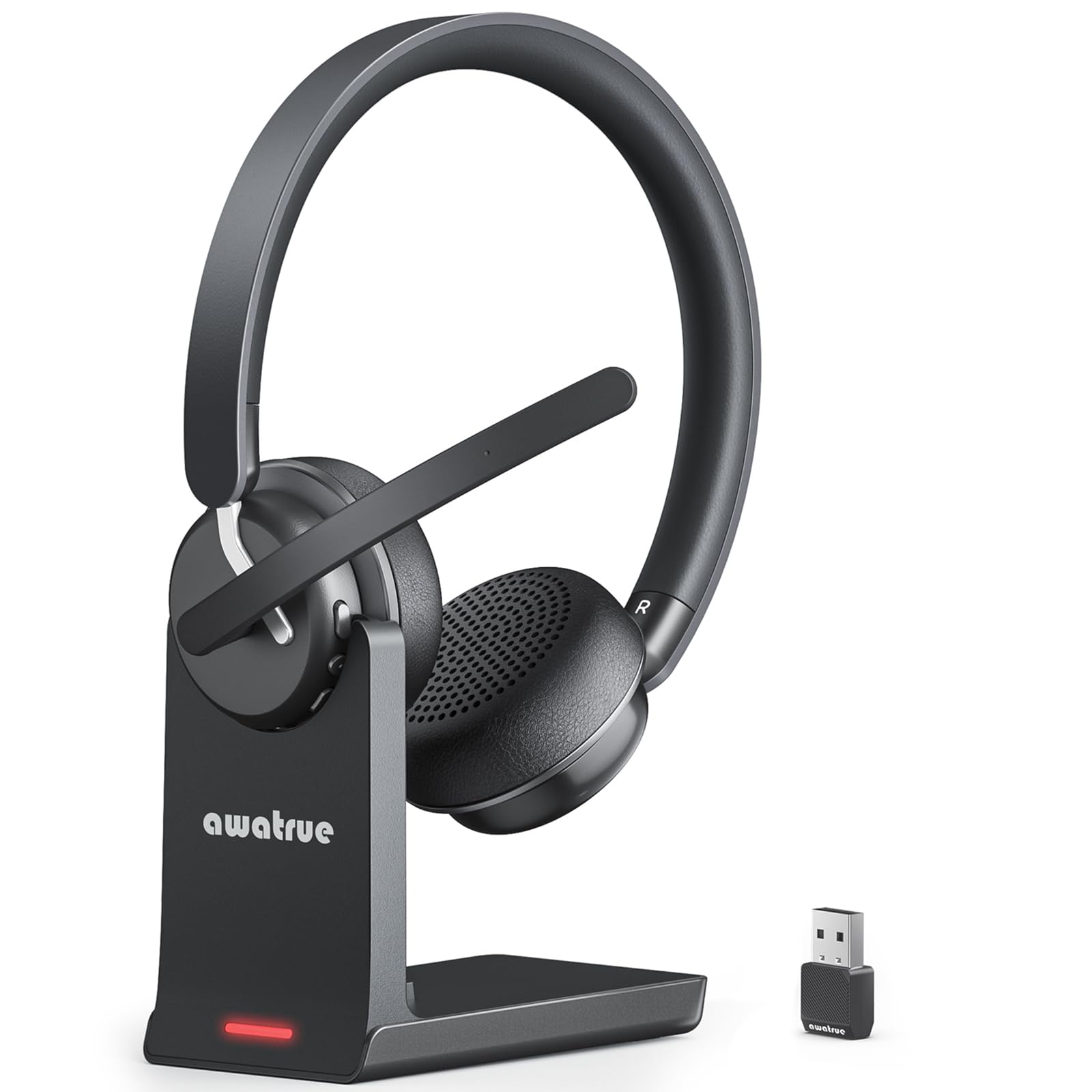
The dual-connection headset that juggles your PC and phone without skipping a beat.
The awatrue is built for the multitasker who bounces between a Zoom call on the laptop and a client call on the phone. It connects to both devices at once using Bluetooth 5.3 and a 2.4G USB dongle included in the box. You can switch between meetings and phone calls with a single click, no re-pairing required.
This headset’s standout feature is its AI noise-canceling microphone, which the maker claims filters 99% of background noise like keyboard clicks and office chatter. Owners mention the noise cancellation is “effective” and “excellent” for busy environments, and the long mic boom positions the pickup right near your mouth for clear audio. The 30-hour battery life covers a full work week, while the Sony is rated for 50 hours. The included charging base makes it easy to set the headset down between calls and keep it powered.
Unlike the Mopchnic or PrancyBt, the awatrue uses a 40-millimeter audio driver, which gives it good presence for calls and media. The lightweight build and “ultra-soft breathable ear cushions” keep it comfortable for shifts that run past eight hours, according to reviewers. One buyer even bought a second set for their spouse after being impressed.
Reasons to pick it
- Simultaneous dual-device connection saves swapping headsets
- Bluetooth 5.3 + dongle gives you reliable fallback on any computer
- Effective noise cancellation that buyers confirm works
A couple trade-offs
- 30-hour battery is respectable but not class-leading (Sony has 50)
- Charging base is a smart addition, but the charge time is 2.5 hours
Go for this if you: take calls from both your computer and your phone throughout the day and want one headset to rule them all.
Pass if you: never use a desk phone and only need pure Bluetooth — the Sony or a simpler headset may save you some money.
3. Mopchnic Bluetooth Headset

The call-center veteran with a long-lasting battery and a dedicated mute button right on the mic.
The Mopchnic headset feels purpose-built for people who spend their day on back-to-back calls. Its AI noise-canceling microphone targets background noise in noisy environments, making it a strong pick for call centers, front desks, and busy home offices. The independent MUTE button sits right on the microphone boom — you can reach it without fumbling, and the headset gives a voice prompt confirming mute is on. That is a small but real time-saver when you need to cough or answer the door during a meeting.
Battery life is a genuine highlight here: 35 hours of talk time or 40 hours of music playback on a full charge, versus the awatrue’s 30 hours of talk time. The Mopchnic also charges from empty to full in just 1.5 hours, and it includes a charging base. It uses Bluetooth 5.0 for a stable connection and comes with a USB dongle so it works with desktop computers that lack Bluetooth.
On-ear comfort is handled by breathable earmuffs and an adjustable headband. The headset supports Siri voice assistant, which is a bonus if you use Apple devices. Compared to the PrancyBt, the Mopchnic uses Bluetooth 5.0 while the PrancyBt uses Bluetooth 4.2. Just note the mute function works only during active calls, and the main button (MFB) only picks up phone calls — not computer calls.
Talk time leader: At 35 hours of talk time, it matches the PrancyBt at 35 hours, charges in 1.5 hours, and uses Bluetooth 5.0 while the PrancyBt uses Bluetooth 4.2.
One note: The mute button works only during an active call or meeting, not for general system audio.
Ideal for: heavy call-center use or anyone who wants the fastest recharge and a no-fuss mute button on the boom mic.
Not for you if: you need multipoint connection to switch between two active devices smoothly — this model does not advertise that feature.
4. PrancyBt Upgraded Wireless Headset
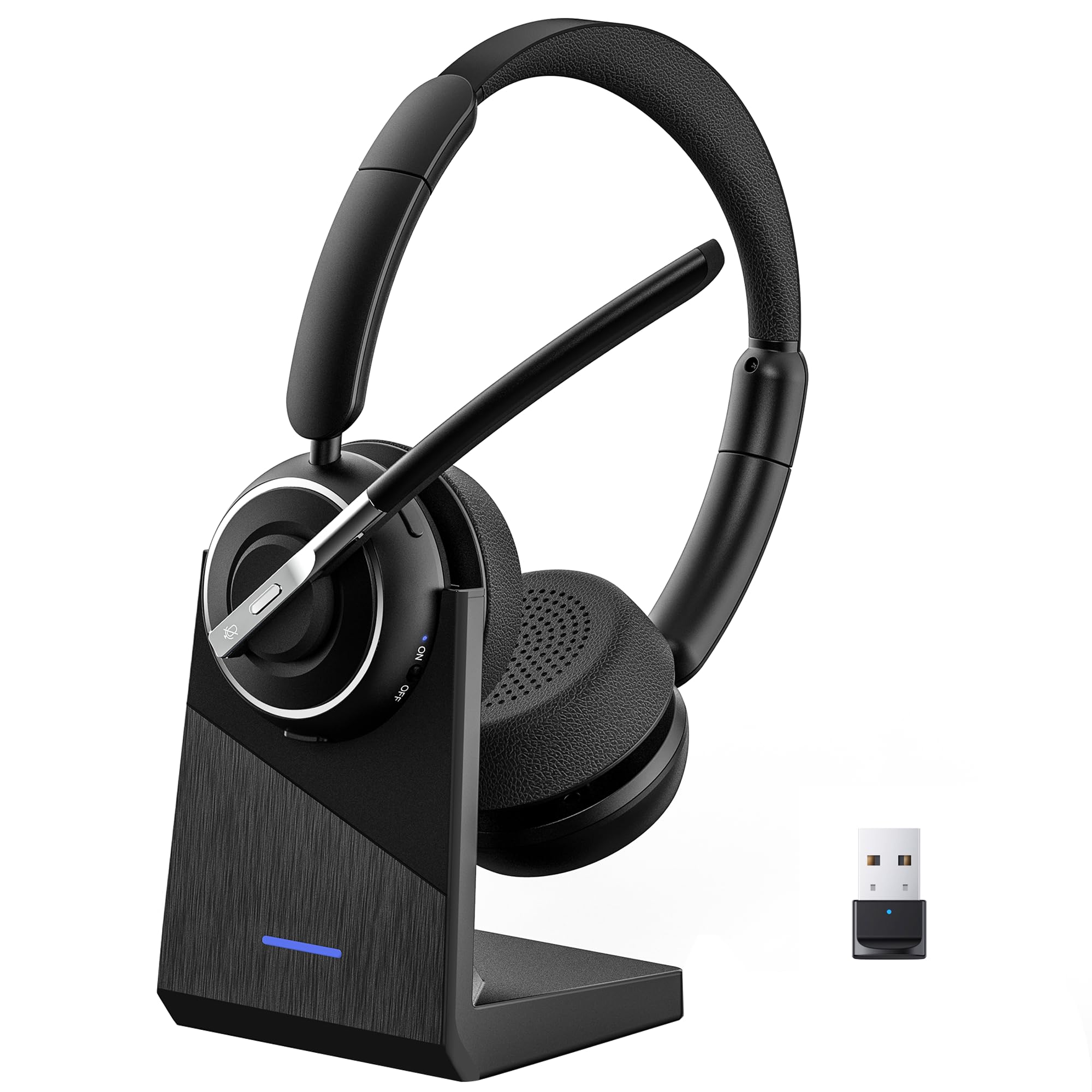
The feature-packed entry-level headset that includes a charging dock and a solid 35-hour battery.
The PrancyBt is the most affordable option here, but it does not look or feel stripped down. It includes a charging base, a USB dongle for computers, and a 270° rotatable ear cup design with plush protein ear cushions. Customers note it is “comfortable, easy setup, clear sound” — which sums up the value proposition well. For the price, you get a professional headset that handles calls, music, and all-day comfort.
The key trade-off to know is the older Bluetooth 4.2 version. The awatrue uses Bluetooth 5.3, and the Sony uses Bluetooth 5.2. In plain terms, this means the wireless connection range tops out at 33 feet, but it may be slightly more susceptible to interference from other devices in a busy home. The headset also comes with a dedicated noise-canceling microphone that the maker claims blocks 99.9% of ambient disturbances, and a one-touch mute function on the mic for privacy.
The 35-hour battery life is identical to the Mopchnic’s talk time, which means you get a full work week of use per charge. One small catch: the USB dongle is only compatible with Windows systems, so Mac or Chromebook users will need to rely on direct Bluetooth pairing. The headband is adjustable and the ear cups swivel, which helps it fit a wide range of head shapes without pinching.
What you get for the money
- Charging base keeps the headset organized and ready
- 35-hour battery matches more expensive competitors
- Plush protein ear cushions for long-wear comfort
Smart trade-offs
- Bluetooth 4.2 is the oldest standard in this list — expect less interference immunity
- USB dongle works only on Windows; no Mac or Chromebook support
Best for: budget-conscious remote workers who still want a charging base, a dongle, and 35-hour battery life — you get a lot for the spend.
skip it if: you use a Mac or Chromebook with your headset, or you need the latest Bluetooth version for maximum connection stability.
Understanding the Specs
Bluetooth Version
This number (like 4.2, 5.0, 5.2, or 5.3) tells you how modern the wireless chip is. Newer versions generally offer a more stable connection, lower power consumption, and better resistance to interference from other gadgets. For a work headset, Bluetooth 5.0 or higher is the balance for reliable call quality.
AI Noise-Canceling Microphone
This is different from noise-canceling for your ears. An AI noise-canceling microphone uses software algorithms to identify and filter out background sounds (fans, traffic, chatter) so only your voice gets transmitted. Headsets labeled with “AI” or “ENC” noise cancellation are usually better for making you heard clearly over distracting office noise.
FAQ
Do I need a headset with a USB dongle if my computer has Bluetooth?
What is the difference between AI noise canceling and passive noise canceling?
Can I use these headsets for listening to music as well as calls?
How many hours of battery life do I really need for an 8-hour work day?
Will these headsets work with Zoom, Teams, and Google Meet?
What does the mute button on the microphone do exactly?
Can I connect the headset to my phone and computer at the same time?
Are these headsets comfortable for people who wear glasses?
Will the USB dongle work on a Mac?
Final Thoughts: The Verdict
For the majority of shoppers, the bluetooth headset for working from home winner is the awatrue Wireless Headset because it combines the newest Bluetooth 5.3, a real noise-canceling boom mic, dual-device connection, and a charging base into one reliable package. If you want extreme battery life and better music sound, grab the Sony WH-CH520. And for the best value with a charging dock and 35-hour battery, the standout is the PrancyBt Upgraded Wireless Headset.
How We Picked
We do not accept paid placement. Every pick is matched to a real buyer and a real use-case; we do not hands-on test units.
Sources & Methodology
Specifications: manufacturer listings and product documentation. Review insights: verified customer reviews, as of July 2026. Pricing: not shown on this page (it changes often); check the current price via the retailer link.
As an Amazon Associate, Gadgets Feed earns from qualifying purchases. This does not affect which products we feature.
Product prices and availability are accurate as of the date/time indicated and are subject to change. Any price and availability information displayed on Amazon at the time of purchase will apply to the purchase of this product. As an Amazon Associate I earn from qualifying purchases.
CERTAIN CONTENT THAT APPEARS ON THIS SITE COMES FROM AMAZON. THIS CONTENT IS PROVIDED "AS IS" AND IS SUBJECT TO CHANGE OR REMOVAL AT ANY TIME.
Amazon and the Amazon logo are trademarks of Amazon.com, Inc. or its affiliates.