

Need to find your Dell laptop model number? There are four easy ways to do it.
The quickest method is to check the white sticker on the bottom of your Dell laptop. It shows the model name, serial number, and service tag.
Method 1) Check the Label on the Bottom of Your Dell Laptop
Every Dell laptop has an identification sticker on the back or underside. This label shows the model number (family name + number), serial number, service tag, and power requirements.
The model number follows the family name. Dell laptop families include Inspiron, Latitude, Vostro, Precision, Studio, and XPS. For example, “Inspiron 3581” means the family is Inspiron and the model is 3581.
Note: If you bought a used Dell laptop, do not rely only on the sticker as it can sometimes be replaced. Use the System Information method below to confirm.
Method 2) Find Dell Model Number Using System Information
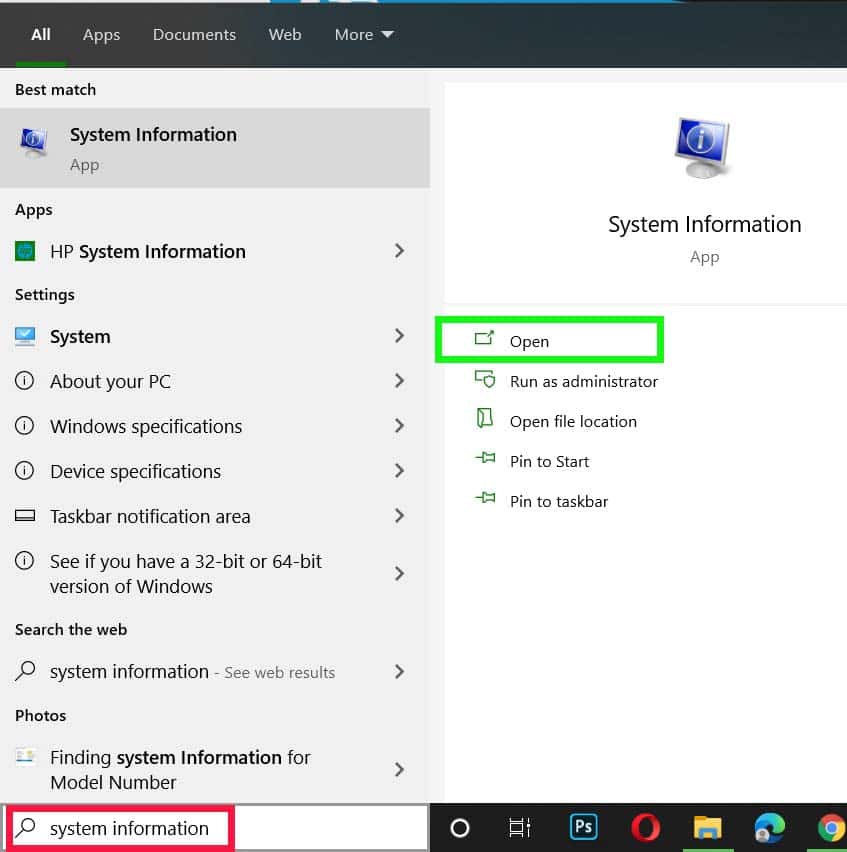
- Type System Information in the Windows search bar and press Enter
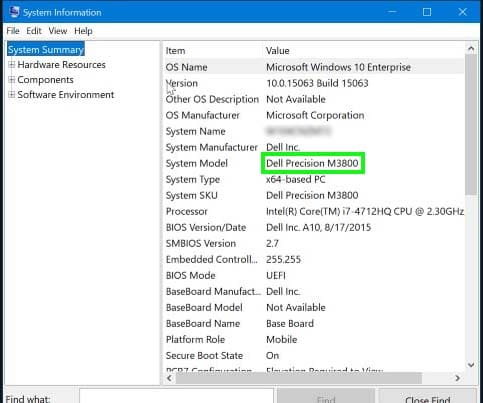
- Look for the System Model row on the right side
- The value shown is your Dell laptop model number
Method 3) Find Dell Model Number Using CMD
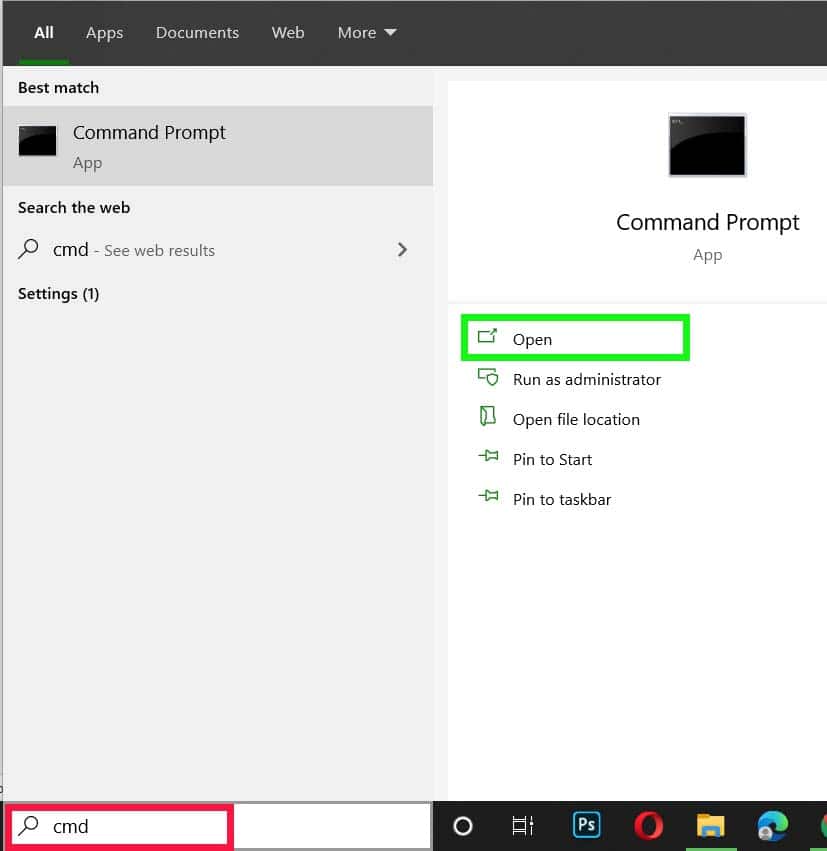
- Type cmd in the Windows search bar and press Enter
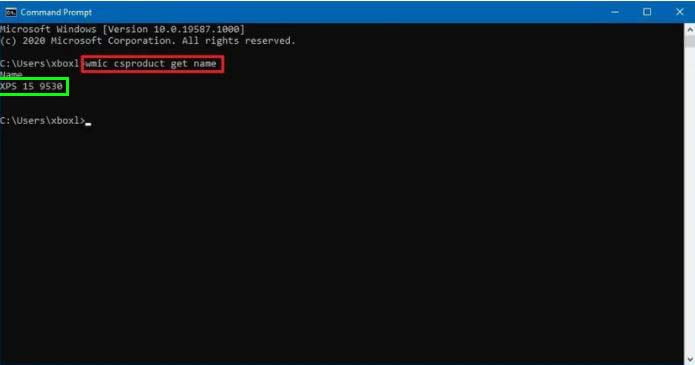
- In the Command Prompt window, type WMIC CSPRODUCT GET NAME and press Enter
- Your Dell laptop model number will appear on the screen
Method 4) Check the Boot Screen
Many Dell laptops show the model name and family during the initial boot-up screen. Restart your laptop and look for the model name above the loading bar before Windows starts.
Method 5) Use Dell SupportAssist
- Go to the Dell Support website
- Download and install Dell SupportAssist
- Once installed and running, it automatically detects your Dell model number, serial number, and full specifications
FAQ (How to Find Dell Laptop Model Number)
Where do I find the model number on a Dell laptop?
Search System Information in the Windows search bar and press Enter. Look for the System Model row. It will show your model number, for example “Inspiron 3581”.
How do I find the serial number on my Dell laptop?
Open Command Prompt, type wmic bios get serialnumber and press Enter. The serial number will appear on screen. You can also find it on the bottom sticker of your laptop.
How do I find my Dell laptop specifications?
Type dxdiag in the Windows search bar and press Enter. A window will display your full system specifications including processor, RAM, and graphics card.
Conclusion
Finding your Dell laptop model number is simple using any of the methods above. The bottom sticker is the quickest for most users. If the sticker is worn or you bought the laptop used, System Information or CMD will give you the confirmed model number in seconds.
You May Also Like:
What Model is My Lenovo Laptop?
How to Find HP Laptop Battery Model Number